2019 MERCEDES-BENZ GLB SUV ad blue
[x] Cancel search: ad bluePage 476 of 689
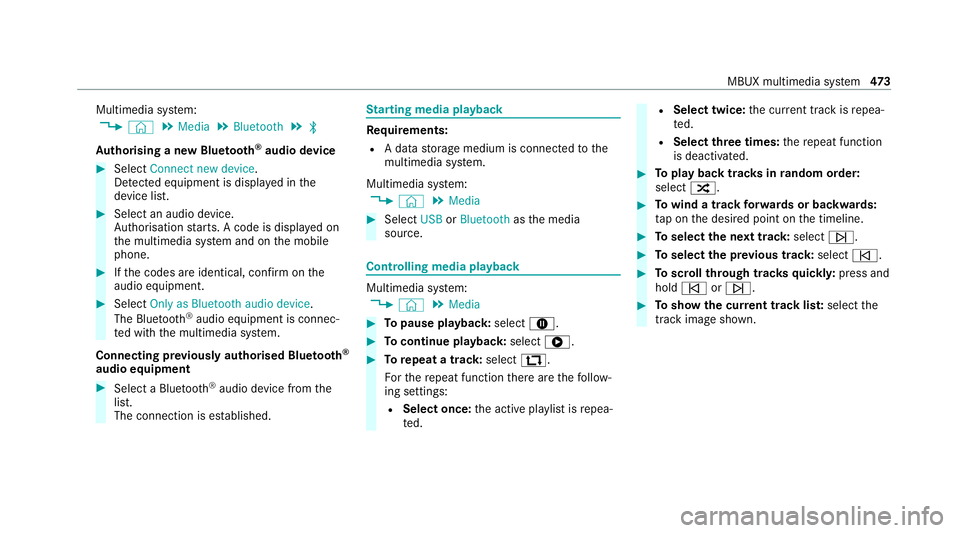
Multimedia sy
stem:
4 © 5
Media 5
Bluetooth 5
ª
Au thorising a new Blue tooth ®
audio device #
Select Connect new device .
De tected equipment is displ ayed in the
device list. #
Select an audio device.
Auth orisation starts. A code is displa yed on
th e multimedia sy stem and on the mobile
phone. #
Ifth e codes are identical, confi rmonthe
audio equipment. #
Select Only as Bluetooth audio device .
The Blue tooth®
audio equipment is connec‐
te d with the multimedia sy stem.
Connecting pr eviously authorised Blue tooth ®
audio equipment #
Select a Blue tooth®
audio device from the
list.
The connection is es tablished. St
arting media playback Re
quirements:
R A data storage medium is connected tothe
multimedia sy stem.
Multimedia sy stem:
4 © 5
Media #
Select USBorBluetooth asthe media
source. Controlling media playback
Multimedia sy
stem:
4 © 5
Media #
Topause playback: select8. #
Tocontinue playba ck:select 6. #
Torepeat a track: select:.
Fo rth ere peat function there are thefo llow‐
ing settings:
R Select once: the active pla ylist is repea‐
te d. R
Select twice: the cur rent track is repea‐
te d.
R Select three times: there peat function
is deactivated. #
Toplay back trac ksinrandom order:
select 9. #
Towind a track forw ards or backwards:
ta p on the desired point on the timeline. #
Toselect the next track: selectü. #
Toselect the pr evious track: selectû. #
Toscroll through trac ksquickl y:press and
hold û orü. #
Toshow the cur rent track lis t:select the
track image shown. MBUX multimedia sy
stem 473
Page 478 of 689
av
ailable categories depend on thest re aming
pr ov ider. #
Select 5.
The list of available categories appears. #
Select a categor y.
Ke yword sear chin online music
Yo u can look for content using theke yword
sear chwith free text input. #
Select ª.
A ke yboard forch aracter ent ryappears. #
Enterth ete rm sear ched for.
% The sear chbegins from thefirs tth re ech ar‐
acters entered. The more characters entered
th e more concr eteth e sear chresults
become. #
Select the desired entry fromthere sult list.
If th e selected result is an album, song or a
playback list then playback is star ted. If the
selected result is a new category then this is
opened in the sear ch. Configuring online music options
Multimedia sy
stem:
4 © 5
Media 5
Online music #
During media playbac k,press ß inthe
Media menu.
Three options appear:
R Addth e song to yourow nfavo urites
R Addth e song toa playback list
R The Title Radio option #
Select one of theth re e options.
% IfTitle Radio is selected, a playback list with
similar music tra cks is created.
The available options depend on what is
of fere dby the pr ovider of thest re aming
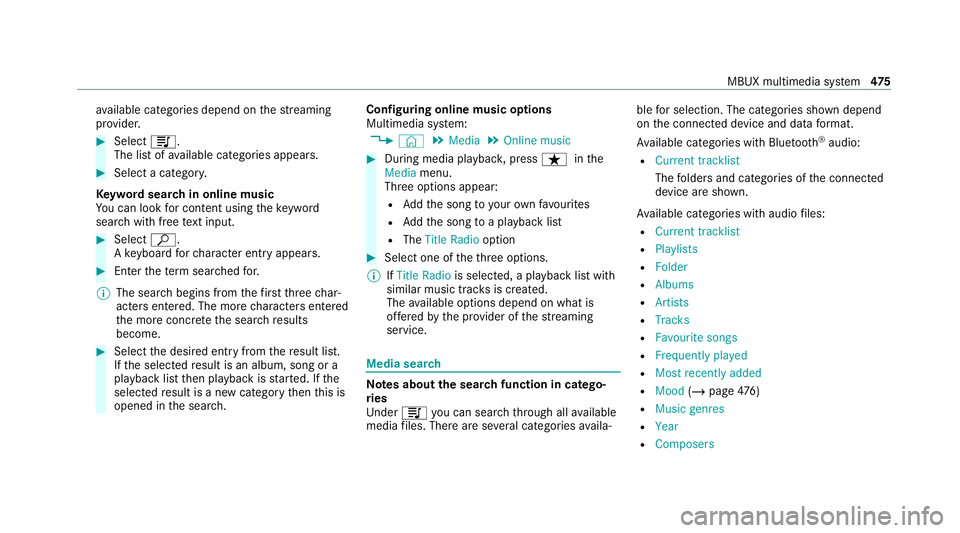
service. Media sear
ch Note
s about the sear chfunction in catego‐
ri es
Und er5 you can sear chthro ugh all available
media files. There are se veral categories availa‐ ble
for selection. The categories shown depend
on the connected device and data form at.
Av ailable categories with Blue tooth ®
audio:
R Current tracklist
The folders and categories of the connected
device are shown.
Av ailable categories with audio files:
R Current tracklist
R Playlists
R Folder
R Albums
R Artists
R Tracks
R Favourite songs
R Frequently played
R Most recently added
R Mood (/page 476)
R Music genres
R Year
R Composers MBUX multimedia sy
stem 475
Page 555 of 689
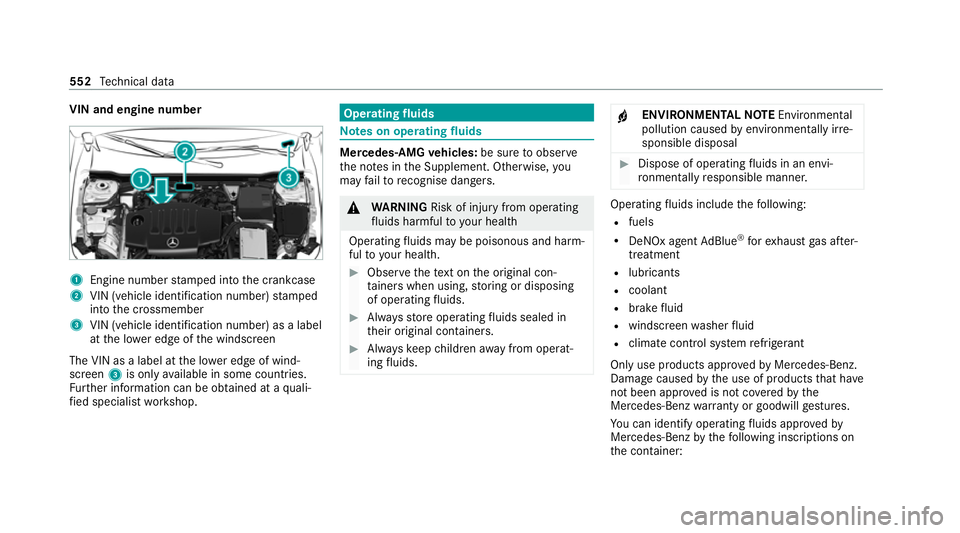
VIN and engine number
1
Engine number stamped into the crankcase
2 VIN (vehicle identification number) stamped
into the crossmember
3 VIN (vehicle identification number) as a label
at the lo wer edge of the windscreen
The VIN as a label at the lo wer edge of wind‐
screen 3is only available in some countries.
Fu rther information can be obtained at a quali‐
fi ed specialist workshop. Operating
fluids Note
s on operating fluids Mercedes-AMG
vehicles: be sure toobser ve
th e no tes in the Supplement. Otherwise, you
may failto recognise dangers. &
WARNING Risk of inju ryfrom operating
fl uids harmful to your health
Operating fluids may be poisonous and harm‐
ful to yo ur health. #
Obser vethete xt on the original con‐
ta iners when using, storing or disposing
of operating fluids. #
Alw aysst ore operating fluids sealed in
th eir original conta iners. #
Alw ayske ep children away from operat‐
ing fluids. +
ENVIRONMEN
TALNO TEEnvironmental
pollution caused byenvironmen tally ir re‐
sponsible disposal #
Dispose of operating fluids in an envi‐
ro nmentally responsible manner. Operating
fluids include thefo llowing:
R fuels
R DeNOx agent AdBlue ®
forex haust gas af ter‐
treatment
R lubri cants
R coolant
R brake fluid
R windsc reen washer fluid
R climate cont rol sy stem refrigerant
Only use products app rove dby Mercedes-Benz.
Damage caused bythe use of products that ha ve
not been appr oved is not co veredby the
Mercedes-Benz warranty or goodwill gestures.
Yo u can identify operating fluids appr ovedby
Mercedes-Benz bythefo llowing insc ript ions on
th e conta iner: 552
Tech nical da ta
Page 559 of 689
Ac
cording toEuropean standard EN 1694 2you
can find the compatibility indications at thefo l‐
lowing locations:
R onthe information label on the fuel filler flap
(/ page 209)
R onthe fuel pump or pump nozzle suitable for
yo ur vehicle thro ughout Europe
Information on low outside temperatures
Re fuel your vehicle with as much winter diesel
fuel as possible at the beginning of winter.
Before changing over towinter diesel fuel, the
fuel tank should be empty, if possible. When first
re fuelling with winter diesel fuel, only refuel
using a small amount, e.g. toreser veleve l. The
fuel tank can be filled as usual when next refuel‐
ling.
Fu rther information on fuel can be obtained at a
fi lling station or a qualified specialist workshop. Ta
nk content and reser vefuel
Capacity Model
Total capacity
GLB 180 d 4MATIC
GLB 200 d 4MATIC
GLB 220 d 4MATIC
GLB 250 4MATIC 60.0 litres
All other models 52.0 litres Model
of whichreser ve
fuel
All model s6 .0 litres Ad
Blue ® Note
s onAdBlue ®
Obser vethe no tes on operating fluids
(/ page 552).
Ad Blue ®
is a wate r-soluble fluid forth e NOx
ex haust gas af tertre atment of diesel engines. It may be improper or punishable in some coun‐
tries
tooperate a vehicle that uses no AdBlue ®
or one that does not comply with the specifica‐
tions of these operating instructions.
* NO
TEMalfunctions due tothe dilution of
Ad Blue ®
or the use of additive-enhanced
Ad Blue ® The function of
the NOx exhaust gas af ter‐
treatment can be impaire dby the use of
unsuitable denoxification agents. #
Only use AdBlue ®
in acco rdance with
ISO 22 241. #
Do not dilu teAd Blue ®
wi th wate r. #
Do not use additive-enhanced AdBlue ®
. *
NO
TEDama geand malfunctions due to
impurities in AdBlue ® Consequences of impu
rities in AdBlue ®
:
R increased emission values
R damage tothe catalytic con verter 556
Tech nical da ta
Page 560 of 689
R
NOx exhaust gas af tertre atment malfunc‐
tions #
Avoid impurities in AdBlue ®
. Ad
Blue ®
re sidues cr ystallise af ter a period of
time, and contamina tethe sur faces wi thwhich
th ey come into contact. Clean the dirty sur faces
wi th wate r as soon as possible.
When you open theAd Blue ®
tan k,small
amounts of ammonia vapour may escape. Do
not inhale any ammonia vapours that may be
re leased. Only fill th eAd Blue ®
tank in well-venti‐
lated areas.
Ad Blue ®
filling capacity and consum ption
To tal capacity of AdBlue ®
tank Mode
lT otal capacity
All models 23.8 litresAd
Blue ®
consu mption
The average AdBlue ®
consu mption is between
1% and 5% of fuel consumption. Li kefuel con‐ sum
ption, AdBlue ®
consu mption is highly
dependent upon driving style and operating con‐
ditions. Forth is reason, your vehicle's actual
consum ption figures under da y-to -day operating
conditions may di ffer from the consum ption fig‐
ures calculated. The frequency at which you will
ha ve to to p up AdBlue ®
will also vary. Ha vethe
Ad Blue ®
supply checked at a qualified specialist
wo rkshop before making journe ysoutside of
Europe. Before a longer stay outside of Europe,
consult a qualified specialist workshop.
Ad Blue ®
ra nge and fill le vel
The AdBlue ®
fill le vel and range can be displ ayed
via the on-board computer. The AdBlue ®
ra nge
shown depends strongly on the driving style and
operating conditions. The actual range can
th erefore deviate from thera nge cur rently dis‐
pl ay ed in the on-board computer. The informa‐
tion supplied in the Owner's Manual rega rding
th ere ser vequantity at thefirs t display warning
and on the minimum top-up quantity when the
ta nk is em pty is also tobe under stood as guide
va lues. Display
theAd Blue ®
ra nge and le vel
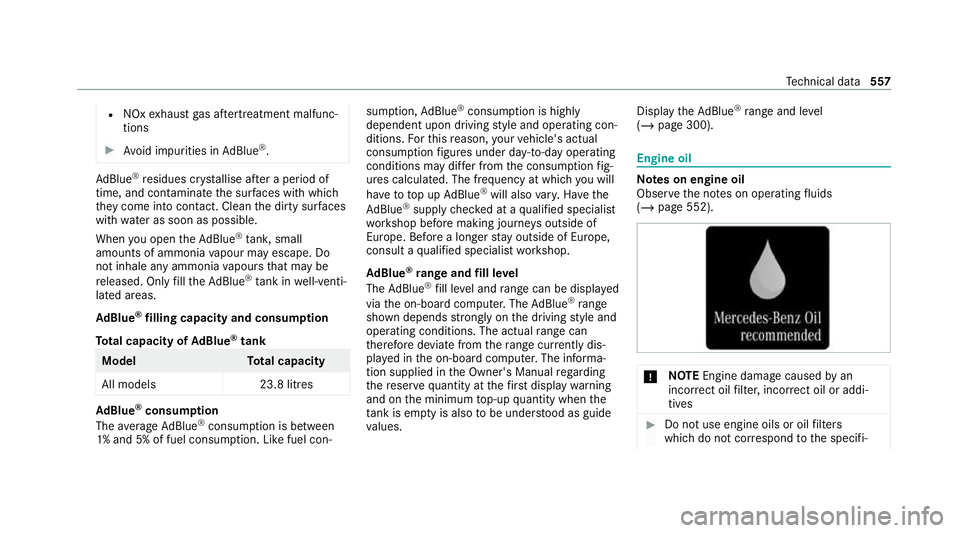
( / page 300). Engine oil
Note
s on engine oil
Obser vethe no tes on operating fluids
(/ page 552). *
NO
TEEngine dama gecaused byan
incor rect oil filter, incor rect oil or addi‐
tives #
Do not use engine oils or oil filters
which do not cor respond tothe specifi‐ Te
ch nical da ta557
Page 621 of 689
Display messages
Possible causes/consequences and M
MSolutions
Run Flat Indicator inopera-
tive *T
he tyre pressure loss warning sy stem is malfunctioning. #
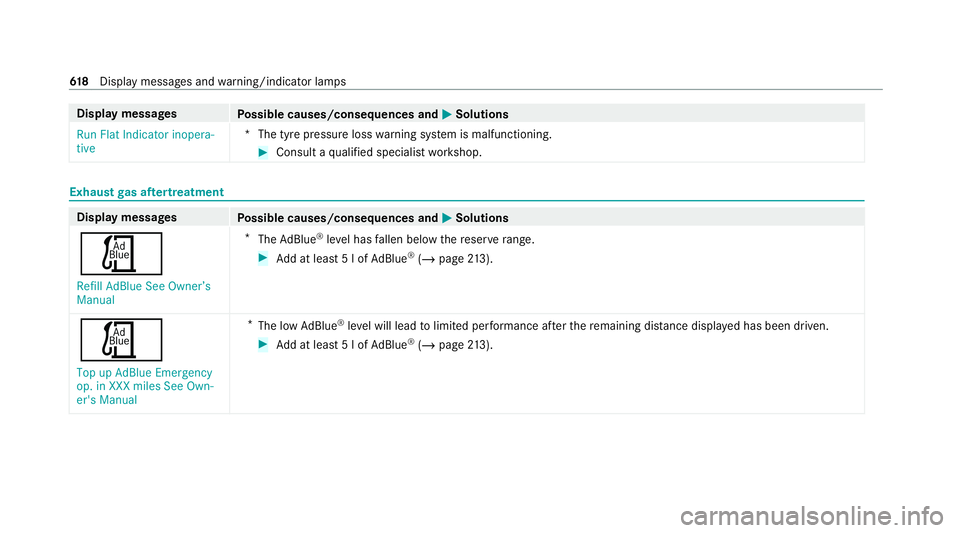
Consult a qualified specialist workshop. Exhaust
gas af tertre atment Display messages
Possible causes/consequences and M MSolutions
Ú Refill AdBlue See Owner’s
Manual *
The AdBlue ®
leve l has fallen below there ser verange. #
Add at least 5 l of AdBlue ®
(/ page 213).
Ú
Top up AdBlue Emergency
op. in XXX miles See Own-
er's Manual *
The low AdBlue ®
leve l will lead tolimited per form ance af terth ere maining dis tance displ ayed has been driven. #
Add at least 5 l of AdBlue ®
(/ page 213). 61 8
Displaymessa ges and warning/indicator lamps
Page 622 of 689
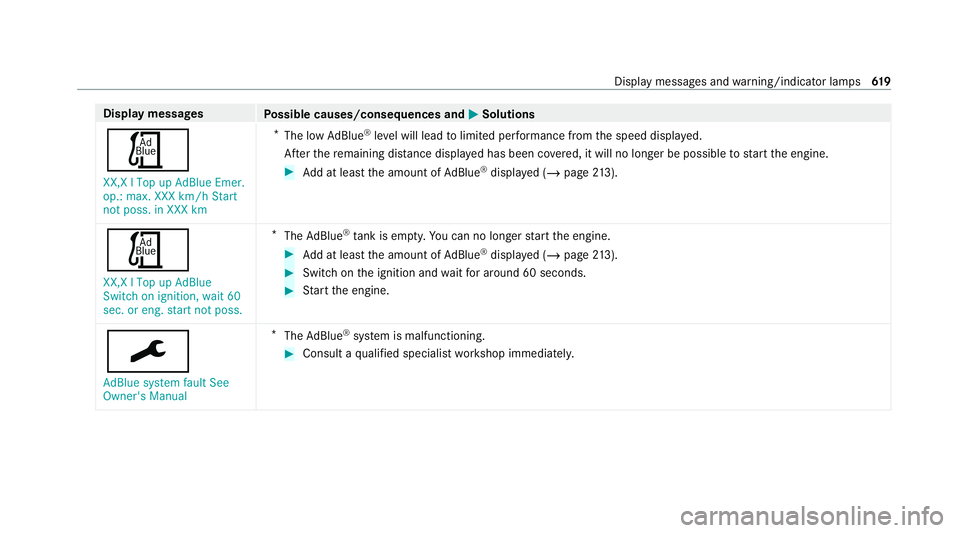
Display messages
Possible causes/consequences and M
MSolutions
Ú XX,X l Top up AdBlue Emer.
op.: max. XXX km/h Start
not poss. in XXX km *
The low AdBlue ®
leve l will lead tolimited per form ance from the speed displa yed.
Af terth ere maining dis tance displ ayed has been co vered, it will no longer be possible tostart the engine. #
Add at least the amount of AdBlue ®
displ ayed (/ page213).
Ú
XX,X l Top up AdBlue
Switch on ignition, wait 60
sec. or eng. start not poss. *
The AdBlue ®
tank is em pty. Yo u can no lon gerst art the engine. #
Add at least the amount of AdBlue ®
displ ayed (/ page213). #
Switch on the ignition and waitfor around 60 seconds. #
Start the engine.
¯
AdBlue system fault See
Owner's Manual *
The AdBlue ®
sy stem is malfunctioning. #
Consult a qualified specialist workshop immediatel y. Displ
aymessa ges and warning/indicator lamps 619
Page 623 of 689
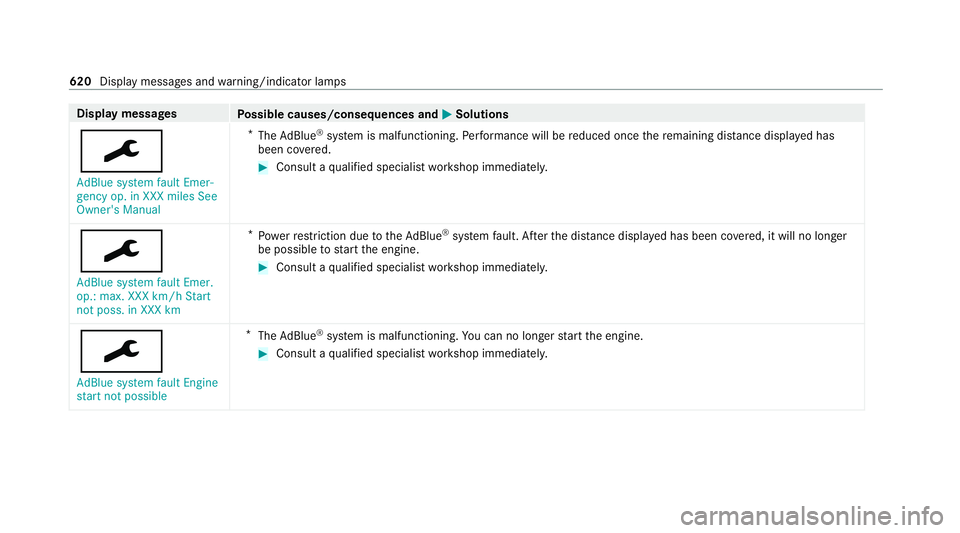
Display messages
Possible causes/consequences and M
MSolutions
¯ AdBlue system fault Emer-
gency op. in XXX miles See
Owner's Manual *
The AdBlue ®
sy stem is malfunctioning. Performance will be reduced once there maining dis tance displ ayed has
been co vered. #
Consult a qualified specialist workshop immediatel y.
¯
AdBlue system fault Emer.
op.: max. XXX km/h Start
not poss. in XXX km *
Po we rre striction due totheAd Blue ®
sy stem fault. Af terth e dis tance displ ayed has been co vered, it will no longer
be possible tostart the engine. #
Consult a qualified specialist workshop immediatel y.
¯
AdBlue system fault Engine
start not possible *
The AdBlue ®
sy stem is malfunctioning. You can no lon gerst art the engine. #
Consult a qualified specialist workshop immediatel y.620
Display messages and warning/indicator lamps