Page 329 of 689
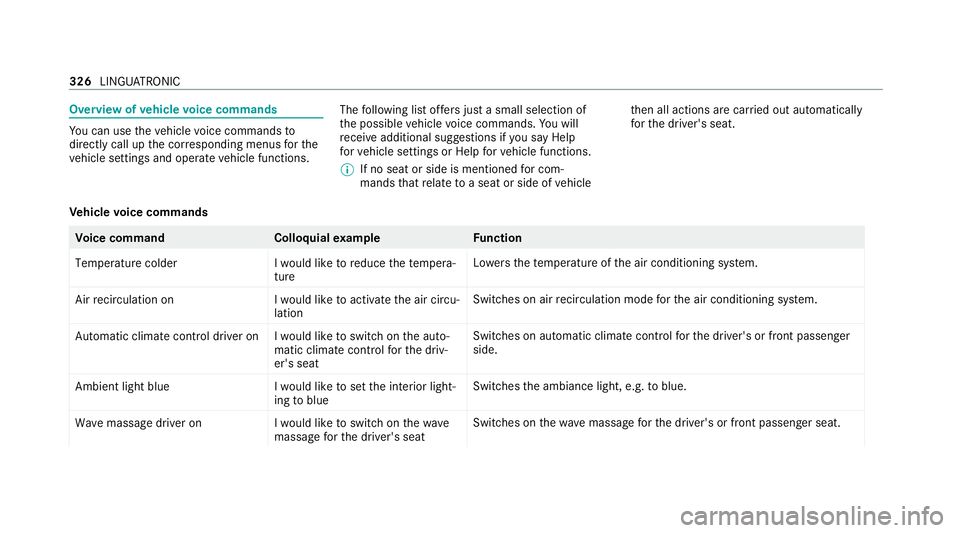
Overview of
vehicle voice commands Yo
u can use theve hicle voice commands to
directly call up the cor responding menus forthe
ve hicle settings and operate vehicle functions. The
following list of fers just a small selection of
th e possible vehicle voice commands. You will
re cei veadditional suggestions if you say Help
for vehicle settings orHelp for vehicle functions.
% If no seat or side is mentioned for com‐
mands that relate toa seat or side of vehicle th
en all actions are car ried out automatically
fo rth e driver's seat.
Ve hicle voice commands Vo
ice command Colloquialexample Function
Temperature colder I would like to reduce the tempera-
tureLo
we rsthete mp erature of the air conditioning sy stem.
Air recirculation on I would like to activate the air circu-
lationSwitches on air
recirculation mode forth e air conditioning sy stem.
Automatic climate control driver on I would like to switch on the auto- matic climate control for the driv-
er's seatSwitches on automatic climate control
forth e driver's or front passenger
side.
Ambient light blue I would like to set the interior light-
ing to blueSwitches
the ambiance light, e.g. toblue.
Wave massage driver on I would like to switch on the wave
massage for the driver's seatSwitches on
thewav e massage forth e driver's or front passenger seat. 326
LINGU ATRO NIC
Page 330 of 689
Vo
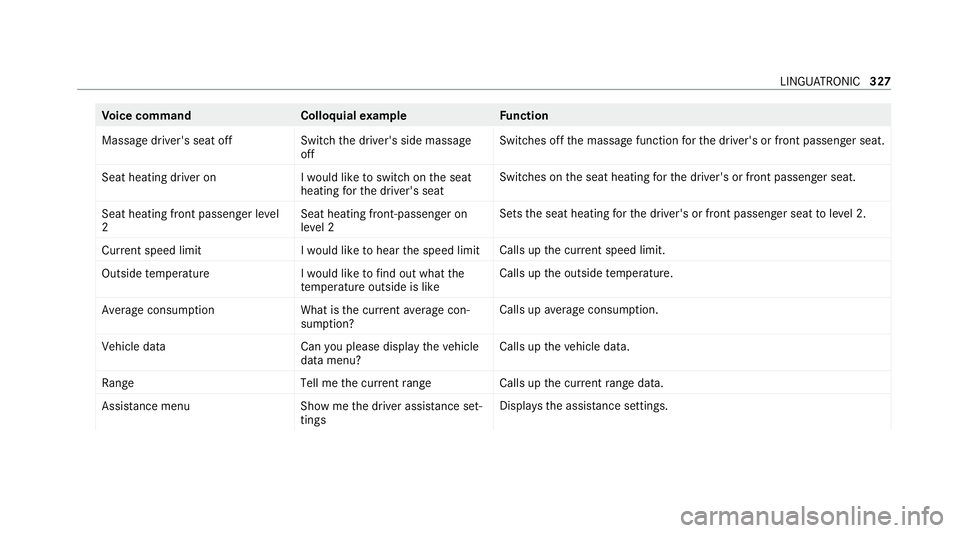
ice command Colloquialexample Function
Massage driver's seat off Switch the driver's side massage
offSwitches off
the massage function forth e driver's or front passenger seat.
Seat heating driver on I would like to switch on the seat
heating for the driver's seatSwitches on
the seat heating forth e driver's or front passenger seat.
Seat heating front passenger level
2 Seat heating front-passenger on
level 2Sets
the seat heating forth e driver's or front passenger seat toleve l 2.
Current speed limit I would like to hear the speed limitCalls up
the cur rent speed limit.
Outside temperature I would like to find out what the
temperature outside is likeCalls up
the outside temp erature.
Average consumption What is the current average con-
sumption? Calls up
average consu mption.
Vehicle data Can you please display the vehicle
data menu?Calls up
theve hicle data.
Range Tell me the current rangeCalls up
the cur rent range da ta.
Assistance menu Show me the driver assistance set-
tingsDispl
aysth e assis tance settings. LING
UATRONIC 327
Page 331 of 689
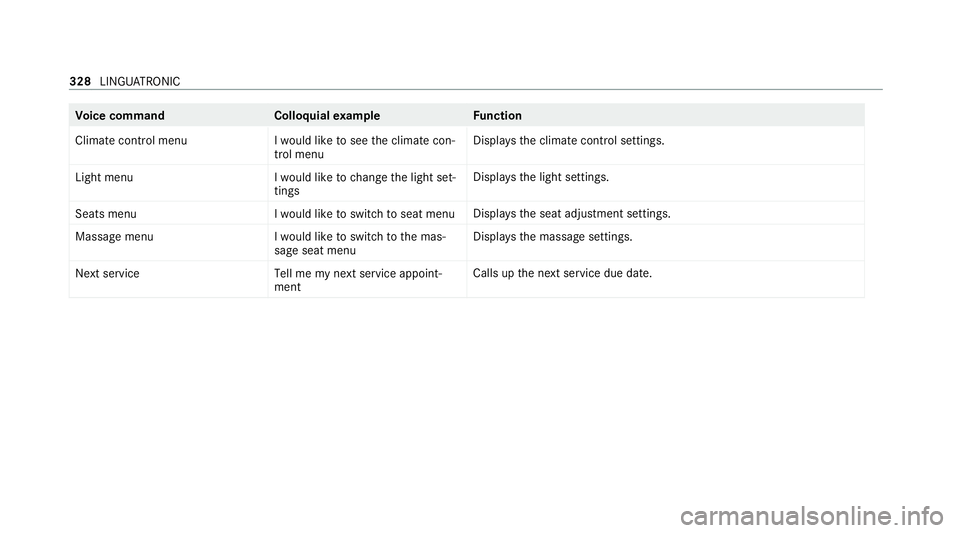
Vo
ice command Colloquialexample Function
Climate control menu I would like to see the climate con-
trol menuDispla
ys the climate control settings.
Light menu I would like to change the light set-
tingsDispla
ys the light settings.
Seats menu I would like to switch to seat menuDispla
ys the seat adjustment settings.
Massage menu I would like to switch to the mas-
sage seat menuDispla
ys the massage settings.
Next servic eT ell me my next service appoint-
ment Calls up
the next service due date. 328
LINGU ATRO NIC
Page 376 of 689
A prom
ptappears again asking whe ther you
re ally wish toreset. #
Select Yes.
The multimedia sy stem is reset tothefa ctory
settings. If you ha veset a PIN foryo ur sys‐
te m, this will also be reset. Fi
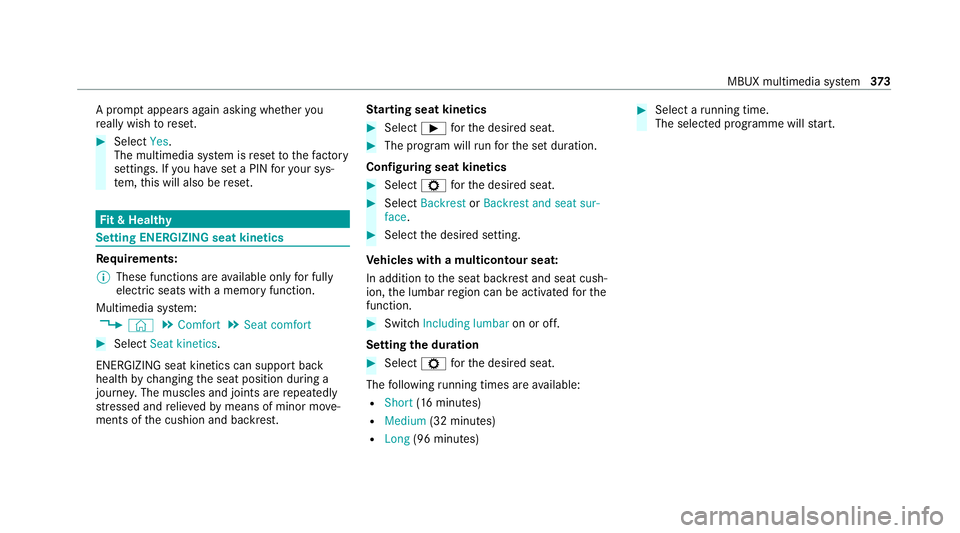
t & Healthy Setting ENE
RGIZING seat kinetics Re
quirements:
% These functions are available on lyfor fully
electric seats with a memory function.
Multimedia sy stem:
4 © 5
Comfort 5
Seat comfort #
Select Seat kinetics .
ENERG IZING seat kinetics can support back
health bychanging the seat position during a
journe y.The muscles and joints are repeatedly
st re ssed and relie vedby means of minor mo ve‐
ments of the cushion and backrest. St
arting seat kinetics #
Select Ìforth e desired seat. #
The program will runfo rth e set duration.
Configuring seat kinetics #
Select Zforth e desired seat. #
Select Backrest orBackrest and seat sur-
face. #
Select the desired setting.
Ve hicles with a multicontour seat:
In addition tothe seat backrest and seat cush‐
ion, the lumbar region can be activated forthe
function. #
Switch Including lumbar on or off.
Setting the du ration #
Select Zforth e desired seat.
The following running times are available:
R Short (16 minutes)
R Medium (32 minutes)
R Long (96 minutes) #
Select a running time.
The selected programme will start. MBUX multimedia sy
stem 373
Page 377 of 689
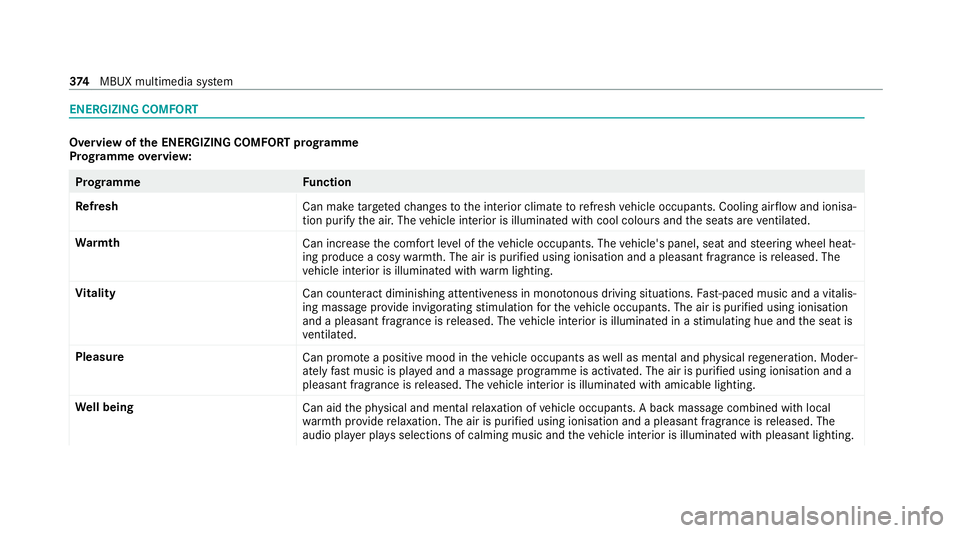
ENERGIZING COMFORT
Overview of
the ENERGIZING COMFORT prog ramme
Prog ramme overview: Prog
ramme Function
Re fresh
Can maketargeted changes tothe interior climate torefresh vehicle occupants. Cooling air flow and ionisa‐
tion purify the air. The vehicle interior is illuminated with cool colours and the seats are ventilated.
Wa rmth
Can increase the comfort le vel of theve hicle occupants. The vehicle's panel, seat and steering wheel heat‐
ing produce a cosy warmth. The air is pu rified using ionisation and a pleasant fragrance is released. The
ve hicle interior is illuminated with warm lighting.
Vi tality
Can countera ct diminishing attentiveness in mono tonous driving situations. Fast-paced music and a vitalis‐
ing massa geprov ide invigorating stimulation forth eve hicle occupants. The air is purified using ionisation
and a pleasant fragrance is released. The vehicle interior is illuminated in a stimulating hue and the seat is
ve ntilated.
Pleasure Can promotea positive mood in theve hicle occupants as well as men tal and ph ysical rege neration. Moder‐
ately fastmusic is pla yed and a massage programme is activated. The air is purified using ionisation and a
pleasant fragrance is released. The vehicle interior is illuminated with amicable lighting.
We ll being
Can aidthe ph ysical and men talre laxation of vehicle occupants. A back massage combined with local
wa rmthprov ide relaxation. The air is purified using ionisation and a pleasant fragrance is released. The
audio pla yer pla ysselections of calming music and theve hicle interior is illuminated with pleasant lighting. 374
MBUX multimedia sy stem
Page 379 of 689
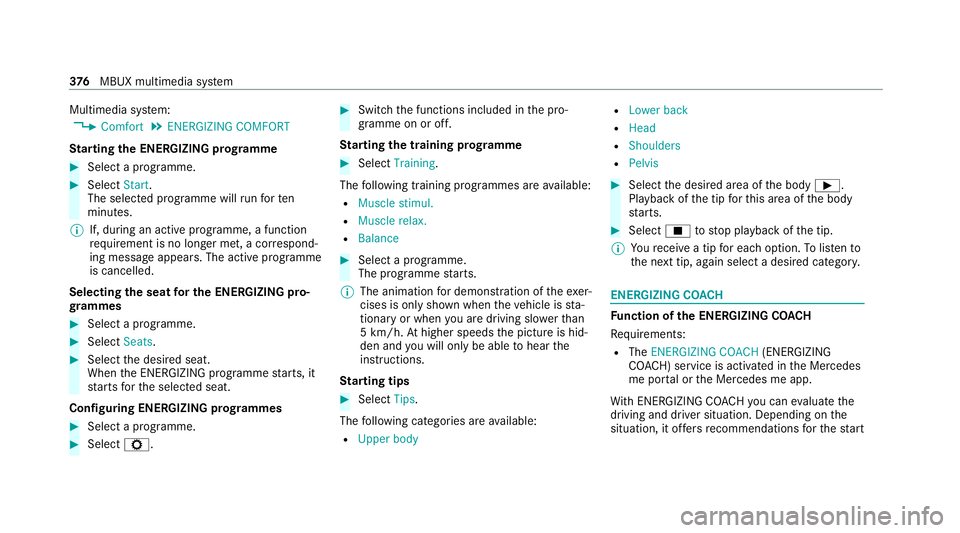
Multimedia sy
stem:
4 Comfort 5
ENERGIZING COMFORT
St arting the ENERGIZING prog ramme #
Select a prog ramme. #
Select Start.
The selected programme will runfo rten
minutes.
% If, during an active programme, a function
re qu irement is no longer met, a cor respond‐
ing message appears . The activeprog ramme
is cancelled.
Selecting the seat for the ENE RGIZING pro‐
gr ammes #
Select a programme. #
Select Seats. #
Select the desired seat.
When the ENERG IZING programme starts, it
st arts forth e selected seat.
Configuring ENERGIZING prog rammes #
Select a prog ramme. #
Select Z. #
Switch the functions included in the pro‐
gramme on or off.
St arting the training prog ramme #
Select Training.
The following training prog rammes are available:
R Muscle stimul.
R Muscle relax.
R Balance #
Select a programme.
The programme starts.
% The animation for demonstration of theexe r‐
cises is only shown when theve hicle is sta‐
tionary or when you are driving slo werth an
5 km/h. Athigher speeds the picture is hid‐
den and you will on lybe able tohear the
instructions.
St arting tips #
Select Tips.
The following categories are available:
R Upper body R
Lower back
R Head
R Shoulders
R Pelvis #
Select the desired area of the body Ì.
Playback of the tip forth is area of the body
st arts. #
Select Étostop playback of the tip.
% Youre cei vea tip for each option. Tolistento
th e next tip, again select a desired categor y. ENERGIZING CO
ACH Fu
nction of the ENERGIZING CO ACH
Re quirements:
R The ENERGIZING COACH (ENERGIZING
CO ACH) service is activated in the Mercedes
me por tal or the Mercedes me app.
Wi th ENERGIZING CO ACHyo u can evaluate the
driving and driver situation. Depending on the
situation, it of fers recommendations forth est art 376
MBUX multimedia sy stem
Page 485 of 689
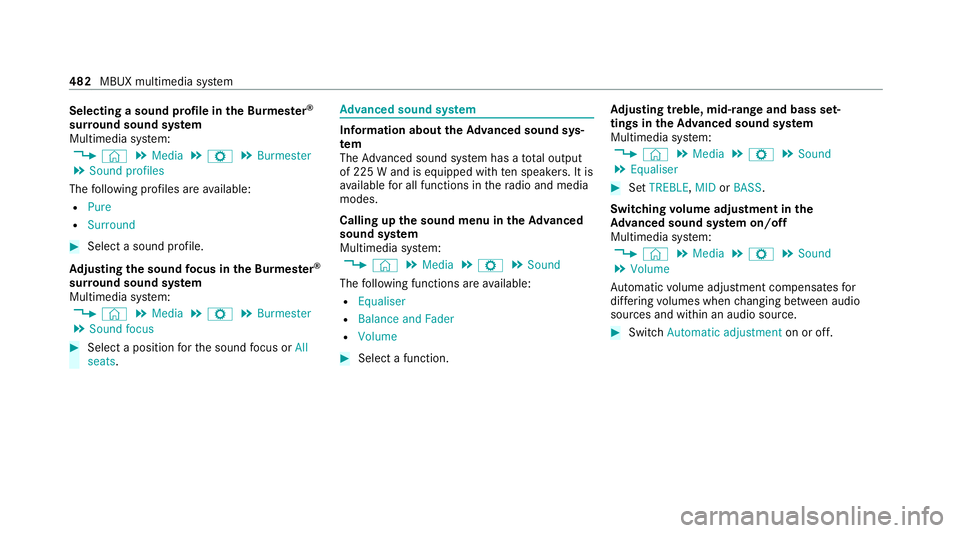
Selecting a sound profile in
the Bu rmester ®
sur round sound sy stem
Multimedia sy stem:
4 © 5
Media 5
Z 5
Burmester
5 Sound profiles
The following profiles are available:
R Pure
R Surround #
Select a sound profile.
Ad justing the sound focus in the Bu rmester ®
sur round sound sy stem
Multimedia sy stem:
4 © 5
Media 5
Z 5
Burmester
5 Sound focus #
Select a position forth e sound focus or All
seats. Ad
vanced sound sy stem Information about
theAd vanced sound sys‐
tem
The Adva nced sound sy stem has a total output
of 225 W and is equipped with ten speakers. It is
av ailable for all functions in thera dio and media
modes.
Calling up the sound menu in theAd vanced
sound sy stem
Multimedia sy stem:
4 © 5
Media 5
Z 5
Sound
The following functions are available:
R Equaliser
R Balance and Fader
R Volume #
Select a function. Ad
justing treble, mid- range and bass set‐
tings in theAd vanced sound sy stem
Multimedia sy stem:
4 © 5
Media 5
Z 5
Sound
5 Equaliser #
Set TREBLE, MIDorBASS .
Switching volume adjustment in the
Ad vanced sound sy stem on/off
Multimedia sy stem:
4 © 5
Media 5
Z 5
Sound
5 Volume
Au tomatic volume adjustment compensates for
dif fering volumes when changing between audio
sources and within an audio source. #
Swit chAutomatic adjustment on or off.482
MBUX multimedia sy stem
Page 530 of 689
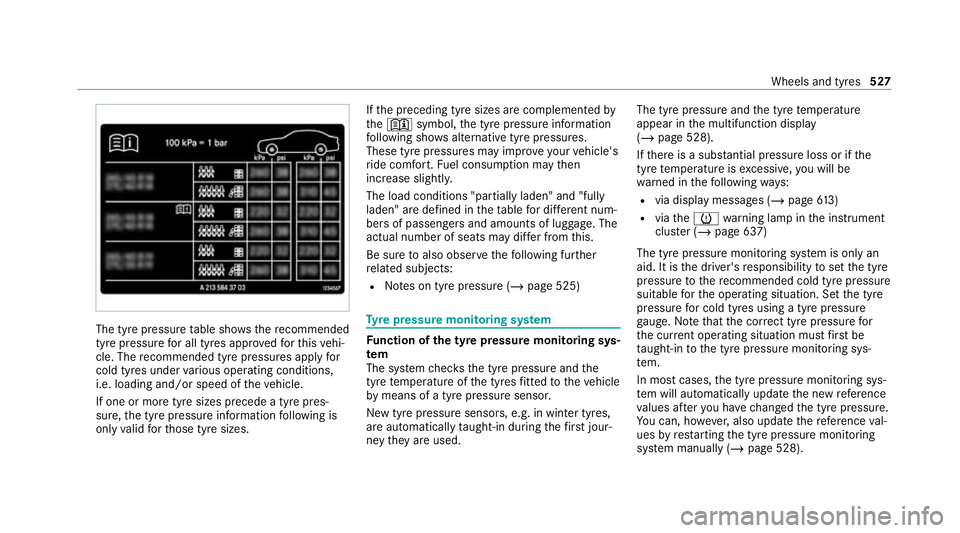
The tyre pressure
table sho ws there commended
tyre pressure for all tyres appro vedfo rth is vehi‐
cle. The recommended tyre pressures apply for
cold tyres under various operating conditions,
i.e. loading and/or speed of theve hicle.
If one or more tyre sizes precede a tyre pres‐
sure, the tyre pressure information following is
only valid forth ose tyre sizes. If
th e preceding tyre sizes are complemented by
th e+ symbol, the tyre pressure information
fo llowing sho wsalternative tyre pressures.
These tyre pressures may impr oveyour vehicle's
ri de comfort. Fuel consum ption may then
increase slightl y.
The load conditions "partially laden" and "fully
laden" are defined in theta ble for dif fere nt num‐
be rs of passengers and amounts of luggage. The
actual number of seats may dif fer from this.
Be sure toalso obse rveth efo llowing fur ther
re lated subjects:
R Notes on tyre pressure (/ page 525) Ty
re pressure moni toring sy stem Fu
nction of the ty repressure moni toring sys‐
tem
The sy stem checks the tyre pressure and the
tyre temp erature of the tyres fitted totheve hicle
by means of a tyre pressu resensor.
New tyre pressure sensors, e.g. in winter tyres,
are automatically taught-in during thefirs t jour‐
ney they are used. The tyre pressure and
the tyre temp erature
appear in the multifunction display
(/ page 528).
If th ere is a subs tantial pressure loss or if the
tyre temp erature is excessive, you will be
wa rned in thefo llowing ways:
R via display messa ges (/ page613)
R viatheh warning lamp in the instrument
clus ter (/ page 637)
The tyre pressu remonitoring sy stem is only an
aid. It is the driver's responsibility toset the tyre
pressure tothere commended cold tyre pressure
suitable forth e operating situation. Set the tyre
pressure for cold tyres using a tyre pressu re
ga uge. No tethat the cor rect tyre pressure for
th e cur rent operating situation mu stfirs t be
ta ught-in tothe tyre pressure monitoring sys‐
te m.
In most cases, the tyre pressure monitoring sys‐
te m will auto maticallyupdate the new refere nce
va lues af teryo u ha vechanged the tyre pressure.
Yo u can, ho wever,also update there fere nce val‐
ues byrestarting the tyre pressure monitoring
sy stem manually (/ page 528). Wheels and tyres
527