2019 MERCEDES-BENZ E CLASS display
[x] Cancel search: displayPage 489 of 530

1,2, 3 ...
4MATIC.....................................................154Function ..............................................154
12V batterysee Battery (vehicle)
48 V on-board electrical systemOperating safety .................................... 22
360° Camera...........................................199Function ..............................................19 9Openingthe camera cover (rear viewcamera) ...............................................202Selecting a view .................................. 202Settingfavorites ..................................202
A
A/C functionActivating/deactivating (multimediasystem) ................................................13 2Switching on/off (control panel) .........13 2
ABS (Anti-lock Braking System).............166
Accelerationsee Kickdown
Accident and breakdown manage‐mentMercedes me connect .........................314
Acoustic lockingverification signalActivating/deactivating ......................... 63
Activating/deactivating automaticvolume adjustment
Burmester®surround sound system ... 345
Active Blind Spot Assist..........................212Brake application .................................214Function ...............................................212Switching on/off .................................215System limitations ...............................212
Active Brake AssistFunction/notes ...................................17 0Setting .................................................174
Active Distance Assist DISTRONIC........17 7Active EmergencyStop Assist .............186Active Lane Change Assist..................185Calling up a speed ...............................179Displays inthe Instrument Display .......187Function ..............................................17 7Increasing/decreasing speed ..............179Requirements ......................................17 9
Route-based speed adaptation ............181Steering wheel buttons ........................17 9Storing a speed ...................................17 9Switching off/deactivating ..................17 9Switching on/activating ......................17 9System limitations ...............................177
Active EmergencyStop Assist...............186
Active hood (pedestrian protection)...... 348Method of operation ............................348Resetting ............................................. 348
Active Lane Change Assist.....................185Activating/deactivating .......................186Function ..............................................185
Active LaneKeeping Assist.....................215Activating/deactivating .......................217Function ...............................................215System limitations ...............................215
ActiveParking Assist.............................. 203CrossTraffic Alert ............................... 208DriveAwayAssist................................ 207Exiting a parking space .......................206Function .............................................. 203Maneuvering assistance ...................... 209Parking ................................................ 204
Index487
Page 490 of 530

System limitations ...............................203
Active Service System PLUSsee ASSYSTPLUS
Active Speed Limit Assist.......................180Display.................................................180Function ..............................................180
ActiveSteering Assist.............................183Activating/deactivating .......................185Active EmergencyStop Assist .............186Active Lane Change Assist..................185Displays inthe Instrument Display .......187Function ..............................................183System limitations ...............................183
Adaptive cruise controlseeActive Distance AssistDISTRONIC
Adaptive Highbeam AssistFunction ..............................................12 0Switching on/off .................................121
AdditionalvaluerangeSetting display content ........................ 222
Additives.................................................. 421Engine oil ............................................. 421Fuel ..................................................... 421
Additives (engine oil)seeAdditives
Additives (fuel)seeFuel
Address booksee Contacts
Adjusting the balance/fader
Burmester®high-end 3D surroundsound system ...................................... 346
Burmester®surround sound system ... 345
Adjusting the bass, mid-range andtreble
Burmester®high-end 3D surroundsound system ...................................... 345
Adjusting the mid-range, treble andbass
Burmester®high-end 3D surroundsound system ...................................... 345
Adjusting the soundfocus
Burmester®surround sound system ... 345
Adjusting the sound optimization
Burmester®high-end 3D surroundsound system ...................................... 346
Adjusting treble, mid-range and basssettings
Burmester®high-end 3D surroundsound system ...................................... 345
Burmester®surround sound system ... 345
ADS PLUS damping systemsee AIRBODYCONTROL
After-sales service centersee ASSYST PLUS
Air bagReduced protection ...............................41
AIRBODYCONTROL................................19 0Setting .................................................19 2Suspension ..........................................19 0
Air conditioning systemsee Climate control
Air distributionSetting .................................................131
Air freshener systemseePerfume atomizer
Air inletsee Air-water duct
488Index
Page 492 of 530

Transferredvehicle data .......................311
AshtrayFront center console ............................112Rear passenger compartment ..............11 2
Assistance systemssee Driving safety system
Assistant displayMenu (on-board computer) .................. 224
ASSYST PLUS........................................... 347Battery disconnection periods .............348Displayingthe service due date ........... 347Function/notes ................................... 347Regular maintenancework.................. 347Special servicerequirements .............. 347
ATA(anti-theft alarmsystem).................. 86Deactivatingthe alarm ..........................87Function ................................................ 86
ATTENTION ASSIST.......................... 209,210Function .............................................. 209Setting .................................................210System limitations ...............................209
Attention assistantseeATTENTION ASSIST
Audio modeActivating media mode ........................ 324Connecting USB devices ..................... 327Copyrights ...........................................324Information .......................................... 323Inserting/removing an SD card ........... 324Media search....................................... 330Overview ............................................. 326Pause and playback function ...............327Selecting a track ................................. 327Selecting playback options .................. 327Track list .............................................. 327
Authorized Mercedes-Benz Centersee Qualified specialistworkshop
Authorizedworkshopsee Qualified specialistworkshop
Automatic distance controlseeActive Distance AssistDISTRONIC
Automatic driving lights..........................11 8
Automatic enginestart (ECOstart/stop function)..........................................14 4
Automatic enginestop (ECOstart/stop function)..........................................14 4
Automatic front passenger front air‐bag shutoff.......................................... 42, 43Function ofthe automatic frontpassenger front airbag shutoff .............. 42PASSENGER AIRBAG indicator lamp .....43
Automatic front passenger front air‐bag shutoffseeAutomatic front passenger frontairbag shutoff
Automatic mirrorfolding functionActivating/deactivating .......................129
Automatic transmissionDIRECT SELECT lever ...........................15 0Drive program display ..........................14 9Drive programs ....................................14 8DYNAMIC SELECT switch ....................14 8Engaging drive position ........................151Engaging neutral ..................................151Engaging parkposition .........................151Engagingreversegear ..........................151Kickdown .............................................15 3Manualgearshifting .............................152Steering wheel paddle shifters............15 2Transmission position display ..............15 0Transmission positions ........................15 0
490Index
Page 494 of 530

Burmester®high-end 3D surroundsound systemAdjustingthe balance/fader ............... 346Adjustingthe sound optimization ........ 346Adjusting treble, mid-range and basssettings ............................................... 345Automaticvolume adjustment .............346Calling upthe sound menu .................. 345Information .......................................... 345Selectingthe sound profile .................. 346
Burmester®surround sound system.....344Adjustingthe balance/fader ............... 345Adjustingthe soundfocus ................... 345Adjusting treble, mid-range and basssettings ............................................... 345Automaticvolume adjustment .............345Calling upthe sound menu .................. 344Information .......................................... 344Switchingthe surround sound on/off.............................................................345
ButtonsSteering wheel .................................... 220
C
Call listMaking a call ....................................... 306Overview ............................................. 305
Calling upthe sound menu
Burmester®high-end 3D surroundsound system ...................................... 345
Burmester®surround sound system ... 344
Calls..........................................................302Accepting ............................................ 302Activating functions during a call ........ 302Calls withseveral participants .............302Declining ............................................. 302Ending a call ........................................ 302Incoming call during anexisting call .... 303Making ................................................ 302Viatheoverhead control panel(Mercedes me connect) .......................313
Camerasee 360° CameraseeRear view camera
Carkeysee SmartKey
Carwashsee Care
Carwash (care)....................................... 355
Care........................................................... 361Air-water duct ...................................... 355Automatic carwash ............................. 355Carpet .................................................. 361Decorativefoil .....................................358Display................................................. 361Exterior lighting ................................... 360Headliner ............................................. 361Mattefinish ......................................... 357Paintwork............................................ 357Plastic trim .......................................... 361Powerwasher ...................................... 356Realwood/trim elements .................... 361Rear view camera ................................ 360Seat belts ............................................ 361Seat cover ........................................... 361Sensors ............................................... 360Tailpipes .............................................. 360Washingbyhand ................................. 356Wheels/rims ....................................... 360Windows.............................................. 360Wiper blades .......................................360
492Index
Page 496 of 530
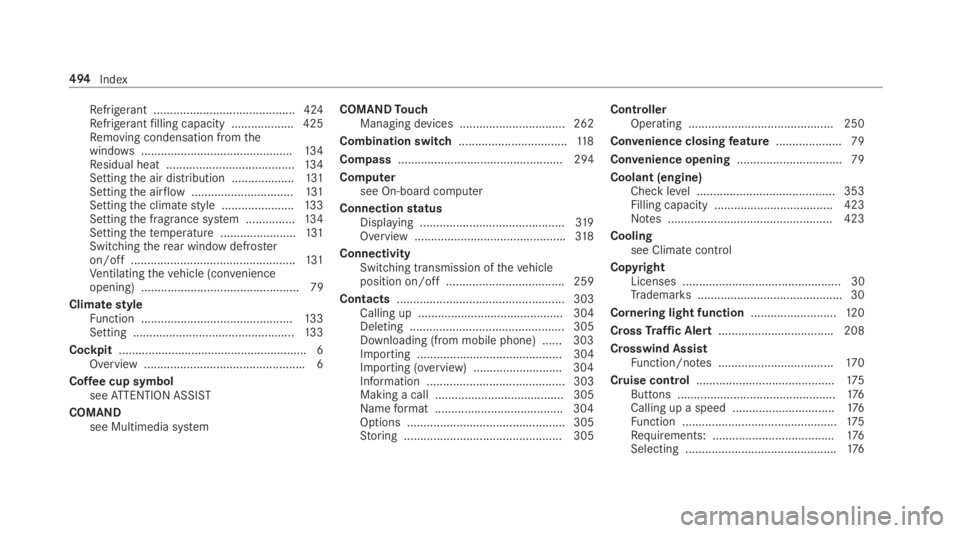
Refrigerant ...........................................424Refrigerantfilling capacity ...................425Removing condensation fromthewindows..............................................13 4Residual heat .......................................13 4Settingthe air distribution ...................131Settingthe airflow...............................131Settingthe climatestyle ......................133Settingthe fragrance system ...............13 4Settingthetemperature .......................131Switchingtherear windowdefrosteron/off ..................................................131Ventilatingthevehicle (convenienceopening) ................................................ 79
ClimatestyleFunction ..............................................13 3Setting .................................................13 3
Cockpit.........................................................6Overview .................................................6
Coffee cup symbolseeATTENTION ASSIST
COMANDsee Multimedia system
COMANDTouchManaging devices ................................ 262
Combination switch.................................11 8
Compass.................................................. 294
Computersee On-board computer
ConnectionstatusDisplaying ............................................319Overview ..............................................318
ConnectivitySwitching transmission ofthevehicleposition on/off .................................... 259
Contacts................................................... 303Calling up ............................................ 304Deleting ............................................... 305Downloading (from mobile phone) ...... 303Importing ............................................ 304Importing (overview) ...........................304Information .......................................... 303Making a call ....................................... 305Nameformat .......................................304Options ................................................ 305Storing ................................................ 305
ControllerOperating ............................................ 250
Convenience closingfeature.................... 79
Convenience opening................................ 79
Coolant (engine)Check level .......................................... 353Filling capacity .................................... 423Notes .................................................. 423
Coolingsee Climatecontrol
CopyrightLicenses ................................................ 30Trademarks............................................ 30
Cornering light function..........................12 0
CrossTraffic Alert...................................208
Crosswind AssistFunction/notes ...................................17 0
Cruise control..........................................175Buttons ................................................176Calling up a speed ...............................176Function ...............................................175Requirements: .....................................176Selecting ..............................................176
494Index
Page 498 of 530

DIRECT SELECT lever...............................15 0Engaging drive position ........................151Engaging neutral ..................................151Engaging parkposition .........................151Engaging parkposition automatically ..151Engagingreversegear ..........................151Function ..............................................15 0
DisplayCare .....................................................361
Display (multimedia system)Settings ...............................................257
Display (on-boardcomputer)Displays onthe multifunction display .. 223
Display contentSettingthe additionalvaluerange ....... 222
Displaymessage..................................... 427Calling up (on-board computer) ........... 427Notes ................................................... 427
Display messages
Page 502 of 530

Drive positionInserting ..............................................151
Drive program display.............................14 9
Drive programsseeDYNAMIC SELECT
Driver's seatsee Seat
Driving lightsseeAutomatic driving lights
Driving safety system.............................165ABS (Anti-lock Braking System) ...........16 6Active Brake Assist..............................17 0BAS (Brake AssistSystem) ..................16 6EBD (electronic brakeforce distribu‐tion) .....................................................17 0
ESP®Crosswind Assist........................17 0Overview .............................................16 6Radar sensors ......................................16 5Responsibility ......................................16 5STEER CONTROL .................................17 0
Driving systemDYNAMICBODYCONTROL ..................19 0
Driving systemsee 360° CameraseeActive Blind Spot AssistseeActive Distance AssistDISTRONICseeActive EmergencyStop AssistseeActive Lane Change AssistseeActive LaneKeeping AssistseeActiveParking AssistseeActive Speed Limit AssistseeActiveSteering Assistsee AIRBODYCONTROLseeATTENTION ASSISTsee Blind Spot Assistsee Cruise controlsee Driving safety systemsee HOLD functionseeParking AssistPARKTRONICseeRear view cameraseeTraffic Sign Assist
Driving tipsDrinking and driving ............................14 2General driving tips .............................142Notes on breaking-in a newvehicle .....141
Drowsiness detectionseeATTENTION ASSIST
DYNAMICBODYCONTROLSuspension ..........................................19 0
Dynamic handling control system
see ESP®(ElectronicStability Program)
DYNAMIC SELECT....................................14 8Configuring drive program I .................14 9Displaying engine data ........................14 9Displayingvehicle data ........................14 9Drive program display ..........................149Drive programs ....................................148Function ..............................................14 8Operating (DYNAMIC SELECT switch).............................................................149Selectingthe drive program ................149Showing operationfeedback ...............14 9
E
E10............................................................ 420
Easy entryfeatureFunction/notes ...................................100Setting .................................................101
EasyexitfeatureFunction/notes ...................................100Setting .................................................101
500Index
Page 503 of 530
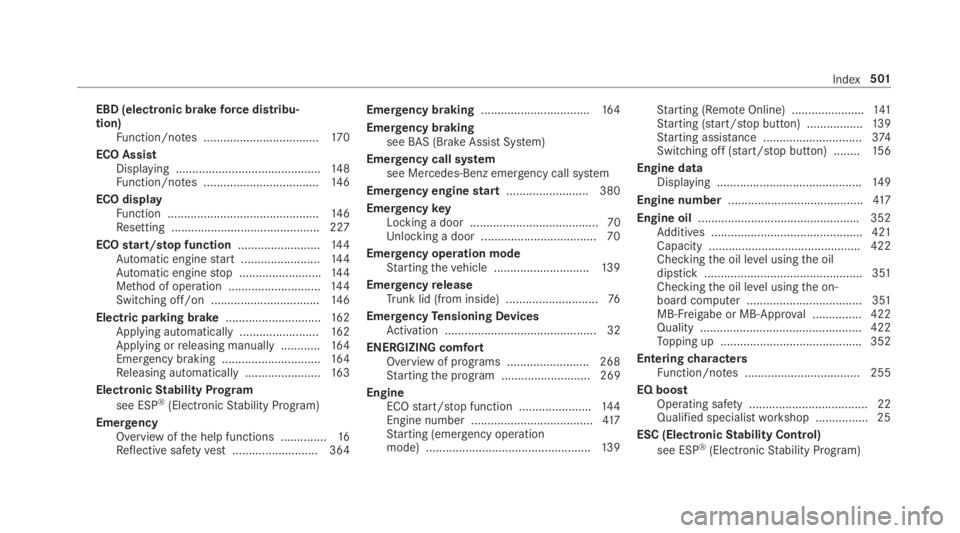
EBD (electronic brakeforce distribu‐tion)Function/notes ...................................17 0
ECO AssistDisplaying ............................................14 8Function/notes ...................................14 6
ECO displayFunction ..............................................14 6Resetting ............................................. 227
ECOstart/stop function.........................14 4Automatic enginestart ........................14 4Automatic enginestop .........................144Method of operation ............................144Switching off/on .................................14 6
Electric parking brake.............................162Applying automatically ........................16 2Applying orreleasing manually ............16 4Emergency braking ..............................16 4Releasing automatically .......................163
ElectronicStability Program
see ESP®(ElectronicStability Program)
EmergencyOverview ofthe help functions ..............16Reflective safetyvest.......................... 364
Emergency braking.................................164
Emergency brakingseeBAS (Brake AssistSystem)
Emergency call systemsee Mercedes-Benz emergency call system
Emergency enginestart......................... 380
EmergencykeyLocking a door ....................................... 70Unlocking a door ...................................70
Emergency operation modeStartingthevehicle .............................13 9
EmergencyreleaseTrunk lid (from inside) ............................76
EmergencyTensioning DevicesActivation .............................................. 32
ENERGIZING comfortOverview of programs .........................268Startingthe program ........................... 269
EngineECOstart/stop function ......................144Engine number .....................................417Starting (emergency operationmode) ..................................................13 9
Starting (RemoteOnline) ......................141Starting (start/stop button) .................139Starting assistance ..............................374Switching off (start/stop button) ........15 6
Engine dataDisplaying ............................................14 9
Engine number.........................................417
Engine oil.................................................352Additives .............................................. 421Capacity .............................................. 422Checkingthe oil level usingthe oildipstick ................................................ 351Checkingthe oil level usingthe on-board computer ................................... 351MB-Freigabe or MB-Approval ...............422Quality ................................................. 422Topping up ...........................................352
EnteringcharactersFunction/notes ................................... 255
EQ boostOperating safety .................................... 22Qualified specialistworkshop ................25
ESC (ElectronicStability Control)
see ESP®(ElectronicStability Program)
Index501