2019 MERCEDES-BENZ C CLASS climate control
[x] Cancel search: climate controlPage 499 of 534

Beltsee Seat belt
Blind Spot Assist......................................219Function ...............................................219Switching on/off ................................. 222System limitations ...............................219
Blowersee Climatecontrol
Bluetooth®............................................... 265Activating/deactivating .......................265Information .......................................... 265
Bluetooth®audioActivating .............................................341De-authorizing (de-registering)thedevice .................................................. 341Information .......................................... 339Overview .............................................339Searchingfor a track ........................... 341Searchingfor and authorizingthedevice .................................................. 340Selecting a media player ...................... 341Switching device via NFC ..................... 341
Brake Assist SystemseeBAS (Brake AssistSystem)
BrakefluidNotes .................................................. 428
Brakeforce distributionEBD (electronic brakeforce distribu‐tion) .....................................................175
BrakesABS (Anti-lock Braking System) ...........171Active Brake Assist..............................175BAS (Brake AssistSystem) ...................172Driving tips ..........................................14 8EBD (electronic brakeforce distribu‐tion) .....................................................175HOLD function .....................................195Limited braking effect (salt-treatedroads) ..................................................14 8New/replaced brakepads/brakediscs ....................................................147Notes on breaking-in a newvehicle .....147
Braking assistanceseeBAS (Brake AssistSystem)
BreakdownChanging a wheel .................................41 5Overview ofthe help functions ..............18Roadside Assistance ............................. 23
Tow-starting ........................................ 386Towingaway........................................ 382Transportingthevehicle ......................384
Breakdownsee Flat tire
Burmester®surround sound system.....349Adjustingthe balance/fader ............... 350Adjustingthe soundfocus ................... 350Adjusting treble, mid-range and basssettings ............................................... 350Automaticvolume adjustment .............350Calling upthe sound menu .................. 349Information .......................................... 349Switchingthe surround sound on/off.............................................................350
ButtonsSteering wheel .....................................227
C
Call listMaking a call ........................................312Overview ..............................................312
Calling upthe sound menu
Burmester®surround sound system ... 349
Index497
Page 501 of 534

Securing onthe front passenger seat ....60Securing ontherear seat ...................... 58TopTether ..............................................56
ChildrenAvoiding dangers inthevehicle .............49Basic instructions .................................. 48Special seat beltretractor .....................54
Chock........................................................414Storage location ...................................414
Chocksee Chock
CigarettelighterFront center console ............................117
Cleaningsee Care
Climate control........................................13 83-zone automatic climatecontrolpanel ...................................................13 8Activating/deactivating .......................139Activating/deactivatingthe A/Cfunction (control panel) .......................139Activating/deactivatingthe A/Cfunction (multimedia system) ..............13 9
Activating/deactivatingthe synchro‐nization function (control panel) ..........14 0Activating/deactivatingthe synchro‐nization function (multimedia sys‐tem) .....................................................141Air distribution settings .......................140Air-recirculation mode .........................141Automatic control ................................14 0Climatestyle function ..........................14 0Control panelfor dual-zone auto‐matic climatecontrol ...........................13 8Defrostingthe windshield ....................13 8Filling capacityforPAG oil ...................431Front airvents .....................................14 3Inserting/removingtheflacon (fra‐grance system) ....................................14 2Ionization .............................................141Note....................................................13 8Rear airvents ......................................14 3Rear operating unit ..............................13 8Refrigerant .......................................... 430Refrigerantfilling capacity ...................431Removing condensation fromthewindows...............................................141Residual heat .......................................141
Settingrear climate control (multi‐media system) .....................................140Settingthe air distribution ...................138Settingthe airflow...............................13 8Settingthe climatestyle ......................140Settingthe fragrance system ...............141Settingthetemperature ......................138Switchingtherear windowdefrosteron/off .................................................138Ventilatingthevehicle (convenienceopening) ................................................81
ClimatestyleFunction ..............................................14 0Setting .................................................14 0
Cockpit.........................................................6Overview .................................................6
Coffee cup symbolseeATTENTION ASSIST
COMANDsee Multimedia system
COMANDTouchManaging devices ................................ 268
Combination switch................................124
Index499
Page 502 of 534

Compass...................................................301
Computersee On-board computer
ConnectionstatusDisplaying ............................................ 325Overview .............................................325
ConnectivitySwitching transmission ofthevehicleposition on/off .................................... 265
Contacts................................................... 309Calling up .............................................310Deleting ...............................................311Downloading (from mobile phone) .......310Importing .............................................311Importing (overview) ............................310Information .......................................... 309Making a call ........................................311Nameformat ........................................310Options ................................................311Storing .................................................311
ControllerOperating ............................................ 256
Convenience closingfeature.................... 82
Convenience opening................................81
Coolant (engine)Check level .......................................... 357Filling capacity .................................... 429Notes .................................................. 429
Coolingsee Climatecontrol
CopyrightLicenses ................................................31Trademarks............................................31
Cornering light function..........................12 5
CrossTraffic Alert....................................215
Crosswind AssistFunction/notes ....................................175
Cruise control..........................................181Buttons ................................................182Calling up a speed ...............................182Function ...............................................181Requirements: .....................................182Selecting .............................................182Setting a speed ...................................182Storing a speed ...................................182Switching off .......................................182
Switching on ........................................182System limitations ...............................181
Cup holderRear passenger compartment ..............11 5
Cup holder inthe center consoleInstalling/removing (automatictransmission) .......................................115
Customer Assistance Center (CAC).........27
CustomerRelations Department.............27
D
Dashboardsee Cockpit
Dashboard lightingsee Instrument cluster lighting
Data acquisitionVehicle .................................................. 28
Data import/export................................ 269Function/notes ................................... 269Importing/exporting ...........................270
DatastorageElectronic control units .........................28Online services ...................................... 29
500Index
Page 511 of 534

Rear passenger compartment(adjusting) .............................................97
Head-up Display...................................... 237Adjusting display elements (on-boardcomputer) ............................................ 237Adjustingthe brightness (on-boardcomputer) ............................................ 237Function .............................................. 237Menu (on-board computer) .................. 237Settingthe position (on-board com‐puter) .................................................. 237Switching on/off ................................. 238
Headliner (care)....................................... 365
Heatingsee Climate control
High beamSwitching on/off .................................124
High-beam flasher...................................124
High-beam headlampsAdaptive Highbeam Assist ...................125Replacing bulbs ...................................130
Hillstart assist........................................19 5
HOLD function.........................................19 5Function/notes ...................................19 5Switching on/off .................................19 5
HoodOpening/closing ................................. 352
Hookingthe luggage net........................109
HotspotSetting up (Wi-Fi) ................................. 267
I
Identification plateEngine .................................................423Refrigerant .......................................... 430Vehicle ................................................ 423
IgnitionSwitching on (Start/Stop button) ........14 4
Ignitionkeysee SmartKey
Immobilizer................................................ 88
Indicator lampsseeWarning/indicator lamps
Individual drive programConfiguring ..........................................15 3
Selecting .............................................15 3
Insiderearview mirrorsee Exterior mirrors
Inspectionsee ASSYSTPLUS
Instrument clustersee Instrument Display
Instrument cluster lighting.................... 231
Instrument Display................................. 226Adjustingthe lighting ........................... 231Function/notes ................................... 226Instrument cluster .................................10Settingthe additionalvaluerange ....... 229Warning/indicator lamps .....................479
Intelligent Light SystemAdaptive Highbeam Assist ...................125Cornering light function .......................12 5
Interior lighting........................................127Ambient lighting ..................................12 8Reading light ........................................127Setting .................................................127Switch-off delaytime ...........................12 8
Index509
Page 516 of 534

Mobile phonevoicerecognitionStarting ...............................................308Stopping ..............................................308
Model seriesseeVehicle identification plate
MOExtended tires....................................370
Multifunction displayOverview of displays............................ 230
Multifunctionsteering wheelOverview of buttons ............................ 227
Multifunctionsteering wheelseeSteering wheel
Multimedia system.................................254Activating/deactivatingstandbymode ...................................................170Adjuststhevolume .............................. 261Central control elements .....................255Configuring displaysettings ................263ENERGIZING comfort program (over‐view) ....................................................275Enteringcharacters .............................261Favorites ............................................. 258Main functions .................................... 258Overview ............................................. 254
Rear climate control ............................14 0Restoringthefactory settings ..............274Standby mode function .......................170Startingthe ENERGIZING comfortprogram ...............................................276Switchingthe sound on or off .............260
Multimedia systemseeTouch ControlseeTouchpad
N
NavigationMenu (on-board computer) .................. 233Showing/hidingthe menu ...................277Switching on ........................................276Updatingthe map data ........................ 300Voice commands (Voice Control Sys‐tem) .....................................................24 3
Navigationsee Destinationsee Destination entrysee MapseeRouteseeRoute guidanceseeTraffic information
Navigation announcementsActivating/deactivating .......................290Adjustingthevolume ...........................290Repeating ............................................ 291Switching audiofadeout on/off .......... 290
Navigation messagesOn-board computer ............................. 233
NearField Communication (NFC).......... 307Connectingthe mobile phonetothemultimedia system .............................. 307Information .......................................... 307
Switching Bluetooth®audio equip‐ment .................................................... 341Switching mobile phones .................... 307Using a mobile phone .......................... 307
NeutralInserting ..............................................15 5
NFCsee Near Field Communication (NFC)
Non-operational timeActivating/deactivatingstandbymode ...................................................170Standby mode function .......................170
Notes on breaking-in a newvehicle.......147
514Index
Page 519 of 534

Preventative occupant protection sys‐tem
see PRE-SAFE®(anticipatory occu‐pant protection)
Previous destinationsSelecting .............................................280
ProgramsseeDYNAMIC SELECT
Protectingthe environmentNotes .....................................................21
Q
QR codeRescue card .......................................... 28
Qualified specialistworkshop................. 26
R
Radar sensorsFoil covering ........................................171
RadioActivating/deactivatingradiotext ....... 345Calling upthestation list .....................344Deletingchannels ................................ 344
Direct frequency entry........................ 344Displaying information ......................... 345Displayingradiotext ............................ 345Editingstation presets ........................ 344Menu (on-board computer) .................. 235Movingstations ...................................344Overview ............................................. 343Searchingforstations .........................344Setting achannel ................................ 344Settingthewaveband .......................... 344Storingradiostations .......................... 344Switching on .......................................342Switchingthe HDradio functionon/off .................................................344Voice commands (Voice Control Sys‐tem) .....................................................247
RadiostationsDialing (on-boardcomputer) ................235
Rain closing functionSliding sunroof ...................................... 86
RangeDisplaying ............................................ 232
Reading lightsee Interior lighting
Realwood (Care).....................................365
Rear climate controlSetting .................................................14 0
Rear door (child safety lock).....................61
Rearfog lampSwitching on/off .................................123
Rear seatsee Seat
Rear view camera....................................204Care.................................................... 364Function .............................................. 204Openingthe camera cover (360°Camera) ..............................................209Settingfavorites (360° Camera) ......... 209
Rear windowRoller sunblind ...................................... 79
Rear window defroster...........................138
Reflective safetyvest............................. 368
Refrigerant (air conditioning system)Notes .................................................. 430
RefuelingRefuelingthevehicle ...........................15 9
Index517
Page 529 of 534
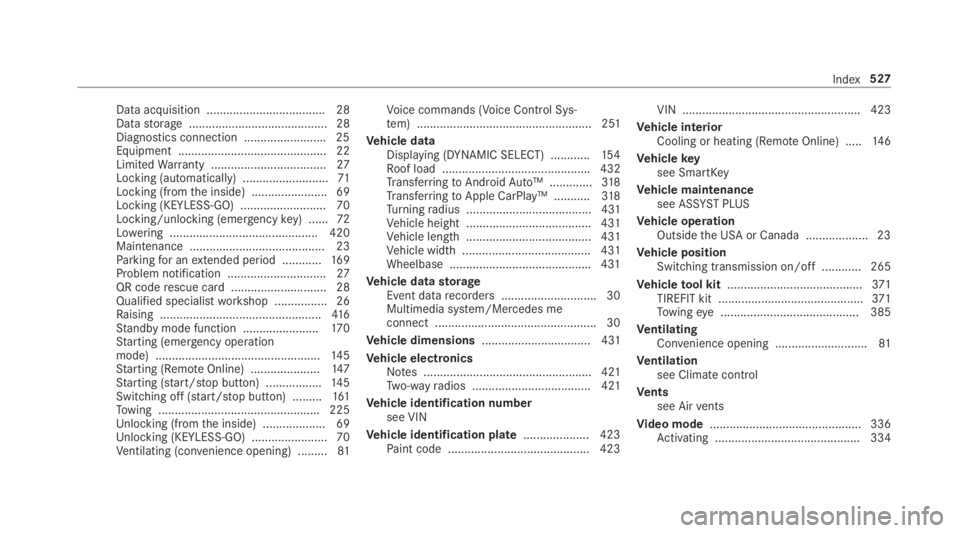
Data acquisition .................................... 28Datastorage .......................................... 28Diagnostics connection .........................25Equipment ............................................. 22LimitedWarranty ...................................27Locking (automatically) ..........................71Locking (fromthe inside) ....................... 69Locking (KEYLESS-GO) .......................... 70Locking/unlocking (emergencykey) ......72Lowering ............................................. 420Maintenance ......................................... 23Parkingfor anextended period ............16 9Problem notification ..............................27QR coderescue card ............................. 28Qualified specialistworkshop ................26Raising .................................................416Standby mode function .......................170Starting (emergency operationmode) ..................................................14 5Starting (RemoteOnline) .....................147Starting (start/stop button) .................145Switching off (start/stop button) .........161Towing .................................................225Unlocking (fromthe inside) ...................69Unlocking (KEYLESS-GO) .......................70Ventilating (convenience opening) .........81
Voice commands (Voice Control Sys‐tem) ..................................................... 251
Vehicle dataDisplaying (DYNAMIC SELECT) ............154Roof load ............................................. 432TransferringtoAndroidAuto™ .............318TransferringtoApple CarPlay™ ...........318Turningradius ...................................... 431Vehicle height ...................................... 431Vehicle length ...................................... 431Vehicle width ....................................... 431Wheelbase ...........................................431
Vehicle datastorageEvent datarecorders .............................30Multimedia system/Mercedes meconnect .................................................30
Vehicle dimensions................................. 431
Vehicle electronicsNotes ................................................... 421Two-wayradios .................................... 421
Vehicle identification numbersee VIN
Vehicle identification plate.................... 423Paint code ...........................................423
VIN ...................................................... 423
Vehicle interiorCooling or heating (RemoteOnline) .....14 6
Vehiclekeysee SmartKey
Vehicle maintenancesee ASSYST PLUS
Vehicle operationOutsidethe USA or Canada ...................23
Vehicle positionSwitching transmission on/off ............ 265
Vehicletool kit.........................................371TIREFIT kit ............................................371Towingeye .......................................... 385
VentilatingConvenience opening ............................81
Ventilationsee Climate control
Ventssee Airvents
Video mode.............................................. 336Activating ............................................ 334
Index527