2019 LEXUS UX200 load
[x] Cancel search: loadPage 148 of 452

1484-1. Before driving
Cargo capacity depends on the total
weight of the occupants.
(Cargo capacity) = (Total load capac-
ity) (Total weight of occupants)
Steps for Determining Correct Load
Limit
(1) Locate the statement “The com-
bined weight of occupants and cargo
should never exceed XXX kg or XXX
lbs.” on your vehicle’s placard.
(2) Determine the combined weight of
the driver and passengers that will be
riding in your vehicle.
(3) Subtract the combined weight of
the driver and passengers from XXX
kg or XXX lbs.
(4) The resulting figure equals the
available amount of cargo and luggage
load capacity.
For example, if the “XXX” amount
equals 1400 lbs. and there will be five
150 lb passengers in your vehicle, the
amount of available cargo and luggage
load capacity is 650 lbs. (1400 - 750
(5 150) = 650 lbs.)
(5) Determine the combined weight of
luggage and cargo being loaded on the
vehicle. That weight may not safely
exceed the available cargo and lug-
gage load capacity calculated in Step 4.
WARNING
●Do not place cargo or luggage in or on
the following locations.
• At the feet of the driver
• On the front passenger or rear seats (when stacking items)
• On the luggage cover
• On the instrument panel
• On the dashboard
• In front of the Center Display
●Secure all items in the occupant com-
partment.
■When using a roof luggage carrier
Observe the following precautions:
●Place the cargo so that its weight is dis-
tributed evenly between the front and
rear axles.
●If loading long or wide cargo, never
exceed the vehicle overall length or
width. ( P.390)
●Before driving, make sure the cargo is
securely fastened on the roof luggage
carrier.
●Loading cargo on the roof luggage
carrier will make the center of gravity
of the vehicle higher. Avoid high
speeds, sudden starts, sharp turns,
sudden braking or abrupt maneuvers,
otherwise it may result in loss of con-
trol or vehicle rollover due to failure to
operate this vehicle correctly and
result in death or serious injury.
●If driving for a long distance, on rough
roads, or at high speeds, stop the vehi-
cle now and then during the trip to
make sure the cargo remains in its
place.
●Do not exceed 176.3 lb. (80 kg) cargo
weight on the roof luggage carrier.
NOTICE
■When loading cargo (vehicles with
moon roof)
Be careful not to scratch the surface of
the moon roof.
Capacity and distribution
Page 149 of 452
1494-1. Before driving
4
Driving
(6) If your vehicle will be towing a
trailer, load from your trailer will be
transferred to your vehicle. Consult
this manual to determine how this
reduces the available cargo and lug-
gage load capacity of your vehicle.
( P.150)
Lexus does not recommend towing a
trailer with your vehicle. Your vehicle is not
designed for trailer towing.
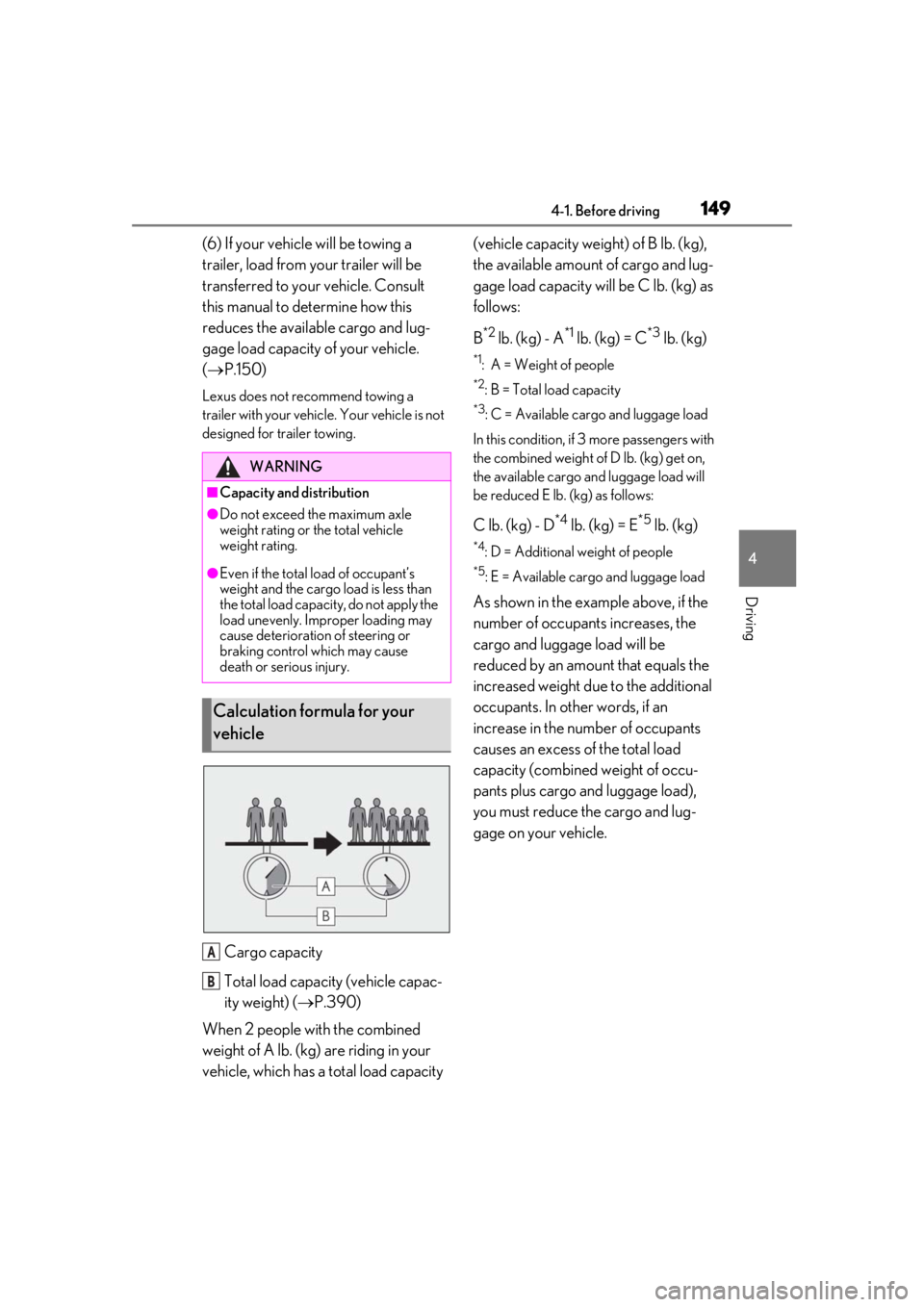
Cargo capacity
Total load capacity (vehicle capac-
ity weight) ( P.390)
When 2 people with the combined
weight of A lb. (kg) are riding in your
vehicle, which has a total load capacity (vehicle capacity weight) of B lb. (kg),
the available amount of cargo and lug-
gage load capacity will be C lb. (kg) as
follows:
B
*2 lb. (kg) - A*1 lb. (kg) = C*3 lb. (kg)
*1: A = Weight of people
*2: B = Total load capacity
*3: C = Available cargo and luggage load
In this condition, if 3 more passengers with
the combined weight of D lb. (kg) get on,
the available cargo and luggage load will
be reduced E lb. (kg) as follows:
C lb. (kg) - D*4 lb. (kg) = E*5 lb. (kg)
*4: D = Additional weight of people
*5: E = Available cargo and luggage load
As shown in the example above, if the
number of occupant s increases, the
cargo and luggage load will be
reduced by an amount that equals the
increased weight due to the additional
occupants. In other words, if an
increase in the number of occupants
causes an excess of the total load
capacity (combined weight of occu-
pants plus cargo and luggage load),
you must reduce the cargo and lug-
gage on your vehicle.
WARNING
■Capacity and distribution
●Do not exceed the maximum axle
weight rating or the total vehicle
weight rating.
●Even if the total load of occupant’s
weight and the cargo load is less than
the total load capacity, do not apply the
load unevenly. Improper loading may
cause deterioration of steering or
braking control which may cause
death or serious injury.
Calculation formula for your
vehicle
A
B
Page 150 of 452
1504-1. Before driving
■Total load capacity and seating capacity
These details are also described on the tire
and loading information label. ( P.337)
Vehicle load limits
Vehicle load limits include total
load capacity, seating capacity,
towing capacity and cargo capac-
ity.
Total load capacity (vehicle
capacity weight):
P.390
Total load capacity means the com-
bined weight of occupants, cargo
and luggage.
Seating capacity: 5 occupants
(Front 2, Rear 3)
Seating capacity means the maxi-
mum number of occupants whose
estimated average weight is 150 lb.
(68 kg) per person.
Towing capacity
Lexus does not recommend towing
a trailer with your vehicle.
Cargo capacity
Cargo capacity may increase or
decrease depending on the weight
and the number of occupants.
WARNING
■Overloading the vehicle
Do not overload the vehicle.
It may not only cause damage to the tires,
but also degrade steering and braking
ability, resulting in an accident.
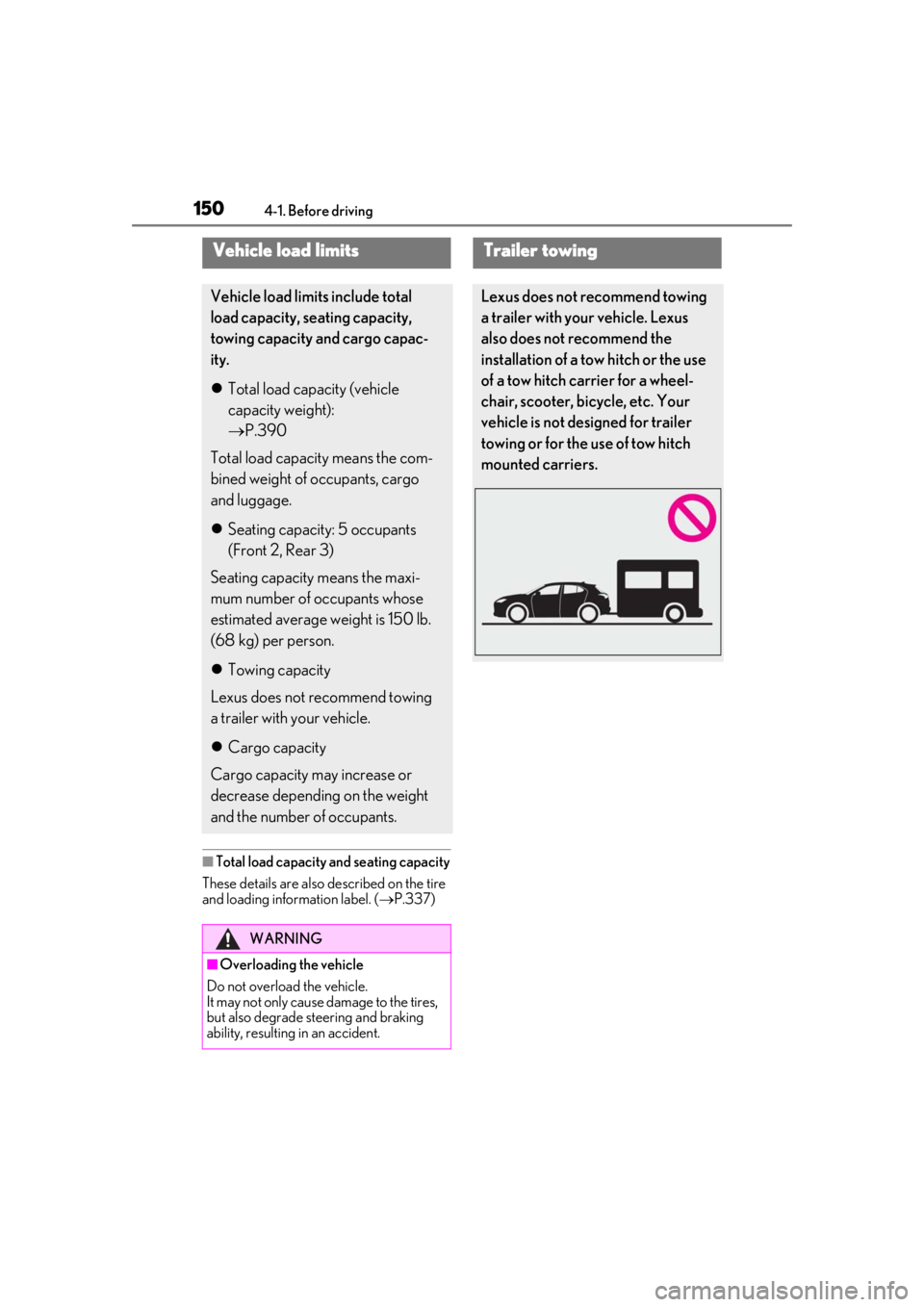
Trailer towing
Lexus does not recommend towing
a trailer with your vehicle. Lexus
also does not recommend the
installation of a tow hitch or the use
of a tow hitch carrier for a wheel-
chair, scooter, bicycle, etc. Your
vehicle is not designed for trailer
towing or for the use of tow hitch
mounted carriers.
Page 166 of 452
1664-3. Operating the lights and wipers
■Automatic light off system
●When the headlights come on: The head-
lights and tail lights turn off 30 seconds
after a driver’s door is opened and closed
if the engine switch is turned to ACC or
OFF. (The lights turn off immediately if on the key is pressed after all the
doors are locked.)
●When only the tail lights come on: The tail
lights turn off automatically if the engine
switch is turned to ACC or OFF and the
driver’s door is opened.
To turn the lights on again, turn the engine
switch to ON, or turn the light switch off
once and then back to or .
■Automatic headlight leveling system (if
equipped)
The level of the headlights is automatically
adjusted according to the number of pas-
sengers and the loading condition of the
vehicle to ensure that the headlights do not
interfere with other road users.
■Windshield wiper linked headlight illu-
mination
When driving during daytime with the
headlight switch turned to position, if
the windshield wipers are used, the head-
lights will turn on auto matically after several
seconds to help enha nce the visibility of
your vehicle.
■Battery-saving function
In order to prevent the battery of the vehicle
from discharging, if the headlights and/or
tail lights are on when the engine switch is
turned off the battery saving function will
operate and automatically turn off all the
lights after approximately 20 minutes. When the engine switch is turned to ON,
the battery-saving function will be disabled.
When any of the following are performed,
the battery-saving function is canceled
once and then reactivated. All the lights will
turn off automatically 20 minutes after the
battery-saving function has been reacti-
vated:
●When the headlight switch is operated
●When a door is opened or closed
■Welcome light illumination control
The parking and tail lights automatically
turn on at night when the doors are
unlocked using the entry function or wire-
less remote control if the light switch is in
the position.
■Customization
Settings (e.g. light sensor sensitivity) can be
changed. (Customizable features: P.413,
414)
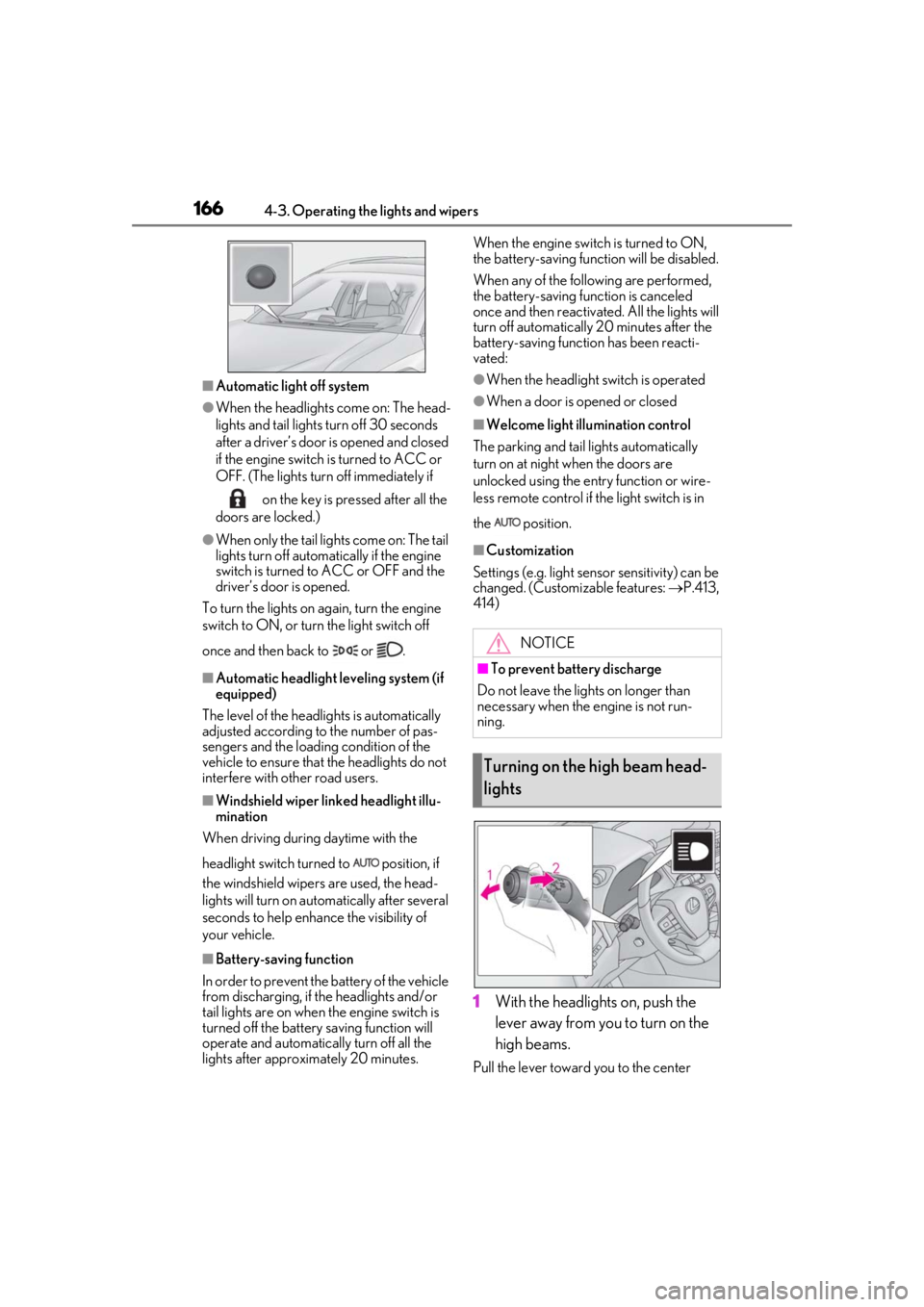
1With the headlights on, push the
lever away from you to turn on the
high beams.
Pull the lever toward you to the center
NOTICE
■To prevent battery discharge
Do not leave the lights on longer than
necessary when the engine is not run-
ning.
Turning on the high beam head-
lights
Page 168 of 452

1684-3. Operating the lights and wipers
1Press the Automatic High Beam
switch.
2
Turn the headlight switch to the
or position.
The Automatic High Beam indicator will come on when the system is operating.
■Conditions to turn the high beams on/off
automatically
●When all of the follo
wing conditions are
met, the high beams will be turned on
automatically (after approximately 1 sec-
ond):
• The vehicle speed is approximately 21 mph (34 km/h) or more.
• The area ahead of the vehicle is dark.
• There are no vehicles ahead with head- lights or tail lights turned on.
• There are few streetlights on the road ahead.
●If any of the following conditions are met,
the high beams will turn off automatically:
• The vehicle speed is below approxi-
mately 17 mph (27 km/h).
• The area ahead of the vehicle is not dark.
• Vehicles ahead have their headlights or
tail lights turned on.
• There are many streetlights on the road ahead.
■Front camera detection information
●The high beams may not be automatically
turned off in the following situations:
• When a vehicle suddenly appears from around a curve
• When the vehicle is cut in front of by
another vehicle
• When vehicles ahead cannot be detected due to repeated curves, road
dividers or roadside trees
• When vehicles ahead appear in a far- away lane on a wide road
• When the lights of vehicles ahead are not
on
●The high beams may be turned off if a
vehicle ahead that is using fog lights with-
Automatic High Beam
The Automatic High Beam uses a
front camera located behind the
upper portion of the windshield to
assess the brightness of the lights of
vehicles ahead, streetlights, etc.,
and automatically turns the high
beams on or off as necessary.
WARNING
■Limitations of the Automatic High
Beam
Do not overly rely on the Automatic High
Beam. Always drive sa fely, taking care to
observe your surroundings and turning
the high beams on or off manually if nec-
essary.
■To prevent incorrect operation of the
Automatic High Beam system
Do not overload the vehicle.
Activating the Automatic High
Beam
Page 191 of 452

1914-5. Using the driving support systems
4
Driving
that may contact your vehicle, such as
thick grass, tree branches, or a banner
• When driving through steam or smoke
• When driving near an object that reflects
radio waves, such as a large truck or
guardrail
• When driving near a TV tower, broad- casting station, electric power plant, or
other location where strong radio waves
or electrical noise may be present
■Situations in which the system may not
operate properly
●In some situations such as the following,
an object may not be detected by the
radar sensor and front camera, prevent-
ing the system from operating properly:
• When a detectable object is approaching
your vehicle
• When your vehicle or a detectable object
is wobbling
• If a detectable object makes an abrupt maneuver (such as sudden swerving,
acceleration or deceleration)
• When your vehicle approaches a detect- able object rapidly
• When a detectable object is not directly
in front of your vehicle
• When a detectable object is near a wall, fence, guardrail, manhole cover, vehicle,
steel plate on the road, etc.
• When a detectable object is under a structure
•When part of a detect able object is hid-
den by an object, such as large baggage, an umbrella, or guardrail
• When multiple dete ctable objects are
close together
• If the sun or other light is shining directly on a detectable object
• When a detectable object is a shade of
white and looks extremely bright
• When a detectable ob ject appears to be
nearly the same color or brightness as its
surroundings
• If a detectable object cuts or suddenly emerges in front of your vehicle
• When the front of your vehicle is hit by water, snow, dust, etc.
• When a very bright light ahead, such as
the sun or the head lights of oncoming
traffic, shines direct ly into the front cam-
era
• When approaching the side or front of a vehicle ahead
• If a vehicle ahead is a motorcycle
• If a vehicle ahead is narrow, such as a per-
sonal mobility vehicle
• If a preceding vehicle has a small rear
end, such as an unloaded truck
• If a preceding vehicle has a low rear end, such as a low bed trailer
• If a vehicle ahead has extremely high ground clearance
• If a vehicle ahead is carrying a load which protrudes past its rear bumper
• If a vehicle ahead is irregularly shaped,
such as a tractor or side car
• If a vehicle ahead is a child sized bicycle, a bicycle that is carrying a large load, a
Page 204 of 452

2044-5. Using the driving support systems
currently traveled lane, such a sign exists
directly after a freeway branches, or in an
adjacent lane just before merging.
●Stickers are attached to the rear of the
preceding vehicle.
●A sign resembling a system compatible
sign is recognized.
●Side road speed signs may be detected
and displayed (if positioned in sight of the
front camera) while the vehicle is travel-
ing on the main road.
●Roundabout exit road speed signs may
be detected and displayed (if positioned
in sight of the front camera) while travel-
ing on a roundabout.
●The front of the vehicle is raised or low-
ered due to the carried load.
●The surrounding brightness is not suffi-
cient or changes suddenly.
●When a sign intended for trucks, etc. is
recognized.
●Vehicles with navigation system: The
speed information displayed on the
meter and that displayed on the naviga-
tion system may be different due to the
navigation system using map data.
■Speed limit sign display
If the engine switch wa s last turned off while
a speed limit sign wa s displayed on the
multi-information display, the same sign dis-
plays again when the engine switch is
turned to ON.
■Customization
Some functions can be customized. (Cus-
tomizable features: P.415)
■Meter display
Multi-information display
Set speed
Indicators
Dynamic radar cruise con-
trol with full-speed range
In vehicle-to-vehicle distance con-
trol mode, the ve hicle automati-
cally accelerates, decelerates and
stops to match the speed changes
of the preceding vehicle even if the
accelerator pedal is not depressed.
In constant speed control mode,
the vehicle runs at a fixed speed.
Use the dynamic radar cruise con-
trol with full-speed range on free-
ways and highways.
Vehicle-to-vehicle distance con-
trol mode ( P.207)
Constant speed control mode
( P.211)
System Components
A
B
C
Page 213 of 452

2134-5. Using the driving support systems
4
Driving
lane
●Vehicles with small rear ends (trailers
with no load on board, etc.)
●Motorcycles traveling in the same lane
●When water or snow thrown up by the
surrounding vehicles hinders the detect-
ing of the sensor
●When your vehicle is pointing upwards
(caused by a heavy load in the luggage
compartment, etc.)
●Preceding vehicle has an extremely high
ground clearance
■Conditions under which the vehicle-to-
vehicle distance control mode may not
function correctly
In the case of the following conditions,
operate the brake pedal (or accelerator
pedal, depending on the situation) as nec-
essary.
As the sensor may not be able to correctly
detect vehicles ahead, the system may not
operate properly.
●When the road curves or when the lanes are narrow
●When steering wheel operation or your
position in the lane is unstable
●When the vehicle ahead of you deceler-
ates suddenly
●When driving on a road surrounded by a
structure, such as in a tunnel or on a
bridge
●While the vehicle speed is decreasing to
the set speed after the vehicle acceler-
ates by depressing the accelerator pedal