Page 287 of 792
2874-5. Using the driving support systems
4
Driving
RX450h_RX450hL_U
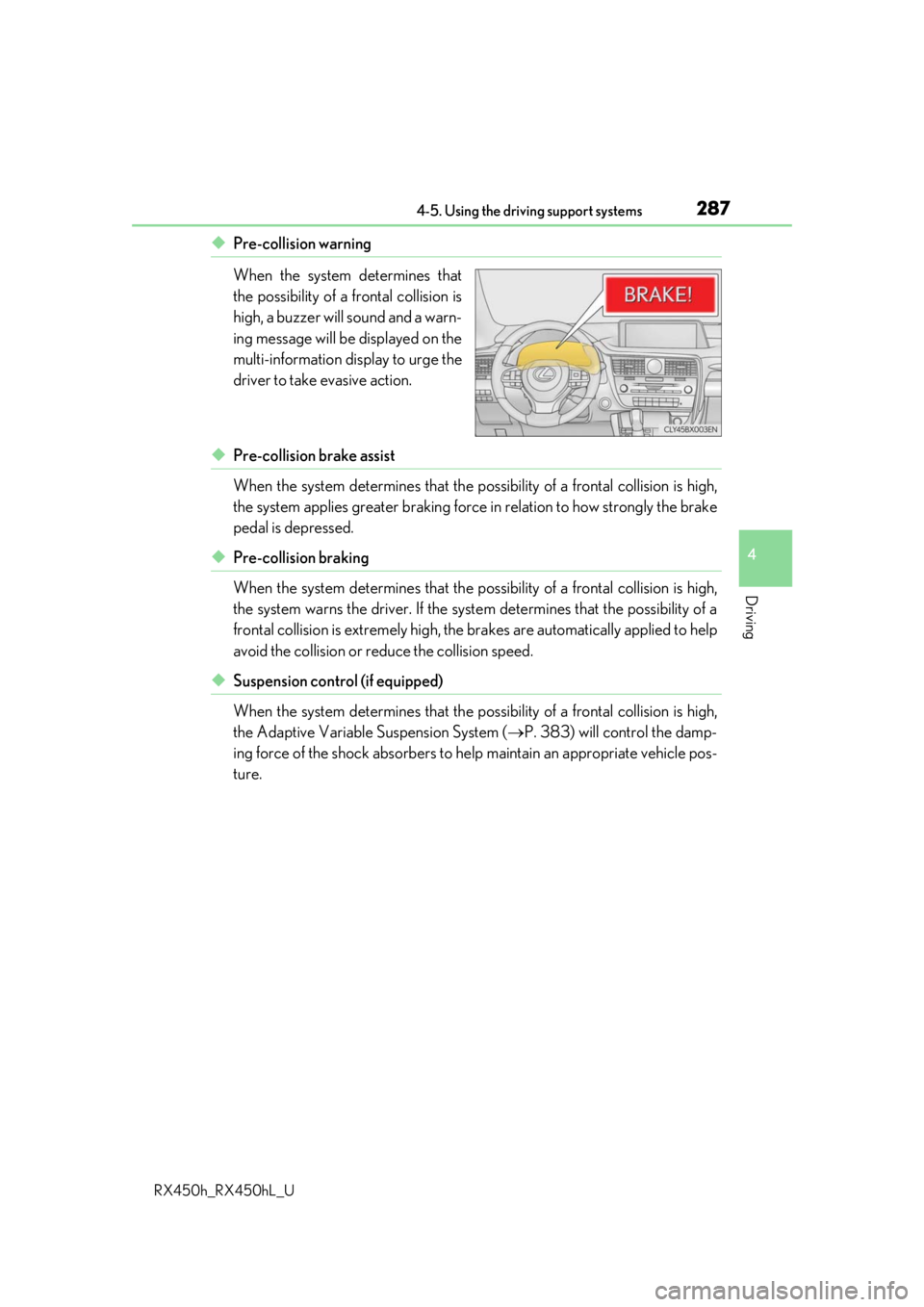
◆Pre-collision warning
When the system determines that
the possibility of a frontal collision is
high, a buzzer will sound and a warn-
ing message will be displayed on the
multi-information display to urge the
driver to take evasive action.
◆Pre-collision brake assist
When the system determines that the possibility of a frontal collision is high,
the system applies greater braking force in relation to how strongly the brake
pedal is depressed.
◆Pre-collision braking
When the system determines that the po ssibility of a frontal collision is high,
the system warns the driver. If the syst em determines that the possibility of a
frontal collision is extremely high, the br akes are automatically applied to help
avoid the collision or reduce the collision speed.
◆Suspension control (if equipped)
When the system determines that the po ssibility of a frontal collision is high,
the Adaptive Variable Suspension System ( P. 383) will control the damp-
ing force of the shock absorbers to help maintain an appropriate vehicle pos-
ture.
Page 290 of 792
2904-5. Using the driving support systems
RX450h_RX450hL_U
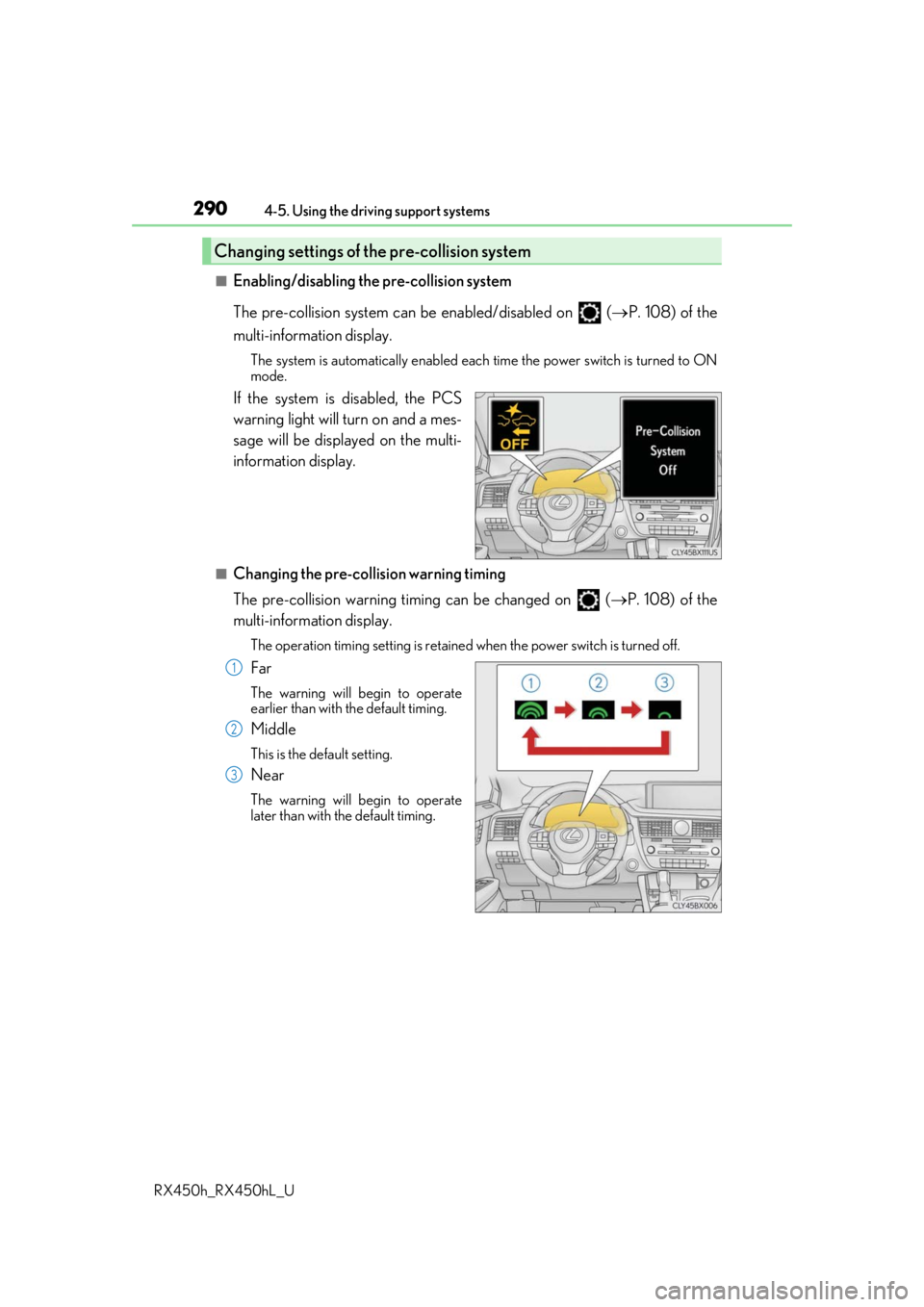
■Enabling/disabling the pre-collision system
The pre-collision system can be enabled/disabled on ( P. 108) of the
multi-information display.
The system is automatically enabled each time the power switch is turned to ON
mode.
If the system is disabled, the PCS
warning light will turn on and a mes-
sage will be displayed on the multi-
information display.
■Changing the pre-collision warning timing
The pre-collision warning timi ng can be changed on (P. 108) of the
multi-information display.
The operation timing settin g is retained when the power switch is turned off.
Far
The warning will begin to operate
earlier than with the default timing.
Middle
This is the default setting.
Near
The warning will begin to operate
later than with the default timing.
Changing settings of the pre-collision system
1
2
3
Page 293 of 792
2934-5. Using the driving support systems
4
Driving
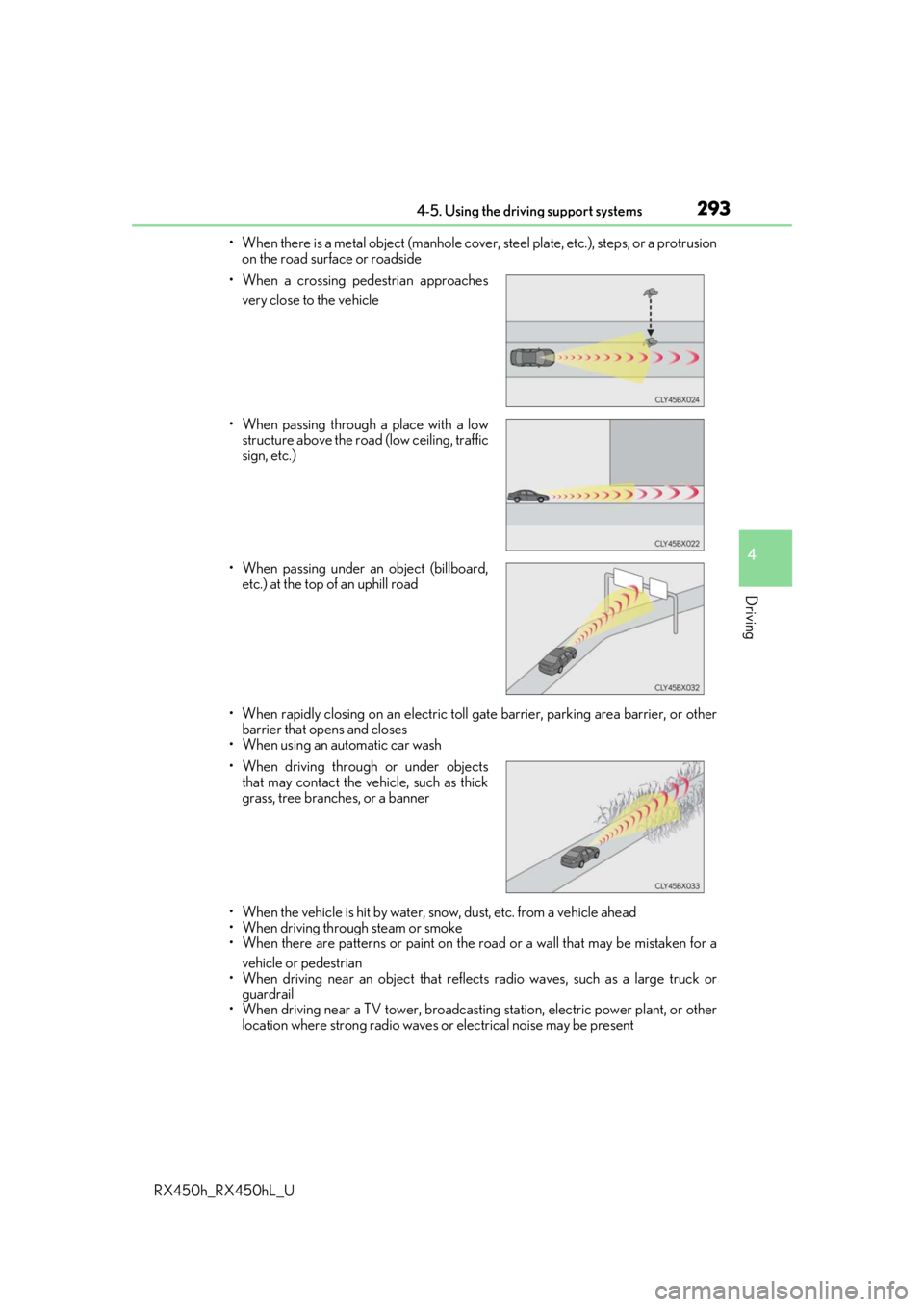
RX450h_RX450hL_U• When there is a metal object (manhole cover, steel plate, etc.), steps, or a protrusion
on the road surface or roadside
• When rapidly closing on an electric toll ga te barrier, parking area barrier, or other
barrier that opens and closes
• When using an automatic car wash
• When the vehicle is hit by water, sn ow, dust, etc. from a vehicle ahead
• When driving through steam or smoke
• When there are patterns or paint on the road or a wall that may be mistaken for a
vehicle or pedestrian
• When driving near an object that reflects radio waves, such as a large truck or
guardrail
• When driving near a TV tower, broadcasting station, electric power plant, or other
location where strong radio waves or electrical noise may be present
• When a crossing pedestrian approaches
very close to the vehicle
• When passing through a place with a low structure above the road (low ceiling, traffic
sign, etc.)
• When passing under an object (billboard, etc.) at the top of an uphill road
• When driving through or under objects that may contact the vehicle, such as thick
grass, tree branches, or a banner
Page 300 of 792

3004-5. Using the driving support systems
RX450h_RX450hL_U
WARNING
■Before using LKA system
Do not rely solely upon the LKA system. LKA is not a system which automatically
drives the vehicle or reduces the amount of attention that must be paid to the area in
front of the vehicle. The driver must always assume full responsibility for driving safely
by always paying careful attention to the surrounding conditions and operate the steer-
ing wheel to correct the path of the vehicle. Also, make sure to take adequate breaks
when fatigued, such as from driv ing for a long period of time.
Failure to perform appropriate driving operat ions and pay careful attention may lead to
an accident, resulting in death or serious injury.
■To avoid operating LKA by mistake
When not using the LKA system, use the LKA switch to turn the system off.
■Situations unsuitable for LKA
Do not use the LKA system in the following situations.
The system may not operate properly and lead to an accident, resulting in death or
serious injury.
●A spare tire, tire chains, etc., are equipped.
●When the tires have been excessively worn, or when the tire inflation pressure is low.
●Tires which differ by structure, manufacturer, brand or tread pattern are used.
●Objects or patterns that could be mistaken for white (yellow) lines are present on the
side of the road (guardrails, cu rbs, reflective poles, etc.).
●Vehicle is driven on a snow-covered road.
●White (yellow) lines are difficult to see due to rain, snow, fog, dust, etc.
●Asphalt repair marks, white (yellow) line marks, etc., are present due to road repair.
●Vehicle is driven in a temporary lane or restricted lane due to construction work.
●Vehicle is driven on a road surface which is slippery due to rainy weather, fallen snow,
freezing, etc.
●Vehicle is driven in traffic lanes ot her than on highways and freeways.
●Vehicle is driven in a construction zone.
●When your vehicle is towing a trailer or during emergency towing
■Preventing LKA system malfunctions and operations perf ormed by mistake
●Do not modify the headlights or place stickers, etc., on the surface of the lights.
●Do not modify the suspension etc. If the suspension etc. needs to be replaced, con-
tact your Lexus dealer.
●Do not install or place anything on the hood or grille. Also, do not install a grille guard
(bull bars, kangaroo bar, etc.).
●If your windshield needs repair s, contact your Lexus dealer.
Page 306 of 792
3064-5. Using the driving support systems
RX450h_RX450hL_U
In vehicle-to-vehicle distance control mode, the vehicle automatically a\
cceler-
ates, decelerates and stops to match the speed changes of the preceding vehicle
even if the accelerator pedal is not depr essed. In constant speed control mode,
the vehicle runs at a fixed speed.
Use the dynamic radar cruise control with full-speed range on freeways and
highways.
●Vehicle-to-vehicle distance control mode ( P. 309)
●Constant speed control mode ( P. 315)
Vehicle-to-vehicle distance switch
Display
Set speed
Indicators
Cruise control switch
Dynamic radar cruise control with full-speed range
Summary of functions
1
2
3
4
5
Page 309 of 792

3094-5. Using the driving support systems
4
Driving
RX450h_RX450hL_U
This mode employs a radar sensor to detect the presence of vehicles up to
approximately 328 ft. (100 m) ahead, determines the current vehicle-to-vehicle
following distance, and operates to main tain a suitable following distance from
the vehicle ahead.
Note that vehicle-to-vehicle distance will cl ose in when traveling on downhill slopes.
Example of constant speed cruising
When there are no vehicles ahead
The vehicle travels at the speed set by the driver. The desired vehicle-to-vehicle dis-
tance can also be set by operating the vehicle-to-vehicle distance switch.
Example of deceleration cruising and follow-up cruising
When a preceding vehicle driving slower than the set speed appears
When a vehicle is detected running ahead of you, the system automatically deceler-
ates your vehicle. When a greater reduction in vehicle speed is necessary, the system
applies the brakes (the stop lights will come on at this time). The system will respond to
changes in the speed of the vehicle ahead in order to maintain the vehicle-to-vehicle
distance set by the driver. Approach warning warns you when the system cannot
decelerate sufficie ntly to prevent your vehicle from closing in on the vehicle ahead.
When the vehicle ahead of you stops, your vehicle will also stop (vehicle is stopped by
system control). After the vehicle ahead starts off, pushing the cruise control lever up
or depressing the accelerator pedal will resume follow-up cruising.
Example of acceleration
When there are no longer any preceding vehicles driving slower than the set
speed
The system accelerates until the set speed is reached. The system then returns to con-
stant speed cruising.
Driving in vehicle-to-vehicle distance control mode
1
2
3
Page 312 of 792
3124-5. Using the driving support systems
RX450h_RX450hL_U
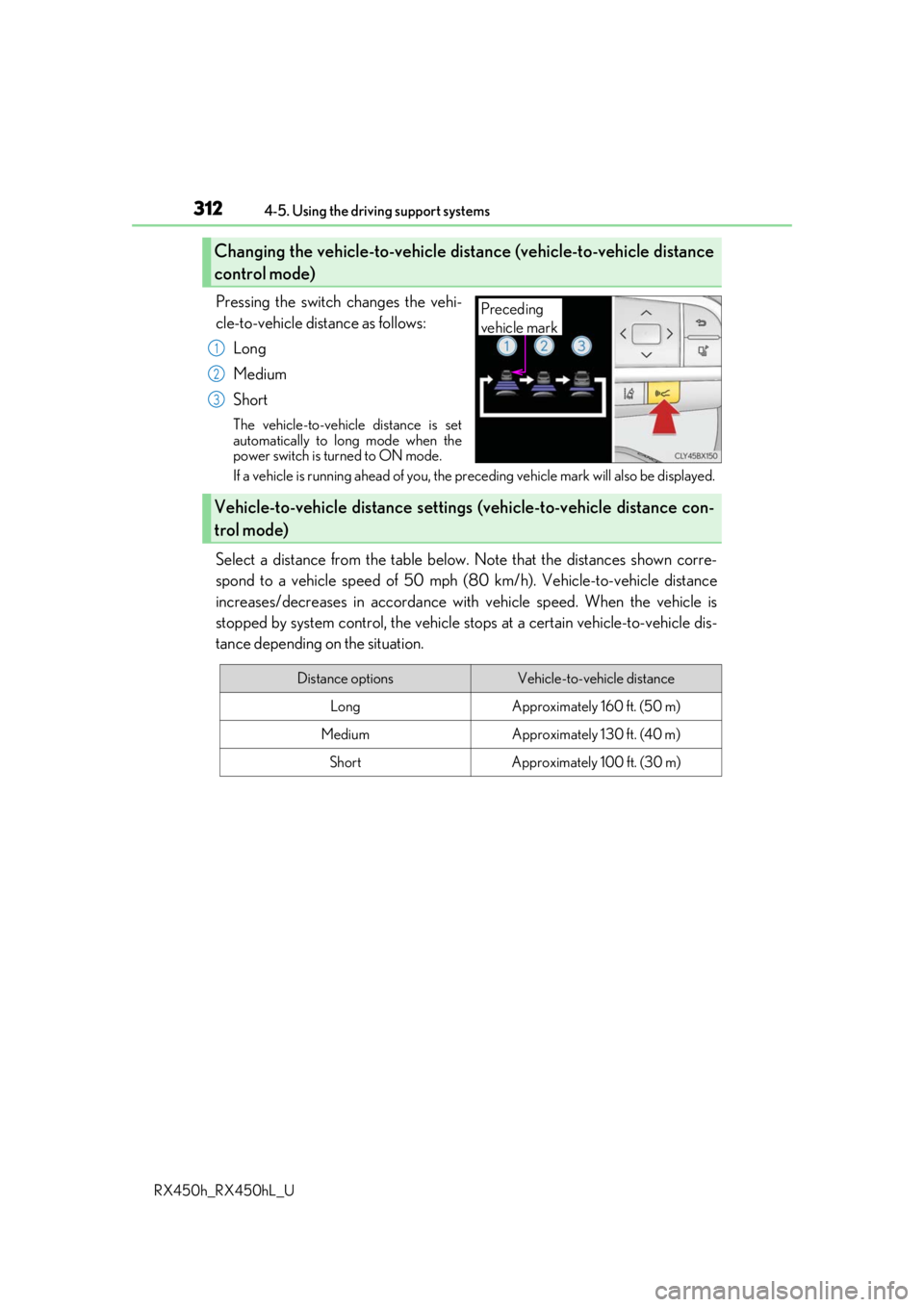
Pressing the switch changes the vehi-
cle-to-vehicle distance as follows: Long
Medium
Short
The vehicle-to-vehicle distance is set
automatically to long mode when the
power switch is turned to ON mode.
If a vehicle is running ahead of you, the pr eceding vehicle mark will also be displayed.
Select a distance from the table below. Note that the distances shown corre-
spond to a vehicle speed of 50 mph (8 0 km/h). Vehicle-to-vehicle distance
increases/decreases in accordance with vehicle speed. When the vehicle is
stopped by system control, the vehicle st ops at a certain vehicle-to-vehicle dis-
tance depending on the situation.
Changing the vehicle-to-vehicle distance (vehicle-to-vehicle distance
control mode)
Preceding
vehicle mark
1
2
3
Vehicle-to-vehicle distance settings (vehicle-to-vehicle distance con-
trol mode)
Distance optionsVehicle-to-vehicle distance
LongApproximately 160 ft. (50 m)
MediumApproximately 130 ft. (40 m)
ShortApproximately 100 ft. (30 m)
Page 314 of 792
3144-5. Using the driving support systems
RX450h_RX450hL_U
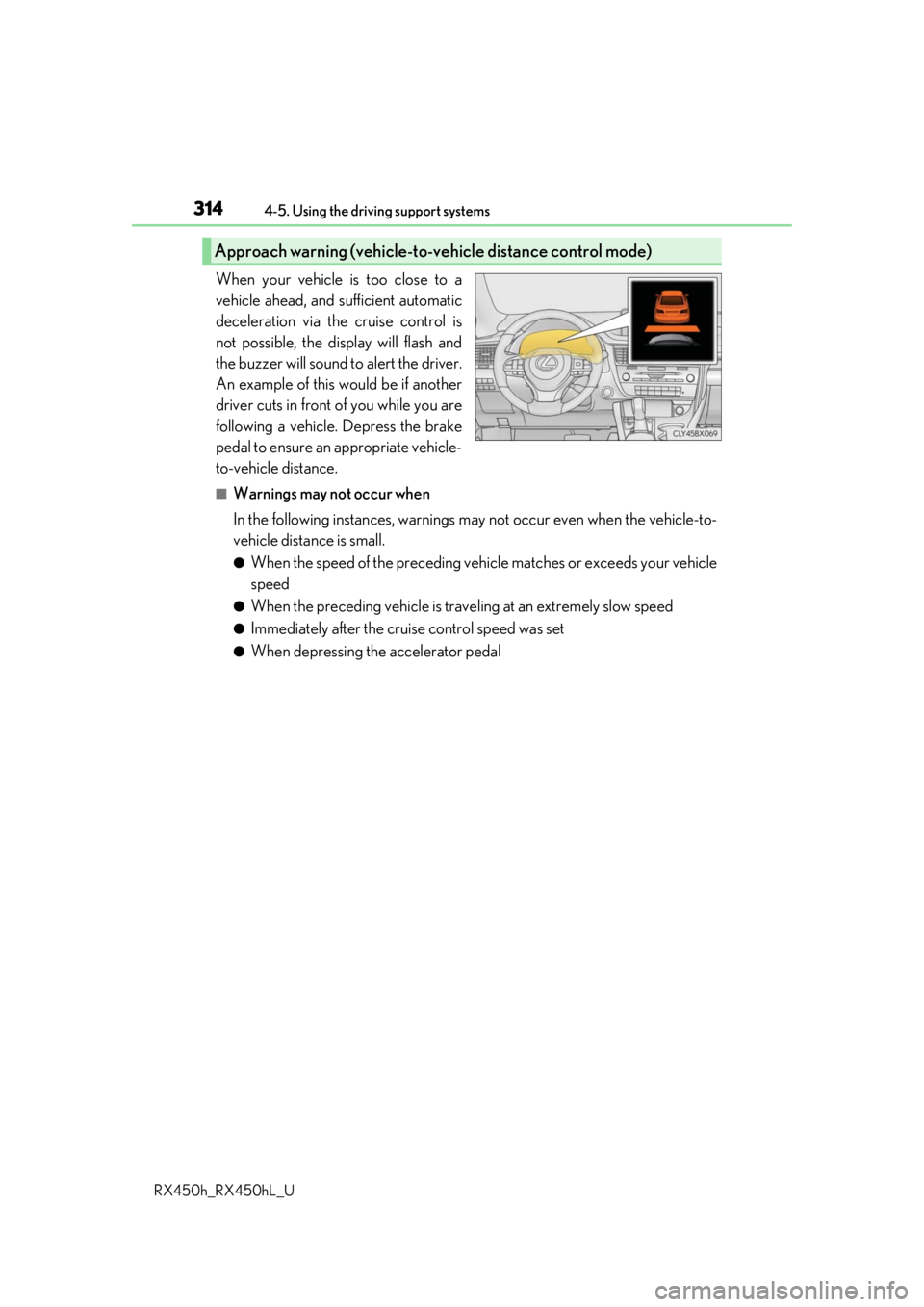
When your vehicle is too close to a
vehicle ahead, and sufficient automatic
deceleration via the cruise control is
not possible, the display will flash and
the buzzer will sound to alert the driver.
An example of this would be if another
driver cuts in front of you while you are
following a vehicle. Depress the brake
pedal to ensure an appropriate vehicle-
to-vehicle distance.
■Warnings may not occur when
In the following instances, warnings ma y not occur even when the vehicle-to-
vehicle distance is small.
●When the speed of the preceding vehicle matches or exceeds your vehicle
speed
●When the preceding vehicle is traveling at an extremely slow speed
●Immediately after the crui se control speed was set
●When depressing the accelerator pedal
Approach warning (vehicle-to-vehicle distance control mode)