2019 LEXUS RX450H high
[x] Cancel search: highPage 98 of 792
982. Instrument cluster
RX450h_RX450hL_U
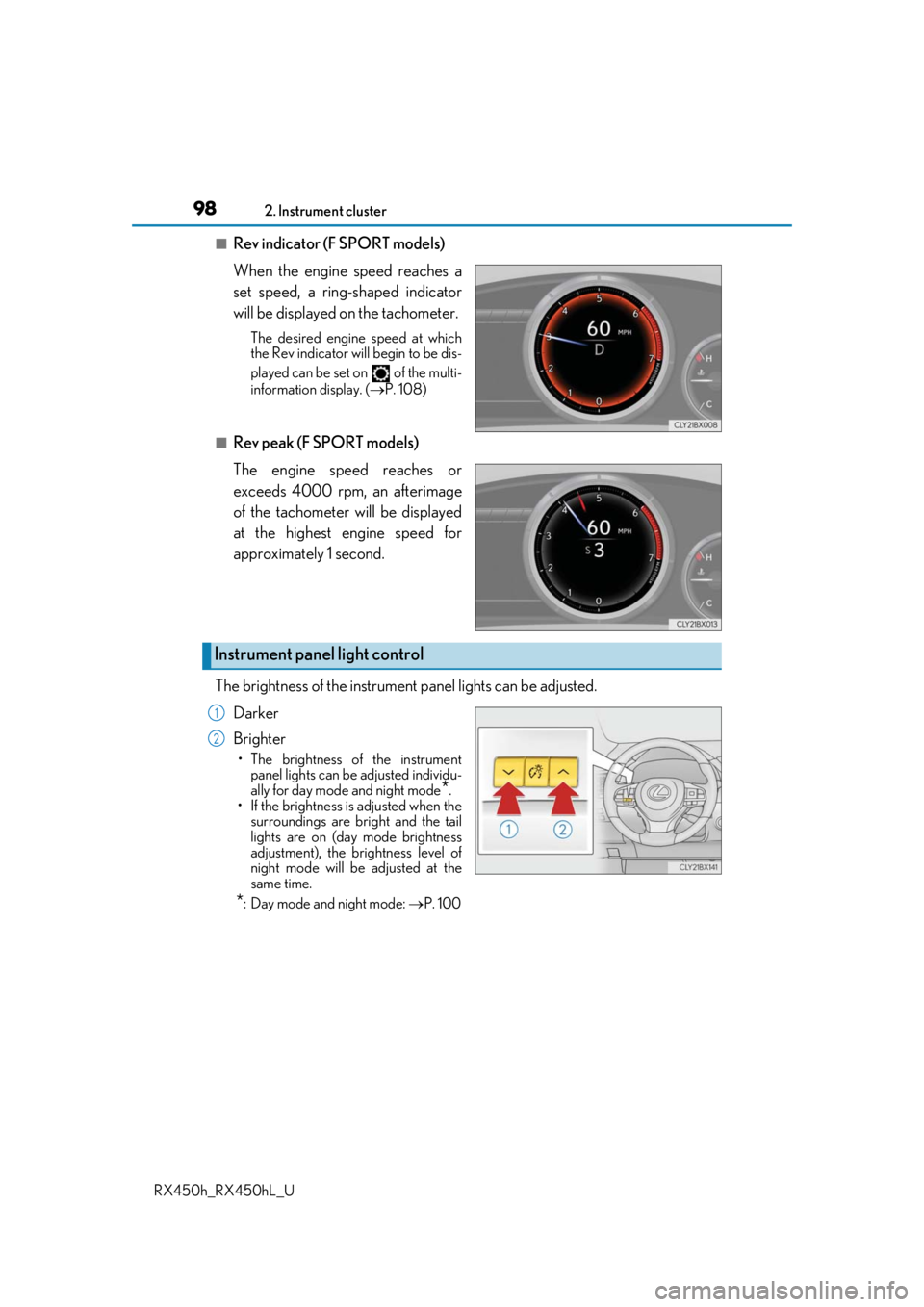
■Rev indicator (F SPORT models)
When the engine speed reaches a
set speed, a ring-shaped indicator
will be displayed on the tachometer.
The desired engine speed at which
the Rev indicator will begin to be dis-
played can be set on of the multi-
information display. ( P. 108)
■Rev peak (F SPORT models)
The engine speed reaches or
exceeds 4000 rpm, an afterimage
of the tachometer will be displayed
at the highest engine speed for
approximately 1 second.
The brightness of the instrument panel lights can be adjusted.
Darker
Brighter
• The brightness of the instrument panel lights can be adjusted individu-
ally for day mode and night mode
*.
• If the brightness is adjusted when the surroundings are bright and the tail
lights are on (day mode brightness
adjustment), the brightness level of
night mode will be adjusted at the
same time.
*: Day mode and night mode: P. 100
Instrument panel light control
1
2
Page 108 of 792
1082. Instrument cluster
RX450h_RX450hL_U
◆Changing settings
Use the meter control switches on th e steering wheel to change settings.
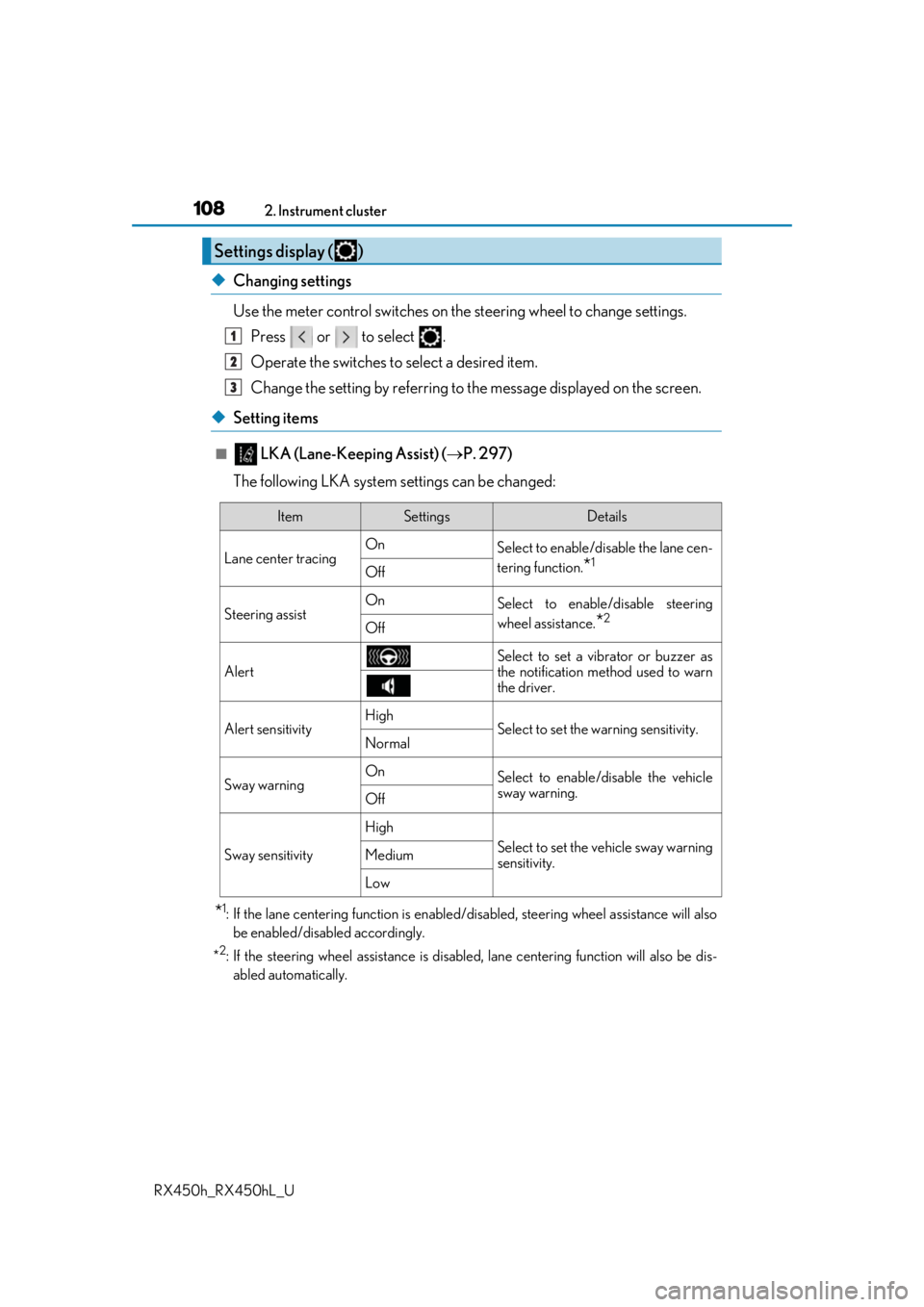
Press or to select .
Operate the switches to select a desired item.
Change the setting by referring to the message displayed on the screen.
◆Setting items
■ LKA (Lane-Keeping Assist) ( P. 297)
The following LKA system settings can be changed:
*1: If the lane centering function is enabled/ disabled, steering wheel assistance will also
be enabled/disabled accordingly.
*
2: If the steering wheel assistance is disabled, lane cent ering function will also be dis-
abled automatically.
Settings display ( )
1
2
3
ItemSettingsDetails
Lane center tracing On
Select to enable/disable the lane cen-
tering function.
*1Off
Steering assistOnSelect to enable/disable steering
wheel assistance.
*2Off
Alert
Select to set a vibrator or buzzer as
the notification method used to warn
the driver.
Alert sensitivityHighSelect to set the warning sensitivity.Normal
Sway warningOnSelect to enable/disable the vehicle
sway warning.
Off
Sway sensitivity
High
Select to set the vehicle sway warning
sensitivity.Medium
Low
Page 130 of 792
1302. Instrument cluster
RX450h_RX450hL_U
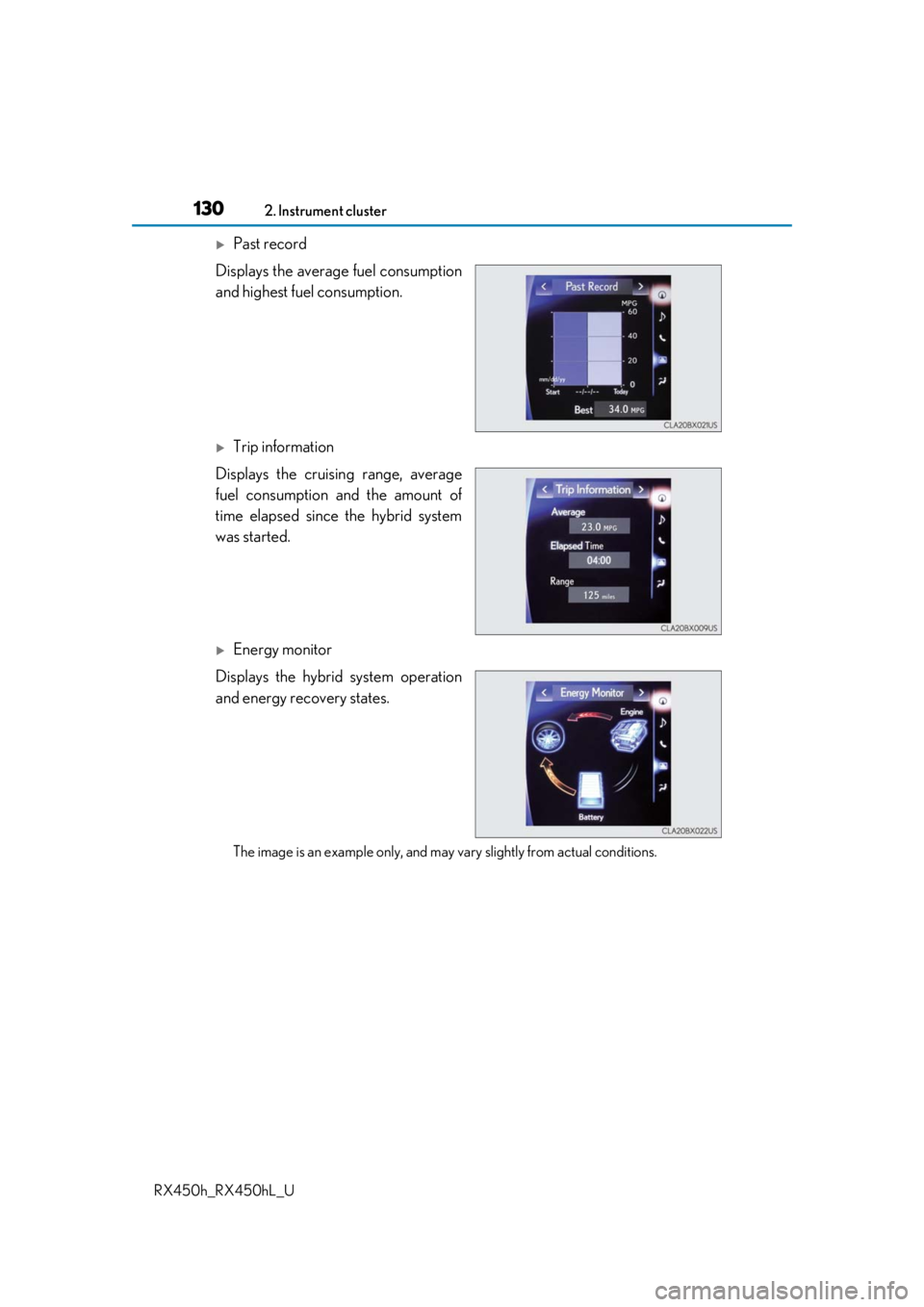
Past record
Displays the average fuel consumption
and highest fuel consumption.
Trip information
Displays the cruising range, average
fuel consumption and the amount of
time elapsed since the hybrid system
was started.
Energy monitor
Displays the hybrid system operation
and energy recovery states.
The image is an example only, and may va ry slightly from actual conditions.
Page 135 of 792

1353-1. Key information
3
Operation of each component
RX450h_RX450hL_U
NOTICE
■To prevent key damage
●Do not drop the keys, subject them to strong shocks or bend them.
●Do not expose the keys to high temp eratures for long periods of time.
●Do not get the keys wet or wash them in an ultrasonic washer, etc.
●Do not attach metallic or magnetic materials to the keys or place the keys close to
such materials.
●Do not disassemble the keys.
●Do not attach a sticker or anything else to the surface of the electronic key.
●Do not place the keys near objects that pr oduce magnetic fields, such as TVs, audio
systems and induction cookers, or medical electrical equipment, such as low-fre-
quency therapy equipment.
■Carrying the electronic key on your person
Carry the electronic key 3.9 in. (10 cm) or mo re away from electric appliances that are
turned on. Radio waves emitted from electric appliances within 3.9 in. (10 cm) of the
electronic key may interfere with the key, causing the key to not function properly.
■In case of a smart access system with push-button start malfunction or other key-
related problems
Take your vehicle with all the electronic keys provided with your vehicle to your Lexus
dealer.
■When an electronic key is lost
If the electronic key re mains lost, the risk of vehicle th eft increases significantly. Visit
your Lexus dealer immediately with all rema ining electronic keys that were provided
with your vehicle.
Page 139 of 792
1393-2. Opening, closing and locking the doors
3
Operation of each component
RX450h_RX450hL_U
Push down the inside lock button.
Close the door.
The door cannot be locked if the power switch is in ACCESSORY or ON mode, or
the electronic key is left inside the vehicle. However, the key may not be detected cor-
rectly and the door may be locked.
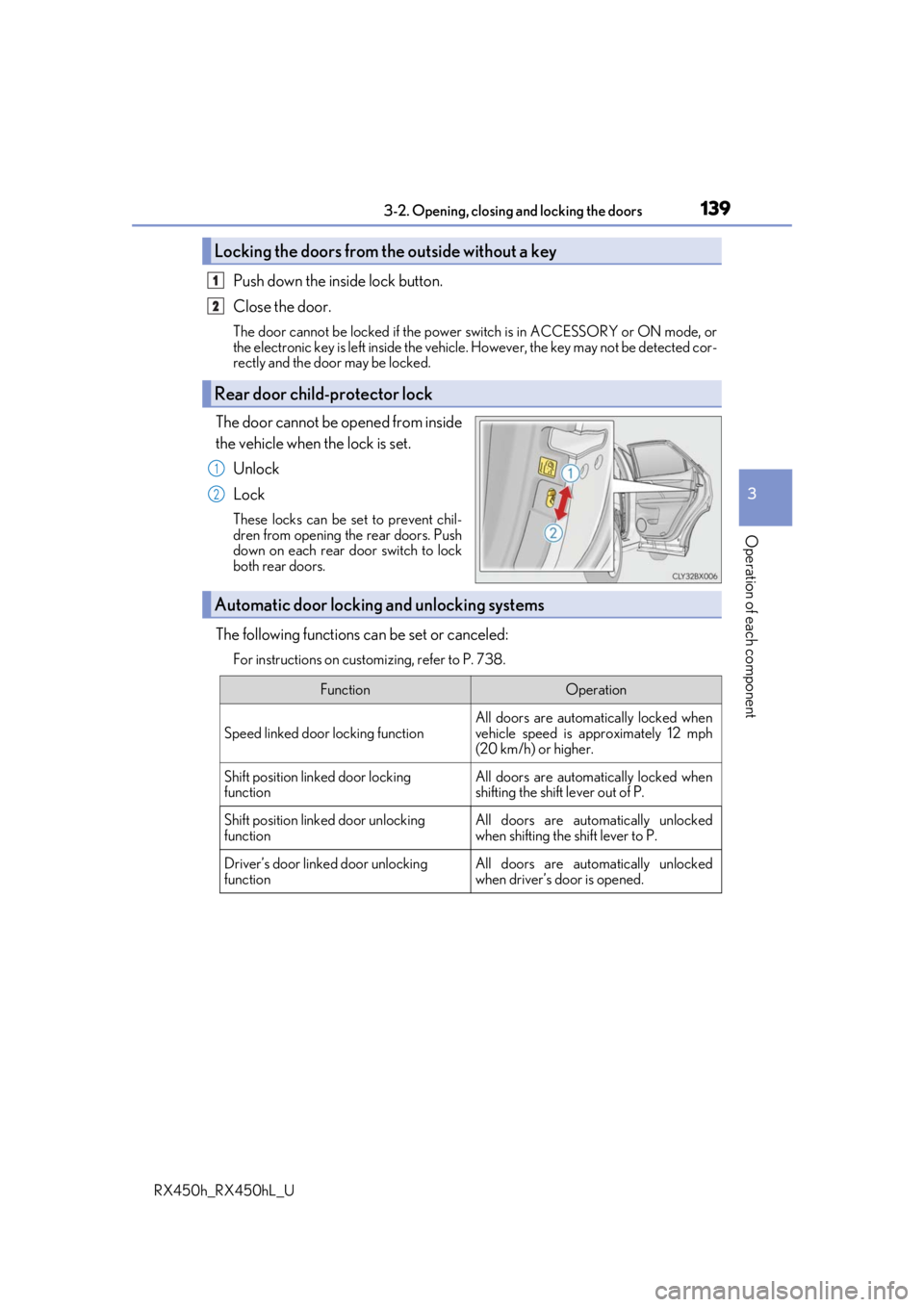
The door cannot be opened from inside
the vehicle when the lock is set.
Unlock
Lock
These locks can be set to prevent chil-
dren from opening the rear doors. Push
down on each rear door switch to lock
both rear doors.
The following functions can be set or canceled:
For instructions on customizing, refer to P. 738.
Locking the doors from the outside without a key
Rear door child-protector lock
1
2
1
2
Automatic door locking and unlocking systems
FunctionOperation
Speed linked door locking function
All doors are automatically locked when
vehicle speed is approximately 12 mph
(20 km/h) or higher.
Shift position linked door locking
functionAll doors are automatically locked when
shifting the shift lever out of P.
Shift position linked door unlocking
functionAll doors are automatically unlocked
when shifting the shift lever to P.
Driver’s door linked door unlocking
functionAll doors are automatically unlocked
when driver’s door is opened.
Page 161 of 792

1613-2. Opening, closing and locking the doors
3
Operation of each component
RX450h_RX450hL_U
■Note for the entry function
●Even when the electronic key is within the effective range (detection areas), the system
may not operate properly in the following cases:
• The electronic key is too close to the window or outside door handle, near the ground, or in a high place when the doors are locked or unlocked.
• The electronic key is near the ground or in a high place, or too close to the rear
bumper center when the back door is opened.
• The electronic key is on th e instrument panel, luggage co mpartment, floor, or in the
door pockets or glove box when the hybrid system is started or power switch modes
are changed.
●Do not leave the electronic key on top of th e instrument panel or near the door pockets
when exiting the vehicle. Depending on the radio wave reception conditions, it may be
detected by the antenna outs ide the cabin and the door will become lockable from the
outside, possibly trapping the electronic key inside the vehicle.
●As long as the electronic key is within th e effective range, the doors may be locked or
unlocked by anyone.
●Even if the electronic key is not inside the vehicle, it may be possible to start the hybrid
system if the electronic key is near the window.
●The doors may unlock if a large amount of wa ter splashes on the door handle, such as in
the rain or in a car wash when the electronic key is within the effective range. (The door
will automatically be locked after approx imately 60 seconds if the doors are not
opened and closed.)
●If the wireless remote control is used to lo ck the doors when the electronic key is near
the vehicle, there is a possibility that the d oor may not be unlocked by the entry func-
tion. (Use the wireless remote control to unlock the doors.)
●Touching the door lock sensor while wearin g gloves may delay or prevent lock opera-
tion. Remove the gloves and touch the lock sensor again.
●When the lock operation is performed using the lock sensor, recognition signals will be
shown up to two consecutive times. After this, no recognition signals will be given.*
●If the door handle becomes wet while the el ectronic key is within the effective range,
the door may lock and unlock repeatedly. In that case, follow the following correction
procedures to wash the vehicle:
• Place the electronic key in a location 6 ft. (2 m) or more away from the vehicle. (Take care to ensure that the key is not stolen.)
• Set the electronic key to battery-saving mode to disable the smart access system with push-button start. ( P. 160)
●If the electronic key is inside the vehicle and a door handle becomes wet during a car
wash, a message may be shown on the mult i-information display and a buzzer will
sound outside the vehicle. To turn off the alarm, lock all the doors.
●The lock sensor may not work properly if it comes into contact with ice, snow, mud, etc.
Clean the lock sensor and attempt to operate it again.
●A sudden approach to the effective range or door handle may prevent the doors from
being unlocked. In this case, return the door handle to the original position and check
that the doors unlock before pulling the door handle again.
●If there is another electronic key in the de tection area, it may take slightly longer to
unlock the doors after the door handle is gripped.
Page 211 of 792

211
4Driving
RX450h_RX450hL_U
4-3. Operating the lights and wipers
Headlight switch ........................ 258
Automatic High Beam ............. 262
Fog light switch ...........................266
Windshield wipers and washer.......................................... 267
Rear window wiper and washer.......................................... 272
4-4. Refueling Opening the fuel tank cap...... 274 4-5. Using the driving support
systems
Lexus Safety System+ .............. 279
PCS (Pre-Collision System) ......... 286
LKA (Lane-Keeping A ssist) .......... 297
Dynamic radar cruise control with full-speed
range ............................................306
BSM (Blind Spot Monitor) ...... 319 • BSM function ......................... 323
• RCTA function...................... 327
Intuitive parking assist .............. 332
Intelligent Clearance Sonar (ICS) ............................................. 342
Lexus parking assist monitor ........................................ 363
Driving mode select switch ........................................... 379
Driving assist systems ..............382
4-6. Driving tips Hybrid vehicle driving tips ................................................ 388
Winter driving tips .....................390
Utility vehicle precautions................................ 394
Page 213 of 792
2134-1. Before driving
4
Driving
RX450h_RX450hL_U
With the brake pedal depressed, shift the shift lever to D. (P. 246)
Pull the parking brake switch and parking brake is set manually. ( P. 254)
Release the brake pedal and gently de press the accelerator pedal to acceler-
ate the vehicle.
Press the parking brake switch and pa rking brake is released manually.
( P. 254)
■When starting off on a uphill
The hill-start assist control will activate. ( P. 382)
■For fuel-efficient driving
Keep in mind that hybrid vehicles are simila r to conventional vehicles, and it is necessary
to refrain from activities su ch as sudden acceleration. ( P. 388)
■Driving in the rain
●Drive carefully when it is ra ining, because visibility will be reduced, the windows may
become fogged-up, and the road will be slippery.
●Drive carefully when it starts to rain, beca use the road surface will be especially slip-
pery.
●Refrain from high speeds when driving on an expressway in the rain, because there may
be a layer of water between the tires and th e road surface, preventing the steering and
brakes from operating properly.
■Restraining the hybrid system output (Brake Override System)
●When the accelerator and brake pedals are depressed at the same time, the hybrid sys-
tem output may be restrained.
●A warning message is displayed on the mult i-information display while the system is
operating. If a warning message is shown on the multi-in formation display, read the
message and follow the instructions.
■Restraining sudden start (Drive-Start Control)
●When the following unusual operation is pe rformed, the hybrid system output may be
restrained.
• When the shift lever is shifted from R to D, D to R, N to R, P to D, or P to R (D includes S) with the acce lerator pedal depressed, a warning message appears on
the multi-information display. If a warning message is shown on the multi-informa-
tion display, read the message and follo w the instructions.
• When the accelerator pedal is depressed t oo much while the vehicle is in reverse.
●While Drive-Start Control is being activated, your vehicle may have trouble escaping
from the mud or fresh snow. In such case, deactivate TRAC (P. 384) to cancel Drive-
Start Control so that the vehicle may beco me able to escape from the mud or fresh
snow.
Starting off on a uphill
1
2
3
4