Page 418 of 792
418
RX450h_RX450hL_U5-3. Using the audio system
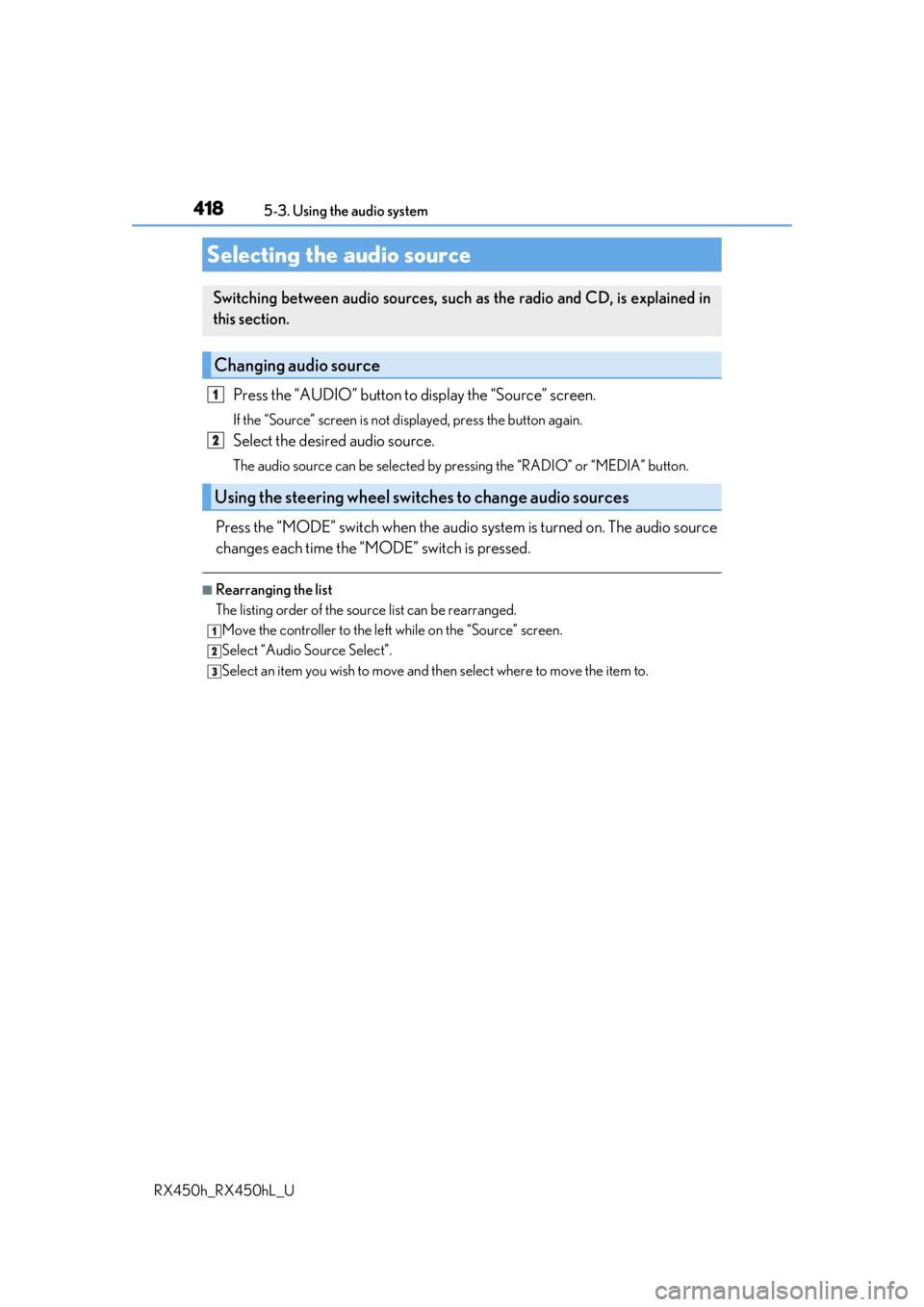
Press the “AUDIO” button to
display the “Source” screen.
If the “Source” screen is not displayed, press the button again.
Select the desired audio source.
The audio source can be selected by pressing the “RADIO” or “MEDIA” button.
Press the “MODE” switch when the audio system is turned on. The audio source
changes each time the “MODE” switch is pressed.
■Rearranging the list
The listing order of the sour ce list can be rearranged.
Move the controller to the left while on the “Source” screen.
Select “Audio Source Select”.
Select an item you wish to move and th en select where to move the item to.
Selecting the audio source
Switching between audio sources, such as the radio and CD, is explained in
this section.
Changing audio source
Using the steering wheel switches to change audio sources
1
2
1
2
3
Page 419 of 792
4195-3. Using the audio system
5
Lexus Display Audio system
RX450h_RX450hL_U
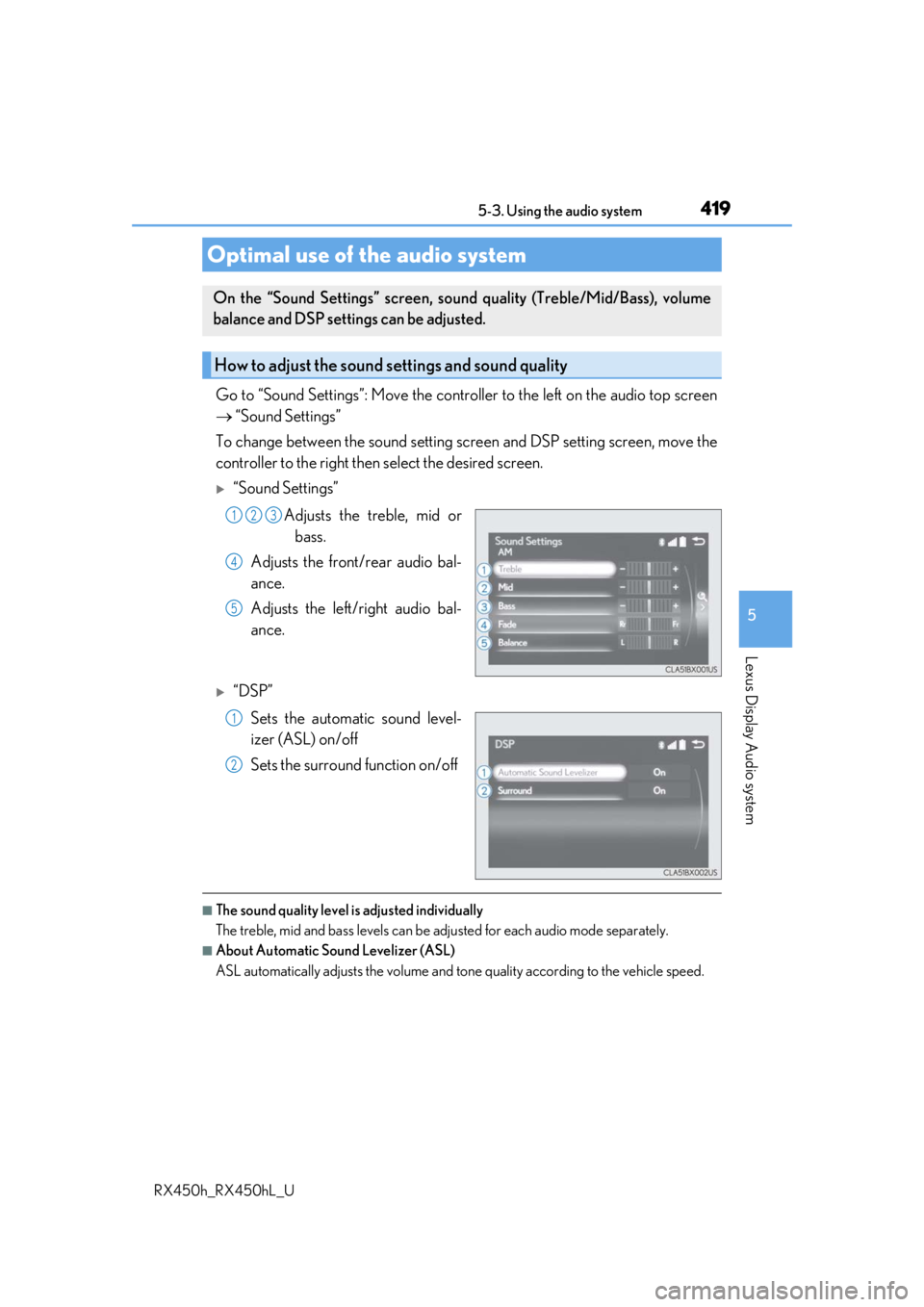
Go to “Sound Settings”: Move the controller to the left on the audio top screen
“Sound Settings”
To change between the sound setting screen and DSP setting screen, move the
controller to the right then select the desired screen.
“Sound Settings”
Adjusts the treble, mid orbass.
Adjusts the front/rear audio bal-
ance.
Adjusts the left/right audio bal-
ance.
“DSP”
Sets the automatic sound level-
izer (ASL) on/off
Sets the surround function on/off
■The sound quality level is adjusted individually
The treble, mid and bass levels can be adjusted for each audio mode separately.
■About Automatic Sound Levelizer (ASL)
ASL automatically adjusts the volume and to ne quality according to the vehicle speed.
Optimal use of the audio system
On the “Sound Settings” screen, sound quality (Treble/Mid/Bass), volume
balance and DSP settings can be adjusted.
How to adjust the sound settings and sound quality
123
4
5
1
2
Page 429 of 792
4295-4. Using the radio
5
Lexus Display Audio system
RX450h_RX450hL_U
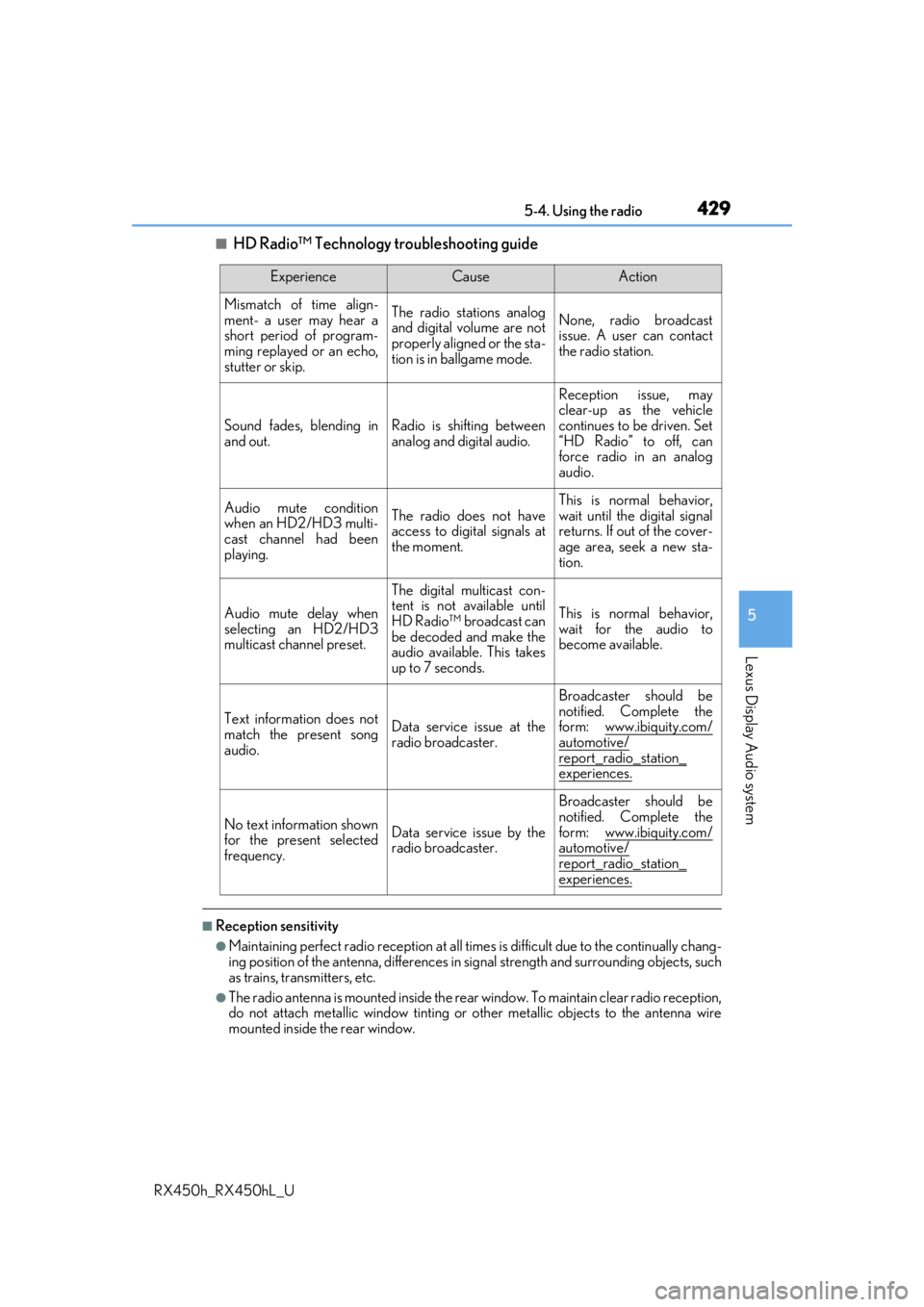
■HD Radio™ Technology troubleshooting guide
■Reception sensitivity
●Maintaining perfect radio reception at all times is difficult due to the continually chang-
ing position of the antenna, differences in si gnal strength and surrounding objects, such
as trains, transmitters, etc.
●The radio antenna is mounted inside the rear window. To maintain clear radio reception,
do not attach metallic window tinting or other metallic objects to the antenna wire
mounted inside the rear window.
ExperienceCauseAction
Mismatch of time align-
ment- a user may hear a
short period of program-
ming replayed or an echo,
stutter or skip.The radio stations analog
and digital volume are not
properly aligned or the sta-
tion is in ballgame mode.None, radio broadcast
issue. A user can contact
the radio station.
Sound fades, blending in
and out.Radio is shifting between
analog and digital audio.
Reception issue, may
clear-up as the vehicle
continues to be driven. Set
“HD Radio” to off, can
force radio in an analog
audio.
Audio mute condition
when an HD2/HD3 multi-
cast channel had been
playing.The radio does not have
access to digital signals at
the moment.
This is normal behavior,
wait until the digital signal
returns. If out of the cover-
age area, seek a new sta-
tion.
Audio mute delay when
selecting an HD2/HD3
multicast channel preset.
The digital multicast con-
tent is not available until
HD Radio™ broadcast can
be decoded and make the
audio available. This takes
up to 7 seconds.
This is normal behavior,
wait for the audio to
become available.
Text information does not
match the present song
audio.Data service issue at the
radio broadcaster.
Broadcaster should be
notified. Complete the
form: www.ibiquity.com/
automotive/
report_radio_station_
experiences.
No text information shown
for the present selected
frequency.Data service issue by the
radio broadcaster.
Broadcaster should be
notified. Complete the
form: www.ibiquity.com/
automotive/report_radio_station_
experiences.
Page 499 of 792
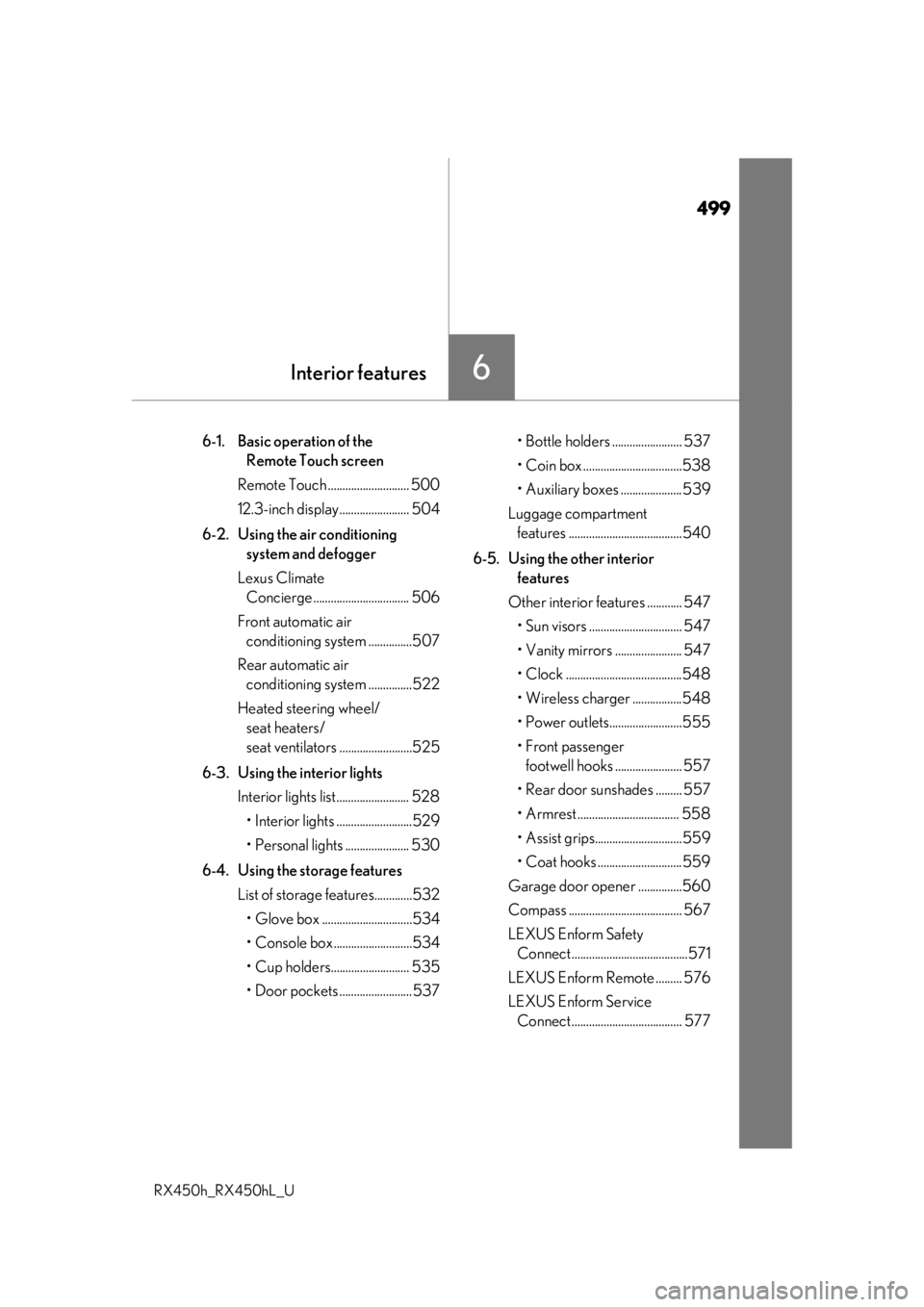
499
6Interior features
RX450h_RX450hL_U
6-1. Basic operation of the Remote Touch screen
Remote Touch ............................ 500
12.3-inch display........................ 504
6-2. Using the air conditioning system and defogger
Lexus Climate Concierge ................................. 506
Front automatic air conditioning system ...............507
Rear automatic air conditioning system ...............522
Heated steering wheel/ seat heaters/
seat ventilators .........................525
6-3. Using the interior lights Interior lights list......................... 528
• Interior lights ..........................529
• Personal lights ...................... 530
6-4. Using the storage features List of storage features.............532
• Glove box ...............................534
• Console box ...........................534
• Cup holders........................... 535
• Door pockets .........................537 • Bottle holders ........................ 537
• Coin box ..................................538
• Auxiliary boxes .....................539
Luggage compartment features .......................................540
6-5. Using the other interior features
Other interior features ............ 547 • Sun visors ................................ 547
• Vanity mirrors ....................... 547
• Clock ........................................548
• Wireless charger .................548
• Power outlets.........................555
• Front passenger footwell hooks ....................... 557
• Rear door sunshades ......... 557
• Armrest ................................... 558
• Assist grips..............................559
• Coat hooks .............................559
Garage door opener ...............560
Compass ....................................... 567
LEXUS Enform Safety Connect ........................................571
LEXUS Enform Remote ......... 576
LEXUS Enform Service Connect ...................................... 577
Page 508 of 792
5086-2. Using the air conditioning system and defogger
RX450h_RX450hL_U
■Adjusting the temperature setting
Press to increase the temperature and to decrease the tem-
perature.
■Adjusting the fan speed setting
Press to increase the fan speed and to decrease the fan speed.
Press the “OFF” button to turn the fan off.
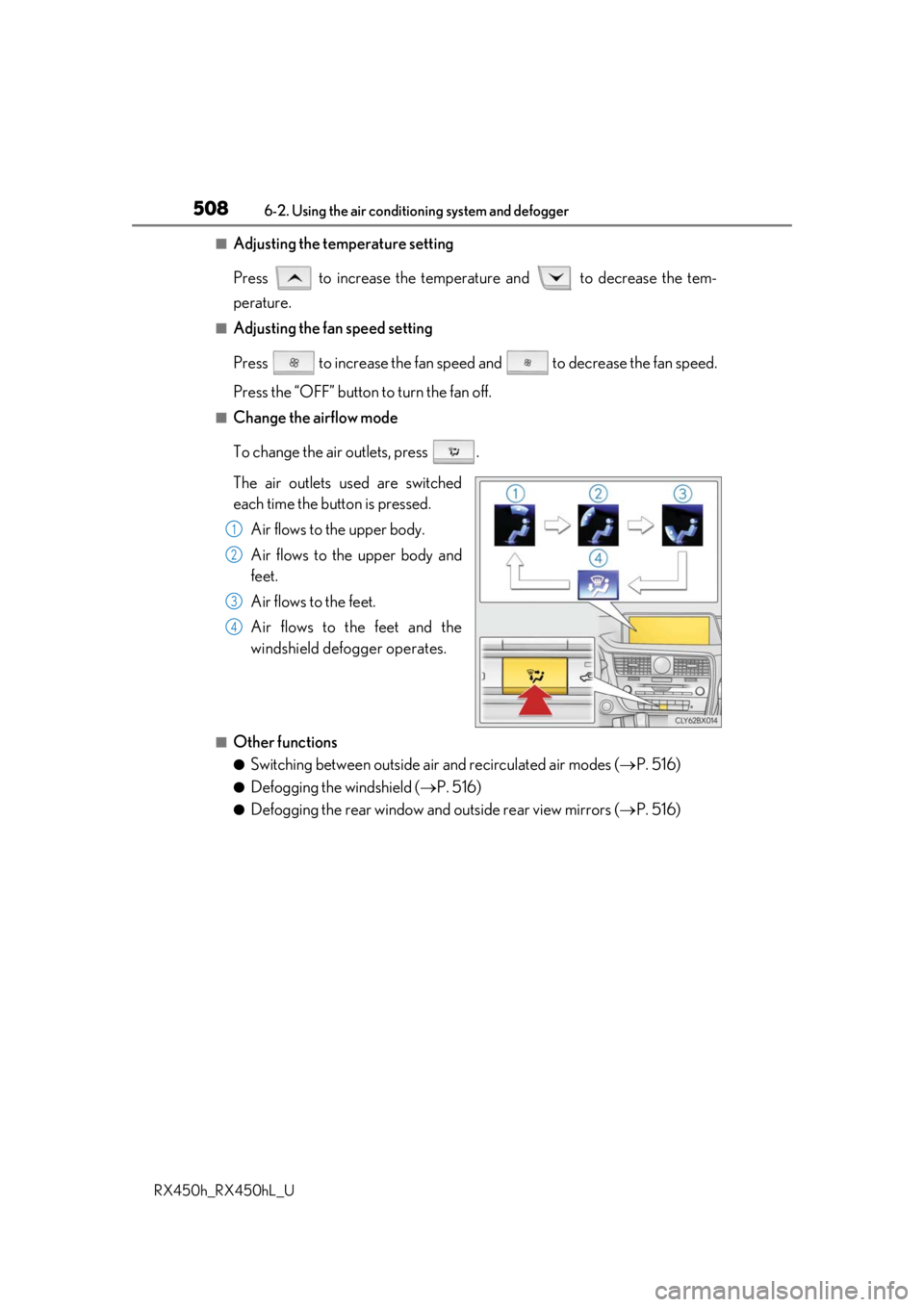
■Change the airflow mode
To change the air outlets, press .
The air outlets used are switched
each time the button is pressed. Air flows to the upper body.
Air flows to the upper body and
feet.
Air flows to the feet.
Air flows to the feet and the
windshield defogger operates.
■Other functions
●Switching between outside air and recirculated air modes ( P. 516)
●Defogging the windshield ( P. 516)
●Defogging the rear window and outside rear view mirrors ( P. 516)
1
2
3
4
Page 511 of 792

5116-2. Using the air conditioning system and defogger
RX450h_RX450hL_U
6
Interior features
Lexus Display Audio screen
Adjust the left-hand side tempera-
ture setting
Adjust the fan speed setting
Select to set auto mode on/off
Select to set eco mode on/off
( P. 519)
Select to set cooling and dehumidifi-
cation function on/off
If the indicator is turned off, the system will blow ambient temperature air
or heated air.
Adjust the temperature for driver, passe nger and rear seats separately (“3-
ZONE” mode) ( P. 513)
Display the rear air condit ioning control screen (P. 515)
Display the option control screen ( P. 512)
Select the air flow mode
Adjust the right-hand side temperature setting
Navigation system screen
Adjust the left-hand side tempera-
ture setting
Adjust the fan speed setting
Select the air flow mode
Adjust the right-hand side tempera-
ture setting
Display the option control screen
( P. 512)
Select to set automatic mode on/off
Select to set cooling and dehumidification function on/off
If the indicator is turned off, the system will blow ambient temperature air
or heated air.
Adjust the temperature for driver, passe nger and rear seats separately (“3-
ZONE” mode) ( P. 513)
Select to set eco mode on/off ( P. 519)
Display the rear air condit ioning control screen (P. 515)
Control screen (RX450hL)
1
2
3
4
5
6
7
8
9
10
1
2
3
4
5
6
7
8
9
10
Page 512 of 792
5126-2. Using the air conditioning system and defogger
RX450h_RX450hL_U
■Option control screen
Select on the air conditioning control screen to display the option
control screen. The functions can be switched on and off.
Prevent ice from building up on the windshield and wiper blades (if
equipped) ( P. 516)
Select to set S-FLOW mode ( P. 514)
■Side display operation screen (Vehicle s with a navigation system [12.3-inch
display])
Select the air flow mode
Adjust the left-hand side tem-
perature setting
Adjust the fan speed setting
Adjust the right-hand side tem-
perature setting
Select to set auto mode on/off
Select to set cooling and dehu-
midification function on/off
If the indicator is turned off, the system will blow ambient temperature air
or heated air.
Adjust the temperature for driver, passenger and rear seats separately (“3-
ZONE” mode) ( P. 513)
Lexus Display Audio screenNavigation system screen
1
2
1
2
3
4
5
6
7
Page 513 of 792

5136-2. Using the air conditioning system and defogger
RX450h_RX450hL_U
6
Interior features
■Using the automatic mode Press the “AUTO” button or select “A UTO” on the air conditioning control
screen.
Press to switch to automatic air intake mode. (if equipped)
The air conditioning system automati cally switches between outside air
and recirculated air modes.
Adjust the temperature setting.
To stop the operation, press the “OFF” button.
■Automatic mode indicator
If the fan speed setting or air flow modes are operated, the automatic mode
indicator goes off. However, automati c mode for functions other than that
operated is maintained.
■Adjusting the temperature for driv er and passenger seats separately
(“DUAL” mode) (RX450h)
To turn on the “DUAL” mode, perfor m any of the following procedures:
●Press “DUAL” button.
●Adjust the temperature setting of th e passenger side with the passenger
side temperature adjustment button.
The indicator comes on when the “DUAL” mode is on.
■Adjusting the temperature for driver, passenger and rear seats separately
(“3-ZONE” mode) (RX450hL)
To turn on the “3-ZONE” mode, perf orm any of the following procedures:
●Select “3-ZONE” on the air conditioning control screen.
●Select “3-ZONE” on the side displa y operation screen. (Vehicles with a
navigation system [12.3-inch display])
●Adjust the temperature setting of th e passenger side with the passenger
side temperature adjustment button.
The indicator comes on when the “3-ZONE” mode is on.
Air conditioning controls
1
2
3
4