2019 LEXUS RX450H turn
[x] Cancel search: turnPage 276 of 792
2764-4. Refueling
RX450h_RX450hL_U
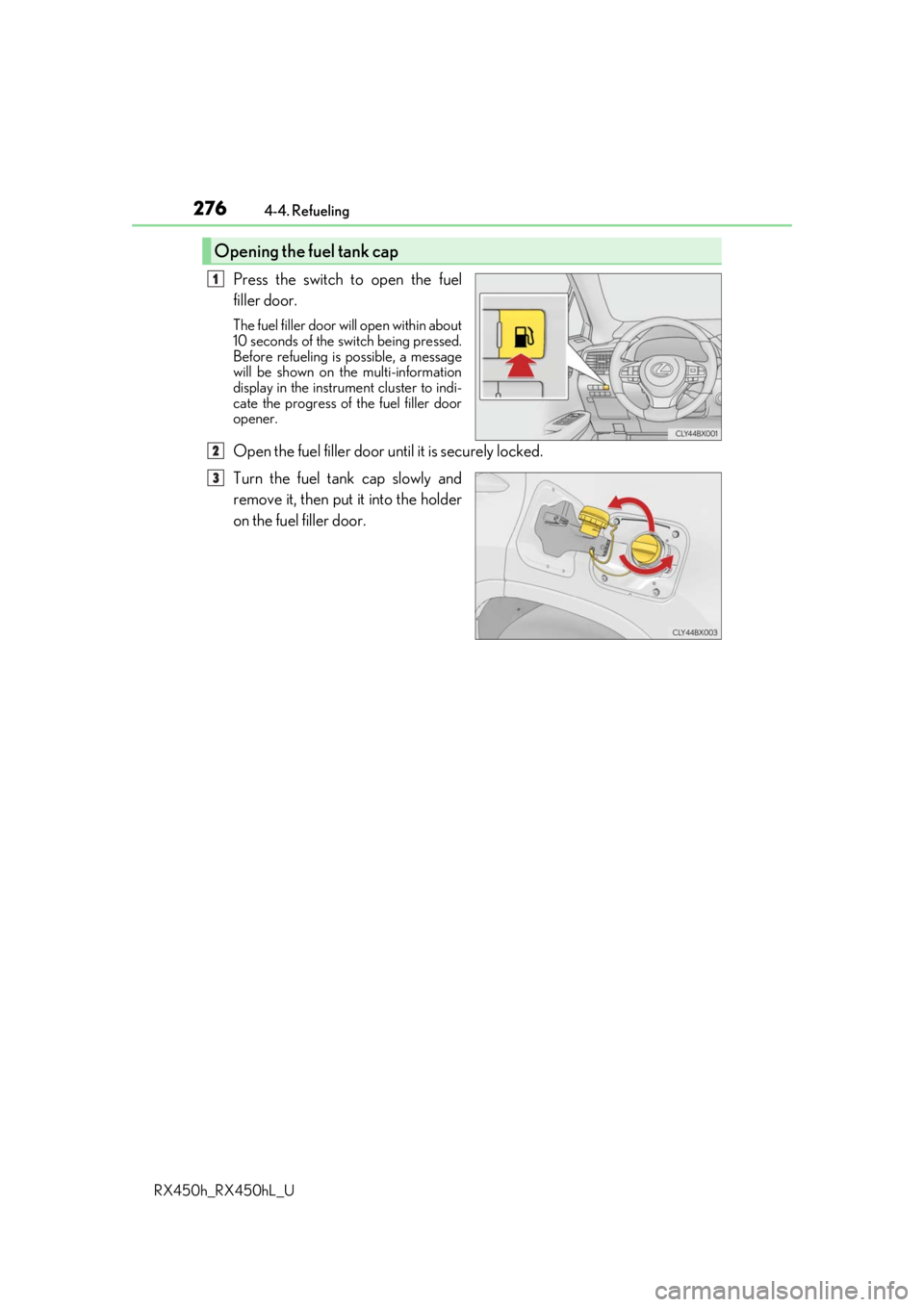
Press the switch to open the fuel
filler door.
The fuel filler door wi ll open within about
10 seconds of the sw itch being pressed.
Before refueling is possible, a message
will be shown on the multi-information
display in the instrument cluster to indi-
cate the progress of the fuel filler door
opener.
Open the fuel filler door until it is securely locked.
Turn the fuel tank cap slowly and
remove it, then put it into the holder
on the fuel filler door.
Opening the fuel tank cap
1
2
3
Page 277 of 792
2774-4. Refueling
4
Driving
RX450h_RX450hL_U
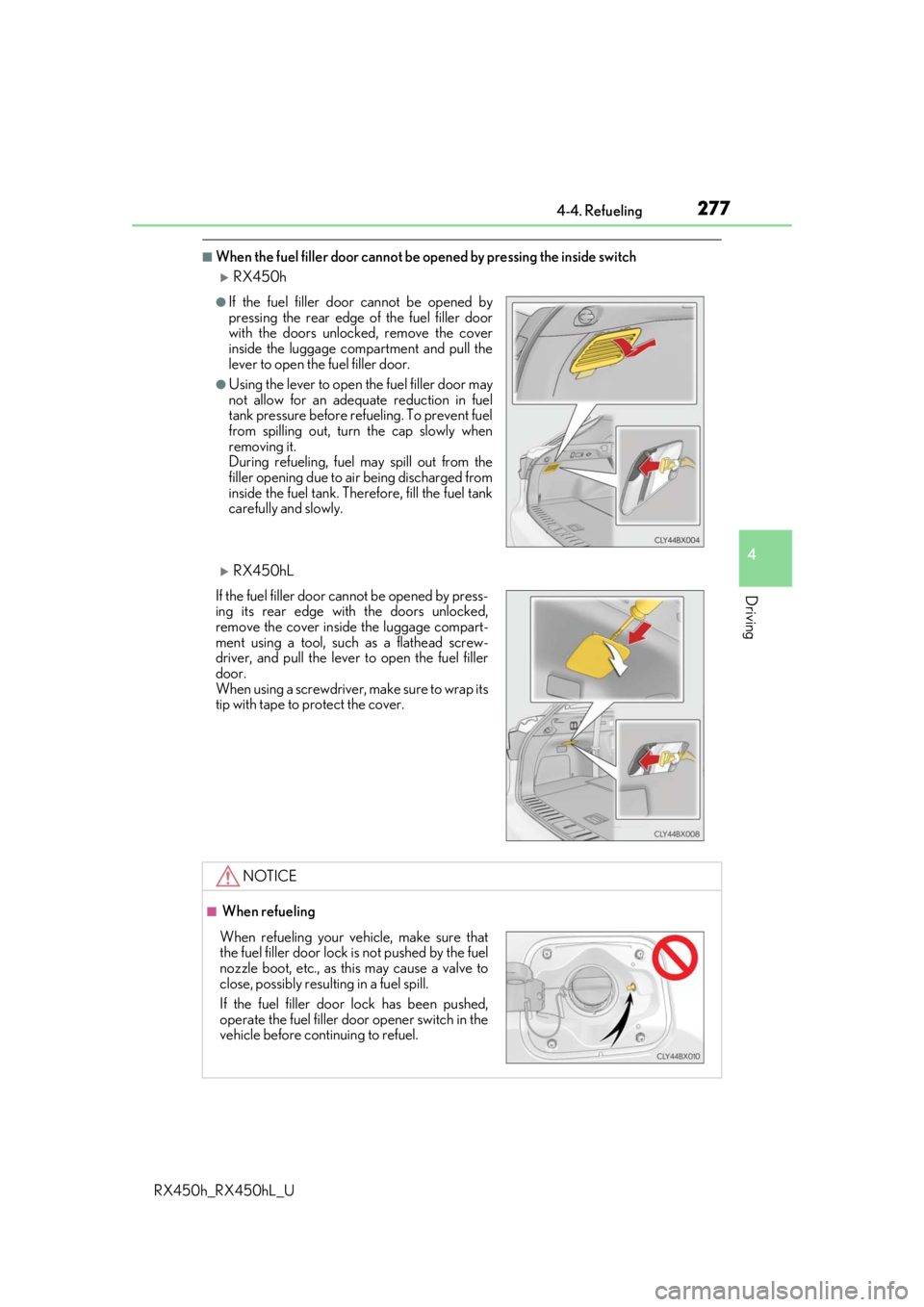
■When the fuel filler door cannot be opened by pressing the inside switch
RX450h
RX450hL
●If the fuel filler door cannot be opened by
pressing the rear edge of the fuel filler door
with the doors unlocked, remove the cover
inside the luggage compartment and pull the
lever to open the fuel filler door.
●Using the lever to open the fuel filler door may
not allow for an adequate reduction in fuel
tank pressure before refueling. To prevent fuel
from spilling out, turn the cap slowly when
removing it.
During refueling, fuel may spill out from the
filler opening due to air being discharged from
inside the fuel tank. Therefore, fill the fuel tank
carefully and slowly.
If the fuel filler door cannot be opened by press-
ing its rear edge with the doors unlocked,
remove the cover inside the luggage compart-
ment using a tool, such as a flathead screw-
driver, and pull the lever to open the fuel filler
door.
When using a screwdriver, make sure to wrap its
tip with tape to protect the cover.
NOTICE
■ When refueling
When refueling your vehicle, make sure that
the fuel filler door lock is not pushed by the fuel
nozzle boot, etc., as this may cause a valve to
close, possibly resulting in a fuel spill.
If the fuel filler door lock has been pushed,
operate the fuel filler door opener switch in the
vehicle before continuing to refuel.
Page 278 of 792
2784-4. Refueling
RX450h_RX450hL_U
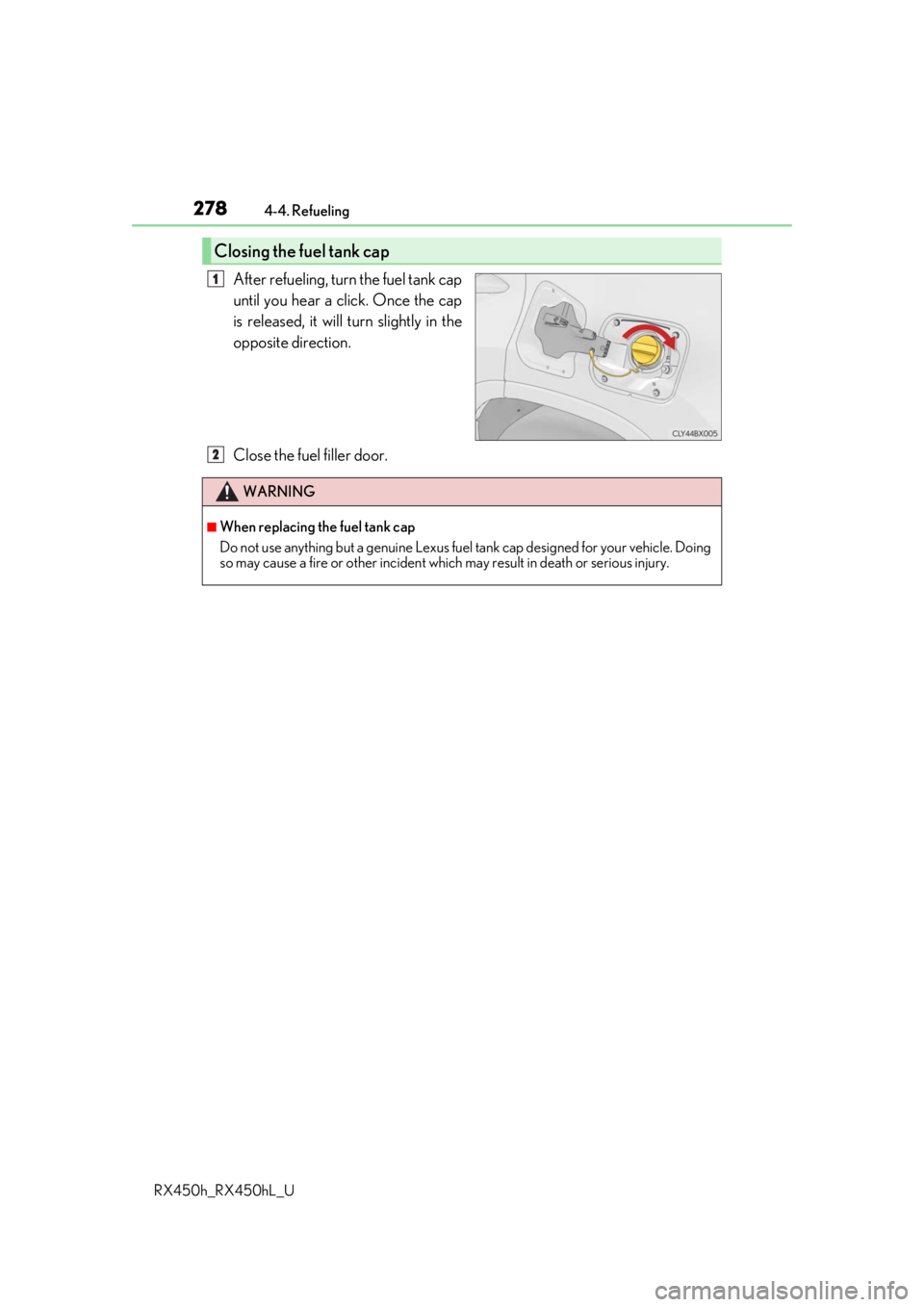
After refueling, turn the fuel tank cap
until you hear a click. Once the cap
is released, it will turn slightly in the
opposite direction.
Close the fuel filler door.
Closing the fuel tank cap
1
WARNING
■When replacing the fuel tank cap
Do not use anything but a genuine Lexus fuel tank cap designed for your vehicle. Doing
so may cause a fire or other incident whic h may result in death or serious injury.
2
Page 288 of 792

2884-5. Using the driving support systems
RX450h_RX450hL_U
WARNING
■Limitations of the pre-collision system
●The driver is solely responsible for safe driving. Always drive safely, taking care to
observe your surroundings.
Do not use the pre-collision sy stem instead of normal braking operations under any
circumstances. This system will not preven t collisions or lessen collision damage or
injury in every situation. Do not overly rely on this system. Failure to do so may lead to
an accident, resulting in death or serious injury.
●Although this system is designed to help avoid a collision or help reduce the impact of
the collision, its effectivenes s may change according to various conditions, therefore
the system may not always be able to achieve the same level of performance.
Read the following conditions carefully. Do not overly rely on this system and always
drive carefully.
• Conditions under which the system may oper ate even if there is no possibility of a
collision: P. 292
• Conditions under which the system may not operate properly: P. 294
●Do not attempt to test the operation of the pre-collision system yourself, as the system
may not operate properly, possib ly leading to an accident.
■Pre-collision braking
●When the pre-collision braking function is operating, a large amount of braking force
will be applied.
●If the vehicle is stopped by the operation of the pre-collision braking function, the pre-
collision braking function operation will be canceled after approximately 2 seconds.
Depress the brake pedal as necessary.
●The pre-collision braking fu nction may not operate if certain operations are per-
formed by the driver. If the accelerator pedal is being depressed strongly or the steer-
ing wheel is being turned, the system may de termine that the driver is taking evasive
action and possibly prevent the pre-coll ision braking function from operating.
●In some situations, while the pre-collision braking function is operating, operation of
the function may be canceled if the accele rator pedal is depressed strongly or the
steering wheel is turned and the system de termines that the driver is taking evasive
action.
●If the brake pedal is being depressed, the sy stem may determine that the driver is tak-
ing evasive action and possibly delay the op eration timing of the pre-collision braking
function.
Page 290 of 792
2904-5. Using the driving support systems
RX450h_RX450hL_U
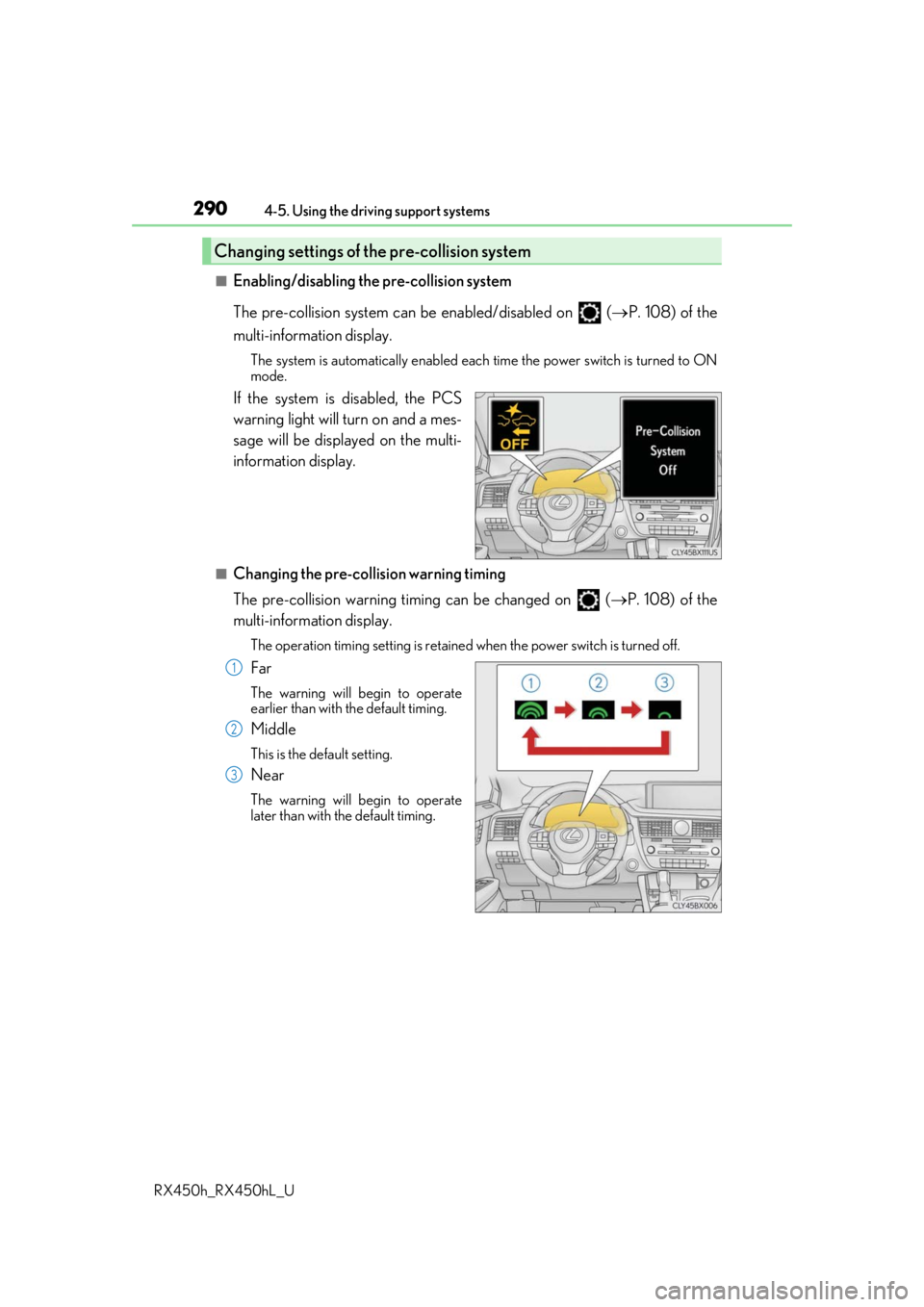
■Enabling/disabling the pre-collision system
The pre-collision system can be enabled/disabled on ( P. 108) of the
multi-information display.
The system is automatically enabled each time the power switch is turned to ON
mode.
If the system is disabled, the PCS
warning light will turn on and a mes-
sage will be displayed on the multi-
information display.
■Changing the pre-collision warning timing
The pre-collision warning timi ng can be changed on (P. 108) of the
multi-information display.
The operation timing settin g is retained when the power switch is turned off.
Far
The warning will begin to operate
earlier than with the default timing.
Middle
This is the default setting.
Near
The warning will begin to operate
later than with the default timing.
Changing settings of the pre-collision system
1
2
3
Page 291 of 792
2914-5. Using the driving support systems
4
Driving
RX450h_RX450hL_U
■Operational conditions
The pre-collision system is enabled and the system determines that the possibility of a
frontal collision with a vehicle or pedestrian is high.
Each function is operationa l at the following speeds:
●Pre-collision warning:
• Vehicle speed is between approximately 7 and 110 mph (10 and 180 km/h). (For
detecting a pedestrian, vehicle speed is between approximately 7 and 50 mph [10
and 80 km/h].)
• The relative speed between your vehicle and the vehicle or pedestrian ahead is approximately 7 mph (10 km/h) or more.
●Pre-collision brake assist:
• Vehicle speed is between approximately 20 and 110 mph (30 and 180 km/h). (For
detecting a pedestrian, vehicle speed is between approximately 20 and 50 mph
[30 and 80 km/h].)
• The relative speed between your vehicle and the vehicle or pedestrian ahead is
approximately 20 mph (30 km/h) or more.
●Pre-collision braking:
• Vehicle speed is between approximately 7 and 110 mph (10 and 180 km/h). (Fordetecting a pedestrian, vehicle speed is between approximately 7 and 50 mph [10
and 80 km/h].)
• The relative speed between your vehicle and the vehicle or pedestrian ahead is approximately 7 mph (10 km/h) or more.
The system may not operate in the following situations:
●If a 12-volt battery terminal has been disconnected and reconnected and then the vehi-
cle has not been driven for a certain amount of time
●If the shift lever is in R
●If VSC is disabled (only the pre-collis ion warning function will be operational)
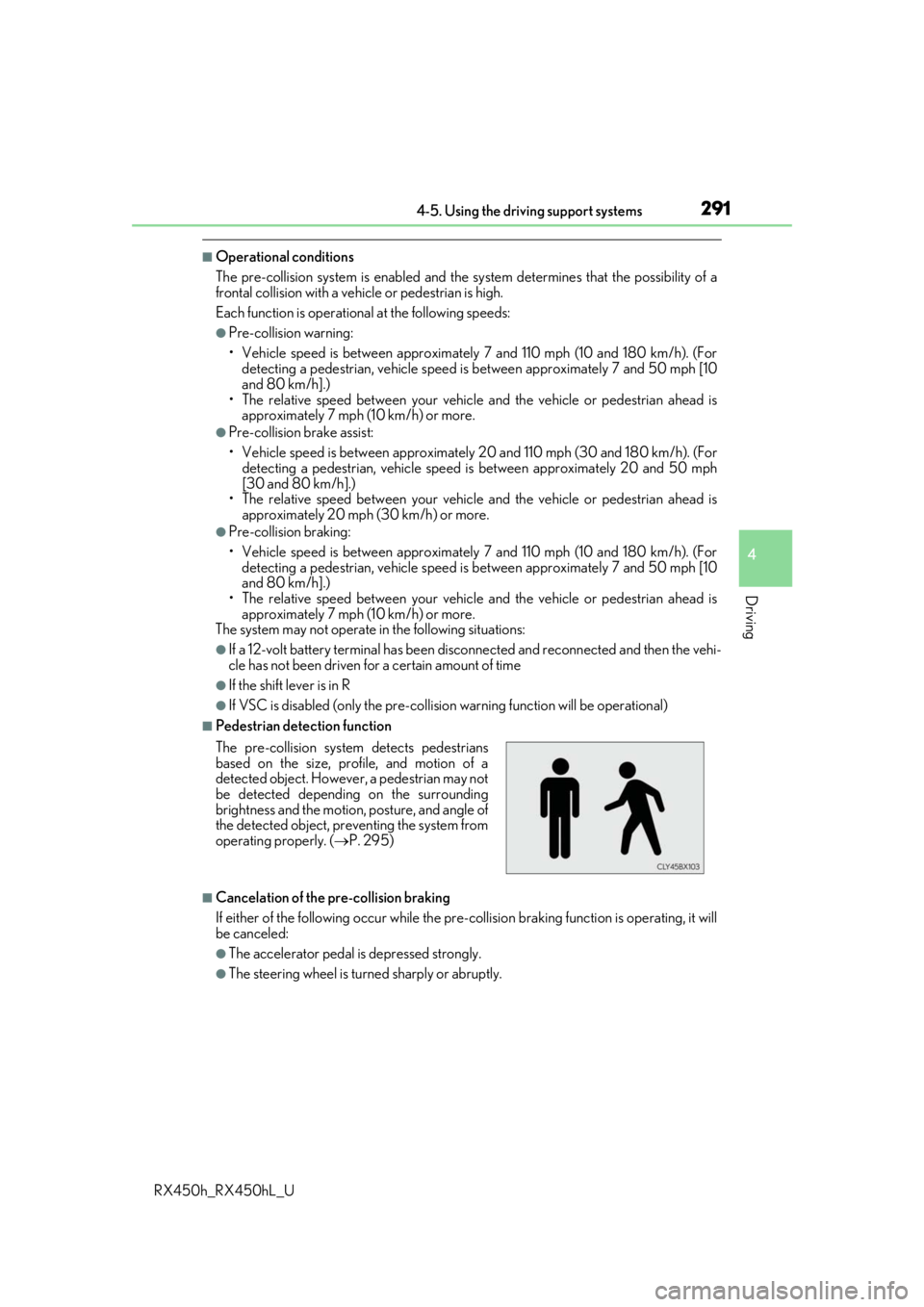
■Pedestrian detection function
■Cancelation of the pre-collision braking
If either of the following occur while the pre-co llision braking function is operating, it will
be canceled:
●The accelerator pedal is depressed strongly.
●The steering wheel is turned sharply or abruptly.
The pre-collision system detects pedestrians
based on the size, prof
ile, and motion of a
detected object. However, a pedestrian may not
be detected depending on the surrounding
brightness and the motion, posture, and angle of
the detected object, preventing the system from
operating properly. ( P. 295)
Page 292 of 792
2924-5. Using the driving support systems
RX450h_RX450hL_U
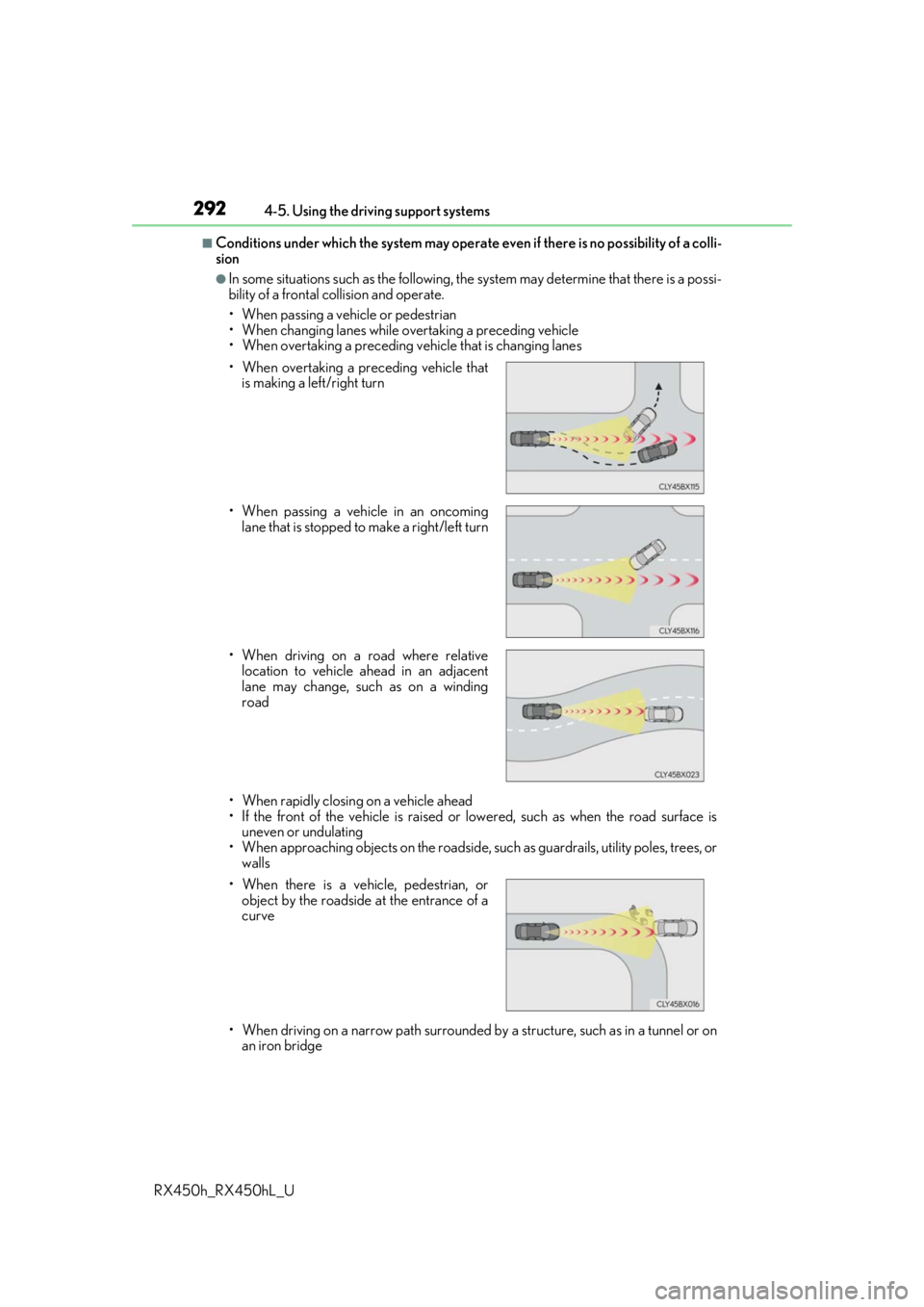
■Conditions under which the system may operate even if th ere is no possibility of a colli-
sion
●In some situations such as the following, th e system may determine that there is a possi-
bility of a frontal collision and operate.
• When passing a vehicle or pedestrian
• When changing lanes while overtaking a preceding vehicle
• When overtaking a preceding vehicle that is changing lanes
• When rapidly closing on a vehicle ahead
• If the front of the vehicle is raised or lowered, such as when the road surface is uneven or undulating
• When approaching objects on the roadside, such as guardrails, utility poles, trees, or walls
• When driving on a narrow path surrounded by a structure, such as in a tunnel or on
an iron bridge
• When overtaking a preceding vehicle that
is making a left/right turn
• When passing a vehicle in an oncoming lane that is stopped to make a right/left turn
• When driving on a road where relative location to vehicle ahead in an adjacent
lane may change, such as on a winding
road
• When there is a vehicle, pedestrian, or object by the roadside at the entrance of a
curve
Page 295 of 792

2954-5. Using the driving support systems
4
Driving
RX450h_RX450hL_U• After the hybrid system has started the
vehicle has not been driven for a certain
amount of time
• While making a left/right turn and for a few seconds after making a left/right turn
• While driving on a curve and for a few seconds after driving on a curve
• If your vehicle is skidding
• If the wheels are misaligned
• If a wiper blade is blocking the camera sensor
• The vehicle is wobbling.
• The vehicle is being driven at extremely high speeds.
• When driving on a hill
• If the radar sensor or ca mera sensor is misaligned
●In some situations such as the following, sufficient braking forc e may not be obtained,
preventing the system from performing properly:
• If the braking functions cannot operate to their full extent, such as when the brake parts are extremely cold, extremely hot, or wet
• If the vehicle is not properly maintained (brakes or tires are excessively worn,
improper tire inflation pressure, etc.)
• When the vehicle is being driven on a gravel road or other slippery surface
●Some pedestrians such as the following may not be detected by the radar sensor and
camera sensor, preventing the system from operating properly:
• Pedestrians shorter than approximately 3.2 ft. (1 m) or taller than approximately 6.5
ft. (2 m)
• Pedestrians wearing oversized clothing (a ra in coat, long skirt, etc.), making their sil-
houette obscure
• Pedestrians who are carrying large baggage, holding an umbrella, etc., hiding part
of their body
• Pedestrians who are bending forward or squatting
• Pedestrians who are pushing a stroller , wheelchair, bicycle or other vehicle
• Groups of pedestrians which are close together
• Pedestrians who are wearing white and look extremely bright
• Pedestrians in the dark, such as at night or while in a tunnel
• Pedestrians whose clothing appears to be nearly the same color or brightness as
their surroundings
• Pedestrians near walls, fences , guardrails, or large objects
• Pedestrians who are on a metal object (manhole cover, steel plate, etc.) on the road
• Pedestrians who are walking fast
• Pedestrians who are changing speed abruptly
• Pedestrians running out from be hind a vehicle or a large object
• Pedestrians who are extremely close to the side of the vehicle (outside rear view mirror, etc.)
• If the front of the vehicle is raised or low-
ered