Page 426 of 777
4255-4. Using the radio
5
Lexus Display Audio system
RX350/RX350L_U
Page 427 of 777

426 5-4. Using the radio
RX350/RX350L_U ■
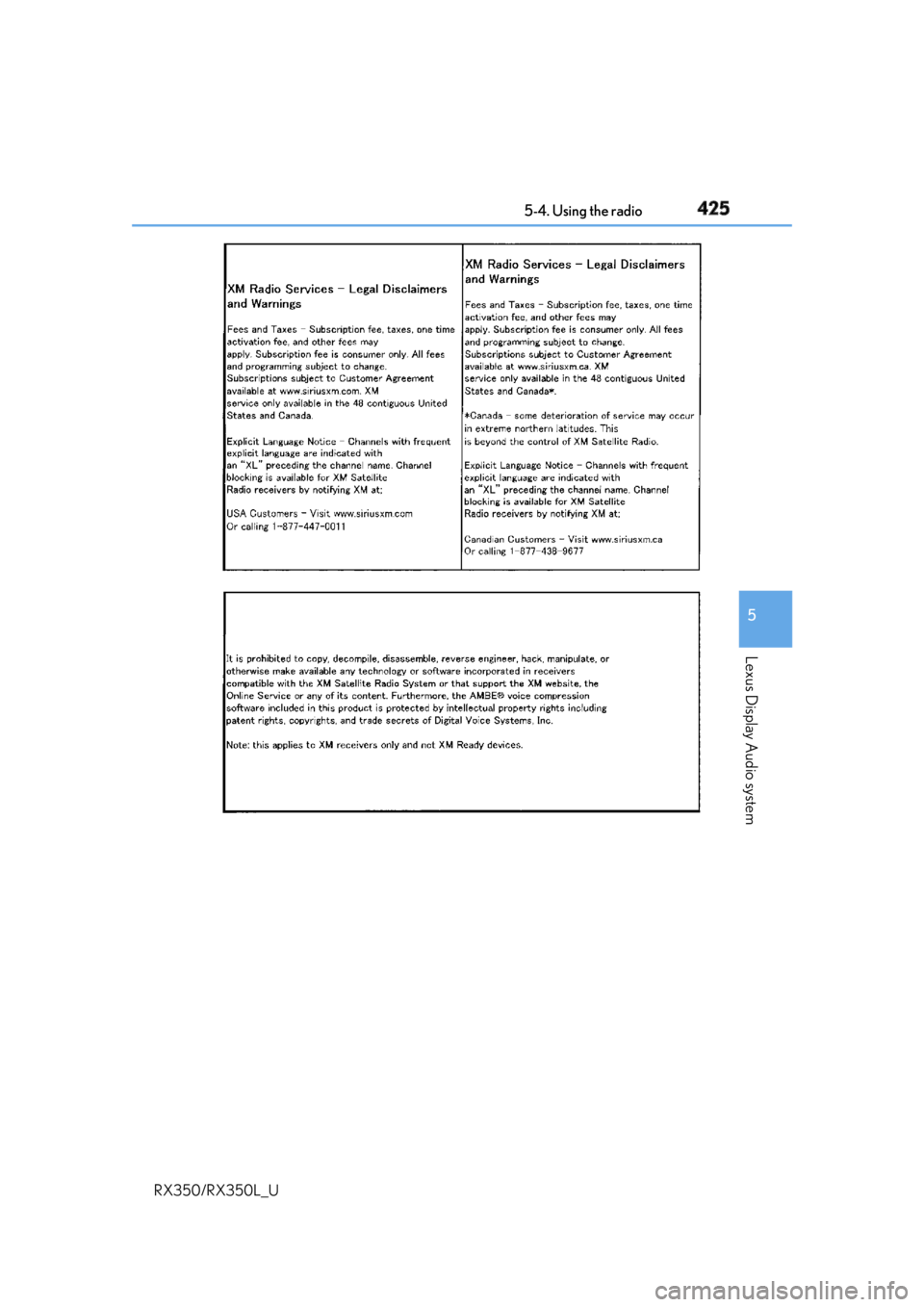
If the satellite radio does not operate normally
If a problem occurs with the XM tuner, a message will appear on the screen. Refer to the
table below to identify the problem, an d take the suggested corrective action.
Contact the XM Listener Care Center at 1-877-447-0011 (U.S.A.) or 1-877-438-9677
(Canada). SAT Check Antenna The XM antenna is not connected. Check whether the XM
antenna cable is attached securely.
There is a short-circuit in the antenna or the surrounding
antenna cable. See a Lexus certified dealer.
SAT Ch Unauthorized You have not subscribed to XM Satellite Radio. The radio is
being updated with the latest encryption code. Contact XM
Satellite Radio for subscripti on information. When a con-
tract is canceled, you can choose “Ch000” and all free-to-
air channels.
The premium channel you selected is not authorized. Wait
for about 2 seconds until the radio returns to the previous
channel or “Ch001”. If it does not change automatically,
select another channel. To listen to the premium channel,
contact XM Satellite Radio.
SAT No Signal The XM signal is too weak at the current location. Wait until
your vehicle reaches a location with a stronger signal.
SAT Loading The unit is acquiring audio or program information. Wait
until the unit has rece ived the information.
SAT Channel Off Air The channel you selected is not broadcasting any program-
ming. Select another channel.
----- There is no song/program title or artist name/feature asso-
ciated with the channel at that time. No action is required.
SAT Chan Unavailable The channel you selected is no longer available. Wait for
about 2 seconds until the radio returns to the previous
channel or “Ch001”. If it does not change automatically,
select another channel.
Page 482 of 777

4815-11. Bluetooth ®
5
Lexus Display Audio system
RX350/RX350L_U WARNING ■
While driving
Do not operate the portable audio player, ce llular phone or connect a device to the
Bluetooth ®
system.■
Caution regarding interference with electronic devices●
Your audio unit is fitted with Bluetooth ®
antennas. People with implantable cardiac
pacemakers, cardiac resynchronization ther apy-pacemakers or implantable cardio-
verter defibrillators should maintain a re asonable distance between themselves and
the Bluetooth ®
antennas. The radio waves may affe ct the operation of such devices.●
Before using Bluetooth ®
devices, users of any electrical medical device other than
implantable cardiac pacemakers, cardiac resynchronization therapy-pacemakers or
implantable cardioverter defi brillators should consult the manufacturer of the device
for information about its operation under th e influence of radio waves. Radio waves
could have unexpected effects on the operation of such medical devices.
NOTICE ■
When leaving the vehicle
Do not leave your portable au dio player or cellular phone in the vehicle. The inside of
the vehicle may become hot, causing damage to the portable audio player or cellular
phone.
Page 483 of 777
482
RX350/RX350L_U 5-12. Other function
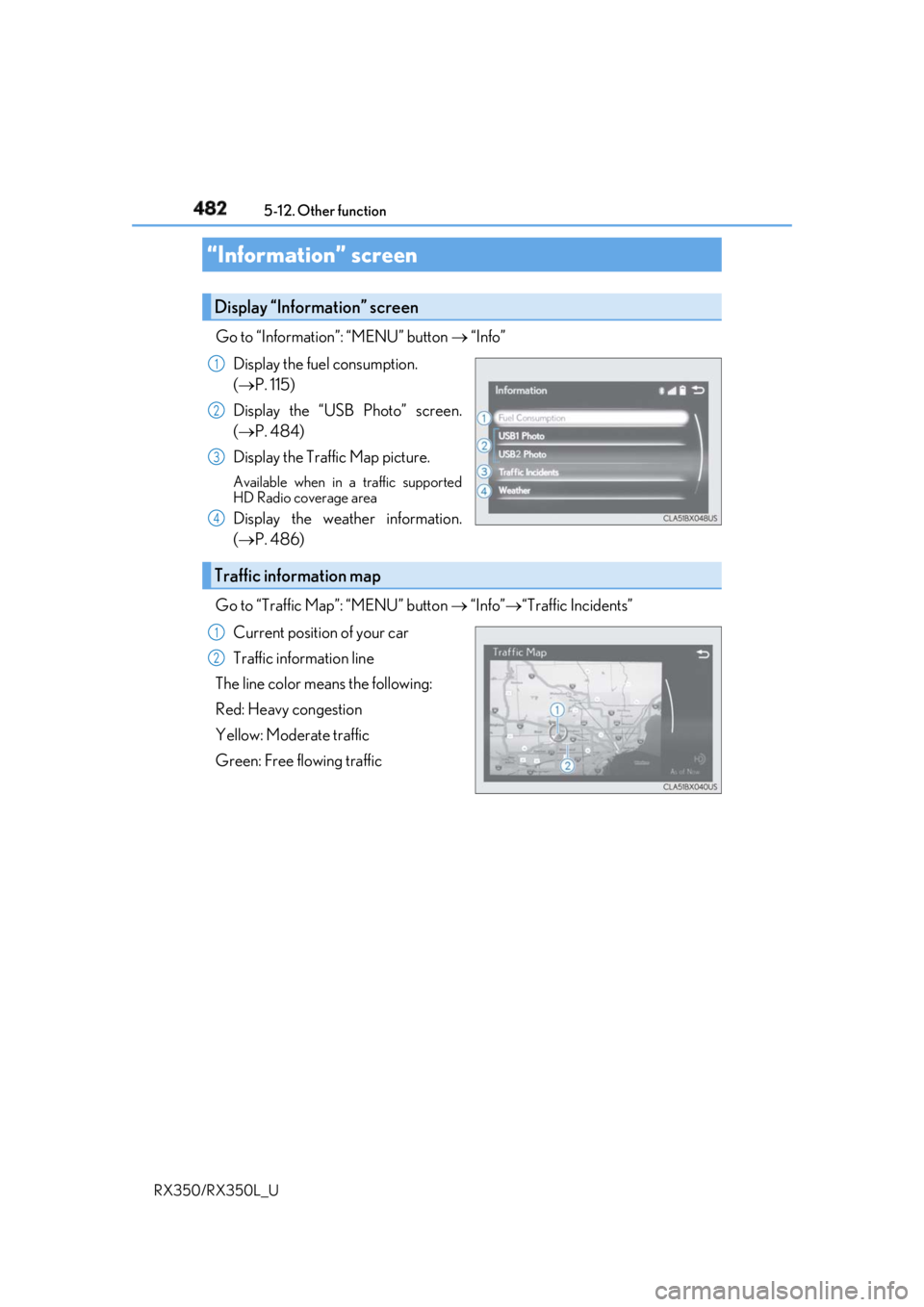
Go to “Information”: “MENU” button “Info”
Display the fuel consumption.
( P. 115)
Display the “USB Photo” screen.
( P. 484)
Display the Traffic Map picture. Available when in a traffic supported
HD Radio coverage area
Display the weather information.
( P. 486)
Go to “Traffic Map”: “MENU” button “Info” “Traffic Incidents”
Current position of your car
Traffic information line
The line color means the following:
Red: Heavy congestion
Yellow: Moderate traffic
Green: Free flowing traffic“Information” screen Display “Information” screen 1
2
3
4
Traffic information map 1
2
Page 487 of 777
486 5-12. Other function
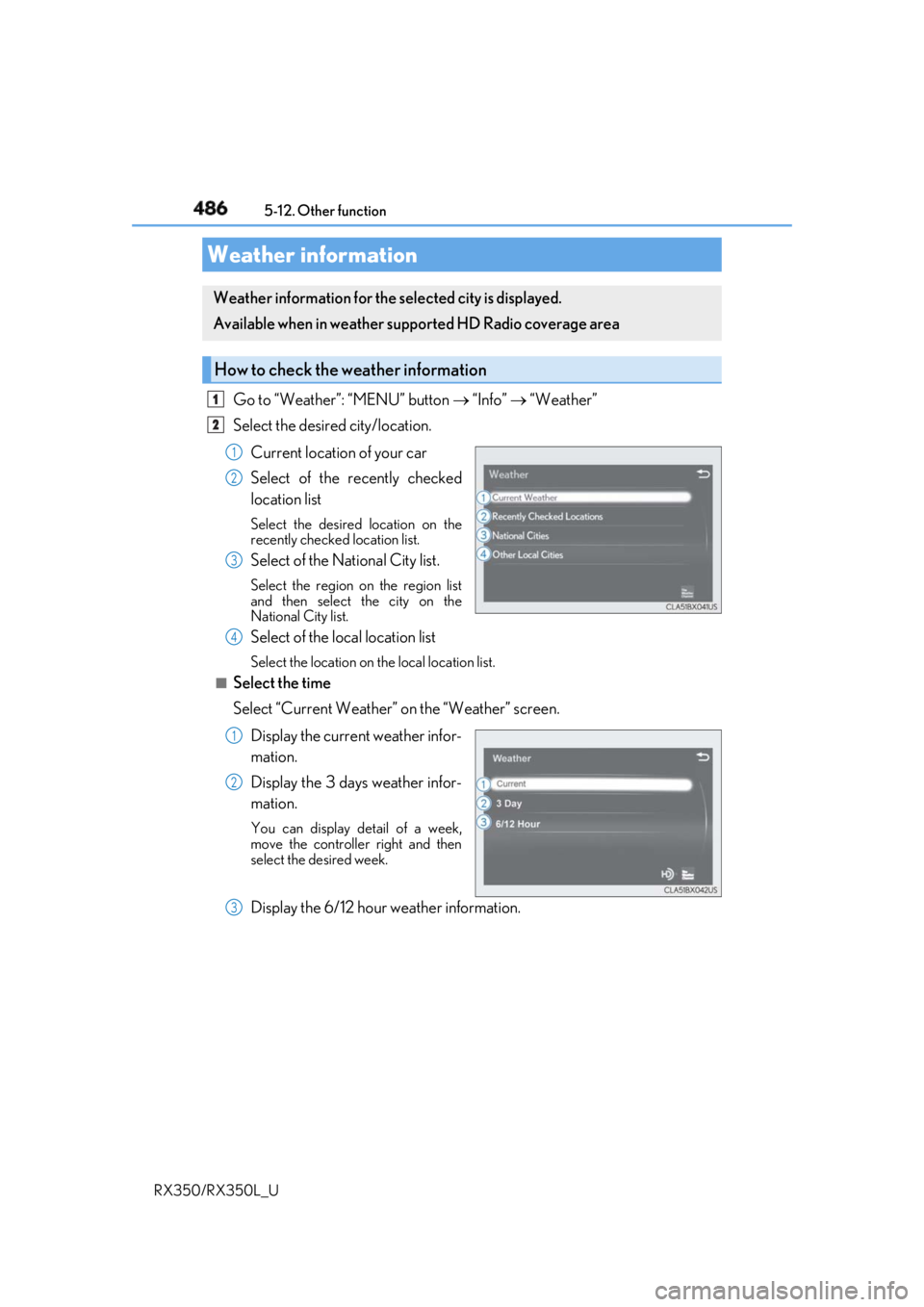
RX350/RX350L_U Go to “Weather”: “MENU” button “Info” “Weather”
Select the desired city/location.
Current location of your car
Select of the recently checked
location list Select the desired location on the
recently checked location list.
Select of the National City list. Select the region on the region list
and then select the city on the
National City list.
Select of the local location list Select the location on th e local location list.■
Select the time
Select “Current Weather” on the “Weather” screen.
Display the current weather infor-
mation.
Display the 3 days weather infor-
mation. You can display detail of a week,
move the controlle r right and then
select the desired week.
Display the 6/12 hour weather information.Weather information Weather information for the selected city is displayed.
Available when in weather suppo rted HD Radio coverage area
How to check the weather information 1
2
1
2
3
4
1
2
3
Page 492 of 777

4915-12. Other function
5
Lexus Display Audio system
RX350/RX350L_U
Phone
Radio Command Action
“Redial” Places a call to the phone number of the latest outgo-
ing call
“Call Back” Places a call to the phone number of latest incoming
call
“Show Recent Calls” Displays the call history screen
“Dial ” Places a call to the said phone number
“Call
” Place a call to the said phone type of the contact from
the phone book
Command Action
“Tune to AM” Changes the radio to the specified AM frequency
“Tune to FM” Changes the radio to the specified FM frequency
“Tune to FM
HD ” Changes the radio to the specified HD radio station
“Tune to preset ” Changes the radio to the specified preset radio station
“Tune to ” Changes the radio to the satellite radio channel with
the specified name
“Tune to channel ” Changes the radio to the specified satellite radio chan-
nel number
“Play satellite sta-
tion” Changes the radio to a satellite radio channel of the
specified genre
“AM Radio” Selects AM radio mode
“FM Radio” Selects FM radio mode
“Sirius XM” Selects satellit e radio mode
Page 500 of 777

4996-1. Basic operation of the Remote Touch screen
6
Interior features
RX350/RX350L_U Press the “MENU” button on the Remote Touch to display the “Menu” screen.
The display may differ depending on the type of the system. Vehicles with 12.3-inch display: When the split-screen display is selected, the “Menu”
screen will be displayed on the main display. ( P. 500)
* : Refer to the “NAVIGATION SYSTEM OWNER’S MANUAL”.“Menu” screen
Vehicles with 8-inch display
Vehicles with 12.3-inch display
Switch Function
Select to display the map screen (Vehicles with 8- inch display).
*Select to display the radio control screen.
*Select to display the media control screen.
*Select to display the hand s-free operation screen.
*Select to display the “LEXUS App Suite” screen.
*Select to display the “Information” screen.
*Select to display the air co nditioning control screen. ( P. 506, 508)
Select to display the “Setup” screen.
*Select to display the “Destination ” screen (Vehicle s with 12.3-inch
display).
*“Display” Select to adjust the contrast and brightness of the screens, turn the
screen off, etc.
*
Page 548 of 777
5476-5. Using the other interior features
6
Interior features
RX350/RX350L_U ■
If a cover or accessory is attached to the portable device
Do not charge a portable device if a cover or accessory which is not Qi compatible is
attached. Depending on the type of cover an d/or accessory attached, it may not be pos-
sible to charge the portable device. If the po rtable device is placed on the charging area
and does not charge, remove the cover and/or accessories. ■
If interference is heard in AM radio broadcasts while charging
Turn off the wireless charger and check if the noise is reduced. If noise is reduced, press
and hold the power supply switch of the wireless charger for 2 seconds. The frequency of
the wireless charger is changed and noise may be reduced. When the frequency is
changed, the operation indicator lig ht will blink (orange) 2 times.■
Charging precautions ●
If the electronic key cannot be detected in the cabin, charging cannot be performed.
When a door is opened and closed, ch arging may be temporarily suspended.●
While charging, the wireless charger and the po rtable device will become warm. This is
not a malfunction.
If a portable device become s warm while charging and ch arging stops due to the pro-
tection function of the portable device, wait until the portable device cools down and
charge it again. ■
Sound generated during operation
When the power supply switch is turned on or while a portable device is being identified,
operation sounds may be heard. This is not a malfunction.■
Cleaning the wireless charger
P. 582 ■
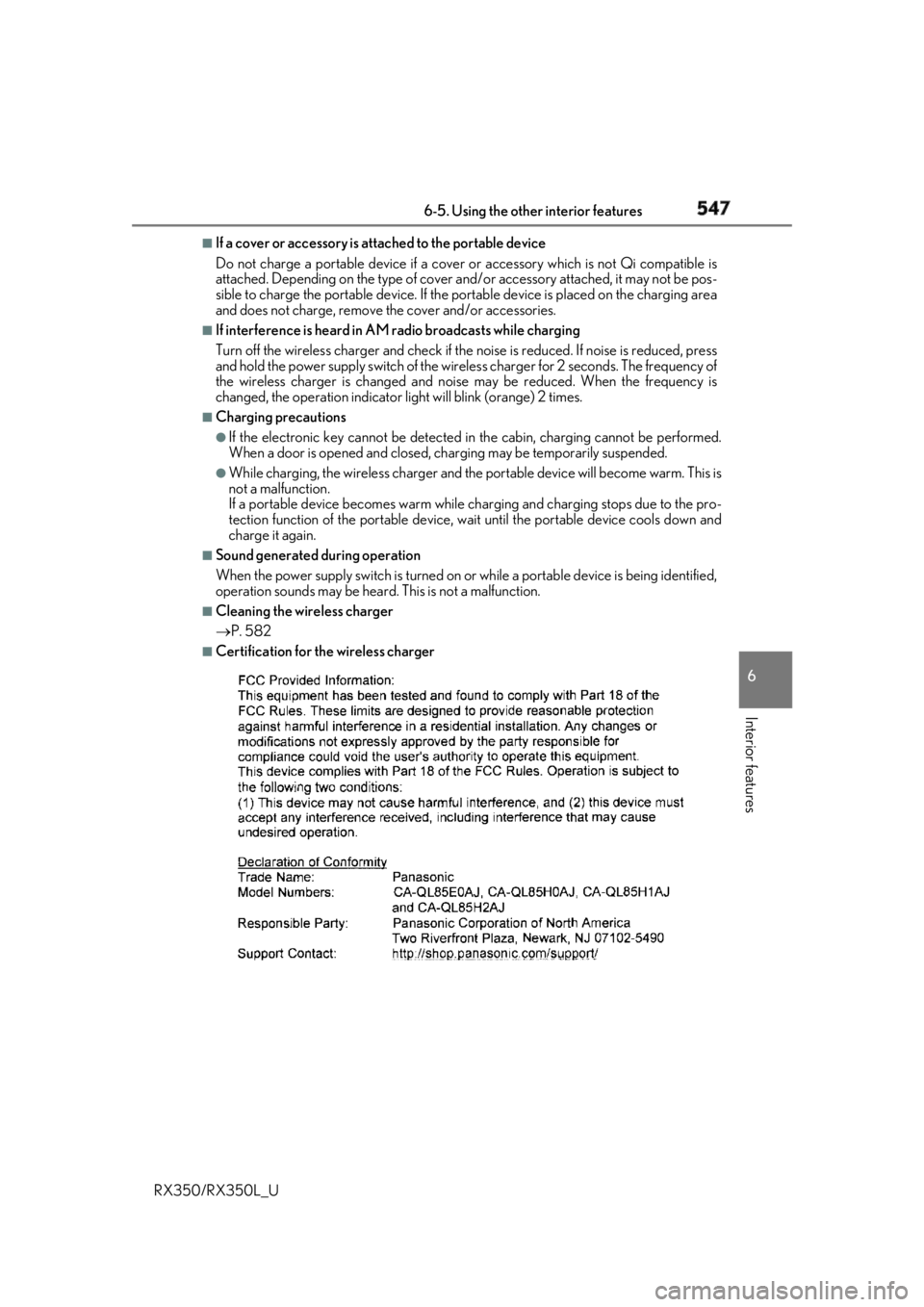
Certification for the wireless charger