2019 LEXUS NX300H 104
[x] Cancel search: 104Page 2 of 460
2
LEXUS NX300h Owners Manu-
al_USA_M78287_enTABLE OF CONTENTS
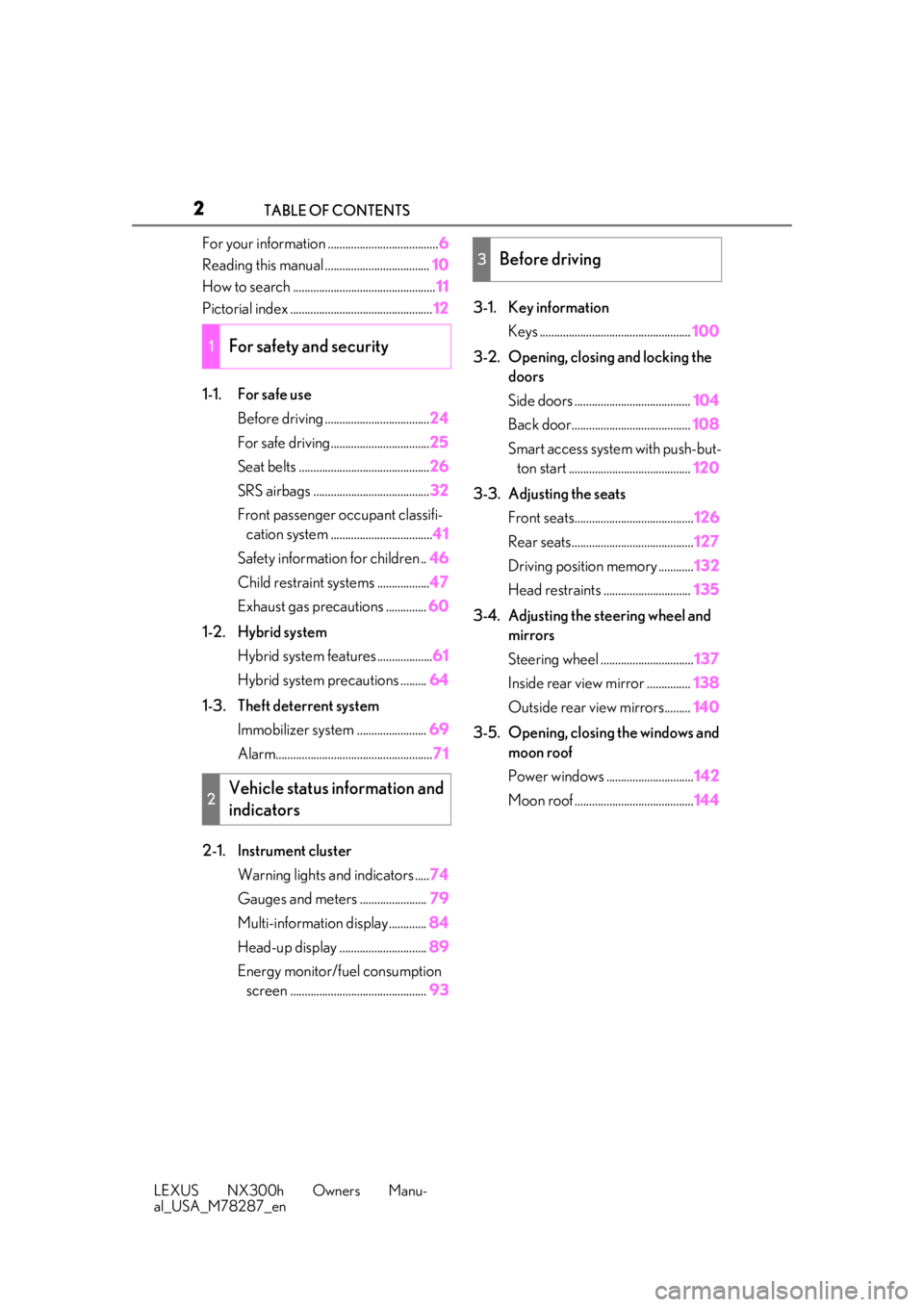
For your information ......................................
6
Reading this manual .................................... 10
How to search ................................................. 11
Pictorial index ................................................. 12
1-1. For safe use Before driving .................................... 24
For safe driving.................................. 25
Seat belts ............................................. 26
SRS airbags ........................................ 32
Front passenger occupant classifi- cation system ................................... 41
Safety information for children .. 46
Child restraint systems .................. 47
Exhaust gas precautions .............. 60
1-2. Hybrid system Hybrid system features ................... 61
Hybrid system precautions ......... 64
1-3. Theft deterrent system Immobilizer sy stem ........................ 69
Alarm...................................................... 71
2-1. Instrument cluster Warning lights and indicators ..... 74
Gauges and meters ....................... 79
Multi-information display............. 84
Head-up display .............................. 89
Energy monitor/fuel consumption screen ............................................... 933-1. Key information
Keys .................................................... 100
3-2. Opening, closing and locking the doors
Side doors ........................................ 104
Back door......................................... 108
Smart access system with push-but- ton start .......................................... 120
3-3. Adjusting the seats Front seats......................................... 126
Rear seats.......................................... 127
Driving position memory ............ 132
Head restraints .............................. 135
3-4. Adjusting the steering wheel and mirrors
Steering wheel ................................ 137
Inside rear view mirror ............... 138
Outside rear view mirrors......... 140
3-5. Opening, closing the windows and moon roof
Power windows .............................. 142
Moon roof ......................................... 144
1For safety and security
2Vehicle status information and
indicators
3Before driving
Page 12 of 460

12Pictorial index
Pictorial index
■Exterior
The shape of the headlights may differ depending on the grade, etc.
Side doors..................................................................................................................P.104
Locking/unlocking ............................................................................................................ P. 104
Opening/closing the side windows ............................................................................P.142
Locking/unlocking by using th e mechanical key ................................................P.389
Warning messages .......................................................................................................... P.376
Back door ................................................................................................................. P.108
Opening from inside the cabin
*...................................................................................... P.111
Opening from outside .............................................................................................. P.109, 111
Warning messages .......................................................................................................... P.376
Outside rear view mirrors....................................................................................P.140
Adjusting the mirror angle ............................................................................................. P.140
Folding the mirrors ............................................................................................................ .. P.141
Driving position memory
*...............................................................................................P.132
Defogging the mirrors .................................................................................................... P.267
Windshield wipers ........................................................................................ P.188, 193
A
B
C
D
Page 99 of 460

99
LEXUS NX300h Owners Manu-
al_USA_M78287_en
3
3
Before driving
Before driving
3-1. Key informationKeys ................................................. 100
3-2. Opening, closing and locking the doors
Side doors ..................................... 104
Back door ...................................... 108
Smart access system with push- button start ................................. 120
3-3. Adjusting the seats Front seats ..................................... 126
Rear seats ...................................... 127
Driving position memory ........ 132
Head restraints............................ 135
3-4. Adjusting the steering wheel and mirrors
Steering wheel............................. 137
Inside rear view mirror............. 138
Outside rear view mirrors ...... 140
3-5. Opening, closing the windows and moon roof
Power windows........................... 142
Moon roof ..................................... 144
Page 102 of 460

1023-1. Key information
LEXUS NX300h Owners Manu-
al_USA_M78287_en
the following wireless remote control:Locks all the doors ( P.104)
Unlocks all the doors ( P.104)
Opens the windows and moon
roof
*1, 2 ( P.104)
Opens and closes the power back
door
*1 ( P.111)
Sounds the alarm ( P.102)
*1: If equipped
*2: This setting must be customized at your
Lexus dealer.
■Theft deterrent panic mode
When is pressed for longer than
about 1 second, an alarm will sound inter-
mittently and the vehicle lights will flash to
deter any person from trying to break into
or damage your vehicle.
To stop the alarm, press any button on the
electronic key.
■Back door reserve lock function (vehi-
cles with power back door)
This function is a function which reserves locking of all doors, beforehand, when the
back door is open. When the follow is done,
all the doors except the back door are
locked and then back door will also be
locked at the same
time it is closed.
1 Close all doors, except the back door.
2 Push the wireless lock button during the
automatic closing operation of the back
door.
To take out the mechanical key, push
the release button and take the key out.
The mechanical key can only be inserted in
one direction, as the key only has grooves
on one side. If the key cannot be inserted in
a lock cylinder, turn it over and re-attempt
to insert it.
After using the mechanical key, store it in
the electronic key. Carry the mechanical
key together with the electronic key. If the
electronic key battery is depleted or the
entry function does not operate properly,
you will need the mechanical key.
( P.389)
A
B
C
D
E
Using the mechanical key
Page 104 of 460

1043-2. Opening, closing and locking the doors
LEXUS NX300h Owners Manu-
al_USA_M78287_en
3-2.Opening, closing and locking the doors
■Using the smart access system with
push-button start
Carry the electronic key to enable this
function.
1 Grip the driver’s door handle to
unlock the door. Grip any passen-
ger door handle to unlock all the
doors.
*
Make sure to touch the sensor on the back
of the handle.
The doors cannot be unlocked for 3 sec-
onds after the doors are locked.
*: The door unlock settings can be
changed.
2 Touch the lock sensor (the indenta-
tion on the surface of the door han-
dle) to lock all the doors.
Check that the door is securely locked.
■Using the wireless remote control
1 Locks all the doors
Check that the door is securely locked.
2Unlocks all the doors
Pressing the button unlocks the driver’s
door. Pressing the button again within 3
seconds unlocks the other doors.
Press and hold to open the windows and
moon roof
*1, 2
*1
: If equipped
*2: This setting must be customized at your
Lexus dealer.
■Switching the door unlock function
It is possible to set which doors the entry
function unlocks using the wireless remote
control.
1 Turn the power switch off.
2 When the indicator light on the key sur-
face is not on, press and hold ,
or for approximately 5
seconds while pre ssing and holding
.
The setting changes each time an operation
is performed, as shown below. (When
changing the setting continuously, release
the buttons, wait for at least 5 seconds, and
repeat step 2 .)
Side doors
The vehicle can be locked and
unlocked using the entry function,
wireless remote control or door
lock switch.
Unlocking and locking the doors
from the outside
Page 120 of 460

1203-2. Opening, closing and locking the doors
LEXUS NX300h Owners Manu-
al_USA_M78287_en
■Antenna locationAntennas outside the cabin
Antennas inside the cabin
Antenna inside the luggage compart-
ment
Antenna outside the luggage compart-
ment
■Effective range (areas within which the
electronic key is detected)When locking or unlocking the doors
The system can be operated when the
electronic key is within about 2.3 ft. (0.7
m) of an outside door handle. (Only the
doors detecting the key can be oper-
ated.)
When starting the hybrid system or
changing power switch modes
The system can be operated when the elec-
tronic key is inside the vehicle.
■If an alarm sounds or a warning message
is displayed
A combination of exterior and interior
alarms as well as warning messages shown
on the multi-information display are used to
prevent theft of the vehicle and accidents
resulting from erroneous operation. Take
appropriate measures in response to any
warning message on the multi-information
display. ( P.376)
When only an alarm sounds, circumstances
and correction procedures are as follows.
●When an exterior alarm sounds once for
5 seconds
●When an Interior alarm pings repeatedly
Smart access system with
push-button start
The following operations can be
performed simply by carrying the
electronic key (including the card
key) on your person, for example in
your pocket. The driver should
always carry the electronic key.
Locks and unlocks the doors
( P.104)
Locks and unlocks the back door
( P.109)
Starts and stops the hybrid system
( P.168, 170)
A
B
C
D
SituationCorrection proce-
dure
An attempt was
made to lock the
vehicle while a door was open.Close all of the
doors and lock the doors again.
A
B
Page 123 of 460

1233-2. Opening, closing and locking the doors
LEXUS NX300h Owners Manu-
al_USA_M78287_en
3
Before driving
to unlock the doors after the door handle
is gripped.
■When the vehicle is not driven for
extended periods
●To prevent theft of the vehicle, do not
leave the electronic key within 6 ft. (2 m)
of the vehicle.
●The smart access syst em with push-but-
ton start can be deactivated in advance.
■To operate the system properly
Make sure to carry the electronic key when
operating the system. Do not get the elec-
tronic key too close to the vehicle when
operating the system from the outside of the
vehicle.
Depending on the position and holding
condition of the electronic key, the key may
not be detected correctly and the system
may not operate properly. (The alarm may
go off accidentally, or the door lock preven-
tion may not operate.)
■If the smart access system with push-
button start does not operate properly
●Locking and unlockin g the doors: Use
the mechanical key. ( P.389)
●Starting the hybrid system: P.390
■Customization
Settings (e.g. smart access system with
push-button start) can be changed. (Cus-
tomizable features: P.421)
If the smart access system with push-button
start has been deactivated by a customized
setting, refer to the explanations for the fol-
lowing operations.
●Locking and unlo cking the doors:
Use the wireless remote control or
mechanical key. ( P.104, 389)
●Starting the hybrid system and changing
power switch modes: P.390
●Stopping the hybrid system: P.170
■Certification for the smart access system with push-button start
For vehicles sold in the U.S.A.
Page 143 of 460

1433-5. Opening, closing the windows and moon roof
LEXUS NX300h Owners Manu-
al_USA_M78287_en
3
Before driving
closed or opened, have the vehicle
inspected by your Lexus dealer.
■Door lock linked window operation
●The power windows can be opened and
closed using the mechanical key.*
( P.390)
●The power windows can be opened using
the wireless remote control.* ( P.104)
*: These settings must be customized at
your Lexus dealer.
■Power windows open warning buzzer
The buzzer sounds and a message is shown
on the multi-information display in the
instrument cluster when the power switch is
turned off and the driver’s door is opened
with the power windows open.
■Customization
Setting (e.g. linked door lock operation) can
be changed.
(Customizable features: P.421)
This function is designed to prevent
children from accidentally opening or
closing a passenger window.
Press the switch down to lock the pas-
senger window.
WARNING
Observe the following precautions.
Failing to do so may result in death or
serious injury.
■Closing the windows
●The driver is responsible for all the
power window operations, including
the operation for the passengers. In
order to prevent accidental operation,
especially by a child, do not let a child
operate the power windows. It is possi-
ble for children an d other passengers
to have body parts caught in the power
window. Also, when riding with a child,
it is recommended to use the window
lock switch. ( P.143)
●Check to make sure that all passen-
gers do not have any part of their body
in a position where it could be caught
when a window is being operated.
●When using the wireless remote con-
trol or mechanical key and operating
the power windows, operate the
power window after checking to make
sure that there is no possibility of any
passenger having any of their body
parts caught in the window. Also do
not let a child operate window by the
mechanical key. It is possible for chil-
dren and other passengers to get
caught in the power window.
●When exiting the vehicle, turn the
power switch off, carry the key and exit
the vehicle along with the child. There
may be accidental operation, due to
mischief, etc., that may possibly lead to
an accident.
■Jam protection function
●Never use any part of your body to
intentionally activa te the jam protec-
tion function.
●The jam protection function may not
work if something gets jammed just
before the window is fully closed. Be
careful not to get any part of your body
jammed in the window.
■Catch protection function
●Never use any part of your body or
clothing to intentionally activate the
catch protection function.
●The catch protection function may not
work if something gets caught just
before the window is fully opened. Be
careful not to get any part of your body
or clothing caught in the window.
Preventing accidental operation
(window lock switch)