2019 LEXUS NX300H fuel
[x] Cancel search: fuelPage 85 of 460

852-1. Instrument cluster
LEXUS NX300h Owners Manu-
al_USA_M78287_en
2
Vehicle status information and indicators
■Content displayed as drive infor-
mation
Select to display various drive data.
Items displayed can be switched by
pressing or of the meter con-
trol switches to select and pressing or .
Current fuel consumption
*1
Displays the current rate of fuel consump-
tion
Average fuel consumption (after
reset
*2/after start/after refuel)*1
Displays the average fuel consumption
since the function was reset, the hybrid sys-
tem was started, and the vehicle was refu-
eled, respectively
Use the displayed average fuel consump-
tion as a reference.
Average vehicle speed (after
reset
*2/after start)*1
Displays the average vehicle speed since
the function was reset and the hybrid sys-
tem was started, respectively
Elapsed time (after reset*2/after
start)
*1
Displays the elapsed time since the func-
tion was reset and the hybrid system was
started, respectively
Distance (driving range/after start)*1
Displays the estimated maximum distance
that can be driven with the quantity of fuel
remaining and the distance driven after the
hybrid system was st arted respectively.
• This distance is computed based on your average fuel consumption. As a result,
the actual distance that can be driven
may differ from that displayed.
• When only a small amount of fuel is added to the tank, the display may not be
updated.
When refueling, turn the power switch
off. If the vehicle is refueled without turn-
ing the power switch off, the display may
not be updated.
*1: Displayed when the it em is set in “Drive
Info 1”, “Drive Info 2” and “Drive Info 3”.
*2: The function can be reset by pressing
the of the meter control switches
for longer than 1 second when the item
to reset is displayed.
If there is more than one item that can
be reset, the item selection screen will
appear.
■Energy monitor
P.93
■Speedometer
Displays the vehicle speed.
■Tire inflation pressure
Displays inflation pressure of each tire.
The inflation pressure of the spare tire will
not be displayed.
■Vehicle sway warning
Detects the sway of the vehicle within a
lane, which is often associated with a
decrease in the driver’s attention level,
and displays the decrease in attention
using a bar display.
The shorter the bar length, the more
the driver may need to rest.
This display is a part of the LDA (Lane
Departure Alert with steering control)
system. The display is enabled when
Drive information
Page 87 of 460

872-1. Instrument cluster
LEXUS NX300h Owners Manu-
al_USA_M78287_en
2
Vehicle status information and indicators
warning.
Sway sensitivity
Select to set the vehicle sway warning sen-
sitivity.
■ PCS (Pre-Collision System)
( P.202)
Select to set up the following items.
PCS on/off
Select to enable/dis able the pre-collision
system.
PCS sensitivity
Select to change the warning timing.
■PKSA (Parking Support Alert) (if
equipped) ( P.226)
Select to set up the following items.
Intuitive parking assist sensor
Select to enable/disab le the intuitive park-
ing assist sensor.
Volume
Select to set the volume of the buzzer
which sounds when the parking support
alert is operated.
■ PKSB (Parking Support
Brake System) (if equipped)
( P.232)
PKSB on/off
Select to enable/dis able the parking sup-
port brake function (for static objects).
■Clock
Select to switch between 12-hour dis-
play and 24-hour display.
■Vehicle Settings
PBD (Power Back Door)
( P.108)
*1
Select to set up the following items.
•System settings
Select to enable/disable the power back
door system.
•Volume
Select to set the volume of the buzzer
which sounds when the power back door
system.
• Kick Sensor
*2
Select to enable/dis able the kick sensor.
*1: Vehicles with power back door
*2:Vehicles with hands free power back
door
TPMS (Tire Pressure Warning Sys-
tem) ( P.339)
Select to initialize the tire pressure warning
system.
Scheduled Maintenance ( P.319)
Select to initialize the scheduled mainte-
nance.
Oil maintenance ( P.330)
Select to reset the engine oil maintenance
information (message indicating mainte-
nance is required and distance until the
next oil change) after engine oil mainte-
nance is performed.
■Meter settings
Language
Select to change the language on the dis-
play.
Units
Select to change the unit of measure for
fuel consumption.
EV Indicator ( P.62)
Select to set the EV indicator on/off.
Switch settings ( P.84)
Page 93 of 460

932-1. Instrument cluster
LEXUS NX300h Owners Manu-
al_USA_M78287_en
2
Vehicle status information and indicators
Multi-information display
Navigation/multimedia system dis-
play
Meter control switches
“MENU” button
Touchpad
Navigation/multimedia system display
Press the “MENU” button on the Remote Touch, then select on the screen.
If the “Trip Information” or “History” screen is displayed, select “Energy”.
Multi-information display
Press or of the meter control swit ches and select , and then or
to select the energy monitor display.
Energy monitor/fuel con-
sumption screen
You can view the status of your
hybrid system on the multi-informa-
tion display and the navigation/
multimedia system display.
The energy monitor or fuel con-
sumption screen can be displayed
and operated on the side display.
System components
A
B
C
D
E
Energy monitor
Page 95 of 460

952-1. Instrument cluster
LEXUS NX300h Owners Manu-
al_USA_M78287_en
2
Vehicle status information and indicators
These images are examples only, and may vary slightly from actual conditions.
■Hybrid battery (traction battery)
status
Navigation/multimedia system dis-
play
Low
High
Multi-information displayLow
High
These images are examples only, and may
vary slightly from actual conditions.
■Trip information
Press the “MENU” button on the
Remote Touch, then select on the
screen.
If a screen other than “Trip Information” is
displayed, select “Trip Information”.
Resetting the consumption data
Fuel consumption in the past 15
minutes
Current fuel consumption
Regenerated energy in the past 15
minutes
One symbol indicates 50 Wh. Up
to 5 symbols are shown.
Average vehicle speed since the
hybrid system was started.
Elapsed time since the hybrid sys-
When there is no energy flow
Navigation/multimedia system displayMulti-information display
A
B
A
B
Fuel consumption
A
B
C
D
E
F
Page 96 of 460

962-1. Instrument cluster
LEXUS NX300h Owners Manu-
al_USA_M78287_en
tem was started.
Cruising range (P.96)
Average fuel consumption for the past
15 minutes is divided by color into past
averages and averages attained since
the power switch was last turned to
ON mode. Use the displayed average
fuel consumption as a reference.
The image is an example only, and may
vary slightly from actual conditions.
■History
Press the “MENU” button on the
Remote Touch, then select on the
screen.
If a screen other than “History” is dis-
played, select “History”.
Best recorded fuel consumption
Latest fuel consumption
Previous fuel consumption record
Resetting the history data
Updating the latest fuel consump-
tion data
The average fuel consumption history
is divided by color into past averages
and the average fuel consumption
since the last updated. Use the dis-
played average fuel consumption as a
reference. The image is an example only, and may
vary slightly from actual conditions.
■Updating the history data
Update the latest fuel consumption by
selecting “Clip” to meas ure the current fuel
consumption again.
■Resetting the data
The fuel consumption data can be deleted
by selecting “Clear”.
■Cruising range
Displays the estimated maximum distance
that can be driven with the quantity of fuel
remaining.
This distance is computed based on your
average fuel consumption.
As a result, the actual distance that can be
driven may differ from that displayed.
Display the vehicle information on the
side display ( P.264), and then select
or to display the desired
screen.
■Trip information (type A)
Displays the average fuel consumption
and regenerated energy for the past 10
minutes in 1 minute intervals, as well as
the cruising range.
The image is an example only, and may
G
A
B
C
D
E
Using the side display (vehicles
with navigation system)
Page 97 of 460

972-1. Instrument cluster
LEXUS NX300h Owners Manu-
al_USA_M78287_en
2
Vehicle status information and indicators
vary slightly from actual conditions.
Use the displayed average fuel consump-
tion as a reference.
■Trip information (type B)
Displays the cruising range, latest fuel
consumption and the amount of time
elapsed since the hybrid system was
started.
The image is an example only, and may
vary slightly from actual conditions.
Use the displayed average fuel consump-
tion as a reference.
■History
Displays the average fuel consumption
and highest fuel consumption.
The image is an example only, and may
vary slightly from actual conditions.
Use the displayed average fuel consump-
tion as a reference.
■Energy monitor
Displays the hybrid system operation and energy recovery states.
Displayed content is th
e same as that dis-
played on the multi-information display.
( P.93)
The image is an example only, and may
vary slightly from actual conditions.
Page 149 of 460
149
LEXUS NX300h Owners Manu-
al_USA_M78287_en
4
4
Driving
Driving
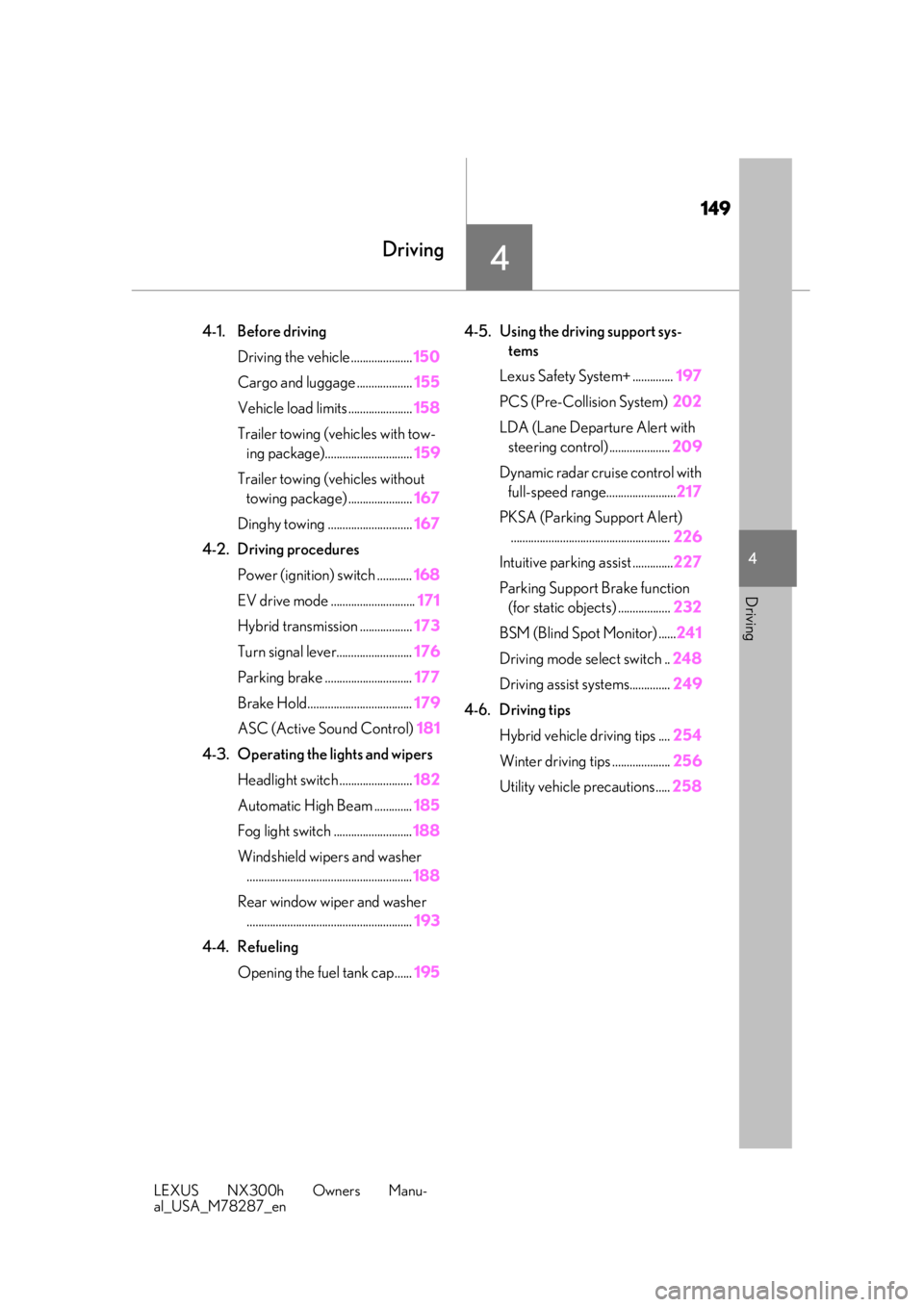
4-1. Before drivingDriving the vehicle ..................... 150
Cargo and luggage ................... 155
Vehicle load limits ...................... 158
Trailer towing (vehicles with tow- ing package).............................. 159
Trailer towing (vehicles without towing package) ...................... 167
Dinghy towing ............................. 167
4-2. Driving procedures Power (ignition) switch ............ 168
EV drive mode ............................. 171
Hybrid transmission .................. 173
Turn signal lever.......................... 176
Parking brake .............................. 177
Brake Hold.................................... 179
ASC (Active Sound Control) 181
4-3. Operating the lights and wipers Headlight switch ......................... 182
Automatic High Beam ............. 185
Fog light switch ........................... 188
Windshield wipers and washer ......................................................... 188
Rear window wiper and washer ......................................................... 193
4-4. Refueling Opening the fuel tank cap...... 1954-5. Using the driving support sys-
tems
Lexus Safety System+ .............. 197
PCS (Pre-Collision System) 202
LDA (Lane Departure Alert with steering control) ..................... 209
Dynamic radar cruise control with full-speed range........................ 217
PKSA (Parking Support Alert) ....................................................... 226
Intuitive parking assist .............. 227
Parking Support Brake function (for static objects) .................. 232
BSM (Blind Spot Monitor) ...... 241
Driving mode select switch .. 248
Driving assist systems.............. 249
4-6. Driving tips Hybrid vehicle driving tips .... 254
Winter driving tips .................... 256
Utility vehicle precautions..... 258
Page 150 of 460

1504-1. Before driving
LEXUS NX300h Owners Manu-
al_USA_M78287_en
4-1.Before driving
■Starting the hybrid system
P.168
■Driving
1 With the brake pedal depressed,
shift the shift lever to D. ( P.173)
2 Release the parking brake.
(P.178)
If the parking brake is in automatic mode,
the parking brake is released automatically
when shifting the shift lever to any position
other than P. ( P.177)
3 Gradually release the brake pedal
and gently depress the accelerator
pedal to accelerate the vehicle.
■Stopping
1 With the shift lever in D, depress the
brake pedal.
2 If necessary, set the parking brake.
(P.178)
If the vehicle is to be stopped for an
extended period of time, shift the shift lever
to P. ( P.173)
■Parking the vehicle
1 With the shift lever in D, depress the
brake pedal.
2 Set the parking brake ( P.178),
and shift the shift lever to P
( P.173).
3 Press the power switch to stop the
hybrid system. 4
Lock the door, making sure that you
have the electronic key on your
person.
If parking on a hill, block the wheels as
needed.
■Starting off on an uphill
1 With the brake pedal depressed,
shift the shift lever to D. ( P.173)
2 Pull the parking brake switch and
parking brake is set manually.
(P.178)
3 Release the brake pedal and gently
depress the accelerator pedal to
accelerate the vehicle.
4 Press the parking brake switch and
parking brake is released manually.
(P.178)
■When starting off on an uphill
The hill-start assist control will activate.
( P.250)
■For fuel-efficient driving
Keep in mind that hybr id vehicles are similar
to conventional vehicles, and it is necessary
to refrain from activi ties such as sudden
acceleration. ( P.254)
■Driving in the rain
●Drive carefully when it is raining, because
visibility will be reduced, the windows
may become fogged-up, and the road
will be slippery.
●Drive carefully when it starts to rain,
because the road surface will be espe-
cially slippery.
●Refrain from high speeds when driving on
an expressway in the rain, because there
may be a layer of wa ter between the tires
and the road surface, preventing the
steering and brakes from operating prop-
erly.
Driving the vehicle
The specified procedures should be
observed to ensure safe driving:
Driving procedure