Page 157 of 564
471
Features of your vehicle
Overview
Description
The trip computer is a microcomput-
er-controlled driver information sys-
tem that displays information related
to driving.
✽ ✽NOTICE
Some driving information stored in
the trip computer (for example
Average Vehicle Speed) resets if the
battery is disconnected.
Trip Modes (for Type A cluster)
Trip Modes (for Type B cluster)
TRIP COMPUTER
Tripmeter A
Tripmeter B
Range
Average Fuel Economy*
Average Vehicle Speed*
Elapsed Time*
* if equipped
To change the trip mode, press the
TRIP button.
To change the trip mode, press the
MOVE button .
Accumulate Info
Digital speedometer
Drive Info
TRIP
Page 158 of 564

Features of your vehicle
72
4
Trip A/B (for Type A cluster)Tripmeter (1)
The tripmeter is the total driving dis-
tance since the last tripmeter reset.
- Distance range: 0.0 ~ 9999.9 km or mi.
To reset the tripmeter, press the RESET/ button on the steering
wheel for more than 1 second
when the tripmeter is displayed.
Average Vehicle Speed (2)
The average vehicle speed is cal-culated by the total driving dis-
tance and driving time since the
last average vehicle speed reset.
- Speed range: 200 km/h or 160MPH
To reset the average vehicle speed, press the RESET/ button on the
steering wheel for more than 1 sec-
ond when the average vehicle
speed is displayed.
✽ ✽ NOTICE
• The average vehicle speed is not
displayed if the driving distance is
less than 50 meters (0.03 miles) or
the driving time is less than 10 sec-
onds since the ignition switch or
Engine Start/Stop button is turned
to ON.
• Even if the vehicle is not in motion, the average vehicle speed
keeps going while the engine is
running.
Elapsed Time (3)
The elapsed time is the total driv-
ing time since the last elapsed time
reset.
- Time range (hh:mm): 00:00 ~ 99:59
To reset the elapsed time, press the RESET/ button on the steer-
ing wheel for more than 1 second
when the elapsed time is dis-
played.
✽ ✽ NOTICE
Even if the vehicle is not in motion,
the elapsed time keeps going while
the engine is running.
OPS043125C
Page 159 of 564
473
Features of your vehicle
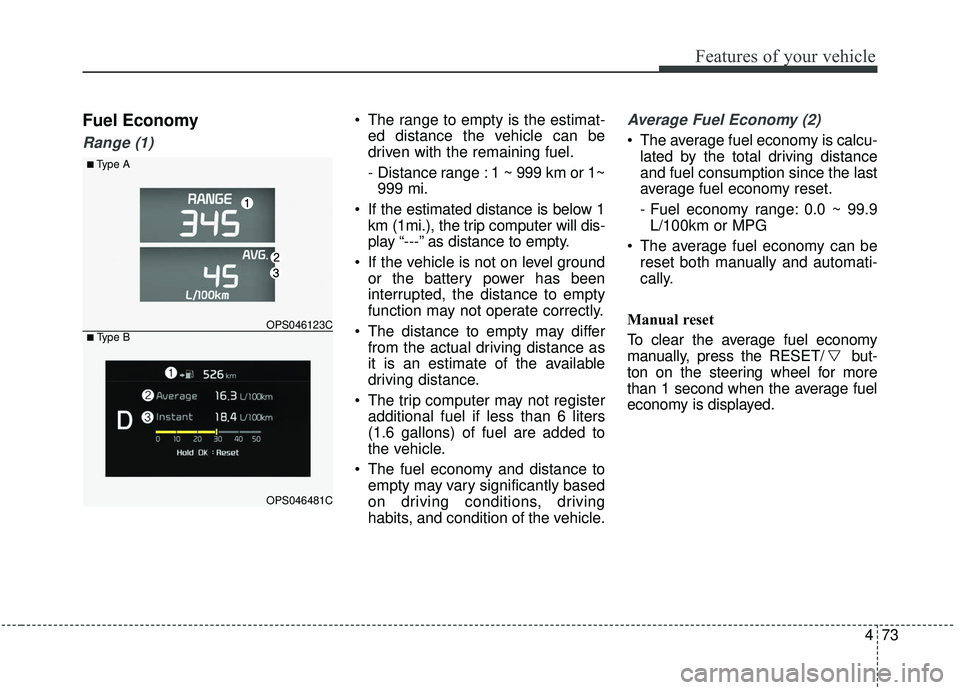
Fuel Economy
Range (1)
The range to empty is the estimat-ed distance the vehicle can be
driven with the remaining fuel.
- Distance range : 1 ~ 999 km or 1~999 mi.
If the estimated distance is below 1 km (1mi.), the trip computer will dis-
play “---” as distance to empty.
If the vehicle is not on level ground or the battery power has been
interrupted, the distance to empty
function may not operate correctly.
The distance to empty may differ from the actual driving distance as
it is an estimate of the available
driving distance.
The trip computer may not register additional fuel if less than 6 liters
(1.6 gallons) of fuel are added to
the vehicle.
The fuel economy and distance to empty may vary significantly based
on driving conditions, driving
habits, and condition of the vehicle.Average Fuel Economy (2)
The average fuel economy is calcu-lated by the total driving distance
and fuel consumption since the last
average fuel economy reset.
- Fuel economy range: 0.0 ~ 99.9L/100km or MPG
The average fuel economy can be reset both manually and automati-
cally.
Manual reset
To clear the average fuel economy
manually, press the RESET/ but-
ton on the steering wheel for more
than 1 second when the average fuel
economy is displayed.
■Type A
OPS046123C
OPS046481C
■ Type B
Page 160 of 564
Features of your vehicle
74
4
Automatic reset
- Off : The average fuel economy will
not reset automatically whenever
refueling.
- After Ignition (Auto Reset) : The average fuel economy will reset
automatically when after 4 hours
ignition Off.
- After Refueling (Auto Reset) : The average fuel economy will reset
automatically when refueling more
than 6 liters (1.6 gallons).
✽ ✽ NOTICE
The average fuel economy is not dis-
played for more accurate calculation
if the vehicle does not drive more
than 10 seconds or 50 meters (0.03
miles) since the ignition switch or
Engine Start/Stop button is turned
to ON.
Instant Fuel Economy (3)
This mode displays the instant fuel
economy during the last few sec-
onds when the vehicle speed is
more than 10 km/h (6.2 MPH).
- Fuel economy range: 0 ~ 99.9L/100km or MPG
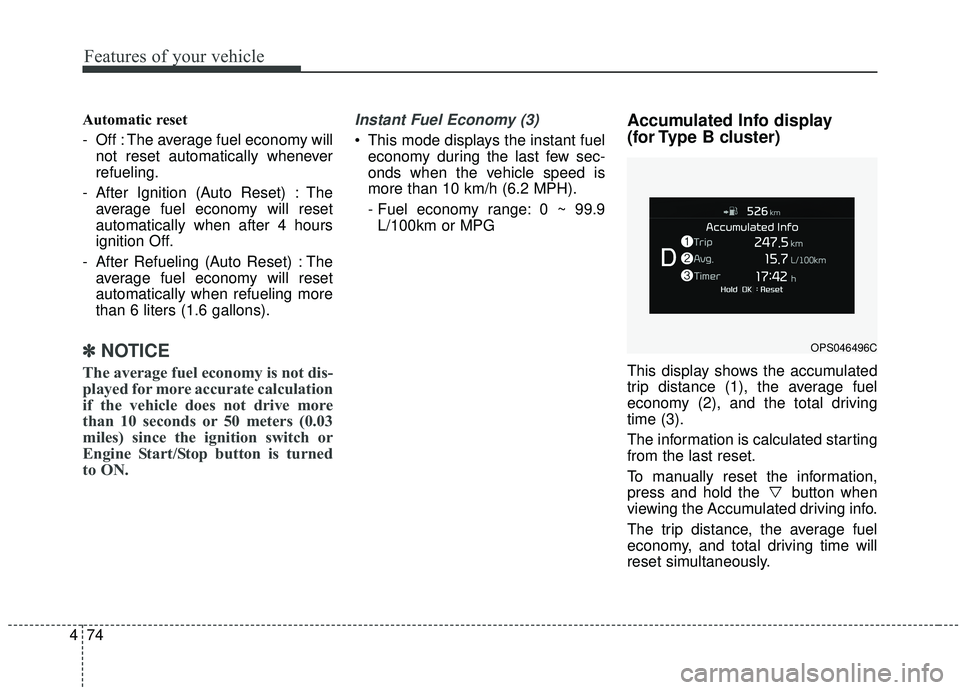
Accumulated Info display
(for Type B cluster)
This display shows the accumulated
trip distance (1), the average fuel
economy (2), and the total driving
time (3).
The information is calculated starting
from the last reset.
To manually reset the information,
press and hold the button when
viewing the Accumulated driving info.
The trip distance, the average fuel
economy, and total driving time will
reset simultaneously.
OPS046496C
Page 161 of 564

475
Features of your vehicle
The accumulated driving information
will continue to be counted while the
engine is still running (for example,
when the vehicle is in traffic or
stopped at a stop light).
✽ ✽NOTICE
The vehicle must be driven for a
minimum of 300 meters (0.19 miles)
since the last ignition key cycle
before the average fuel economy will
be recalculated.
Drive Info display
(for Type B cluster)
This display shows the trip distance
(1), the average fuel economy (2),
and the total driving time (3).
The information is calculated for
each ignition cycle. The driving infor-
mation data gets initialized, when it
has passed 4 hours after turning
OFF the engine. In other words, the
last driving information is available 4
hours after you have turned on the
engine. To manually reset the information,
press and hold the button when
viewing the Driving info. The trip dis-
tance, the average fuel economy,
and total driving time will reset simul-
taneously.
The driving information will continue
to be counted while the engine is still
running (for example, when the vehi-
cle is in traffic or stopped at a stop
light.)
✽ ✽
NOTICE
The vehicle must be driven for a
minimum of 300 meters (0.19 miles)
since the last ignition key cycle
before the average fuel economy will
be recalculated.OPS046497C
Page 163 of 564
477
Features of your vehicle
Warning lights
✽ ✽NOTICE - Warning lights
Make sure that all warning lights
are OFF after starting the engine. If
any light is still ON, this indicates a
situation that needs attention.
Air bag Warning Light
This warning light illuminates:
Once you set the ignition switch or
Engine Start/Stop Button to the ON
position.
- It illuminates for approximately 6seconds and then goes off.
When there is a malfunction with the SRS.
In this case, have your vehicle
inspected by an authorized Kia
dealer.
Seat Belt Warning Light
This warning light informs the driver
that the seat belt is not fastened.
❈For more details, refer to the “Seat
Belts” in chapter 3.
WARNING AND INDICATOR LIGHTS
Page 164 of 564
Features of your vehicle
78
4
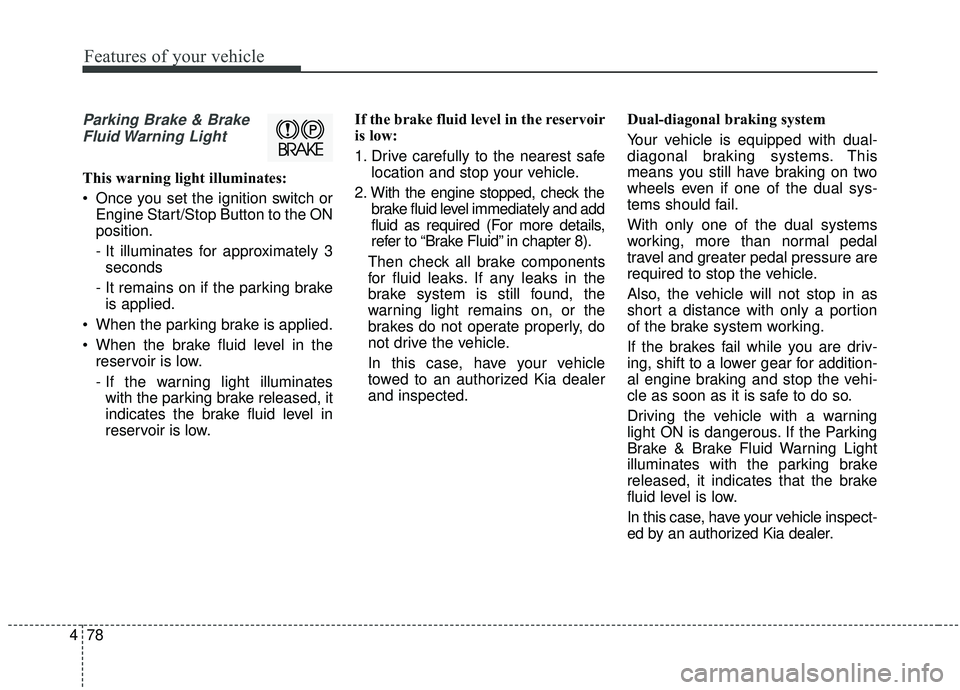
Parking Brake & Brake
Fluid Warning Light
This warning light illuminates:
Once you set the ignition switch or Engine Start/Stop Button to the ON
position.
- It illuminates for approximately 3seconds
- It remains on if the parking brake is applied.
When the parking brake is applied.
When the brake fluid level in the reservoir is low.
- If the warning light illuminateswith the parking brake released, it
indicates the brake fluid level in
reservoir is low. If the brake fluid level in the reservoir
is low:
1. Drive carefully to the nearest safe
location and stop your vehicle.
2. With the engine stopped, check the brake fluid level immediately and add
fluid as required (For more details,
refer to “Brake Fluid” in chapter 8).
Then check all brake components
for fluid leaks. If any leaks in the
brake system is still found, the
warning light remains on, or the
brakes do not operate properly, do
not drive the vehicle.
In this case, have your vehicle
towed to an authorized Kia dealer
and inspected. Dual-diagonal braking system
Your vehicle is equipped with dual-
diagonal braking systems. This
means you still have braking on two
wheels even if one of the dual sys-
tems should fail.
With only one of the dual systems
working, more than normal pedal
travel and greater pedal pressure are
required to stop the vehicle.
Also, the vehicle will not stop in as
short a distance with only a portion
of the brake system working.
If the brakes fail while you are driv-
ing, shift to a lower gear for addition-
al engine braking and stop the vehi-
cle as soon as it is safe to do so.
Driving the vehicle with a warning
light ON is dangerous. If the Parking
Brake & Brake Fluid Warning Light
illuminates with the parking brake
released, it indicates that the brake
fluid level is low.
In this case, have your vehicle inspect-
ed by an authorized Kia dealer.
Page 165 of 564
479
Features of your vehicle
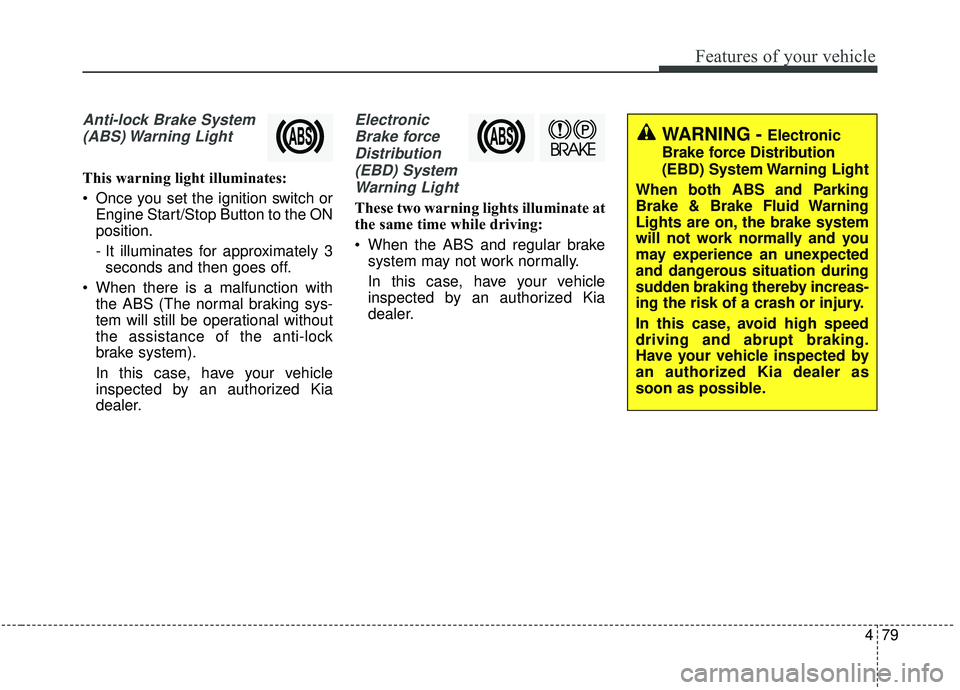
Anti-lock Brake System(ABS) Warning Light
This warning light illuminates:
Once you set the ignition switch or Engine Start/Stop Button to the ON
position.
- It illuminates for approximately 3seconds and then goes off.
When there is a malfunction with the ABS (The normal braking sys-
tem will still be operational without
the assistance of the anti-lock
brake system).
In this case, have your vehicle
inspected by an authorized Kia
dealer.
Electronic
Brake forceDistribution(EBD) SystemWarning Light
These two warning lights illuminate at
the same time while driving:
When the ABS and regular brake system may not work normally.
In this case, have your vehicle
inspected by an authorized Kia
dealer.
WARNING - Electronic
Brake force Distribution
(EBD) System Warning Light
When both ABS and Parking
Brake & Brake Fluid Warning
Lights are on, the brake system
will not work normally and you
may experience an unexpected
and dangerous situation during
sudden braking thereby increas-
ing the risk of a crash or injury.
In this case, avoid high speed
driving and abrupt braking.
Have your vehicle inspected by
an authorized Kia dealer as
soon as possible.

