Page 130 of 564
Features of your vehicle
44
4
Horn
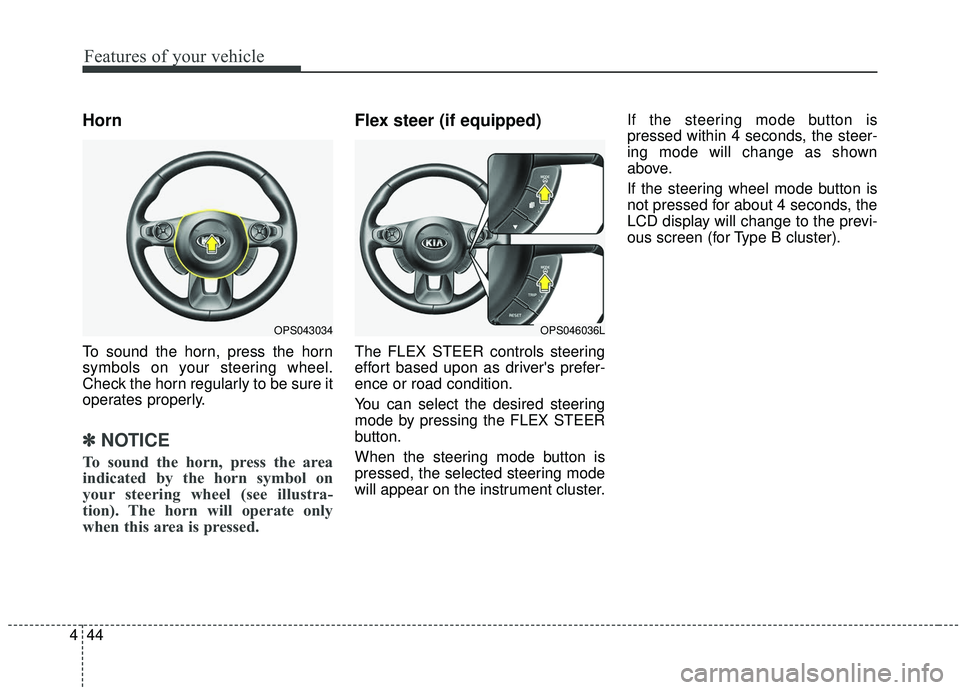
To sound the horn, press the horn
symbols on your steering wheel.
Check the horn regularly to be sure it
operates properly.
✽ ✽
NOTICE
To sound the horn, press the area
indicated by the horn symbol on
your steering wheel (see illustra-
tion). The horn will operate only
when this area is pressed.
Flex steer (if equipped)
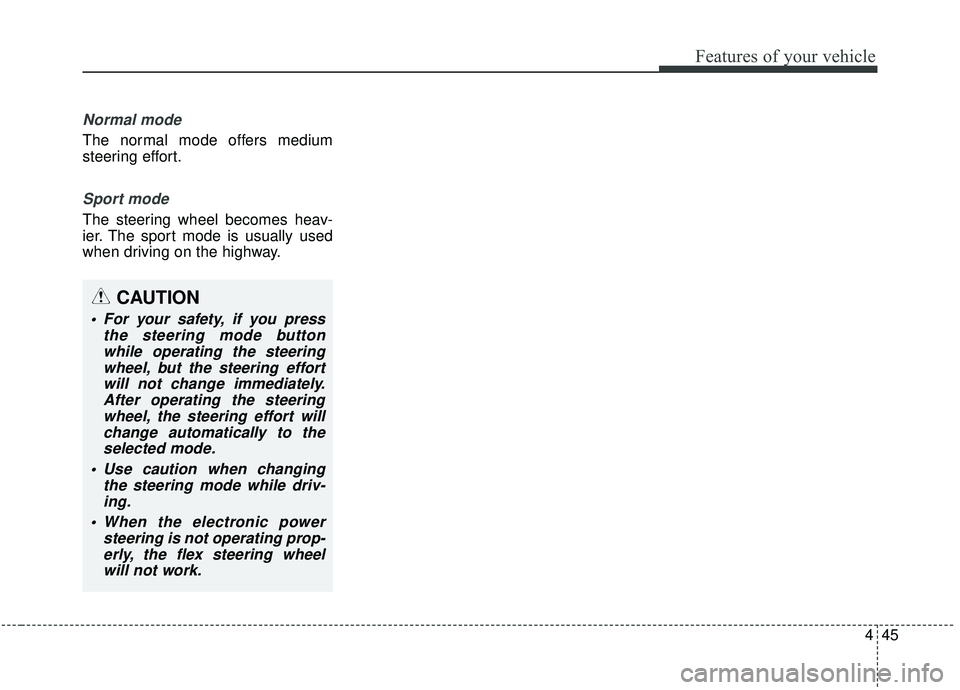
The FLEX STEER controls steering
effort based upon as driver's prefer-
ence or road condition.
You can select the desired steering
mode by pressing the FLEX STEER
button.
When the steering mode button is
pressed, the selected steering mode
will appear on the instrument cluster. If the steering mode button is
pressed within 4 seconds, the steer-
ing mode will change as shown
above.
If the steering wheel mode button is
not pressed for about 4 seconds, the
LCD display will change to the previ-
ous screen (for Type B cluster).
OPS043034OPS046036L
Page 131 of 564
445
Features of your vehicle
Normal mode
The normal mode offers medium
steering effort.
Sport mode
The steering wheel becomes heav-
ier. The sport mode is usually used
when driving on the highway.
CAUTION
For your safety, if you pressthe steering mode buttonwhile operating the steeringwheel, but the steering effortwill not change immediately.After operating the steeringwheel, the steering effort willchange automatically to theselected mode.
Use caution when changing the steering mode while driv-ing.
When the electronic power steering is not operating prop-erly, the flex steering wheelwill not work.
Page 142 of 564
Features of your vehicle
56
4
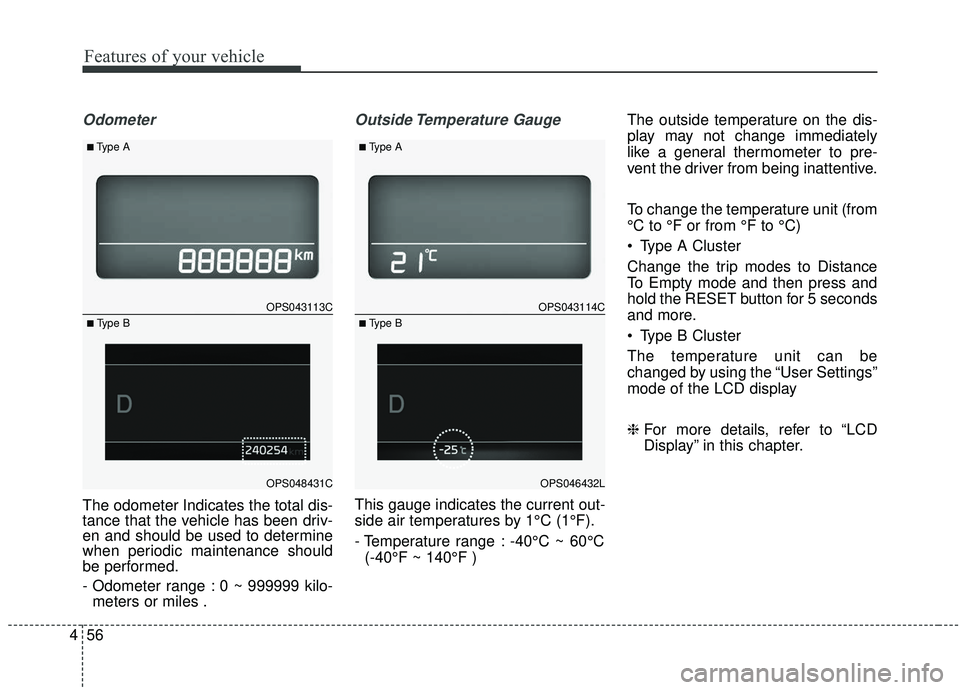
Odometer
The odometer Indicates the total dis-
tance that the vehicle has been driv-
en and should be used to determine
when periodic maintenance should
be performed.
- Odometer range : 0 ~ 999999 kilo-
meters or miles .
Outside Temperature Gauge
This gauge indicates the current out-
side air temperatures by 1°C (1°F).
- Temperature range : -40°C ~ 60°C
(-40°F ~ 140°F ) The outside temperature on the dis-
play may not change immediately
like a general thermometer to pre-
vent the driver from being inattentive.
To change the temperature unit (from
°C to °F or from °F to °C)
Type A Cluster
Change the trip modes to Distance
To Empty mode and then press and
hold the RESET button for 5 seconds
and more.
Type B Cluster
The temperature unit can be
changed by using the “User Settings”
mode of the LCD display
❈
For more details, refer to “LCD
Display” in this chapter.
OPS043113C
OPS048431C
■Type A
■ Type B
OPS043114C
OPS046432L
■Type A
■ Type B
Page 145 of 564
459
Features of your vehicle
LCD DISPLAY (IF EQUIPPED)
❈For controlling the LCD modes, refer to “LCD Display Control” in this chapter.
LCD Modes (for Type B cluster)
Modes SymbolExplanation
Trip Computer This mode displays driving information like the tripmeter, fuel economy, and so on.
For more details, refer to “Trip Computer” in this chapter.
Tu r n B y Tu r n
(if equipped)This mode displays the state of the navigation.
LDWS
(if equipped)This mode displays the state of the Lane Departure Warning System (LDWS).
For more details, refer to “Lane Departure Warning System (LDWS)” in chapter 6.
User SettingsOn this mode, you can change settings of the doors, lamps, and so on.
Master warningThis mode informs of warning messages related to BSD fail and so on.
Page 146 of 564
Features of your vehicle
60
4
Service Mode
Service Interval
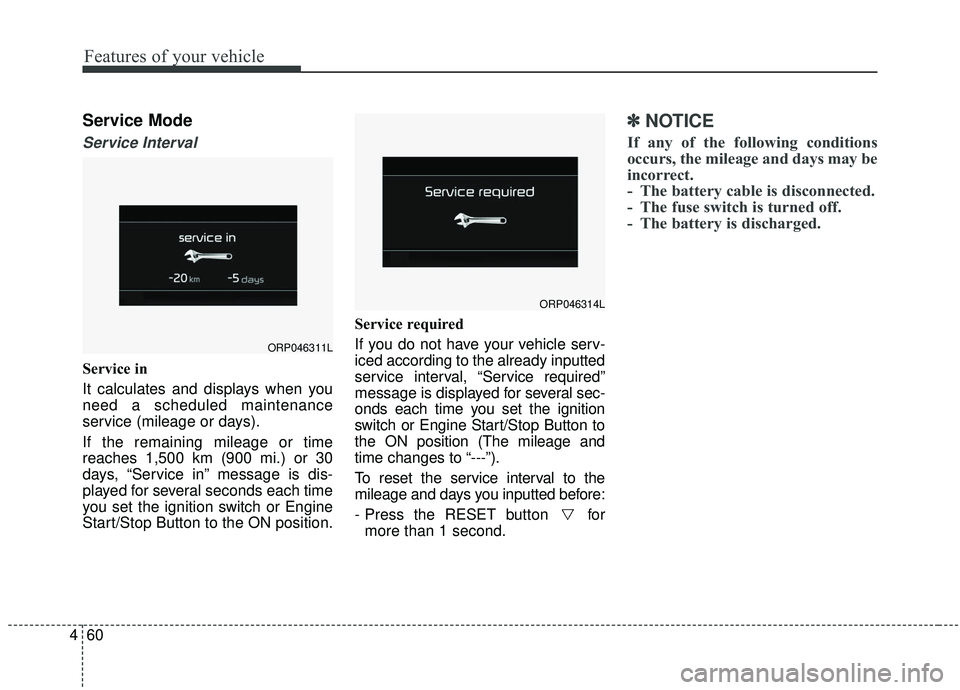
Service in
It calculates and displays when you
need a scheduled maintenance
service (mileage or days).
If the remaining mileage or time
reaches 1,500 km (900 mi.) or 30
days, “Service in” message is dis-
played for several seconds each time
you set the ignition switch or Engine
Start/Stop Button to the ON position. Service required
If you do not have your vehicle serv-
iced according to the already inputted
service interval, “Service required”
message is displayed for several sec-
onds each time you set the ignition
switch or Engine Start/Stop Button to
the ON position (The mileage and
time changes to “---”).
To reset the service interval to the
mileage and days you inputted before:
- Press the RESET button for
more than 1 second.
✽ ✽ NOTICE
If any of the following conditions
occurs, the mileage and days may be
incorrect.
- The battery cable is disconnected.
- The fuse switch is turned off.
- The battery is discharged.
ORP046311L
ORP046314L
Page 149 of 564
463
Features of your vehicle
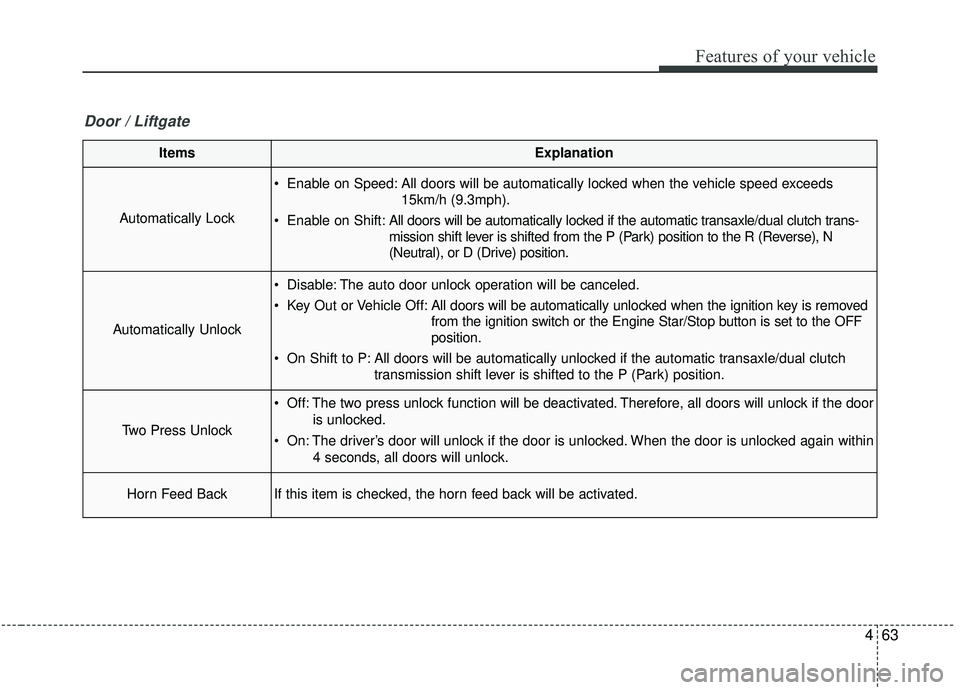
ItemsExplanation
Automatically Lock
Enable on Speed: All doors will be automatically locked when the vehicle speed exceeds15km/h (9.3mph).
Enable on Shift: All doors will be automatically locked if the automatic transaxle/dual clutch trans-
mission shift lever is shifted from the P (Park) position to the R (Reverse), N
(Neutral), or D (Drive) position.
Automatically Unlock
Disable: The auto door unlock operation will be canceled.
Key Out or Vehicle Off: All doors will be automatically unlocked when the ignition key is removed
from the ignition switch or the Engine Star/Stop button is set to the OFF
position.
On Shift to P: All doors will be automatically unlocked if the automatic transaxle/dual clutch transmission shift lever is shifted to the P (Park) position.
Two Press Unlock
Off: The two press unlock function will be deactivated. Therefore, all doors will unlock if the door
is unlocked.
On: The driver’s door will unlock if the door is unlocked. When the door is unlocked again within 4 seconds, all doors will unlock.
Horn Feed BackIf this item is checked, the horn feed back will be activated.
Door / Liftgate
Page 152 of 564
Features of your vehicle
66
4
ItemsExplanation
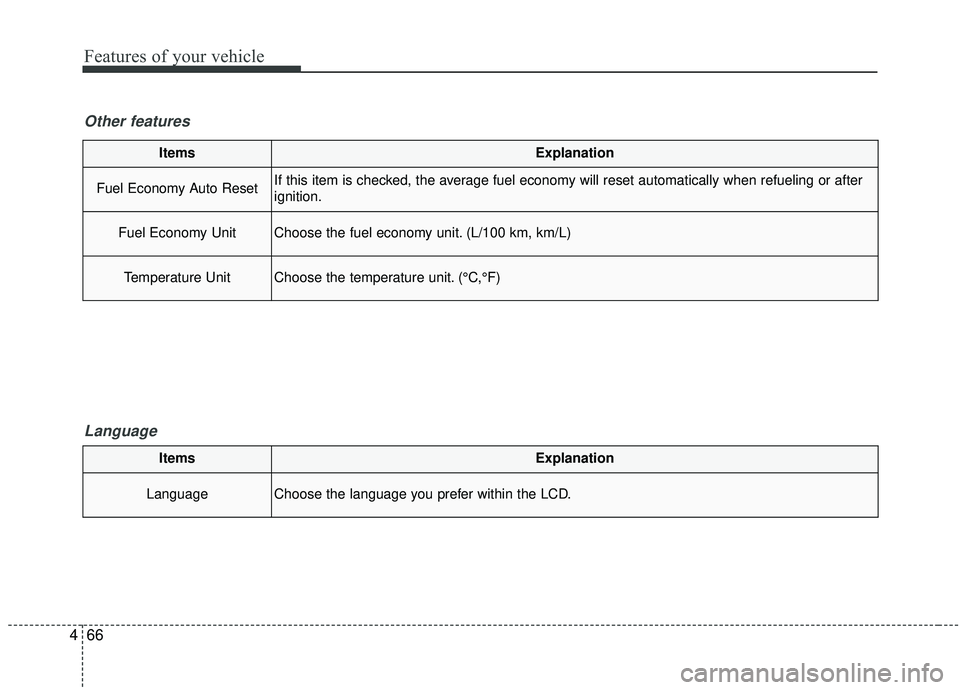
Fuel Economy Auto ResetIf this item is checked, the average fuel economy will reset automatically when refueling or after
ignition.
Fuel Economy UnitChoose the fuel economy unit. (L/100 km, km/L)
Temperature UnitChoose the temperature unit. (°C,°F)
Other features
Language
ItemsExplanation
LanguageChoose the language you prefer within the LCD.
Page 155 of 564
469
Features of your vehicle
Press start button with smart key (for smart key system)
This warning message illuminates if you press the Engine Start/Stop
Button while the warning message
“Key not detected” is illuminating.
At this time, the immobilizer indica- tor light blinks.
Check fuse “BRAKE SWITCH”
(for smart key system and auto-matic transaxle)
This warning message illuminates if the brake switch fuse is discon-
nected.
It means that you should replace the fuse with a new one. If that is
not possible, you can start the
engine by pressing the Engine
Start/Stop Button for 10 seconds in
the ACC position.
Shift to “P” or “N” to start engine
(for smart key system and auto-matic transaxle)
This warning message illuminates if you try to start the engine with
the shift lever not in the P (Park) or
N (Neutral) position.
✽ ✽ NOTICE
You can start the engine with the
shift lever in the N (Neutral) posi-
tion. But, for your safety, we recom-
mend that you start the engine with
the shift lever in the P (Park) posi-
tion.
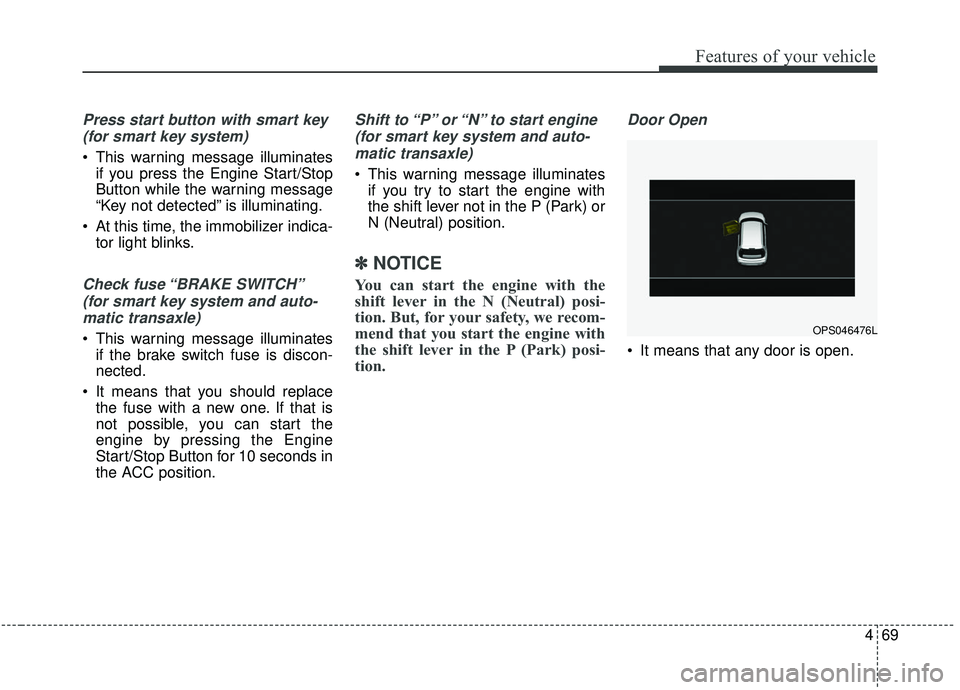
Door Open
It means that any door is open.
OPS046476L