2019 KIA SOUL display
[x] Cancel search: displayPage 342 of 564
Driving your vehicle
52
6
Prerequisite for activation
The AEB will activate when the AEB
is selected on the LCD display, and
when the following prerequisites are
satisfied:
- The ESC (Electronic Stability
Control) is activated.
- The driving speed is over 6 mph (10 km/h). (The AEB only works
within a certain range of vehicle
speeds)
- When the AEB recognizes a vehi- cle or the pedestrian in front. (The
AEB may not recognize every
obstacle or provide warnings and
braking in every situation, so do
not rely on the AEB to stop the
vehicle in instances where the driv-
er sees an obstacle and has the
ability to apply the brakes) The AEB automatically activates
when you turn the vehicle on.
The driver can deactivate the AEB
by canceling the in the system set-
ting on the LCD display.
The AEB automatically deactivates when canceling ESC. When the
ESC is canceled, the AEB cannot
be activated on the LCD display.
AEB warning message and
system control
The AEB produces warning mes-
sages, warning alarms, and emer-
gency braking based on the level of
risk of a frontal collision, such as
when a vehicle ahead suddenly
brakes or when it detects a collision
with a pedestrian is imminent.
WARNING
Set or cancel AEB with the con-
trolling switches on the steering
wheel only when the vehicle is
stopped. Do not attempt to set
or cancel the AEB while your
vehicle is moving.
Page 343 of 564
653
Driving your vehicle
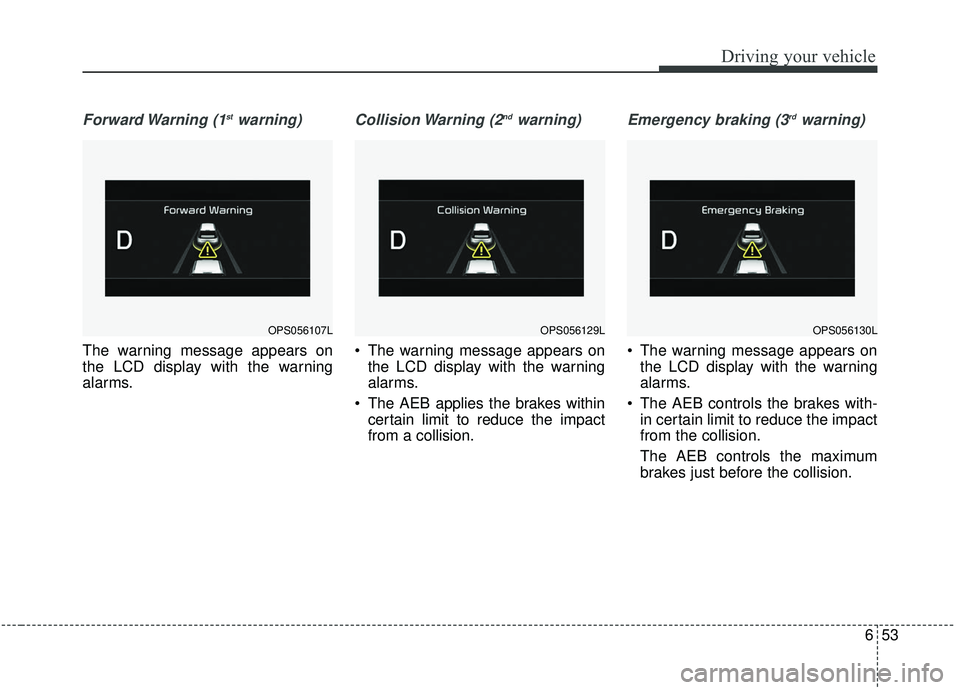
Forward Warning (1stwarning)
The warning message appears on
the LCD display with the warning
alarms.
Collision Warning (2ndwarning)
The warning message appears onthe LCD display with the warning
alarms.
The AEB applies the brakes within certain limit to reduce the impact
from a collision.
Emergency braking (3rdwarning)
The warning message appears onthe LCD display with the warning
alarms.
The AEB controls the brakes with- in certain limit to reduce the impact
from the collision.
The AEB controls the maximum
brakes just before the collision.
OPS056129LOPS056130LOPS056107L
Page 347 of 564
657
Driving your vehicle
✽ ✽NOTICE
• In certain instances and under cer-
tain driving conditions, the AEB
system may activate prematurely.
This initial warning message
appears on the LCD display with a
warning chime.
Also, in certain instances the front
radar sensor or camera recogni-
tion system may not detect the
vehicle or pedestrian ahead. The
AEB system may not activate and
the warning message will not be
displayed.
✽ ✽ NOTICE
• If there is a malfunction with the
AEB system, the automatic emer-
gency braking is not applied even
though it is operating normally.
• The AEB system may not activate if the driver applies the brake
pedal to avoid a collision.WARNING
The AEB is only a supplemental
system for the driver's conven-
ience. It is the driver's responsi-
bility of the driver to control the
vehicle. Do not solely depend
on the AEB system. Rather,
maintain a safe braking dis-
tance, and, if necessary,
depress the brake pedal to
reduce the driving speed.
WARNING
Always maintain a safe dis- tance between your vehicle
and the vehicle in front of you.
If the vehicle in front stops
suddenly, you may have less
control of the brake system.
Always keep loose objects secured. The AEB system
may activate during braking
and the vehicle may stop sud-
denly causing those loose
objects to become dangerous
projectiles within the vehicle
and increase the risk of
injuries to vehicle occupants.
The AEB system cannot detect the driver approaching
the side view of a parked vehi-
cle (for example on a dead
end street.) In these cases,
you must maintain a safe
braking distance, and if nec-
essary, depress the brake
pedal to reduce the driving
speed in order to maintain a
safe distance to avoid an acci-
dent.
Page 363 of 564
673
Driving your vehicle
SCC will be temporarily canceledwhen:
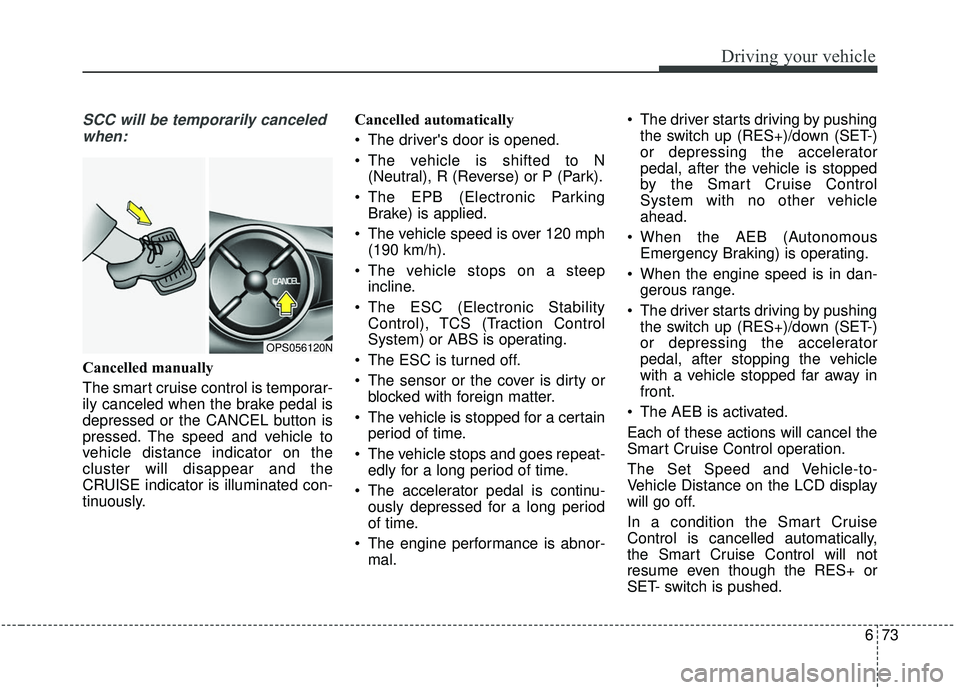
Cancelled manually
The smart cruise control is temporar-
ily canceled when the brake pedal is
depressed or the CANCEL button is
pressed. The speed and vehicle to
vehicle distance indicator on the
cluster will disappear and the
CRUISE indicator is illuminated con-
tinuously. Cancelled automatically
The driver's door is opened.
The vehicle is shifted to N
(Neutral), R (Reverse) or P (Park).
The EPB (Electronic Parking Brake) is applied.
The vehicle speed is over 120 mph (190 km/h).
The vehicle stops on a steep incline.
The ESC (Electronic Stability Control), TCS (Traction Control
System) or ABS is operating.
The ESC is turned off.
The sensor or the cover is dirty or blocked with foreign matter.
The vehicle is stopped for a certain period of time.
The vehicle stops and goes repeat- edly for a long period of time.
The accelerator pedal is continu- ously depressed for a long period
of time.
The engine performance is abnor- mal. The driver starts driving by pushing
the switch up (RES+)/down (SET-)
or depressing the accelerator
pedal, after the vehicle is stopped
by the Smart Cruise Control
System with no other vehicle
ahead.
When the AEB (Autonomous Emergency Braking) is operating.
When the engine speed is in dan- gerous range.
The driver starts driving by pushing the switch up (RES+)/down (SET-)
or depressing the accelerator
pedal, after stopping the vehicle
with a vehicle stopped far away in
front.
The AEB is activated.
Each of these actions will cancel the
Smart Cruise Control operation.
The Set Speed and Vehicle-to-
Vehicle Distance on the LCD display
will go off.
In a condition the Smart Cruise
Control is cancelled automatically,
the Smart Cruise Control will not
resume even though the RES+ or
SET- switch is pushed.
OPS056120N
Page 367 of 564
677
Driving your vehicle
The vehicle will maintain the setspeed, when the lane ahead is clear.
The vehicle will slow down or speed up within selected speed to
maintain the selected distance,
when there is a vehicle ahead of
you in the lane. (A vehicle will
appear in front of your vehicle in
the LCD display only when there is
an actual vehicle in front of you)
If the vehicle ahead speeds up, your vehicle will travel at a steady
cruising speed after accelerating to
the selected speed.
The warning chime sounds and LCD display blinks if it is hard to
maintain the selected distance to
the vehicle ahead.
If the warning chime sounds, actively adjust the vehicle speed by
depressing the brake pedal
according to the road condition
ahead and driving condition.
Even if the warning chime is not acti- vated, always pay attention to the
driving conditions to prevent danger-
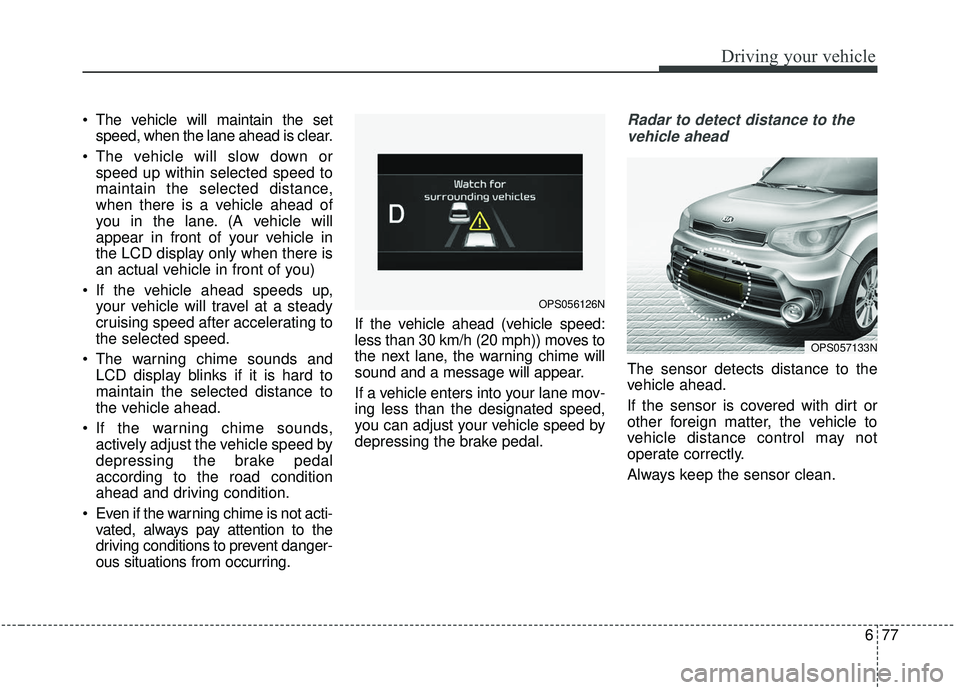
ous situations from occurring. If the vehicle ahead (vehicle speed:
less than 30 km/h (20 mph)) moves to
the next lane, the warning chime will
sound and a message will appear.
If a vehicle enters into your lane mov-
ing less than the designated speed,
you can adjust your vehicle speed by
depressing the brake pedal.Radar to detect distance to the
vehicle ahead
The sensor detects distance to the
vehicle ahead.
If the sensor is covered with dirt or
other foreign matter, the vehicle to
vehicle distance control may not
operate correctly.
Always keep the sensor clean.
OPS057133N
OPS056126N
Page 368 of 564
Driving your vehicle
78
6
Radar check message
If the radar or cover is dirty or
obscured with foreign matter such as
snow, this message (“Smart Cruise
Control disabled temporarily”) will
appear and it will disappear after for
a while. In this case, the system may
not function temporarily, but it does
not indicate a malfunction of the
Smart Cruise Control System. Clean
the radar or cover by using a soft
cloth and it will operate normally.
SCC (Smart Cruise Control)
malfunction message
The message (“Check Smart Cruise
Control System”) will appear when
the vehicle to vehicle distance control
system is not functioning normally.
Take your vehicle to an authorized
Kia dealer and have the system
checked. Always keep the sensor and
bumper clean.
Use only a genuine Kia sensor cover for your vehicle.
Do not install accessories around the sensor and do not replace the
bumper by yourself. It may interfere
with the sensor performance.
Impact damage to the sensor or sensor area may cause the sensor
to move slightly off position and
result in the SCC not operating
correctly without any warning or
indicator from the cluster. If this
occurs, have your vehicle checked
by an authorized Kia dealer as
soon as possible. Do not apply license plate frame or
foreign objects such as a bumper
sticker or a bumper guard near the
radar sensor. Doing so may
adversely affect the sensing per-
formance of the radar.
Always keep the radar sensor and lens cover clean and free of dirt
and debris.
Use only a soft cloth to wash the vehicle. Do not spray pressurized
water directly on the sensor or sen-
sor cover.
Be careful not to apply unneces- sary force on the radar sensor or
sensor cover. If the sensor is
forcibly moved out of proper align-
ment, the Smart Cruise Control
System may not operate correctly.
In this case, a warning message
may not be displayed. Have the
vehicle inspected by an authorized
Kia dealer.
If the front bumper becomes dam- aged in the area around the radar
sensor, the Smart Cruise Control
System may not operate properly.
Have the vehicle inspected by an
authorized Kia dealer.
CAUTION - Sensor
Damage
To prevent sensor cover dam-age from occurring, wash thecar with a soft cloth.
Page 376 of 564

Driving your vehicle
86
6
The drive mode may be selected
according to the driver’s preference
or road condition.
The system resets to be in the ECO
mode, when the hybrid system is
restarted.
If there is a problem with the instru-
ment cluster, the drive mode will be
in ECO mode and may not change to
NORMAL mode or SPORT mode. The mode changes whenever the
DRIVE MODE button is pressed.
❈
When normal mode is selected, it
is not displayed on the cluster.
ECO mode (Active ECO)
Active ECO helps improve
fuel efficiency by control-
ling certain engine and
transaxle system operat-
ing parameters. Fuel effi-
ciency depends on the
driver's driving habit and
road condition.
button is pressed and
the ECO mode is select-
ed, the ECO indicator
(green) will illuminate to
show that the Active
ECO is operating.
activated, it does not turn
off even though the
engine is restarted again.
To turn off the system,
press the DRIVE MODE
button again.
DRIVE MODE INTEGRATED CONTROL SYSTEM (IF EQUIPPED)
NORMAL
SPORT ECO
OPS056118
ECO
Page 379 of 564
689
Driving your vehicle
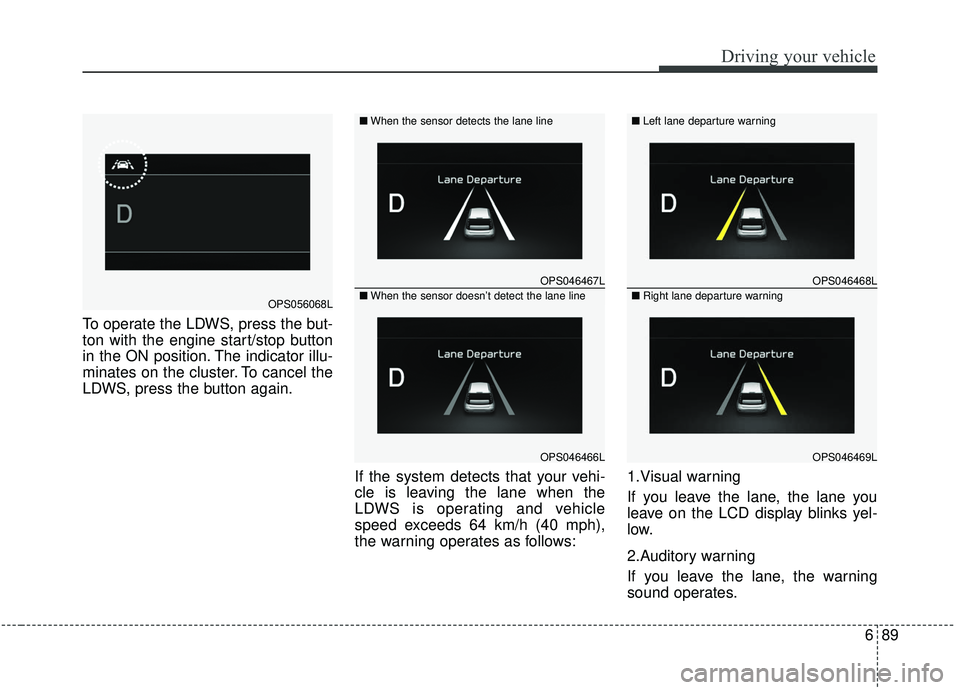
To operate the LDWS, press the but-
ton with the engine start/stop button
in the ON position. The indicator illu-
minates on the cluster. To cancel the
LDWS, press the button again.If the system detects that your vehi-
cle is leaving the lane when the
LDWS is operating and vehicle
speed exceeds 64 km/h (40 mph),
the warning operates as follows:1.Visual warning
If you leave the lane, the lane you
leave on the LCD display blinks yel-
low.
2.Auditory warning
If you leave the lane, the warning
sound operates.
OPS046467L
OPS046466L
■
When the sensor detects the lane line
■When the sensor doesn’t detect the lane lineOPS056068L
OPS046468L
OPS046469L
■ Left lane departure warning
■Right lane departure warning