2019 KIA SOUL engine
[x] Cancel search: enginePage 334 of 564

Driving your vehicle
44
6
ESC operation
ESC ON condition
When the ignition is turnedON, ESC and ESC OFF
indicator lights illuminate for
approximately 3 seconds,
then ESC is turned on.
ton for at least half a sec-
ond after turning the igni-
tion ON to turn ESC off.
(ESC OFF indicator will
illuminate). To turn the
ESC on, press the ESC
OFF button (ESC OFF
indicator light will go off).
you may hear a slight tick-
ing sound. This is the ESC
performing an automatic
system self-check and does
not indicate a problem. When operating
When the ESC is in opera-
tion, the ESC indicator light
blinks.
Stability Control is operat-
ing properly, you can feel a
slight pulsation in the vehi-
cle. This is only the effect
of brake control and indi-
cates nothing unusual.
mud or driving on a slip-
pery road, pressing the
accelerator pedal may not
cause the engine rpm
(revolutions per minute) to
increase.
ESC operation off
ESC OFF state
This car has 2 kinds of ESC
off states.
If the engine stops when
ESC is off, ESC remains off.
Upon restarting the engine,
the ESC will automatically
turn on again.
-
Page 335 of 564
645
Driving your vehicle
ESC off state 1
To cancel ESC operation, press the
ESC OFF button (ESC OFF )
shortly (ESC OFF indicator light
(ESC OFF ) illuminates). At this
state, the engine control function
does not operate. It means the trac-
tion control function does not oper-
ate. Brake control function only oper-
ates.
The message (“Traction Control dis-
abled”) will appear on the LCD dis-
play.
To cancel ESC operation, press the
ESC OFF button (ESC OFF ) for
more than 3 seconds. ESC OFF indi-
cator light (ESC OFF ) illuminates
and ESC OFF warning chime will
sound. At this state, the engine con-
trol function and brake control func-
tion do not operate. It means the car
stability control function does not
operate any more.
The message (“Traction & Stability
Control disabled”) will appear on the
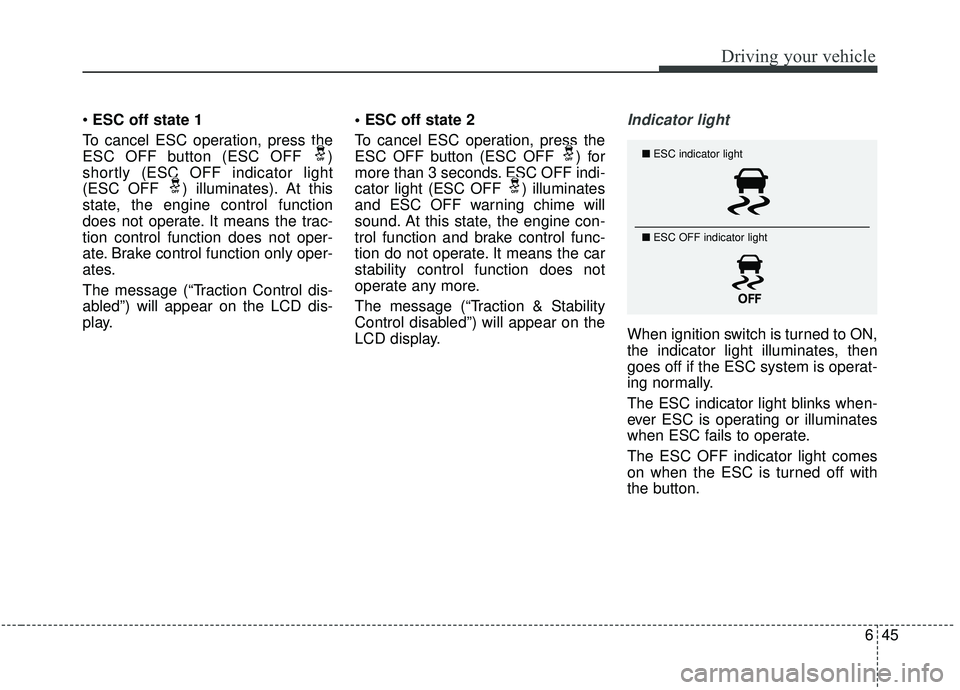
LCD display.Indicator light
When ignition switch is turned to ON,
the indicator light illuminates, then
goes off if the ESC system is operat-
ing normally.
The ESC indicator light blinks when-
ever ESC is operating or illuminates
when ESC fails to operate.
The ESC OFF indicator light comes
on when the ESC is turned off with
the button.
■
ESC indicator light
■ ESC OFF indicator light
Page 339 of 564
649
Driving your vehicle
Don't coast down hills with thevehicle out of gear. This is extreme-
ly hazardous. Keep the vehicle in
gear at all times, use the brakes to
slow down, then shift to a lower
gear so that engine braking will
help you maintain a safe speed.
Don't "ride" the brake pedal. Resting your foot on the brake
pedal while driving can be danger-
ous because the brakes might
overheat and lose their effective-
ness. It also increases the wear of
the brake components.
If a tire goes flat while you are driv- ing, apply the brakes gently and
keep the vehicle pointed straight
ahead while you slow down. When
you are moving slowly enough for it
to be safe to do so, pull off the road
and stop in a safe place. If your vehicle is equipped with an
automatic transaxle, don't let your
vehicle creep forward. To avoid
creeping forward, keep your foot
firmly on the brake pedal when the
vehicle is stopped.
Be cautious when parking on a hill. Firmly engage the parking brake
and place the shift lever in P (auto-
matic transaxle) or in first or
reverse gear (manual transaxle). If
your vehicle is facing downhill, turn
the front wheels into the curb to
help keep the vehicle from rolling. If
your vehicle is facing uphill, turn
the front wheels away from the
curb to help keep the vehicle from
rolling. If there is no curb or if it is
required by other conditions to
keep the vehicle from rolling, block
the wheels. Under some conditions your park-
ing brake can freeze in the
engaged position. This is most like-
ly to happen when there is an
accumulation of snow or ice
around or near the rear brakes or if
the brakes are wet. If there is a risk
that the parking brake may freeze,
apply it only temporarily while you
put the shift lever in P (automatic
transaxle) or in first or reverse gear
(manual transaxle) and block the
rear wheels so the vehicle cannot
roll. Then release the parking
brake.
Do not hold the vehicle on the incline with the accelerator pedal.
This can cause the transaxle to
overheat. Always use the brake
pedal or parking brake.
Page 340 of 564
Driving your vehicle
50
6
The AEB system is designed to
potentially reduce accident risk. It
recognizes the distance from the
vehicle ahead or a pedestrian
through the sensors (i.e. radar and
camera), and, if necessary, warns
the driver of a collision risk with ta
warning message or warning alarms.System setting and activation
System setting
The driver can activate the AEB by
placing the engine start/stop button
to the ON position and by selecting
'User Settings', 'Driving Assist', and
'Autonomous Emergency Braking
System'. The AEB deactivates, when
the driver cancels the system setting.
AUTONOMOUS EMERGENCY BRAKING (AEB) (IF EQUIPPED)
WARNING
-
Autonomous Emergency
Braking (AEB) Limitations
The AEB system is a supple-
mental system and is not a sub-
stitute for safe driving prac-
tices. It is still the responsibility
of the driver to ensure it is safe
to use the AEB based on the
speed of traffic and the distance
to the nearest vehicle ahead of
the driver.
WARNING
Take the following precautions
when using the Autonomous
Emergency Braking (AEB):
This system is only a supple- mental system and it is not
intended to, nor does it
replace the need for extreme
care and attention of the driv-
er. The sensing range and
objects detectable by the sen-
sors are limited. Pay attention
to the road conditions at all
times.
NEVER drive too fast in accor- dance with the road condi-
tions or while cornering.
Always drive cautiously to prevent unexpected and sud-
den situations from occur-
ring. AEB does not stop the
vehicle completely and does
not avoid collisions.
Page 354 of 564

Driving your vehicle
64
6
1. Cruise indicator
2. Cruise set indicator
The cruise control system allows you
to program the vehicle to maintain a
constant speed without pressing the
accelerator pedal.
This system is designed to function
above approximately 30 km/h (20
mph ). If the cruise control is left on
(CRUISE indicator light in the
instrument cluster illuminated), the
cruise control can be switched on
accidentally. Keep the cruise con-
trol system off (CRUISE indicator
light OFF) when the cruise control
is not in use, to avoid inadvertently
setting a speed.
Use the cruise control system only when traveling on open highways
in good weather.
Do not use the cruise control driv- ing in heavy or varying traffic, or on
slippery (rainy, icy or snow-cov-
ered) or winding roads or over 6%
up-hill or down-hill roads.
✽ ✽ NOTICE
• During normal cruise control opera-
tion, when the SET switch is activat-
ed or reactivated after applying the
brakes, the cruise control will ener-
gize after approximately 3 seconds.
The delay is normal.
• To activate cruise control, depress the brake pedal at least once after
turning the ignition switch to the
ON position or starting the engine.
"This is to check if the brake
switch, which is an important part
to canceling cruise control, is in
normal condition.
CRUISE CONTROL SYSTEM (IF EQUIPPED)
OPS053015
WARNING- Misuse of
Cruise Control
Do not use cruise control if the
traffic situation does not allow
you to drive safely at a constant
speed and with sufficient dis-
tance to the vehicle in front.
Page 355 of 564

665
Driving your vehicle
Cruise control switch
CRUISE : Turns cruise control sys-tem on or off.
CANCEL: Cancels cruise control
operation.
RES+: Resumes or increases cruise control speed.
SET-: Sets or decreases cruise con- trol speed.
To set cruise control speed:
1. Press the CRUISE button on thesteering wheel to turn the system
on. The CRUISE indicator light in
the instrument cluster will illumi-
nate.
2. Accelerate to the desired speed, which must be more than 30 km/h
(20 mph).
✽ ✽NOTICE- Manual transaxle
For manual transaxle vehicles, you
should depress the brake pedal at
least once to set the cruise control
after starting the engine.
3. Push the SET - switch, and
release it at the desired speed.
The SET indicator light in the
instrument cluster will illuminate.
Release the accelerator pedal at
the same time. The desired speed
will automatically be maintained.
On a steep grade, the vehicle mayslow down or speed up slightly whilegoing uphill or downhill.
OPS053016OPS053017
OPS053018
Page 363 of 564
673
Driving your vehicle
SCC will be temporarily canceledwhen:
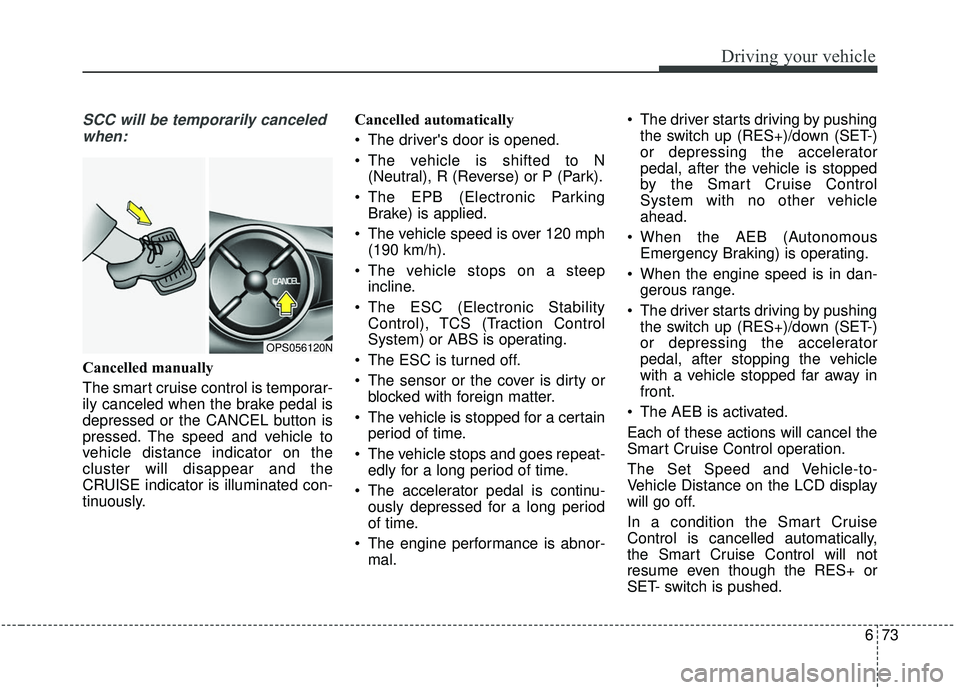
Cancelled manually
The smart cruise control is temporar-
ily canceled when the brake pedal is
depressed or the CANCEL button is
pressed. The speed and vehicle to
vehicle distance indicator on the
cluster will disappear and the
CRUISE indicator is illuminated con-
tinuously. Cancelled automatically
The driver's door is opened.
The vehicle is shifted to N
(Neutral), R (Reverse) or P (Park).
The EPB (Electronic Parking Brake) is applied.
The vehicle speed is over 120 mph (190 km/h).
The vehicle stops on a steep incline.
The ESC (Electronic Stability Control), TCS (Traction Control
System) or ABS is operating.
The ESC is turned off.
The sensor or the cover is dirty or blocked with foreign matter.
The vehicle is stopped for a certain period of time.
The vehicle stops and goes repeat- edly for a long period of time.
The accelerator pedal is continu- ously depressed for a long period
of time.
The engine performance is abnor- mal. The driver starts driving by pushing
the switch up (RES+)/down (SET-)
or depressing the accelerator
pedal, after the vehicle is stopped
by the Smart Cruise Control
System with no other vehicle
ahead.
When the AEB (Autonomous Emergency Braking) is operating.
When the engine speed is in dan- gerous range.
The driver starts driving by pushing the switch up (RES+)/down (SET-)
or depressing the accelerator
pedal, after stopping the vehicle
with a vehicle stopped far away in
front.
The AEB is activated.
Each of these actions will cancel the
Smart Cruise Control operation.
The Set Speed and Vehicle-to-
Vehicle Distance on the LCD display
will go off.
In a condition the Smart Cruise
Control is cancelled automatically,
the Smart Cruise Control will not
resume even though the RES+ or
SET- switch is pushed.
OPS056120N
Page 374 of 564
Driving your vehicle
84
6
When using the Smart Cruise
Control take the following precau-
tions:
If an emergency stop is necessary,
you must apply the brakes. The
vehicle cannot be stopped at every
emergency situation by using the
Smart Cruise Control System.
Keep a safe distance according to road conditions and vehicle speed.
If the vehicle to vehicle distance is
too close during a high-speed driv-
ing, a serious collision may result.
Always maintain sufficient braking distance and decelerate your vehi-
cle by applying the brakes if neces-
sary.
The Smart Cruise Control System cannot recognize a stopped vehi-
cle, pedestrians or an oncoming
vehicle. Always look ahead cau-
tiously to prevent unexpected and
sudden situations from occurring. Vehicles moving in front of you with
a frequent lane change may cause
a delay in the system's reaction or
may cause the system to react to a
vehicle actually in an adjacent
lane. Always drive cautiously to
prevent unexpected and sudden
situations from occurring.
Always be aware of the selected speed and vehicle to vehicle dis-
tance. The driver should not solely
rely on the system but always pay
attention to driving conditions and
control your vehicle speed.
The Smart Cruise Control System may not recognize complex driving
situations so always pay attention
to driving conditions and control
your vehicle speed.
Make sure to be well informed of the owner's manual and practice
using the smart cruise control sys-
tem to ensure the safe use of the
system.
After an engine start, please stop for several seconds. If system ini-
tialization is not completed, the
SCC does not normally operate. After an engine start, if any objects
are not detected or the sensor
cover is obscured with foreign sub-
stances, there is a possibility that
the SCC system may not work.
The following conditions may cause a malfunction: over-loading
the liftgate, suspension modifica-
tion, tire replacement with unau-
thorized tires or tires with different
tread wear and pressure levels.