2019 KIA SORENTO Child
[x] Cancel search: ChildPage 208 of 573
Features of your vehicle
120
4
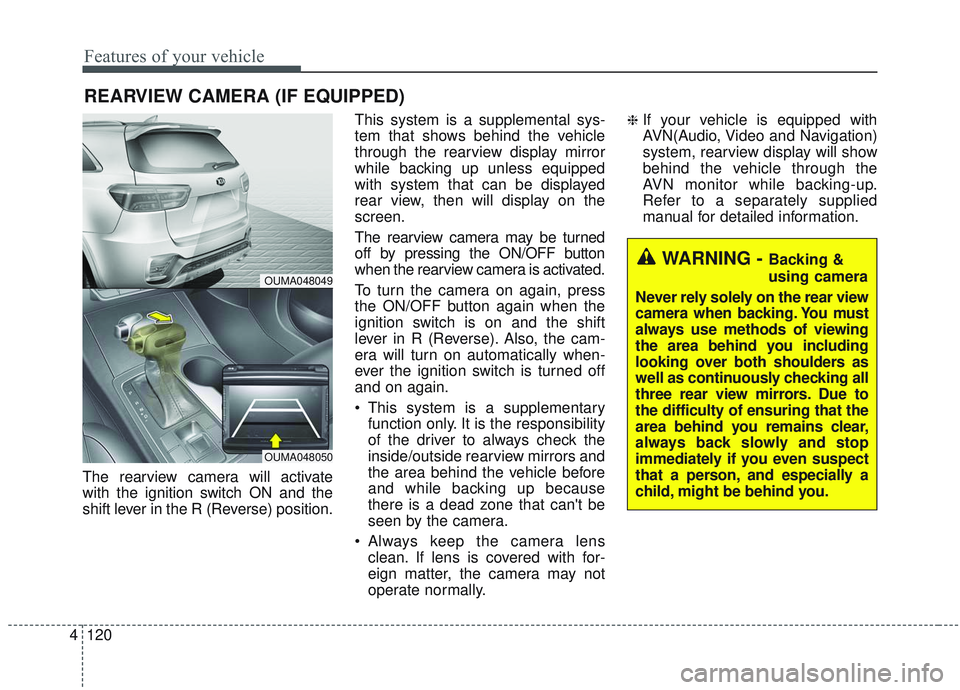
The rearview camera will activate
with the ignition switch ON and the
shift lever in the R (Reverse) position. This system is a supplemental sys-
tem that shows behind the vehicle
through the rearview display mirror
while backing up unless equipped
with system that can be displayed
rear view, then will display on the
screen.
The rearview camera may be turned
off by pressing the ON/OFF button
when the rearview camera is activated.
To turn the camera on again, press
the ON/OFF button again when the
ignition switch is on and the shift
lever in R (Reverse). Also, the cam-
era will turn on automatically when-
ever the ignition switch is turned off
and on again.
This system is a supplementary
function only. It is the responsibility
of the driver to always check the
inside/outside rearview mirrors and
the area behind the vehicle before
and while backing up because
there is a dead zone that can't be
seen by the camera.
Always keep the camera lens clean. If lens is covered with for-
eign matter, the camera may not
operate normally.
❈If your vehicle is equipped with
AVN(Audio, Video and Navigation)
system, rearview display will show
behind the vehicle through the
AVN monitor while backing-up.
Refer to a separately supplied
manual for detailed information.
REARVIEW CAMERA (IF EQUIPPED)
WARNING - Backing &
using camera
Never rely solely on the rear view
camera when backing. You must
always use methods of viewing
the area behind you including
looking over both shoulders as
well as continuously checking all
three rear view mirrors. Due to
the difficulty of ensuring that the
area behind you remains clear,
always back slowly and stop
immediately if you even suspect
that a person, and especially a
child, might be behind you.
OUMA048049
OUMA048050
Page 262 of 573
Features of your vehicle
174
4
Seat cooler (Air ventilation seat)
(if equipped)
The temperature setting of the seat
changes according to the switch
position.
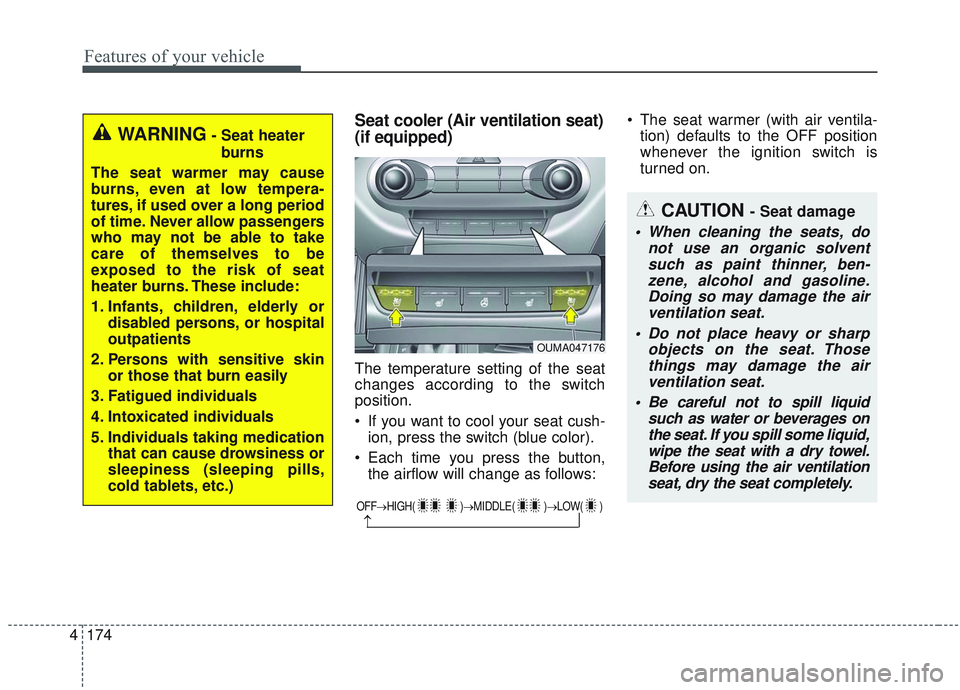
If you want to cool your seat cush-
ion, press the switch (blue color).
Each time you press the button, the airflow will change as follows: The seat warmer (with air ventila-
tion) defaults to the OFF position
whenever the ignition switch is
turned on.
WARNING- Seat heater
burns
The seat warmer may cause
burns, even at low tempera-
tures, if used over a long period
of time. Never allow passengers
who may not be able to take
care of themselves to be
exposed to the risk of seat
heater burns. These include:
1. Infants, children, elderly or disabled persons, or hospital
outpatients
2. Persons with sensitive skin or those that burn easily
3. Fatigued individuals
4. Intoxicated individuals
5. Individuals taking medication that can cause drowsiness or
sleepiness (sleeping pills,
cold tablets, etc.)
OUMA047176
OFF→ HIGH( )→ MIDDLE( )→LOW( )
→
CAUTION - Seat damage
When cleaning the seats, do
not use an organic solventsuch as paint thinner, ben-zene, alcohol and gasoline.Doing so may damage the airventilation seat.
Do not place heavy or sharp objects on the seat. Thosethings may damage the airventilation seat.
Be careful not to spill liquid such as water or beverages onthe seat. If you spill some liquid,wipe the seat with a dry towel.Before using the air ventilationseat, dry the seat completely.
Page 283 of 573
Driving your vehicle
65
WARNING- Check sur-roundings
Always check the surrounding
areas near your vehicle for peo-
ple, especially children, before
putting a vehicle into D (Drive)
or R (Reverse).
WARNING- Fire risk
When you intend to park or stop
the vehicle with the engine on,
be careful not to depress the
accelerator pedal for a long
period of time. It may overheat
the engine or exhaust system
and cause fire.WARNING- Loose objects
Securely store items in your
vehicle. When you make a sud-
den stop or turn the steering
wheel rapidly, loose objects
may drop on the floor and it
could interfere with the opera-
tion of the foot pedals, possibly
causing an accident.WARNING- Driving while intoxicated
Do not drive while intoxicated.
Drinking and driving is danger-
ous. Even a small amount of
alcohol will affect your reflexes,
perceptions and judgment.
Driving while under the influ-
ence of drugs is as dangerous
as or more dangerous than driv-
ing drunk.
Page 290 of 573
513
Driving your vehicle
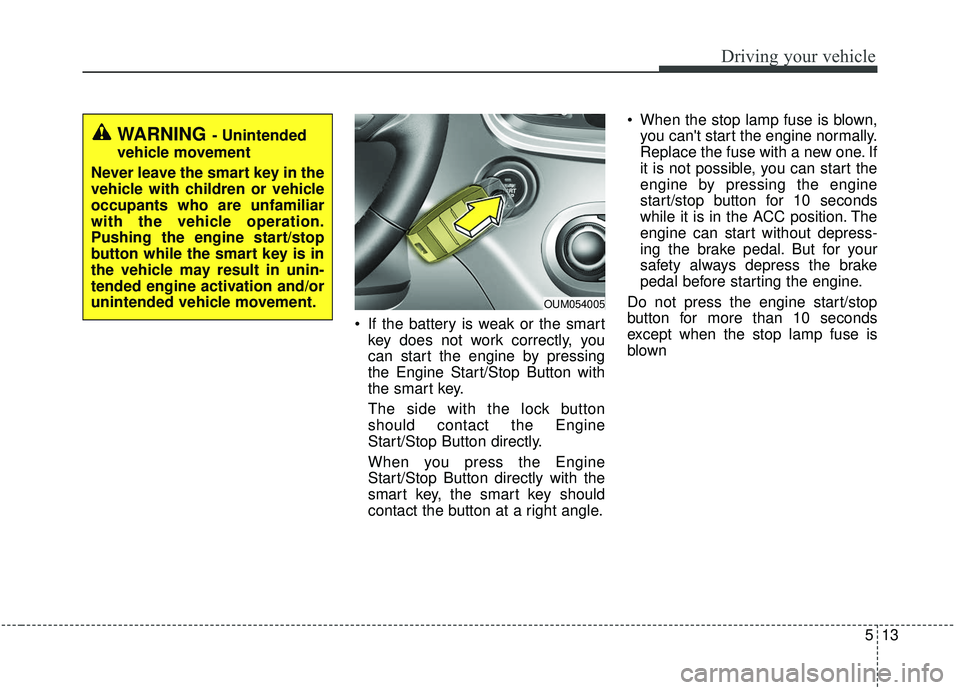
If the battery is weak or the smartkey does not work correctly, you
can start the engine by pressing
the Engine Start/Stop Button with
the smart key.
The side with the lock button
should contact the Engine
Start/Stop Button directly.
When you press the Engine
Start/Stop Button directly with the
smart key, the smart key should
contact the button at a right angle. When the stop lamp fuse is blown,
you can't start the engine normally.
Replace the fuse with a new one. If
it is not possible, you can start the
engine by pressing the engine
start/stop button for 10 seconds
while it is in the ACC position. The
engine can start without depress-
ing the brake pedal. But for your
safety always depress the brake
pedal before starting the engine.
Do not press the engine start/stop
button for more than 10 seconds
except when the stop lamp fuse is
blown
WARNING - Unintended
vehicle movement
Never leave the smart key in the
vehicle with children or vehicle
occupants who are unfamiliar
with the vehicle operation.
Pushing the engine start/stop
button while the smart key is in
the vehicle may result in unin-
tended engine activation and/or
unintended vehicle movement.
OUM054005
Page 415 of 573
Driving your vehicle
138
5
Certification label
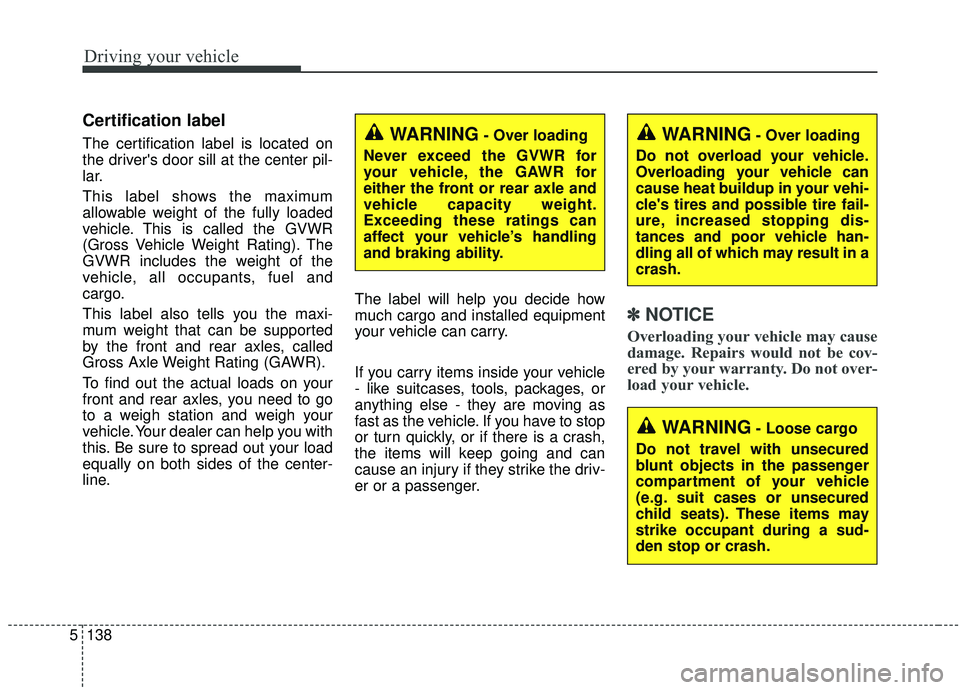
The certification label is located on
the driver's door sill at the center pil-
lar.
This label shows the maximum
allowable weight of the fully loaded
vehicle. This is called the GVWR
(Gross Vehicle Weight Rating). The
GVWR includes the weight of the
vehicle, all occupants, fuel and
cargo.
This label also tells you the maxi-
mum weight that can be supported
by the front and rear axles, called
Gross Axle Weight Rating (GAWR).
To find out the actual loads on your
front and rear axles, you need to go
to a weigh station and weigh your
vehicle. Your dealer can help you with
this. Be sure to spread out your load
equally on both sides of the center-
line. The label will help you decide how
much cargo and installed equipment
your vehicle can carry.
If you carry items inside your vehicle
- like suitcases, tools, packages, or
anything else - they are moving as
fast as the vehicle. If you have to stop
or turn quickly, or if there is a crash,
the items will keep going and can
cause an injury if they strike the driv-
er or a passenger.
✽ ✽
NOTICE
Overloading your vehicle may cause
damage. Repairs would not be cov-
ered by your warranty. Do not over-
load your vehicle.
WARNING- Over loading
Never exceed the GVWR for
your vehicle, the GAWR for
either the front or rear axle and
vehicle capacity weight.
Exceeding these ratings can
affect your vehicle’s handling
and braking ability.WARNING- Over loading
Do not overload your vehicle.
Overloading your vehicle can
cause heat buildup in your vehi-
cle's tires and possible tire fail-
ure, increased stopping dis-
tances and poor vehicle han-
dling all of which may result in a
crash.
WARNING- Loose cargo
Do not travel with unsecured
blunt objects in the passenger
compartment of your vehicle
(e.g. suit cases or unsecured
child seats). These items may
strike occupant during a sud-
den stop or crash.
Page 432 of 573
What to do in an emergency
16
6
IF YOU HAVE A FLAT TIRE
Jack and tools
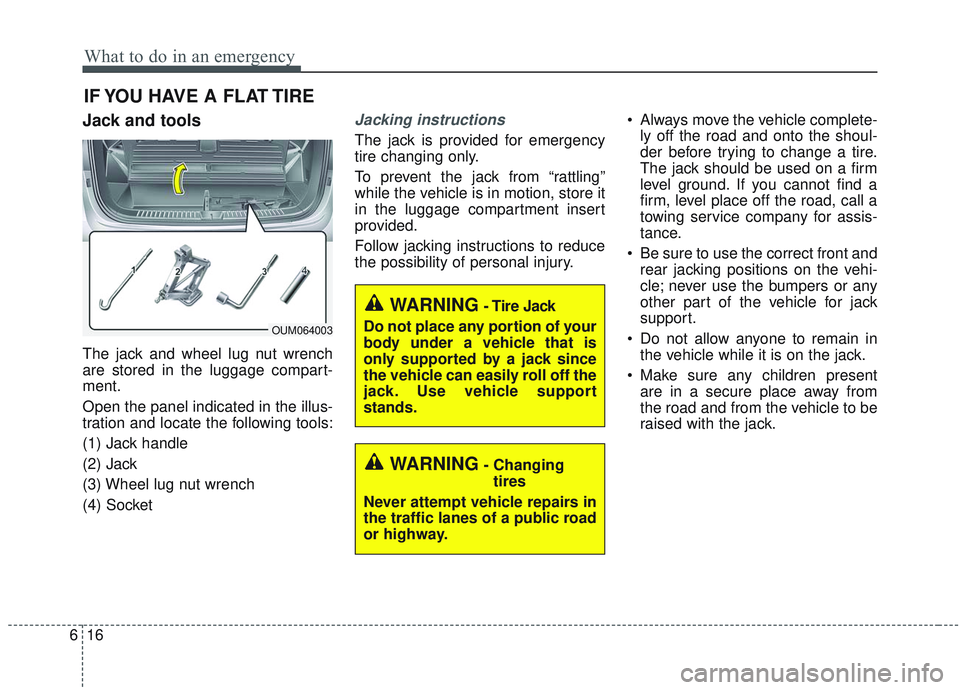
The jack and wheel lug nut wrench
are stored in the luggage compart-
ment.
Open the panel indicated in the illus-
tration and locate the following tools:
(1) Jack handle
(2) Jack
(3) Wheel lug nut wrench
(4) Socket
Jacking instructions
The jack is provided for emergency
tire changing only.
To prevent the jack from “rattling”
while the vehicle is in motion, store it
in the luggage compartment insert
provided.
Follow jacking instructions to reduce
the possibility of personal injury. Always move the vehicle complete-
ly off the road and onto the shoul-
der before trying to change a tire.
The jack should be used on a firm
level ground. If you cannot find a
firm, level place off the road, call a
towing service company for assis-
tance.
Be sure to use the correct front and rear jacking positions on the vehi-
cle; never use the bumpers or any
other part of the vehicle for jack
support.
Do not allow anyone to remain in the vehicle while it is on the jack.
Make sure any children present are in a secure place away from
the road and from the vehicle to be
raised with the jack.
WARNING- Changing
tires
Never attempt vehicle repairs in
the traffic lanes of a public road
or highway.
OUM064003
WARNING- Tire Jack
Do not place any portion of your
body under a vehicle that is
only supported by a jack since
the vehicle can easily roll off the
jack. Use vehicle support
stands.
Page 477 of 573
Maintenance
34
7
BATTERY
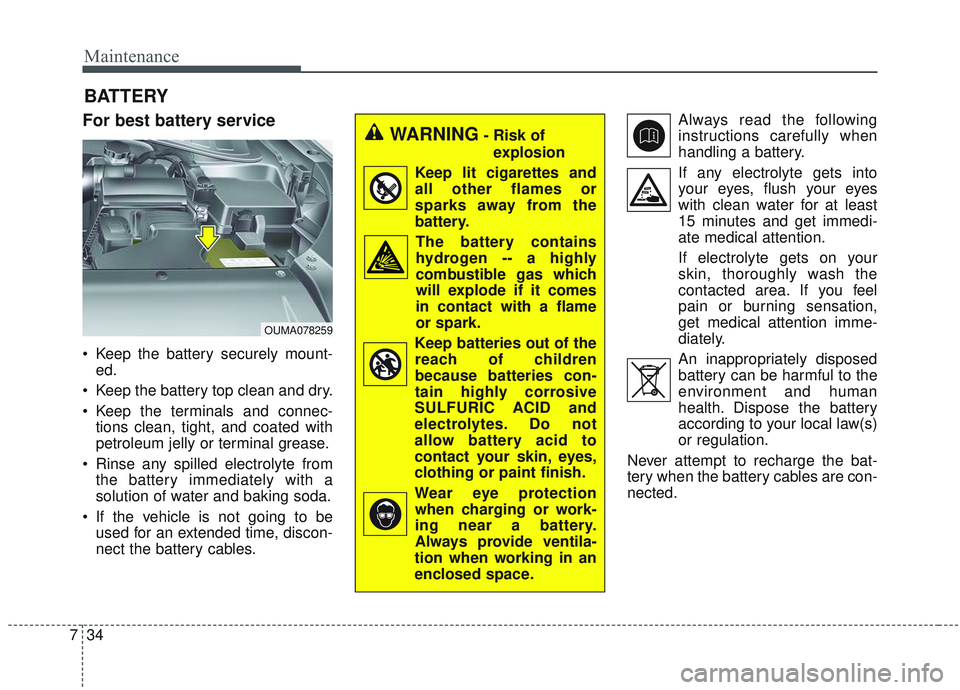
For best battery service
Keep the battery securely mount-
ed.
Keep the battery top clean and dry.
Keep the terminals and connec- tions clean, tight, and coated with
petroleum jelly or terminal grease.
Rinse any spilled electrolyte from the battery immediately with a
solution of water and baking soda.
If the vehicle is not going to be used for an extended time, discon-
nect the battery cables. Always read the following
instructions carefully when
handling a battery.
If any electrolyte gets into your eyes, flush your eyes
with clean water for at least
15 minutes and get immedi-
ate medical attention.
If electrolyte gets on your
skin, thoroughly wash the
contacted area. If you feel
pain or burning sensation,
get medical attention imme-
diately.
An inappropriately disposed battery can be harmful to the
environment and human
health. Dispose the battery
according to your local law(s)
or regulation.
Never attempt to recharge the bat-
tery when the battery cables are con-
nected.
WARNING- Risk of explosion
Keep lit cigarettes and all other flames or
sparks away from the
battery.
The battery containshydrogen -- a highly
combustible gas which
will explode if it comes
in contact with a flame
or spark.
Keep batteries out of the reach of children
because batteries con-
tain highly corrosive
SULFURIC ACID and
electrolytes. Do not
allow battery acid to
contact your skin, eyes,
clothing or paint finish.
Wear eye protection when charging or work-
ing near a battery.
Always provide ventila-
tion when working in an
enclosed space.
OUMA078259
Page 561 of 573
Index
4I
Child restraint system . . . . . . . . . . . . . . . . . . . . . . . . . . 3-38Using a child restraint system . . . . . . . . . . . . . . . . . 3-39
Placing a passenger seat belt into the auto lock mode . . . . . . . . . . . . . . . . . . . . . . . . . . . . . . . . . . . . \
3-40
Securing a child restraint seat with tether anchor system. . . . . . . . . . . . . . . . . . . . . . . . . . . . . 3-43
Securing a child restraint seat with child seat lower anchor system. . . . . . . . . . . . . . . . . . . . . . . . . . . . . 3-44
Child-protector rear door lock . . . . . . . . . . . . . . . . . . . 4-25
Climate control air filter . . . . . . . . . . . . . . . . . . . . . . . . 7-29 Filter inspection . . . . . . . . . . . . . . . . . . . . . . . . . . . . 7-29
Closing the sunroof. . . . . . . . . . . . . . . . . . . . . . . . . . . . 4-55
Coat hook . . . . . . . . . . . . . . . . . . . . . . . . . . . . . . . . . . 4-18\
2
Combined instrument, see instrument cluster . . . . . . . 4-75
Consumer assistance . . . . . . . . . . . . . . . . . . . . . . . . . . . 8-12
Coolant . . . . . . . . . . . . . . . . . . . . . . . . . . . . . . . . . . . . \
. 7-21
Cooling fluid, see engine coolant . . . . . . . . . . . . . . . . . 7-21
Crankcase emission control system . . . . . . . . . . . . . . 7-100
Cruise control system . . . . . . . . . . . . . . . . . . . . . . . . . . 5-63 To set cruise control speed . . . . . . . . . . . . . . . . . . . . 5-63
To increase cruise control set speed. . . . . . . . . . . . . 5-64
To decrease the cruising speed. . . . . . . . . . . . . . . . . 5-65
To temporarily accelerate with the cruise control on5-65
To cancel cruise control . . . . . . . . . . . . . . . . . . . . . . 5-65
To resume cruising speed at more than approximately 30 km/h (20mph) . . . . . . . . . . . . . . . . . . . . . . . . . . 5-66
To turn cruise control off . . . . . . . . . . . . . . . . . . . . . 5-66 Cup holder . . . . . . . . . . . . . . . . . . . . . . . . . . . . . . . . . 4-172
Curtain air bag . . . . . . . . . . . . . . . . . . . . . . . . . . . . . . . 3-63
Dashboard illumination, see instrument panel
illumination . . . . . . . . . . . . . . . . . . . . . . . . . . . . . . 4-76
Dashboard, see instrument cluster . . . . . . . . . . . . . . . . 4-75
Day/Night rearview mirror . . . . . . . . . . . . . . . . . . . . . . 4-61
Daytime running light. . . . . . . . . . . . . . . . . . . . . . . . . 4-123
Defogging (Windshield) . . . . . . . . . . . . . . . . . . . . . . . 4-164
Defroster (Rear window) . . . . . . . . . . . . . . . . . . . . . . 4-140
Defrosting (Windshield) . . . . . . . . . . . . . . . . . . . . . . . 4-164
Digital speedometer . . . . . . . . . . . . . . . . . . . . . . . . . . . 4-86
Dimensions . . . . . . . . . . . . . . . . . . . . . . . . . . . . . . . . . . . 8-\
2
Display illumination, see instrument panel illumination . . . . . . . . . . . . . . . . . . . . . . . . . . . . . . . 4-76
Displays, see instrument cluster . . . . . . . . . . . . . . . . . . 4-75
Distance to empty . . . . . . . . . . . . . . . . . . . . . . . . . . . . . 4-89
Do not use methanol . . . . . . . . . . . . . . . . . . . . . . . . . . . . 1-4
Door lock button . . . . . . . . . . . . . . . . . . . . . . . . . . . . . . 4-23
Door locks. . . . . . . . . . . . . . . . . . . . . . . . . . . . . . . . . . . 4-\
22 From outside the vehicle . . . . . . . . . . . . . . . . . . . . . 4-22
From inside the vehicle . . . . . . . . . . . . . . . . . . . . . . 4-23
Door lock button . . . . . . . . . . . . . . . . . . . . . . . . . . . 4-23
Central door lock switch . . . . . . . . . . . . . . . . . . . . . 4-24
Child-protector rear door lock . . . . . . . . . . . . . . . . . 4-25
Drinks holders, see cup holders . . . . . . . . . . . . . . . . . 4-172
D