Page 197 of 573
4109
Features of your vehicle
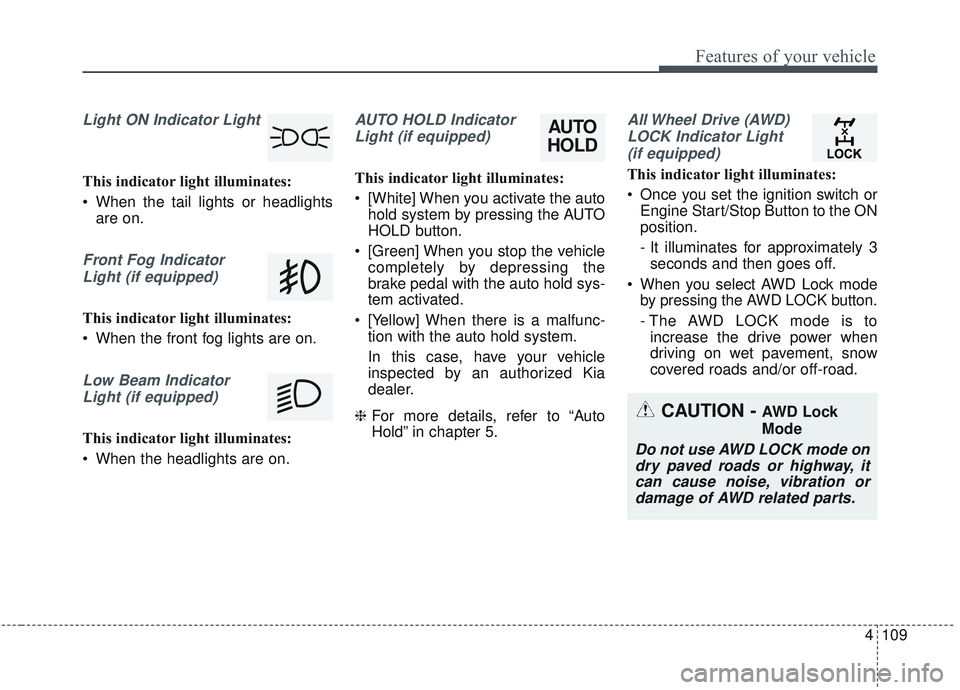
Light ON Indicator Light
This indicator light illuminates:
When the tail lights or headlightsare on.
Front Fog Indicator
Light (if equipped)
This indicator light illuminates:
When the front fog lights are on.
Low Beam IndicatorLight (if equipped)
This indicator light illuminates:
When the headlights are on.
AUTO HOLD IndicatorLight (if equipped)
This indicator light illuminates:
[White] When you activate the auto hold system by pressing the AUTO
HOLD button.
[Green] When you stop the vehicle completely by depressing the
brake pedal with the auto hold sys-
tem activated.
[Yellow] When there is a malfunc- tion with the auto hold system.
In this case, have your vehicle
inspected by an authorized Kia
dealer.
❈ For more details, refer to “Auto
Hold” in chapter 5.
All Wheel Drive (AWD)
LOCK Indicator Light (if equipped)
This indicator light illuminates:
Once you set the ignition switch or Engine Start/Stop Button to the ON
position.
- It illuminates for approximately 3seconds and then goes off.
When you select AWD Lock mode by pressing the AWD LOCK button.
- The AWD LOCK mode is toincrease the drive power when
driving on wet pavement, snow
covered roads and/or off-road.
CAUTION - AWD Lock
Mode
Do not use AWD LOCK mode ondry paved roads or highway, itcan cause noise, vibration ordamage of AWD related parts.
AUTO
HOLD
Page 211 of 573
4123
Features of your vehicle
Battery saver function
The purpose of this feature is toprevent the battery from being dis-
charged if the lights are left in the
ON position. The system automati-
cally shuts off the parking lights 30
seconds after the ignition key is
removed and the driver’s door is
opened and closed.
With this feature, the parking lights will turn off automatically if the driver
parks on the side of the road at night
and opens the driver’s side door.
If necessary, to keep the parking
lights on when the ignition key is
removed, perform the following:
1) Open the driver-side door.
2) Turn the parking lights OFF and ON again using the light switch
on the steering column.
Daytime running light
The Daytime Running Lights (DRL)
can make it easier for others to see the
front of your vehicle during the day.
DRL can be helpful in many different
driving conditions, and it is especially
helpful after dawn and before sunset.
The DRL system will turn the dedi-
cated lamp OFF when :
1.The headlight switch is on
- It includes that the headlight is onin the dark when the headlight
switch is in the auto light position.
2.The engine is off
3.Engaging the Parking Brake
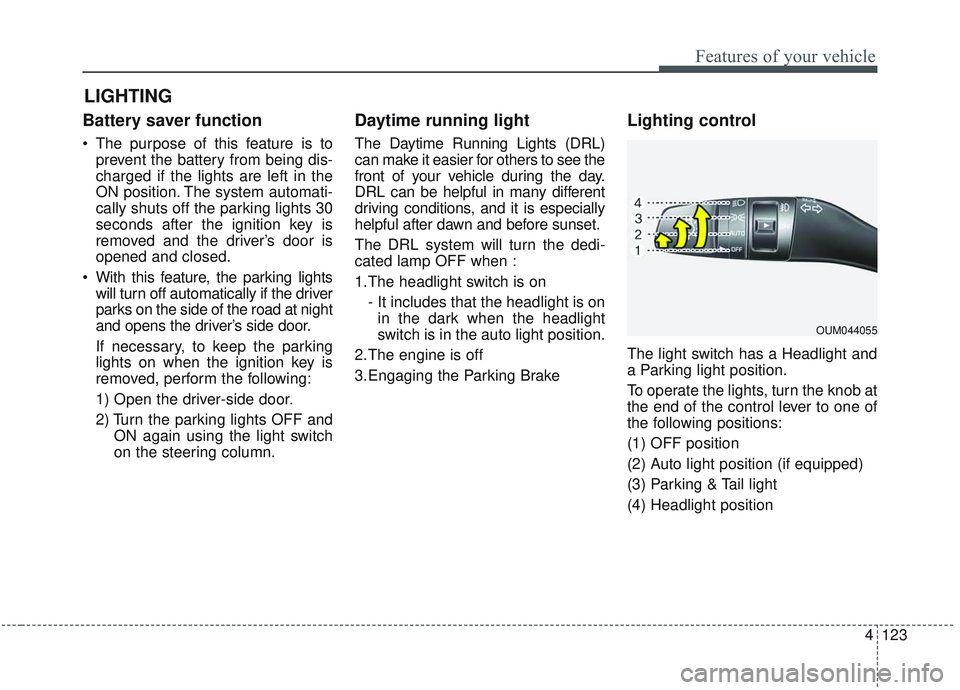
Lighting control
The light switch has a Headlight and
a Parking light position.
To operate the lights, turn the knob at
the end of the control lever to one of
the following positions:
(1) OFF position
(2) Auto light position (if equipped)
(3) Parking & Tail light
(4) Headlight position
LIGHTING
OUM044055
Page 212 of 573

Features of your vehicle
124
4
Parking & Tail light ( )
When the light switch is in the park-
ing light position, the tail, license and
instrument panel lights will turn ON.
Headlight position ( )
When the light switch is in the head-
light position, the head, tail, license
lights will turn ON.
✽ ✽
NOTICE
The ignition switch must be in the ON
position to turn on the headlights.
Auto light position (if equipped)
When the lights are in the “Auto”
position, It will operate when the igni-
tion is in “ON” or the engine is run-
ning. To change to the Auto function,
Select the light switch to “AUTO”,
and the light will turn on or off
depending on the ambient light
detected by the sensor (1). Once the
light switch is positioned to the auto
light position, at first, the wiper will
turn on and then, after 5 seconds the
head lamp will turn on automatically.
If headlights came on due to wind-
shield wipers coming on the head
lamp will turn off 60 seconds after
the wipers are turned off.
OUMA046054OUMA046056OUMA046057
Page 213 of 573
4125
Features of your vehicle
High beam operation
To turn on the high beam headlamp,
push the lever away from you. The
lever will return to its original position.
The high beam indicator will light
when the headlight high beams are
switched on.
To prevent from draining the battery,
do not leave the lights on for a pro-
longed time while the engine is not
running.To flash the headlights, pull the lever
towards you. It will return to the nor-
mal (low beam) position when
released. The headlight switch does
not need to be on to use this flashing
feature.
OUM044059
WARNING - High beams
Do not use high beam when
there are other vehicles. Using
high beam could obstruct the
other driver’s vision.
OUM044058
Page 214 of 573

Features of your vehicle
126
4
High Beam Assist (if equipped)
The High Beam Assist is a system
that automatically adjusts the head-
lamp range (switches between high
beam and low beam) according to
the brightness of other vehicles and
road conditions. Operating condition
1.Place the light switch in the AUTO
position.
2.Turn on the high beam by pushing the lever away from you.
The High Beam Assist ( ) indica-
tor will illuminate.
3.The High Beam Assist will turn on when vehicle speed is above 40
km/h (25 mph).
the High Beam Assist is operat-
ing, the High Beam Assist will
turn off and the high beam will be
on continuously. The High Beam
Assist ( ) indicator will turn off.
when the High Beam Assist is
operating, the High Beam Assist
will turn off.
4.If the light switch is placed to the headlamp position, the High Beam
Assist will turn off and the low
beam will be on continuously. The high beam switches to low beam
in the below conditions.
- When the High Beam Assist is off.
- When the light switch is not in the
AUTO position.
- When the headlamp is detected from the on-coming vehicle.
- When the tail lamp is detected from the front vehicle.
- When the surrounding is bright enough high beams are not need-
ed.
- When streetlights or other lights are detected.
- When vehicle speed is below 24 km/h (15 mph).
- When headlamp / taillamp of bicy- cle/motorcycle is detected
OUMA048554
Page 217 of 573

4129
Features of your vehicle
Front fog light
Fog lights are used to provide
improved visibility when visibility is
poor due to fog, rain or snow, etc. The
fog lights will turn on when the fog light
switch (1) is turned to the on position
after the headlight is turned on.
To turn off the fog lights, turn the fog
light switch (1) to the OFF position.
When in operation, the fog lights
consume large amounts of vehicle
electrical power. Only use the fog
lights when visibility is poor.
Check headlight
This warning message illuminates if
there is a malfunction (burned-out
bulb except LED lamp or circuit mal-
function) with the headlamp. In this
case, have your vehicle inspected by
an authorized Kia dealer.
✽ ✽NOTICE
When replacing the bulb, use the
same wattage bulb.
❈ ❈
For more information, refer to
“BULB WATTAGE” in chapter 8.
Headlight leveling device
(if equipped)
Automatic type
To ensure the proper headlight beam
is used under various conditions, the
headlight beam levels are automati-
cally adjusted depending on the
number of passengers, the weight in
the trunk, and other driving condi-
tions.
✽ ✽ NOTICE
If it does not work properly even
though your car is inclined backward
according to passenger's posture, or
the headlight beam is irradiated to
the high or low position, have the sys-
tem be inspected by an authorized
Kia dealer.
Do not attempt to inspect or replace
the wiring yourself.ODE046458NOUMA048553
Page 224 of 573
Features of your vehicle
136
4
Do not use the interior lights for
extended periods when the engine is
not running.
It may cause battery discharge.Automatic turn off function
(if equipped)
The interior lights automatically turn
off approximately 20 minutes after
the ignition switch is turned off, if the
lights are in the ON position.
If your vehicle is equipped with the
theft alarm system, the interior lights
automatically turn off approximately
5 seconds after the system enters
armed stage.
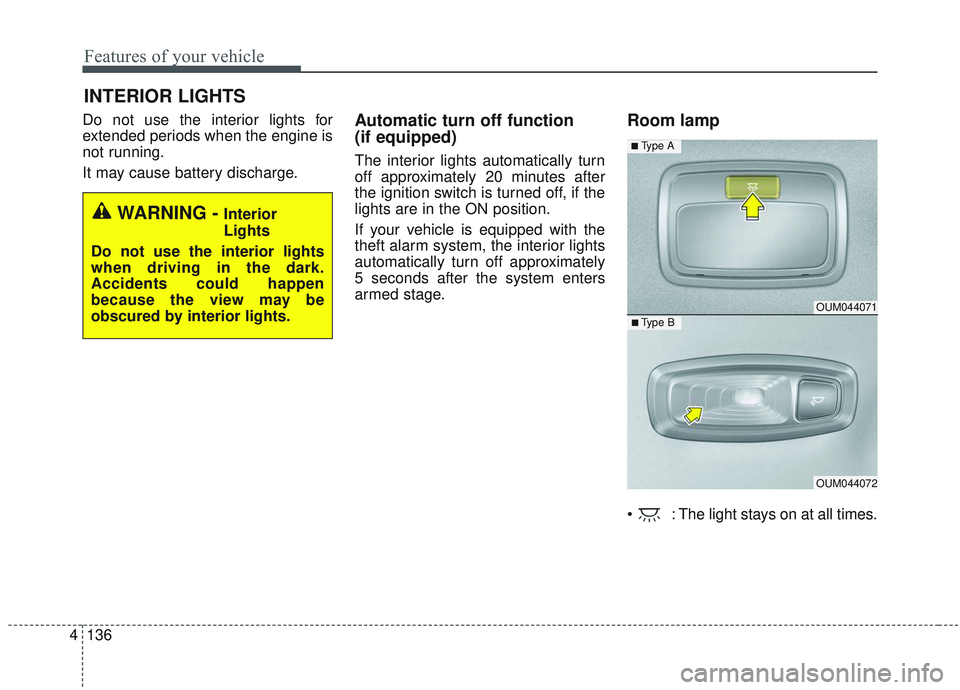
Room lamp
: The light stays on at all times.
INTERIOR LIGHTS
WARNING - Interior
Lights
Do not use the interior lights
when driving in the dark.
Accidents could happen
because the view may be
obscured by interior lights.
OUM044071
OUM044072
■ Type B
■ Type A
Page 227 of 573

4139
Features of your vehicle
WELCOME SYSTEM (IF EQUIPPED)
Headlight (Headlamp) escort
function
The headlights (and/or taillights)
remain on for approximately 5 min-
utes after the ignition key is removed
or turned to the ACC or LOCK posi-
tion. However, if the driver’s door is
opened and closed, the headlights
are turned off after 15 seconds.
The headlights can be turned off by
pressing the lock button on the trans-
mitter or smart key twice or turning
off the light switch from the headlight
or Auto light position.
Interior light
When the interior light switch is in the
DOOR position and all doors (and lift-
gate) are locked and closed, the
room lamp will come on for 30 sec-
onds if any of the below is performed.
Without smart key system- When the door unlock button ispressed on the transmitter.
With the smart key system - When the door unlock button ispressed on the smart key.
- When the button of the outside door handle is pressed.
At this time, if you press the door lock
button, the lamps will turn off imme-
diately.
Pocket lamp (if equipped)
When all doors are locked and
closed, the pocket lamp will come on
for 15 seconds if any of the below is
performed.
With the smart key system - When the door unlock button ispressed on the smart key.
- When the button of the outside door handle is pressed.
At this time, if you press the door lock
button, the lamps will turn off imme-
diately.