2019 KIA SORENTO ECO mode
[x] Cancel search: ECO modePage 245 of 573
4157
Features of your vehicle
Adjusting the driver and passenger
side temperature individually
Press the “SYNC” button again toadjust the driver and passenger
side temperature individually. The
illumination of button turns off.
Operate the driver side tempera- ture control knob to adjust the driv-
er side temperature.
Operate the passenger side tem- perature control knob to adjust the
passenger side temperature.
Temperature conversion
You can switch the temperature
mode from Centigrade to Fahrenheit
as follows:
While pressing the OFF button,
press the AUTO button for 3 seconds
or more.
The display will change from
Centigrade to Fahrenheit, or from
Fahrenheit to Centigrade.
If the battery has been discharged or
disconnected, the temperature mode
display will reset to Fahrenheit.Air intake control
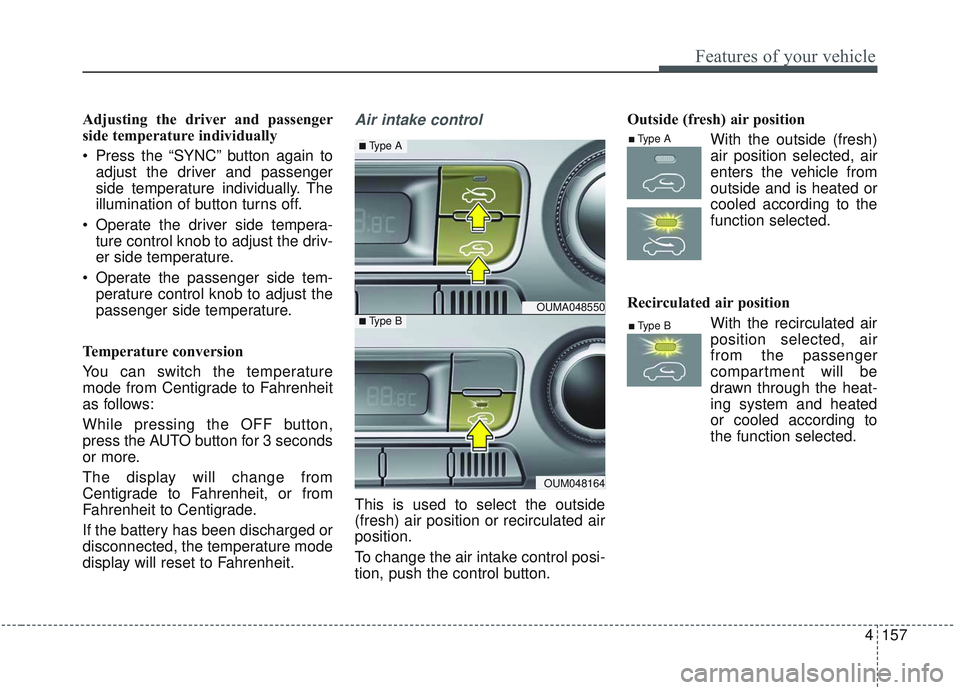
This is used to select the outside
(fresh) air position or recirculated air
position.
To change the air intake control posi-
tion, push the control button. Outside (fresh) air position
With the outside (fresh)air position selected, air
enters the vehicle from
outside and is heated or
cooled according to the
function selected.
Recirculated air position With the recirculated airposition selected, air
from the passenger
compartment will be
drawn through the heat-
ing system and heated
or cooled according to
the function selected.
OUMA048550
OUM048164
■Type A
■Type B■Type B
■Type A
Page 246 of 573
Features of your vehicle
158
4
✽ ✽
NOTICE
Prolonged operation of the heater in
the recirculated air position (with-
out air conditioning selected) may
cause fogging of the windshield and
side windows and the air within the
passenger compartment may
become stale.
In addition, prolonged use of the air
conditioning with the recirculated
air position selected will result in
excessively dry air in the passenger
compartment.
Sunroof inside air recirculation
(if equipped)
If the sunroof opens while the heater
or Air Conditioning system is operat-
ing, the outside (fresh) air will be
selected automatically for ventilating
the car. Then, if you select the recir-
culated air position, the outside
(fresh) air will be selected automati-
cally after 3 minutes.
If you close the sunroof, the intake
mode will be changed to the previous
selected mode.
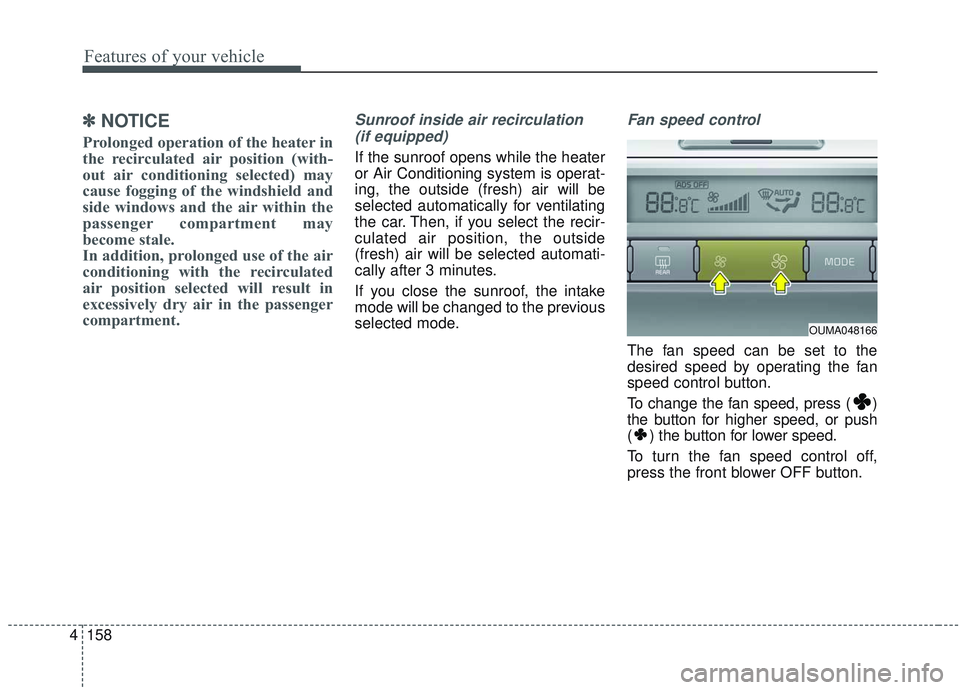
Fan speed control
The fan speed can be set to the
desired speed by operating the fan
speed control button.
To change the fan speed, press ( )
the button for higher speed, or push
( ) the button for lower speed.
To turn the fan speed control off,
press the front blower OFF button.
OUMA048166
Page 247 of 573
4159
Features of your vehicle
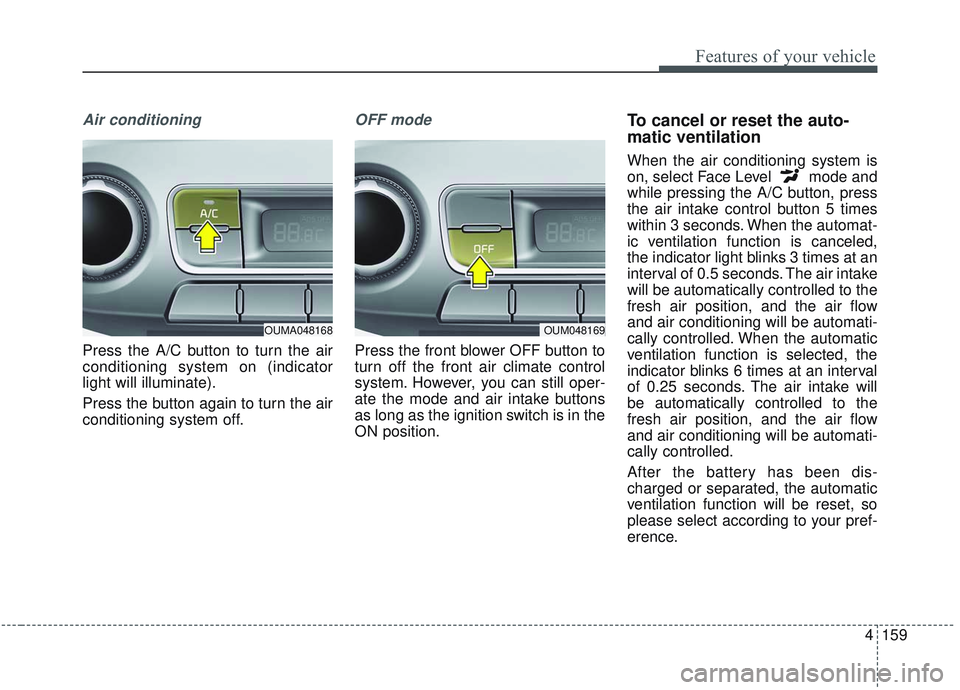
Air conditioning
Press the A/C button to turn the air
conditioning system on (indicator
light will illuminate).
Press the button again to turn the air
conditioning system off.
OFF mode
Press the front blower OFF button to
turn off the front air climate control
system. However, you can still oper-
ate the mode and air intake buttons
as long as the ignition switch is in the
ON position.
To cancel or reset the auto-
matic ventilation
When the air conditioning system is
on, select Face Level mode and
while pressing the A/C button, press
the air intake control button 5 times
within 3 seconds. When the automat-
ic ventilation function is canceled,
the indicator light blinks 3 times at an
interval of 0.5 seconds. The air intake
will be automatically controlled to the
fresh air position, and the air flow
and air conditioning will be automati-
cally controlled. When the automatic
ventilation function is selected, the
indicator blinks 6 times at an interval
of 0.25 seconds. The air intake will
be automatically controlled to the
fresh air position, and the air flow
and air conditioning will be automati-
cally controlled.
After the battery has been dis-
charged or separated, the automatic
ventilation function will be reset, so
please select according to your pref-
erence.
OUM048169OUMA048168
Page 250 of 573

Features of your vehicle
162
4
Air conditioning system operation tips
If the vehicle has been parked in
direct sunlight during hot weather,
open the windows for a short time
to let the hot air inside the vehicle
escape.
To help reduce moisture inside of the windows on rainy or humid
days, decrease the humidity inside
the vehicle by operating the air
conditioning system.
During air conditioning system operation, you may occasionally
notice a slight change in engine
speed as the air conditioning com-
pressor cycles. This is a normal
system operation characteristic.
Use the air conditioning system every month only for a few minutes
to ensure maximum system per-
formance. When using the air conditioning
system, you may notice clear water
dripping (or even puddling) on the
ground under the passenger side
of the vehicle. This is a normal sys-
tem operation characteristic.
Operating the air conditioning sys- tem in the recirculated air position
provides maximum cooling, how-
ever, continual operation in this
mode may cause the air inside the
vehicle to become stale.
During cooling operation, you may occasionally notice a misty air flow
because of rapid cooling and
humid air intake. This is a normal
system operation characteristic.Climate control air filter
(if equipped)
The climate control air filter installed
behind the glove box filters the dust or
other pollutants that come into the
vehicle from the outside through the
heating and air conditioning system. If
dust or other pollutants accumulate in
the filter over a period of time, the air
flow from the air vents may decrease,
resulting in moisture accumulation on
the inside of the windshield even
when the outside (fresh) air position is
selected. If this happens, have the cli-
mate control air filter replaced by an
authorized Kia dealer.
1LDA5047
Outside air
Recirculatedair
Climate control
air filter Blower
Evaporator
coreHeater core
Page 254 of 573
Features of your vehicle
166
4
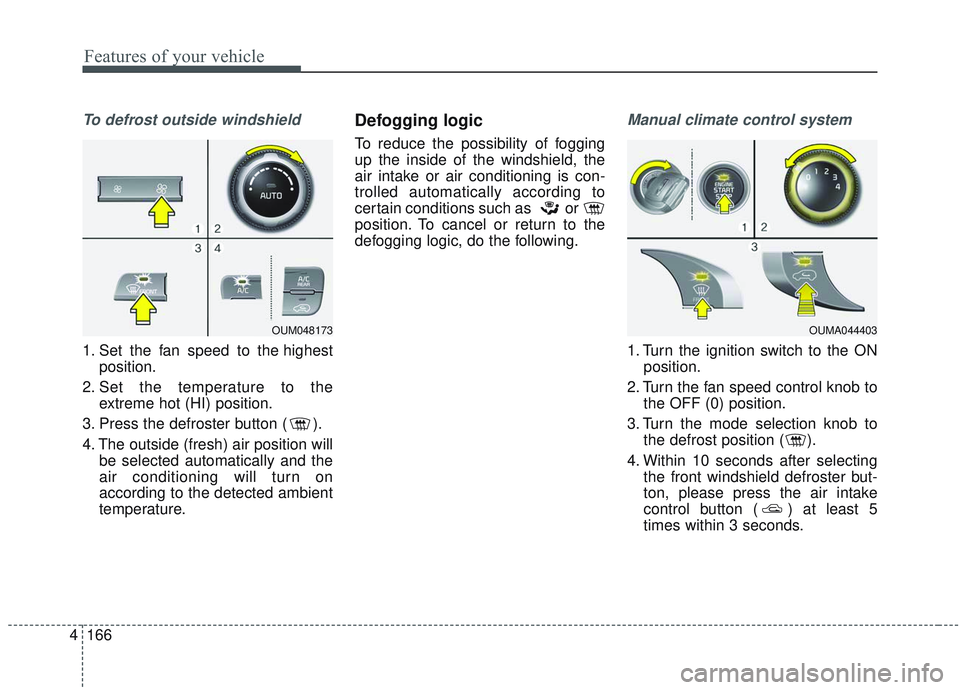
To defrost outside windshield
1. Set the fan speed to the highest
position.
2. Set the temperature to the extreme hot (HI) position.
3. Press the defroster button ( ).
4. The outside (fresh) air position will be selected automatically and the
air conditioning will turn on
according to the detected ambient
temperature.
Defogging logic
To reduce the possibility of fogging
up the inside of the windshield, the
air intake or air conditioning is con-
trolled automatically according to
certain conditions such as or
position. To cancel or return to the
defogging logic, do the following.
Manual climate control system
1. Turn the ignition switch to the ONposition.
2. Turn the fan speed control knob to the OFF (0) position.
3. Turn the mode selection knob to the defrost position ( ).
4. Within 10 seconds after selecting the front windshield defroster but-
ton, please press the air intake
control button ( ) at least 5
times within 3 seconds.
OUM048173OUMA044403
Page 275 of 573
4187
Features of your vehicle
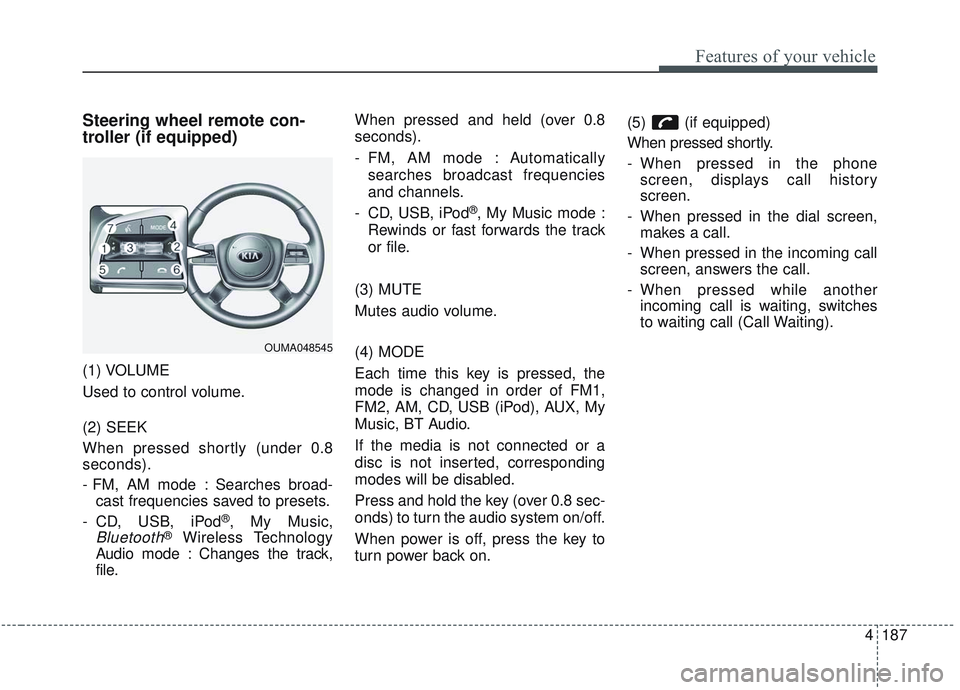
Steering wheel remote con-
troller (if equipped)
(1) VOLUME
Used to control volume.
(2) SEEK
When pressed shortly (under 0.8
seconds).
- FM, AM mode : Searches broad-cast frequencies saved to presets.
- CD, USB, iPod
®, My Music,
Bluetooth®Wireless Technology
Audio mode : Changes the track,
file. When pressed and held (over 0.8
seconds).
- FM, AM mode : Automatically
searches broadcast frequencies
and channels.
- CD, USB, iPod
®, My Music mode :
Rewinds or fast forwards the track
or file.
(3) MUTE
Mutes audio volume.
(4) MODE
Each time this key is pressed, the
mode is changed in order of FM1,
FM2, AM, CD, USB (iPod), AUX, My
Music, BT Audio.
If the media is not connected or a
disc is not inserted, corresponding
modes will be disabled.
Press and hold the key (over 0.8 sec-
onds) to turn the audio system on/off.
When power is off, press the key to
turn power back on. (5) (if equipped)
When pressed shortly.
- When pressed in the phone
screen, displays call history
screen.
- When pressed in the dial screen, makes a call.
- When pressed in the incoming call screen, answers the call.
- When pressed while another incoming call is waiting, switches
to waiting call (Call Waiting).
OUMA048545
Page 276 of 573
Features of your vehicle
188
4
When pressed and held (over 0.8 sec-
onds).
- When pressed in the
Bluetooth®
Wireless Technology Handsfree
wait mode, redials the last call.
- When pressed during a
Bluetooth®
Wireless Technology Handsfree
call, switches call back to mobile
phone (Private).
- When pressed while calling on the mobile phone, switches call back to
Bluetooth®Wireless Technology
Handsfree (Operates only when
Bluetooth®Wireless Technology
Handsfree is connected). (6) (if equipped)
Ends phone call.
(7) (if equipped)
When pressed shortly.
- Starts voice recognition.
- When selected during a voice
prompt, stops the prompt and con-
verts to voice command waiting
state.
When pressed and held (over 0.8 sec-
onds).
- Ends voice recognition.
❈ The Bluetooth®word mark and
logos are registered trademarks
owned by Bluetooth
®SIG, Inc. and
any use of such marks by Kia is
under license. Other trademarks
and trade names are those of their
respective owners. A compatible
Bluetooth
®enabled cell phone is
required to use
Bluetooth®
Wireless Technology.
Refer to a separately supplied A
VN manual for detailed informa-
tion.
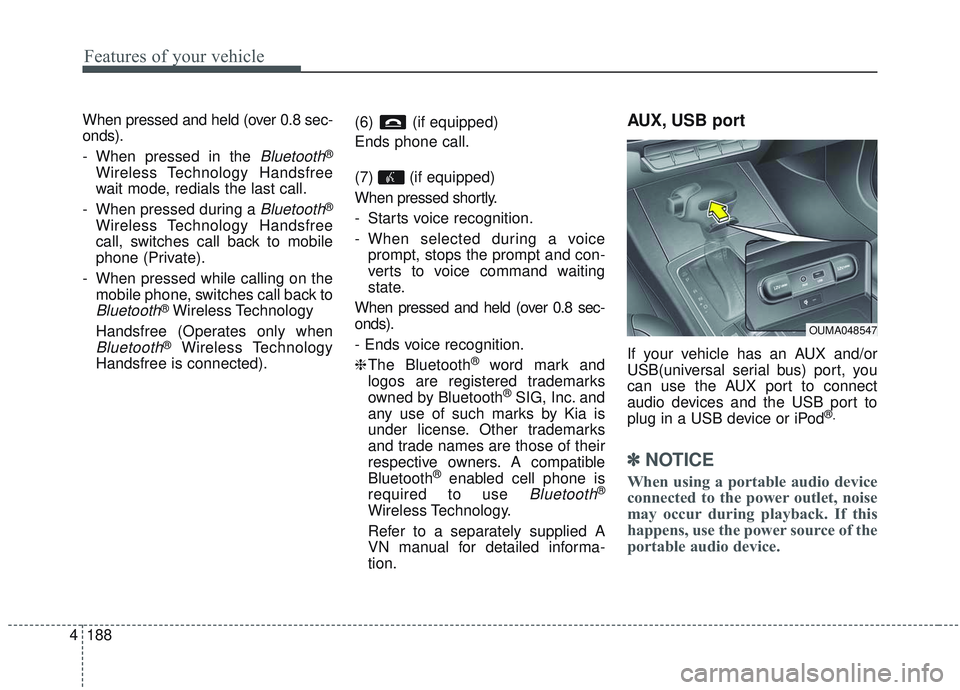
AUX, USB port
If your vehicle has an AUX and/or
USB(universal serial bus) port, you
can use the AUX port to connect
audio devices and the USB port to
plug in a USB device or iPod
®.
✽ ✽ NOTICE
When using a portable audio device
connected to the power outlet, noise
may occur during playback. If this
happens, use the power source of the
portable audio device.
OUMA048547
Page 279 of 573
(Smart cruise control system) . . . . . . . . . . . . . . . . . 5-74
. . . . . . . . . . . . . . . . . . . 5-75
. . . 5-75
smart cruise control system . . . . . . . . . . . . . . . . . . . 5-79
. . . . . . . . . . . . . . . 5-79
. . . . . . . . . . . . . . . . . . . . . . 5-80
Drive mode integrated control system . . . . . . . . . 5-86
Lane Keeping Assist (LKA) system . . . . . . . . . . . 5-91
. . . . . . . . . . . . . . . . . . . . . . . . 5-93
. . . . . . . . . . . . . . . . . . . . . . 5-98
. . . . . . . . . . . . . . . . . . . 5-99
Blind-spot Collision Warning (BCW). . . . . . . . . 5-101
. . . . . . . . . . . 5-102
. . . 5-104
Driver Attention Warning (DAW). . . . . . . . . . . . 5-110
. . . . . . . . . . . . . . . . . . 5-110
. . . . . . . . . . . . . . . . . . . . . . . . . 5-112
. . . . . . . . . . . . . . . . . . . . . . . . . . . . . 5-113
. . . . . . . . . . . . . . . . . . . . . . . . . . 5-113
Economical operation . . . . . . . . . . . . . . . . . . . . . 5-115 Special driving conditions . . . . . . . . . . . . . . . . . . 5-117
. . . . . . . . . . . . . . . . . 5-117
. . . . . . . . . . . . . . . . 5-117
. . . . . . . . . . . . . . . . . . . . . . . . . . 5-119
. . . . . . . . . . . . . . . . . . . . . . . . . . . 5-119
. . . . . . . . . . . . . . . . . . . . . . . . . . . . . 5-120
. . . . . . . . . . . . . . . . . . . . . . . . . . . 5-120
. . . . . . . . . . . . . . . . . . . . . . 5-121
. . . . . . . . . . . . . . . . . . . . . . . . . . . . . 5-121
. . . . . . . . . . . . . . . . . . . . . . . . . . . . 5-121
Winter driving . . . . . . . . . . . . . . . . . . . . . . . . . . . 5-123
. . . . . . . . . . . . . . . . . . . . . . 5-123
. . . . . . . . . 5-124
. . . . . . . . . . . . . . . . . . . . . 5-124
. . . . . . 5-124
. . . . . . . . . . . . . . . . . . . 5-124
anti-freeze in system . . . . . . . . . . . . . . . . . . . . . . . . 5-124
. . . . . . . . . . . . 5-125
. . . 5-125
. . . . . . . . . . . . . . . . . . 5-125
Trailer towing . . . . . . . . . . . . . . . . . . . . . . . . . . . . 5-126
. . . . . . . . . . . . . . . . . . . . . . . . . . . . . . . . . . . . \
5-127
. . . . . . . . . . . . . . . . . . . . . . . . . . . . . . . 5-127
5