Page 356 of 573

579
Driving your vehicle
To adjust the sensitivity of
smart cruise control system
The sensitivity of vehicle speed
when following the front vehicle to
maintain the set distance can be
adjusted. Go to the User Settings
Mode (Driver Assistance) and select
SCC Reaction (Smart Cruise
Control). You may select one of the
three stages you prefer.
Slow:Vehicle speed following the front
vehicle to maintain the set distance
is slower than normal speed.
Normal: Vehicle speed following the front
vehicle to maintain the set distance
is normal
Fast: Vehicle speed following the front
vehicle to maintain the set distance
is faster than normal speed.
✽ ✽ NOTICE
The system remembers the last
selected mode.
To convert to cruise control
mode:
The driver may choose to only use
the cruise control mode (speed con-
trol function) by doing as follows: 1.Turn the smart cruise control sys-
tem on (the cruise indicator light
will be on but the system will not be
activated).
2.Push the distance to distance switch for more than 2 seconds.
3.Choose between "Smart cruise control (SCC) mode" and "Cruise
control (CC) mode".
When using the cruise control mode,
you must manually assess the dis-
tance to other vehicles as the system
will not automatically brake to slow
down for other vehicles.
When the system is canceled using
the CRUISE button or the CRUISE
button is used after the engine is
turned on, the Smart Cruise Control
mode will turn on.
OUM058301L
OUM058357L
Page 367 of 573
Driving your vehicle
90
5
When ECO mode is activated:
The acceleration response may be
slightly reduced if the accelerator
pedal is depressed moderately.
The air conditioner performance may be limited.
The shift pattern of the automatic transmission may change.
The engine noise may get louder.
The above situations are normal
conditions when ECO mode is acti-
vated to improve fuel efficiency. Limitation of ECO mode operation:
If the following conditions occur while
ECO mode is operating, the system
operation is limited even though
there is no change in the ECO indi-
cator.
When the coolant temperature is
low:
The system will be limited until
engine performance becomes nor-
mal.
When driving up a hill: The system will be limited to gain
power when driving uphill because
engine torque is restricted.
When driving the vehicle with the automatic transmission gear shift
lever in manual mode.
The system will be limited accord-
ing to the shift location.
Page 368 of 573
591
Driving your vehicle
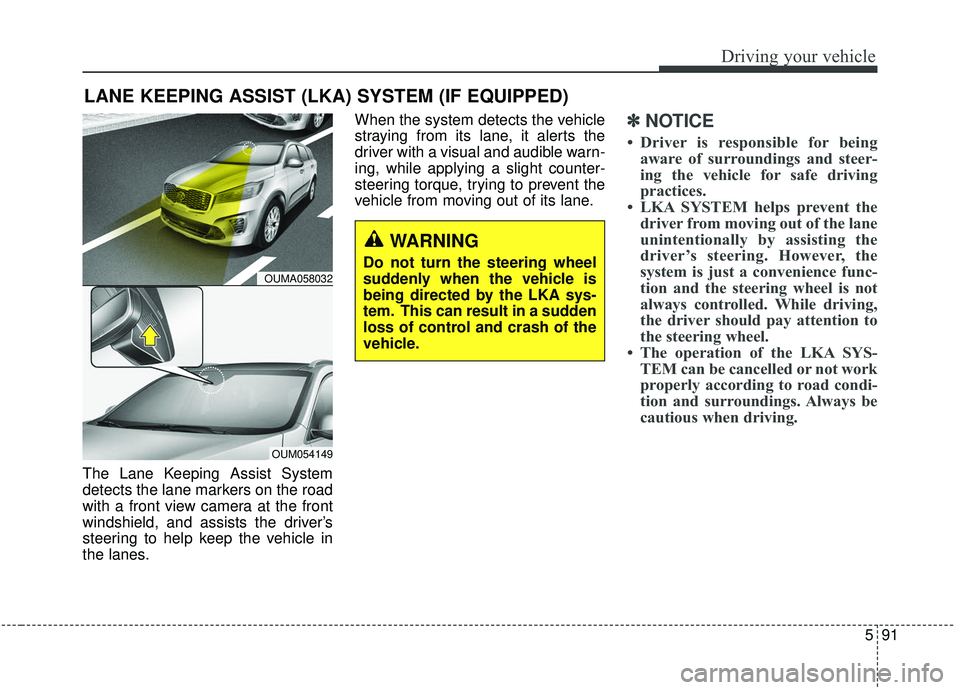
The Lane Keeping Assist System
detects the lane markers on the road
with a front view camera at the front
windshield, and assists the driver’s
steering to help keep the vehicle in
the lanes.When the system detects the vehicle
straying from its lane, it alerts the
driver with a visual and audible warn-
ing, while applying a slight counter-
steering torque, trying to prevent the
vehicle from moving out of its lane.
✽ ✽
NOTICE
• Driver is responsible for being
aware of surroundings and steer-
ing the vehicle for safe driving
practices.
• LKA SYSTEM helps prevent the driver from moving out of the lane
unintentionally by assisting the
driver’s steering. However, the
system is just a convenience func-
tion and the steering wheel is not
always controlled. While driving,
the driver should pay attention to
the steering wheel.
• The operation of the LKA SYS- TEM can be cancelled or not work
properly according to road condi-
tion and surroundings. Always be
cautious when driving.
LANE KEEPING ASSIST (LKA) SYSTEM (IF EQUIPPED)
WARNING
Do not turn the steering wheel
suddenly when the vehicle is
being directed by the LKA sys-
tem. This can result in a sudden
loss of control and crash of the
vehicle.OUMA058032
OUM054149
Page 369 of 573
Driving your vehicle
92
5
Do not disassemble a front view
camera temporarily for tinted win-
dow or attaching any types of coat-
ings and accessories. If you disas-
semble the camera and assemble
it again, take your vehicle to an
authorized Kia dealer and have the
system checked to need a calibra-
tion.
When you replace the windshield glass, front view camera or related
parts of the steering, take your
vehicle to an authorized Kia dealer
and have the system checked to
need a calibration.
The system detects lane markers and controls the steering wheel by
a front view camera, therefore, if
the lane markers are hard to
detect, the system may not work
properly. Always be cautious when
using the system. When the lane markers are hard to
detect, please refer to “Driver’s
Attention”.
Do not remove or damage the related parts of LKA SYSTEM.
Do not place objects on the crash pad that reflects light such as mir-
rors, white paper, etc. it may cause
malfunction of LKA SYSTEM if the
sunlight is reflected.
You may not hear warning sound of LKA SYSTEM because of the
excessive audio sound.
If you continue to drive with your hands off the steering wheel, the
LKA SYSTEM will stop controlling
the steering wheel after the hands
off alarm. After then, if you drive
with your hands on the steering
wheel, the control will be activated
again.✽ ✽
NOTICE
• If the vehicle speed is high, steer-
ing torque for assistance will not
be enough to keep your vehicle
within the lane. If so, the vehicle
may move out of its lane. Obey
speed limit when using LKA SYS-
TEM.
• If you attach objects to the steer- ing wheel, the system may not
assist steering.
• If you attach objects to the steer- ing wheel, hands off alarm may
not work properly.
Page 373 of 573
Driving your vehicle
96
5
✽ ✽
NOTICE
• The warning message may appear
late according to road conditions.
Therefore, always have your
hands on the steering wheel while
driving.
• If you hold the steering wheel lightly, the system would generate
hands off warning because LKAS
can treat the situation as you do
not grab the wheel.
If the driver still does not have their
hands on the steering wheel after
several seconds, the system will not
control the steering wheel and warn
the driver only when the driver cross-
es the lane markers.
However, if the driver has their hands
on the steering wheel again, the sys-
tem will start controlling the steering
wheel. The driver is responsible for accu-
rate steering.
Even though the steering is assist- ed by the system, the driver may
control the steering wheel.
Turn off the system and drive the vehicle in below situations.
- In bad weather
- In bad road condition
- When the steering wheel needsto be controlled by the driver fre-
quently.
The steering wheel may feel heav- ier when the steering wheel is
assisted by the system than when
it is not.
✽ ✽
NOTICE
• Even though the steering is assist-
ed by the system, the driver may
control the steering.
• The steering wheel may feel heav- ier when the steering wheel is
assisted by the system than when it
is not.
The system will be cancelled when:
You change lanes with the turn sig-
nal.
- Using the turn signal to change lanes.
- If you change lanes without the turn signal on, the steering wheel
might be controlled.
LKA SYSTEM can transit to steer- ing assist mode when the car is
near to middle of the lane after sys-
tem on or the lane was changed.
LKA SYSTEM can not assist steer-
ing if the vehicle follows lane mark-
er too close continuously before
transition to steering assist mode.
The control of ESC (Electronic Stability Control) or VSM (Vehicle
Stability Management) is activated.
The steering will not be assisted when your drive fast on a sharp
curve.
The steering will not be assisted when vehicle speed is below 64
km/h (40 mph) and over 180 km/h
(110 mph).
Page 375 of 573
Driving your vehicle
98
5
� �
When external condition is inter-
vened
- The brightness of outside changes suddenly when enter-
ing/existing a tunnel or passing
under a bridge.
- The headlamps are not on at night or in a tunnel, or light level
is low.
- There is a boundary structure in the roadway.
- The light of street, sun, oncom- ing vehicle and so on reflects
from the water on the road.
- When light shines brightly in the reverse direction you drive.
- The distance from the vehicle ahead is very short or the vehi-
cle ahead drives hiding the lane
line.
- You drive on a steep grade or a sharp curve.
- The vehicle vibrates heavily.
- The temperature near inside mir- ror is very high due to direct sun
light and etc. � �
When front visibility is poor
- The lens or windshield is cov- ered by strange materials.
- The sensor cannot detect the lane because of fog, heavy rain
or snow.
- The windshield is fogged by humid air in the vehicle.
- Putting something on the crash pad and etc.LKA SYSTEM malfunction
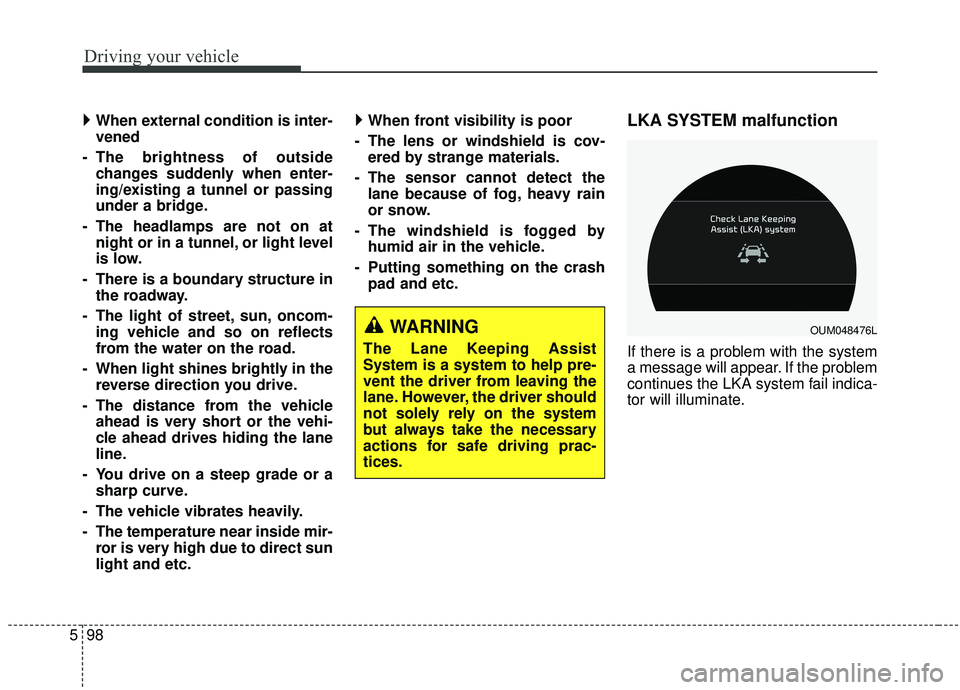
If there is a problem with the system
a message will appear. If the problem
continues the LKA system fail indica-
tor will illuminate.
WARNING
The Lane Keeping Assist
System is a system to help pre-
vent the driver from leaving the
lane. However, the driver should
not solely rely on the system
but always take the necessary
actions for safe driving prac-
tices.
OUM048476L
Page 379 of 573
Driving your vehicle
102
5
BCW (Blind-Spot Collision
Warning)
Operating conditions
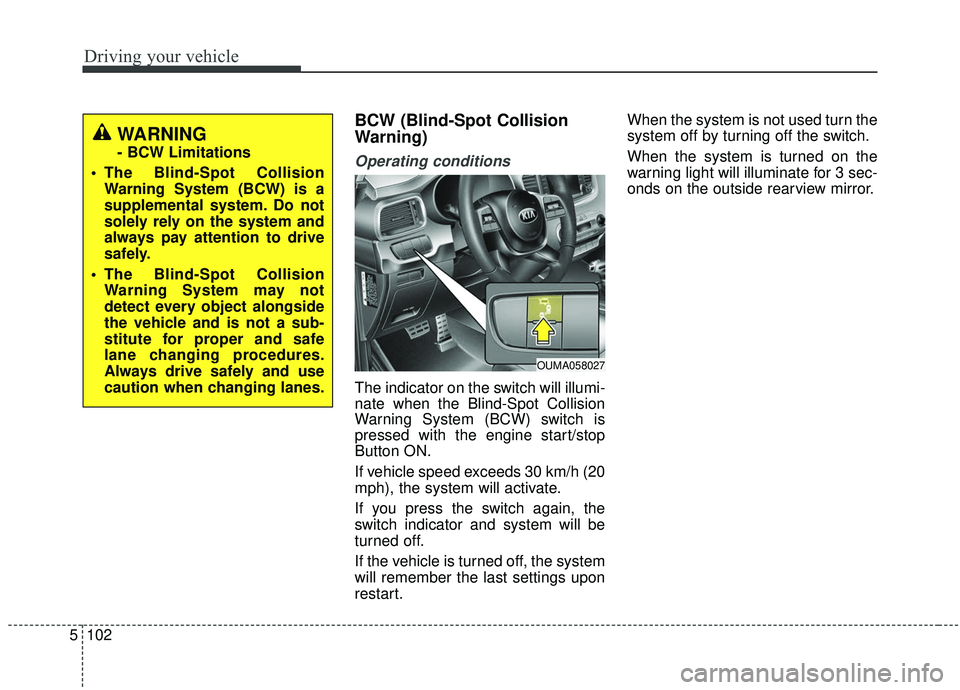
The indicator on the switch will illumi-
nate when the Blind-Spot Collision
Warning System (BCW) switch is
pressed with the engine start/stop
Button ON.
If vehicle speed exceeds 30 km/h (20
mph), the system will activate.
If you press the switch again, the
switch indicator and system will be
turned off.
If the vehicle is turned off, the system
will remember the last settings upon
restart. When the system is not used turn the
system off by turning off the switch.
When the system is turned on the
warning light will illuminate for 3 sec-
onds on the outside rearview mirror.
OUMA058027
WARNING
- BCW Limitations
The Blind-Spot Collision Warning System (BCW) is a
supplemental system. Do not
solely rely on the system and
always pay attention to drive
safely.
The Blind-Spot Collision Warning System may not
detect every object alongside
the vehicle and is not a sub-
stitute for proper and safe
lane changing procedures.
Always drive safely and use
caution when changing lanes.
Page 380 of 573
5103
Driving your vehicle
Warning type
The system will activate when:
1. The system is on.
2. Vehicle speed is above 30 km/h(20 mph).
3. Other vehicles are detected in the rear side.
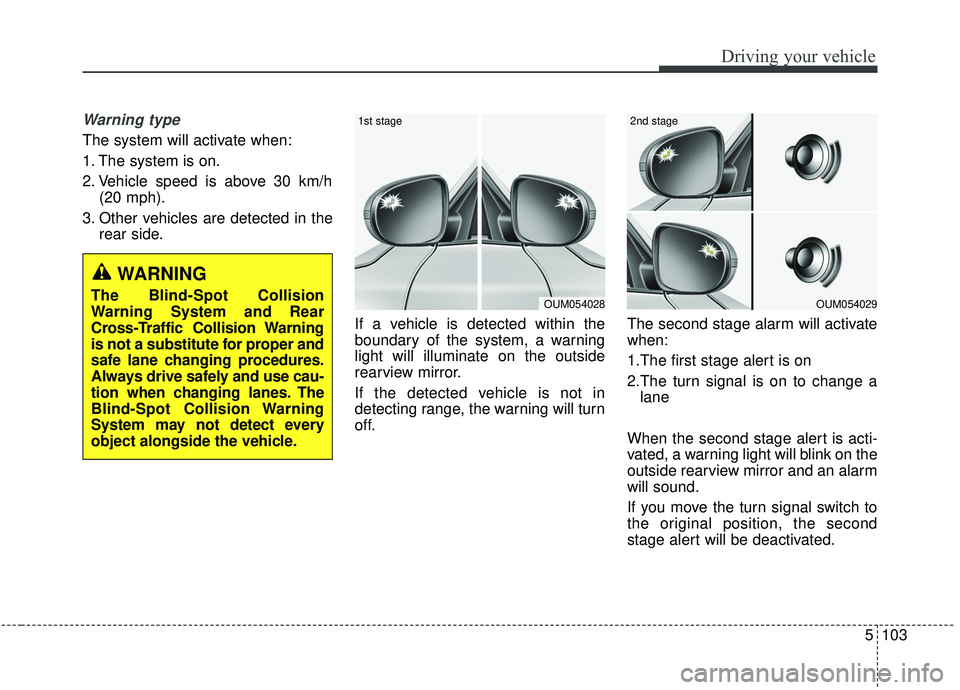
If a vehicle is detected within the
boundary of the system, a warning
light will illuminate on the outside
rearview mirror.
If the detected vehicle is not in
detecting range, the warning will turn
off. The second stage alarm will activate
when:
1.The first stage alert is on
2.The turn signal is on to change a
lane
When the second stage alert is acti-
vated, a warning light will blink on the
outside rearview mirror and an alarm
will sound.
If you move the turn signal switch to
the original position, the second
stage alert will be deactivated.
OUM054029
2nd stage
OUM054028
1st stage
WARNING
The Blind-Spot Collision
Warning System and Rear
Cross-Traffic Collision Warning
is not a substitute for proper and
safe lane changing procedures.
Always drive safely and use cau-
tion when changing lanes. The
Blind-Spot Collision Warning
System may not detect every
object alongside the vehicle.
