Page 205 of 593

4101
Features of your vehicle
From the point at which the remain-
ing distance to drive amounts to
1,500 km (900 mi.) or the remaining
period amounts to 3 days, Service
Required message automatically
displays and remained on LCD
screen for a number of seconds
every time the engine start/stop but-
ton is ON.
With Service Required in place,
Service Required Alarm message
pops up when an aggregated
amount of miles/time driven reaches
a certain point.
With Service Required mode, press
OK button for more than 1 second.
The values will return to initial setting
values.❈
See User Settings
Mode in this chapter for further
information about Service Required
Setting.
❈ Service Required Setting
Battery Cable Disconnection, Fuse
Switch OFF, or Service Required
Setting values (an amount of
miles/time driven) can be randomly
changed. In such cases, re-enter
Service Required Setting values.Master Warning Mode
This warning light informs the driv- er of the following situations
- Forward Collision-Avoidance (if equipped) blockage
- Forward Collision-Avoidance (if equipped) malfunction
- Blind-Spot Collision Warning (if equipped) malfunction
- Blind-Spot Collision Warning (if equipped) blockage
- LED headlamp (if equipped) mal- function
- High Beam Assist (if equipped) malfunction
- Low engine oil
- Smart Cruise Control with Stop &Go (if equipped) blockage
- Smart Cruise Control with Stop & Go (if equipped) malfunction
Page 259 of 593
4155
Features of your vehicle
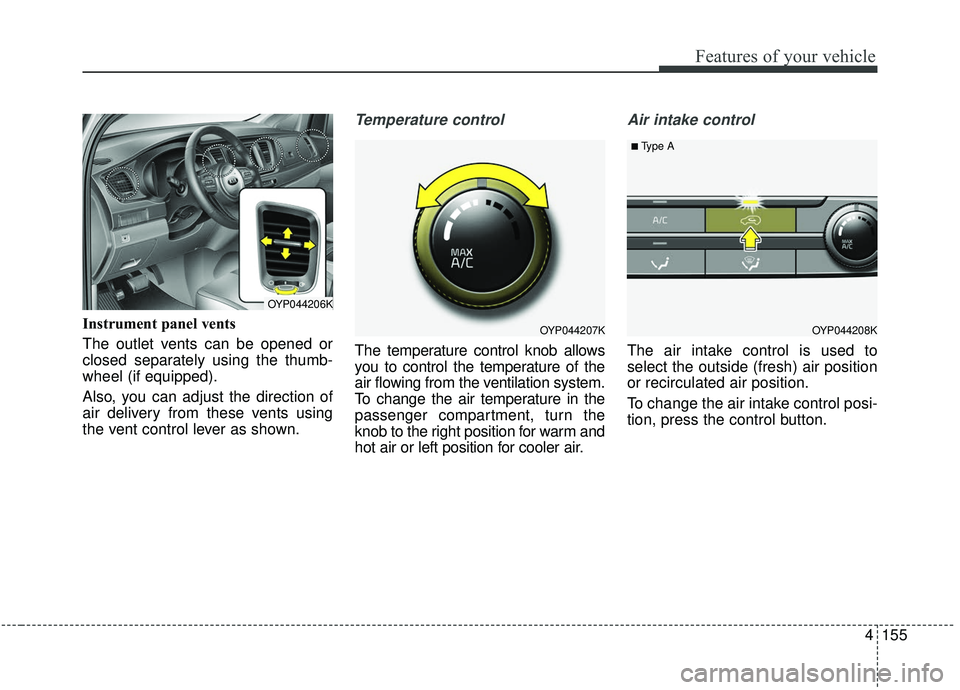
Instrument panel vents
The outlet vents can be opened or
closed separately using the thumb-
wheel (if equipped).
Also, you can adjust the direction of
air delivery from these vents using
the vent control lever as shown.
Temperature control
The temperature control knob allows
you to control the temperature of the
air flowing from the ventilation system.
To change the air temperature in the
passenger compartment, turn the
knob to the right position for warm and
hot air or left position for cooler air.
Air intake control
The air intake control is used to
select the outside (fresh) air position
or recirculated air position.
To change the air intake control posi-
tion, press the control button.
OYP044207K
OYP044206K
OYP044208K
■Type A
Page 261 of 593
4157
Features of your vehicle
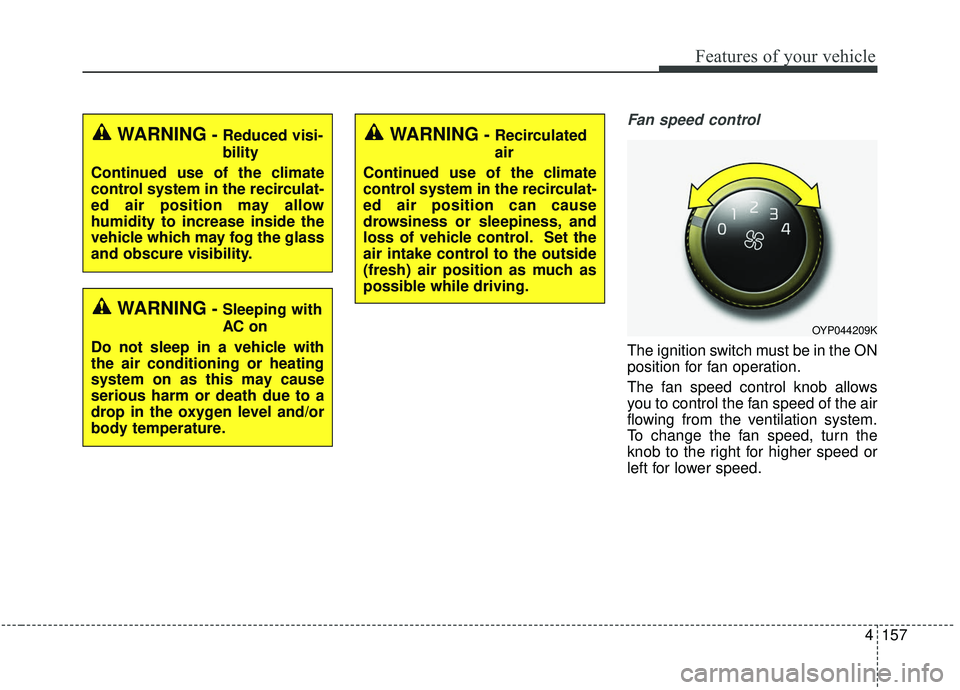
Fan speed control
The ignition switch must be in the ON
position for fan operation.
The fan speed control knob allows
you to control the fan speed of the air
flowing from the ventilation system.
To change the fan speed, turn the
knob to the right for higher speed or
left for lower speed.
WARNING- Reduced visi-
bility
Continued use of the climate
control system in the recirculat-
ed air position may allow
humidity to increase inside the
vehicle which may fog the glass
and obscure visibility.
WARNING- Sleeping with
AC on
Do not sleep in a vehicle with
the air conditioning or heating
system on as this may cause
serious harm or death due to a
drop in the oxygen level and/or
body temperature.
WARNING- Recirculated
air
Continued use of the climate
control system in the recirculat-
ed air position can cause
drowsiness or sleepiness, and
loss of vehicle control. Set the
air intake control to the outside
(fresh) air position as much as
possible while driving.
OYP044209K
Page 265 of 593
4161
Features of your vehicle
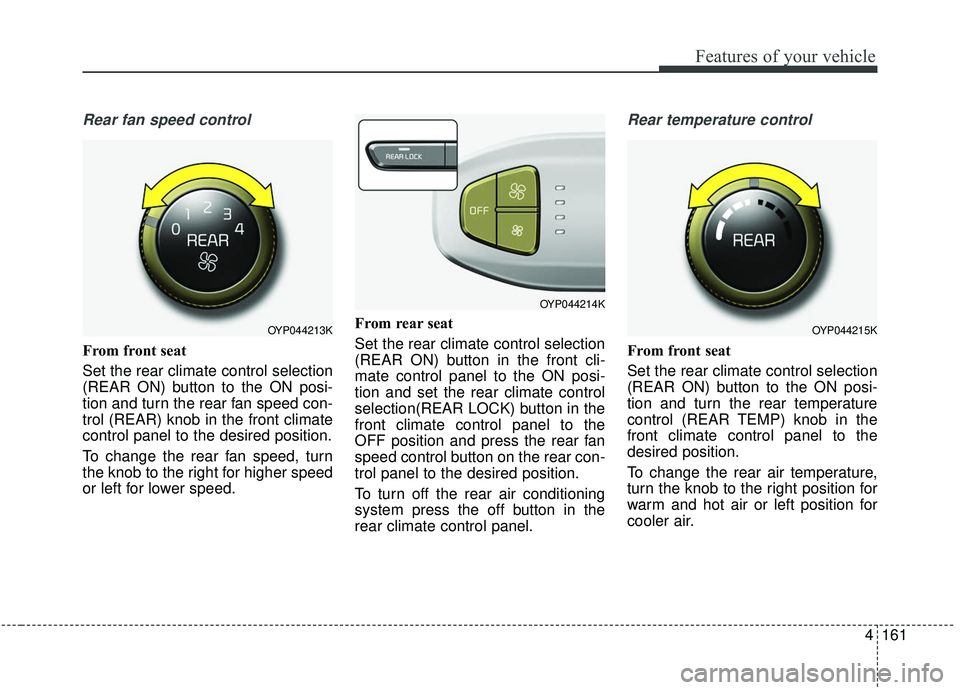
Rear fan speed control
From front seat
Set the rear climate control selection
(REAR ON) button to the ON posi-
tion and turn the rear fan speed con-
trol (REAR) knob in the front climate
control panel to the desired position.
To change the rear fan speed, turn
the knob to the right for higher speed
or left for lower speed.From rear seat
Set the rear climate control selection
(REAR ON) button in the front cli-
mate control panel to the ON posi-
tion and set the rear climate control
selection(REAR LOCK) button in the
front climate control panel to the
OFF position and press the rear fan
speed control button on the rear con-
trol panel to the desired position.
To turn off the rear air conditioning
system press the off button in the
rear climate control panel.
Rear temperature control
From front seat
Set the rear climate control selection
(REAR ON) button to the ON posi-
tion and turn the rear temperature
control (REAR TEMP) knob in the
front climate control panel to the
desired position.
To change the rear air temperature,
turn the knob to the right position for
warm and hot air or left position for
cooler air.
OYP044213K
OYP044214K
OYP044215K
Page 266 of 593
Features of your vehicle
162
4
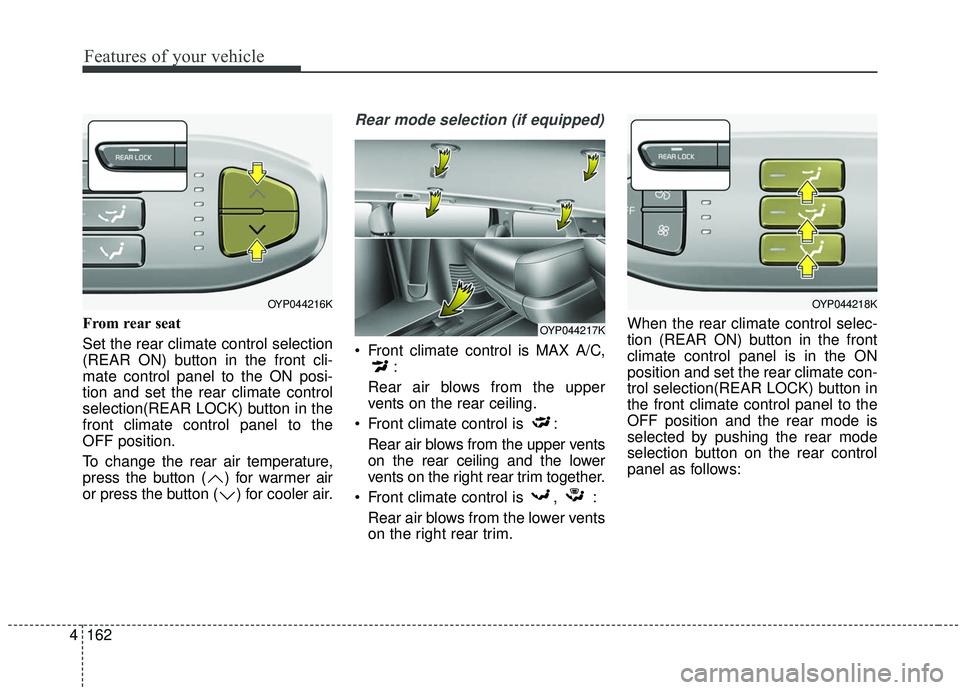
From rear seat
Set the rear climate control selection
(REAR ON) button in the front cli-
mate control panel to the ON posi-
tion and set the rear climate control
selection(REAR LOCK) button in the
front climate control panel to the
OFF position.
To change the rear air temperature,
press the button ( ) for warmer air
or press the button ( ) for cooler air.
Rear mode selection (if equipped)
Front climate control is MAX A/C,
:
Rear air blows from the upper
vents on the rear ceiling.
Front climate control is : Rear air blows from the upper vents
on the rear ceiling and the lower
vents on the right rear trim together.
Front climate control is , : Rear air blows from the lower vents
on the right rear trim. When the rear climate control selec-
tion (REAR ON) button in the front
climate control panel is in the ON
position and set the rear climate con-
trol selection(REAR LOCK) button in
the front climate control panel to the
OFF position and the rear mode is
selected by pushing the rear mode
selection button on the rear control
panel as follows:
OYP044216K
OYP044217K
OYP044218K
Page 280 of 593
Features of your vehicle
176
4
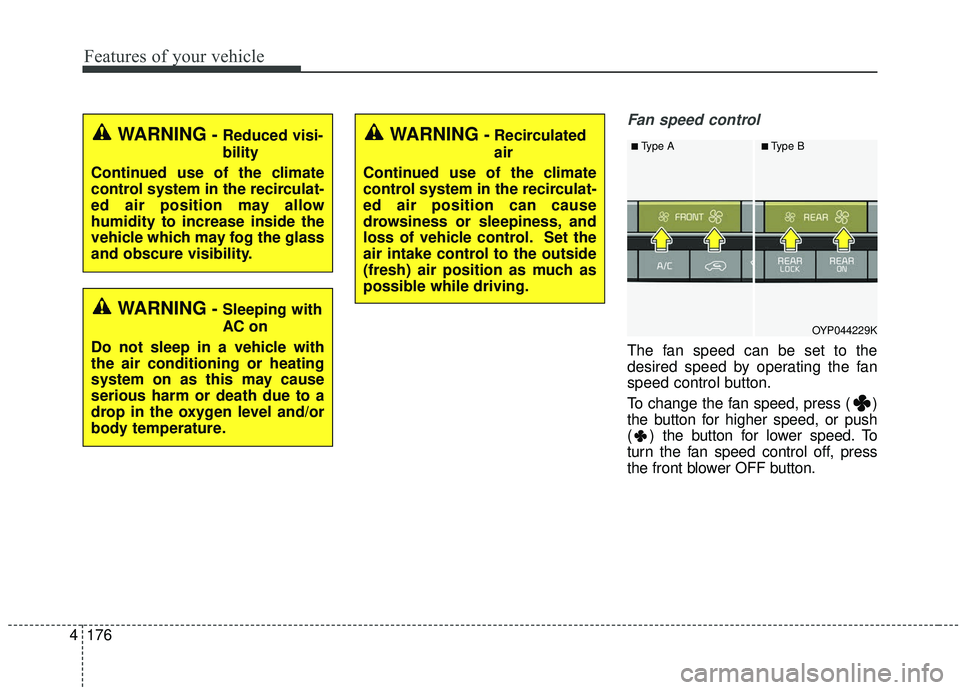
Fan speed control
The fan speed can be set to the
desired speed by operating the fan
speed control button.
To change the fan speed, press ( )
the button for higher speed, or push
( ) the button for lower speed. To
turn the fan speed control off, press
the front blower OFF button.
OYP044229K
■Type A■Type BWARNING-Recirculated
air
Continued use of the climate
control system in the recirculat-
ed air position can cause
drowsiness or sleepiness, and
loss of vehicle control. Set the
air intake control to the outside
(fresh) air position as much as
possible while driving.WARNING- Reduced visi-
bility
Continued use of the climate
control system in the recirculat-
ed air position may allow
humidity to increase inside the
vehicle which may fog the glass
and obscure visibility.
WARNING- Sleeping with
AC on
Do not sleep in a vehicle with
the air conditioning or heating
system on as this may cause
serious harm or death due to a
drop in the oxygen level and/or
body temperature.
Page 284 of 593
Features of your vehicle
180
4
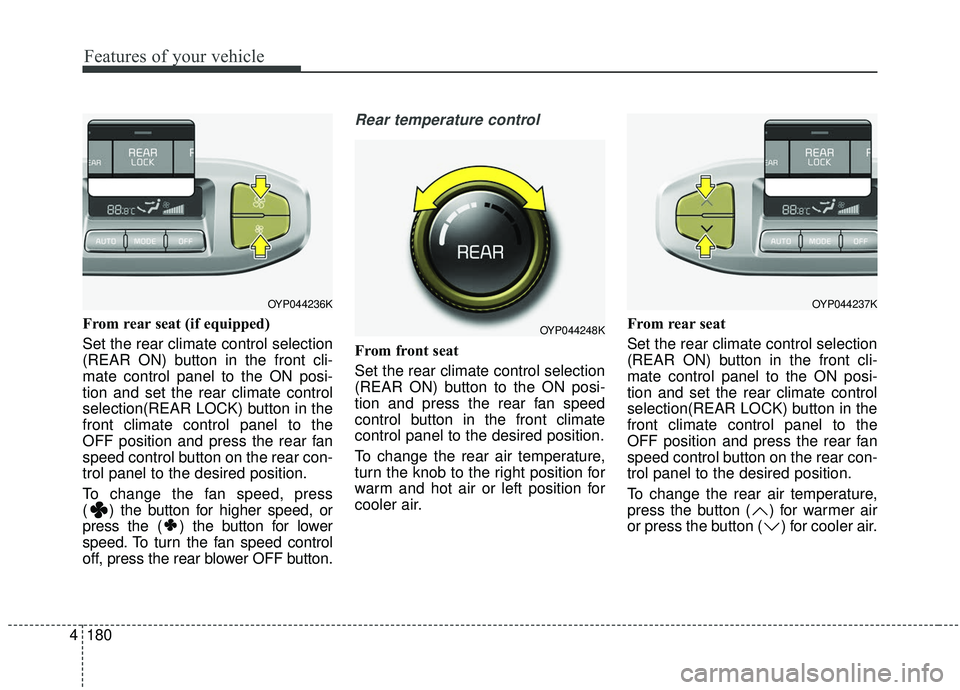
From rear seat (if equipped)
Set the rear climate control selection
(REAR ON) button in the front cli-
mate control panel to the ON posi-
tion and set the rear climate control
selection(REAR LOCK) button in the
front climate control panel to the
OFF position and press the rear fan
speed control button on the rear con-
trol panel to the desired position.
To change the fan speed, press
( ) the button for higher speed, or
press the ( ) the button for lower
speed. To turn the fan speed control
off, press the rear blower OFF button.
Rear temperature control
From front seat
Set the rear climate control selection
(REAR ON) button to the ON posi-
tion and press the rear fan speed
control button in the front climate
control panel to the desired position.
To change the rear air temperature,
turn the knob to the right position for
warm and hot air or left position for
cooler air. From rear seat
Set the rear climate control selection
(REAR ON) button in the front cli-
mate control panel to the ON posi-
tion and set the rear climate control
selection(REAR LOCK) button in the
front climate control panel to the
OFF position and press the rear fan
speed control button on the rear con-
trol panel to the desired position.
To change the rear air temperature,
press the button ( ) for warmer air
or press the button ( ) for cooler air.
OYP044236K
OYP044248K
OYP044237K
Page 290 of 593
Features of your vehicle
186
4
For maximum defrosting, set the
temperature control to the extreme
right/hot position and the fan speed
control to the highest speed.
If warm air to the floor is desired while defrosting or defogging, set
the mode to the floor-defrost posi-
tion.
Before driving, clear all snow and ice from the windshield, rear win-
dow, outside rear view mirrors, and
all side windows.
Clear all snow and ice from the hood and air inlet in the cowl grill to
improve heater and defroster effi-
ciency and to reduce the probabili-
ty of fogging up the inside of the
windshield.Manual climate control system
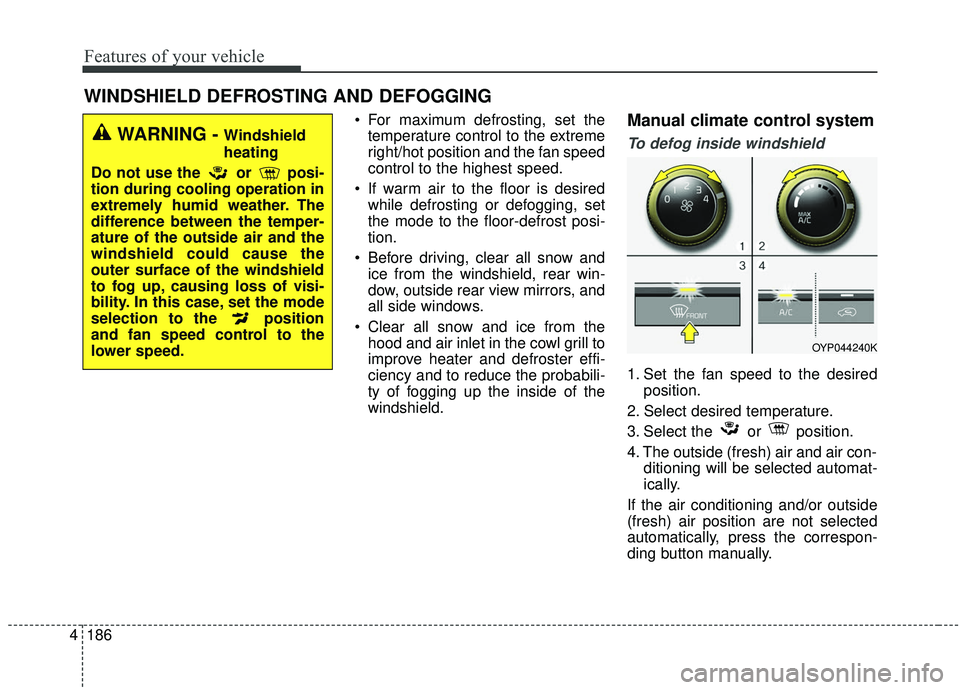
To defog inside windshield
1. Set the fan speed to the desired position.
2. Select desired temperature.
3. Select the or position.
4. The outside (fresh) air and air con- ditioning will be selected automat-
ically.
If the air conditioning and/or outside
(fresh) air position are not selected
automatically, press the correspon-
ding button manually.
WINDSHIELD DEFROSTING AND DEFOGGING
WARNING - Windshield
heating
Do not use the or posi-
tion during cooling operation in
extremely humid weather. The
difference between the temper-
ature of the outside air and the
windshield could cause the
outer surface of the windshield
to fog up, causing loss of visi-
bility. In this case, set the mode
selection to the position
and fan speed control to the
lower speed.
OYP044240K