Page 122 of 503

Features of your vehicle
44
4
Make sure to refuel your vehicle
according to the “Fuel requirements”
suggested in chapter 1.
If the fuel filler cap requires replace-
ment, use only a genuine Kia cap or
the equivalent specified for your vehi-
cle. An incorrect fuel filler cap can
result in a serious malfunction of the
fuel system or emission control sys-
tem.
CAUTION- Exterior paint
Do not spill fuel on the exterior
surfaces of the vehicle. Anytype of fuel spilled on paintedsurfaces may damage the paint.
WARNING - Refueling&
Vehicle fires
When refueling, always shut the
engine off. Sparks produced by
electrical components related
to the engine can ignite fuel
vapors causing a fire. Once
refueling is complete, check to
make sure the filler cap and
filler door are securely closed,
before starting the engine.
WARNING - Smoking
DO NOT use matches or a lighter
and DO NOT SMOKE or leave a
lit cigarette in your vehicle while
at a gas station especially during
refueling. Automotive fuel is
highly flammable and can, when
ignited, result in fire.
SC CAN (ENG) 4.QXP 7/18/2018 5:47 PM Page 44
Page 123 of 503
445
Features of your vehicle
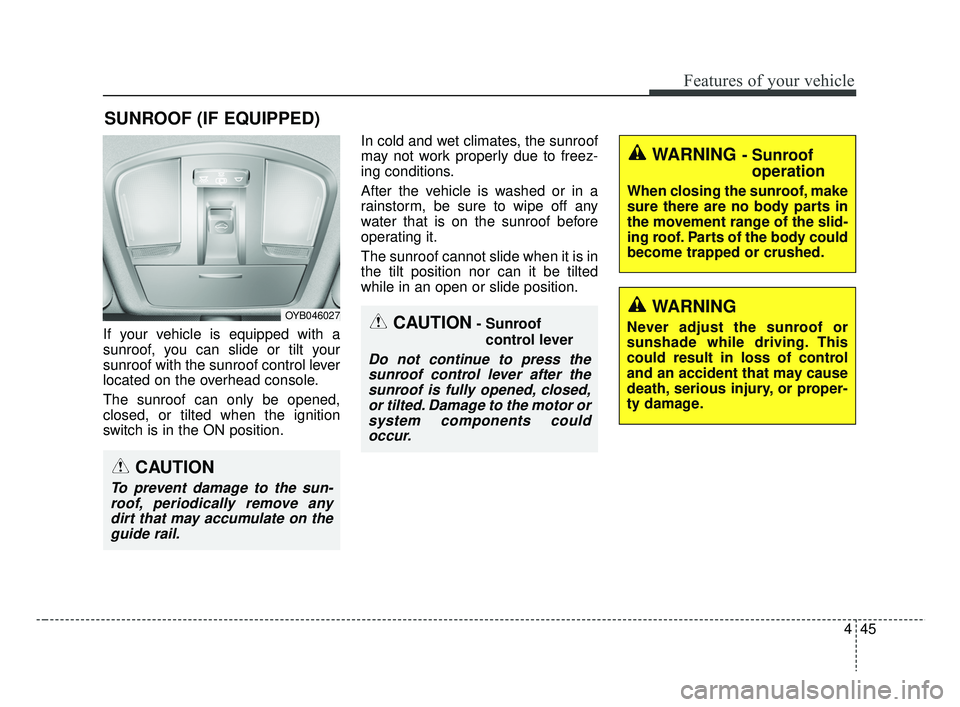
If your vehicle is equipped with a
sunroof, you can slide or tilt your
sunroof with the sunroof control lever
located on the overhead console.
The sunroof can only be opened,
closed, or tilted when the ignition
switch is in the ON position.In cold and wet climates, the sunroof
may not work properly due to freez-
ing conditions.
After the vehicle is washed or in a
rainstorm, be sure to wipe off any
water that is on the sunroof before
operating it.
The sunroof cannot slide when it is in
the tilt position nor can it be tilted
while in an open or slide position.
SUNROOF (IF EQUIPPED)
CAUTION- Sunroof
control lever
Do not continue to press thesunroof control lever after thesunroof is fully opened, closed,or tilted. Damage to the motor orsystem components couldoccur.
OYB046027
WARNING - Sunroof operation
When closing the sunroof, make
sure there are no body parts in
the movement range of the slid-
ing roof. Parts of the body could
become trapped or crushed.
CAUTION
To prevent damage to the sun-
roof, periodically remove anydirt that may accumulate on theguide rail.
WARNING
Never adjust the sunroof or
sunshade while driving. This
could result in loss of control
and an accident that may cause
death, serious injury, or proper-
ty damage.
SC CAN (ENG) 4.QXP 7/18/2018 5:47 PM Page 45
Page 127 of 503
449
Features of your vehicle
Sunshade
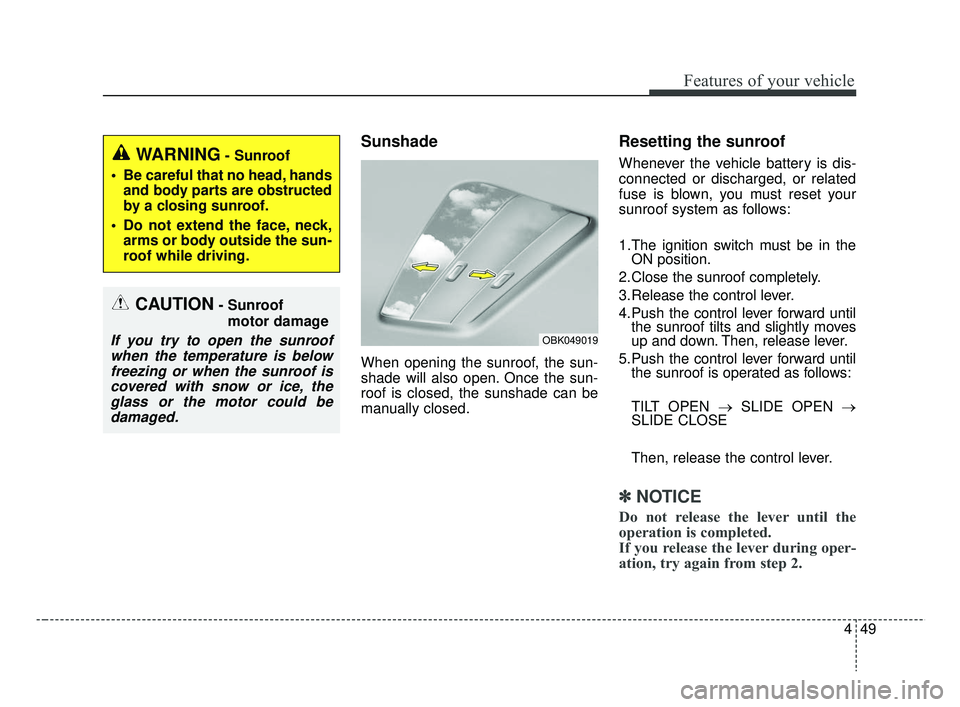
When opening the sunroof, the sun-
shade will also open. Once the sun-
roof is closed, the sunshade can be
manually closed.
Resetting the sunroof
Whenever the vehicle battery is dis-
connected or discharged, or related
fuse is blown, you must reset your
sunroof system as follows:
1.The ignition switch must be in theON position.
2.Close the sunroof completely.
3.Release the control lever.
4.Push the control lever forward until the sunroof tilts and slightly moves
up and down. Then, release lever.
5.Push the control lever forward until the sunroof is operated as follows:
TILT OPEN → SLIDE OPEN →
SLIDE CLOSE
Then, release the control lever.
✽ ✽ NOTICE
Do not release the lever until the
operation is completed.
If you release the lever during oper-
ation, try again from step 2.
CAUTION- Sunroof
motor damage
If you try to open the sunroofwhen the temperature is belowfreezing or when the sunroof iscovered with snow or ice, theglass or the motor could bedamaged.
WARNING- Sunroof
Be careful that no head, hands and body parts are obstructed
by a closing sunroof.
Do not extend the face, neck, arms or body outside the sun-
roof while driving.
OBK049019
SC CAN (ENG) 4.QXP 7/18/2018 5:47 PM Page 49
Page 129 of 503

451
Features of your vehicle
Electric power steering (EPS)
Power steering uses the motor to
assist you in steering the vehicle. If
the engine is off or if the power steer-
ing system becomes inoperative, the
vehicle may still be steered, but it will
require increased steering effort.
The electric power steering is con-
trolled by the power steering control
unit which senses the steering wheel
torque and vehicle speed to com-
mand the motor.
The steering wheel becomes heavier
as the vehicle’s speed increases and
becomes lighter as the vehicle’s
speed decreases for better control of
the steering wheel.
Should you notice any change in the
effort required to steer during normal
vehicle operation, have the power
steering checked by an authorized
Kia dealer.
✽ ✽NOTICE
The following symptoms may occur
during normal vehicle operation:
• The steering effort is increased
immediately after turning the igni-
tion switch on. This happens as the
system performs the EPS system
diagnostics. When the diagnostics
are completed, the steering wheel
will return to its normal condition
• A click noise may be heard from the EPS relay after the ignition
switch is turned to the ON or
LOCK position.
• Motor noise may be heard when the vehicle is at a stop or at a low
driving speed.
• The steering effort increases if the steering wheel is rotated continu-
ously when the vehicle is not in
motion. However, after a few min-
utes, it will return to its normal
condition.
• When you operate the steering wheel in low temperature, noise
may occur. If the temperature
rises, the noise will likely disap-
pear. This is a normal condition. (Continued)(Continued)
• When the charging system warn-
ing light comes on or the battery
voltage is low (when the alternator
or battery does not operate nor-
mally), the steering wheel may get
heavy and become difficult to con-
trol operate abnormally.
If the Electric Power Steering System
does not operate normally, the warn-
ing light will illuminate on the instru-
ment cluster. The steering wheel may
require increased steering effort.
Take your vehicle to an authorized
Kia dealer and have the vehicle
checked as soon as possible.
STEERING WHEEL
SC CAN (ENG) 4.QXP 7/18/2018 5:47 PM Page 51
Page 131 of 503
453
Features of your vehicle
Heated steering wheel
(if equipped)
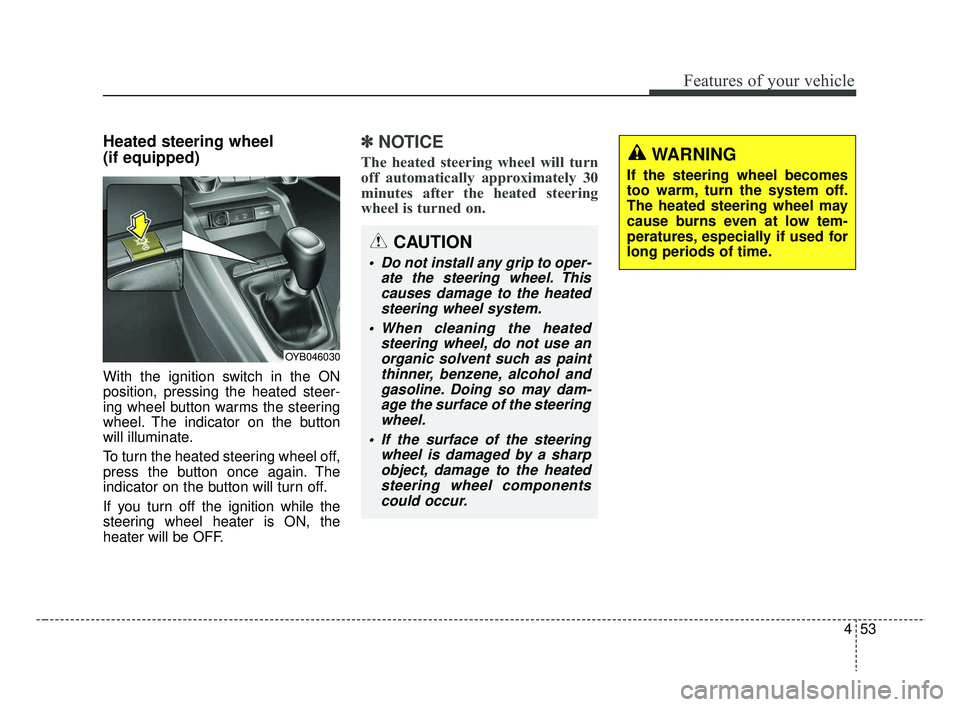
With the ignition switch in the ON
position, pressing the heated steer-
ing wheel button warms the steering
wheel. The indicator on the button
will illuminate.
To turn the heated steering wheel off,
press the button once again. The
indicator on the button will turn off.
If you turn off the ignition while the
steering wheel heater is ON, the
heater will be OFF.
✽ ✽NOTICE
The heated steering wheel will turn
off automatically approximately 30
minutes after the heated steering
wheel is turned on.
CAUTION
Do not install any grip to oper-
ate the steering wheel. Thiscauses damage to the heatedsteering wheel system.
When cleaning the heated steering wheel, do not use anorganic solvent such as paintthinner, benzene, alcohol andgasoline. Doing so may dam-age the surface of the steeringwheel.
If the surface of the steering wheel is damaged by a sharpobject, damage to the heatedsteering wheel componentscould occur.
OYB046030
WARNING
If the steering wheel becomes
too warm, turn the system off.
The heated steering wheel may
cause burns even at low tem-
peratures, especially if used for
long periods of time.
SC CAN (ENG) 4.QXP 7/18/2018 5:47 PM Page 53
Page 141 of 503
463
Features of your vehicle
For example: Indicates that shifting up to the3rd gear is desired (currently
the shift lever is in the 2nd or 1st
gear).
: Indicates that shifting down to the 3rd gear is desired (current-
ly the shift lever is in the 4th, 5th,
or 6th gear).
When the system is not working prop-
erly, the indicator is not displayed.
SC CAN (ENG) 4.QXP 7/18/2018 5:48 PM Page 63
Page 149 of 503
471
Features of your vehicle
Edit settings after shifting to P/Edit set-
tings after engaging parking brake
This warning message appears if
you try to adjust the User Settings
while driving.
- Automatic Transmission
For your safety, change the User
Settings after parking the vehicle,
applying the parking brake and mov-
ing the shift lever to P (Park).
- Manual Transmission
For your safety, change the User
Settings after engaging the parking
brake and moving the shift lever to N
(Neutral).Driver Assistance (if equipped)
Forward Collision-Avoidance
Assist (FCA) (if equipped) :To
activate or deactivate the Forward
Collision-Avoidance Assist (FCA)
system.
❈ For more details, refer to “Forward
Collision-avoidance Assist (FCA)”
in chapter 6.
Forward Collision Warning
(FCW) (if equipped) : Choose the
sensitivity of the Forward Collision
Warning (FCW).
❈ For more details, refer to “Forward
Collision-avoidance Assist (FCA)”
in chapter 6. Door
Automatically Lock
- Enable on Speed : All doors will be
automatically locked when the
vehicle speed exceeds 9.3mph
(15km/h).
- Enable on Shift : All doors will be automatically locked if the
Automatic Transmission shift lever
is shifted from the P (Park) position
to the R (Reverse), N (Neutral), or
D (Drive) position.
SC CAN (ENG) 4.QXP 7/18/2018 5:49 PM Page 71
Page 150 of 503

Features of your vehicle
72
4
Automatically Unlock
- Disable : The auto door unlock
operation will be canceled.
- Vehicle Off/On, Key out : All doors will be automatically unlocked
when the ignition key is removed
from the ignition switch or the
Engine Start/Stop button is set to
the OFF position.
- On Shift to P : All doors will be automatically unlocked if the
Automatic Transmission shift lever
is shifted to the P (Park) position. Two Press Unlock (if equipped)
- Off : The two press unlock function
will be deactivated. Therefore, all
doors will unlock if the unlock but-
ton on the driver's door is pressed.
- On : The driver's door will unlock if the unlock button on the driver's
door is pressed. When the same
button is pressed again within 4
seconds, all doors will unlock.
Horn Feedback (if equipped) :If
this item is checked, the door lock
sound function will be activated
when locking doors.
Smart Trunk (if equipped) :To
activate or deactivate the Smart
Trunk system.
❈ For more details, refer to “Smart
Trunk” in this chapter. Lights
One Touch Turn Signal
- Off : The one touch turn signal
function will be deactivated.
- 3, 5, 7 Flashes : The lane change signals will blink 3, 5, or 7 times
when the turn signal lever is moved
slightly.
❈ For more details, refer to “Light” in
this chapter
Head Lamp Delay
- If this item is checked, the head lamp delay function will be activat-
ed.
SC CAN (ENG) 4.QXP 7/18/2018 5:49 PM Page 72