Page 96 of 503
Features of your vehicle
18
4
Disarmed stage
The system will be disarmed when:
Transmitter
- The door unlock button is pressed.
- The engine is started. (within 3
seconds)
- The ignition switch is in the "ON" position for 30 seconds or more.
Smart key
- The door unlock button is pressed.
- The button of the front outside dooris pressed while carrying the smart
key.
- The engine is started. (within 3 seconds)
After the doors are unlocked, the haz-
ard warning lights will blink twice to
indicate that the system is disarmed.
After pressing the unlock button, if any
door (or trunk/tailgate) is not opened
within 30 seconds, the system will be
rearmed.
✽ ✽ NOTICE
• Avoid trying to start the engine
while the alarm is activated. The
vehicle starting motor is disabled
during the theft-alarm stage.
If the system is not disarmed with
the transmitter, insert the key into
the ignition switch, turn the igni-
tion switch to the ON position and
wait for 30 seconds. Then the sys-
tem will be disarmed.
• If you lose your keys, consult your authorized Kia dealer.
SC CAN (ENG) 4.QXP 7/18/2018 5:45 PM Page 18
Page 97 of 503
419
Features of your vehicle
DOOR LOCKS
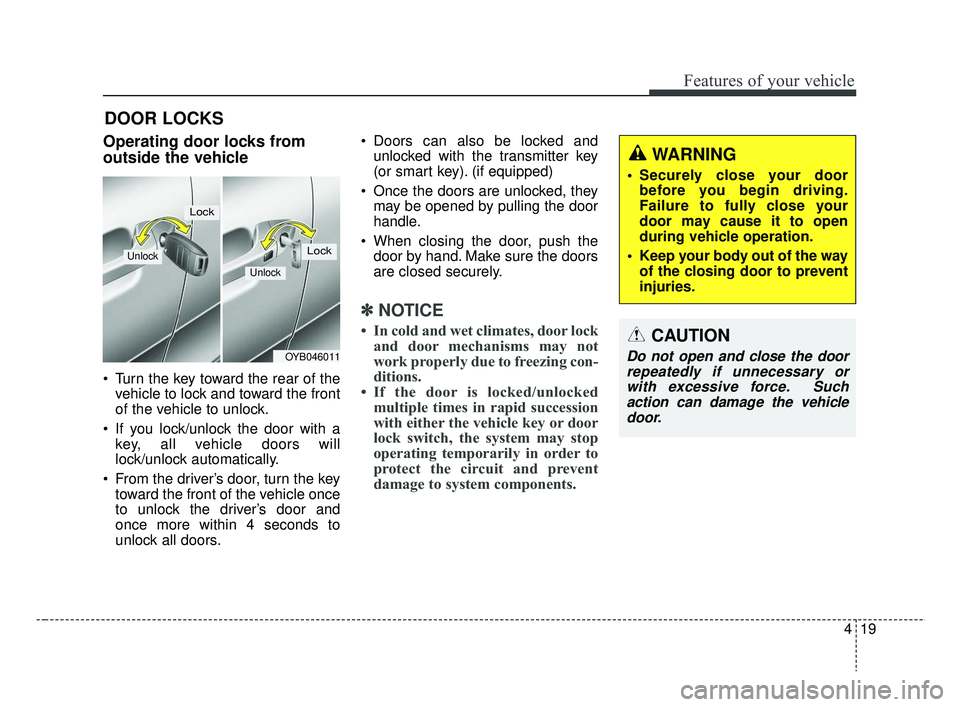
Operating door locks from
outside the vehicle
Turn the key toward the rear of thevehicle to lock and toward the front
of the vehicle to unlock.
If you lock/unlock the door with a key, all vehicle doors will
lock/unlock automatically.
From the driver’s door, turn the key toward the front of the vehicle once
to unlock the driver’s door and
once more within 4 seconds to
unlock all doors. Doors can also be locked and
unlocked with the transmitter key
(or smart key). (if equipped)
Once the doors are unlocked, they may be opened by pulling the door
handle.
When closing the door, push the door by hand. Make sure the doors
are closed securely.
✽ ✽ NOTICE
• In cold and wet climates, door lock
and door mechanisms may not
work properly due to freezing con-
ditions.
• If the door is locked/unlocked multiple times in rapid succession
with either the vehicle key or door
lock switch, the system may stop
operating temporarily in order to
protect the circuit and prevent
damage to system components.
OYB046011
Unlock
Lock
Unlock
Lock
WARNING
Securely close your door
before you begin driving.
Failure to fully close your
door may cause it to open
during vehicle operation.
Keep your body out of the way of the closing door to prevent
injuries.
CAUTION
Do not open and close the doorrepeatedly if unnecessary orwith excessive force. Suchaction can damage the vehicledoor.
SC CAN (ENG) 4.QXP 7/18/2018 5:45 PM Page 19
Page 100 of 503
Features of your vehicle
22
4
Impact sensing door unlock
system (if equipped)
All doors will automatically unlock
when an impact causes the air bags
to deploy.
Auto door lock/unlock feature
(if equipped)
All doors will automatically lock
when the transmission shift lever is
shifted out of P (Park).
All doors will automatically unlock when the transmission shift lever is
shifted into P (Park).
Speed sensing door lock sys-
tem (if equipped)
All doors will be automatically locked
after the vehicle speed exceeds 9
mph. And all doors will be automati-
cally unlocked when you turn the
engine off or when you remove the
ignition key.
An authorized Kia dealer can acti-
vate or deactivate some auto door
lock/unlock features as follows;
Auto door unlock by using the dri-ver's door lock button
Auto door lock/unlock by shifting the transmission shift lever out of P
(Park) or into P (Park)
Auto door unlock when the ignition key is removed from the ignition
switch (for smart key, when the
ENGINE START/STOP button is
turned to the OFF position)
If you want to activate or deactivate
some door lock/unlock feature, con-
sult an authorized Kia dealer.
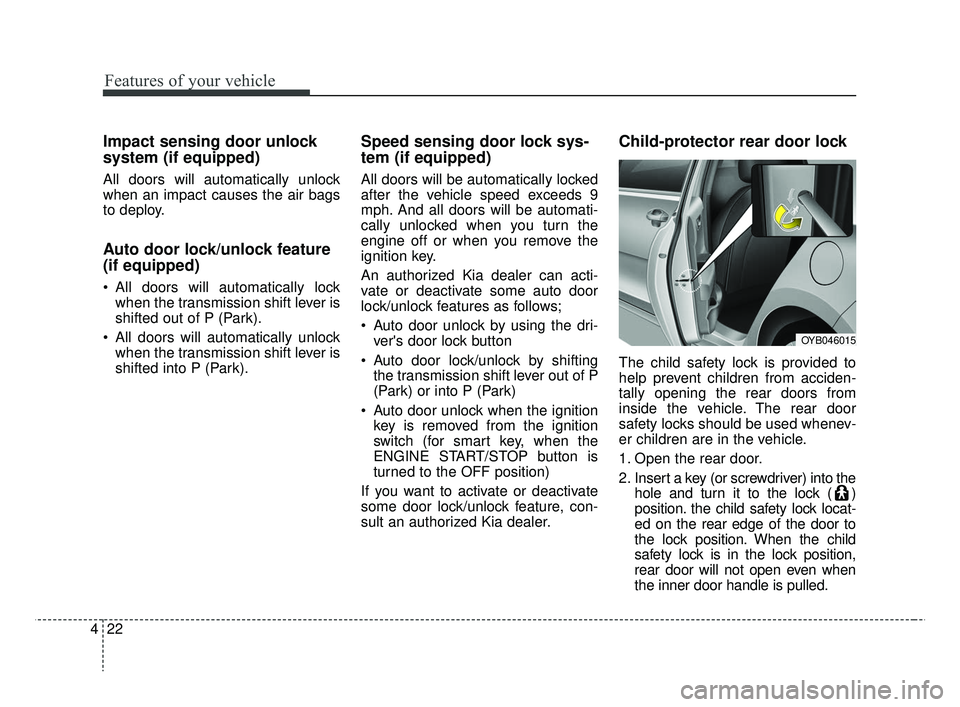
Child-protector rear door lock
The child safety lock is provided to
help prevent children from acciden-
tally opening the rear doors from
inside the vehicle. The rear door
safety locks should be used whenev-
er children are in the vehicle.
1. Open the rear door.
2. Insert a key (or screwdriver) into the hole and turn it to the lock ( )
position. the child safety lock locat-
ed on the rear edge of the door to
the lock position. When the child
safety lock is in the lock position,
rear door will not open even when
the inner door handle is pulled.
OYB046015
SC CAN (ENG) 4.QXP 7/18/2018 5:46 PM Page 22
Page 104 of 503
Features of your vehicle
26
4
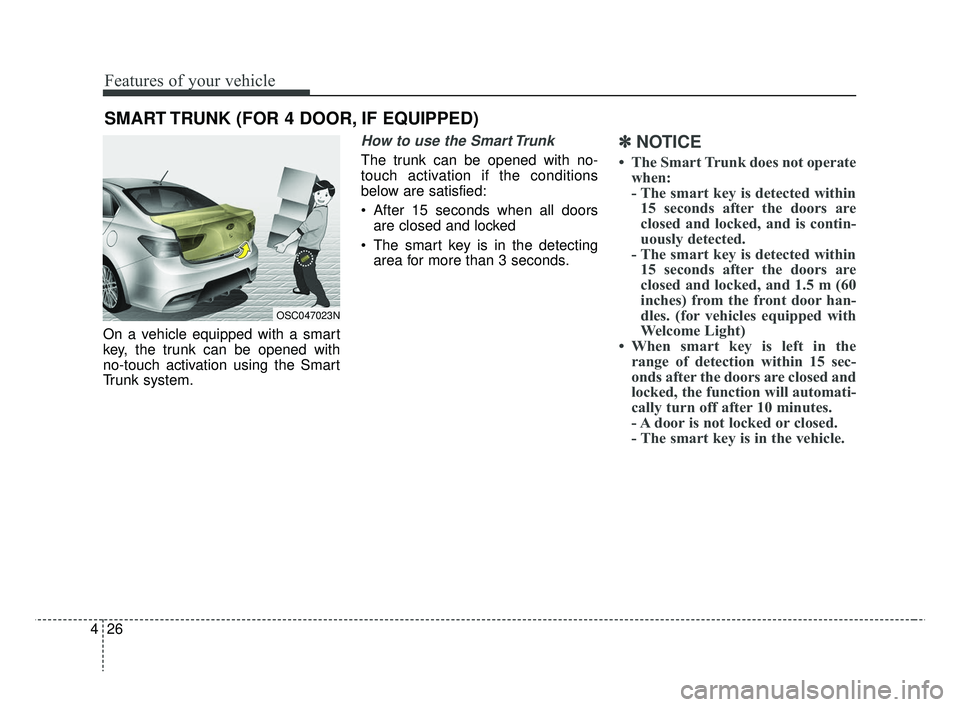
On a vehicle equipped with a smart
key, the trunk can be opened with
no-touch activation using the Smart
Trunk system.
How to use the Smart Trunk
The trunk can be opened with no-
touch activation if the conditions
below are satisfied:
After 15 seconds when all doors
are closed and locked
The smart key is in the detecting area for more than 3 seconds.
✽ ✽ NOTICE
• The Smart Trunk does not operate
when:
- The smart key is detected within15 seconds after the doors are
closed and locked, and is contin-
uously detected.
- The smart key is detected within 15 seconds after the doors are
closed and locked, and 1.5 m (60
inches) from the front door han-
dles. (for vehicles equipped with
Welcome Light)
• When smart key is left in the range of detection within 15 sec-
onds after the doors are closed and
locked, the function will automati-
cally turn off after 10 minutes.
- A door is not locked or closed.
- The smart key is in the vehicle.
SMART TRUNK (FOR 4 DOOR, IF EQUIPPED)
OSC047023N
SC CAN (ENG) 4.QXP 7/18/2018 5:46 PM Page 26
Page 107 of 503
429
Features of your vehicle
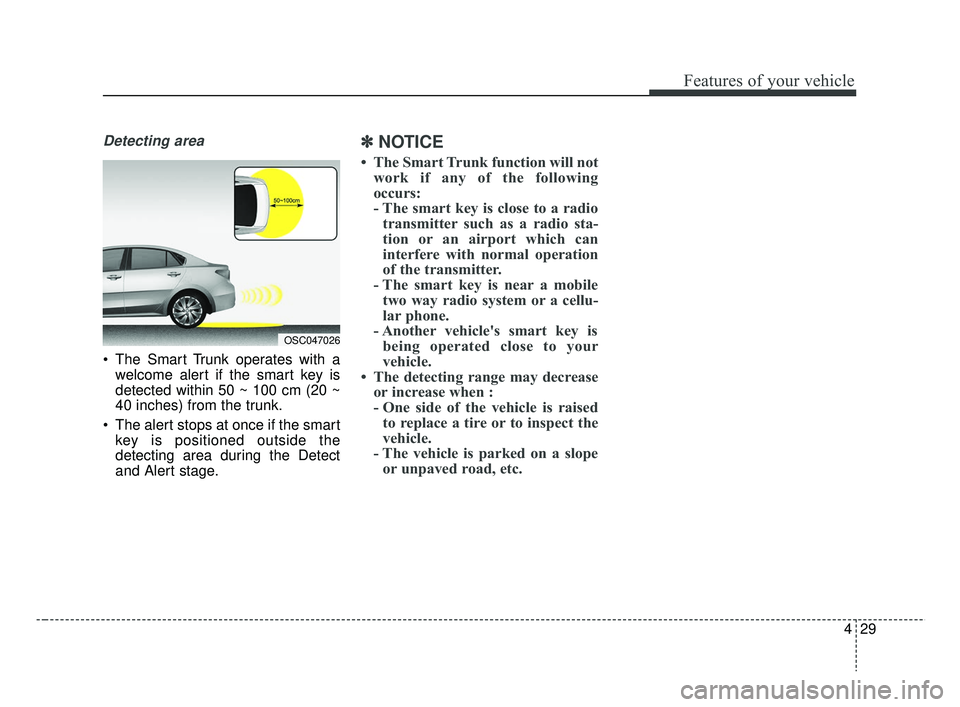
Detecting area
The Smart Trunk operates with awelcome alert if the smart key is
detected within 50 ~ 100 cm (20 ~
40 inches) from the trunk.
The alert stops at once if the smart key is positioned outside the
detecting area during the Detect
and Alert stage.
✽ ✽ NOTICE
• The Smart Trunk function will not
work if any of the following
occurs:
- The smart key is close to a radiotransmitter such as a radio sta-
tion or an airport which can
interfere with normal operation
of the transmitter.
- The smart key is near a mobile two way radio system or a cellu-
lar phone.
- Another vehicle's smart key is being operated close to your
vehicle.
• The detecting range may decrease or increase when :
- One side of the vehicle is raisedto replace a tire or to inspect the
vehicle.
- The vehicle is parked on a slope or unpaved road, etc.
OSC047026
SC CAN (ENG) 4.QXP 7/18/2018 5:46 PM Page 29
Page 113 of 503
435
Features of your vehicle
Auto down window (if equipped) (Driver’s window)
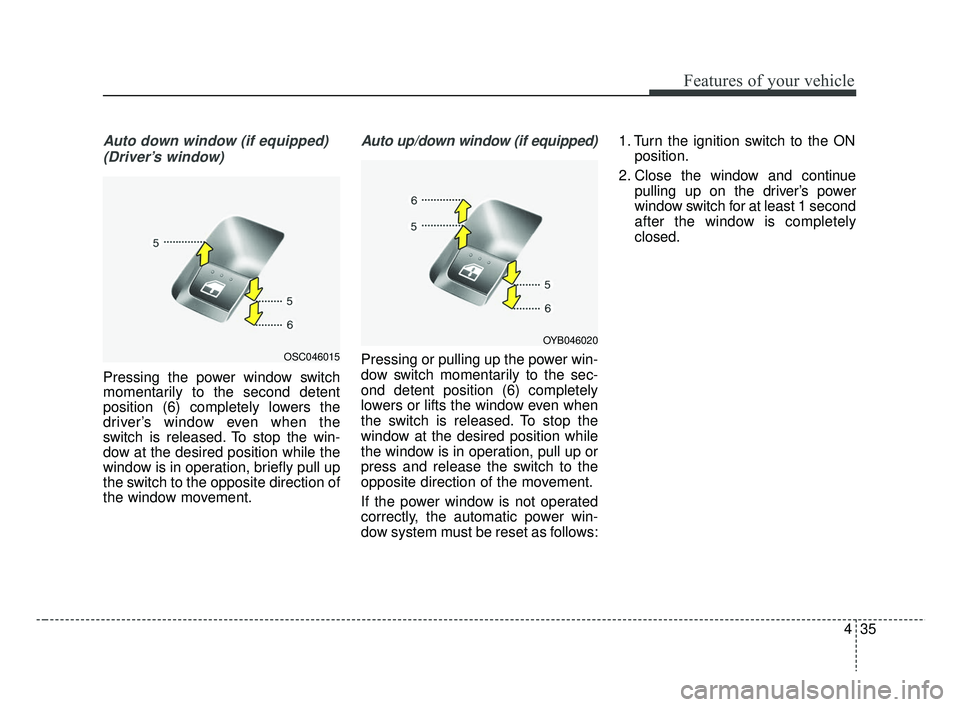
Pressing the power window switch
momentarily to the second detent
position (6) completely lowers the
driver’s window even when the
switch is released. To stop the win-
dow at the desired position while the
window is in operation, briefly pull up
the switch to the opposite direction of
the window movement.
Auto up/down window (if equipped)
Pressing or pulling up the power win-
dow switch momentarily to the sec-
ond detent position (6) completely
lowers or lifts the window even when
the switch is released. To stop the
window at the desired position while
the window is in operation, pull up or
press and release the switch to the
opposite direction of the movement.
If the power window is not operated
correctly, the automatic power win-
dow system must be reset as follows: 1. Turn the ignition switch to the ON
position.
2. Close the window and continue pulling up on the driver’s power
window switch for at least 1 second
after the window is completely
closed.OSC046015
OYB046020
SC CAN (ENG) 4.QXP 7/18/2018 5:46 PM Page 35
Page 114 of 503
Features of your vehicle
36
4
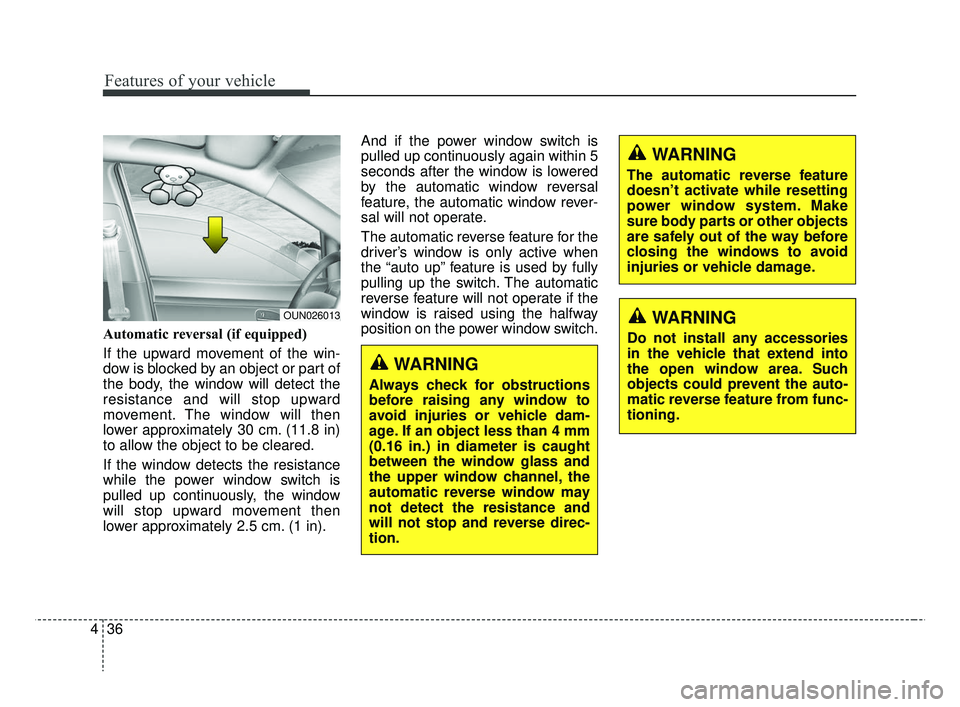
Automatic reversal (if equipped)
If the upward movement of the win-
dow is blocked by an object or part of
the body, the window will detect the
resistance and will stop upward
movement. The window will then
lower approximately 30 cm. (11.8 in)
to allow the object to be cleared.
If the window detects the resistance
while the power window switch is
pulled up continuously, the window
will stop upward movement then
lower approximately 2.5 cm. (1 in). And if the power window switch is
pulled up continuously again within 5
seconds after the window is lowered
by the automatic window reversal
feature, the automatic window rever-
sal will not operate.
The automatic reverse feature for the
driver’s window is only active when
the “auto up” feature is used by fully
pulling up the switch. The automatic
reverse feature will not operate if the
window is raised using the halfway
position on the power window switch.
WARNING
Always check for obstructions
before raising any window to
avoid injuries or vehicle dam-
age. If an object less than 4 mm
(0.16 in.) in diameter is caught
between the window glass and
the upper window channel, the
automatic reverse window may
not detect the resistance and
will not stop and reverse direc-
tion.
OUN026013
WARNING
The automatic reverse feature
doesn’t activate while resetting
power window system. Make
sure body parts or other objects
are safely out of the way before
closing the windows to avoid
injuries or vehicle damage.
WARNING
Do not install any accessories
in the vehicle that extend into
the open window area. Such
objects could prevent the auto-
matic reverse feature from func-
tioning.
SC CAN (ENG) 4.QXP 7/18/2018 5:47 PM Page 36
Page 115 of 503
437
Features of your vehicle
Power window lock button (if equipped)
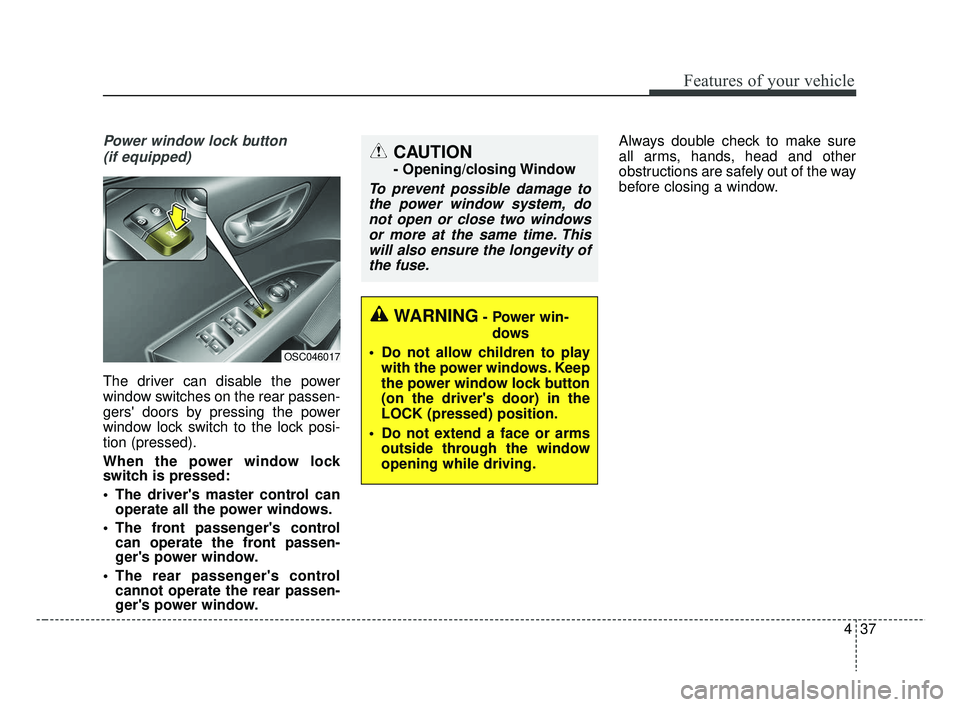
The driver can disable the power
window switches on the rear passen-
gers' doors by pressing the power
window lock switch to the lock posi-
tion (pressed).
When the power window lock
switch is pressed:
The driver's master control can operate all the power windows.
The front passenger's control can operate the front passen-
ger's power window.
The rear passenger's control cannot operate the rear passen-
ger's power window. Always double check to make sure
all arms, hands, head and other
obstructions are safely out of the way
before closing a window.
CAUTION
- Opening/closing Window
To prevent possible damage to
the power window system, donot open or close two windowsor more at the same time. Thiswill also ensure the longevity ofthe fuse.
OSC046017
WARNING- Power win-
dows
Do not allow children to play with the power windows. Keep
the power window lock button
(on the driver's door) in the
LOCK (pressed) position.
Do not extend a face or arms outside through the window
opening while driving.
SC CAN (ENG) 4.QXP 7/18/2018 5:47 PM Page 37