2019 KIA RIO collision
[x] Cancel search: collisionPage 164 of 503
Features of your vehicle
86
4
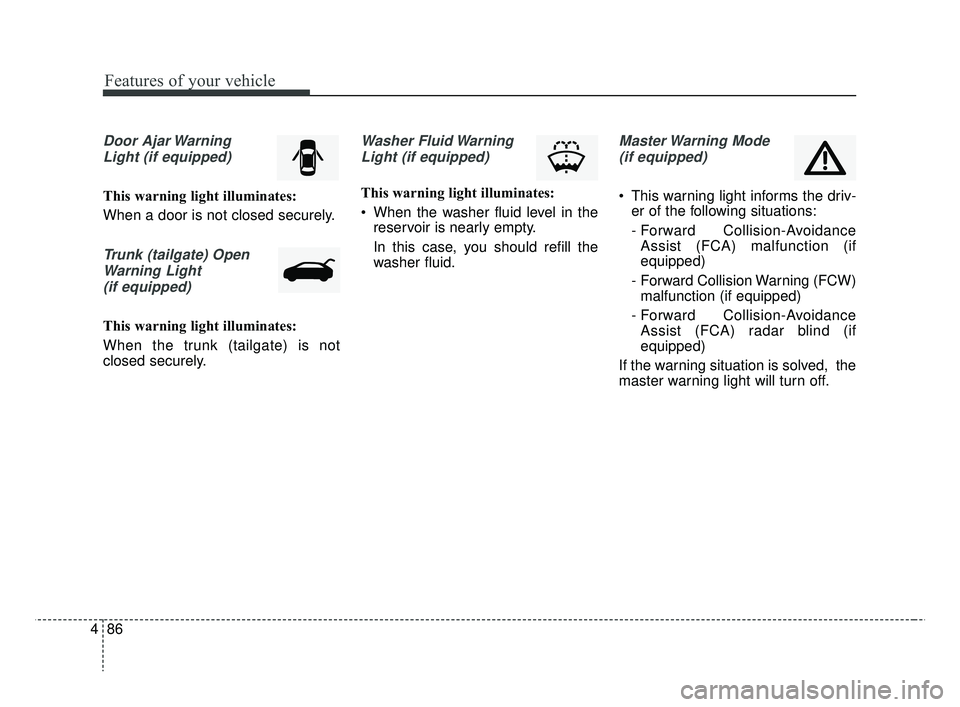
Door Ajar Warning
Light (if equipped)
This warning light illuminates:
When a door is not closed securely.
Trunk (tailgate) OpenWarning Light(if equipped)
This warning light illuminates:
When the trunk (tailgate) is not
closed securely.
Washer Fluid WarningLight (if equipped)
This warning light illuminates:
When the washer fluid level in the reservoir is nearly empty.
In this case, you should refill the
washer fluid.
Master Warning Mode
(if equipped)
This warning light informs the driv- er of the following situations:
- Forward Collision-AvoidanceAssist (FCA) malfunction (if
equipped)
- Forward Collision Warning (FCW) malfunction (if equipped)
- Forward Collision-Avoidance Assist (FCA) radar blind (if
equipped)
If the warning situation is solved, the
master warning light will turn off.
SC CAN (ENG) 4.QXP 7/18/2018 5:49 PM Page 86
Page 263 of 503

Driving your vehicle
Before driving . . . . . . . . . . . . . . . . . . . . . . . . . . . . . . 6-4
• Before entering vehicle . . . . . . . . . . . . . . . . . . . . . . . . . 6-4
• Necessary inspections . . . . . . . . . . . . . . . . . . . . . . . . . . 6-4
• Before starting . . . . . . . . . . . . . . . . . . . . . . . . . . . . . . . . 6-4
Key positions . . . . . . . . . . . . . . . . . . . . . . . . . . . . . . . 6-6
• Ignition switch position . . . . . . . . . . . . . . . . . . . . . . . . . 6-6
Engine start/stop button . . . . . . . . . . . . . . . . . . . . . 6-8
• Illuminated engine start/stop button . . . . . . . . . . . . . . 6-8
• Engine start/stop button position. . . . . . . . . . . . . . . . . 6-8
Starting the engine . . . . . . . . . . . . . . . . . . . . . . . . . 6-12
• Starting the engine with an ignition key . . . . . . . . . . 6-12
• Starting the engine with a smart key. . . . . . . . . . . . . 6-13
Manual transmission . . . . . . . . . . . . . . . . . . . . . . . 6-15
• Manual transmission operation . . . . . . . . . . . . . . . . . 6-15
• Good driving practices . . . . . . . . . . . . . . . . . . . . . . . . 6-17
Automatic transmission . . . . . . . . . . . . . . . . . . . . . 6-18
• Automatic transmission operation. . . . . . . . . . . . . . . 6-18
• Good driving practices . . . . . . . . . . . . . . . . . . . . . . . . 6-23
Brake system . . . . . . . . . . . . . . . . . . . . . . . . . . . . . . 6-24
• Power brakes . . . . . . . . . . . . . . . . . . . . . . . . . . . . . . . . 6-24
• Parking brake . . . . . . . . . . . . . . . . . . . . . . . . . . . . . . . 6-26
• Anti-lock Brake System (ABS). . . . . . . . . . . . . . . . . . 6-29
• Electronic Stability Control (ESC) . . . . . . . . . . . . . . 6-30
• Hill-start assist control (HAC) . . . . . . . . . . . . . . . . . . 6-34• Vehicle Stability Management (VSM) . . . . . . . . . . . . 6-35
• Good braking practices. . . . . . . . . . . . . . . . . . . . . . . . 6-37
Forward Collision-avoidance Assist (FCA) system
(Radar type) . . . . . . . . . . . . . . . . . . . . . . . . . . . . . 6-39
• FCA warning message and system control . . . . . . . . 6-41
• Brake operation . . . . . . . . . . . . . . . . . . . . . . . . . . . . . . 6-42
• Sensor to detect the distance from the vehicle in front
(front radar). . . . . . . . . . . . . . . . . . . . . . . . . . . . . . . . 6-43
• System malfunction . . . . . . . . . . . . . . . . . . . . . . . . . . . 6-44
• Limitation of the system . . . . . . . . . . . . . . . . . . . . . . . 6-45
Cruise Control System . . . . . . . . . . . . . . . . . . . . . . 6-50
• Cruise Control Switch. . . . . . . . . . . . . . . . . . . . . . . . . 6-50
• To set cruise control speed . . . . . . . . . . . . . . . . . . . . . 6-51
• To increase cruise control set speed. . . . . . . . . . . . . . 6-52
• To decrease the cruising speed . . . . . . . . . . . . . . . . . . 6-52
• To temporarily accelerate with the cruise control on . 6-52
• To cancel cruise control . . . . . . . . . . . . . . . . . . . . . . . 6-53
• To resume cruising speed at more than approximately 30 km/h (20 mph) . . . . . . . . . . . . . . . . . . . . . . . . . . . 6-53
• To turn cruise control off . . . . . . . . . . . . . . . . . . . . . . 6-54
Sport mode integrated control system . . . . . . . . . 6-55
• Sport mode . . . . . . . . . . . . . . . . . . . . . . . . . . . . . . . . . . 6-55\
Economical operation . . . . . . . . . . . . . . . . . . . . . . 6-56
6
SC CAN (ENG) 6.QXP 7/18/2018 5:41 PM Page 1
Page 301 of 503

639
Driving your vehicle
The FCA system is designed to
detect and monitor a vehicle ahead
in the roadway through sensors (i.e.,
radar) to warn the driver that a colli-
sion is imminent and, if necessary,
apply emergency braking.
❈Radar type FCA system does not
operate to detect pedestrians in
front.System setting and activation
System setting
The driver can activate the FCA by
placing the ignition switch to the ON
position and by selecting 'User
Settings' →'Driver Assistance' →
'Forward Collision-Avoidance Assist
(FCA) system'.
The FCA deactivates when the driv-
er cancels the system setting.
FORWARD COLLISION-AVOIDANCE ASSIST (FCA) SYSTEM (RADAR TYPE) (IF EQUIPPED)
WARNING
-
Forward Collision-
Avoidance Assist (FCA)
Limitations
The FCA system is a supple-
mental system and is not a sub-
stitute for safe driving prac-
tices. It is the responsibility of
the driver to always check the
speed and distance to the vehi-
cle ahead to ensure it is safety
to use the FCA system.
WARNING
Take the following precautions
when using the Forward
Collision-Avoidance Assist
(FCA) system:
This system is only a supple- mental system and it is not
intended to, nor does it
replace the need for extreme
care and attention of the driv-
er. The sensing range and
objects detectable by the sen-
sors are limited. Pay attention
to the road conditions at all
times.
NEVER drive too fast in accor- dance with the road condi-
tions or while cornering.
Always drive cautiously to prevent unexpected and sud-
den situations from occur-
ring. FCA does not stop the
vehicle completely and does
not avoid collisions.
SC CAN (ENG) 6.QXP 7/18/2018 5:42 PM Page 39
Page 302 of 503
Driving your vehicle
40
6
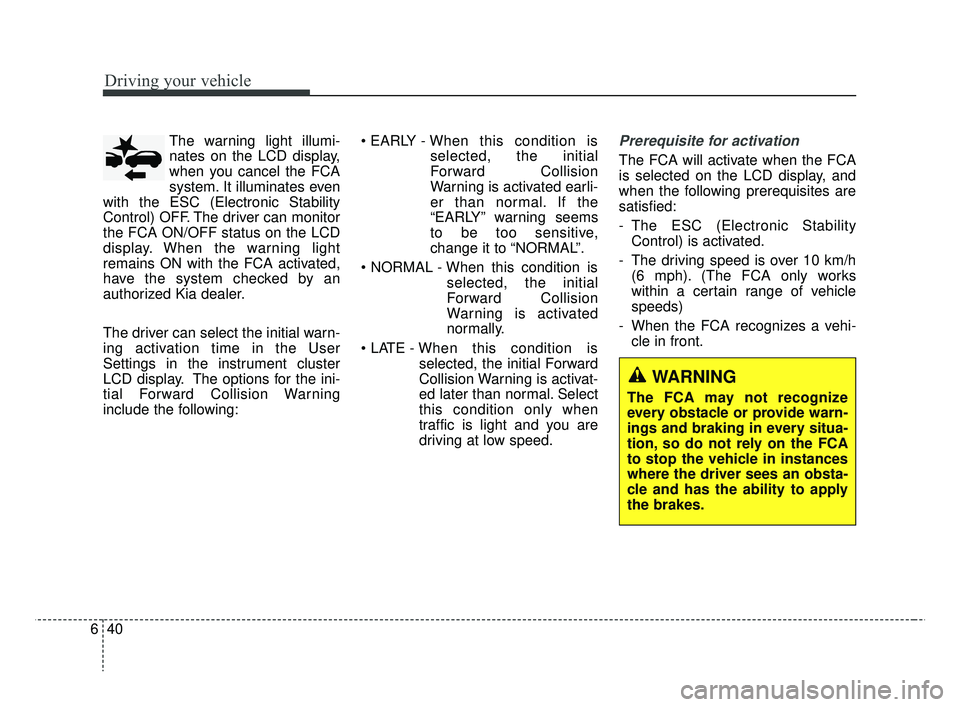
The warning light illumi-
nates on the LCD display,
when you cancel the FCA
system. It illuminates even
with the ESC (Electronic Stability
Control) OFF. The driver can monitor
the FCA ON/OFF status on the LCD
display. When the warning light
remains ON with the FCA activated,
have the system checked by an
authorized Kia dealer.
The driver can select the initial warn-
ing activation time in the User
Settings in the instrument cluster
LCD display. The options for the ini-
tial Forward Collision Warning
include the following: • EARLY -
When this condition is
selected, the initial
Forward Collision
Warning is activated earli-
er than normal. If the
“EARLY” warning seems
to be too sensitive,
change it to “NORMAL”.
selected, the initial
Forward Collision
Warning is activated
normally.
selected, the initial Forward
Collision Warning is activat-
ed later than normal. Select
this condition only when
traffic is light and you are
driving at low speed.Prerequisite for activation
The FCA will activate when the FCA
is selected on the LCD display, and
when the following prerequisites are
satisfied:
- The ESC (Electronic StabilityControl) is activated.
- The driving speed is over 10 km/h (6 mph). (The FCA only works
within a certain range of vehicle
speeds)
- When the FCA recognizes a vehi- cle in front.
WARNING
The FCA may not recognize
every obstacle or provide warn-
ings and braking in every situa-
tion, so do not rely on the FCA
to stop the vehicle in instances
where the driver sees an obsta-
cle and has the ability to apply
the brakes.
SC CAN (ENG) 6.QXP 7/25/2018 12:14 PM Page 40
Page 303 of 503
641
Driving your vehicle
The FCA automatically activateswhen you turn the vehicle on.
The driver can deactivate the FCA
by canceling the system setting on
the LCD display.
The FCA automatically deactivates when canceling the ESC. When the
ESC is canceled, the FCA cannot
be activated on the LCD display. In
this case, the FCA warning light
will illuminate, but it does not indi-
cate a malfunction.
FCA warning message and
system control
The FCA produces warning mes-
sages, warning alarms, and emer-
gency braking based on the level of
risk of a frontal collision, such as
when a vehicle ahead suddenly
brakes.
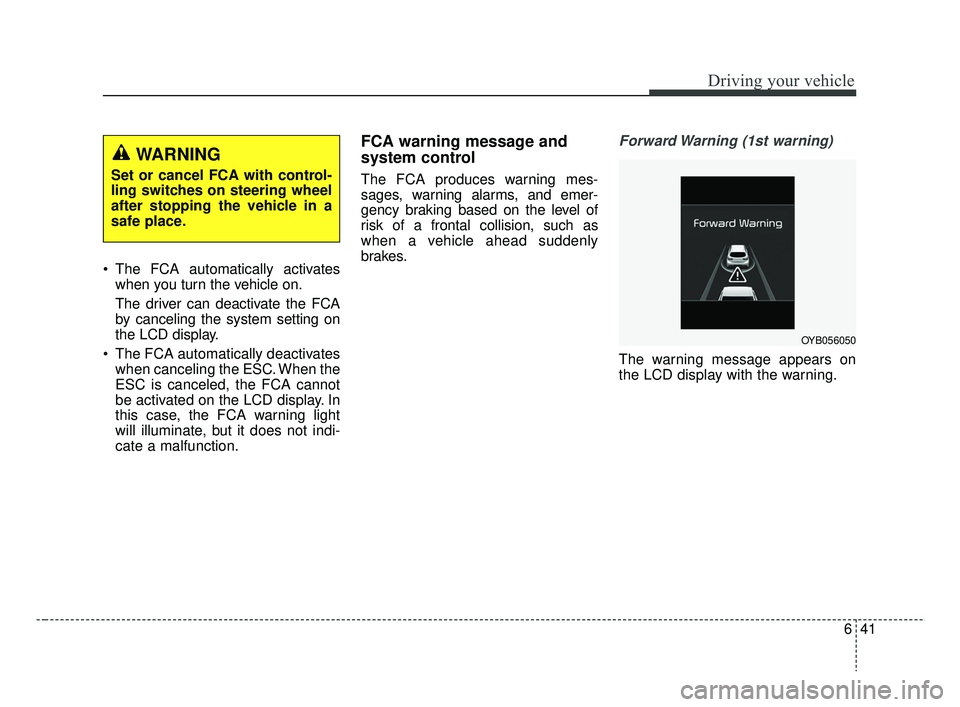
Forward Warning (1st warning)
The warning message appears on
the LCD display with the warning.
WARNING
Set or cancel FCA with control-
ling switches on steering wheel
after stopping the vehicle in a
safe place.
OYB056050
SC CAN (ENG) 6.QXP 7/18/2018 5:42 PM Page 41
Page 304 of 503
Driving your vehicle
42
6
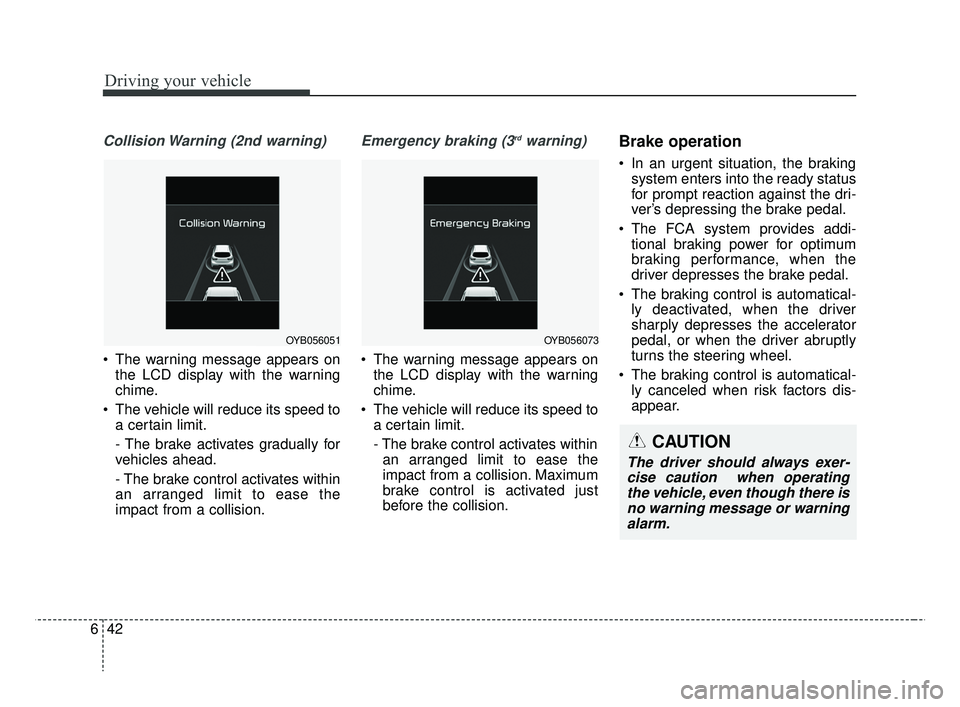
Collision Warning (2nd warning)
The warning message appears on
the LCD display with the warning
chime.
The vehicle will reduce its speed to a certain limit.
- The brake activates gradually for
vehicles ahead.
- The brake control activates within
an arranged limit to ease the
impact from a collision.
Emergency braking (3rdwarning)
The warning message appears onthe LCD display with the warning
chime.
The vehicle will reduce its speed to a certain limit.
- The brake control activates withinan arranged limit to ease the
impact from a collision. Maximum
brake control is activated just
before the collision.
Brake operation
In an urgent situation, the braking system enters into the ready status
for prompt reaction against the dri-
ver’s depressing the brake pedal.
The FCA system provides addi- tional braking power for optimum
braking performance, when the
driver depresses the brake pedal.
The braking control is automatical- ly deactivated, when the driver
sharply depresses the accelerator
pedal, or when the driver abruptly
turns the steering wheel.
The braking control is automatical- ly canceled when risk factors dis-
appear.
OYB056051OYB056073
CAUTION
The driver should always exer-cise caution when operatingthe vehicle, even though there isno warning message or warningalarm.
SC CAN (ENG) 6.QXP 7/18/2018 5:42 PM Page 42
Page 305 of 503

643
Driving your vehicle
Sensor to detect the distance
from the vehicle in front (front
radar)
The sensor is to maintain a certain
distance from the vehicle in front.
However, a sensor covered or dirty
with foreign substances, such as
snow and rain, adversely affects the
sensing performance. It may even
temporarily cancel the FCA. Always
keep the sensor clean.
Warning message and warninglight
When the sensor is covered or dirty
with foreign substances, such as
snow or rain, the FCA operation may
temporarily stop. In this case, a
warning message will appear to noti-
fy the driver.
To operate the FCA again, remove
the foreign substances.
WARNING
Never deliberately drive danger-
ously to activate the system as
such conduct increases the risk
of an accident.
WARNING
The FCA is a supplemental sys-
tem and cannot completely stop
the vehicle in all situations or
avoid all collisions. It is the
responsibility of the driver to
safely drive and control the
vehicle.
WARNING
The FCA system assesses the
risk of a collision by monitoring
several variables, such as the
distance to the vehicle ahead,
the speed of the vehicle ahead,
and the driver's operation of the
vehicle. Certain conditions
such as inclement weather and
road conditions may affect the
operation of the FCA system.
OYB056063
OYB057090L
SC CAN (ENG) 6.QXP 7/25/2018 12:14 PM Page 43
Page 307 of 503

645
Driving your vehicle
Limitation of the system
The FCA system is designed to mon-
itor the vehicle ahead through radar
signals to warn the driver that a colli-
sion is imminent, and if necessary,
apply emergency braking. In certain
situations, the radar sensor may not
be able to detect the vehicle ahead.
In these cases, the FCA system may
not operate. The driver must pay
careful attention in the following situ-
ations where the FCA operation may
be limited:WARNING
Due to sensing limitation, theFCA may not produce warning
messages or warning alarms
in certain situations. Read the
section “Limitation of the sys-
tem” for more information.
When there is a malfunction with the FCA, the automatic
braking control does not
operate even with other brak-
ing systems normally operat-
ing.
The FCA system only recog- nizes vehicles in front of it
while driving forward. It does
not identify any animals or
vehicles in the opposite direc-
tion.
The FCA cannot recognize cross-traffic or parked vehi-
cles presenting a side-profile.
(Continued)
(Continued)
If the vehicle ahead suddenlystops, there is a risk of colli-
sion. The driver must always
pay caution in case of danger-
ous situations.
When the driver depresses the brake in a risk of collision,
the FCA system may not oper-
ate.
SC CAN (ENG) 6.QXP 7/18/2018 5:42 PM Page 45