2019 KIA NIRO charging
[x] Cancel search: chargingPage 317 of 611
Audio system
516
✽ ✽NOTICE
-
Using the iPod®Devices
• To use the audio system’s iPod®
control function, use the dedicated
cable provided with your iPod®.
• Connecting the iPod®to the vehi-
cle during play may result in a
loud noise that lasts about one to
two seconds. Connect the iPod
®to
the vehicle after stopping or paus-
ing play.
• Connect the iPod
®with the vehicle
in the ACC ON state to begin
charging.
• When connecting the iPod
®cable,
be sure to fully push the cable into
the port.
• When EQ effects are enabled simultaneously on external
devices, such as iPod
®s and the
audio system, the EQ effects may
overlap, causing sound quality
deterioration or distortion.
Deactivate the EQ function for all
external devices, if possible.
• Noise may occur when your iPod
®
or the AUX port is connected.
Disconnect and store separately
when not in use. (Continued)(Continued)
• There may be noise if the audio
system is used with an iPod
®or
AUX external device connected to
the power jack. In these cases, dis-
connect the iPod
®or external
device from the power jack.
• Play may be interrupted, or device malfunctions may occur depend-
ing on the characteristics of your
iPod
®/iPhone®/iPad®.
• Play may fail if your iPhone®is
connected through both
Bluetooth
®Wireless Technology
and USB. In this case, select Dock
connector or Bluetooth
®Wireless
Technology on your iPhone®to
change the sound output settings.
• If your software version does not support the communication proto-
col or your iPod
®is not recognized
due to device failure, anomalies or
defects, iPod
®mode cannot be
used.
• iPod
®nano (5th generation)
devices may not be recognized if
the battery is low. Charge suffi-
ciently before use. (Continued)(Continued)
• The search and song play order in
the iPod
®device may be different
from the search order in the audio
system.
• If the iPod
®has failed due to an
internal defect, please reset the
iPod
®(consult your iPod®manual).
• Depending on the software ver- sion, the iPod
®may fail to sync
with the system. If the media is
removed or disconnected before
recognition, the previous mode
may not be restored (iPad
®cannot
be charged).
• Cables other than the 1-meter cable provided with iPod
®/iPhone®/iPad®
products may not be recognized.
• When other music apps are used on your iPod
®, the system sync
function may fail due to malfunc-
tion of the iPod
®application.
Page 446 of 611

What to do in an emergency
67
Charging method for 12V battery
(A) It is recommended to charge the12V battery by starting and run-
ning the vehicle (HEV Ready
Mode) for a minimum of 30 min-
utes if a 12V reset, or jump start
has been used.
(B) If you cannot start the vehicle :
After connecting the jumper cables at the recommended locations, you
should press “12V batt Reset”
switch(1) to charge the battery.
The voltage range of the charger should be 13.3~14V and its current
range should be less than 60A.
(13.8V is recommended).
External power source using 12V
battery(Except the use of dash cameras)
The use of external power acces-
sories may reduce performance and
function of the vehicle. Especially,
the use of dash cameras may cause
a shut off the power of the vehicle
prior to the dash camera’s automatic
shut-down.
If the power of the car is shut off,
start the vehicle as explained above
(refer to “Over discharge of 12V bat-
tery”)
CAUTION
• The use of an improper charg- er with a voltage and currentrange higher than specifiedmay cause overheating anddamage to the 12V battery.
The use of an incorrect charg- er will lead to a power shut-offto save the 12V battery. Stopusing the incorrect chargeronce the power of the vehicleis shut off.
Page 475 of 611

Maintenance
Engine compartment . . . . . . . . . . . . . . . . . . . . . . . . 8-3
Maintenance services . . . . . . . . . . . . . . . . . . . . . . . . 8-5
• Owner’s responsibility . . . . . . . . . . . . . . . . . . . . . . . . . 8-5
Owner maintenance precautions . . . . . . . . . . . . . . . . . 8-6
Owner maintenance . . . . . . . . . . . . . . . . . . . . . . . . . 8-7
Owner maintenance schedule . . . . . . . . . . . . . . . . . . . 8-7
Scheduled maintenance service . . . . . . . . . . . . . . 8-9
Explanation of scheduled maintenance items . . . 8-15
Checking fluid levels . . . . . . . . . . . . . . . . . . . . . . . 8-18
Engine oil. . . . . . . . . . . . . . . . . . . . . . . . . . . . . . . . . 8-19
Checking the engine oil level . . . . . . . . . . . . . . . . . . . 8-19
Changing the engine oil and filter . . . . . . . . . . . . . . . 8-20
Coolant . . . . . . . . . . . . . . . . . . . . . . . . . . . . . . . . . . 8-21\
Checking the coolant level . . . . . . . . . . . . . . . . . . . . . 8-21
Engine coolant . . . . . . . . . . . . . . . . . . . . . . . . . . . . . . 8-22
Inverter coolant . . . . . . . . . . . . . . . . . . . . . . . . . . . . . 8-22
Recommended coolant . . . . . . . . . . . . . . . . . . . . . . . . 8-23
Changing the coolant . . . . . . . . . . . . . . . . . . . . . . . . . 8-25
Brake fluid . . . . . . . . . . . . . . . . . . . . . . . . . . . . . . . 8-26
Checking the brake fluid level . . . . . . . . . . . . . . . . . 8-26
Engine clutch actuator fluid . . . . . . . . . . . . . . . . . 8-27
• Checking the engine clutch actuator fluid level 8-27
Washer fluid . . . . . . . . . . . . . . . . . . . . . . . . . . . . . . 8-29
Checking the washer fluid level . . . . . . . . . . . . . . . . 8-29
Parking brake . . . . . . . . . . . . . . . . . . . . . . . . . . . . . 8-30
• Checking the parking brake . . . . . . . . . . . . . . . . 8-30
Air cleaner. . . . . . . . . . . . . . . . . . . . . . . . . . . . . . . . 8-31
Filter replacement . . . . . . . . . . . . . . . . . . . . . . . . . . . 8-31
Climate control air filter . . . . . . . . . . . . . . . . . . . . 8-33
Filter inspection . . . . . . . . . . . . . . . . . . . . . . . . . . . . . . 8-33
Wiper blades . . . . . . . . . . . . . . . . . . . . . . . . . . . . . . 8-35
• Blade inspection . . . . . . . . . . . . . . . . . . . . . . . . . . . . . . 8-35
• Blade replacement . . . . . . . . . . . . . . . . . . . . . . . . . . . 8-35
Battery (Plug-in Hybrid) . . . . . . . . . . . . . . . . . . . . 8-38
For best battery service . . . . . . . . . . . . . . . . . . . . . . . 8-38
Recharging the battery . . . . . . . . . . . . . . . . . . . . . . . . 8-39
Reset items . . . . . . . . . . . . . . . . . . . . . . . . . . . . . . . . . . 8-40\
Tires and wheels . . . . . . . . . . . . . . . . . . . . . . . . . . . 8-41
Tire care . . . . . . . . . . . . . . . . . . . . . . . . . . . . . . . . . . . . \
8-41
Recommended cold tire inflation pressures . . . . . . . 8-41
Tire pressure . . . . . . . . . . . . . . . . . . . . . . . . . . . . . . . . 8-42
Checking tire inflation pressure. . . . . . . . . . . . . . . . . 8-42
Tire rotation . . . . . . . . . . . . . . . . . . . . . . . . . . . . . . . . 8-43
Wheel alignment and tire balance . . . . . . . . . . . . . . 8-44
Tire replacement . . . . . . . . . . . . . . . . . . . . . . . . . . . . . 8-45
Wheel replacement . . . . . . . . . . . . . . . . . . . . . . . . . . . 8-45
Tire traction . . . . . . . . . . . . . . . . . . . . . . . . . . . . . . . . . 8-46
Tire maintenance . . . . . . . . . . . . . . . . . . . . . . . . . . . . 8-46
Tire sidewall labeling . . . . . . . . . . . . . . . . . . . . . . . . . 8-46
8
Page 512 of 611
Maintenance
38
8
BATTERY (PLUG-IN HYBRID)
For best battery service
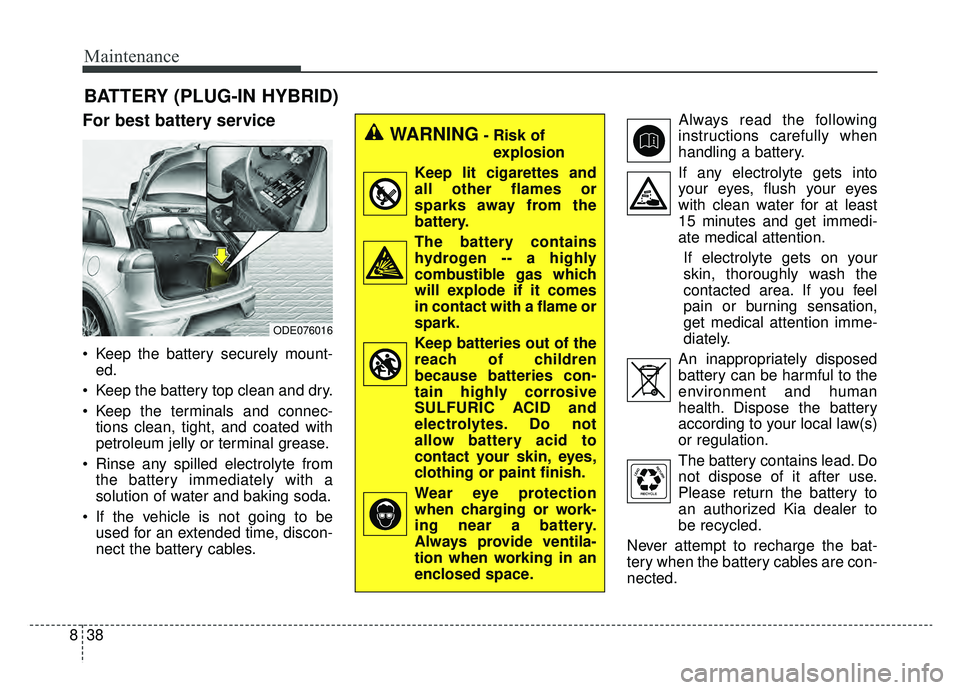
Keep the battery securely mount-
ed.
Keep the battery top clean and dry.
Keep the terminals and connec- tions clean, tight, and coated with
petroleum jelly or terminal grease.
Rinse any spilled electrolyte from the battery immediately with a
solution of water and baking soda.
If the vehicle is not going to be used for an extended time, discon-
nect the battery cables. Always read the following
instructions carefully when
handling a battery.
If any electrolyte gets into your eyes, flush your eyes
with clean water for at least
15 minutes and get immedi-
ate medical attention.
If electrolyte gets on your
skin, thoroughly wash the
contacted area. If you feel
pain or burning sensation,
get medical attention imme-
diately.
An inappropriately disposed battery can be harmful to the
environment and human
health. Dispose the battery
according to your local law(s)
or regulation.
The battery contains lead. Do
not dispose of it after use.
Please return the battery to
an authorized Kia dealer to
be recycled.
Never attempt to recharge the bat-
tery when the battery cables are con-
nected.
WARNING- Risk of explosion
Keep lit cigarettes and
all other flames or
sparks away from the
battery.
The battery contains hydrogen -- a highly
combustible gas which
will explode if it comes
in contact with a flame or
spark.
Keep batteries out of the reach of children
because batteries con-
tain highly corrosive
SULFURIC ACID and
electrolytes. Do not
allow battery acid to
contact your skin, eyes,
clothing or paint finish.
Wear eye protection when charging or work-
ing near a battery.
Always provide ventila-
tion when working in an
enclosed space.
ODE076016
Page 513 of 611

839
Maintenance
✽ ✽NOTICE
If you connect unauthorized elec-
tronic devices to the battery, the bat-
tery may be discharged. Never use
unauthorized devices.
Recharging the battery
Your vehicle has a maintenance-free,
calcium-based battery.
If the battery becomes discharged
in a short time (because, for exam-
ple, the headlamps or interior
lamps were left on while the vehi-
cle was not in use), recharge it by
slow charging (trickle) for 10 hours.
If the battery gradually discharges because of high electric load while
the vehicle is being used, recharge
it at 20-30A for two hours.WARNING- Risk of elec-
trocution
Never touch the electrical igni-
tion system while the vehicle is
running. This system works
with high voltage which can
shock you.
WARNING- Recharging Battery
Never attempt to recharge the
battery when the battery cables
are connected.
WARNING- Battery lead compound
Battery posts, terminals, and
related accessories contain
lead and lead compounds.
Wash hands after handling.
Page 514 of 611

Maintenance
40
8
When recharging the battery,
observe the following precautions:
The battery must be removed from
the vehicle and placed in an area
with good ventilation.
Do not allow cigarettes, sparks, or flame near the battery.
Watch the battery during charging, and stop or reduce the charging
rate if the battery cells begin
gassing (boiling) violently or if the
temperature of the electrolyte of
any cell exceeds 120°F (49°C).
Wear eye protection when check- ing the battery during charging.
Disconnect the battery charger in the following order.
1. Turn off the battery charger main switch.
2. Unhook the negative clamp from the negative battery terminal.
3. Unhook the positive clamp from the positive battery terminal. Before performing maintenance or
recharging the battery, turn off all
accessories and stop the engine.
The negative battery cable must be removed first and installed last
when the battery is disconnected.Reset items
The following items should be reset
after the battery has been dis-
charged or the battery has been dis-
connected.
Auto up/down window (See chapter 4)
Sunroof (See chapter 4)
Trip computer (See chapter 4)
Climate control system (See chapter 4)
Driver position memory system (See chapter 3)
Audio (See chapter 5)
Page 573 of 611

899
Maintenance
High-pressure washing
When using high-pressure wash-ers, make sure to maintain suffi-
cient distance from the vehicle.
Insufficient clearance or excessive
pressure can lead to component
damage or water penetration.
Do not spray the camera, sensors or its surrounding area directly with
a high pressure washer. Shock
applied from high pressure water
may cause the device to not oper-
ate normally.
Do not bring the nozzle tip close to boots (rubber or plastic covers) or
connectors as they may be dam-
aged if they come into contact with
high pressure water. Waxing
Wax the vehicle when water will no
longer bead on the paint.
Always wash and dry the vehicle
before waxing. Use a good quality
liquid or paste wax, and follow the
manufacturer’s instructions. Wax all
metal trim to protect it and to main-
tain its luster.
Removing oil, tar, and similar materi-
als with a spot remover will usually
strip the wax from the finish. Be sure
to re-wax these areas even if the rest
of the vehicle does not yet need wax-
ing.
Do not apply wax on embossed
unpainted unit, as it may tarnish the
unit.
ODEP077071L
CAUTION - Wet engine
Water washing in the engine
compartment including highpressure water washing maycause the failure of electricalcircuits located in the enginecompartment.
Never allow water or other liq- uids to come in contact withelectrical/electronic compo-nents inside the vehicle asthis may damage them.
(Continued)
(Continued) To prevent damage to the charging door, make sure toclose and lock the vehicledoors when washing (high-pressure washing, automaticcar washing, etc.) the vehicle.
Page 598 of 611
915
Specifications, Consumer information, Reporting safety defects
The electrical system of your vehicle is designed to per-
form under all reasonably expected operating conditions.
However, before any additional electrical equipment is
installed in your vehicle, consult an Authorized Kia
Dealer, in order to ensure that you do not void your war-
ranty.
Certain electrical equipment, or the way in which it is
installed, may adversely affect the operation of your vehi-
cle, including such systems as the engine control system,
the audio system and the electrical charging system and
thus potentially void all or part of your warranty.
We assume no responsibility for any expense you may
incur or for any malfunction of your vehicle or any of its
components or systems that may result from the installa-
tion of additional electrical equipment that is not supplied,
or recommended for installation by, Kia.Installation of a mobile two-way radio system
If a mobile two-way radio system is installed improperly,
or if an excessively powerful type of system is used, other
electronic systems may be adversely affected. To avoid
damage to your vehicle, consult an Authorized Kia Dealer
concerning the proper equipment and installation.
Kia motor vehicles are designed and manufactured to
meet or exceed all applicable safety standards.
For your safety, however, we strongly urge you to read
and follow all directions in this Owner's Manual, particu-
larly the information under the headings "NOTICE",
"CAUTION" and "WARNING".
If, after reading this manual, you have any questions
regarding the operation of your vehicle, safety issues and
defects please contact your Kia's toll-free Consumer
Assistance hot line as below:
National Consumer Affairs Manager
Kia Motors America, Inc.
P.O. Box 52410
Irvine, CA 92619-2410
1-800-333-4Kia (4542)
ELECTRICAL EQUIPMENT (U.S. ONLY)