2019 JEEP PATRIOT steering
[x] Cancel search: steeringPage 126 of 332

NOTE:
Some of the above warnings will be dis-
played in the Electronic Vehicle Information
Center Display Area located in the instru-
ment cluster.
Refer to ”Electronic Vehicle Information Center
(EVIC) — If Equipped” in this section for further
information.
LoW tirE
When the appropriate condition exists, the
odometer display will toggle between LoW and
tirE for three cycles.
gASCAP
If the vehicle diagnostic system determines that
the fuel filler cap is loose, improperly installed,
or damaged, a “gASCAP” message will display
in the odometer display area. Tighten the fuel
filler cap properly and push the STEP button on
the steering wheel to turn off the message. If the
problem continues, the message will appear the
next time the vehicle is started.noFUSE
If the vehicle diagnostic system determines that
the Ignition Off Draw (IOD) fuse is improperly
installed, or damaged, a “noFUSE” message
will display in the odometer display area. Refer
to “Fuses” in “Maintaining Your Vehicle” for
further information on fuses and fuse locations.
CHAngE OIL
Your vehicle is equipped with an engine oil
change indicator system. The odometer display
will toggle betweenCHAngEandOilfor ap-
proximately 12 seconds, after a single chime
has sounded, to indicate the next scheduled oil
change interval. The engine oil change indicator
system is duty cycle-based, which means the
engine oil change interval may fluctuate depen-
dent upon your personal driving style.
5. Fuel Gauge
•The pointer shows the level of fuel in the
fuel tank when the ignition is placed in the
ON/RUN position.•The fuel pump symbol points to the
side of the vehicle where the fuel door is
located.
WARNING AND INDICATOR
LIGHTS
IMPORTANT:The warning / indicator lights
switch on in the instrument panel together with
a dedicated message and/or acoustic signal
when applicable. These indications are indica-
tive and precautionary and as such must not be
considered as exhaustive and/or alternative to
the information contained in the Owner’s
Manual, which you are advised to read carefully
in all cases. Always refer to the information in
this chapter in the event of a failure indication.
All active telltales will display first if applicable.
The system check menu may appear different
based upon equipment options and current
vehicle status. Some telltales are optional and
may not appear.
122
Page 134 of 332

Tire Pressure Monitoring Indicator Light
Yellow Telltale Light What It Means
Tire Pressure Monitoring Indicator Light
The warning light switches on and a message is displayed to indicate that the tire pressure is lower than the recom-
mended value and/or that slow pressure loss is occurring. In these cases, optimal tire duration and fuel consumption may
not be guaranteed.
Should one or more tires be in the condition mentioned above, the display will show the indications corresponding to each
tire in sequence.
IMPORTANT:Do not continue driving with one
or more flat tires as handling may be compro-
mised. Stop the vehicle, avoiding sharp braking
and steering. Repair immediately using the
dedicated tire repair kit and contact your autho-
rized dealership as soon as possible.
Each tire, including the spare (if provided),
should be checked monthly when cold and
inflated to the inflation pressure recommended
by the vehicle manufacturer on the vehicle
placard or tire inflation pressure label. If your
vehicle has tires of a different size than the size
indicated on the vehicle placard or tire inflation
pressure label, you should determine the proper
tire inflation pressure for those tires.As an added safety feature, your vehicle has
been equipped with a Tire Pressure Monitoring
System (TPMS) that illuminates a low tire pres-
sure telltale when one or more of your tires is
significantly under-inflated. Accordingly, when
the low tire pressure telltale illuminates, you
should stop and check your tires as soon as
possible and inflate them to the proper pres-
sure. Driving on a significantly under-inflated
tire causes the tire to overheat and can lead to
tire failure. Under-inflation also reduces fuel
efficiency and tire tread life, and may affect the
vehicle’s handling and stopping ability.
Please note that the TPMS is not a substitute for
proper tire maintenance, and it is the driver’sresponsibility to maintain correct tire pressure,
even if under-inflation has not reached the level
to trigger illumination of the TPMS low tire
pressure telltale.
Your vehicle has also been equipped with a
TPMS malfunction indicator to indicate when
the system is not operating properly. The TPMS
malfunction indicator is combined with the low
tire pressure telltale. When the system detects
a malfunction, the telltale will flash for approxi-
mately one minute and then remain continu-
ously illuminated. This sequence will continue
upon subsequent vehicle start-ups as long as
the malfunction exists. When the malfunction
indicator is illuminated, the system may not be
130
Page 143 of 332

ELECTRONIC VEHICLE
INFORMATION CENTER (EVIC)
— IF EQUIPPED
The EVIC features a driver-interactive display. It
is located in the instrument cluster. The EVIC
consists of the following:
•System Status
•Vehicle Information Warning Message
Displays•Personal Settings (Customer-Programmable
Features)
•Compass Heading
•Outside Temperature Display
•Trip Computer Functions
•Trip A
•Trip B
•Audio Mode Display
•Tire Pressure Monitor (TPM) — If Equipped
When the appropriate conditions exist, the
EVIC displays the following messages:
•Turn Signal On (with a continuous warning
chime after 1 mile (1.6 km) of distance trav-
elled)
•Left Front Turn Signal Lamp Out (with a
single chime)
•Left Rear Turn Signal Lamp Out (with a
single chime)
•Right Front Turn Signal Lamp Out (with a
single chime)•Right Rear Turn Signal Lamp Out (with a
single chime)
•RKE Battery Low (with a single chime)
•Personal Settings Not Available – vehicle not
in park (automatic transmission), or vehicle is
in motion (manual transmission).
•Door Open (one or more doors open with a
single chime if speed is above 5 MPH
(8 km/h)
•Gate Open (with a single chime if vehicle is in
motion)
•Headlamps On
•Key In Ignition
•Check TPM System
•Low Tire
•Inflate to XX
•Oil Change Required — If Equipped
The system allows the driver to select informa-
tion by pushing the following buttons mounted
on the steering wheel:
Electronic Vehicle Information Center (EVIC)
139
Page 144 of 332

•MENU Button
Push and release theMENUbut-
ton to scroll through the main
menus (Fuel Economy, Warnings,
Timer, Units, System, Personal
Settings) or to exit submenus.
•COMPASS Button
Push and release theCOMPASS
button to display one of eight com-
pass readings and the outside tem-
perature or to exit submenus.•RIGHT Arrow Button
Push and release theRIGHTarrow
button for access to main menus,
submenus, or to select a personal
setting in the setup menu.
•DOWN Arrow Button
Push and release theDOWNarrow
button to scroll downward through
the submenus.
Engine Oil Change Indicator System
— If Equipped
Oil Change Required
Your vehicle is equipped with an engine oil
change indicator system. The “Oil Change Re-
quired” message will display in the EVIC display
for approximately five seconds after a single
chime has sounded to indicate the next sched-
uled oil change interval. The engine oil change
indicator system is duty-cycle based, whichmeans the engine oil change interval may fluc-
tuate dependent upon your personal driving
style.
Unless reset, this message will continue to
display each time you place the ignition in the
ON/RUN position. To turn off the message
temporarily, push and release the Trip Odom-
eter button on the instrument cluster. To reset
the oil change indicator system (after perform-
ing the scheduled maintenance), refer to the
following procedure.
1. Place the ignition in the ON position.Do not
start the engine.
2. Fully push the accelerator pedal, slowly,
three times within 10 seconds.
3. Place the ignition in the OFF/LOCK position.
NOTE:
If the indicator message illuminates when
you start the vehicle, the oil change indica-
tor system did not reset. If necessary, repeat
this procedure.
EVIC Steering Wheel Buttons
140
Page 153 of 332

3. Say the name of the audio device or ask the
Uconnect phone system to list the audio
devices.
Next Track
Use the SEEK UP button, or push the VR
button on the radio and say “Next Track,” to
jump to the next music track on your cellular
phone.
Previous Track
Use the SEEK DOWN button, or push the VR
button on the radio and say “Previous
Track,” to jump to the previous music track on
your cellular phone.
Browse
Browsing is not available on a Bluetooth
Streaming Audio (BTSA) device. Only the cur-
rent song that is playing will display info.
NAVIGATION SYSTEM — IF
EQUIPPED
Refer to your Navigation User’s Manual.
STEERING WHEEL AUDIO
CONTROLS
The remote sound system controls are located
on the rear surface of the steering wheel. Reach
behind the wheel to access the switches.
The right-hand control is a rocker-type switch
with a pushbutton in the center and controls the
volume and mode of the sound system. Push-
ing the top of the rocker switch will increase the
volume, and pushing the bottom of the rocker
switch will decrease the volume.Pushing the center button will make the radio
switch between the various modes available.
The left-hand control is a rocker-type switch
with a pushbutton in the center. The function of
the left-hand control is different depending on
which mode you are in.
The following describes the left-hand control
operation in each mode.
Radio OperationPushing the top of the switch will “Seek” up for
the next listenable station and pushing the
bottom of the switch will “Seek” down for the
next listenable station.
The button located in the center of the left-hand
control will tune to the next preset station that you
have programmed in the radio preset button.
CD PlayerPushing the top of the switch once will go to the
next track on the CD. Pushing the bottom of the
switch once will go to the beginning of the
current track, or to the beginning of the previous
track if it is within eight seconds after the current
track begins to play.
Remote Sound System Controls (Back View Of
Steering Wheel)
149
Page 166 of 332
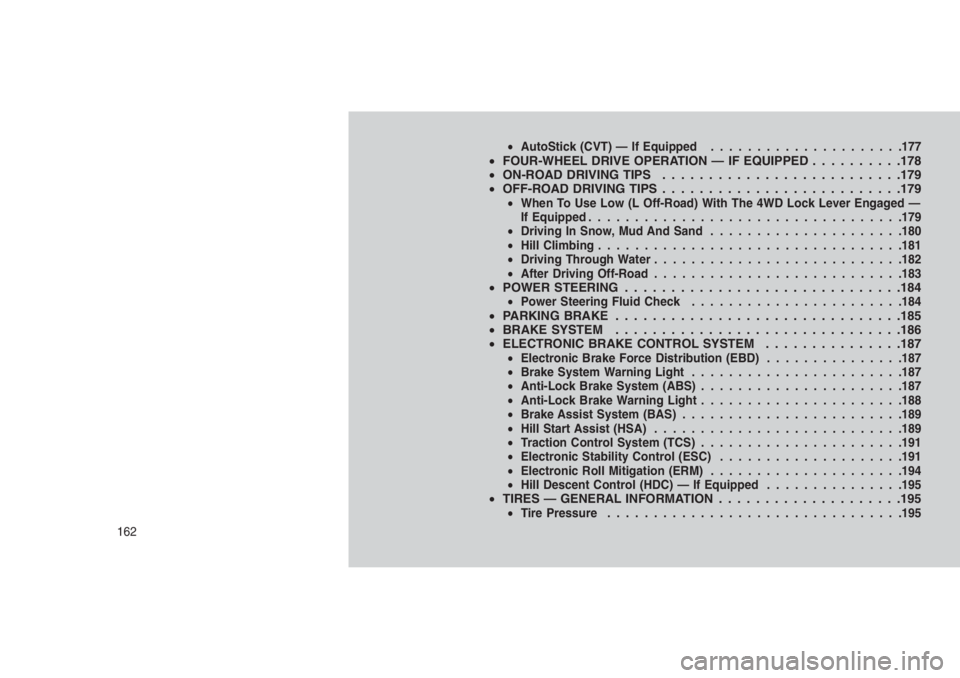
•AutoStick (CVT) — If Equipped.....................177•FOUR-WHEEL DRIVE OPERATION — IF EQUIPPED . . . . . . . . . .178
•ON-ROAD DRIVING TIPS . . . . . . . . . . . . . . . . . .........179
•OFF-ROAD DRIVING TIPS..........................179
•When To Use Low (L Off-Road) With The 4WD Lock Lever Engaged —
If Equipped..................................179
•Driving In Snow, Mud And Sand.....................180
•Hill Climbing.................................181
•Driving Through Water...........................182
•After Driving Off-Road...........................183
•POWER STEERING . . . . . . . . . .....................184•Power Steering Fluid Check.......................184•PARKING BRAKE . ..............................185
•BRAKE SYSTEM . . . . . . . . . . . . . . . . . ..............186
•ELECTRONIC BRAKE CONTROL SYSTEM . . . . . . . . . ......187
•Electronic Brake Force Distribution (EBD)...............187
•Brake System Warning Light.......................187
•Anti-Lock Brake System (ABS)......................187
•Anti-Lock Brake Warning Light......................188
•Brake Assist System (BAS)........................189
•Hill Start Assist (HSA)...........................189
•Traction Control System (TCS)......................191
•Electronic Stability Control (ESC)....................191
•Electronic Roll Mitigation (ERM).....................194
•Hill Descent Control (HDC) — If Equipped...............195
•TIRES — GENERAL INFORMATION . . . . . . . . . . . . . . . . . . . .195•Tire Pressure................................195
162
Page 183 of 332

NOTE:
Refer to “Electronic Brake Control System/
Electronic Stability Control (ESC)” in “Start-
ing And Operating” for further information.
ON-ROAD DRIVING TIPS
Utility vehicles have higher ground clearance
and a narrower track to make them capable of
performing in a wide variety of off-road applica-
tions. Specific design characteristics give them
a higher center of gravity than ordinary vehicles.
An advantage of the higher ground clearance is
a better view of the road, allowing you to
anticipate problems. They are not designed for
cornering at the same speeds as conventional
two-wheel drive vehicles any more than low-
slung sports cars are designed to perform sat-
isfactorily in off-road conditions. If at all pos-
sible, avoid sharp turns or abrupt maneuvers.
As with other vehicles of this type, failure to
operate this vehicle correctly may result in loss
of control or vehicle rollover.
OFF-ROAD DRIVING TIPS
You will encounter many types of terrain driving
off-road. You should be familiar with the terrain
and area before proceeding. There are many
types of surface conditions: hard packed dirt,
gravel, rocks, grass, sand, mud, snow and ice.
Every surface has a different effect on your
vehicle’s steering, handling and traction. Con-
trolling your vehicle is one of the keys to suc-
cessful off-road driving, so always keep a firm
grip on the steering wheel and maintain a good
driving posture. Avoid sudden accelerations,
turns or braking. In most cases there are no
road signs, posted speed limits or signal lights.
Therefore you will need to use your own good
judgment on what is safe and what is not. When
on a trail, you should always be looking ahead
for surface obstacles and changes in terrain.
The key is to plan your future driving route while
remembering what you are currently driving
over.CAUTION!
Never park your vehicle over dry grass or
other combustible materials. The heat from
your vehicle exhaust system could cause a
fire.
WARNING!
Always wear your seat belt and firmly tie
down cargo. Unsecured cargo can become
projectiles in an off-road situation.
When To Use Low (L Off-Road) With
The 4WD Lock Lever Engaged — If
Equipped
When driving off-road, shift into low (L Off-Road
[if equipped] ) and activate the 4WD LOCK. This
will provide additional traction and activates the
numerous off-road features to improve handling
and control on slippery or difficult terrain. Due to
the sustained lower gearing, low (L Off-Road [if
equipped] ) with 4WD LOCK engaged will allow
the engine to operate in a higher power range.
179
Page 184 of 332

This will allow you to cross over obstacles and
descend hills, with improved control and less
effort.
NOTE:
For maximum off-road performance, pre-
mium fuel is recommended. While the ve-
hicle will operate on regular fuel when in L
Off-Road mode (if equipped), the engine has
been calibrated for maximum performance
using premium fuel.
Driving In Snow, Mud And SandThere is a drastic reduction in traction when
driving in snow, mud or sand. The vehicle will be
less responsive to steering, acceleration and
braking inputs. Therefore, you should acceler-
ate slowly, leave greater stopping distances and
avoid abrupt vehicle maneuvers. You want to
keep a slow constant steady pace. The key is to
maintain the vehicle’s momentum.
Snow
In heavy snow or for additional control and
traction at slower speeds, activate the 4WD
LOCK and shift the transaxle to low (L Off-Road
[if equipped] ) if necessary. Do not shift to a
lower gear than necessary to maintain head-way. Over-revving the engine can spin the
wheels and traction will be lost. If you start to
slow to a stop, try turning your steering wheel no
more than a 1/4 turn quickly back and forth,
while still applying throttle. This will allow the
tires to get a fresh"bite"and help maintain your
momentum.
CAUTION!
On icy or slippery roads, do not downshift at
high engine RPM’s or vehicle speeds be-
cause engine braking may cause skidding
and loss of control.
Mud
Deep mud creates a great deal of suction
around the tires and is very difficult to get
through. You should use low (L Off-Road [if
equipped] ) with the 4WD LOCK engaged and
maintain your momentum. If you start to slow to
a stop, try turning your steering wheel no more
than a 1/4 turn quickly back and forth for
additional traction. Mud holes pose an in-
creased threat of vehicle damage and getting
stuck. They are normally full of debris fromprevious vehicles getting stuck. As a good prac-
tice before entering any mud hole, get out and
determine how deep it is, if there are any hidden
obstacles and if the vehicle can be safely recov-
ered if stuck.
Sand
Soft sand is very difficult to travel through with
full tire pressure. When crossing soft sandy
spots in a trail maintain your vehicle’s momen-
tum and do not stop. The key to driving in soft
sand is using the appropriate tire pressure,
accelerating slowly, avoiding abrupt maneuvers
and maintaining the vehicle’s momentum. If you
are going to be driving on large soft sandy areas
or dunes, reduce your tire pressure to a mini-
mum of 15 psi (103 kPa) to allow for a greater
tire surface area. You should use low (L Off-
Road [if equipped] ) with the 4WD LOCK en-
gaged and ESC turned off. Reduced tire pres-
sure will drastically improve your traction and
handling, while driving on the soft sand, but you
must return the tires to normal air pressure
before driving on pavement or other hard sur-
faces. Be sure you have a way to reinflate the
tires prior to reducing the pressure.
180