Page 16 of 626
▫Power Door Locks ......................36
▫ Keyless Enter-N-Go — Passive Entry .........37
▫ Locking The Doors With One Or More Doors
Open ................................41
▫ Automatic Unlock Doors On Exit ............41
▫ Auto Relocking — If Equipped .............42
▫ Child-Protection Door Lock System
— Rear Doors .........................42
� SEATS ................................43
▫ Manual Adjustment (Front Seats) — If Equipped .43
▫ Manual Adjustment (Rear Seats) .............47
▫ Power Adjustment (Front Seats) — If Equipped . .49
▫ Driver Memory Seat — If Equipped ..........51
▫ Heated Seats — If Equipped ...............54
▫ Front Ventilated Seats — If Equipped .........57
� HEAD RESTRAINTS ......................58
▫ Supplemental Active Head Restraints — Front
Seats .................................58 ▫
Adjustment — Rear Seats ..................61
▫ Head Restraint Removal — Rear Seats .........61
� STEERING WHEEL .......................63
▫ Manual Tilt/Telescoping Steering Column — If
Equipped .............................63
▫ Power Tilt/Telescoping Steering Column — If
Equipped .............................64
▫ Heated Steering Wheel — If Equipped .........64
� MIRRORS ..............................66
▫ Inside Day/Night Mirror — If Equipped ......66
▫ Automatic Dimming Mirror — If Equipped .....66
▫ Outside Mirrors ........................67
▫ Outside Automatic Dimming Mirrors — If
Equipped .............................68
▫ Power Mirrors .........................68
▫ Power Folding Outside Mirrors — If Equipped. . .68
▫ Heated Mirrors — If Equipped .............70
14 GETTING TO KNOW YOUR VEHICLE
Page 17 of 626
▫Tilt Side Mirrors In Reverse (Available With
Memory Seat Only) — If Equipped ...........70
▫ Illuminated Vanity Mirrors ................70
� EXTERIOR LIGHTS .......................71
▫ Headlight Switch ........................71
▫ Multifunction Lever .....................72
▫ Daytime Running Lights — If Equipped .......72
▫ High/Low Beam Switch ..................73
▫ Automatic High Beam — If Equipped ........73
▫ Flash-To-Pass ..........................73
▫ Automatic Headlights — If Equipped .........74
▫ Parking Lights And Panel Lights ............74
▫ Headlights On Automatically With Wipers .....74
▫ Headlight Delay ........................74
▫ Lights-On Reminder .....................75
▫ Fog Lights — If Equipped .................75
▫ Turn Signals ...........................76 ▫
Lane Change Assist — If Equipped ..........76
▫ Battery Saver ..........................76
� INTERIOR LIGHTS .......................76
▫ Courtesy Lights ........................77
� WINDSHIELD WIPERS AND WASHERS ........79
▫ Windshield Wiper Operation ................80
▫ Rain Sensing Wipers — If Equipped ..........82
▫ Rear Window Wiper/Washer ...............84
� HEADLIGHT WASHERS — IF EQUIPPED ......85
� CLIMATE CONTROLS .....................85
▫ Automatic Climate Controls Overview ........86
▫ Climate Control Functions .................92
▫ Automatic Temperature Control (ATC) ........93
▫ Operating Tips .........................94
� WINDOWS .............................96
▫ Power Window Controls ..................96
▫ Auto-Down Feature .....................97
3
GETTING TO KNOW YOUR VEHICLE 15
Page 53 of 626
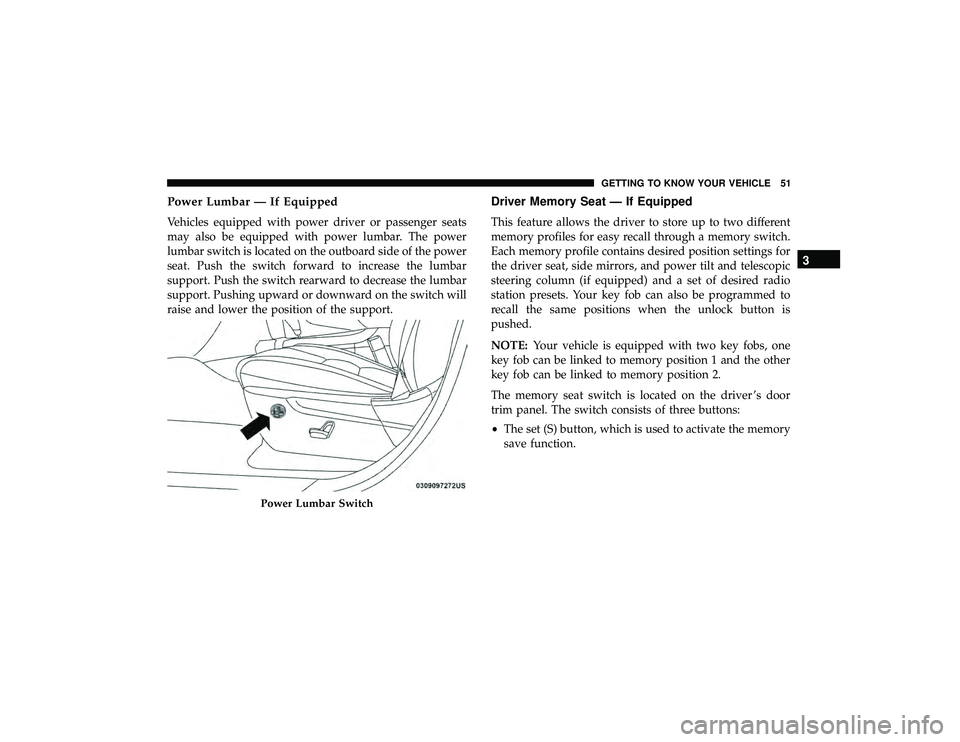
Power Lumbar — If Equipped
Vehicles equipped with power driver or passenger seats
may also be equipped with power lumbar. The power
lumbar switch is located on the outboard side of the power
seat. Push the switch forward to increase the lumbar
support. Push the switch rearward to decrease the lumbar
support. Pushing upward or downward on the switch will
raise and lower the position of the support.
Driver Memory Seat — If Equipped
This feature allows the driver to store up to two different
memory profiles for easy recall through a memory switch.
Each memory profile contains desired position settings for
the driver seat, side mirrors, and power tilt and telescopic
steering column (if equipped) and a set of desired radio
station presets. Your key fob can also be programmed to
recall the same positions when the unlock button is
pushed.
NOTE:Your vehicle is equipped with two key fobs, one
key fob can be linked to memory position 1 and the other
key fob can be linked to memory position 2.
The memory seat switch is located on the driver ’s door
trim panel. The switch consists of three buttons:
• The set (S) button, which is used to activate the memory
save function.
Page 54 of 626
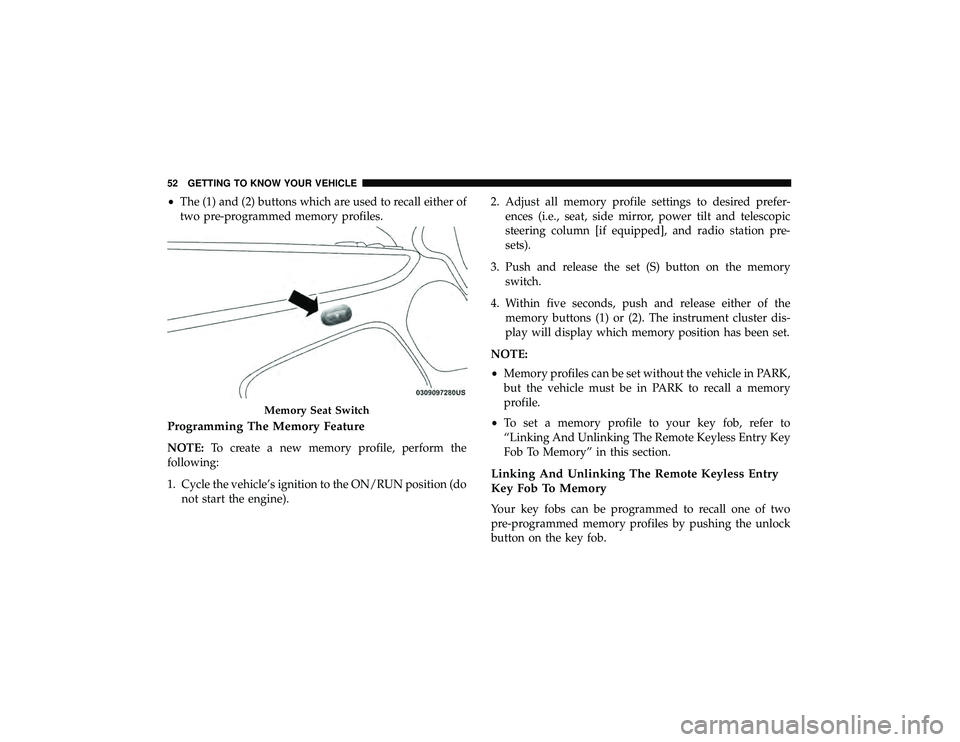
•The (1) and (2) buttons which are used to recall either of
two pre-programmed memory profiles.
Programming The Memory Feature
NOTE: To create a new memory profile, perform the
following:
1. Cycle the vehicle’s ignition to the ON/RUN position (do not start the engine). 2. Adjust all memory profile settings to desired prefer-
ences (i.e., seat, side mirror, power tilt and telescopic
steering column [if equipped], and radio station pre-
sets).
3. Push and release the set (S) button on the memory switch.
4. Within five seconds, push and release either of the memory buttons (1) or (2). The instrument cluster dis-
play will display which memory position has been set.
NOTE:
• Memory profiles can be set without the vehicle in PARK,
but the vehicle must be in PARK to recall a memory
profile.
• To set a memory profile to your key fob, refer to
“Linking And Unlinking The Remote Keyless Entry Key
Fob To Memory” in this section.
Linking And Unlinking The Remote Keyless Entry
Key Fob To Memory
Your key fobs can be programmed to recall one of two
pre-programmed memory profiles by pushing the unlock
button on the key fob.
Page 68 of 626
MIRRORS
Inside Day/Night Mirror — If Equipped
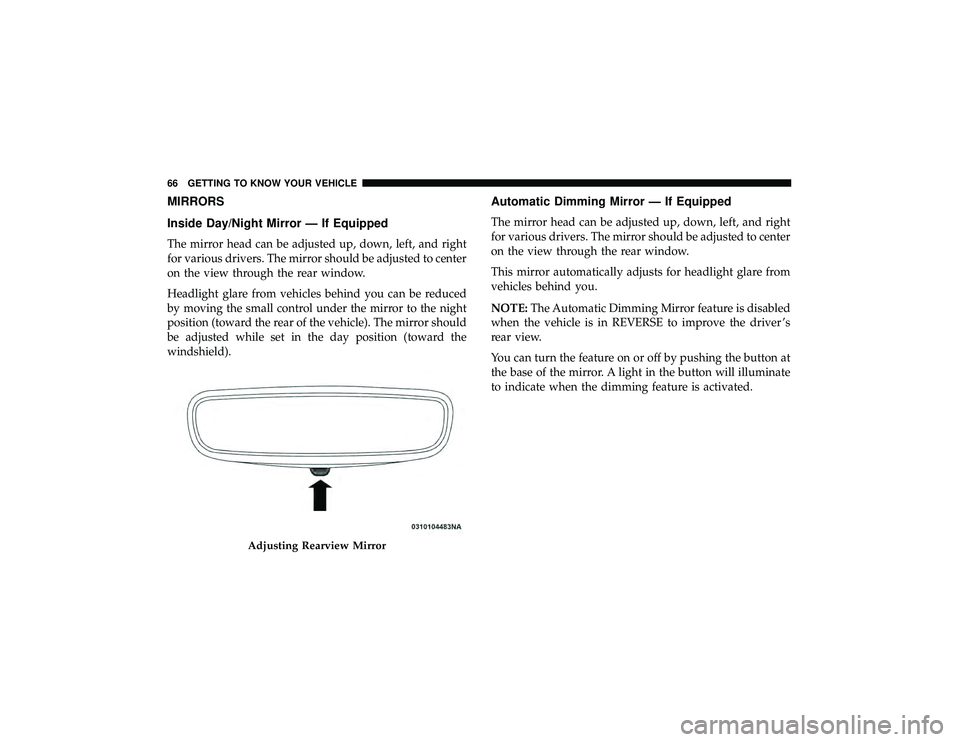
The mirror head can be adjusted up, down, left, and right
for various drivers. The mirror should be adjusted to center
on the view through the rear window.
Headlight glare from vehicles behind you can be reduced
by moving the small control under the mirror to the night
position (toward the rear of the vehicle). The mirror should
be adjusted while set in the day position (toward the
windshield).
Automatic Dimming Mirror — If Equipped
The mirror head can be adjusted up, down, left, and right
for various drivers. The mirror should be adjusted to center
on the view through the rear window.
This mirror automatically adjusts for headlight glare from
vehicles behind you.
NOTE:The Automatic Dimming Mirror feature is disabled
when the vehicle is in REVERSE to improve the driver ’s
rear view.
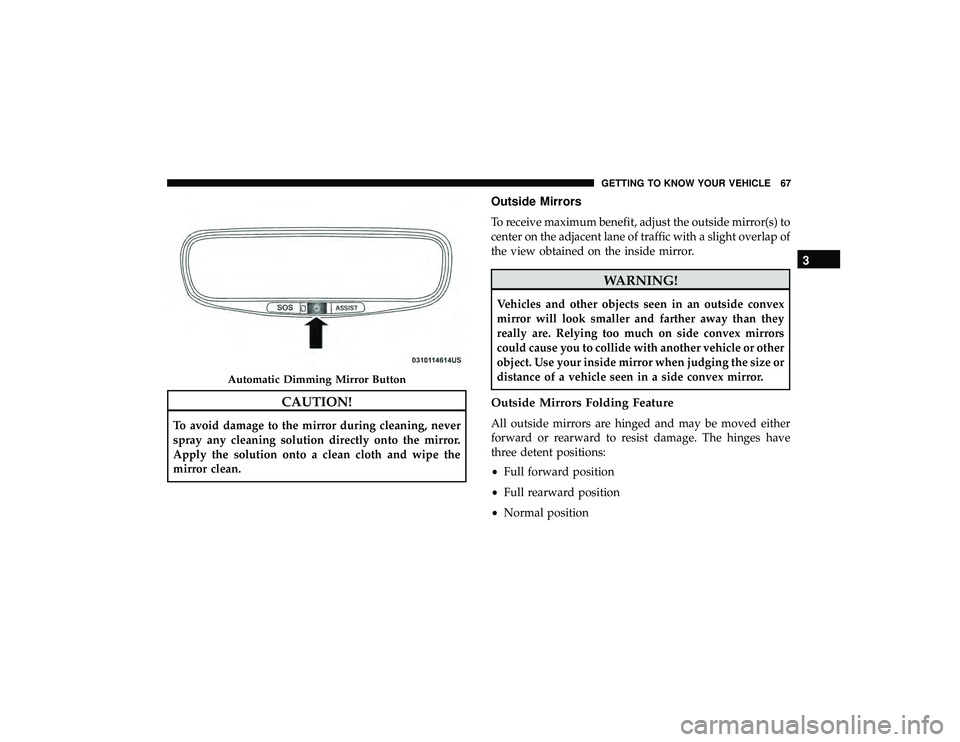
You can turn the feature on or off by pushing the button at
the base of the mirror. A light in the button will illuminate
to indicate when the dimming feature is activated.
Page 69 of 626
CAUTION!
To avoid damage to the mirror during cleaning, never
spray any cleaning solution directly onto the mirror.
Apply the solution onto a clean cloth and wipe the
mirror clean.
Outside Mirrors
To receive maximum benefit, adjust the outside mirror(s) to
center on the adjacent lane of traffic with a slight overlap of
the view obtained on the inside mirror.
Page 70 of 626
Outside Automatic Dimming Mirrors — If Equipped
The outside mirrors will automatically adjust for glare
from vehicles behind you. This feature is controlled by the
inside automatic dimming mirror. The mirrors will auto-
matically adjust for headlight glare when the inside mirror
adjusts.
Power Mirrors
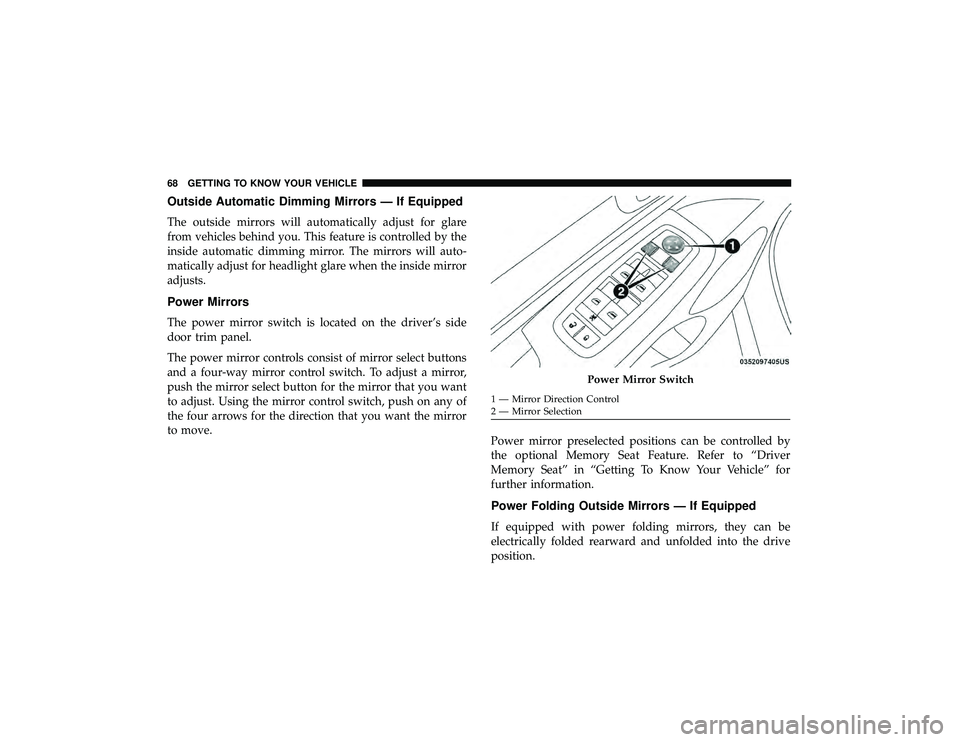
The power mirror switch is located on the driver’s side
door trim panel.
The power mirror controls consist of mirror select buttons
and a four-way mirror control switch. To adjust a mirror,
push the mirror select button for the mirror that you want
to adjust. Using the mirror control switch, push on any of
the four arrows for the direction that you want the mirror
to move.Power mirror preselected positions can be controlled by
the optional Memory Seat Feature. Refer to “Driver
Memory Seat” in “Getting To Know Your Vehicle” for
further information.
Power Folding Outside Mirrors — If Equipped
If equipped with power folding mirrors, they can be
electrically folded rearward and unfolded into the drive
position.
Page 71 of 626
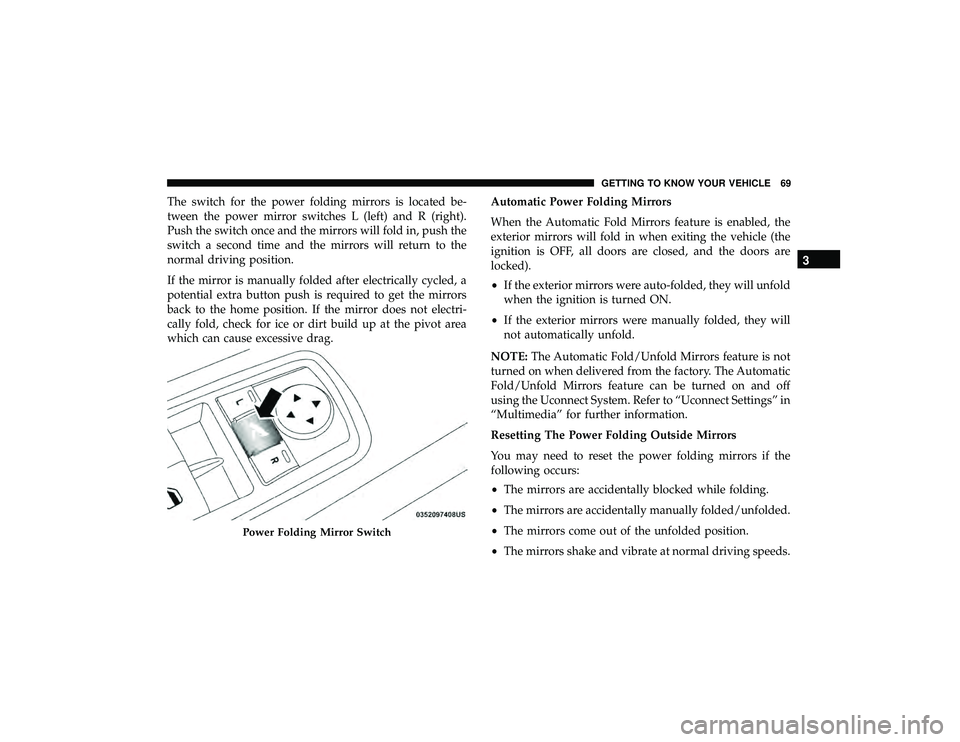
The switch for the power folding mirrors is located be-
tween the power mirror switches L (left) and R (right).
Push the switch once and the mirrors will fold in, push the
switch a second time and the mirrors will return to the
normal driving position.
If the mirror is manually folded after electrically cycled, a
potential extra button push is required to get the mirrors
back to the home position. If the mirror does not electri-
cally fold, check for ice or dirt build up at the pivot area
which can cause excessive drag.Automatic Power Folding Mirrors
When the Automatic Fold Mirrors feature is enabled, the
exterior mirrors will fold in when exiting the vehicle (the
ignition is OFF, all doors are closed, and the doors are
locked).
•
If the exterior mirrors were auto-folded, they will unfold
when the ignition is turned ON.
• If the exterior mirrors were manually folded, they will
not automatically unfold.
NOTE: The Automatic Fold/Unfold Mirrors feature is not
turned on when delivered from the factory. The Automatic
Fold/Unfold Mirrors feature can be turned on and off
using the Uconnect System. Refer to “Uconnect Settings” in
“Multimedia” for further information.
Resetting The Power Folding Outside Mirrors
You may need to reset the power folding mirrors if the
following occurs:
• The mirrors are accidentally blocked while folding.
• The mirrors are accidentally manually folded/unfolded.
• The mirrors come out of the unfolded position.
• The mirrors shake and vibrate at normal driving speeds.