2019 Hyundai Tucson blind spot sensor
[x] Cancel search: blind spot sensorPage 267 of 546

Driving your vehicle
5
Before Driving ........................................................5-4
Before Entering the Vehicle ...........................................5-4
Before Starting ..................................................................5-4
Ignition Switch ........................................................5-6
Key Ignition Switch ...........................................................5-6
Engine Start/Stop Button................................................5-9
Automatic Transmission ......................................5-14
Automatic transmission operation ..............................5-14
Good Driving Practices ..................................................5-19
Braking System ....................................................5-21
Power Brakes ...................................................................5-21
Disc Brakes Wear Indicator ..........................................5-22
Parking Brake...................................................................5-22
Electronic Parking Brake (EPB)...................................5-24
Auto Hold ..........................................................................5-30
Anti-lock Brake System (ABS) ....................................5-33
Electronic Stability Control (ESC)................................5-35
Vehicle Stability Management (VSM).........................5-39
Hill-Start Assist Control (HAC) ....................................5-40
Downhill Brake Control (DBC) ......................................5-40
Good Braking Practices .................................................5-42
All Wheel Drive (AWD) ........................................5-43
AWD operation.................................................................5-45
Emergency precautions .................................................5-49
Drive Mode Integrated Control System ............5-51
Blind-Spot Collision Warning (BCW) System...5-52
BCW (Blind-Spot Collision Warning) ..........................5-53
RCCW (Rear Cross-Traffic Collision Warning) .........5-55
Blind-Spot Collision Warning - Sensor Location ....5-57
Limitations of the System .............................................5-58
Forward Collision-Avoidance Assist (FCA)
System - Camera Type........................................5-60
System Setting and Activation.....................................5-60
FCA Warning Message and System Control ............5-63
FCA Sensor .......................................................................5-65
System Not Operating....................................................5-67
Limitations of the System .............................................5-68
Forward Collision-Avoidance Assist (FCA)
System - Sensor Fusion Type
(Front Radar + Front Camera) ...........................5-73
System Setting and Activation.....................................5-73
FCA Warning Message and System Control ............5-76
FCA Sensor .......................................................................5-78
System Not Operating....................................................5-80
Limitations of the System .............................................5-81
Page 318 of 546
![Hyundai Tucson 2019 Owners Manual 5-52
Driving your vehicle
[A] : Blind spot area
[B] : Closing at high speed
The Blind-Spot Collision Warning
(BCW) system uses radar sensors in
the rear bumper to monitor and warn
the driver of an ap](/manual-img/35/19694/w960_19694-317.png "Hyundai Tucson 2019 Owners Manual 5-52
Driving your vehicle
[A] : Blind spot area
[B] : Closing at high speed
The Blind-Spot Collision Warning
(BCW) system uses radar sensors in
the rear bumper to monitor and warn
the driver of an ap")
5-52
Driving your vehicle
[A] : Blind spot area
[B] : Closing at high speed
The Blind-Spot Collision Warning
(BCW) system uses radar sensors in
the rear bumper to monitor and warn
the driver of an approaching vehicle
in the driver's blind spot area.
The system monitors the rear area of
the vehicle and provides information
to the driver with an audible alert and
an indicator on the outer side view
mirrors.(1) Blind-Spot Collision Warning
(BCW)
The Blind-Spot Collision Warning
(BCW) range varies relative to
vehicle speed. Note that if your
vehicle is traveling much faster
than the vehicles around you, the
warning will not occur.
(2) BCW : Closing at high speed
The BCW-Closing at high speed
feature will alert you when a vehi-
cle is approaching in an adjacent
lane at a high rate of speed. If the
driver activates the turn signal
when the system detects an
oncoming vehicle, the system
sounds an audible alert.
The time of alert (warning signal)
varies according to the speed dif-
ference between you and the
approaching vehicle.
(3) RCCW (Rear Cross-Traffic
Collision Warning)
The RCCW feature monitors
approaching cross traffic from the
left and right side of the vehicle
when your vehicle is in reverse.The feature will operate when the
vehicle is moving in reverse
below about 6 mph (10 km/h). If
oncoming cross traffic is detected
a warning chime will sound. The
time of alert varies according to
the speed difference between you
and the approaching vehicle.
B BL
LI
IN
ND
D-
-S
SP
PO
OT
T
C
CO
OL
LL
LI
IS
SI
IO
ON
N
W
WA
AR
RN
NI
IN
NG
G
(
(B
BC
CW
W)
)
S
SY
YS
ST
TE
EM
M
(
(I
IF
F
E
EQ
QU
UI
IP
PP
PE
ED
D)
)
OOS057099L
A
B
Always be aware of road con-
ditions while driving and be
alert for unexpected situations
even though the Blind-Spot
Collision Warning (BCW) sys-
tem is operating.
The Blind-Spot Collision
Warning (BCW) system is not
a substitute for proper and
safe driving. Always drive
safely and use caution when
changing lanes or backing up
the vehicle. The Blind-Spot
Collision Warning (BCW) sys-
tem may not detect every
object alongside the vehicle.
WARNING
Page 323 of 546

5-57
Driving your vehicle
5
Blind-Spot Collision Warning -
Sensor Location
The sensors are located inside the
rear bumper.
Always keep the rear bumper clean
for the proper operation of the sys-
tem.
Warning message
Blind-Spot Collision Warning
(BCW) system disabled.
Radar blocked
This warning message may appear
when :
- One or both of the sensors on the
rear bumper is blocked by dirt or
snow or a foreign object.
- Driving in rural areas where the
BCW sensor does not detect
another vehicle for an extended
period of time.
- When there is inclement weather
such as heavy snow or rain.- A trailer or carrier is installed. To
use the BCW system, remove the
trailer or carrier from your vehicle.
If any of these conditions occur, the
light on the BCW switch and the sys-
tem will turn off automatically.
When the BCW cancelled warning
message is displayed in the cluster,
check to make sure that the rear
bumper is free from any dirt or snow
in the areas where the sensor is
located. Remove any dirt, snow, or
foreign material that could interfere
with the radar sensors.
After any dirt or debris is removed,
the BCW system should operate nor-
mally after about 10 minutes of driv-
ing the vehicle.
If the system still does not operate
normally have your vehicle inspected
by an authorized HYUNDAI dealer.
Information
Turn off the system by pressing the
BCW switch and deselecting Rear
Cross Traffic Alert from the User
Settings mode on the cluster, when
using a trailer or carrier behind your
vehicle.
i
OTLE058031
OIK057092L
Page 324 of 546
5-58
Driving your vehicle
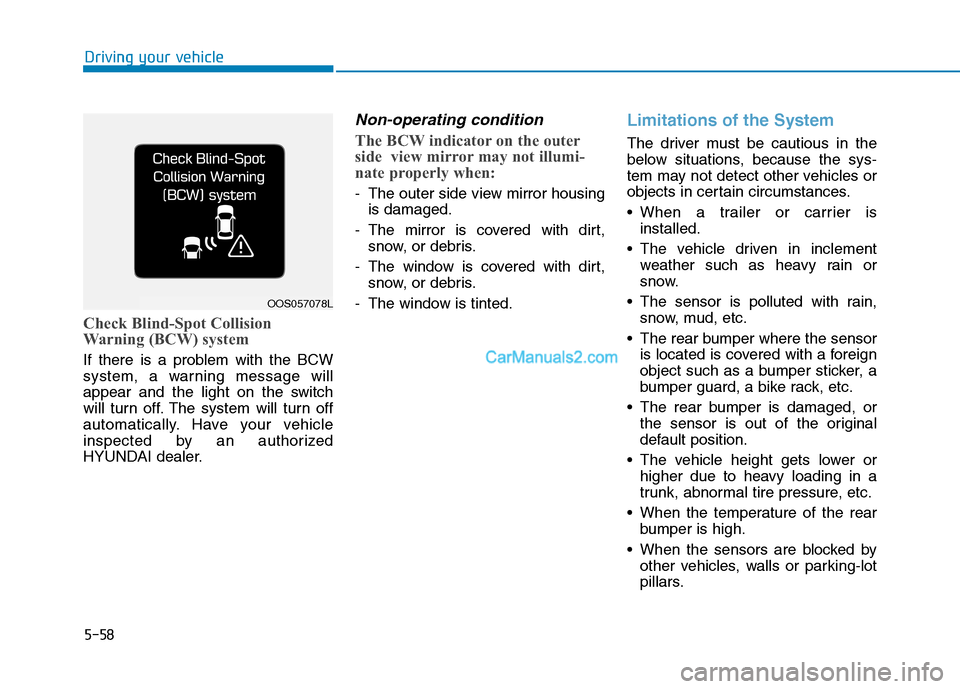
Check Blind-Spot Collision
Warning (BCW) system
If there is a problem with the BCW
system, a warning message will
appear and the light on the switch
will turn off. The system will turn off
automatically. Have your vehicle
inspected by an authorized
HYUNDAI dealer.
Non-operating condition
The BCW indicator on the outer
side view mirror may not illumi-
nate properly when:
- The outer side view mirror housing
is damaged.
- The mirror is covered with dirt,
snow, or debris.
- The window is covered with dirt,
snow, or debris.
- The window is tinted.
Limitations of the System
The driver must be cautious in the
below situations, because the sys-
tem may not detect other vehicles or
objects in certain circumstances.
When a trailer or carrier is
installed.
The vehicle driven in inclement
weather such as heavy rain or
snow.
The sensor is polluted with rain,
snow, mud, etc.
The rear bumper where the sensor
is located is covered with a foreign
object such as a bumper sticker, a
bumper guard, a bike rack, etc.
The rear bumper is damaged, or
the sensor is out of the original
default position.
The vehicle height gets lower or
higher due to heavy loading in a
trunk, abnormal tire pressure, etc.
When the temperature of the rear
bumper is high.
When the sensors are blocked by
other vehicles, walls or parking-lot
pillars.
OOS057078L
Page 491 of 546

7
Maintenance
Instrument panel fuse panel
Fuse Name Fuse ratingCircuit Protected
A/CON1 7.5AA/C Control Module, Cluster Ionizer (Auto A/C), E/R Junction Block (Blower Relay)
WIPER RR 15AICM Relay Box (Rear Wiper Relay), Rear Wiper Motor
MODULE6 10ABCM, Smart Key Control Module
WASHER 15AMultifunction Switch (Washer Switch)
MODULE5 7.5ACrash Pad Switch, Parking Distance Warning Buzzer, BCM, ATM Shift Lever, 4WD ECM,
Console Switch, Blind-Spot Collision Warning Unit LH/RH, Lane Keeping Assist Unit,
Forward Collision Avoidance Assist Unit
AIR BAG 15ASRS Control Module, Passenger Occupant Detection Sensor
MODULE1 10ABCM, Smart Key Control Module, Audio, A/V & Navigation Head Unit, AMP, Power Outside Mirror
Switch, PCB Block (Power Outlet Relay), Wireless Charger, Surround View Monitor, Rear USB Charger
START 10AICM Relay Box (Burglar Alarm Relay), Transaxle Range Switch
MODULE7 7.5AFront Air Ventilation Seat Control Module, Front Seat Warmer Control Module, Rear Seat Warmer,
Surround View Monitor
HEATED STEERING 15ABCM
MODULE8 7.5ACenter Facia Switch, Key Solenoid, Forward Collision Avoidance Assist Unit, Data Link Connector
MODULE4 7.5AMultipurpose Check Connector, A/C Control Module, Audio, A/V & Navigation Head Unit,
Electro Chromic Mirror, Front Air Ventilation Seat Control Module, ATM Shift Lever ILL.,
Front Seat Warmer Control Module, Rear Seat Warmer
A/BAG IND 7.5AInstrument Cluster, Center Facia Switch
MODULE310ABCM, ATM Shift Lever, Stop Lamp Switch
SMART KEY115ASmart Key Control Module
MODULE910ABCM, Security Indicator, Rain Sensor
4WD20A4WD ECM
7-57
Page 537 of 546

I-2
Accessing Your Vehicle ....................................................3-4
Immobilizer System ...................................................3-13
Remote Key ..................................................................3-4
Smart Key.....................................................................3-8
Air Bag - Advanced Supplemental Restraint System.....2-48
Additional Safety Precautions ....................................2-72
Air Bag Warning Labels.............................................2-73
Curtain air bags ..........................................................2-53
Driver's front air bag ..................................................2-50
How Does the Air Bag System Operate? ...................2-54
Occupant Classification System (OCS) .....................2-59
Passenger's front air bag.............................................2-50
Side air bags ...............................................................2-51
SRS Care ....................................................................2-71
What to Expect After an Air Bag Inflates ..................2-58
Where Are the Air Bags? ...........................................2-50
Why Didn't My Air Bag Go Off in a Collision?........2-65
Air Cleaner......................................................................7-25
Filter Replacement .....................................................7-25
Air Conditioning System ..................................................8-7
All Wheel Drive (AWD) .................................................5-43
AWD operation...........................................................5-45
Emergency precautions ..............................................5-49
Anti-lock Brake System (ABS) ......................................5-33Appearance Care .............................................................7-75
Exterior Care ..............................................................7-75
Interior Care ...............................................................7-80
Auto Hold .......................................................................5-30
Automatic Climate Control System..............................3-137
Automatic Heating and Air Conditioning ................3-138
Manual Heating and Air Conditioning .....................3-139
System Maintenance ................................................3-148
System Operation .....................................................3-146
Automatic Transmission .................................................5-14
Automatic transmission operation..............................5-14
Good Driving Practices ..............................................5-19
Battery .............................................................................7-33
Battery Recharging .....................................................7-34
For Best Battery Service ............................................7-34
Reset Features ............................................................7-35
Before Driving ..................................................................5-4
Before Entering the Vehicle .........................................5-4
Before Starting .............................................................5-4
Blind-Spot Collision Warning (BCW) System ...............5-52
BCW (Blind-Spot Collision Warning) .......................5-53
Blind-Spot Collision Warning - Sensor Location ......5-57
Limitations of the System ..........................................5-58
RCCW (Rear Cross-Traffic Collision Warning) ........5-55
Index
A
B