Page 461 of 685
5-137
Driving your vehicle
5
2. Accelerate to the desired speed,which must be more than 20 mph
(30 km/h).
Information - Manualtransaxle
For manual transaxle vehicles, you
should depress the brake pedal at
least once to set the cruise control
after starting the engine.
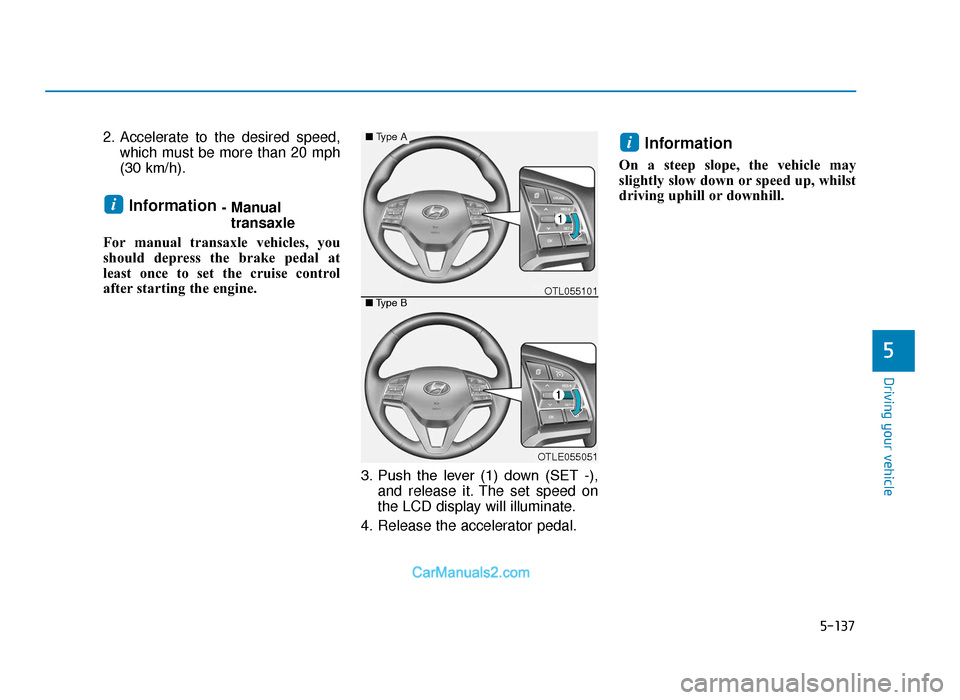
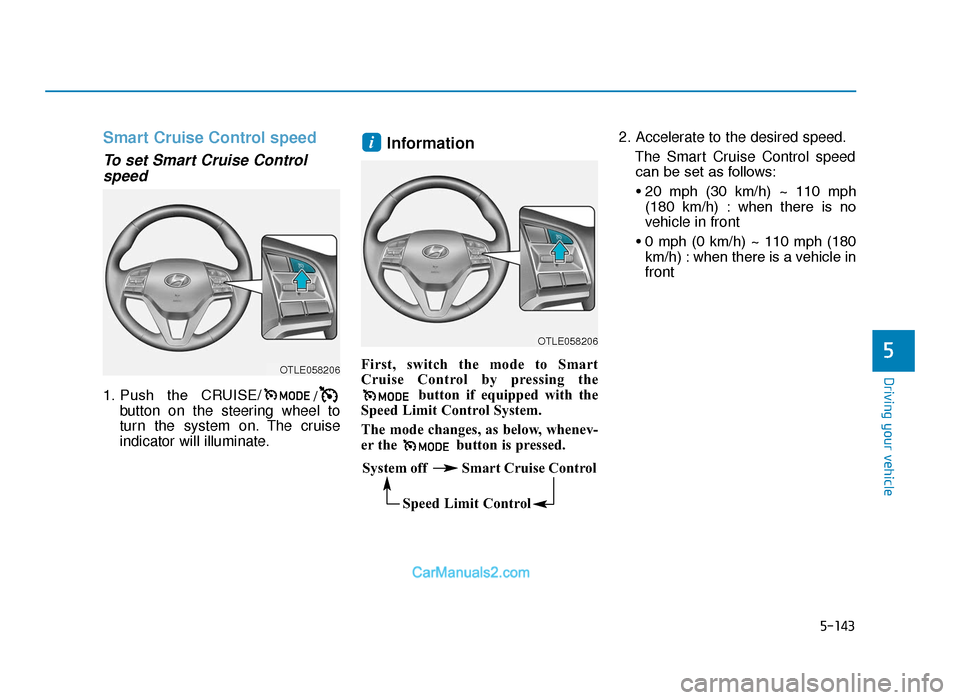
3. Push the lever (1) down (SET -),and release it. The set speed on
the LCD display will illuminate.
4. Release the accelerator pedal.
Information
On a steep slope, the vehicle may
slightly slow down or speed up, whilst
driving uphill or downhill.
i
i
OTLE055051
■ Type A
■Type BOTL055101
TLe UK 5.qxp 5/10/2018 12:29 PM Page 137
Page 462 of 685
5-138
Driving your vehicle
To increase Cruise Controlspeed
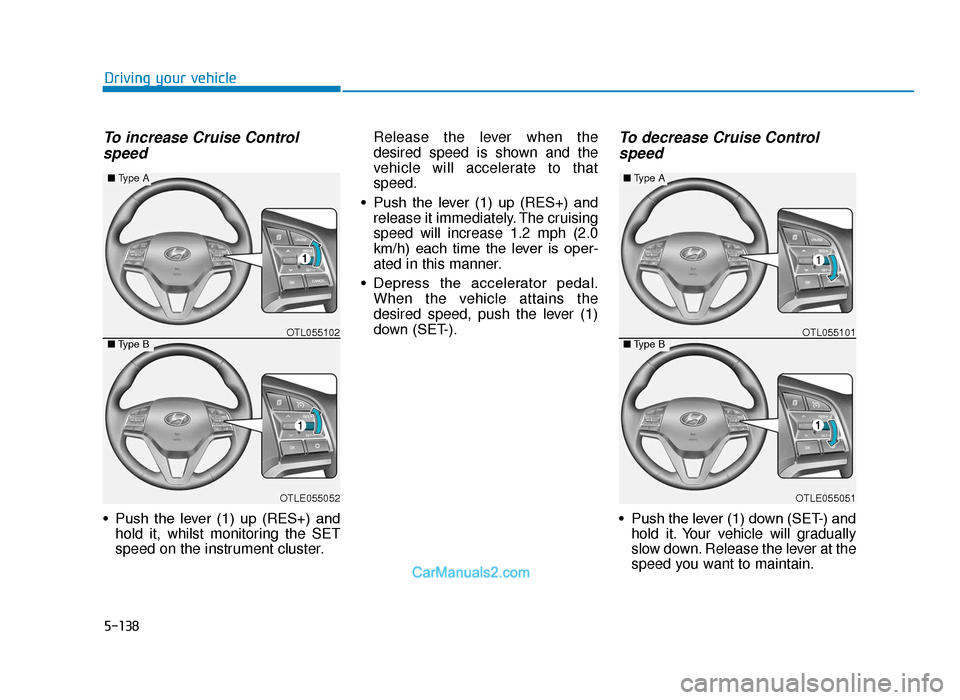
• Push the lever (1) up (RES+) and hold it, whilst monitoring the SET
speed on the instrument cluster. Release the lever when the
desired speed is shown and the
vehicle will accelerate to that
speed.
• Push the lever (1) up (RES+) and release it immediately. The cruising
speed will increase 1.2 mph (2.0
km/h) each time the lever is oper-
ated in this manner.
• Depress the accelerator pedal. When the vehicle attains the
desired speed, push the lever (1)
down (SET-).
To decrease Cruise Controlspeed
• Push the lever (1) down (SET-) and hold it. Your vehicle will gradually
slow down. Release the lever at the
speed you want to maintain.
OTLE055051
■ Type A
■Type BOTL055101
OTLE055052
■Type A
■Type BOTL055102
TLe UK 5.qxp 5/10/2018 12:29 PM Page 138
Page 463 of 685
5-139
Driving your vehicle
5
• Push the lever (1) down (SET-) andrelease it immediately. The cruising
speed will decrease 1.2 mph (2.0
km/h) each time the lever is oper-
ated in this manner.
• Lightly tap the brake pedal. When the vehicle attains the desired
speed, push the lever (1) down
(SET-).To temporarily accelerate withthe Cruise Control ON
Depress the accelerator pedal. When
you take your foot off the accelerator,
the vehicle will return to the previ-
ously set speed.
If you push the lever down (SET-) at
the increased speed, the Cruise
Control will maintain the increased
speed.
Cruise Control will be cancelledwhen:
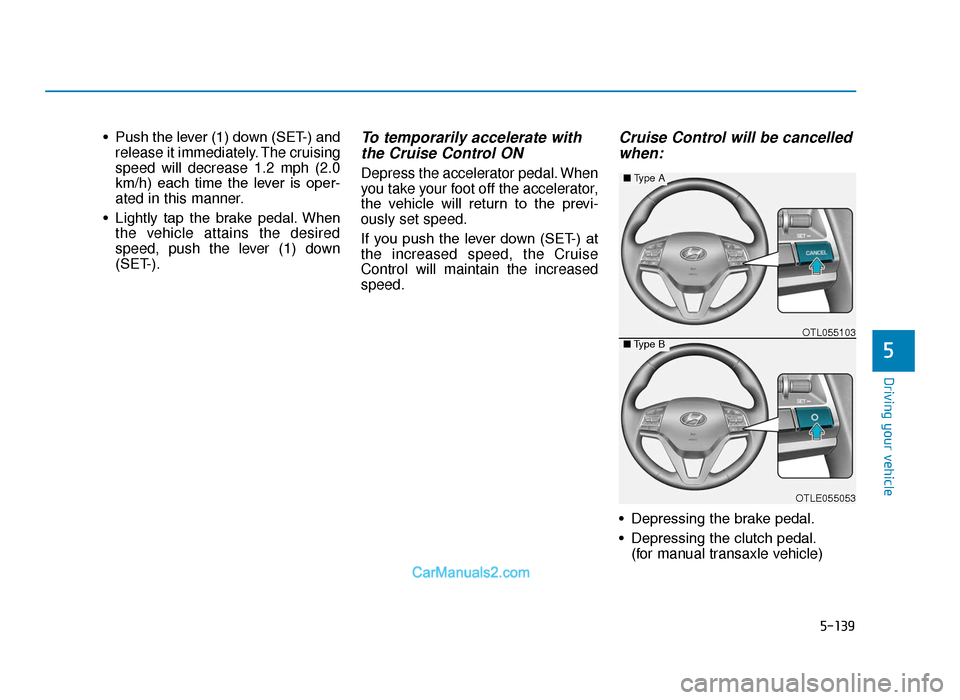
• Depressing the brake pedal.
• Depressing the clutch pedal.
(for manual transaxle vehicle)
OTLE055053
■ Type A
■Type BOTL055103
TLe UK 5.qxp 5/10/2018 12:30 PM Page 139
Page 464 of 685
5-140
Driving your vehicle
• Pressing the CANCEL / O button located on the steering wheel.
• Pressing the CRUISE / button. Both the CRUISE indicator and the
SET indicator will turn OFF.
• Moving the shift lever into N (Neutral). (for automatic transaxle /
dual clutch transmission vehicle)
• Decreasing the vehicle speed lower than the speed by 12 mph
(20 km/h).
• Decreasing the vehicle speed to less than approximately 20 mph
(30 km/h).
• The ESC (Electronic Stability Control) is operating.
• Downshifting to the 2nd gear in Sports Mode.
Information
Each of the above actions will cancel
Cruise Control operation (The set
speed on the instrument cluster will go
off), but only pressing the CRUISE
button will turn the system off. If you
wish to resume Cruise Control opera-
tion, push the lever up (RES+) located
on your steering wheel. You will
return to your previously preset
speed, unless the system was turned
off using the CRUISE button.
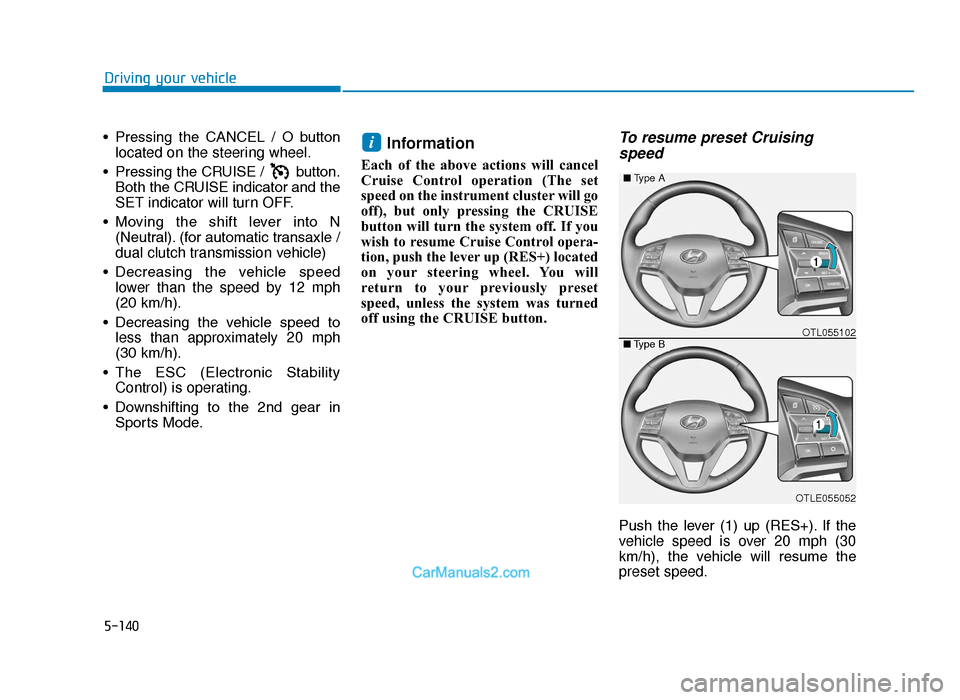
To resume preset Cruisingspeed
Push the lever (1) up (RES+). If the
vehicle speed is over 20 mph (30
km/h), the vehicle will resume the
preset speed.
i
OTLE055052
■ Type A
■Type BOTL055102
TLe UK 5.qxp 5/10/2018 12:30 PM Page 140
Page 465 of 685
5-141
Driving your vehicle
5
To turn Cruise Control off
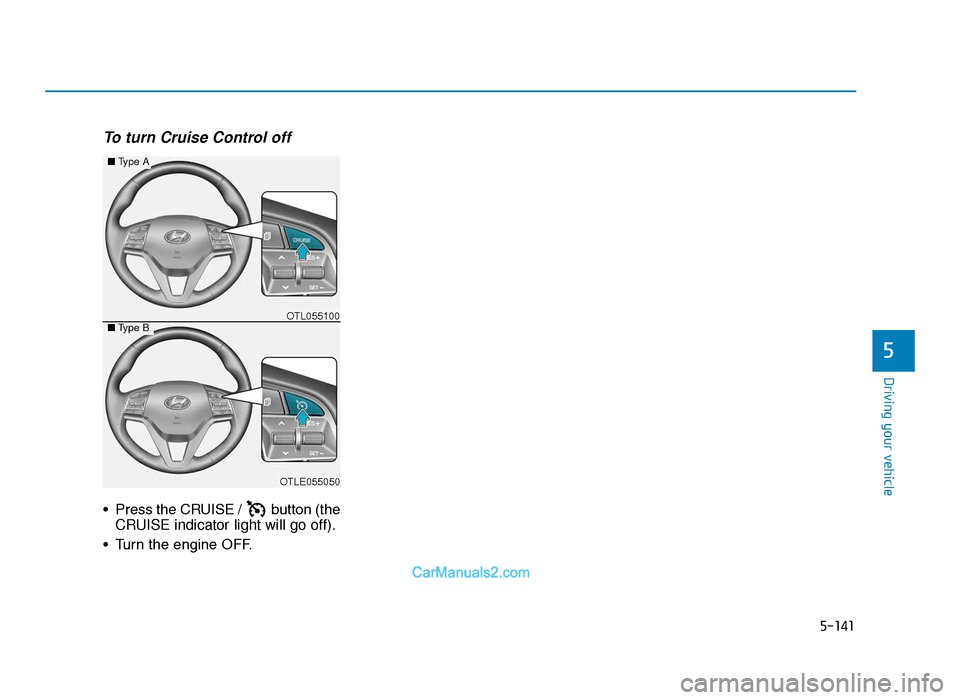
• Press the CRUISE / button (theCRUISE indicator light will go off).
• Turn the engine OFF.
OTLE055050
■ Type A
■Type BOTL055100
TLe UK 5.qxp 5/10/2018 12:30 PM Page 141
Page 466 of 685
5-142
Driving your vehicle
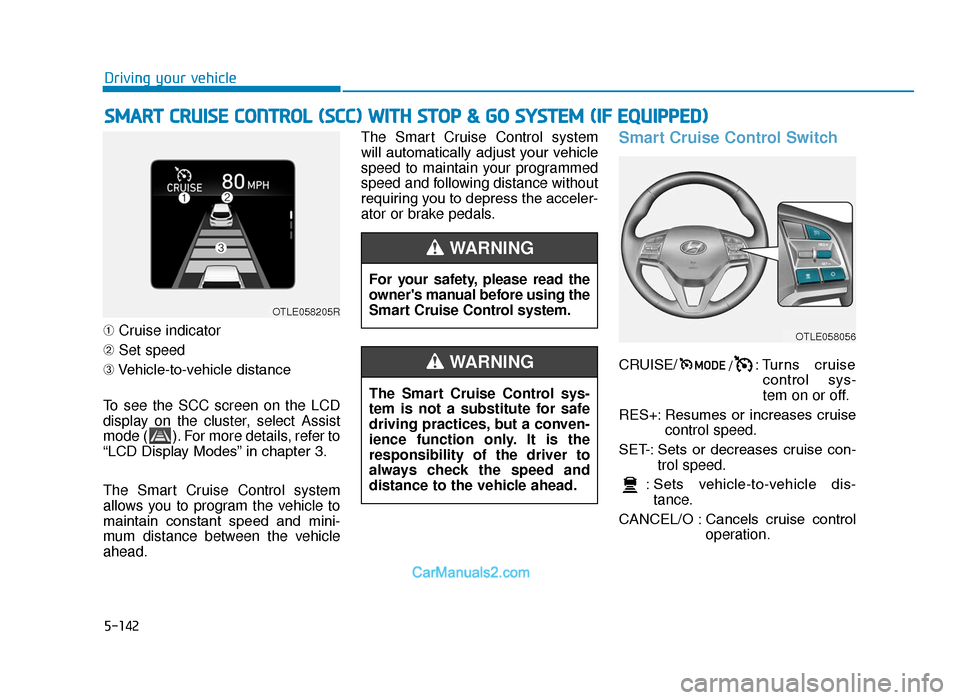
➀ Cruise indicator
➁ Set speed
➂ Vehicle-to-vehicle distance
To see the SCC screen on the LCD
display on the cluster, select Assist
mode ( ). For more details, refer to
“LCD Display Modes” in chapter 3.
The Smart Cruise Control system
allows you to program the vehicle to
maintain constant speed and mini-
mum distance between the vehicle
ahead. The Smart Cruise Control system
will automatically adjust your vehicle
speed to maintain your programmed
speed and following distance without
requiring you to depress the acceler-
ator or brake pedals.
Smart Cruise Control Switch
CRUISE/
/: Turns cruise
control sys-
tem on or off.
RES+: Resumes or increases cruise control speed.
SET-: Sets or decreases cruise con- trol speed.
: Sets vehicle-to-vehicle dis- tance.
CANCEL/O : Cancels cruise control operation.
SMART CRUISE CONTROL (SCC) WITH STOP & GO SYSTEM (IF EQUIPPED)
For your safety, please read the
owner's manual before using the
Smart Cruise Control system.
WARNING
The Smart Cruise Control sys-
tem is not a substitute for safe
driving practices, but a conven-
ience function only. It is the
responsibility of the driver to
always check the speed and
distance to the vehicle ahead.
WARNING
OTLE058205R
OTLE058056
TLe UK 5.qxp 5/10/2018 12:30 PM Page 142
Page 467 of 685
5-143
Driving your vehicle
5
Smart Cruise Control speed
To set Smart Cruise Controlspeed
1. Push the CRUISE/ /
button on the steering wheel to
turn the system on. The cruise
indicator will illuminate.
Information
First, switch the mode to Smart
Cruise Control by pressing the
button if equipped with the
Speed Limit Control System.
The mode changes, as below, whenev-
er the button is pressed. 2. Accelerate to the desired speed.
The Smart Cruise Control speedcan be set as follows:
• 20 mph (30 km/h) ~ 110 mph (180 km/h) : when there is no
vehicle in front
• 0 mph (0 km/h) ~ 110 mph (180 km/h) : when there is a vehicle in
front
i
OTLE058206
OTLE058206
System off Smart Cruise Control
Speed Limit Control
TLe UK 5.qxp 5/10/2018 12:30 PM Page 143
Page 468 of 685
5-144
Driving your vehicle
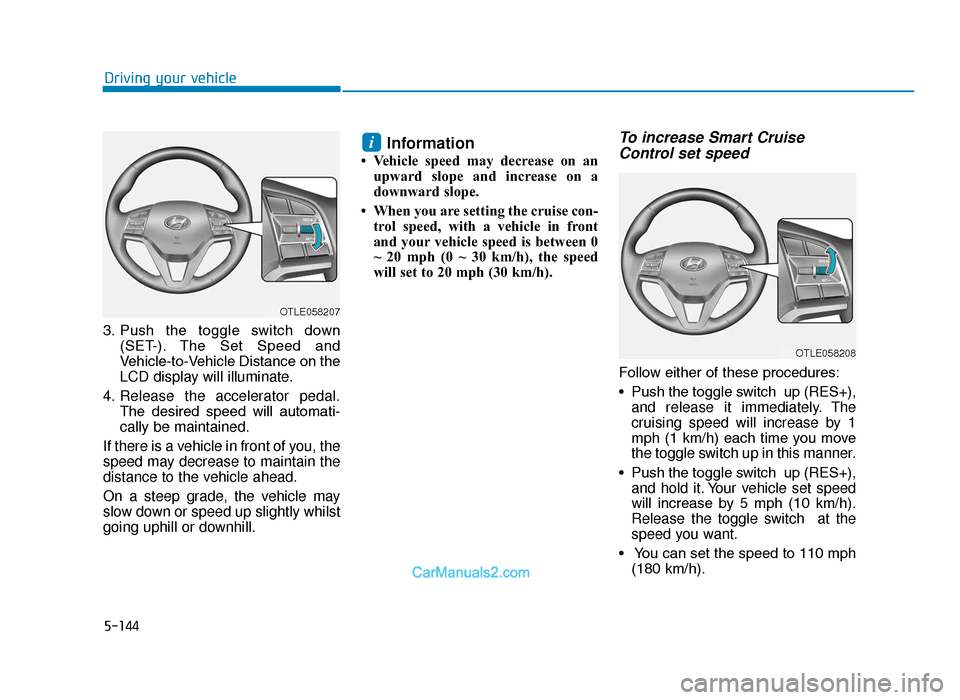
3. Push the toggle switch down (SET-). The Set Speed and
Vehicle-to-Vehicle Distance on the
LCD display will illuminate.
4. Release the accelerator pedal. The desired speed will automati-
cally be maintained.
If there is a vehicle in front of you, the
speed may decrease to maintain the
distance to the vehicle ahead.
On a steep grade, the vehicle may
slow down or speed up slightly whilst
going uphill or downhill.
Information
• Vehicle speed may decrease on an upward slope and increase on a
downward slope.
• When you are setting the cruise con- trol speed, with a vehicle in front
and your vehicle speed is between 0
~ 20 mph (0 ~ 30 km/h), the speed
will set to 20 mph (30 km/h).
To increase Smart CruiseControl set speed
Follow either of these procedures:
• Push the toggle switch up (RES+),
and release it immediately. The
cruising speed will increase by 1
mph (1 km/h) each time you move
the toggle switch up in this manner.
• Push the toggle switch up (RES+), and hold it. Your vehicle set speed
will increase by 5 mph (10 km/h).
Release the toggle switch at the
speed you want.
• You can set the speed to 110 mph (180 km/h).
i
OTLE058207
OTLE058208
TLe UK 5.qxp 5/10/2018 12:30 PM Page 144