Page 221 of 546

3-85
Convenient features of your vehicle
LCD display control
The LCD display modes can be
changed by pressing the control
switches on the steering wheel. (1) :Changing LCD modes or
returning to previous posi-tion
(2) , : Changing items
(3) OK : Selecting or resetting
LCD modes
LL CC DD DD IISS PP LLAA YY
3
OLF047201
Modes SymbolDescription
Trip Computer
This mode displays information related to driving such
as tripmeter, fuel economy, etc.
For more information, refer to "Trip Computer" in
this chapter.
Turn By Turn (TBT)
(if equipped)This mode displays the state of the navigation.
Assist
(If equipped)
This mode displays the state of the Smart Cruise Control (SCC) and Lane Keeping Assist System (LKAS).
For more information, refer to "Smart Cruise Control
(SCC)" and Lane Keeping Assist System (LKAS) in
chapter 5.
This mode displays information related to Driver Attention Alert and Tire Pressure Monitoring System (TPMS).
For more information, refer to "Driver Attention Alert
(DAA)" in chapter 5 and "Tire Pressure Monitoring
System (TPMS)" in chapter 6.
User SettingsOn this mode, you can change settings of the doors,
lamps, etc.
Warning
This mode displays information such as tire pressure,service intervals, warning messages related to the
Smart Cruise Control, etc.
Page 222 of 546
3-86
Convenient features of your vehicle
Shift to P to edit settings
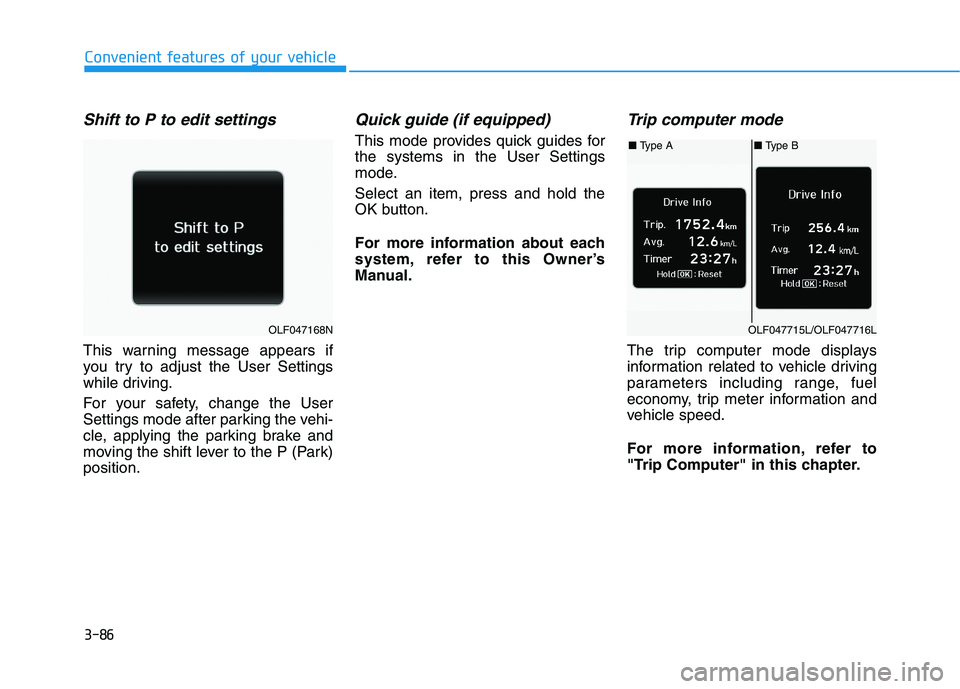
This warning message appears if
you try to adjust the User Settings
while driving.
For your safety, change the User
Settings mode after parking the vehi-
cle, applying the parking brake and
moving the shift lever to the P (Park)position.
Quick guide (if equipped)
This mode provides quick guides forthe systems in the User Settings
mode. Select an item, press and hold the
OK button.
For more information about each
system, refer to this Owner’s
Manual.
Trip computer mode
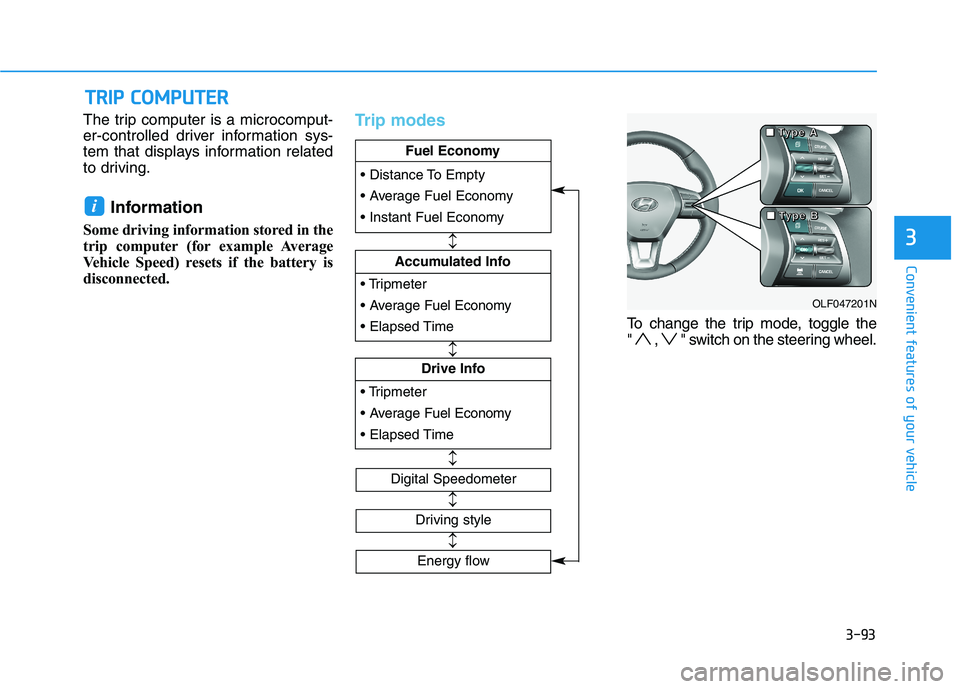
The trip computer mode displays
information related to vehicle driving
parameters including range, fuel
economy, trip meter information and
vehicle speed.
For more information, refer to
"Trip Computer" in this chapter.
OLF047168N
■ Type A■ Type B
OLF047715L/OLF047716L
Page 228 of 546
3-92
Convenient features of your vehicle
If the service interval is activated and the time and distance is adjusted,
messages are displayed in the fol-
lowing situations each time the vehi-
cle is turned on.
- Service in: Displayed to inform the driver theremaining mileage and days to
service.
- Service required
: Displayed when the mileage anddays to service has been reachedor passed.
Information
If any of the following conditions
occur, the mileage and number of days
to service may be incorrect.
- The battery cable is disconnected.
- The fuse switch is turned off.
- The battery is discharged. 7. Other Features
Battery Saver+
To activate or deactivate the Aux.
Battery Saver+ function.
When activated, the high voltage bat-
tery is used to keep the 12V batterycharged.
For more information, refer to the
"Hybrid System Overview" provid-
ed in the front of the owner's man-ual.
Fuel Economy Auto Reset
- Off: The average fuel economy will
not reset automatically whenever refueling.
- After Ignition: The average fuel economy will reset automatically
whenever it has passed 4 hours
after turning OFF the engine.
- After recharging: The average fuel economy will reset automaticallywhen refueling.
For more information, refer to
"Trip Computer" in this chapter. Fuel Economy Unit
To select the fuel economy unit. (km/L, L/100, MPG)
Temperature Unit
To select the temperature unit.
(°C,°F)
Tire Pressure Unit
To select the tire pressure unit.
(psi, kPa, bar)
8. Reset
You can reset the menus in the User
Settings Mode. All menus in the User
Settings Mode are initialized, except
language and service interval.
i
Page 229 of 546
3-93
Convenient features of your vehicle
The trip computer is a microcomput-
er-controlled driver information sys-
tem that displays information related
to driving.Information
Some driving information stored in the
trip computer (for example Average
Vehicle Speed) resets if the battery is
disconnected.Trip modes
To change the trip mode, toggle the
" , " switch on the steering wheel.
i
TT RR IIPP CC OO MM PPUU TTEERR
3
Fuel Economy
Drive Info
Fuel Economy
Accumulated Info
Fuel Economy
Digital Speedometer
Driving style
OLF047201N
■
■■■TTTTyyyyppppeeee AAAA
■■■■TTTTyyyyppppeeee BBBB
Energy flow
Page 230 of 546
3-94
Convenient features of your vehicle
Fuel economy
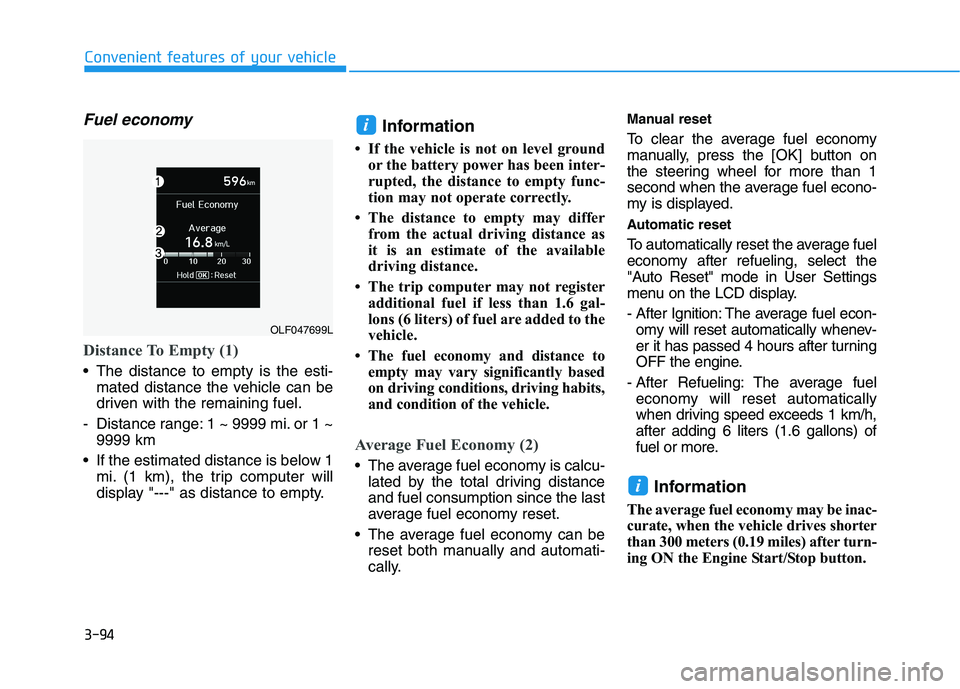
Distance To Empty (1)
The distance to empty is the esti-mated distance the vehicle can be
driven with the remaining fuel.
- Distance range: 1 ~ 9999 mi. or 1 ~ 9999 km
If the estimated distance is below 1 mi. (1 km), the trip computer will
display "---" as distance to empty. Information
If the vehicle is not on level ground or the battery power has been inter-
rupted, the distance to empty func-
tion may not operate correctly.
The distance to empty may differ from the actual driving distance as
it is an estimate of the available
driving distance.
The trip computer may not register additional fuel if less than 1.6 gal-
lons (6 liters) of fuel are added to the
vehicle.
The fuel economy and distance to empty may vary significantly based
on driving conditions, driving habits,
and condition of the vehicle.
Average Fuel Economy (2)
The average fuel economy is calcu-lated by the total driving distance and fuel consumption since the last
average fuel economy reset.
The average fuel economy can be reset both manually and automati-
cally. Manual reset
To clear the average fuel economy
manually, press the
[OK] button on
the steering wheel for more than 1
second when the average fuel econo-
my is displayed.
Automatic reset
To automatically reset the average fuel
economy after refueling, select the
"Auto Reset" mode in User Settings
menu on the LCD display.
- After Ignition: The average fuel econ- omy will reset automatically whenev-
er it has passed 4 hours after turning
OFF the engine.
- After Refueling: The average fuel economy will reset automatically
when driving speed exceeds 1 km/h,after adding 6 liters (1.6 gallons) of
fuel or more.
Information
The average fuel economy may be inac-
curate, when the vehicle drives shorter
than 300 meters (0.19 miles) after turn-
ing ON the Engine Start/Stop button.
i
i
OLF047699L
Page 231 of 546
3-95
Convenient features of your vehicle
3
Instant Fuel Economy (3)
This mode displays the instant fueleconomy during the last few sec-
onds when the vehicle speed ismore than 6.2 MPH (10 km/h).
Accumulated Info display
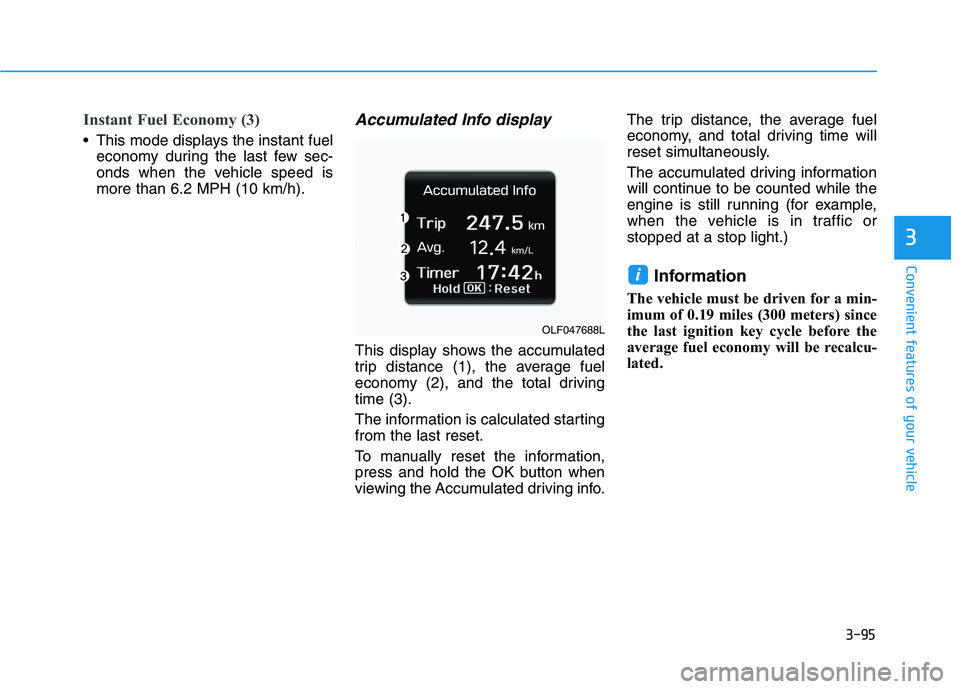
This display shows the accumulated
trip distance (1), the average fuel
economy (2), and the total drivingtime (3).
The information is calculated starting from the last reset.
To manually reset the information,
press and hold the OK button when
viewing the Accumulated driving info. The trip distance, the average fuel
economy, and total driving time will
reset simultaneously.
The accumulated driving information
will continue to be counted while the
engine is still running (for example,
when the vehicle is in traffic orstopped at a stop light.)
Information
The vehicle must be driven for a min-
imum of 0.19 miles (300 meters) since
the last ignition key cycle before the
average fuel economy will be recalcu-
lated.
i
OLF047688L
Page 233 of 546
3-97
Convenient features of your vehicle
3
Driving style
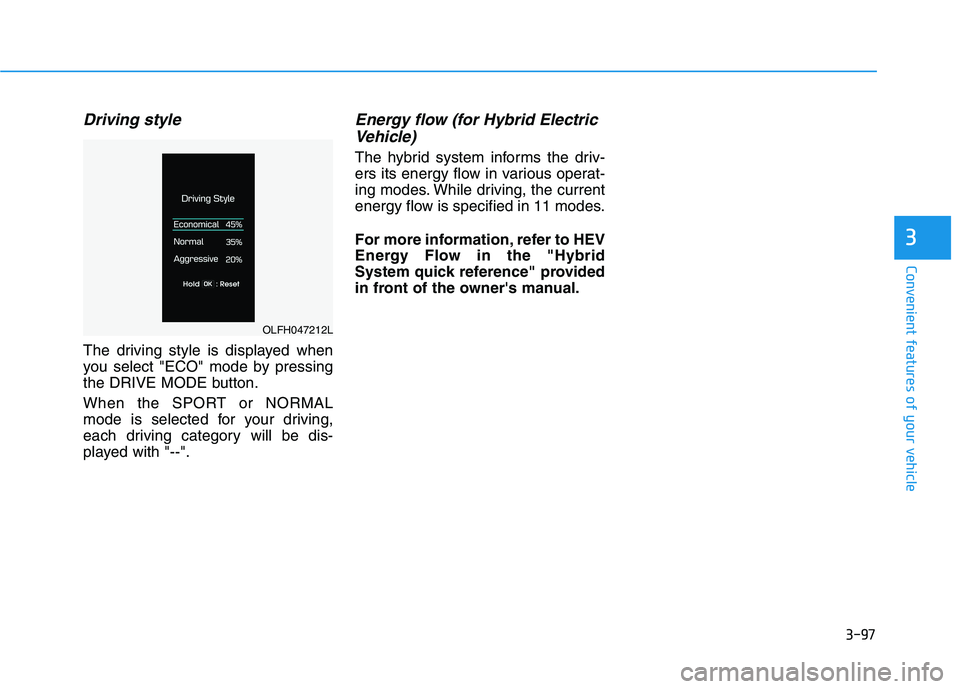
The driving style is displayed when
you select "ECO" mode by pressing
the DRIVE MODE button.
When the SPORT or NORMAL
mode is selected for your driving,
each driving category will be dis-
played with "--".
Energy flow (for Hybrid ElectricVehicle)
The hybrid system informs the driv-
ers its energy flow in various operat-
ing modes. While driving, the current
energy flow is specified in 11 modes.
For more information, refer to HEV
Energy Flow in the "Hybrid
System quick reference" provided
in front of the owner's manual.
OLFH047212L
Page 240 of 546
3-104
Convenient features of your vehicle
Battery saver function
The purpose of this feature is to pre-
vent the battery from being dis-
charged. The system automatically
turns off the parking lamp when the
driver turns the engine off and opens
the driver-side door.
With this feature, the parking lamps
will turn off automatically if the driver
parks on the side of road at night.
If necessary, to keep the lamps on
when the engine is turned off, perform
the following:
1) Open the driver-side door.
2) Turn the parking lamps OFF andON again using the light switch on
the steering column.
Headlamp delay function
(if equipped)
If engine Start/Stop button is in the
ACC or OFF position with the head-lamps ON, the headlamps (and/or
parking lamps) remain on for about 5
minutes. However, if the driver’s dooris opened and closed, the head-
lamps are turned off after 15 sec-
onds. However, with the engine off if
the driver’s door is opened and
closed, the headlamps (and/or park-
ing lamps) are turned off after 15
seconds.
The headlamps (and/or parking
lamps) can be turned off by pressing
the lock button on the smart key
twice or turning the light switch to the
OFF or AUTO position. However, if
you turn the light switch to the AUTO
position when it is dark outside, the
headlamps will not be turned off.
You can activate or deactivate the
Headlamp Delay function from theUser Settings Mode (Light) on the
LCD display.
For more information, refer to the
"LCD Display" section in this
chapter. If the driver gets out of the vehicle
through other doors (except dri-
ver’s door), the battery saver func-tion does not operate and the
headlamp delay function does not
turn off automatically. Therefore, It
causes the battery to be dis-
charged. In this case, make sure
to turn off the lamp before getting
out of the vehicle.
NOTICE