2019 Hyundai Santa Fe 4WD
[x] Cancel search: 4WDPage 17 of 682
1-4
Your vehicle at a glance
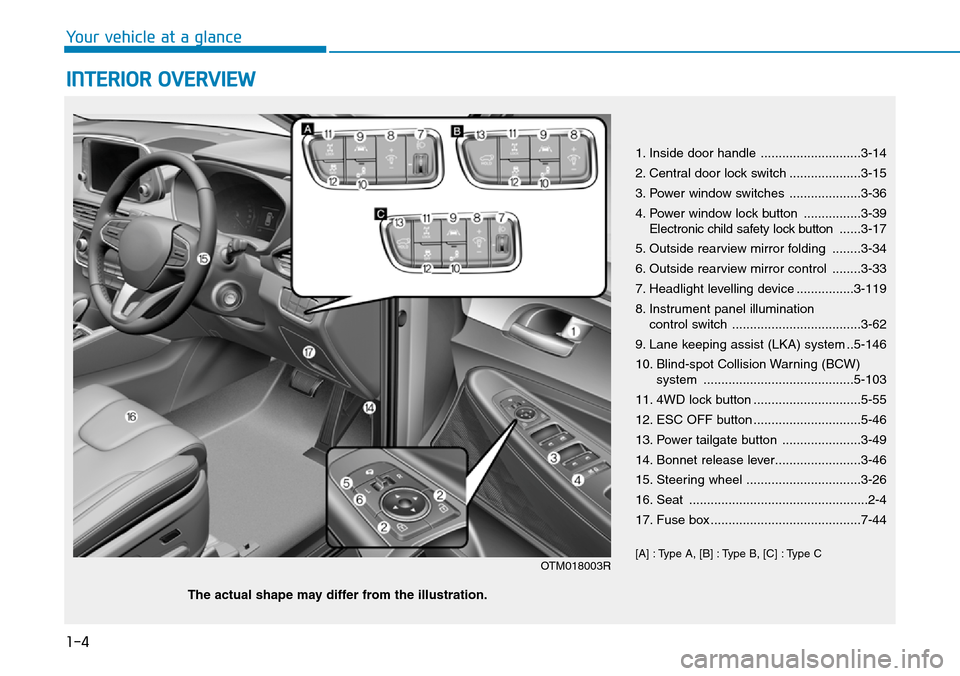
INTERIOR OVERVIEW
1. Inside door handle ............................3-14
2. Central door lock switch ....................3-15
3. Power window switches ....................3-36
4. Power window lock button ................3-39
Electronic child safety lock button......3-17
5. Outside rearview mirror folding ........3-34
6. Outside rearview mirror control ........3-33
7. Headlight levelling device ................3-119
8. Instrument panel illumination
control switch ....................................3-62
9. Lane keeping assist (LKA) system ..5-146
10. Blind-spot Collision Warning (BCW)
system ..........................................5-103
11. 4WD lock button ..............................5-55
12. ESC OFF button ..............................5-46
13. Power tailgate button ......................3-49
14. Bonnet release lever........................3-46
15. Steering wheel ................................3-26
16. Seat ..................................................2-4
17. Fuse box ..........................................7-44
[A] : Type A, [B] : Type B, [C] : Type C
OTM018003R
The actual shape may differ from the illustration.
Page 168 of 682
3-77
Convenient features of your vehicle
Information
If the engine does not start within 10
seconds after the preheating is com-
pleted, set the ignition switch or
Engine Start/Stop Button to the
LOCK or OFF position for 10 seconds
and then to the ON position in order
to preheat the engine again.
SCR warning light
(for diesel engine,
if equipped)
This warning light illuminates:
• When the urea solution tank is
nearly empty.
If the urea solution tank is nearly
empty:
• Refill urea solution as soon as pos-
sible.
For more details, refer to "Low
urea solution warning message"
in the chapter 7.
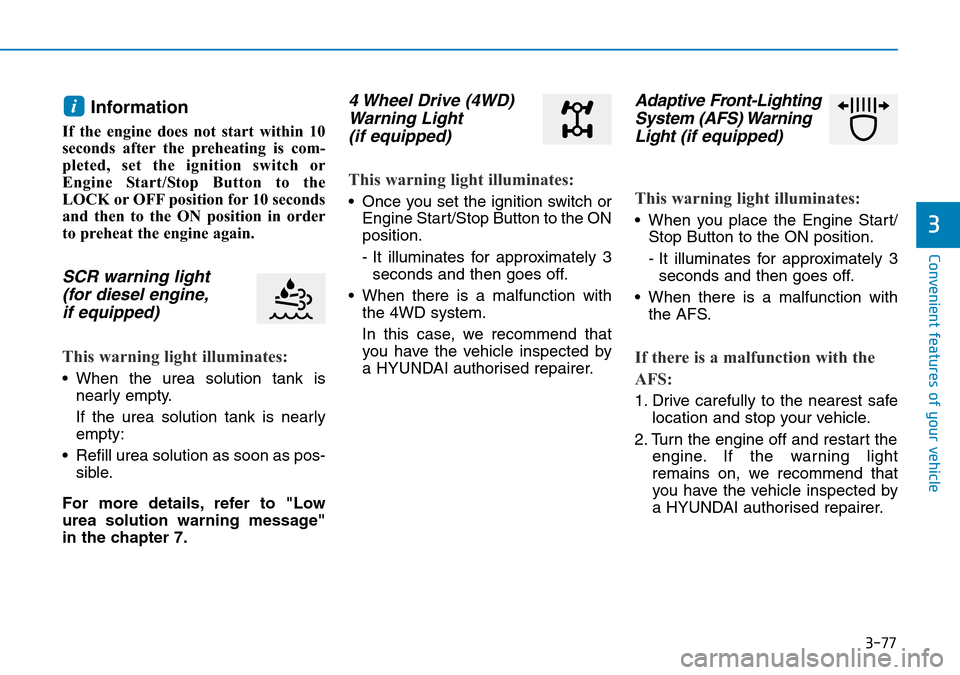
4 Wheel Drive (4WD)
Warning Light
(if equipped)
This warning light illuminates:
• Once you set the ignition switch or
Engine Start/Stop Button to the ON
position.
- It illuminates for approximately 3
seconds and then goes off.
• When there is a malfunction with
the 4WD system.
In this case, we recommend that
you have the vehicle inspected by
a HYUNDAI authorised repairer.
Adaptive Front-Lighting
System (AFS) Warning
Light(if equipped)
This warning light illuminates:
• When you place the Engine Start/
Stop Button to the ON position.
- It illuminates for approximately 3
seconds and then goes off.
• When there is a malfunction with
the AFS.
If there is a malfunction with the
AFS:
1. Drive carefully to the nearest safe
location and stop your vehicle.
2. Turn the engine off and restart the
engine. If the warning light
remains on, we recommend that
you have the vehicle inspected by
a HYUNDAI authorised repairer.
i
3
Page 172 of 682
3-81
Convenient features of your vehicle
3
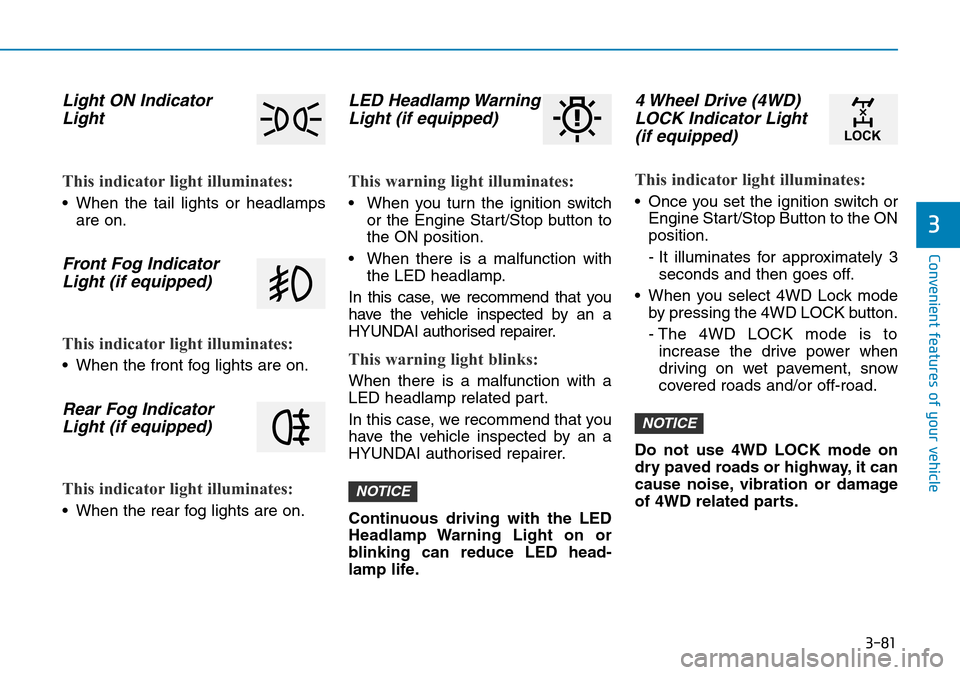
Light ON Indicator
Light
This indicator light illuminates:
• When the tail lights or headlamps
are on.
Front Fog Indicator
Light (if equipped)
This indicator light illuminates:
• When the front fog lights are on.
Rear Fog Indicator
Light (if equipped)
This indicator light illuminates:
• When the rear fog lights are on.
LED Headlamp Warning
Light (if equipped)
This warning light illuminates:
• When you turn the ignition switch
or the Engine Start/Stop button to
the ON position.
• When there is a malfunction with
the LED headlamp.
In this case, we recommend that you
have the vehicle inspected by an a
HYUNDAI authorised repairer.
This warning light blinks:
When there is a malfunction with a
LED headlamp related part.
In this case, we recommend that you
have the vehicle inspected by an a
HYUNDAI authorised repairer.
Continuous driving with the LED
Headlamp Warning Light on or
blinking can reduce LED head-
lamp life.
4 Wheel Drive (4WD)
LOCK Indicator Light
(if equipped)
This indicator light illuminates:
• Once you set the ignition switch or
Engine Start/Stop Button to the ON
position.
- It illuminates for approximately 3
seconds and then goes off.
• When you select 4WD Lock mode
by pressing the 4WD LOCK button.
- The 4WD LOCK mode is to
increase the drive power when
driving on wet pavement, snow
covered roads and/or off-road.
Do not use 4WD LOCK mode on
dry paved roads or highway, it can
cause noise, vibration or damage
of 4WD related parts.
NOTICE
NOTICE
Page 185 of 682
3-94
Convenient features of your vehicle
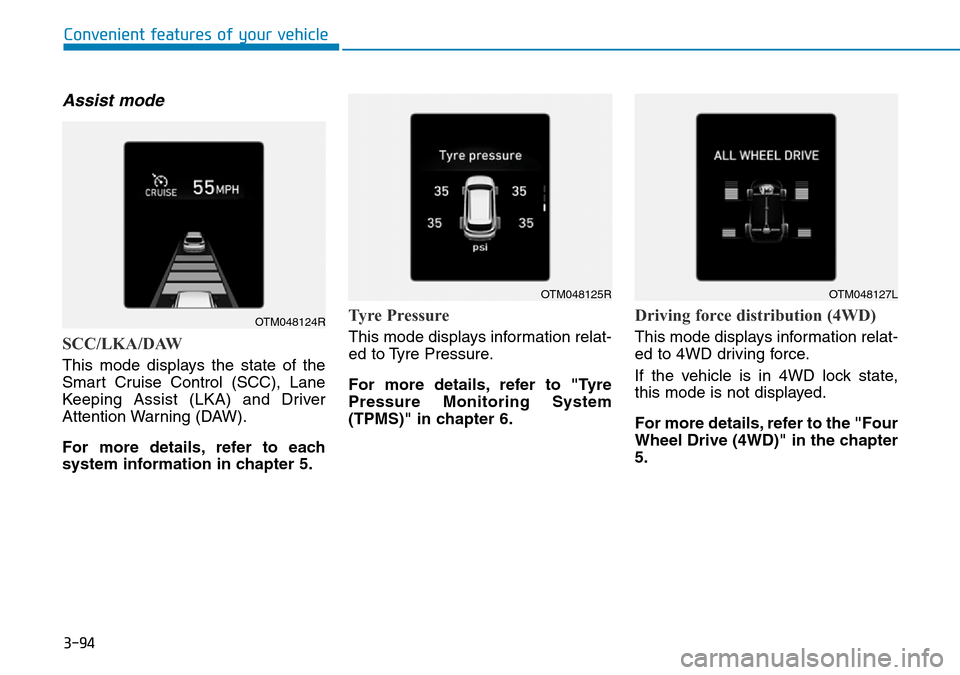
Assist mode
SCC/LKA/DAW
This mode displays the state of the
Smart Cruise Control (SCC), Lane
Keeping Assist (LKA) and Driver
Attention Warning (DAW).
For more details, refer to each
system information in chapter 5.
Tyre Pressure
This mode displays information relat-
ed to Tyre Pressure.
For more details, refer to "Tyre
Pressure Monitoring System
(TPMS)" in chapter 6.
Driving force distribution (4WD)
This mode displays information relat-
ed to 4WD driving force.
If the vehicle is in 4WD lock state,
this mode is not displayed.
For more details, refer to the "Four
Wheel Drive (4WD)" in the chapter
5.
OTM048124R
OTM048125ROTM048127L
Page 330 of 682
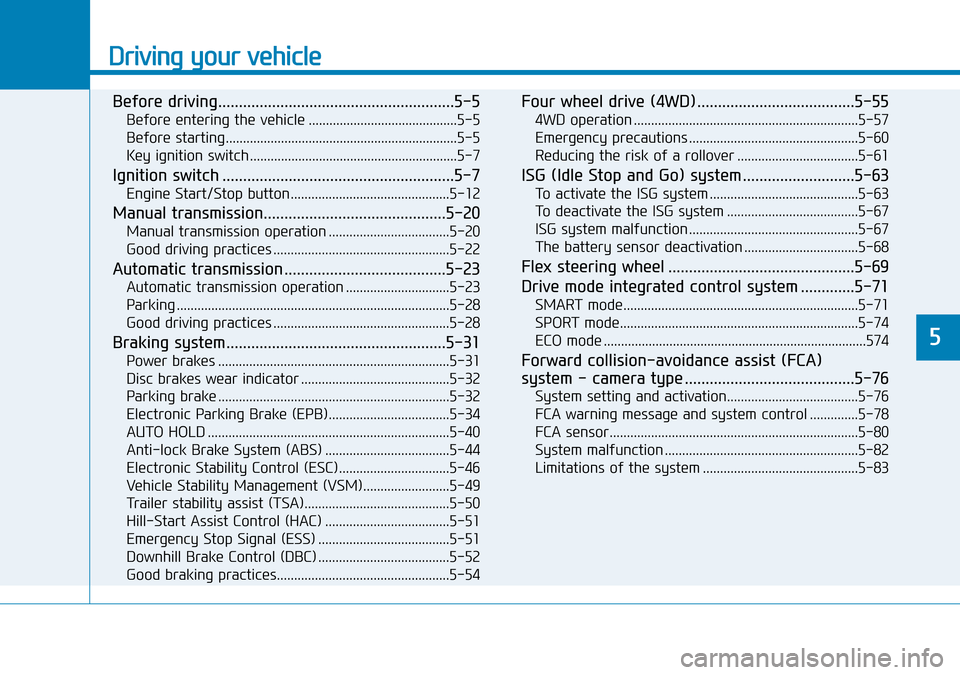
Driving your vehicle
Before driving.........................................................5-5
Before entering the vehicle ...........................................5-5
Before starting...................................................................5-5
Key ignition switch ............................................................5-7
Ignition switch ........................................................5-7
Engine Start/Stop button ..............................................5-12
Manual transmission............................................5-20
Manual transmission operation ...................................5-20
Good driving practices ...................................................5-22
Automatic transmission .......................................5-23
Automatic transmission operation ..............................5-23
Parking ...............................................................................5-28
Good driving practices ...................................................5-28
Braking system.....................................................5-31
Power brakes ...................................................................5-31
Disc brakes wear indicator ...........................................5-32
Parking brake ...................................................................5-32
Electronic Parking Brake (EPB)...................................5-34
AUTO HOLD ......................................................................5-40
Anti-lock Brake System (ABS) ....................................5-44
Electronic Stability Control (ESC)................................5-46
Vehicle Stability Management (VSM).........................5-49
Trailer stability assist (TSA)..........................................5-50
Hill-Start Assist Control (HAC) ....................................5-51
Emergency Stop Signal (ESS) ......................................5-51
Downhill Brake Control (DBC) ......................................5-52
Good braking practices..................................................5-54
Four wheel drive (4WD) ......................................5-55
4WD operation .................................................................5-57
Emergency precautions .................................................5-60
Reducing the risk of a rollover ...................................5-61
ISG (Idle Stop and Go) system ...........................5-63
To activate the ISG system ...........................................5-63
To deactivate the ISG system ......................................5-67
ISG system malfunction .................................................5-67
The battery sensor deactivation .................................5-68
Flex steering wheel .............................................5-69
Drive mode integrated control system .............5-71
SMART mode....................................................................5-71
SPORT mode.....................................................................5-74
ECO mode ............................................................................574
Forward collision-avoidance assist (FCA)
system - camera type .........................................5-76
System setting and activation......................................5-76
FCA warning message and system control ..............5-78
FCA sensor........................................................................5-80
System malfunction ........................................................5-82
Limitations of the system .............................................5-83
5
Page 384 of 682
5-55
Driving your vehicle
5
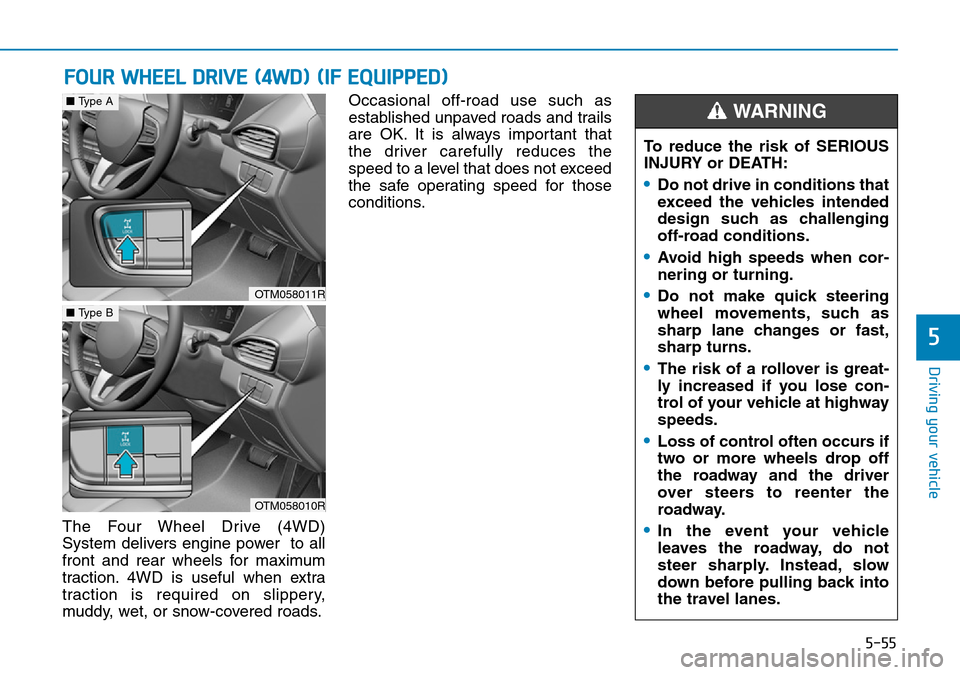
The Four Wheel Drive (4WD)
System delivers engine power to all
front and rear wheels for maximum
traction. 4WD is useful when extra
traction is required on slippery,
muddy, wet, or snow-covered roads.Occasional off-road use such as
established unpaved roads and trails
are OK. It is always important that
the driver carefully reduces the
speed to a level that does not exceed
the safe operating speed for those
conditions.
FOUR WHEEL DRIVE (4WD) (IF EQUIPPED)
To reduce the risk of SERIOUS
INJURY or DEATH:
•Do not drive in conditions that
exceed the vehicles intended
design such as challenging
off-road conditions.
•Avoid high speeds when cor-
nering or turning.
•Do not make quick steering
wheel movements, such as
sharp lane changes or fast,
sharp turns.
•The risk of a rollover is great-
ly increased if you lose con-
trol of your vehicle at highway
speeds.
•Loss of control often occurs if
two or more wheels drop off
the roadway and the driver
over steers to reenter the
roadway.
•In the event your vehicle
leaves the roadway, do not
steer sharply. Instead, slow
down before pulling back into
the travel lanes.
WARNING
OTM058011R
■Type A
OTM058010R
■Type B
Page 385 of 682
5-56
Driving your vehicle
• Do not drive in water if the level
is higher than the bottom of the
vehicle.
• Check your brake condition
once you are out of mud or
water. Depress the brake pedal
several times as you move slow-
ly until you feel normal braking
return.
• Shorten your scheduled mainte-
nance interval if you drive in off-
road conditions such as sand,
mud or water.
• Always wash your vehicle thor-
oughly after off road use, espe-
cially the bottom of the vehicle.
• Be sure to equip the vehicle with
four tyres of the same size and
type.
• Make sure that a full time 4WD
vehicle is towed by a flat bed
tow truck.
NOTICE
Page 386 of 682
5-57
Driving your vehicle
5
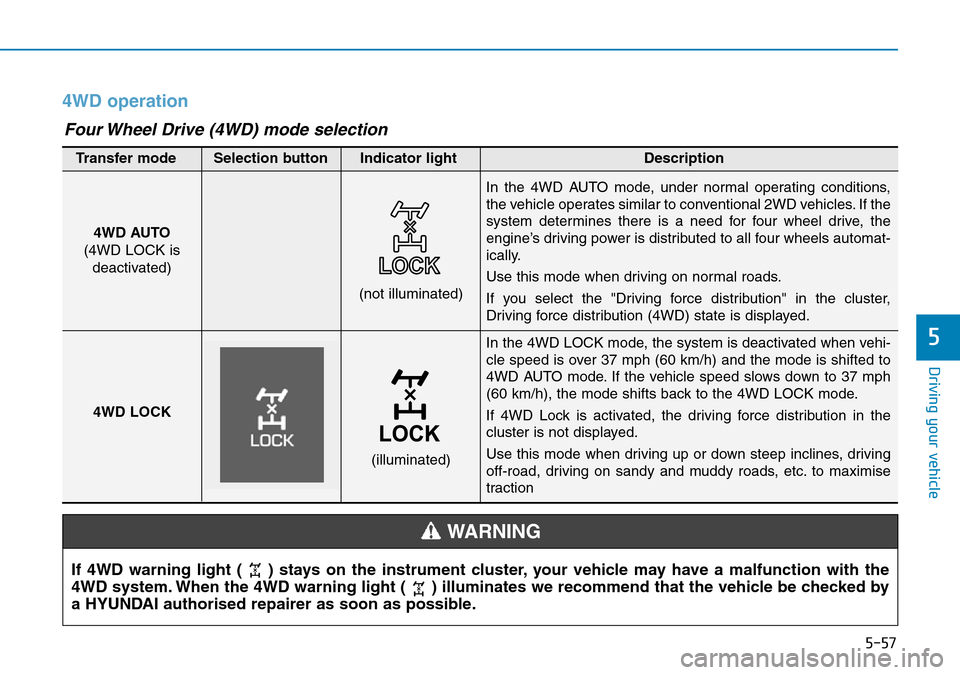
4WD operation
In the 4WD LOCK mode, the system is deactivated when vehi-
cle speed is over 37 mph (60 km/h) and the mode is shifted to
4WD AUTO mode. If the vehicle speed slows down to 37 mph
(60 km/h), the mode shifts back to the 4WD LOCK mode.
If 4WD Lock is activated, the driving force distribution in the
cluster is not displayed.
Use this mode when driving up or down steep inclines, driving
off-road, driving on sandy and muddy roads, etc. to maximise
traction
(not illuminated)
Transfer mode Selection button Indicator light Description
In the 4WD AUTO mode, under normal operating conditions,
the vehicle operates similar to conventional 2WD vehicles. If the
system determines there is a need for four wheel drive, the
engine’s driving power is distributed to all four wheels automat-
ically.
Use this mode when driving on normal roads.
If you select the "Driving force distribution" in the cluster,
Driving force distribution (4WD) state is displayed.
4WD LOCK
(illuminated)
Four Wheel Drive (4WD) mode selection
If 4WD warning light ( ) stays on the instrument cluster, your vehicle may have a malfunction with the
4WD system. When the 4WD warning light ( ) illuminates we recommend that the vehicle be checked by
a HYUNDAI authorised repairer as soon as possible.
WARNING
4WD AUTO
(4WD LOCK is
deactivated)