Page 239 of 682
3-148
How the system works
(Parking Mode)
1. Activate the Parking Assist system
The shift lever should be placed in
D (Drive).2. Select parking mode
- If the parking mode is selected
with the shift lever in N (Neutral)
after starting the engine, the exit
mode will be selected automati-
cally and after driving, the park-
ing mode will be selected.
3. Search for parking space (slowly
move forward.)
4. Search complete (automatic search
by sensor.)
5. Steering wheel control
(1) Shift according to the instruc-
tion on the LCD display.
(2) Drive slowly with the brake
pedal applied.
6. Parking complete
7. If necessary, manually adjust posi-
tion of vehicle.
Convenient features of your vehicle
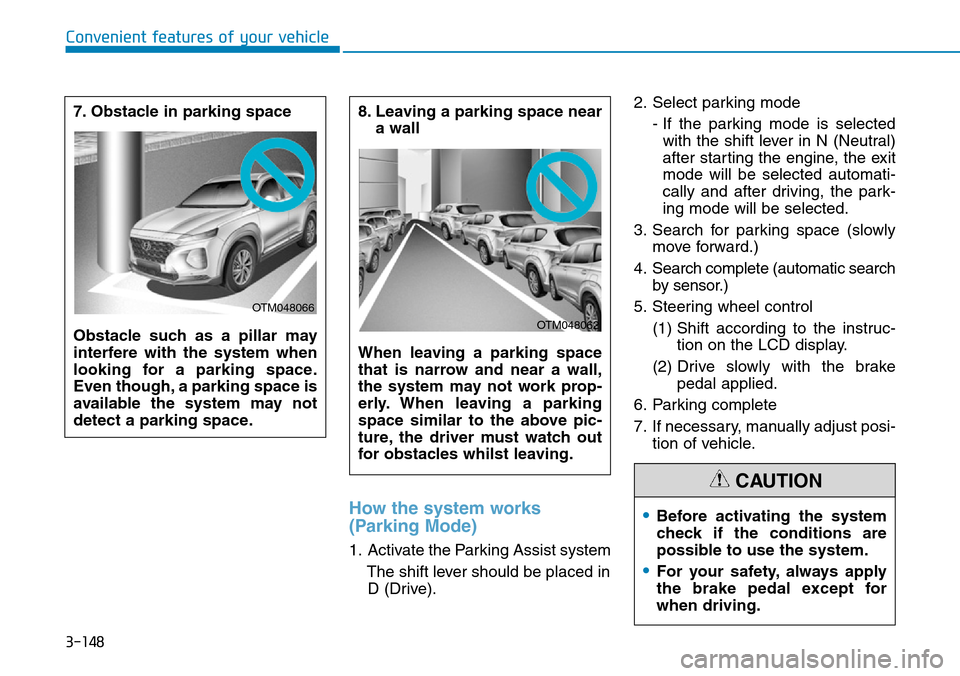
8. Leaving a parking space near
a wall
When leaving a parking space
that is narrow and near a wall,
the system may not work prop-
erly. When leaving a parking
space similar to the above pic-
ture, the driver must watch out
for obstacles whilst leaving.
OTM048062
7. Obstacle in parking space
Obstacle such as a pillar may
interfere with the system when
looking for a parking space.
Even though, a parking space is
available the system may not
detect a parking space.
OTM048066
•Before activating the system
check if the conditions are
possible to use the system.
•For your safety, always apply
the brake pedal except for
when driving.
CAUTION
Page 240 of 682
3-149
Convenient features of your vehicle
3
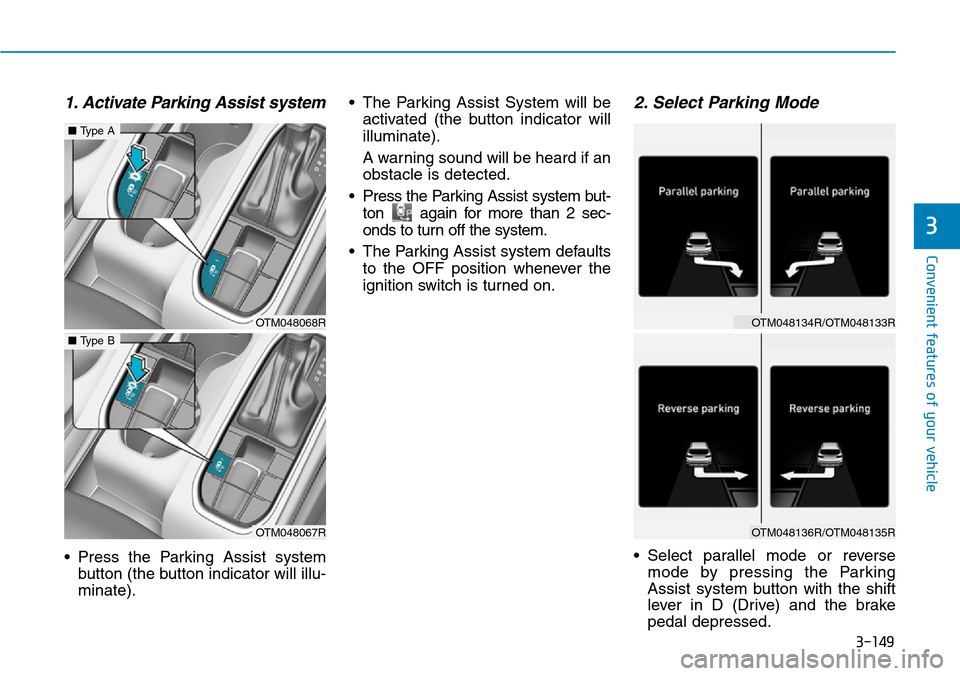
1. Activate Parking Assist system
• Press the Parking Assist system
button (the button indicator will illu-
minate).• The Parking Assist System will be
activated (the button indicator will
illuminate).
A warning sound will be heard if an
obstacle is detected.
• Press the Parking Assist system but-
ton again for more than 2 sec-
onds to turn off the system.
• The Parking Assist system defaults
to the OFF position whenever the
ignition switch is turned on.
2. Select Parking Mode
• Select parallel mode or reverse
mode by pressing the Parking
Assist system button with the shift
lever in D (Drive) and the brake
pedal depressed.
OTM048068R
■Type A
OTM048067R
■Type B
OTM048134R/OTM048133R
OTM048136R/OTM048135R
Page 243 of 682
3-152
4. Recognizing parking space
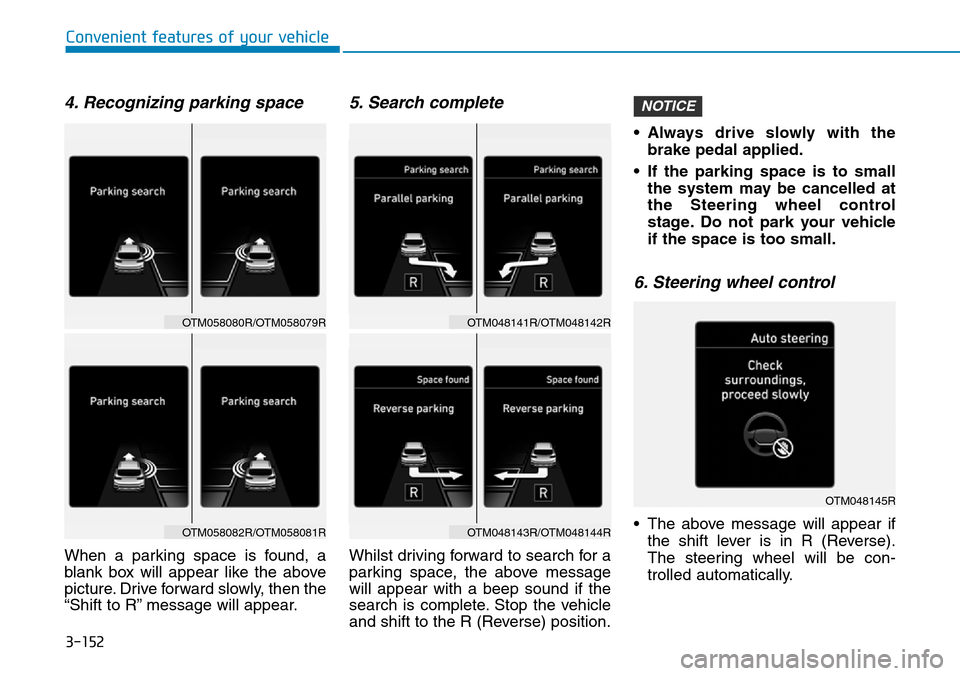
When a parking space is found, a
blank box will appear like the above
picture. Drive forward slowly, then the
“Shift to R” message will appear.
5. Search complete
Whilst driving forward to search for a
parking space, the above message
will appear with a beep sound if the
search is complete. Stop the vehicle
and shift to the R (Reverse) position.• Always drive slowly with the
brake pedal applied.
• If the parking space is to small
the system may be cancelled at
the Steering wheel control
stage. Do not park your vehicle
if the space is too small.
6. Steering wheel control
• The above message will appear if
the shift lever is in R (Reverse).
The steering wheel will be con-
trolled automatically.
NOTICE
Convenient features of your vehicle
OTM048145R
OTM058080R/OTM058079R
OTM058082R/OTM058081R
OTM048141R/OTM048142R
OTM048143R/OTM048144R
Page 244 of 682
3-153
Convenient features of your vehicle
• The system will be cancelled if you
firmly hold the steering wheel
whilst it is controlled automatically.
• The system will be cancelled if vehi-
cle speed is over 4.3 mph (7 km/h).
Information
Do not install any cover on the steer-
ing wheel . This may cause the system
to cancel.
• Always drive slowly with the
brake pedal applied.
• Always check for objects around
your vehicle before driving.
• If the vehicle does not move
even though the brake pedal is
not depressed, check the sur-
rounding before depressing the
accelerator pedal. Be sure not to
speed over 4.3 mph (7 km/h).
To cancel the system whilst parking
• Press the Parking Assist system
button and hold until the system is
cancelled.
• Press the Parking Assist system
button or Parking Distance Warning
system button whilst the steering
wheel is controlled.
NOTICE
i
3
Do not put your hands between
the steering wheel whilst it is
being automatically controlled.
WARNING
•If you do not follow the
instructions provided, you
may fail to park your vehicle.
However, if the Parking
Distance Warning system
warning sound (distance from
object is within 30cm: contin-
uous beep) occurs, slowly
drive the vehicle to the
reverse direction of the
detected object after checking
the surrounding.
•Always check the surrounding
before driving your vehicle if
the Parking Distance Warning
system warning sound (dis-
tance from object is within
30cm: continuous beep) is
heard for the object is close to
your vehicle. If the vehicle
gets too close to the object,
the warning will not sound.
•Never drive too fast when
parking the vehicle. Always
drive cautiously to prevent
unexpected and sudden situa-
tions from occurring.
CAUTION
Page 245 of 682
3-154
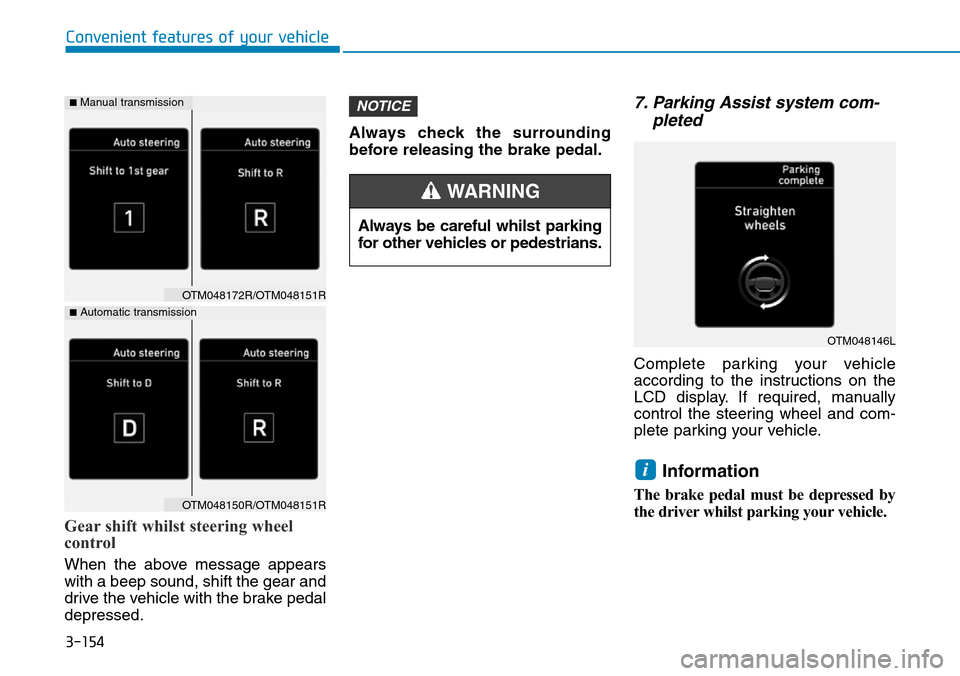
Gear shift whilst steering wheel
control
When the above message appears
with a beep sound, shift the gear and
drive the vehicle with the brake pedal
depressed.Always check the surrounding
before releasing the brake pedal.
7. Parking Assist system com-
pleted
Complete parking your vehicle
according to the instructions on the
LCD display. If required, manually
control the steering wheel and com-
plete parking your vehicle.
Information
The brake pedal must be depressed by
the driver whilst parking your vehicle.
i
NOTICE
Convenient features of your vehicle
Always be careful whilst parking
for other vehicles or pedestrians.
WARNING
OTM048146L
OTM048172R/OTM048151R
OTM048150R/OTM048151R
■Automatic transmission
■Manual transmission
Page 247 of 682
3-156
System malfunction
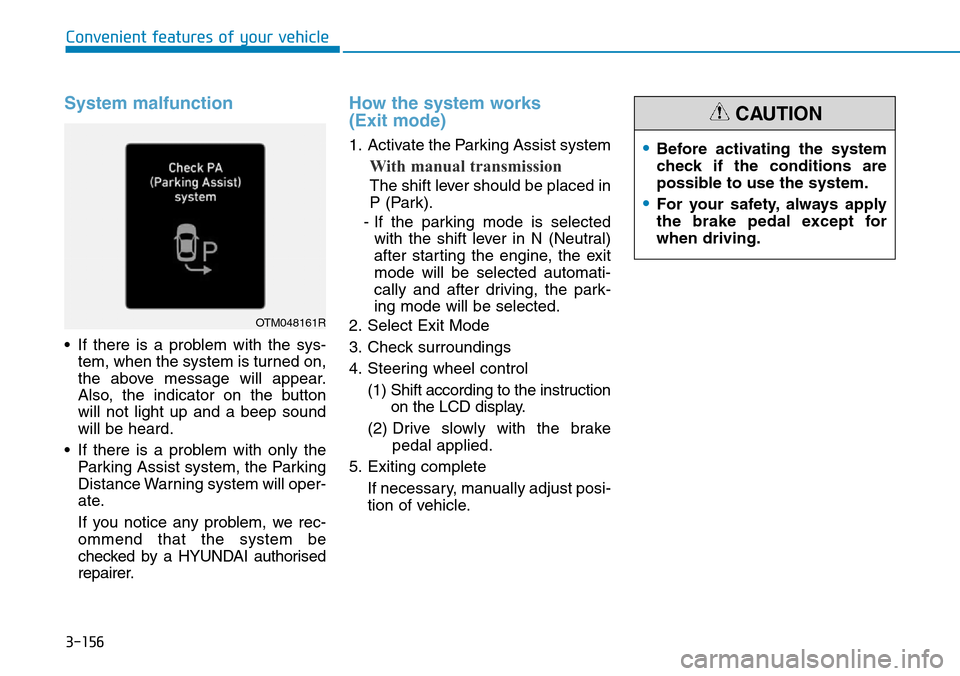
• If there is a problem with the sys-
tem, when the system is turned on,
the above message will appear.
Also, the indicator on the button
will not light up and a beep sound
will be heard.
• If there is a problem with only the
Parking Assist system, the Parking
Distance Warning system will oper-
ate.
If you notice any problem, we rec-
ommend that the system be
checked by a HYUNDAI authorised
repairer.
How the system works
(Exit mode)
1. Activate the Parking Assist system
With manual transmission
The shift lever should be placed in
P (Park).
- If the parking mode is selected
with the shift lever in N (Neutral)
after starting the engine, the exit
mode will be selected automati-
cally and after driving, the park-
ing mode will be selected.
2. Select Exit Mode
3. Check surroundings
4. Steering wheel control
(1) Shift according to the instruction
on the LCD display.
(2) Drive slowly with the brake
pedal applied.
5. Exiting complete
If necessary, manually adjust posi-
tion of vehicle.
Convenient features of your vehicle
OTM048161R
•Before activating the system
check if the conditions are
possible to use the system.
•For your safety, always apply
the brake pedal except for
when driving.
CAUTION
Page 248 of 682
3-157
Convenient features of your vehicle
1. Activate Parking Assist system• Press the Parking Assist system
button (the button indicator will illu-
minate).
• The Parking Distance Warning
system will be activated (the button
indicator will illuminate).
A warning sound will be heard if an
obstacle is detected.
• Press the Parking Assist system
button again for more than 2 sec-
onds to turn off the system.
• The Parking Assist system defaults
to the OFF position whenever the
ignition switch is turned on.
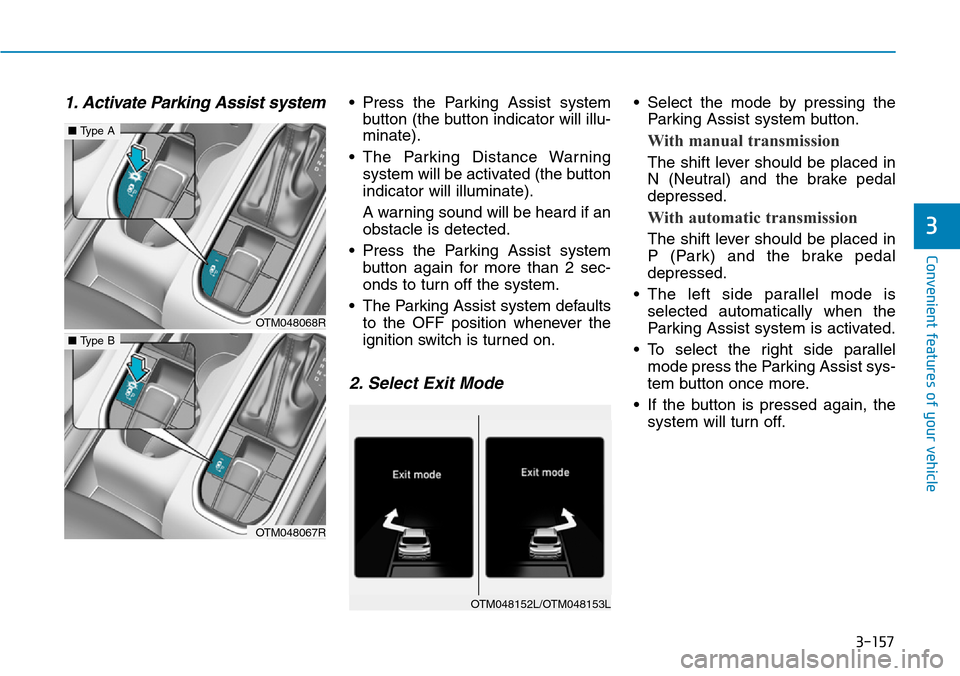
2. Select Exit Mode
• Select the mode by pressing the
Parking Assist system button.
With manual transmission
The shift lever should be placed in
N (Neutral) and the brake pedal
depressed.
With automatic transmission
The shift lever should be placed in
P (Park) and the brake pedal
depressed.
• The left side parallel mode is
selected automatically when the
Parking Assist system is activated.
• To select the right side parallel
mode press the Parking Assist sys-
tem button once more.
• If the button is pressed again, the
system will turn off.3
OTM048068R
■Type A
OTM048067R
■Type B
OTM048152L/OTM048153L
Page 250 of 682
3-159
Convenient features of your vehicle
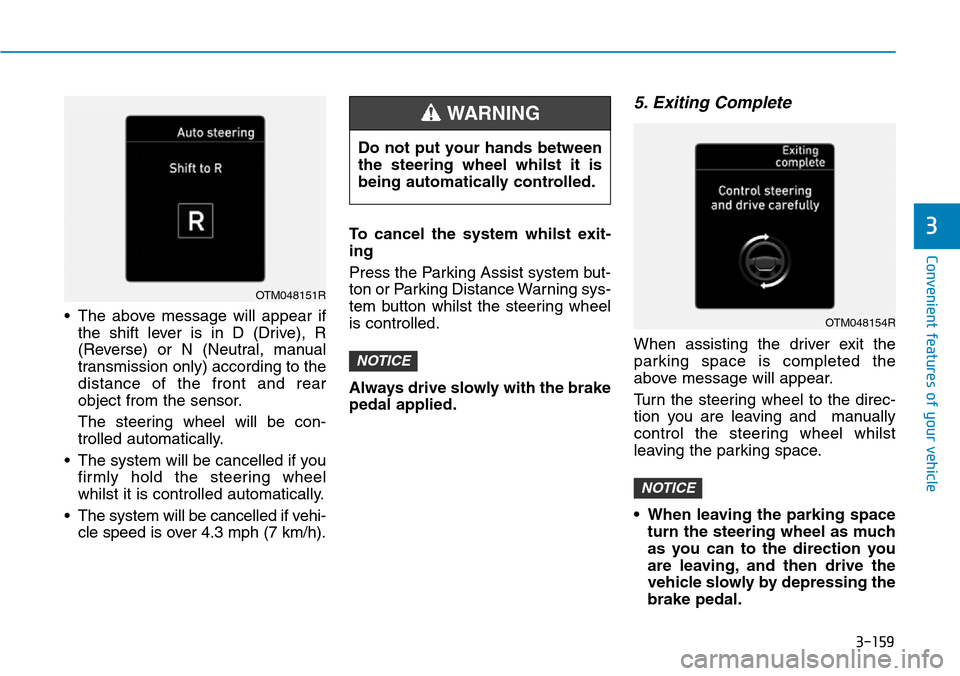
• The above message will appear if
the shift lever is in D (Drive), R
(Reverse) or N (Neutral, manual
transmission only) according to the
distance of the front and rear
object from the sensor.
The steering wheel will be con-
trolled automatically.
• The system will be cancelled if you
firmly hold the steering wheel
whilst it is controlled automatically.
• The system will be cancelled if vehi-
cle speed is over 4.3 mph (7 km/h).To cancel the system whilst exit-
ing
Press the Parking Assist system but-
ton or Parking Distance Warning sys-
tem button whilst the steering wheel
is controlled.
Always drive slowly with the brake
pedal applied.
5. Exiting Complete
When assisting the driver exit the
parking space is completed the
above message will appear.
Turn the steering wheel to the direc-
tion you are leaving and manually
control the steering wheel whilst
leaving the parking space.
• When leaving the parking space
turn the steering wheel as much
as you can to the direction you
are leaving, and then drive the
vehicle slowly by depressing the
brake pedal.
NOTICE
NOTICE
3
OTM048151R
Do not put your hands between
the steering wheel whilst it is
being automatically controlled.
WARNING
OTM048154R