2019 Hyundai Santa Fe alarm
[x] Cancel search: alarmPage 418 of 682

5-89
Driving your vehicle
5
The warning light illumi-
nates on the LCD display,
when you cancel the FCA
system. The driver can
monitor the FCA ON/OFF status on
the LCD display. Also, the warning
light illuminates when the ESC
(Electronic Stability Control) is
turned off. If the warning light
remains ON when the FCA is acti-
vated, we recommend that you have
the system checked by a HYUNDAI
authorised repairer.
• The driver can select the initial warn-
ing activation time on the LCD dis-
play.
Go to the "User Settings →Driver
assistance →Warning timing →
Normal/Later".The options for the initial Forward
Collision Warning includes the fol-
lowing:
- Normal:
When this condition is selected,
the initial Forward Collision
Warning is activated sensitively. If
you feel the warning activates too
early, set the Forward Collision
Warning to 'Later'.
Even though, 'Normal' is selected if
the front vehicle suddenly stops
the initial warning activation time
may not seem fast.
- Later:
When this condition is selected, the
initial Forward Collision Warning is
activated later than normal. This
setting reduces the amount of dis-
tance between the vehicle, pedes-
trian or cyclist (if equipped) ahead
before the initial warning occurs.
Select 'Later' when traffic is light
and when driving speed is slow.
❈If you change the warning timing,
the warning timing of other sys-
tems may change.
Always be aware of warning tim-
ing before changing the warning
timing.Prerequisite for activation
The FCA gets ready to be activated,
when the FCA is selected on the
LCD display, and when the following
prerequisites are satisfied.
- The ESC (Electronic Stability
Control) is on.
- Vehicle speed is over 5 mph (8
km/h) (The FCA is only activated
within a certain speed range.).
- The system detects a pedestrian,
cyclist (if equipped) or a vehicle in
front, which may collide with your
vehicle (The FCA may not be acti-
vated or may sound a warning
alarm in accordance with the driv-
ing situation or vehicle condition. If
you select "Warning only", the FCA
system activates and produces
only warning alarms in accordance
with the collision risk levels.).
❈The FCA may not operate proper-
ly according to the frontal situa-
tion, the direction of pedestrian or
cyclist (if equipped) and speed.
Page 419 of 682
5-90
Driving your vehicle
FCA warning message and
system control
The FCA produces warning mes-
sages and warning alarms in accor-
dance with the collision risk levels,
such as abrupt stopping of the vehi-
cle in front, insufficient braking dis-
tance, pedestrian or cyclist (if
equipped) detection. Also, it controls
the brakes in accordance with the
collision risk levels.
The driver can select the initial warn-
ing activation time in the User
Settings in the LCD display. The
options for the initial Forward
Collision Warning include Normal or
Late initial warning time.
If you select "Warning only", the FCA
system activates and produces only
warning alarms in accordance with
the collision risk levels. You should
control the brake directly because
the FCA system do not control the
brake.
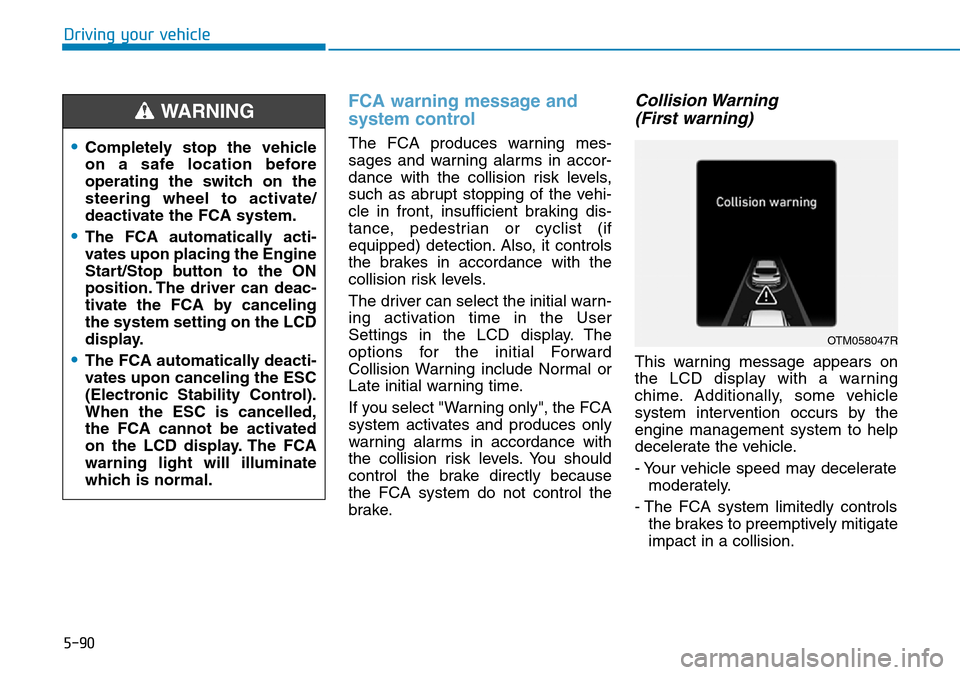
Collision Warning
(First warning)
This warning message appears on
the LCD display with a warning
chime. Additionally, some vehicle
system intervention occurs by the
engine management system to help
decelerate the vehicle.
- Your vehicle speed may decelerate
moderately.
- The FCA system limitedly controls
the brakes to preemptively mitigate
impact in a collision.
•Completely stop the vehicle
on a safe location before
operating the switch on the
steering wheel to activate/
deactivate the FCA system.
•The FCA automatically acti-
vates upon placing the Engine
Start/Stop button to the ON
position. The driver can deac-
tivate the FCA by canceling
the system setting on the LCD
display.
•The FCA automatically deacti-
vates upon canceling the ESC
(Electronic Stability Control).
When the ESC is cancelled,
the FCA cannot be activated
on the LCD display. The FCA
warning light will illuminate
which is normal.
WARNING
OTM058047R
Page 420 of 682
5-91
Driving your vehicle
5
- If you select "Warning only", the
FCA system activates and pro-
duces only warning alarms in
accordance with the collision risk
levels. You should control the brake
directly because the FCA system
do not control the brake.Emergency braking
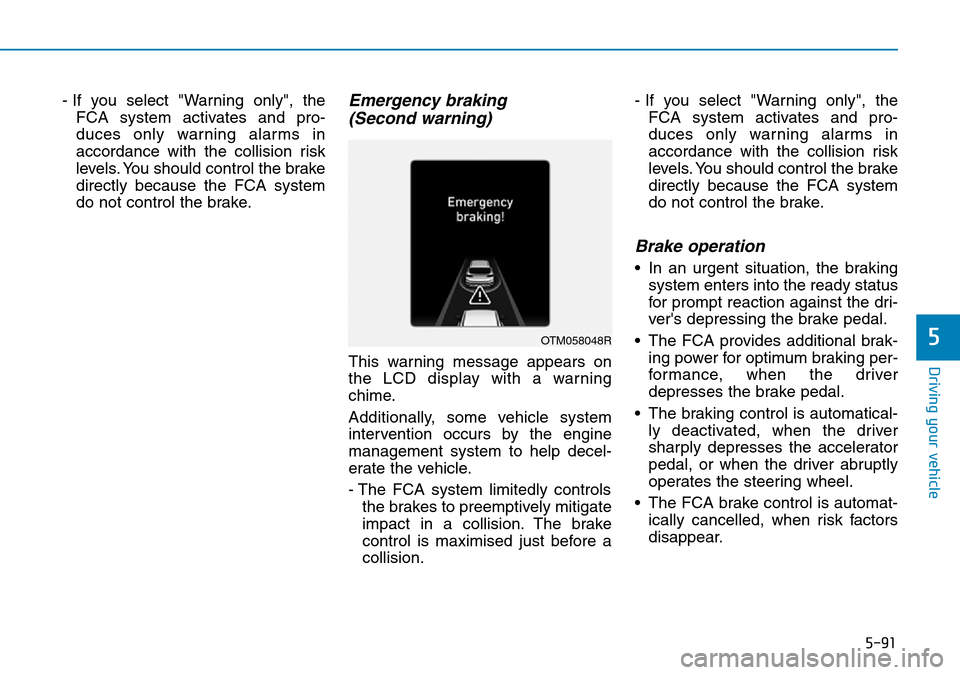
(Second warning)
This warning message appears on
the LCD display with a warning
chime.
Additionally, some vehicle system
intervention occurs by the engine
management system to help decel-
erate the vehicle.
- The FCA system limitedly controls
the brakes to preemptively mitigate
impact in a collision. The brake
control is maximised just before a
collision.- If you select "Warning only", the
FCA system activates and pro-
duces only warning alarms in
accordance with the collision risk
levels. You should control the brake
directly because the FCA system
do not control the brake.
Brake operation
• In an urgent situation, the braking
system enters into the ready status
for prompt reaction against the dri-
ver's depressing the brake pedal.
• The FCA provides additional brak-
ing power for optimum braking per-
formance, when the driver
depresses the brake pedal.
• The braking control is automatical-
ly deactivated, when the driver
sharply depresses the accelerator
pedal, or when the driver abruptly
operates the steering wheel.
• The FCA brake control is automat-
ically cancelled, when risk factors
disappear.
OTM058048R
Page 421 of 682
5-92
Driving your vehicle
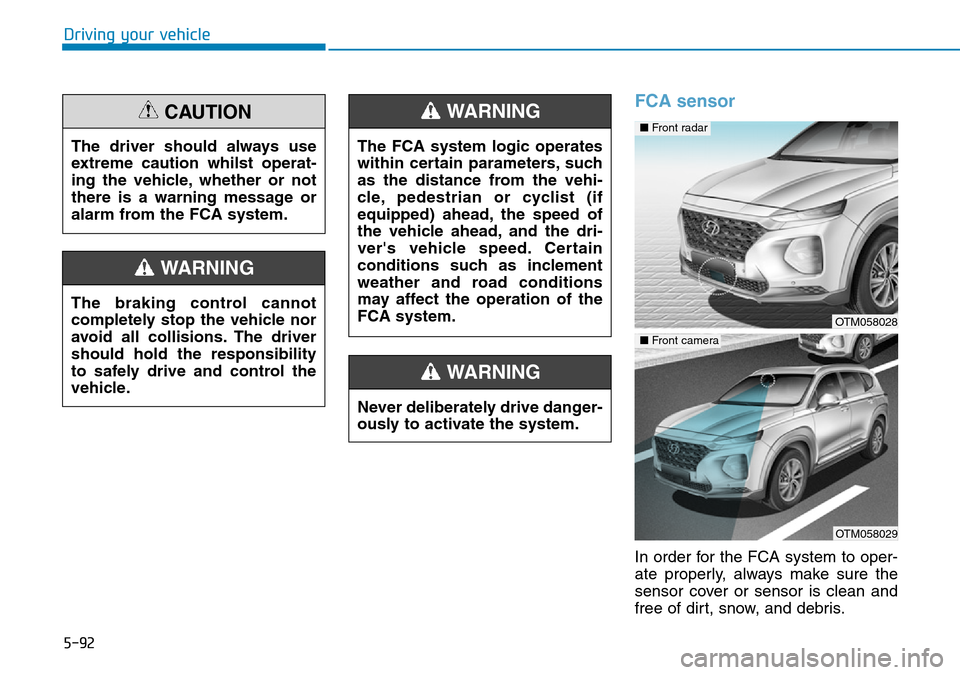
FCA sensor
In order for the FCA system to oper-
ate properly, always make sure the
sensor cover or sensor is clean and
free of dirt, snow, and debris. The driver should always use
extreme caution whilst operat-
ing the vehicle, whether or not
there is a warning message or
alarm from the FCA system.
CAUTION
The braking control cannot
completely stop the vehicle nor
avoid all collisions. The driver
should hold the responsibility
to safely drive and control the
vehicle.
WARNING
Never deliberately drive danger-
ously to activate the system.
WARNING
The FCA system logic operates
within certain parameters, such
as the distance from the vehi-
cle, pedestrian or cyclist (if
equipped) ahead, the speed of
the vehicle ahead, and the dri-
ver's vehicle speed. Certain
conditions such as inclement
weather and road conditions
may affect the operation of the
FCA system.
WARNING
OTM058028
OTM058029
■ Front radar
■ Front camera
Page 427 of 682
5-98
Driving your vehicle
• The vehicle drives through a toll-
gate.
• The windscreen glass is fogged
up; a clear view of the road is
obstructed.
• The rear part of the vehicle in front
is not normally visible. (the vehicle
turns in other direction or the vehi-
cle is overturned.)
• The adverse road conditions cause
excessive vehicle vibrations whilst
driving
• The sensor recognition changes
suddenly when passing over a
speed bump
• The vehicle in front is moving verti-
cally to the driving direction
• The vehicle in front is stopped ver-
tically
• The vehicle in front is driving
towards your vehicle or reversing
• You are on a roundabout and the
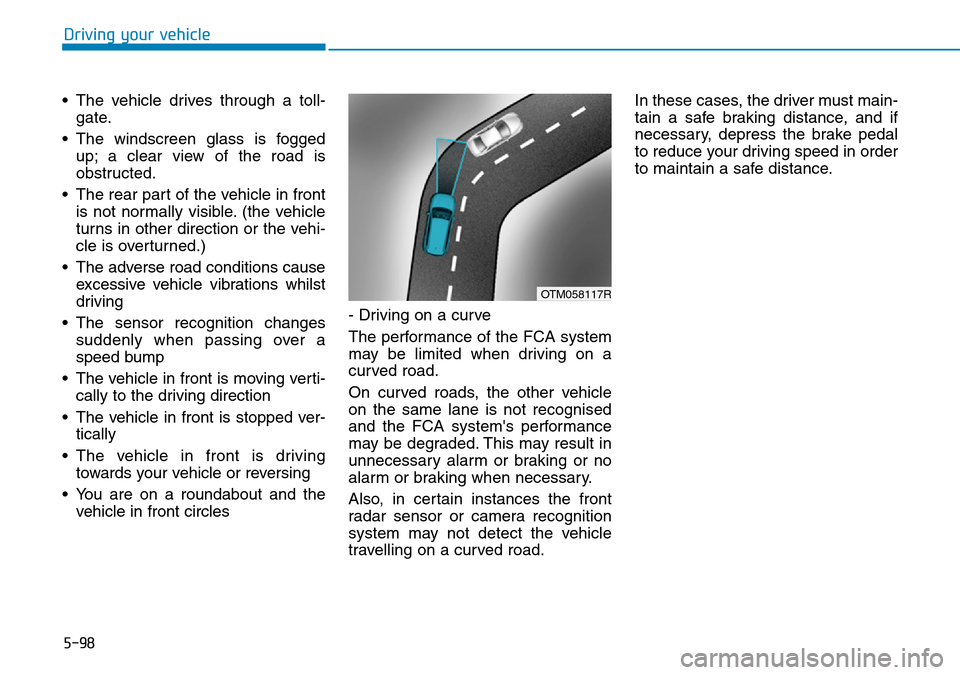
vehicle in front circles- Driving on a curve
The performance of the FCA system
may be limited when driving on a
curved road.
On curved roads, the other vehicle
on the same lane is not recognised
and the FCA system's performance
may be degraded. This may result in
unnecessary alarm or braking or no
alarm or braking when necessary.
Also, in certain instances the front
radar sensor or camera recognition
system may not detect the vehicle
travelling on a curved road.In these cases, the driver must main-
tain a safe braking distance, and if
necessary, depress the brake pedal
to reduce your driving speed in order
to maintain a safe distance.
OTM058117R
Page 428 of 682
5-99
Driving your vehicle
5
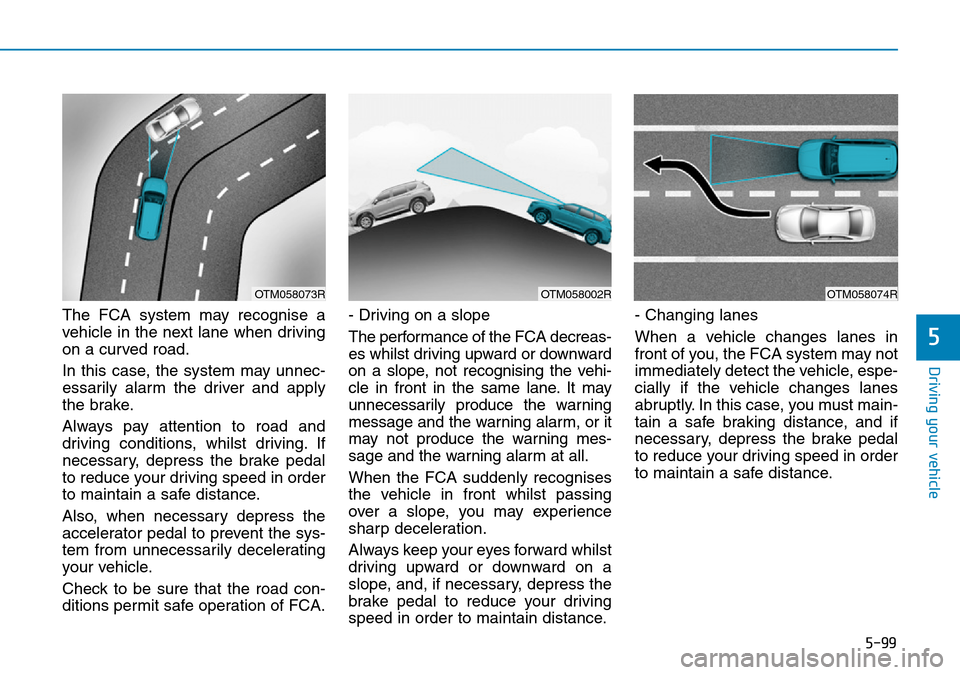
The FCA system may recognise a
vehicle in the next lane when driving
on a curved road.
In this case, the system may unnec-
essarily alarm the driver and apply
the brake.
Always pay attention to road and
driving conditions, whilst driving. If
necessary, depress the brake pedal
to reduce your driving speed in order
to maintain a safe distance.
Also, when necessary depress the
accelerator pedal to prevent the sys-
tem from unnecessarily decelerating
your vehicle.
Check to be sure that the road con-
ditions permit safe operation of FCA.- Driving on a slope
The performance of the FCA decreas-
es whilst driving upward or downward
on a slope, not recognising the vehi-
cle in front in the same lane. It may
unnecessarily produce the warning
message and the warning alarm, or it
may not produce the warning mes-
sage and the warning alarm at all.
When the FCA suddenly recognises
the vehicle in front whilst passing
over a slope, you may experience
sharp deceleration.
Always keep your eyes forward whilst
driving upward or downward on a
slope, and, if necessary, depress the
brake pedal to reduce your driving
speed in order to maintain distance.- Changing lanes
When a vehicle changes lanes in
front of you, the FCA system may not
immediately detect the vehicle, espe-
cially if the vehicle changes lanes
abruptly. In this case, you must main-
tain a safe braking distance, and if
necessary, depress the brake pedal
to reduce your driving speed in order
to maintain a safe distance.
OTM058073ROTM058002ROTM058074R
Page 435 of 682

5-106
Detecting Sensor
Rear radar
The rear radars are the sensors
inside the rear bumper for detecting
the side/rear areas. Always keep the
rear bumper clean for proper opera-
tion of the system.
Driving your vehicle
•The warning light on the out-
side rearview mirror will illu-
minate whenever a vehicle is
detected at the rear side by
the system.
To avoid accidents, do not
focus only on the warning
light and neglect to see the
surrounding of the vehicle.
•Drive safely even though the
vehicle is equipped with a
Blind-Spot Collision Warning
System (BCW). Do not solely
rely on the system but check
your surrounding before
changing lanes or backing the
vehicle up.
•The system may not alert the
driver in some conditions so
always check your surround-
ings whilst driving.
WARNING
•The driver should always use
extreme caution whilst oper-
ating the vehicle, whether or
not the warning light on the
outside rearview mirror illumi-
nates or there is a warning
alarm.
•Playing the vehicle audio sys-
tem at high volume may offset
the Blind-Spot Collision
Warning System warning
sounds.
•The warning of the Blind-Spot
Collision Warning System
may not sound whilst other
system's warning sounds.
CAUTION
OTM058036
■Rear radar
Page 445 of 682

5-116
Driving your vehicle
•The warning of the Rear
Cross-Traffic Collision
Warning System may not
sound whilst other system's
warning sounds.
•When the operation condition
of the Rear Cross-Traffic
Collision Warning System is
satisfied the warning will
occur every time a vehicle
approaches the side/rear of
your stopped (0 km/h vehicle
speed) vehicle.
•The system's warning or
brake may not operate proper-
ly if the left/right of your vehi-
cle's rear bumper is blocked
by a vehicle or obstacle.
•The driver should always use
extreme caution whilst oper-
ating the vehicle, whether or
not the warning light on the
outside rearview mirror illumi-
nates or there is a warning
alarm.
•Playing the vehicle audio sys-
tem at high volume may offset
the system's warning sounds.
CAUTION
•Drive safely even though the
vehicle is equipped with a
Rear Cross-Traffic Collision
Warning System. Do not sole-
ly rely on the system but
check your surrounding when
backing the vehicle up.
•The driver is responsible for
accurate brake control.
•Always pay extreme caution
whilst driving. The Rear
Cross-Traffic Collision
Warning System may not
operate properly or unneces-
sarily operate in accordance
with your driving situations.
•The Rear Cross-Traffic
Collision Warning System is
not a substitute for safe driv-
ing practices, but a conven-
ience function only. It is the
responsibility of the driver to
always drive cautiously to
prevent unexpected and sud-
den situations from occur-
ring. Pay attention to the road
conditions at all times.
WARNING