Page 175 of 682
3-84
Convenient features of your vehicle
Icy Road Warning Light
(if equipped)
This warning light is to warn the driver
the road may be icy.
When the temperature on the out-
side temperature gauge is approxi-
mately below 4°C (40°F), the Icy
Road Warning Light and Outside
Temperature Gauge blinks and then
illuminates. Also, the warning chime
sounds 1 time.
Information
If the icy road warning light appears
whilst driving, you should drive more
attentively and safely, refraining from
over-speeding, rapid acceleration, sud-
den braking or sharp turning, etc.
LCD display messages
Shift to P (for smart key system
and automatic transmission)
This warning message is displayed if
you try to turn off the engine without
the shift lever in P (Park) position.
At this time, the Engine Start/Stop
button turns to the ACC position (If
you press the Engine Start/Stop but-
ton once more, it will turn to the ON
position).
Low Key Battery
(for smart key system)
This warning message is displayed if
the battery of the smart key is dis-
charged whilst changing the Engine
Start/Stop button to the OFF position.
Press START button whilst turn-
ing wheel
(for smart key system)
This warning message is displayed if
the steering wheel does not unlock
normally when the Engine Start/Stop
button is pressed.
You should press the Engine Start/Stop
button whilst turning the steering wheel
right and left.
Steering wheel unlocked
(for smart key system)
This warning message is displayed if
the steering wheel is not locked
whilst the Engine Start/Stop button
changes to the OFF position.
Check steering wheel lock
system (for smart key system)
This warning message is displayed if
the steering wheel does not lock nor-
mally whilst the Engine Start/Stop but-
ton changes to the OFF position.
i
Page 176 of 682
3-85
Convenient features of your vehicle
3
Press brake pedal to start engine
(for smart key system and auto-
matic transmission)
This warning message is displayed if
the Engine Start/Stop button changes
to the ACC position twice by pressing
the button repeatedly without depress-
ing the brake pedal.
You can start the vehicle by depressing
the brake pedal.
Press clutch pedal to start
engine (for smart key system
and manual transmission)
This warning message is displayed if
the Engine Start/Stop button is in the
ACC position twice by pressing the
button repeatedly without depressing
the clutch pedal.
Depress the clutch pedal to start the
engine.
Key not in vehicle
(for smart key system)
This warning message is displayed if
the smart key is not in the vehicle
when you open or close door in the
ACC position or ON position. The
warning sound is heard when you
close door without a smart key in
vehicle.
When attempting to start the vehicle
always have the smart key with you.
Key not detected
(for smart key system)
This warning message is displayed if
the smart key is not detected when you
press the Engine Start/Stop button.
Press START button with key
(for smart key system)
This warning message is displayed if
you press the Engine Start/Stop but-
ton whilst the warning message “Key
not detected” is displayed.
At this time, the immobiliser indicator
light blinks.
Press START button again
(for smart key system)
This message is displayed if you
were unable to start the vehicle when
the Engine Start/Stop button was
pressed.
If this occurs, attempt to start the
engine by pressing the Engine
Start/Stop button again.
If the warning message appears
each time you press the Engine
Start/Stop button, we recommend
that you have your vehicle inspected
by a HYUNDAI authorised repairer.
Page 177 of 682
3-86
Convenient features of your vehicle
Check BRAKE SWITCH fuse
(for smart key system and
automatic transmission)
This warning message is displayed if
the brake switch fuse is disconnected.
You need to replace the fuse with a
new one. If that is not possible, you
can start the engine by pressing the
Engine Start/Stop button for 10 sec-
onds in the ACC position.
Shift to P or N to start engine
(for smart key system and
automatic transmission)
This warning message is displayed if
you try to start the engine with the
shift lever not in the P (Park) or N
(Neutral) position.
Information
You can start the engine with the shift
lever in the N (Neutral) position. But,
for your safety, we recommend that
you start the engine with the shift
lever in the P (Park) position.
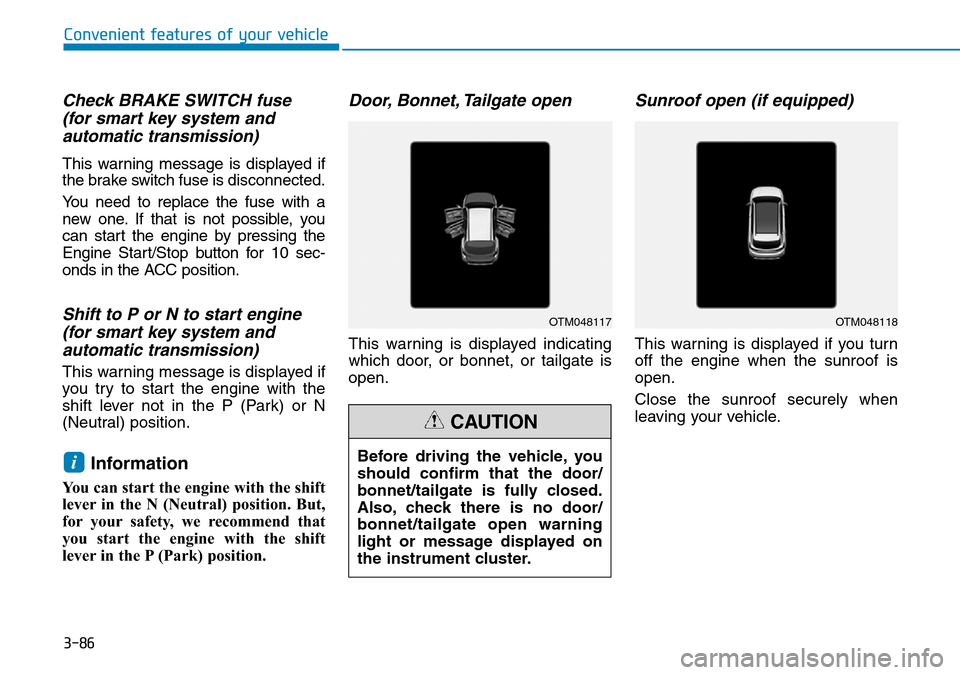
Door, Bonnet, Tailgate open
This warning is displayed indicating
which door, or bonnet, or tailgate is
open.
Sunroof open (if equipped)
This warning is displayed if you turn
off the engine when the sunroof is
open.
Close the sunroof securely when
leaving your vehicle.
iBefore driving the vehicle, you
should confirm that the door/
bonnet/tailgate is fully closed.
Also, check there is no door/
bonnet/tailgate open warning
light or message displayed on
the instrument cluster.
CAUTION
OTM048117OTM048118
Page 184 of 682
3-93
Convenient features of your vehicle
3
Shift to P to edit settings /
Engage parking brake to edit
settings
This warning message illuminates if
you try to select an item from the
User Settings mode whilst driving.
- Manual transmission
For your safety, change the User
Settings after engaging the parking
brake.
- Automatic transmission
For your safety, change the User
Settings after parking the vehicle,
applying the parking brake and
moving the shift lever to P (Park).
Quick guide (Help, if equipped)
This mode provides quick guides for
the systems in the User Settings
mode.
Select an item, press and hold the
OK button.
For more details about each sys-
tem, refer to this Owner’s Manual.
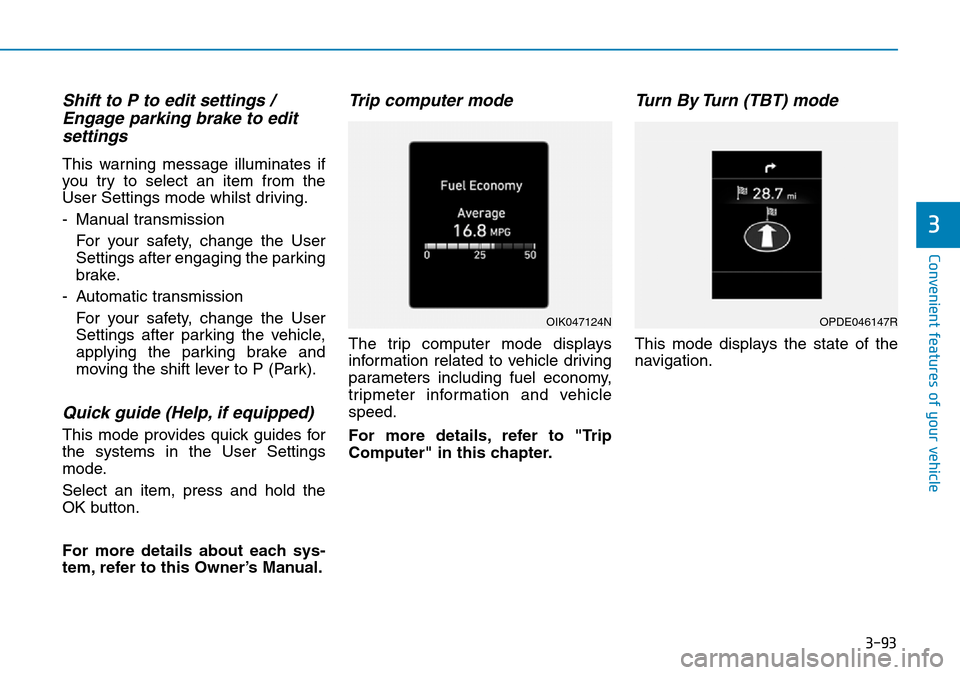
Trip computer mode
The trip computer mode displays
information related to vehicle driving
parameters including fuel economy,
tripmeter information and vehicle
speed.
For more details, refer to "Trip
Computer" in this chapter.
Turn By Turn (TBT) mode
This mode displays the state of the
navigation.
OIK047124NOPDE046147R
Page 190 of 682
3-99
Convenient features of your vehicle
3
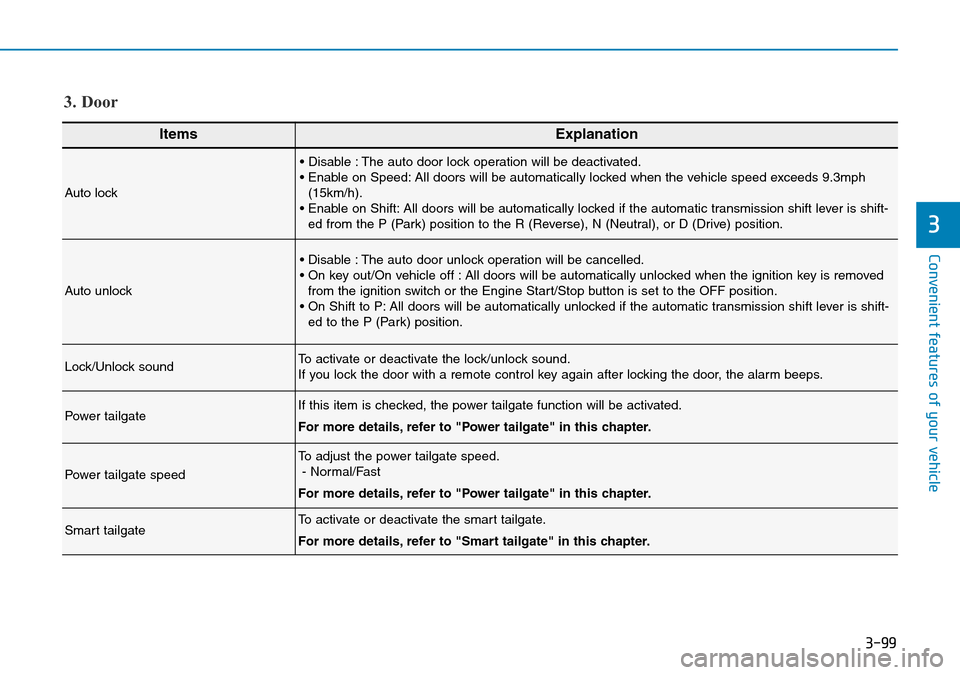
ItemsExplanation
Auto lock
• Disable : The auto door lock operation will be deactivated.
• Enable on Speed: All doors will be automatically locked when the vehicle speed exceeds 9.3mph
(15km/h).
• Enable on Shift: All doors will be automatically locked if the automatic transmission shift lever is shift-
ed from the P (Park) position to the R (Reverse), N (Neutral), or D (Drive) position.
Auto unlock
• Disable : The auto door unlock operation will be cancelled.
• On key out/On vehicle off : All doors will be automatically unlocked when the ignition key is removed
from the ignition switch or the Engine Start/Stop button is set to the OFF position.
• On Shift to P: All doors will be automatically unlocked if the automatic transmission shift lever is shift-
ed to the P (Park) position.
Lock/Unlock soundTo activate or deactivate the lock/unlock sound.
If you lock the door with a remote control key again after locking the door, the alarm beeps.
Power tailgateIf this item is checked, the power tailgate function will be activated.
For more details, refer to "Power tailgate" in this chapter.
Power tailgate speed
To adjust the power tailgate speed.
- Normal/Fast
For more details, refer to "Power tailgate" in this chapter.
Smart tailgateTo activate or deactivate the smart tailgate.
For more details, refer to "Smart tailgate" in this chapter.
3. Door
Page 231 of 682
3-140
Convenient features of your vehicle
• Do not spray the sensors or its sur-
rounding area directly with a high
pressure washer. Shock applied
from high pressure water may
cause the device to not operate
normally.
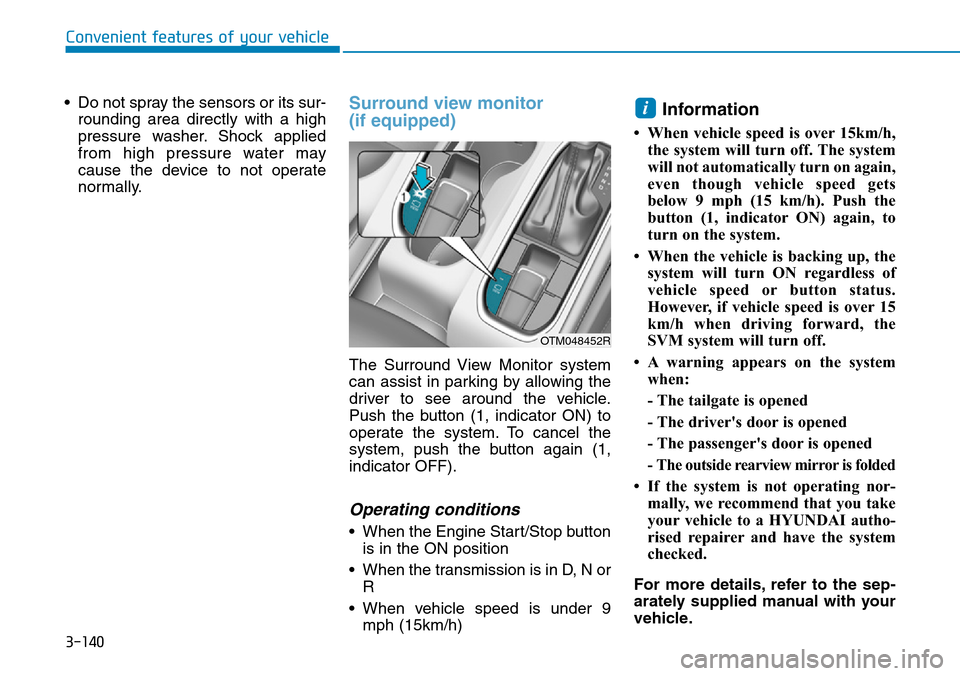
Surround view monitor
(if equipped)
The Surround View Monitor system
can assist in parking by allowing the
driver to see around the vehicle.
Push the button (1, indicator ON) to
operate the system. To cancel the
system, push the button again (1,
indicator OFF).
Operating conditions
• When the Engine Start/Stop button
is in the ON position
• When the transmission is in D, N or
R
• When vehicle speed is under 9
mph (15km/h)
Information
• When vehicle speed is over 15km/h,
the system will turn off. The system
will not automatically turn on again,
even though vehicle speed gets
below 9 mph (15 km/h). Push the
button (1, indicator ON) again, to
turn on the system.
• When the vehicle is backing up, the
system will turn ON regardless of
vehicle speed or button status.
However, if vehicle speed is over 15
km/h when driving forward, the
SVM system will turn off.
• A warning appears on the system
when:
- The tailgate is opened
- The driver's door is opened
- The passenger's door is opened
- The outside rearview mirror is folded
• If the system is not operating nor-
mally, we recommend that you take
your vehicle to a HYUNDAI autho-
rised repairer and have the system
checked.
For more details, refer to the sep-
arately supplied manual with your
vehicle.
i
OTM048452R
Page 245 of 682
3-154
Gear shift whilst steering wheel
control
When the above message appears
with a beep sound, shift the gear and
drive the vehicle with the brake pedal
depressed.Always check the surrounding
before releasing the brake pedal.
7. Parking Assist system com-
pleted
Complete parking your vehicle
according to the instructions on the
LCD display. If required, manually
control the steering wheel and com-
plete parking your vehicle.
Information
The brake pedal must be depressed by
the driver whilst parking your vehicle.
i
NOTICE
Convenient features of your vehicle
Always be careful whilst parking
for other vehicles or pedestrians.
WARNING
OTM048146L
OTM048172R/OTM048151R
OTM048150R/OTM048151R
■Automatic transmission
■Manual transmission
Page 247 of 682
3-156
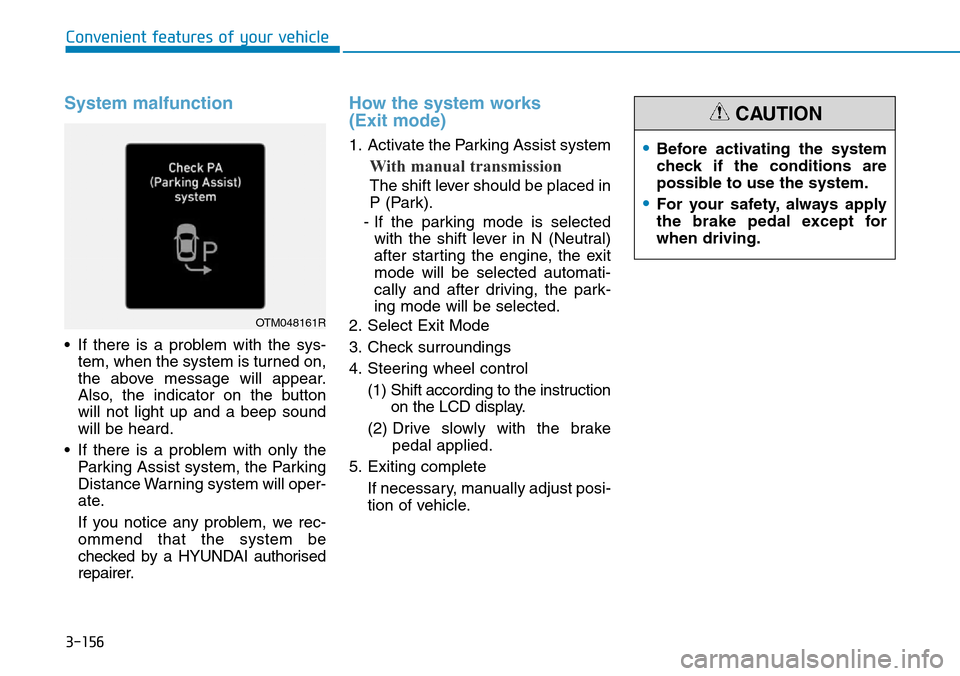
System malfunction
• If there is a problem with the sys-
tem, when the system is turned on,
the above message will appear.
Also, the indicator on the button
will not light up and a beep sound
will be heard.
• If there is a problem with only the
Parking Assist system, the Parking
Distance Warning system will oper-
ate.
If you notice any problem, we rec-
ommend that the system be
checked by a HYUNDAI authorised
repairer.
How the system works
(Exit mode)
1. Activate the Parking Assist system
With manual transmission
The shift lever should be placed in
P (Park).
- If the parking mode is selected
with the shift lever in N (Neutral)
after starting the engine, the exit
mode will be selected automati-
cally and after driving, the park-
ing mode will be selected.
2. Select Exit Mode
3. Check surroundings
4. Steering wheel control
(1) Shift according to the instruction
on the LCD display.
(2) Drive slowly with the brake
pedal applied.
5. Exiting complete
If necessary, manually adjust posi-
tion of vehicle.
Convenient features of your vehicle
OTM048161R
•Before activating the system
check if the conditions are
possible to use the system.
•For your safety, always apply
the brake pedal except for
when driving.
CAUTION