2019 Hyundai Kona climate
[x] Cancel search: climatePage 16 of 485
I
IN
N S
ST
T R
R U
U M
M E
EN
N T
T
P
P A
A N
N E
EL
L
O
O V
VE
ER
R V
V I
IE
E W
W
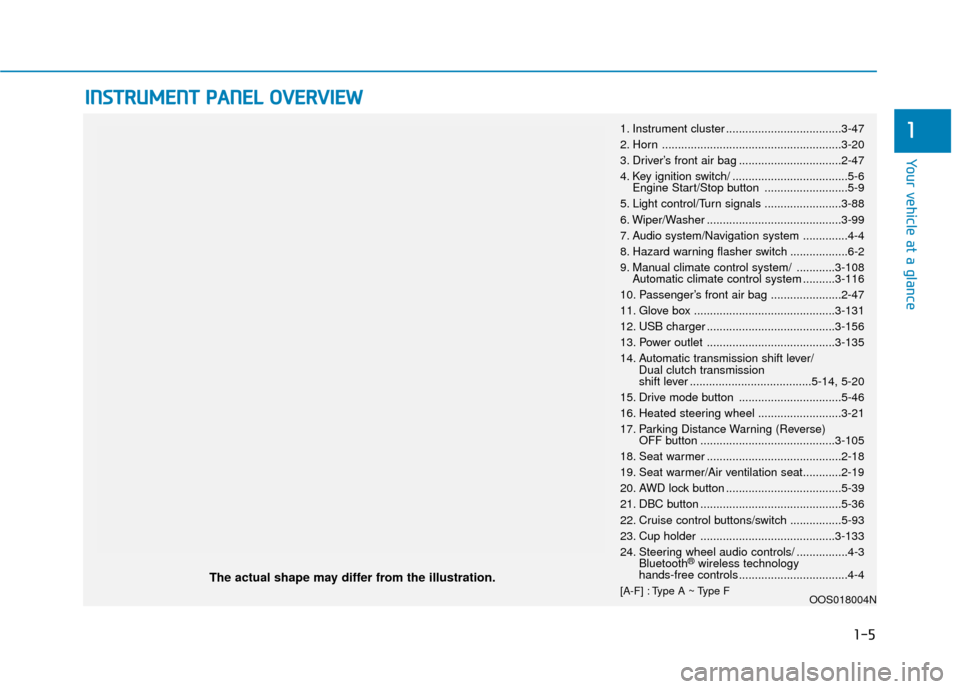
The actual shape may differ from the illustration.
1-5
Your vehicle at a glance
11. Instrument cluster ....................................3-47
2. Horn ........................................................3-20
3. Driver’s front air bag ................................2-47
4. Key ignition switch/ ....................................5-6
Engine Start/Stop button ..........................5-9
5. Light control/Turn signals ........................3-88
6. Wiper/Washer ..........................................3-99
7. Audio system/Navigation system ..............4-4
8. Hazard warning flasher switch ..................6-2
9. Manual climate control system/ ............3-108 Automatic climate control system ..........3-116
10. Passenger’s front air bag ......................2-47
11. Glove box ............................................3-131
12. USB charger ........................................3-156
13. Power outlet ........................................3-135
14. Automatic transmission shift lever/ Dual clutch transmission
shift lever ......................................5-14, 5-20
15. Drive mode button ................................5-46
16. Heated steering wheel ..........................3-21
17. Parking Distance Warning (Reverse) OFF button ..........................................3-105
18. Seat warmer ..........................................2-18
19. Seat warmer/Air ventilation seat............2-19
20. AWD lock button ....................................5-39
21. DBC button ............................................5-36
22. Cruise control buttons/switch ................5-93
23. Cup holder ..........................................3-133
24. Steering wheel audio controls/ ................4-3 Bluetooth
®wireless technology
hands-free controls ..................................4-4
[A-F] : Type A ~ Type F OOS018004N
Page 37 of 485
2-20
Safety system of your vehicle
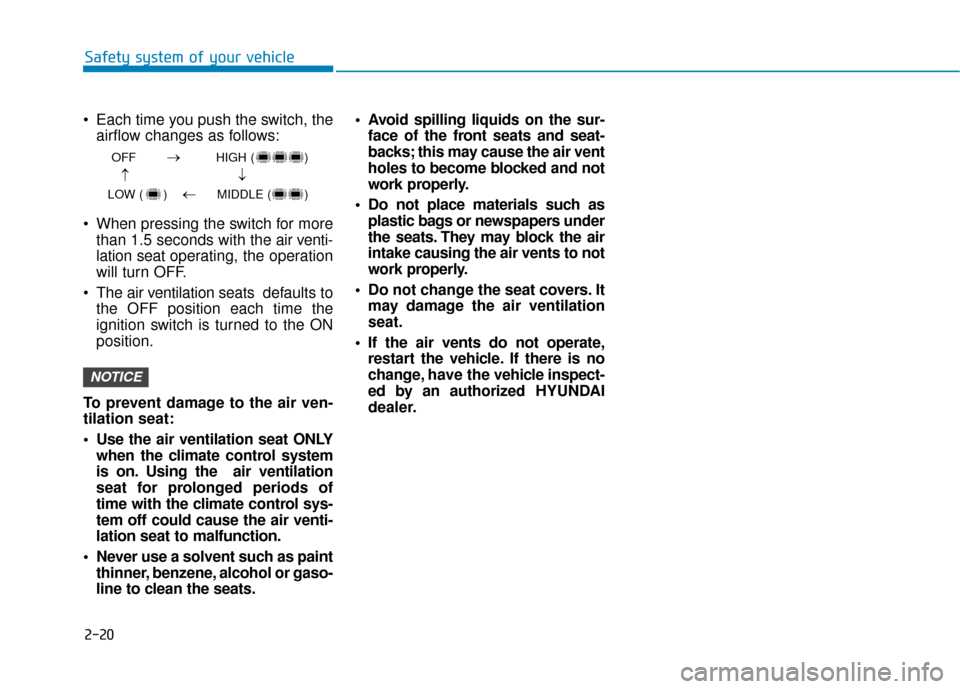
Each time you push the switch, the airflow changes as follows:
When pressing the switch for more than 1.5 seconds with the air v enti-
lation seat operating, the operation
will turn OFF.
The air v entilation seats def aults to
the OFF position each time the
ignition switch is turned to the ON
position.
To prevent damage to the air ven-
tilation seat:
Use the air ventilation seat ONLY when the climate control system
is on. Using the air ventilation
seat for prolonged periods of
time with the climate control sys-
tem off could cause the air venti-
lation seat to malfunction.
Never use a solvent such as paint thinner, benzene, alcohol or gaso-
line to clean the seats. Avoid spilling liquids on the sur-
face of the front seats and seat-
backs; this may cause the air vent
holes to become blocked and not
work properly.
Do not place materials such as plastic bags or newspapers under
the seats. They may block the air
intake causing the air vents to not
work properly.
Do not change the seat covers. It may damage the air ventilation
seat.
If the air vents do not operate, restart the vehicle. If there is no
change, have the vehicle inspect-
ed by an authorized HYUNDAI
dealer.
NOTICE
OFF HIGH ( )
LOW ( ) MIDDLE ( )
→→
→
→
Page 86 of 485
Wipers and Washers ............................................3-99
Windshield Wipers...........................................................3-99
Windshield Washers .....................................................3-101
Rear Window Wiper and Washer..............................3-102
Driver Assist System .........................................3-103
Rear view monitor ........................................................3-103
Parking Distance Warning (Reverse) system .........3-104
Parking Distance Warning (Reverse) system
Precautions.....................................................................3-1\
07
Manual Climate Control System.......................3-108
Heating and Air Conditioning .....................................3-109
System Operation .........................................................3-112
System Maintenance....................................................3-114
Automatic Climate Control System ..................3-116
Automatic Temperature Control Mode ....................3-117
Manual Temperature Control Mode .........................3-118
System Operation .........................................................3-121
System Maintenance....................................................3-123
Windshield Defrosting and Defogging ............3-125
Auto Defogging System (Additional Feature with
Automatic Temperature Control System)................3-127
Rear Window Defroster ..............................................3-129
Climate Control Additional Features ...............3-130
Cluster ionizer ................................................................3-130
Automatic Ventilation ...................................................3-130
Sunroof Inside Air Recirculation ...............................3-130
Storage Compartment .......................................3-131
Center Console Storage ..............................................3-131
Glove Box ........................................................................\
3-131
Sunglass Holder.............................................................3-132
Multi Box ........................................................................\
.3-132
Interior Features ................................................3-133
Cup Holder ......................................................................3-\
133
Sunvisor ........................................................................\
...3-134
Power Outlet ..................................................................3-135
Wireless Cellular Phone Charging System..............3-136
Clock ........................................................................\
.........3-138
Clothes Hanger ..............................................................3-139
Floor Mat Anchor(s).....................................................3-139
Luggage Net Holder .....................................................3-140
Cargo Area Cover..........................................................3-141
Luggage tray ..................................................................3-141
Exterior Features ...............................................3-143
Roof Side Rails ..............................................................3-143
3
Page 98 of 485
3-14
Convenient features of your vehicle
If you press the button on the front
passenger's outside door, all doors
will unlock.
Once the doors are unlocked, they
may be opened by pulling the door
handle.
When closing the door, push the
door by hand. Make sure that doors
are closed securely.
Information
• In cold and wet climates, door lock and door mechanisms may not work
properly due to freezing conditions.
• If the door is locked/unlocked multi- ple times in rapid succession with
either the vehicle key or door lock
switch, the system may stop operat-
ing temporarily in order to protect
the circuit and prevent damage to
system components.
• Two press unlock setting can be changed in the User Settings mode
on the cluster.
Operating Door Locks from
Inside the Vehicle
With the door lock button
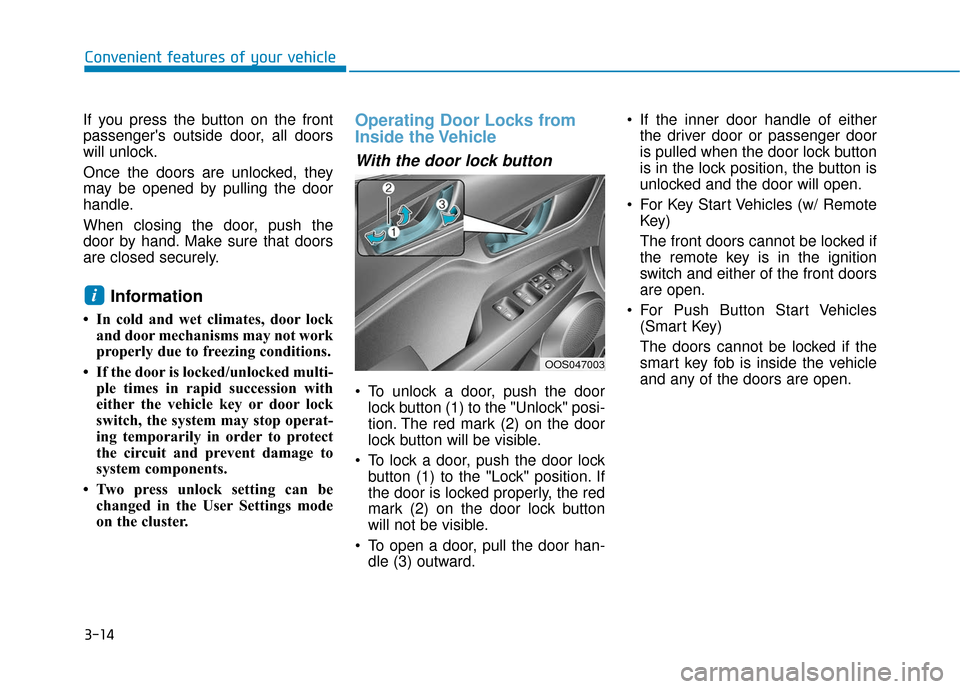
To unlock a door, push the doorlock button (1) to the "Unlock" posi-
tion. The red mark (2) on the door
lock button will be visible.
To lock a door, push the door lock button (1) to the "Lock" position. If
the door is locked properly, the red
mark (2) on the door lock button
will not be visible.
To open a door, pull the door han- dle (3) outward. If the inner door handle of either
the driver door or passenger door
is pulled when the door lock button
is in the lock position, the button is
unlocked and the door will open.
For Key Start Vehicles (w/ Remote Key)
The front doors cannot be locked if
the remote key is in the ignition
switch and either of the front doors
are open.
For Push Button Start Vehicles (Smart Key)
The doors cannot be locked if the
smart key fob is inside the vehicle
and any of the doors are open.
i
OOS047003
Page 118 of 485
3-34
Convenient features of your vehicle
Power Windows
The ignition switch must be in the ON
position to be able to raise or lower
the windows. Each door has a Power
Window switch to control that door’s
window. The driver has a Power
Window Lock switch which can block
the operation of passenger windows.
The power windows will operate for
approximately 30 seconds after the
ignition switch is placed in the ACC
or LOCK/OFF position. However, if
the front doors are opened, the
Power Windows will not operate even
within the 30 second period.
Information
• In cold and wet climates, power win-dows may not work properly due to
freezing conditions.
• While driving with the rear win- dows down or with the sunroof (if
equipped) opened (or partially
opened), your vehicle may demon-
strate a wind buffeting or pulsation
noise. This noise is normal and can
be reduced or eliminated by taking
the following actions. If the noise
occurs with one or both of the rear
windows down, partially lower both
front windows approximately one
inch. If you experience the noise
with the sunroof open, slightly close
the sunroof.
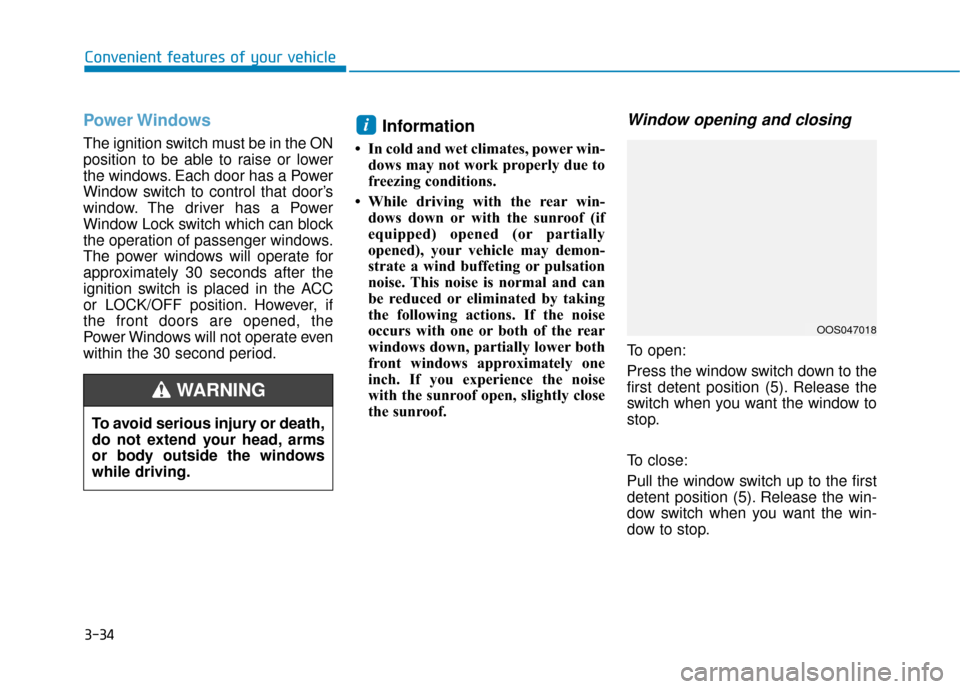
Window opening and closing
To open:
Press the window switch down to the
first detent position (5). Release the
switch when you want the window to
stop.
To close:
Pull the window switch up to the first
detent position (5). Release the win-
dow switch when you want the win-
dow to stop.
i
To avoid serious injury or death,
do not extend your head, arms
or body outside the windows
while driving.
WARNING
OOS047018
Page 121 of 485
3-37
Convenient features of your vehicle
3
If your vehicle is equipped with a sun-
roof, you can slide or tilt your sunroof
with the sunroof control switch locat-
ed on the overhead console.
The sunroof can only be opened,
closed, or tilted when the ignition
switch is in the ON position.
Information
• In cold and wet climates, the sun-roof may not work properly due to
freezing conditions.
• After the vehicle is washed or in a rainstorm, be sure to wipe off any
water that is on the sunroof before
operating it. Do not continue to move the
sunroof control lever after the
sunroof is fully opened, closed,
or tilted. Damage to the motor or
system components could
occur.
Make sure the sunroof is closed fully when leaving your vehicle.
If the sunroof is left open, rain or
snow may wet the interior of the
vehicle. Also, leaving the sun-
roof open when the vehicle is
unattended may invite theft.
NOTICE
i
S SU
U N
NR
RO
O O
OF
F
(
( I
IF
F
E
E Q
Q U
UI
IP
P P
PE
ED
D )
)
Never adjust the sunroof or
sunshade while driving. This
could result in loss of control
and an accident that may
cause death, serious injury, or
property damage.
Make sure heads, hands, arms
or any other body parts or
objects are out of the way
before operating the sunroof.
Do not extend your head,
arms or body outside the sun-
roof while driving, to avoid
serious injury.
Do not leave the engine run-
ning and the key in your vehi-
cle with unsupervised chil-
dren. Unattended children
could operate the sunroof,
which could result in serious
injury.
Do not sit on the top of the
vehicle. It may cause injury or
vehicle damage.
WARNING
OOS047021
Page 123 of 485
3-39
Convenient features of your vehicle
3
Periodically remove any dirt thatmay accumulate on the sunroof
guide rail or between the sun-
roof and roof panel which can
make a noise.
Do not try to open the sunroof when the temperature is below
freezing or when the sunroof is
covered with snow or ice, other-
wise the motor could be dam-
aged. In cold and wet climates,
the sunroof may not work prop-
erly.
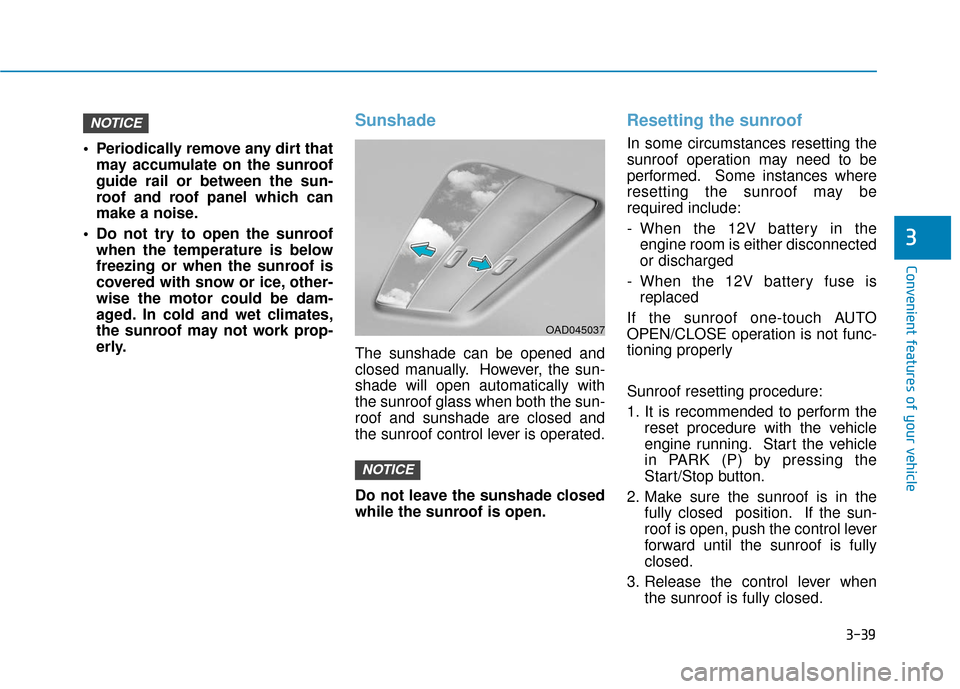
Sunshade
The sunshade can be opened and
closed manually. However, the sun-
shade will open automatically with
the sunroof glass when both the sun-
roof and sunshade are closed and
the sunroof control lever is operated.
Do not leave the sunshade closed
while the sunroof is open.
Resetting the sunroof
In some circumstances resetting the
sunroof operation may need to be
performed. Some instances where
resetting the sunroof may be
required include:
- When the 12V battery in theengine room is either disconnected
or discharged
- When the 12V battery fuse is replaced
If the sunroof one-touch AUTO
OPEN/CLOSE operation is not func-
tioning properly
Sunroof resetting procedure:
1. It is recommended to perform the reset procedure with the vehicle
engine running. Start the vehicle
in PARK (P) by pressing the
Start/Stop button.
2. Make sure the sunroof is in the fully closed position. If the sun-
roof is open, push the control lever
forward until the sunroof is fully
closed.
3. Release the control lever when the sunroof is fully closed.
NOTICE
NOTICE
OAD045037
Page 127 of 485
3-43
Convenient features of your vehicle
3
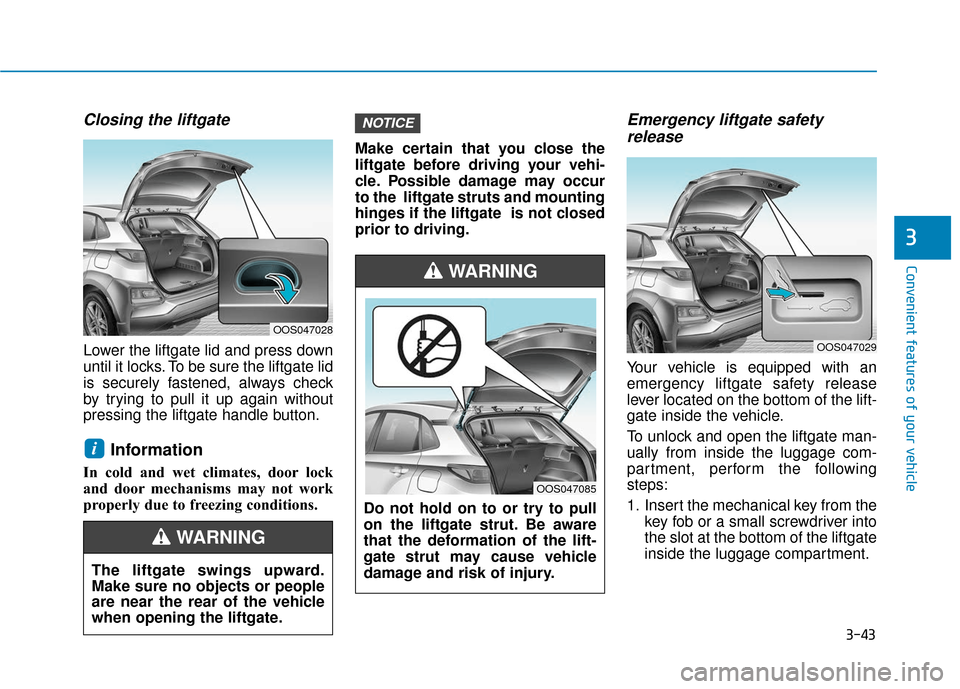
Closing the liftgate
Lower the liftgate lid and press down
until it locks. To be sure the liftgate lid
is securely fastened, always check
by trying to pull it up again without
pressing the liftgate handle button.
Information
In cold and wet climates, door lock
and door mechanisms may not work
properly due to freezing conditions.Make certain that you close the
liftgate before driving your vehi-
cle. Possible damage may occur
to the liftgate struts and mounting
hinges if the liftgate is not closed
prior to driving.
Emergency liftgate safety
release
Your vehicle is equipped with an
emergency liftgate safety release
lever located on the bottom of the lift-
gate inside the vehicle.
To unlock and open the liftgate man-
ually from inside the luggage com-
partment, perform the following
steps:
1. Insert the mechanical key from the
key fob or a small screwdriver into
the slot at the bottom of the liftgate
inside the luggage compartment.
NOTICE
i
OOS047029
OOS047028
The liftgate swings upward.
Make sure no objects or people
are near the rear of the vehicle
when opening the liftgate.
WARNING
Do not hold on to or try to pull
on the liftgate strut. Be aware
that the deformation of the lift-
gate strut may cause vehicle
damage and risk of injury.
WARNING
OOS047085