2019 Hyundai Kona fog lights
[x] Cancel search: fog lightsPage 84 of 526
Low Beam Assist-Static light .......................................3-94
Welcome system..............................................................3-94
Interior lights ....................................................................3-95\
Wipers and washers ............................................3-97
Windscreen wipers..........................................................3-97
Windscreen washers ......................................................3-99
Rear window wiper and washer switch ..................3-100
Driver Assist System .........................................3-101
Rear view monitor ........................................................3-101
Parking Distance Warning (Reverse) system .........3-102
Parking Distance Warning
(Reverse/Forward) system ........................................3-106
Defroster .............................................................3-109
Rear window defroster ...............................................3-109
Manual climate control system........................3-110
Heating and air conditioning......................................3-111
System operation ..........................................................3-114
System maintenance ....................................................3-116
Automatic climate control system ...................3-118
Automatic heating and air conditioning ..................3-119
Manual heating and air conditioning .......................3-119
System operation ..........................................................3-122
System maintenance ....................................................3-124
Windscreen defrosting and defogging ...........3-126
Manual climate control system .................................3-126
Automatic climate control system ............................3-127 Auto defogging system
(only for automatic climate control system) .........3-128
Climate control additional features.................3-129
Automatic ventilation ...................................................3-129
Sunroof inside air recirculation.................................3-129
Storage compartment ........................................3-130
Centre console storage ...............................................3-130
Glove box ........................................................................\
3-130
Sunglass holder .............................................................3-131
Multi box ........................................................................\
.3-131
Luggage tray ..................................................................3-132
Interior features.................................................3-133
Cup holder.......................................................................3\
-133
Sunvisor ........................................................................\
...3-134
Power outlet ...................................................................3-134\
Wireless mobile phone charging system ................3-135
Clock ........................................................................\
.........3-137
Clothes hanger ..............................................................3-137
Floor mat anchor(s)......................................................3-138
Luggage net (holder) ...................................................3-138
Cargo area cover ..........................................................3-139
Exterior features ...............................................3-140
Roof rack ........................................................................\
3-140
3
Page 139 of 526
3-57
Convenient features of your vehicle
3
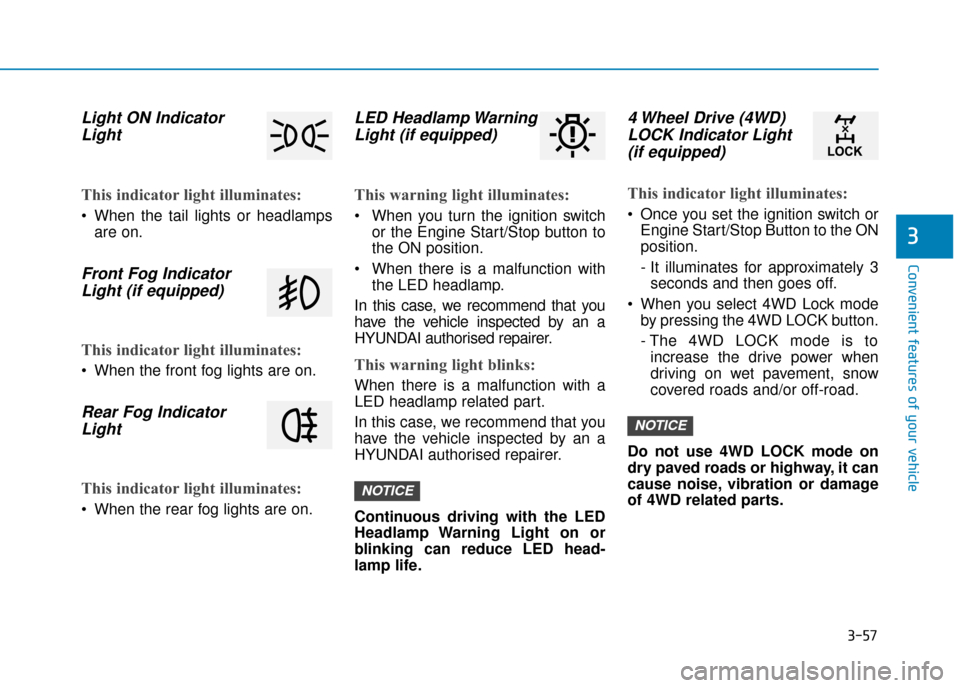
Light ON IndicatorLight
This indicator light illuminates:
When the tail lights or headlamps
are on.
Front Fog IndicatorLight (if equipped)
This indicator light illuminates:
When the front fog lights are on.
Rear Fog IndicatorLight
This indicator light illuminates:
When the rear fog lights are on.
LED Headlamp WarningLight (if equipped)
This warning light illuminates:
When you turn the ignition switch
or the Engine Start/Stop button to
the ON position.
When there is a malfunction with the LED headlamp.
In this case, we recommend that you
have the vehicle inspected by an a
HYUNDAI authorised repairer.
This warning light blinks:
When there is a malfunction with a
LED headlamp related part.
In this case, we recommend that you
have the vehicle inspected by an a
HYUNDAI authorised repairer.
Continuous driving with the LED
Headlamp Warning Light on or
blinking can reduce LED head-
lamp life.
4 Wheel Drive (4WD) LOCK Indicator Light(if equipped)
This indicator light illuminates:
Once you set the ignition switch or
Engine Start/Stop Button to the ON
position.
- It illuminates for approximately 3seconds and then goes off.
When you select 4WD Lock mode by pressing the 4WD LOCK button.
- The 4WD LOCK mode is toincrease the drive power when
driving on wet pavement, snow
covered roads and/or off-road.
Do not use 4WD LOCK mode on
dry paved roads or highway, it can
cause noise, vibration or damage
of 4WD related parts.
NOTICE
NOTICE
Page 167 of 526
3-85
Convenient features of your vehicle
3
Exterior lights
Lighting control
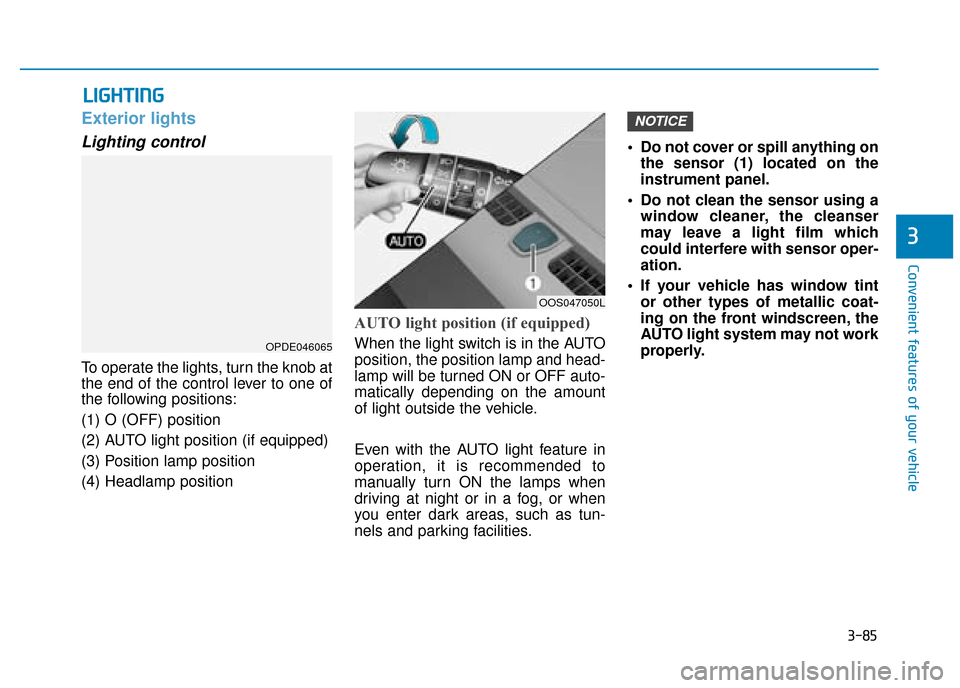
To operate the lights, turn the knob at
the end of the control lever to one of
the following positions:
(1) O (OFF) position
(2) AUTO light position (if equipped)
(3) Position lamp position
(4) Headlamp position
AUTO light position (if equipped)
When the light switch is in the AUTO
position, the position lamp and head-
lamp will be turned ON or OFF auto-
matically depending on the amount
of light outside the vehicle.
Even with the AUTO light feature in
operation, it is recommended to
manually turn ON the lamps when
driving at night or in a fog, or when
you enter dark areas, such as tun-
nels and parking facilities.• Do not cover or spill anything on
the sensor (1) located on the
instrument panel.
Do not clean the sensor using a window cleaner, the cleanser
may leave a light film which
could interfere with sensor oper-
ation.
If your vehicle has window tint or other types of metallic coat-
ing on the front windscreen, the
AUTO light system may not work
properly.
NOTICE
L LI
IG
G H
H T
TI
IN
N G
G
OOS047050L
OPDE046065
Page 175 of 526
3-93
Convenient features of your vehicle
3
Daytime running light (DRL) (if equipped)
The Daytime Running Lights (DRL)
can make it easier for others to see
the front of your vehicle during the
day, especially after dawn and before
sunset.
The DRL system will turn the dedi-
cated lamps OFF when:
1. The headlamps or front fog lights
are in the ON position.
2. The position light switch is in the ON position.
3. The engine is turned off.
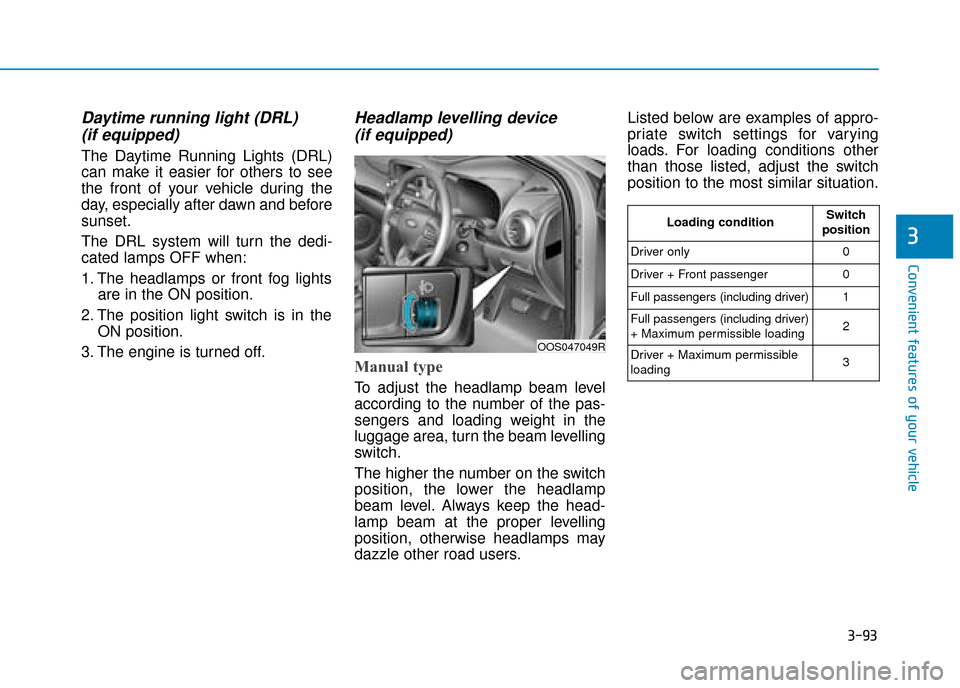
Headlamp levelling device (if equipped)
Manual type
To adjust the headlamp beam level
according to the number of the pas-
sengers and loading weight in the
luggage area, turn the beam levelling
switch.
The higher the number on the switch
position, the lower the headlamp
beam level. Always keep the head-
lamp beam at the proper levelling
position, otherwise headlamps may
dazzle other road users. Listed below are examples of appro-
priate switch settings for varying
loads. For loading conditions other
than those listed, adjust the switch
position to the most similar situation.
OOS047049R
Loading conditionSwitch
position
Driver only0
Driver + Front passenger0
Full passengers (including driver)1
Full passengers (including driver)
+ Maximum permissible loading2
Driver + Maximum permissible
loading 3
Page 331 of 526
5-76
Driving your vehicle
The driver's field of view is not well illuminated (either too dark or too
much reflection or too much back-
light that obscures the field of view)
The vehicle in front does not have their rear lights properly turned ON.
The outside brightness changes suddenly, for example when enter-
ing or exiting a tunnel
When light coming from a street light or an oncoming vehicle is
reflected on a wet road surface
such as a puddle in the road
The field of view in front is obstruct- ed by sun glare
The windscreen glass is fogged up; a clear view of the road is obstruct-
ed
The vehicle in front is driving errati- cally
The vehicle is on unpaved or uneven rough surfaces, or road
with sudden gradient changes.
The vehicle is driven near areas containing metal substances as a
construction zone, railroad, etc. The vehicle drives inside a building,
such as a basement parking lot
The adverse road conditions cause excessive vehicle vibrations whilst
driving
The sensor recognition changes suddenly when passing over a
speed bump
The vehicle in front is moving verti- cally to the driving direction
The vehicle in front is stopped ver- tically
The vehicle in front is driving towards your vehicle or reversing
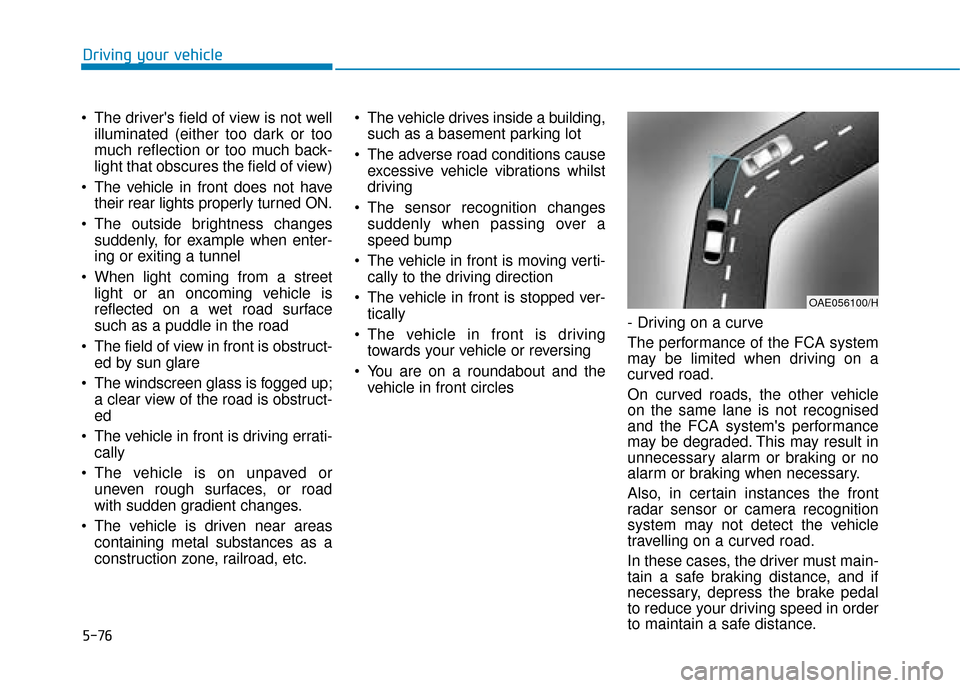
You are on a roundabout and the vehicle in front circles - Driving on a curve
The performance of the FCA system
may be limited when driving on a
curved road.
On curved roads, the other vehicle
on the same lane is not recognised
and the FCA system's performance
may be degraded. This may result in
unnecessary alarm or braking or no
alarm or braking when necessary.
Also, in certain instances the front
radar sensor or camera recognition
system may not detect the vehicle
travelling on a curved road.
In these cases, the driver must main-
tain a safe braking distance, and if
necessary, depress the brake pedal
to reduce your driving speed in order
to maintain a safe distance.
OAE056100/H