Page 80 of 540

2-65
Safety system of your vehicle
2
Air bag inflation conditions
Front air bags
Front air bags and the driver’s knee
air bag are designed to inflate in a
frontal collision depending on the the
severity of impact of the front colli-
sion.
Side and curtain air bags
Side and curtain air bags are
designed to inflate when an impact is
detected by side collision sensors
depending on the severity of impact
resulting from a side impact collision.Although the driver’s and front pas-
senger’s air bags are designed to
inflate only in frontal collisions, they
also may inflate in other types of col-
lisions if the front impact sensors
detect a sufficient impact. Side and
curtain air bags are designed to
inflate only in side impact collisions
or rollover situations, but they may
inflate in other collisions if the side
impact sensors detect a sufficient
impact.
If the vehicle chassis is impacted by
bumps or objects on unimproved
roads, the air bags may deploy. Drive
carefully on unimproved roads or on
surfaces not designed for vehicle
traffic to prevent unintended air bag
deployment.
OOSEV038019N
OOSEV038028
OOSEV038018
Page 82 of 540
2-67
Safety system of your vehicle
2
In an angled collision, the force of
impact may direct the occupants in a
direction where the air bags would
not be able to provide any additional
benefit, and thus the sensors may
not deploy any air bags.Just before impact, drivers often
brake heavily. Such heavy braking
lowers the front portion of the vehicle
causing it to "ride" under a vehicle
with a higher ground clearance. Air
bags may not inflate in this "under-
ride" situation because deceleration
forces that are detected by sensors
may be significantly reduced by such
"underride" collisions.Front air bags may not inflate in
rollover accidents because air bag
deployment could not provide protec-
tion to the occupants.
However, side and curtain air bags
may inflate when the vehicle is rolled
over by a side impact collision.
OTL035069OOSEV038023OTL035068
Page 104 of 540

3-20
Convenient features of your vehicle
Electrochromic mirror (ECM) withHomeLink®system, compass and
Blue Link®(if equipped)
Your vehicle may be equipped with a
Gentex Automatic-Dimming Mirror
with a Z-Nav™ Electronic Compass
Display and an Integrated HomeLink
®
Wireless Control System. During
nighttime driving, this feature will
automatically detect and reduce
rearview mirror glare while the com-
pass indicates the direction the vehicle
is traveling. The HomeLink
®Universal
Transceiver allows you to activate your
garage door(s), electric gate, home
lighting, etc. (1) HomeLink Channel 1
(2) HomeLink Channel 2
(3) HomeLink Channel 3
(4) Garage Door Opener Status
Indicator : Closing or Closed
(5) HomeLink Operation Indicator
(6) Garage Door Opener Status Indicator : Opening or Opened
(7) HomeLink User Interface Indicator
Automatic-Dimming Night Vision
Safety™ (NVS®) Mirror
The NVS®Mirror automatically
reduces glare by monitoring light lev-
els in the front and the rear of the
vehicle. Any object that obstructs
either light sensor will degrade the
automatic dimming control feature.
For more information regarding
NVS
®mirrors and other applica-
tions, please refer to the Gentex
website:
www.gentex.com
Your mirror will automatically dim
upon detecting glare from the vehi-
cles traveling behind you.
The mirror defaults to the ON posi-
tion each time the vehicle is started.
OOS047093N
HomeLink Indicator
HomeLink ButtonTelematics buttons
Page 136 of 540
3-52
Convenient features of your vehicle
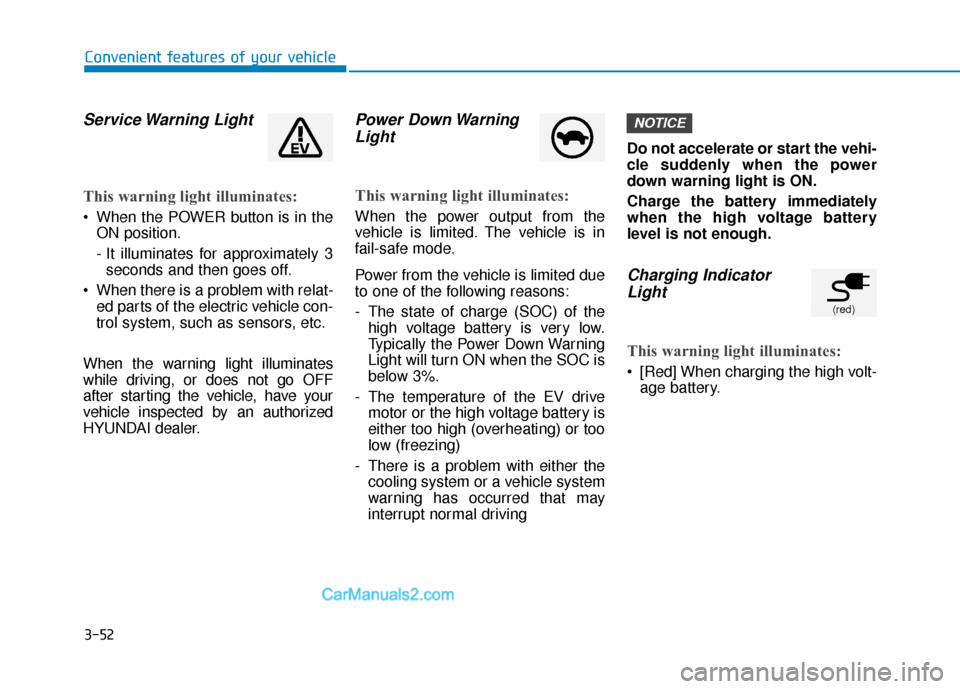
Service Warning Light
This warning light illuminates:
When the POWER button is in theON position.
- It illuminates for approximately 3seconds and then goes off.
When there is a problem with relat- ed parts of the electric vehicle con-
trol system, such as sensors, etc.
When the warning light illuminates
while driving, or does not go OFF
after starting the vehicle, have your
vehicle inspected by an authorized
HYUNDAI dealer.
Power Down Warning Light
This warning light illuminates:
When the power output from the
vehicle is limited. The vehicle is in
fail-safe mode.
Power from the vehicle is limited due
to one of the following reasons:
- The state of charge (SOC) of the
high voltage battery is very low.
Typically the Power Down Warning
Light will turn ON when the SOC is
below 3%.
- The temperature of the EV drive motor or the high voltage battery is
either too high (overheating) or too
low (freezing)
- There is a problem with either the cooling system or a vehicle system
warning has occurred that may
interrupt normal driving Do not accelerate or start the vehi-
cle suddenly when the power
down warning light is ON.
Charge the battery immediately
when the high voltage battery
level is not enough.
Charging Indicator
Light
This warning light illuminates:
[Red] When charging the high volt-
age battery.
NOTICE
(red)
Page 142 of 540

3-58
Convenient features of your vehicle
Forward Collision-Avoidance Assist (FCA)System Warning Light
This warning light illuminates :
When the POWER button is in the
ON position.
- It illuminates for approximately 3seconds and then goes off.
When the FCA system is turned off.
When the radar sensor (if equipped) or cover is blocked with dirt or snow.
Check the sensor and cover and
clean them using a soft cloth. (Note
that some models with FCA do not
incorporate a radar sensor.)
When there is a malfunction with FCA. If this occurs, have your vehi-
cle inspected by an authorized
HYUNDAI dealer.
For more details, refer to "Forward
Collision-Avoidance Assist (FCA)
System" in chapter 5.
Lane Keeping Assist (LKA) System IndicatorLight
This indicator light illuminates:
[Green] When the system operat-
ing conditions are satisfied for
LKA.
[White] When system operating conditions are not satisfied.
[Yellow] When there is a malfunc- tion with the lane keeping assist
system.
If this occurs, have your vehicle
inspected by an authorized HYUNDAI
dealer.
For more details, refer to "Lane
Keeping Assist (LKA) System" in
chapter 5.
LED Headlamp Warning Light (if equipped)
This warning light illuminates:
When the POWER button is in the
ON position.
- It illuminates for approximately 3seconds and then goes off.
When there is a malfunction with the LED headlamp.
If this occurs, have the v ehicle
inspected by an an authorized
HYUNDAI dealer.
This warning light blinks:
When there is a malfunction with a
component or system related to the
LED headlamps.
If this occurs, have the vehicle
inspected by an an authorized
HYUNDAI dealer.
Continuous driving with the LED
Headlamp Warning Light on or
blinking can reduce LED head-
lamp life.
NOTICE
Page 181 of 540

3-97
Convenient features of your vehicle
3
L
LI
IG
G H
H T
TI
IN
N G
G
Exterior Lights
Lighting control
To operate the lights, turn the knob at
the end of the control lever to one of
the following positions:
1. OFF position
2. AUTO headlamp position
3. Parking lamp position
4. Headlamp position
Daytime running light (DRL)
The Daytime Running Lights (DRL)
can make it easier for others to see
the front of your vehicle during the
day, especially after dawn and before
sunset.
The DRL system will turn the dedi-
cated lamp OFF when :
The headlamps are ON.
The parking lamps are ON.
The vehicle is turned off.
The parking brake is engaged.
AUTO headlamp position
The parking lamp and headlamp will
be turned ON or OFF automatically
depending on the amount of daylight
as measured by the ambient light
sensor (1) on the center dash.
Even with the AUTO headlamp fea-
ture in operation, it is recommended
to manually turn ON the headlamps
when driving at night, driving in rainy
or foggy conditions, or when entering
dark areas such as tunnels or under-
ground parking facilities.
OOS047404N
OOS047050N
Page 182 of 540
3-98
Convenient features of your vehicle
Do not cover or spill anything on the sensor (1) located in front of
the instrument panel.
Do not clean the sensor using a window cleaner, the cleanser may
leave a light film which could
interfere with sensor operation.
If your vehicle has window tint or other types of metallic coat-
ing on the front windshield, the
AUTO headlamp system may not
work properly.
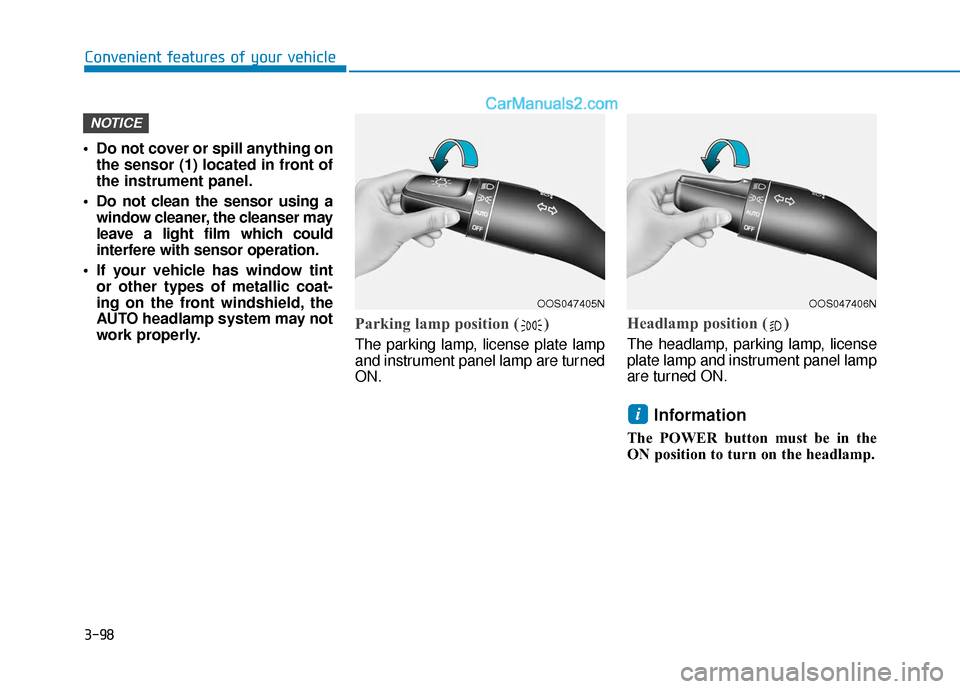
Parking lamp position ( )
The parking lamp, license plate lamp
and instrument panel lamp are turned
ON.
Headlamp position ( )
The headlamp, parking lamp, license
plate lamp and instrument panel lamp
are turned ON.
Information
The POWER button must be in the
ON position to turn on the headlamp.
i
NOTICE
OOS047405NOOS047406N
Page 192 of 540

3-108
Convenient features of your vehicle
A : Wiper speed control · MIST – Single wipe
· OFF – Off
· INT – Intermittent wipeAUTO* – Auto control wipe · LO – Low wiper speed
· HI – High wiper speed
B : Intermittent control wipe time adjustment
C : Wash with brief wipes (front) (pull lever towards you)
D : Rear wiper/washer control · HI – High wiper speed
· LO – Low wiper speed
· OFF – Off
E : Wash with brief wipes (rear) (push lever away from you)
* : if equipped
Front Windshield Wipers
Operates as follows when the
POWER button is in the ON position.
MIST : For a single wiping cycle,
push the lever upward and
release. The wipers will oper-
ate continuously if the lever is
held in this position.
OFF : Wiper is not in operation.
INT : Wiper operates intermittently at the same wiping intervals. To
vary the speed setting, move
the speed control lever. The top
most setting will run the wipers
most frequently (for more rain).
The bottom setting will run the
wipers the least frequently (for
less rain).
AUTO : The rain sensor located on the upper end of the wind-
shield glass senses the
amount of rainfall and con-
trols the wiping cycle for the
proper interval. The more it
rains, the faster the wiper
operates. When the rain
stops, the wiper stops.To
vary the speed setting, turn
the speed control knob (B).
W WI
IP
P E
ER
R S
S
A
A N
N D
D
W
W A
AS
SH
H E
ER
R S
S
OPD047454L
OTLA045318
■ Front windshield wiper/washer
■Rear window wiper/washer