2019 HYUNDAI ELANTRA SPORT ECO mode
[x] Cancel search: ECO modePage 103 of 534
3-18
Convenient features of your vehicle
Child-Protector Rear Door
locks
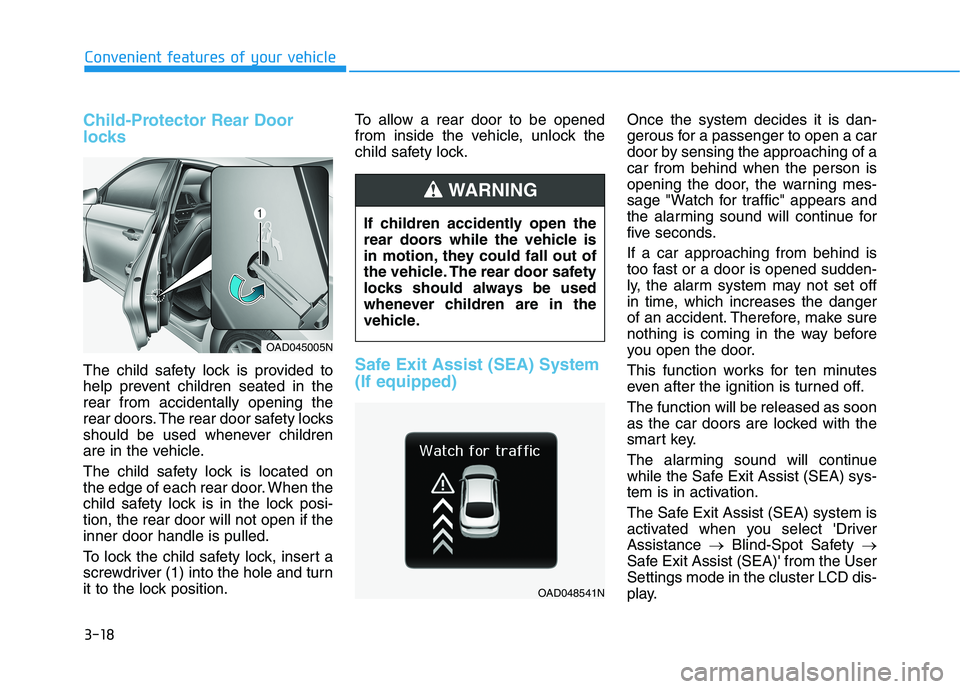
The child safety lock is provided to
help prevent children seated in therear from accidentally opening the
rear doors. The rear door safety locks
should be used whenever children
are in the vehicle.
The child safety lock is located on
the edge of each rear door. When the
child safety lock is in the lock posi-tion, the rear door will not open if theinner door handle is pulled.
To lock the child safety lock, insert a
screwdriver (1) into the hole and turn
it to the lock position.To allow a rear door to be opened
from inside the vehicle, unlock the
child safety lock.Safe Exit Assist (SEA) System (If equipped)
Once the system decides it is dan-
gerous for a passenger to open a car
door by sensing the approaching of acar from behind when the person is
opening the door, the warning mes-
sage "Watch for traffic" appears and
the alarming sound will continue for
five seconds. If a car approaching from behind is
too fast or a door is opened sudden-
ly, the alarm system may not set off
in time, which increases the danger
of an accident. Therefore, make sure
nothing is coming in the way before
you open the door.
This function works for ten minutes
even after the ignition is turned off. The function will be released as soon
as the car doors are locked with the
smart key.
The alarming sound will continue
while the Safe Exit Assist (SEA) sys-
tem is in activation.
The Safe Exit Assist (SEA) system is
activated when you select 'DriverAssistance
Blind-Spot Safety
Safe Exit Assist (SEA)' from the UserSettings mode in the cluster LCD dis-
play.
If children accidently open the
rear doors while the vehicle is
in motion, they could fall out of
the vehicle. The rear door safety
locks should always be used
whenever children are in the
vehicle.
WARNING
OAD045005N
OAD048541N
Page 114 of 534
3-29
Convenient features of your vehicle
3
Programming HomeLink®
Please note the following:
When programming a garage door
opener, it is advised to park the
vehicle outside of the garage.
It is recommended that a new bat- tery be placed in the hand-held
transmitter of the device being pro-
grammed to HomeLink ®
for quicker
training and accurate transmission
of the radio-frequency signal.
Some vehicles may require the ignition switch to be placed in the
ACC (or "Accessories") position for
programming and/or operation ofHomeLink ®
.
In the event that there are still pro- gramming difficulties or questions
after following the programming
steps listed below, contactHomeLink ®
at: www.homelink.com
or by calling 1-800-355-3515.
Programming
To program most devices, follow
these instructions:
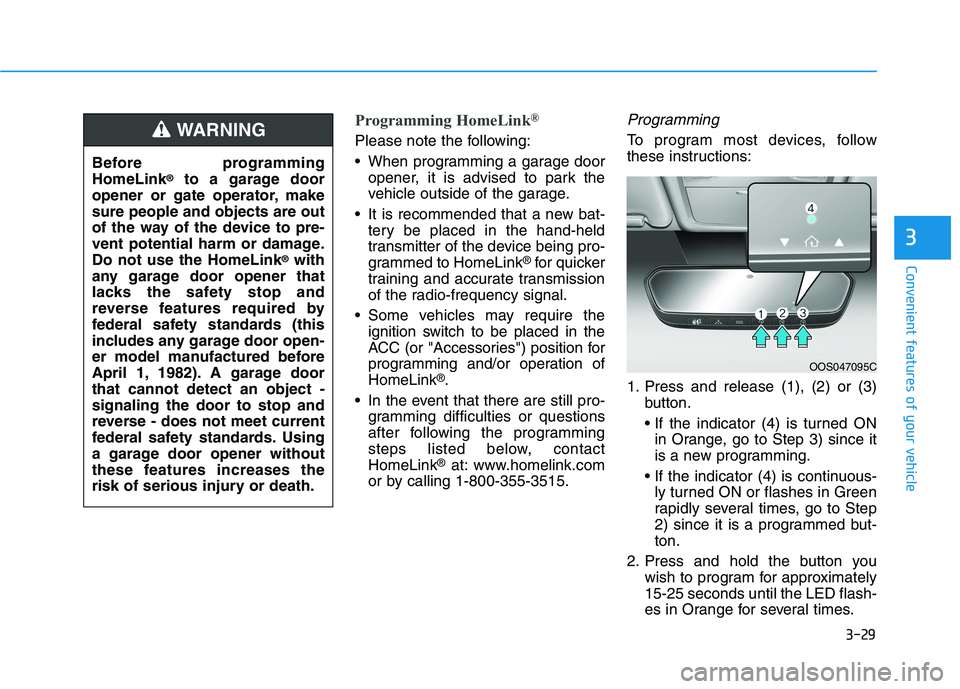
1. Press and release (1), (2) or (3) button.
in Orange, go to Step 3) since it
is a new programming.
ly turned ON or flashes in Green
rapidly several times, go to Step
2) since it is a programmed but-ton.
2. Press and hold the button you wish to program for approximately15-25 seconds until the LED flash-
es in Orange for several times.
Before programmingHomeLink
®
to a garage door
opener or gate operator, makesure people and objects are out
of the way of the device to pre-
vent potential harm or damage.Do not use the HomeLink ®
with
any garage door opener that
lacks the safety stop and
reverse features required by
federal safety standards (this
includes any garage door open-
er model manufactured before
April 1, 1982). A garage doorthat cannot detect an object -signaling the door to stop and
reverse - does not meet current
federal safety standards. Using
a garage door opener without
these features increases the
risk of serious injury or death.WARNING
OOS047095C
Page 115 of 534
3-30
Convenient features of your vehicle
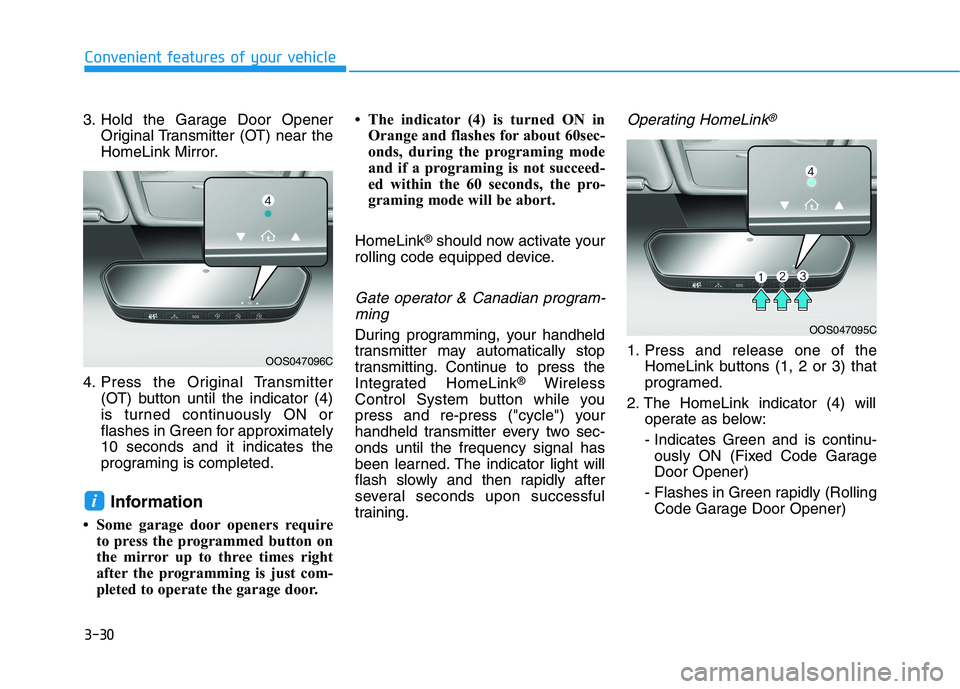
3. Hold the Garage Door OpenerOriginal Transmitter (OT) near the
HomeLink Mirror.
4. Press the Original Transmitter (OT) button until the indicator (4)
is turned continuously ON or
flashes in Green for approximately10 seconds and it indicates the
programing is completed.
Information
Some garage door openers require to press the programmed button on
the mirror up to three times right
after the programming is just com-
pleted to operate the garage door. The indicator (4) is turned ON in
Orange and flashes for about 60sec-
onds, during the programing mode
and if a programing is not succeed-
ed within the 60 seconds, the pro-
graming mode will be abort.
HomeLink ®
should now activate your
rolling code equipped device.
Gate operator & Canadian program-
ming
During programming, your handheld
transmitter may automatically stop
transmitting. Continue to press the
Integrated HomeLink ®
Wireless
Control System button while you
press and re-press ("cycle") your
handheld transmitter every two sec-onds until the frequency signal has
been learned. The indicator light will
flash slowly and then rapidly after
several seconds upon successful
training.
Operating HomeLink®
1. Press and release one of the HomeLink buttons (1, 2 or 3) that
programed.
2. The HomeLink indicator (4) will operate as below:
- Indicates Green and is continu- ously ON (Fixed Code GarageDoor Opener)
- Flashes in Green rapidly (Rolling Code Garage Door Opener)
i
OOS047095C
OOS047096C
Page 134 of 534
3-49
Convenient features of your vehicle
3
Smart Trunk (if equipped)
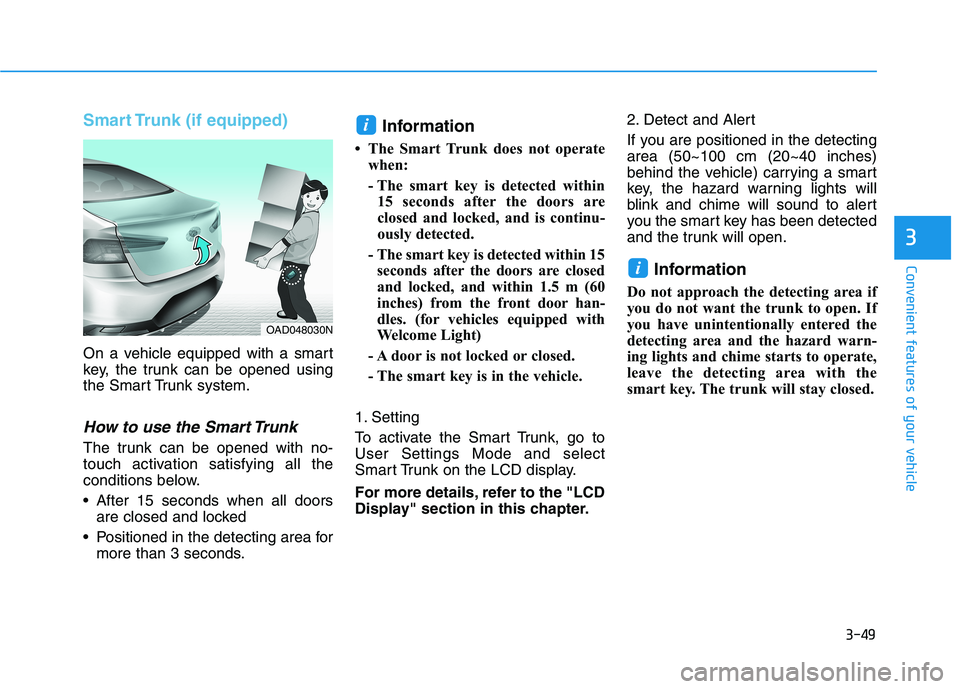
On a vehicle equipped with a smart
key, the trunk can be opened using
the Smart Trunk system.
How to use the Smart Trunk
The trunk can be opened with no-
touch activation satisfying all the
conditions below.
After 15 seconds when all doorsare closed and locked
Positioned in the detecting area for more than 3 seconds. Information
The Smart Trunk does not operate when:
- The smart key is detected within15 seconds after the doors are
closed and locked, and is continu-
ously detected.
- The smart key is detected within 15 seconds after the doors are closed
and locked, and within 1.5 m (60
inches) from the front door han-
dles. (for vehicles equipped with
Welcome Light)
- A door is not locked or closed.
- The smart key is in the vehicle.
1. Setting
To activate the Smart Trunk, go to User Settings Mode and select
Smart Trunk on the LCD display.
For more details, refer to the "LCD
Display" section in this chapter. 2. Detect and Alert
If you are positioned in the detecting area (50~100 cm (20~40 inches)
behind the vehicle) carrying a smart
key, the hazard warning lights will
blink and chime will sound to alert
you the smart key has been detected
and the trunk will open.
Information
Do not approach the detecting area if
you do not want the trunk to open. If
you have unintentionally entered the
detecting area and the hazard warn-
ing lights and chime starts to operate,
leave the detecting area with the
smart key. The trunk will stay closed.
i
i
OAD048030N
Page 147 of 534
3-62
Convenient features of your vehicle
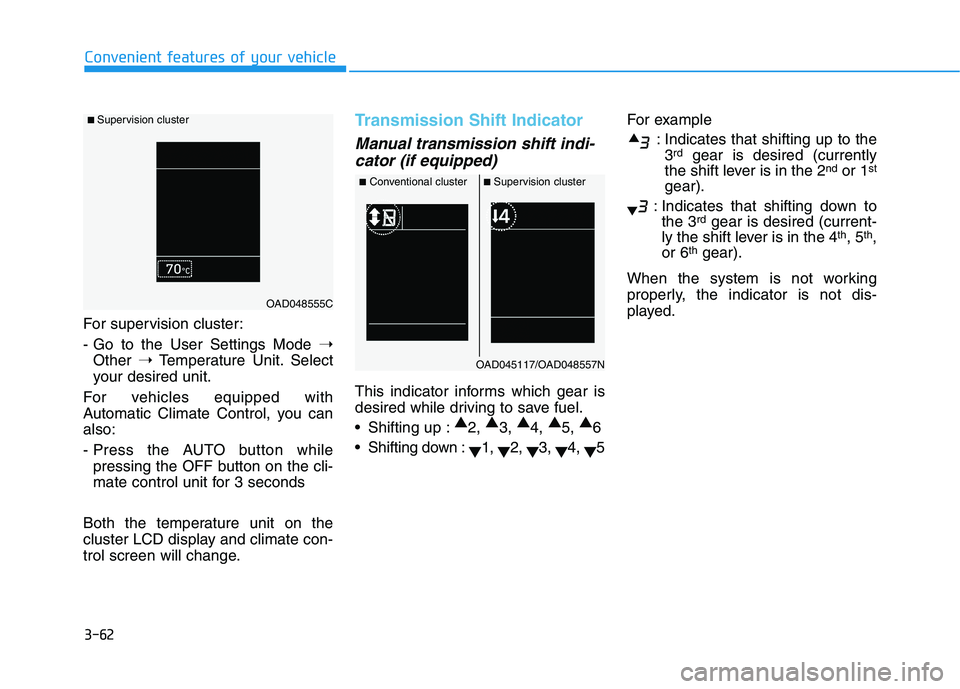
For supervision cluster:
- Go to the User Settings Mode ➝
Other ➝Temperature Unit. Select
your desired unit.
For vehicles equipped with
Automatic Climate Control, you canalso:
- Press the AUTO button while pressing the OFF button on the cli-
mate control unit for 3 seconds
Both the temperature unit on the
cluster LCD display and climate con-
trol screen will change.
Transmission Shift Indicator
Manual transmission shift indi- cator (if equipped)
This indicator informs which gear is
desired while driving to save fuel.
Shifting up : ▲
2, ▲
3, ▲
4, ▲
5, ▲
6
Shifting down : ▼1,
▼2,
▼3,
▼4,
▼5 For example
: Indicates that shifting up to the3 rd
gear is desired (currently
the shift lever is in the 2 nd
or 1 st
gear).
: Indicates that shifting down to the 3 rd
gear is desired (current-
ly the shift lever is in the 4 th
, 5 th
,
or 6 th
gear).
When the system is not working
properly, the indicator is not dis-
played.
■ Supervision cluster
OAD048555C
■ Conventional cluster ■Supervision cluster
OAD045117/OAD048557N
Page 148 of 534
3-63
Convenient features of your vehicle
3
Automatic transmission anddual clutch transmission shift
indicator (if equipped)
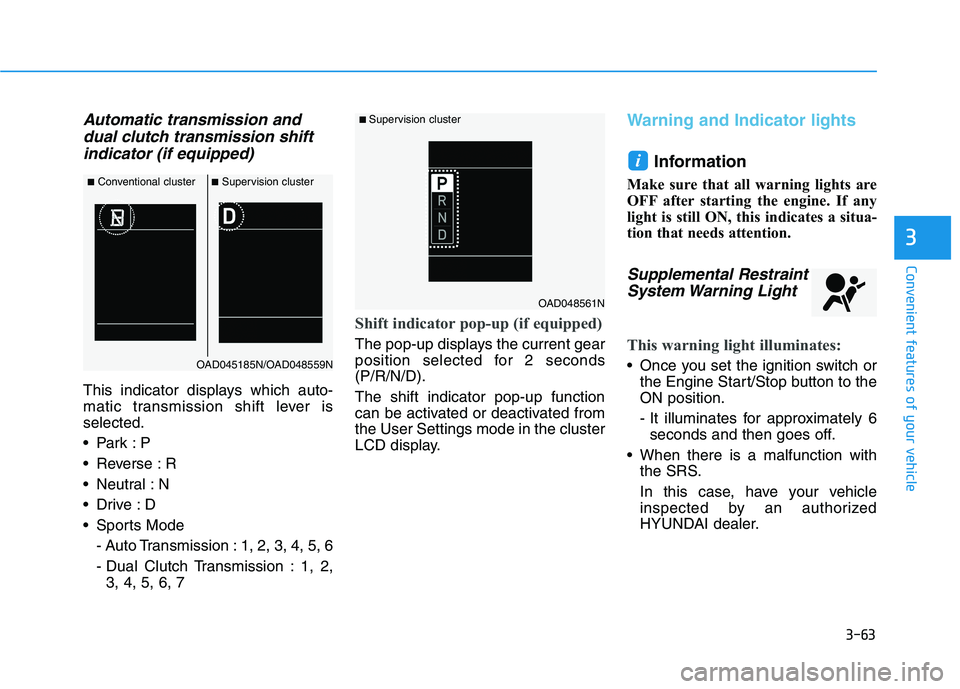
This indicator displays which auto-
matic transmission shift lever isselected.
Reverse : R
Neutral : N
Sports Mode
- Auto Transmission : 1, 2, 3, 4, 5, 6
- Dual Clutch Transmission : 1, 2,3, 4, 5, 6, 7
Shift indicator pop-up (if equipped)
The pop-up displays the current gear
position selected for 2 seconds(P/R/N/D). The shift indicator pop-up function
can be activated or deactivated fromthe User Settings mode in the cluster
LCD display.
Warning and Indicator lights
Information
Make sure that all warning lights are
OFF after starting the engine. If any
light is still ON, this indicates a situa-
tion that needs attention.
Supplemental Restraint System Warning Light
This warning light illuminates:
Once you set the ignition switch or the Engine Start/Stop button to the ON position.
- It illuminates for approximately 6seconds and then goes off.
When there is a malfunction with the SRS.
In this case, have your vehicle
inspected by an authorized
HYUNDAI dealer.
i
■Conventional cluster ■Supervision cluster
OAD045185N/OAD048559N
■ Supervision cluster
OAD048561N
Page 156 of 534
3-71
Convenient features of your vehicle
3
Icy Road Warning Light(if equipped)
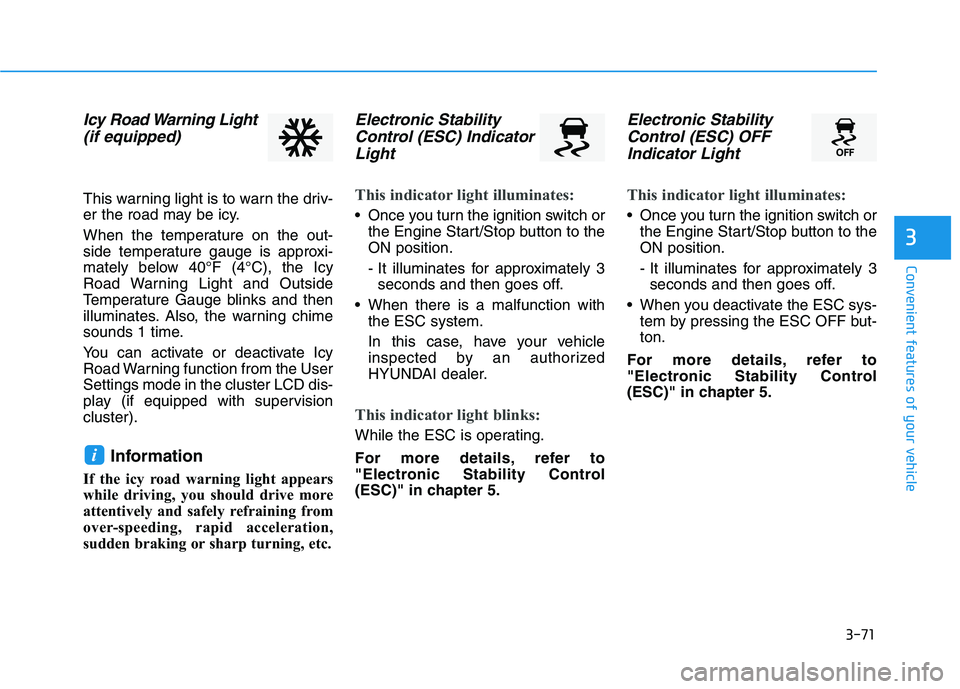
This warning light is to warn the driv-
er the road may be icy.
When the temperature on the out-
side temperature gauge is approxi-
mately below 40°F (4°C), the Icy
Road Warning Light and Outside
Temperature Gauge blinks and then
illuminates. Also, the warning chime
sounds 1 time.
You can activate or deactivate Icy
Road Warning function from the UserSettings mode in the cluster LCD dis-
play (if equipped with supervisioncluster).
Information
If the icy road warning light appears
while driving, you should drive more
attentively and safely refraining from
over-speeding, rapid acceleration,
sudden braking or sharp turning, etc.
Electronic Stability Control (ESC) Indicator
Light
This indicator light illuminates:
Once you turn the ignition switch or the Engine Start/Stop button to the ON position.
- It illuminates for approximately 3seconds and then goes off.
When there is a malfunction with the ESC system.
In this case, have your vehicle
inspected by an authorized
HYUNDAI dealer.
This indicator light blinks:
While the ESC is operating.
For more details, refer to
"Electronic Stability Control
(ESC)" in chapter 5.
Electronic Stability
Control (ESC) OFF
Indicator Light
This indicator light illuminates:
Once you turn the ignition switch or the Engine Start/Stop button to the ON position.
- It illuminates for approximately 3seconds and then goes off.
When you deactivate the ESC sys- tem by pressing the ESC OFF but- ton.
For more details, refer to
"Electronic Stability Control
(ESC)" in chapter 5.
i
Page 163 of 534
3-78
Convenient features of your vehicle
Wiper
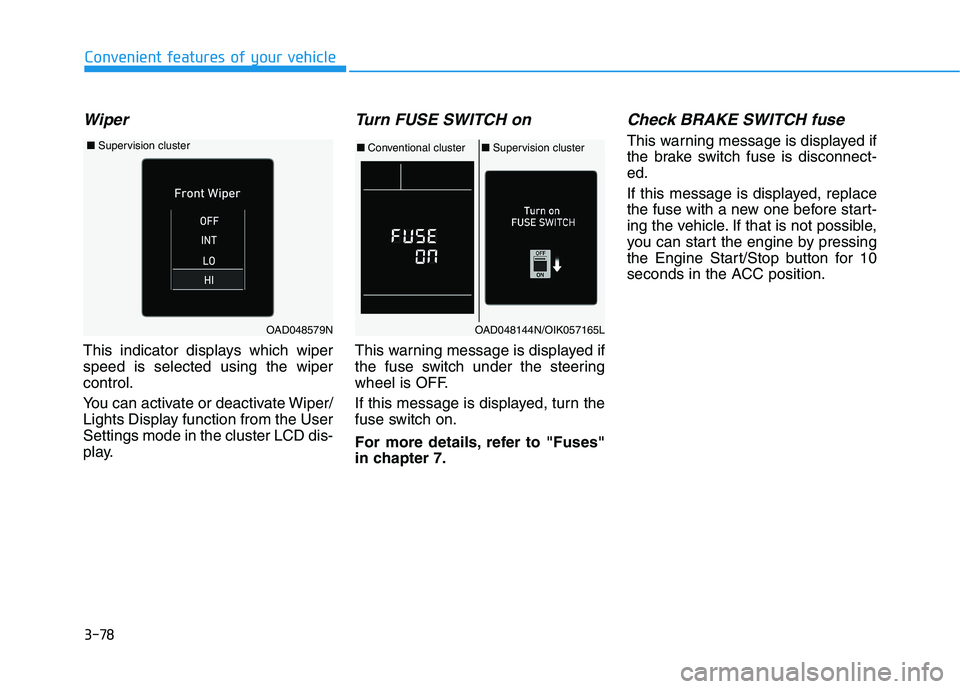
This indicator displays which wiper speed is selected using the wipercontrol.
You can activate or deactivate Wiper/
Lights Display function from the UserSettings mode in the cluster LCD dis-
play.
Turn FUSE SWITCH on
This warning message is displayed if
the fuse switch under the steering
wheel is OFF.
If this message is displayed, turn the
fuse switch on.
For more details, refer to "Fuses"
in chapter 7.
Check BRAKE SWITCH fuse
This warning message is displayed if
the brake switch fuse is disconnect-ed.
If this message is displayed, replace
the fuse with a new one before start-
ing the vehicle. If that is not possible,
you can start the engine by pressing
the Engine Start/Stop button for 10
seconds in the ACC position.
OAD048144N/OIK057165L
■Conventional cluster ■Supervision cluster
OAD048579N
■ Supervision cluster