2019 Hyundai Creta led
[x] Cancel search: ledPage 84 of 472

2-64
Safety system of your vehicle
Additional safety precautions
Never let passengers ride in the
cargo area or on top of a folded-
down back seat.All occupants
should sit upright, fully back in their
seats with their seat belts on and
their feet on the floor.
Passengers should not move
out of or change seats while the
vehicle is moving.A passenger
who is not wearing a seat belt dur-
ing a crash or emergency stop can
be thrown against the inside of the
vehicle, against other occupants,
or out of the vehicle.
Each seat belt is designed to
restrain one occupant.If more
than one person uses the same
seat belt, they could be seriously
injured or killed in a collision.
Do not use any accessories on
seat belts.Devices claiming to
improve occupant comfort or repo-
sition the seat belt can reduce the
protection provided by the seat belt
and increase the chance of serious
injury in a crash.Passengers should not place
hard or sharp objects between
themselves and the air bags.
Carrying hard or sharp objects on
your lap or in your mouth can result
in injuries if an air bag inflates.
Keep occupants away from the
air bag covers.All occupants
should sit upright, fully back in their
seats with their seat belts on and
their feet on the floor. If occupants
are too close to the air bag covers,
they could be injured if the air bags
inflate.
Do not attach or place objects
on or near the air bag covers.
Any object attached to or placed
on the front air bag covers could
interfere with the proper operation
of the air bags.
Do not modify the front seats.
Modification of the front seats
could interfere with the operation of
the supplemental restraint system
sensing components or side
airbags.Do not place items under the
front seats.Placing items under
the front seats could interfere with
the operation of the supplemental
restraint system sensing compo-
nents and wiring harnesses.
Never hold an infant or child on
your lap.The infant or child could
be seriously injured or killed in the
event of a crash. All infants and chil-
dren should be properly restrained
in appropriate child safety seats or
seat belts in the rear seat.
Sitting improperly or out of
position can cause occupants
to be shifted too close to a
deploying air bag, strike the
interior structure or be thrown
from the vehicle resulting in
serious injury or death.
Always sit upright with the
seatback in an upright posi-
tion, centered on the seat
cushion with your seat belt
on, legs comfortably extended
and your feet on the floor.
WARNING
Page 85 of 472

2-65
Safety system of your vehicle
2
Adding equipment to or modify-
ing your air bag-equipped vehi-
cle
If you modify your vehicle by chang-
ing your vehicle's frame, bumper sys-
tem, front end or side sheet metal or
ride height, this may affect the opera-
tion of your vehicle's air bag system.
Air bag warning label
(if equipped)
Air bag warning labels are attached to
alert the driver and passengers of
potential risks of the air bag system.
Be sure to read all of the information
about the air bags that are installed on
your vehicle in this Owner’s Manual.
OGS035026L
Page 89 of 472

3-4
Convenient features of your vehicle
Tailgate unlocking
To unlock:
1. Press the Tailgate Unlock button
(3) on the remote key for more
than one second.
2. The hazard warning lights will
blink two times. Once the tailgate
is opened and then closed, the
tailgate will lock automatically.
Information
• After unlocking the tailgate, the tail-
gate will lock automatically.
• The word "HOLD" is written on the
button to inform you that you must
press and hold the button for more
than one second.
Start-up
For detailed information refer to “Key
Ignition Switch” in chapter 5.
To prevent damaging the remote
key:
• Keep the remote key away from
water or any liquid. If the remote
key is inoperative due to expo-
sure to water or other liquids, it
will not be covered by your man-
ufacturer’s vehicle warranty.
Avoid dropping or throwing the
remote key.
Protect the remote key from
extreme temperatures.
Mechanical key
If the remote key does not operate
normally, you can lock or unlock the
door by using the mechanical key.
NOTICE
i
■Type A■Type B
OIB044178 ■Type C
OYDDCO2231/OYDECO2231
Page 94 of 472

3-9
Convenient features of your vehicle
3
Tailgate unlocking
To unlock:
1. Carry the smart key.
2. Either press the tailgate handle
button or press the Tailgate Unlock
button (3) on the smart key for
more than one second.
3. The hazard warning lights will
blink two times.
Once the tailgate is opened and then
closed, the tailgate will lock automat-
ically.
Information
After unlocking the tailgate, the tail-
gate will lock automatically after 30
seconds unless the tailgate is opened.
Start-up
You can start the engine without
inserting the key. For detailed infor-
mation refer to the Engine Start/Stop
button in chapter 5.
To prevent damaging the smart
key:
Keep the smart key away from
water or any liquid. If the smart
key is inoperative due to expo-
sure to water or other liquids, it
will not be covered by your man-
ufacturer’s vehicle warranty.
Avoid dropping or throwing the
smart key.
Protect the smart key from
extreme temperatures.
Mechanical key
If the Smart Key does not operate
normally, you can lock or unlock the
door by using the mechanical key.
Press and hold the release button (1)
and remove the mechanical key (2).
Insert the mechanical key into the
key hole on the door.
To reinstall the mechanical key, put
the key into the hole and push it until
a click sound is heard.
NOTICE
i
OIB044175E
Page 97 of 472

3-12
Convenient features of your vehicle
Immobilizer system
(if equipped)
The immobilizer system protects your
vehicle from theft. If an improperly
coded key (or other device) is used,
the engine’s fuel system is disabled.
When the ignition switch is placed in
the ON position, the immobilizer sys-
tem indicator should come on briefly,
then go off. If the indicator starts to
blink, the system does not recognize
the coding of the key.
Place the ignition switch to the
LOCK/OFF position, then place the
ignition switch to the ON position
again.
The system may not recognize your
key’s coding if another immobilizer
key or other metal object (i.e., key
chain) is near the key. The engine
may not start because the metal may
interrupt the transponder signal from
transmitting normally.
If the system repeatedly does not
recognize the coding of the key, it is
recommended that you contact your
HYUNDAI dealer.Do not attempt to alter this system or
add other devices to it. Electrical
problems could result that may make
your vehicle inoperable.
The transponder in your key is an
important part of the immobilizer
system. It is designed to give
years of trouble-free service, how-
ever you should avoid exposure to
moisture, static electricity and
rough handling. Immobilizer sys-
tem malfunction could occur.
NOTICE
In order to prevent theft of your
vehicle, do not leave spare keys
anywhere in your vehicle. Your
immobilizer password is a cus-
tomer unique password and
should be kept confidential.
WARNING
Page 100 of 472
3-15
Convenient features of your vehicle
3
Operating door locks from
inside the vehicle
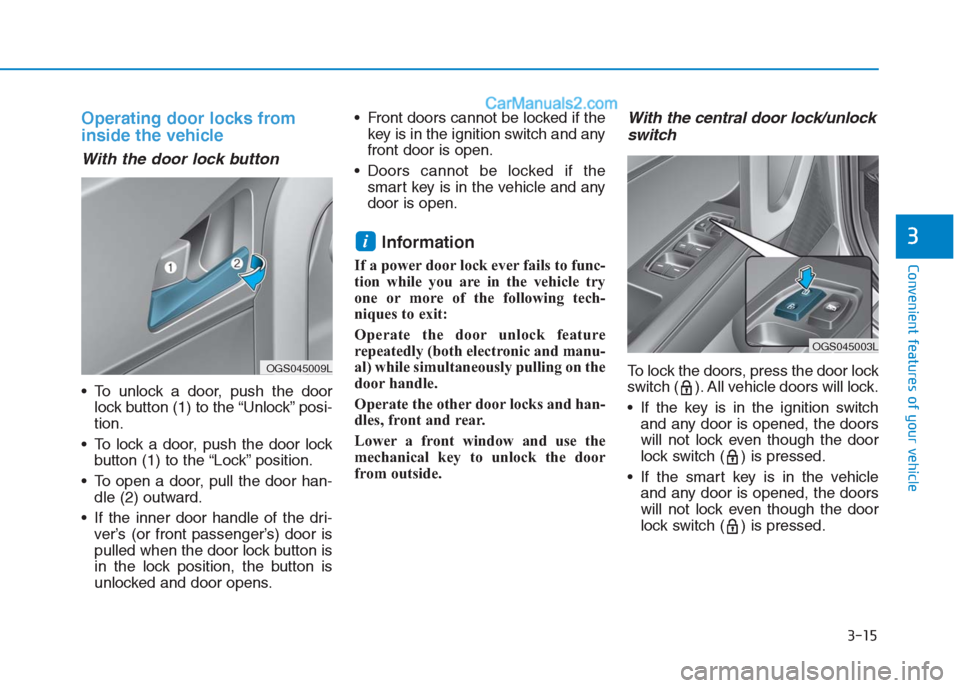
With the door lock button
To unlock a door, push the door
lock button (1) to the “Unlock” posi-
tion.
To lock a door, push the door lock
button (1) to the “Lock” position.
To open a door, pull the door han-
dle (2) outward.
If the inner door handle of the dri-
ver’s (or front passenger’s) door is
pulled when the door lock button is
in the lock position, the button is
unlocked and door opens. Front doors cannot be locked if the
key is in the ignition switch and any
front door is open.
Doors cannot be locked if the
smart key is in the vehicle and any
door is open.
Information
If a power door lock ever fails to func-
tion while you are in the vehicle try
one or more of the following tech-
niques to exit:
Operate the door unlock feature
repeatedly (both electronic and manu-
al) while simultaneously pulling on the
door handle.
Operate the other door locks and han-
dles, front and rear.
Lower a front window and use the
mechanical key to unlock the door
from outside.
With the central door lock/unlock
switch
To lock the doors, press the door lock
switch ( ). All vehicle doors will lock.
If the key is in the ignition switch
and any door is opened, the doors
will not lock even though the door
lock switch ( ) is pressed.
If the smart key is in the vehicle
and any door is opened, the doors
will not lock even though the door
lock switch ( ) is pressed.
i
OGS045009L
OGS045003L
Page 102 of 472
3-17
Convenient features of your vehicle
3
Auto door lock/unlock features
Impact sensing door unlock
system (if equipped)
All doors will be automatically
unlocked when an impact causes the
air bags to deploy.
Speed sensing door lock sys-
tem (if equipped)
All doors will be automatically locked
when vehicle speed exceeds 15
km/h (9 mph).
Child-protector rear door locks
The child safety lock is provided to
help prevent children seated in the
rear from accidentally opening the
rear doors. The rear door safety locks
should be used whenever children
are in the vehicle.
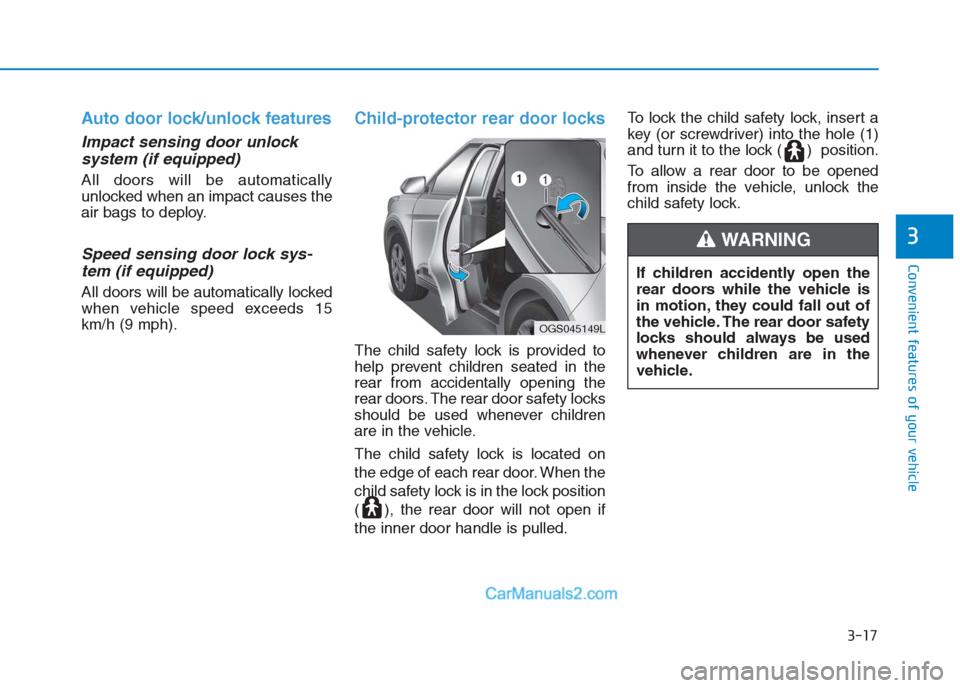
The child safety lock is located on
the edge of each rear door. When the
child safety lock is in the lock position
( ), the rear door will not open if
the inner door handle is pulled.To lock the child safety lock, insert a
key (or screwdriver) into the hole (1)
and turn it to the lock ( ) position.
To allow a rear door to be opened
from inside the vehicle, unlock the
child safety lock.
If children accidently open the
rear doors while the vehicle is
in motion, they could fall out of
the vehicle. The rear door safety
locks should always be used
whenever children are in the
vehicle.
WARNING
OGS045149L
Page 106 of 472
3-21
Convenient features of your vehicle
3
Auto up/down window
(if equipped)
Pressing or pulling up the power win-
dow switch momentarily to the sec-
ond detent position (6) completely
lowers or lifts the window even when
the switch is released. To stop the
window at the desired position while
the window is in operation, pull up or
press down and release the switch.
To reset the power windows
If the power windows do not operate
normally, the automatic power win-
dow system must be reset as follows:
1. Place the ignition switch to the ON
position.
2. Close the window and continue
pulling up on the power window
switch for at least 1 second.
If the power windows do not operate
properly after resetting, it is recom-
mended that the system be checked
by an authorized HYUNDAI dealer.
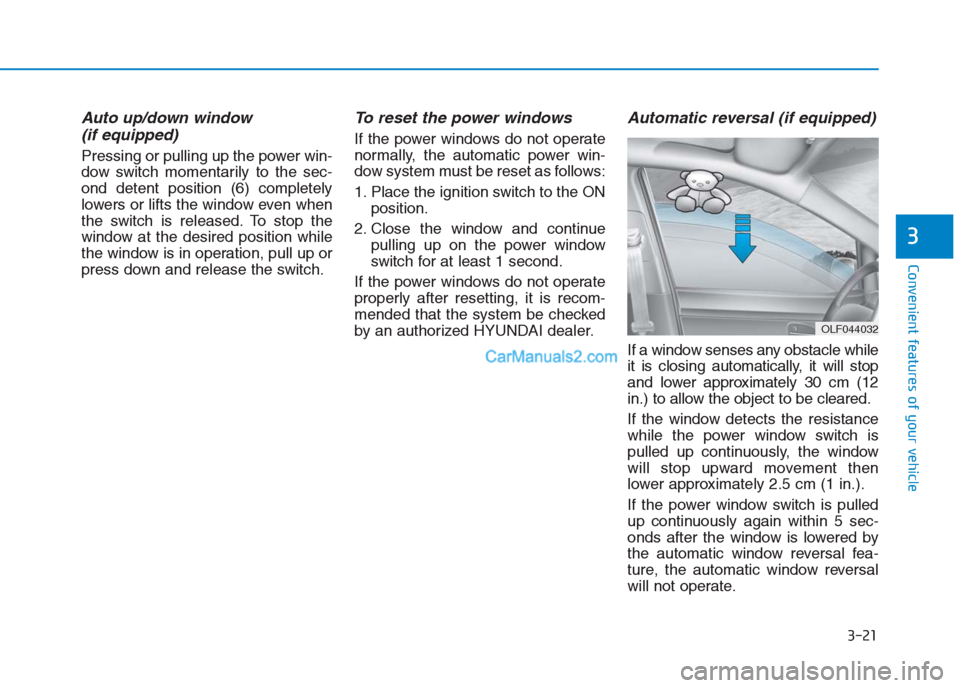
Automatic reversal (if equipped)
If a window senses any obstacle while
it is closing automatically, it will stop
and lower approximately 30 cm (12
in.) to allow the object to be cleared.
If the window detects the resistance
while the power window switch is
pulled up continuously, the window
will stop upward movement then
lower approximately 2.5 cm (1 in.).
If the power window switch is pulled
up continuously again within 5 sec-
onds after the window is lowered by
the automatic window reversal fea-
ture, the automatic window reversal
will not operate.
OLF044032