Page 161 of 624
159
uuOperating the Switches Around the Steering Wheel uDriving Position Memory System*
Controls
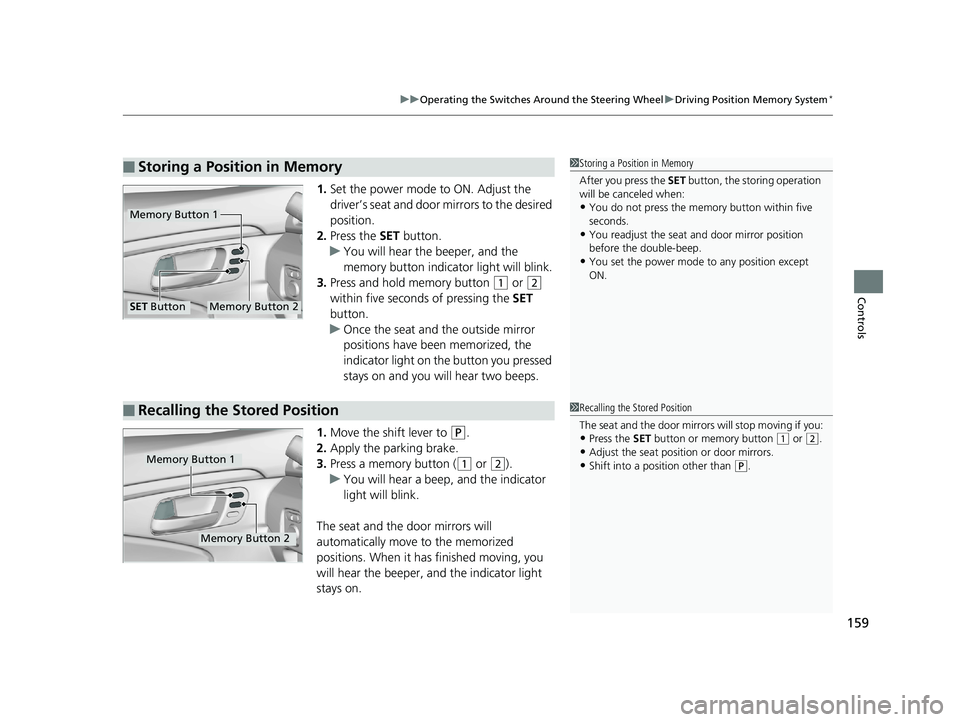
1. Set the power mode to ON. Adjust the
driver’s seat and door mirrors to the desired
position.
2. Press the SET button.
u You will hear the beeper, and the
memory button indicator light will blink.
3. Press and hold memory button
(1 or (2
within five seconds of pressing the SET
button.
u Once the seat and the outside mirror
positions have been memorized, the
indicator light on the button you pressed
stays on and you will hear two beeps.
1. Move the shift lever to
(P.
2. Apply the parking brake.
3. Press a memory button (
(1 or (2).
u You will hear a beep, and the indicator
light will blink.
The seat and the door mirrors will
automatically move to the memorized
positions. When it has finished moving, you
will hear the beeper, and the indicator light
stays on.
■Storing a Position in Memory1 Storing a Position in Memory
After you press the SET button, the storing operation
will be canceled when:
•You do not press the memory button within five
seconds.
•You readjust the seat and door mirror position
before the double-beep.
•You set the power mode to any position except
ON.
Memory Button 1
Memory Button 2SET Button
■Recalling the Stored Position1 Recalling the Stored Position
The seat and the door mirrors will stop moving if you:
•Press the SET button or memory button (1 or (2.•Adjust the seat position or door mirrors.
•Shift into a position other than (P.Memory Button 1
Memory Button 2
Page 163 of 624
161
Controls
Adjusting the Mirrors
Interior Rearview Mirror
Adjust the angle of the rearview mirror when you are sitting in the correct driving
position.
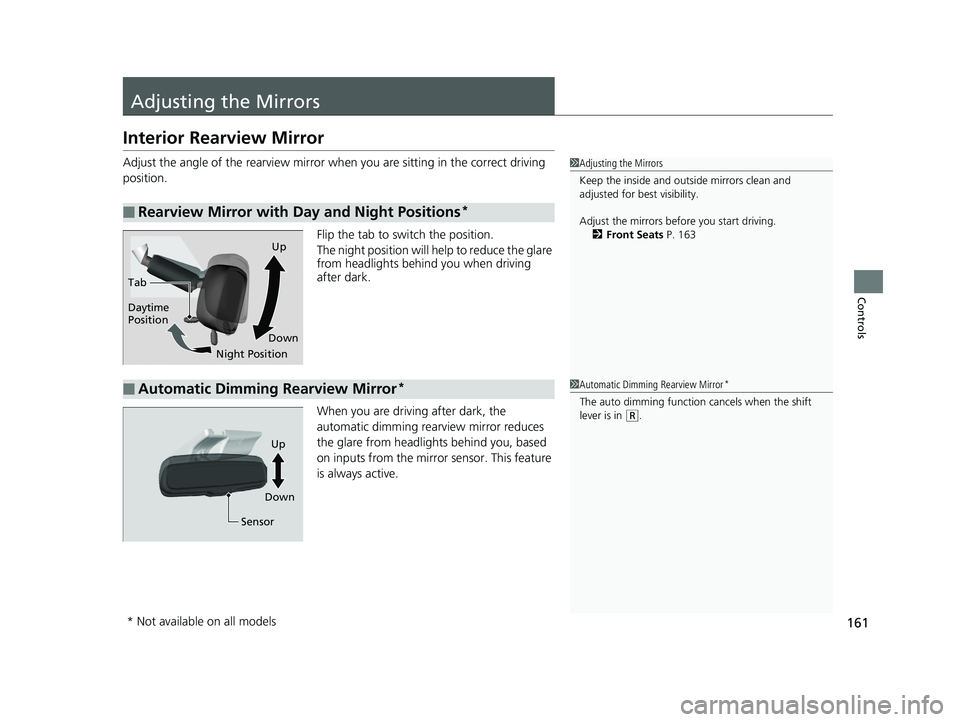
Flip the tab to switch the position.
The night position will help to reduce the glare
from headlights behind you when driving
after dark.
When you are driving after dark, the
automatic dimming rearview mirror reduces
the glare from headlights behind you, based
on inputs from the mirror sensor. This feature
is always active.
■Rearview Mirror with Day and Night Positions*
1 Adjusting the Mirrors
Keep the inside and out side mirrors clean and
adjusted for best visibility.
Adjust the mirrors befo re you start driving.
2 Front Seats P. 163
Tab
Daytime
Position
Night PositionUp
Down
■Automatic Dimming Rearview Mirror*1 Automatic Dimming Rearview Mirror*
The auto dimming function cancels when the shift
lever is in
(R.
Sensor
Up
Down
* Not available on all models
Page 168 of 624
166
uuAdjusting the Seats uRear Seats
Controls
Rear Seats
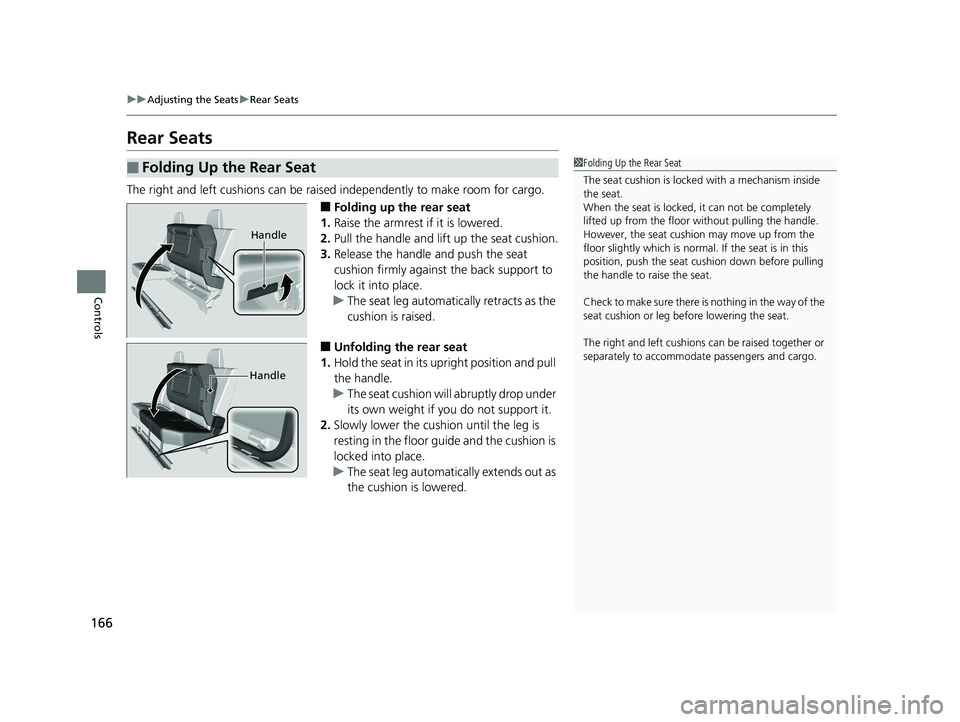
The right and left cushions can be raised independently to make room for cargo.
■Folding up the rear seat
1. Raise the armrest if it is lowered.
2. Pull the handle and lift up the seat cushion.
3. Release the handle and push the seat
cushion firmly against the back support to
lock it into place.
u The seat leg automatically retracts as the
cushion is raised.
■Unfolding the rear seat
1. Hold the seat in its upright position and pull
the handle.
u The seat cushion will abruptly drop under
its own weight if you do not support it.
2. Slowly lower the cushion until the leg is
resting in the floor gu ide and the cushion is
locked into place.
u The seat leg automatically extends out as
the cushion is lowered.
■Folding Up the Rear Seat1Folding Up the Rear Seat
The seat cushion is locked with a mechanism inside
the seat.
When the seat is locked, it can not be completely
lifted up from the floor without pulling the handle.
However, the seat cushion may move up from the
floor slightly which is normal. If the seat is in this
position, push the seat cu shion down before pulling
the handle to raise the seat.
Check to make sure there is nothing in the way of the
seat cushion or leg be fore lowering the seat.
The right and left cushions can be ra ised together or
separately to accommoda te passengers and cargo.
Handle
Handle
Page 173 of 624
171Continued
Controls
Interior Lights/Convenience Items
Interior Lights
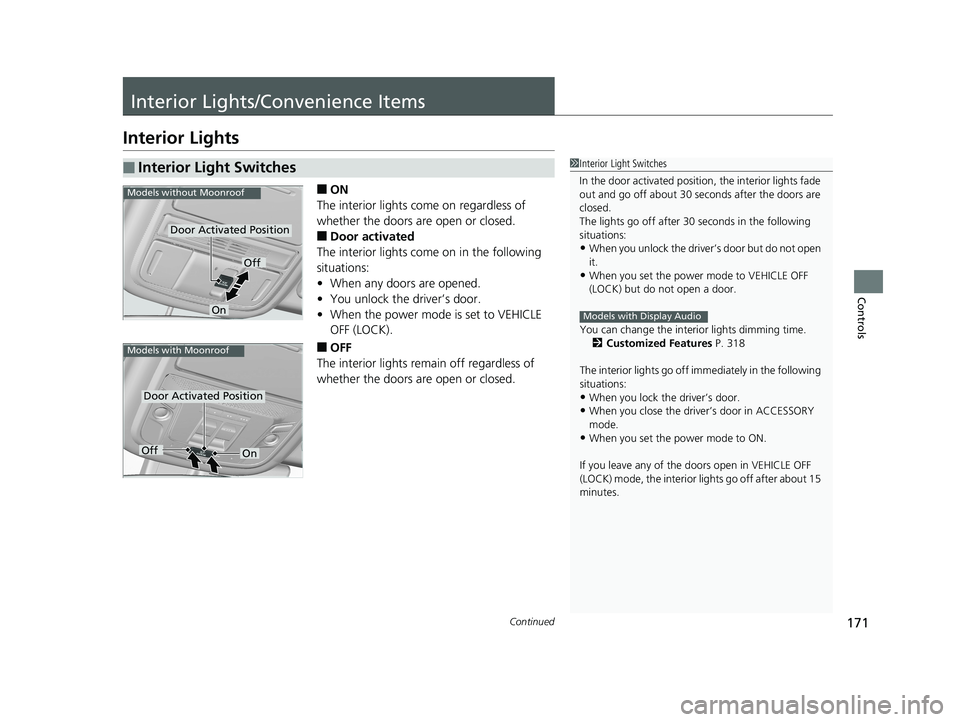
■ON
The interior lights come on regardless of
whether the doors are open or closed.
■Door activated
The interior lights come on in the following
situations:
• When any doors are opened.
• You unlock the driver’s door.
• When the power mode is set to VEHICLE
OFF (LOCK).
■OFF
The interior lights remain off regardless of
whether the doors are open or closed.
■Interior Light Switches1 Interior Light Switches
In the door activated position, the interior lights fade
out and go off about 30 se conds after the doors are
closed.
The lights go off after 30 seconds in the following
situations:
•When you unlock the driver’s door but do not open
it.
•When you set the power mode to VEHICLE OFF
(LOCK) but do not open a door.
You can change the interi or lights dimming time.
2 Customized Features P. 318
The interior lights go off i mmediately in the following
situations:
•When you lock the driver’s door.•When you close the driver’s door in ACCESSORY
mode.
•When you set the power mode to ON.
If you leave any of the doors open in VEHICLE OFF
(LOCK) mode, the interior lights go off after about 15
minutes.
Models with Display Audio
Door Activated Position
Off
On
Models without Moonroof
Door Activated Position
Models with Moonroof
OffOn
Page 174 of 624
uuInterior Lights/Convenience Items uInterior Lights
172
Controls
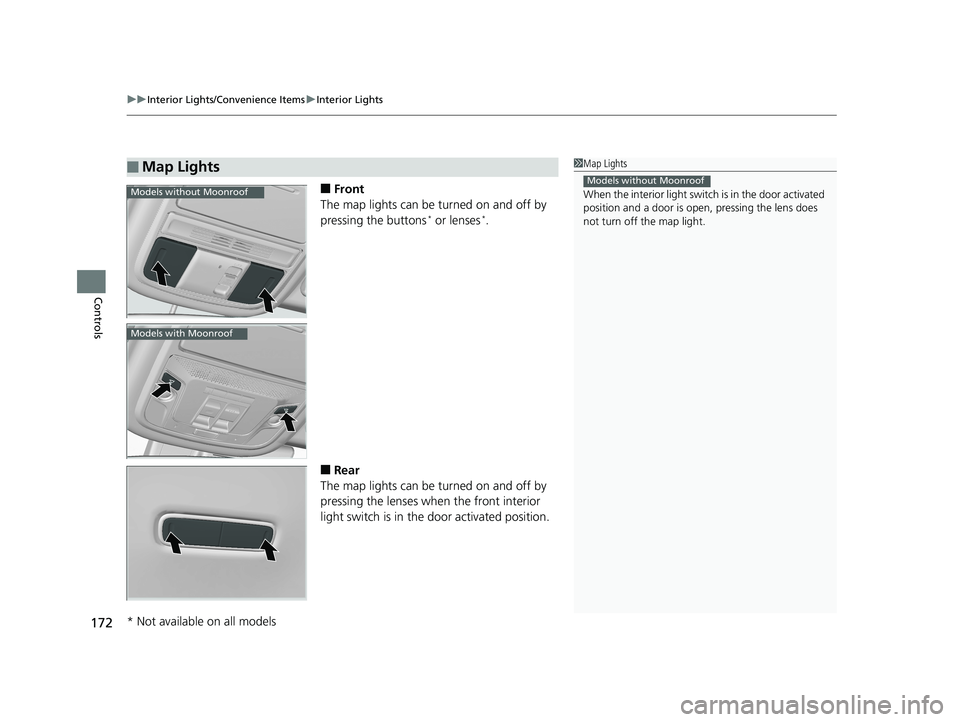
■Front
The map lights can be turned on and off by
pressing the buttons
* or lenses*.
■Rear
The map lights can be turned on and off by
pressing the lenses when the front interior
light switch is in the door activated position.
■Map Lights1Map Lights
When the interior light swit ch is in the door activated
position and a door is open, pressing the lens does
not turn off the map light.
Models without MoonroofModels without Moonroof
Models with Moonroof
* Not available on all models
Page 175 of 624
173
uuInterior Lights/Convenience Items uInterior Convenience Items
Continued
Controls
Interior Convenience Items
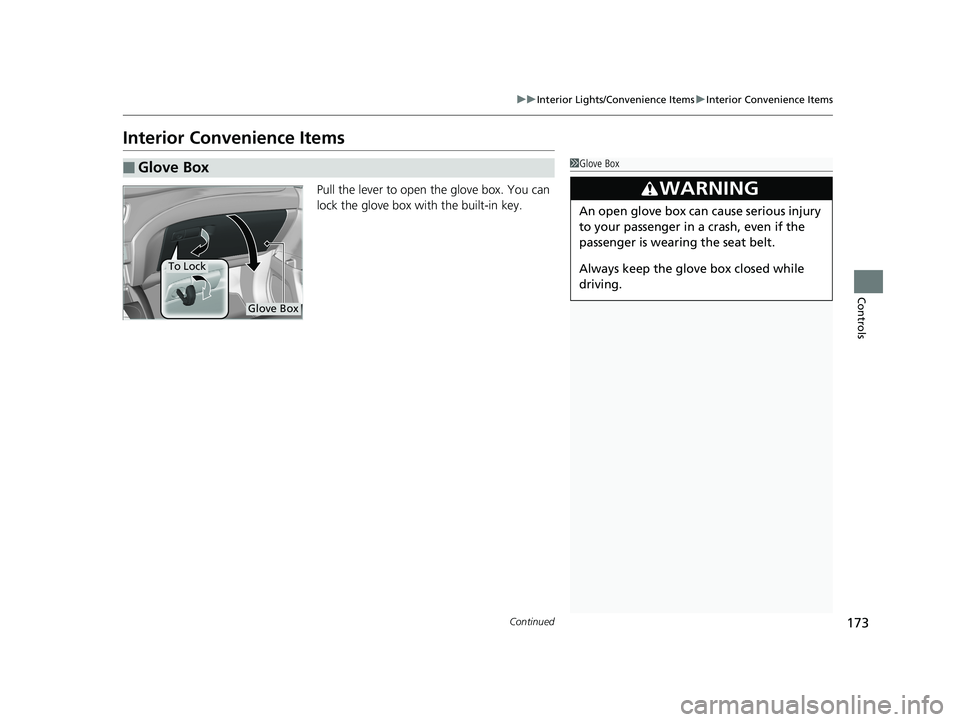
Pull the lever to open the glove box. You can
lock the glove box with the built-in key.
■Glove Box1Glove Box
3WARNING
An open glove box can cause serious injury
to your passenger in a crash, even if the
passenger is wearing the seat belt.
Always keep the glove box closed while
driving.
Glove Box
To Lock
Page 176 of 624
174
uuInterior Lights/Convenience Items uInterior Convenience Items
Controls
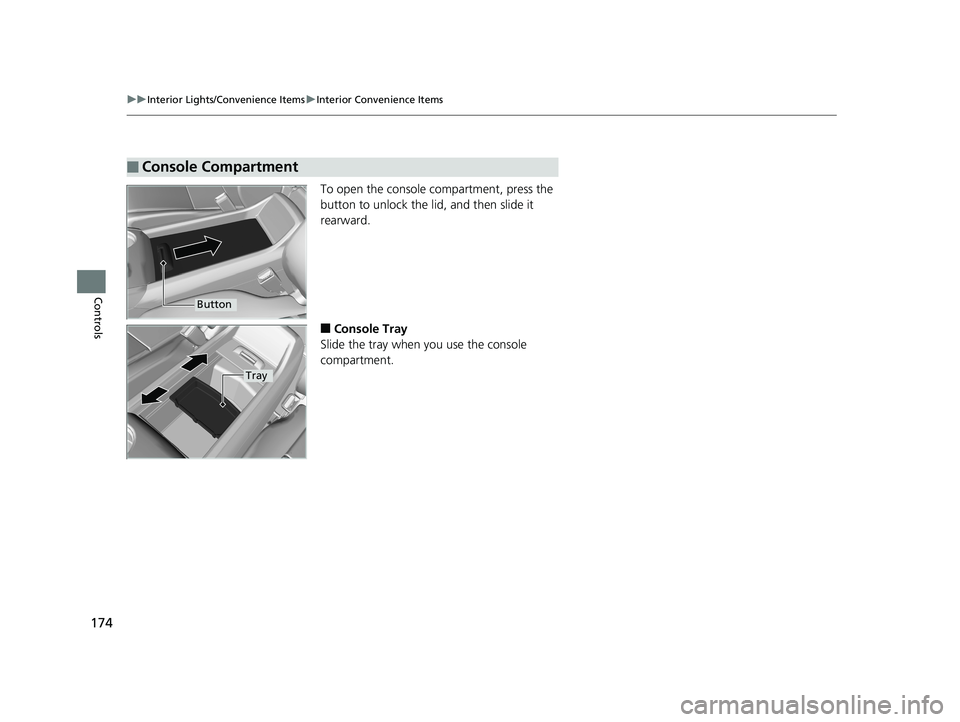
To open the console compartment, press the
button to unlock the li d, and then slide it
rearward.
■Console Tray
Slide the tray when you use the console
compartment.
■Console Compartment
Button
Tray
Page 177 of 624
Continued175
uuInterior Lights/Convenience Items uInterior Convenience Items
Controls
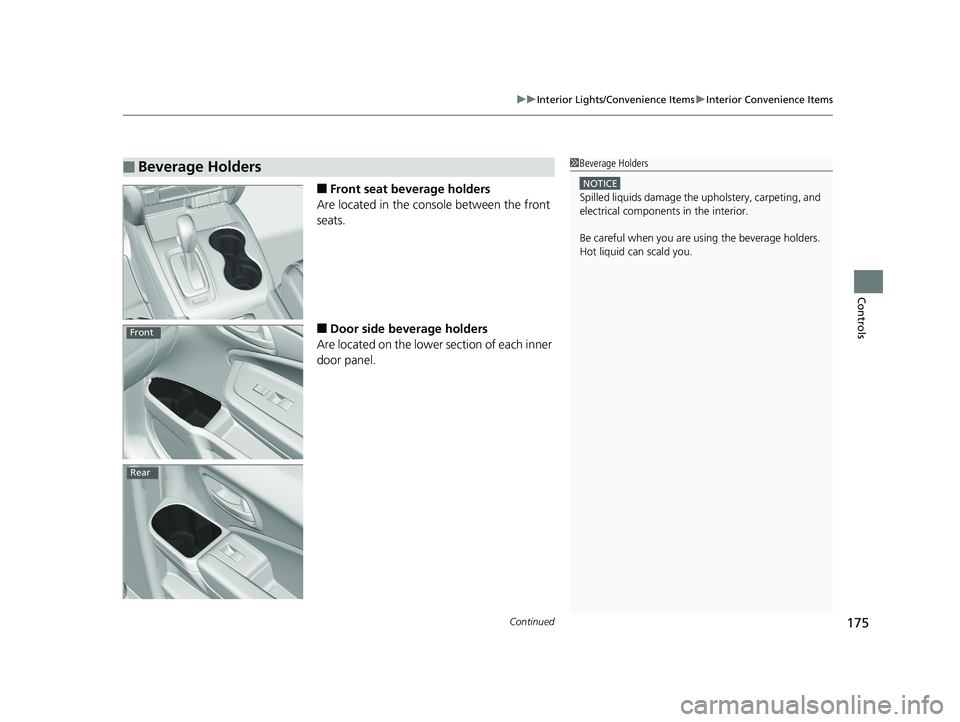
■Front seat beverage holders
Are located in the console between the front
seats.
■Door side beverage holders
Are located on the lower section of each inner
door panel.
■Beverage Holders1 Beverage Holders
NOTICE
Spilled liquids damage the upholstery, carpeting, and
electrical components in the interior.
Be careful when you are us ing the beverage holders.
Hot liquid can scald you.
Front
Rear