Page 182 of 679
180
Controls
Adjusting the Seats
Front Seats
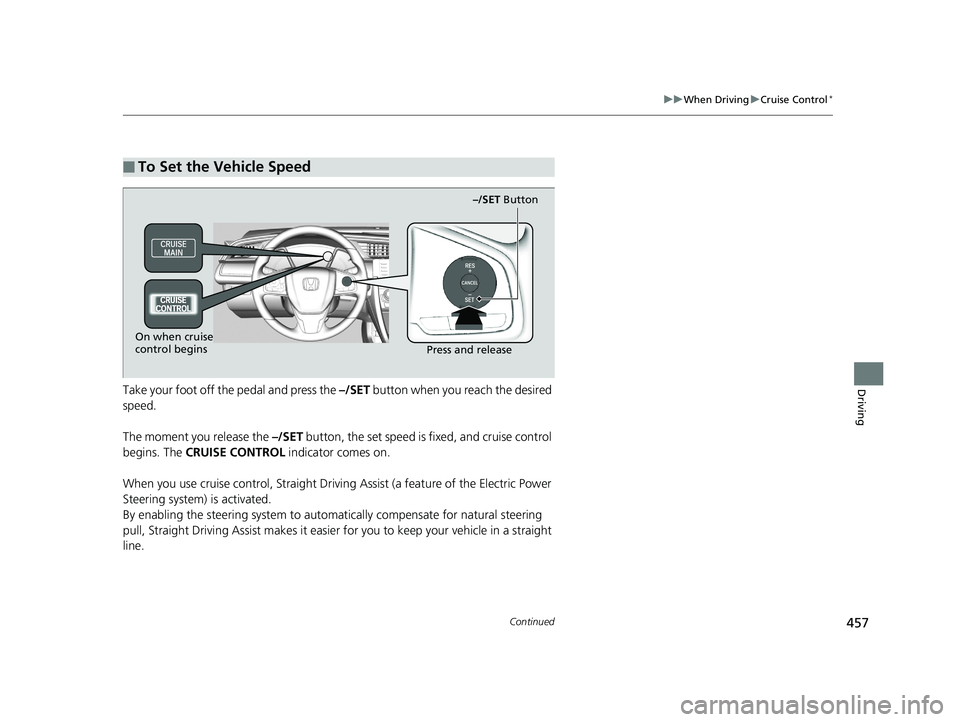
Adjust the driver’s seat as far back as possible
while allowing you to maintain full control of
the vehicle. You should be able to sit upright,
well back in the seat and be able to
adequately press the pedals without leaning
forward, and grip the steering wheel
comfortably. The passenger’s seat should be
adjusted in a similar manner, so that it is as far
back from the front airbag in the dashboard
as possible.
■Adjusting the front power seat(s)*
1Adjusting the Seats
The National Highway Traffic Safety Administration
and Transport Cana da recommend that drivers allow
at least 10 inches (25 cm) between the center of the
steering wheel and the chest.
Always make seat adjustments before driving.
3WARNING
Sitting too close to a front airbag can result
in serious injury or death if the front
airbags inflate.
Always sit as far back from the front
airbags as possible while maintaining
control of the vehicle.
Move back.
Allow sufficient
space.
■Adjusting the Seat Positions
Horizontal Position
Adjustment
Height Adjustment
(Driver’s seat only)
Seat-back Angle
Adjustment
* Not available on all models
19 CIVIC 4D HCM_HMIN_J (KA KL KC)-31TBA6301.book 180 ページ 2018年10月26日 金曜日 午前7時42分
Page 444 of 679
442
uuWhen Driving uPrecautions While Driving
Driving
Precautions While Driving
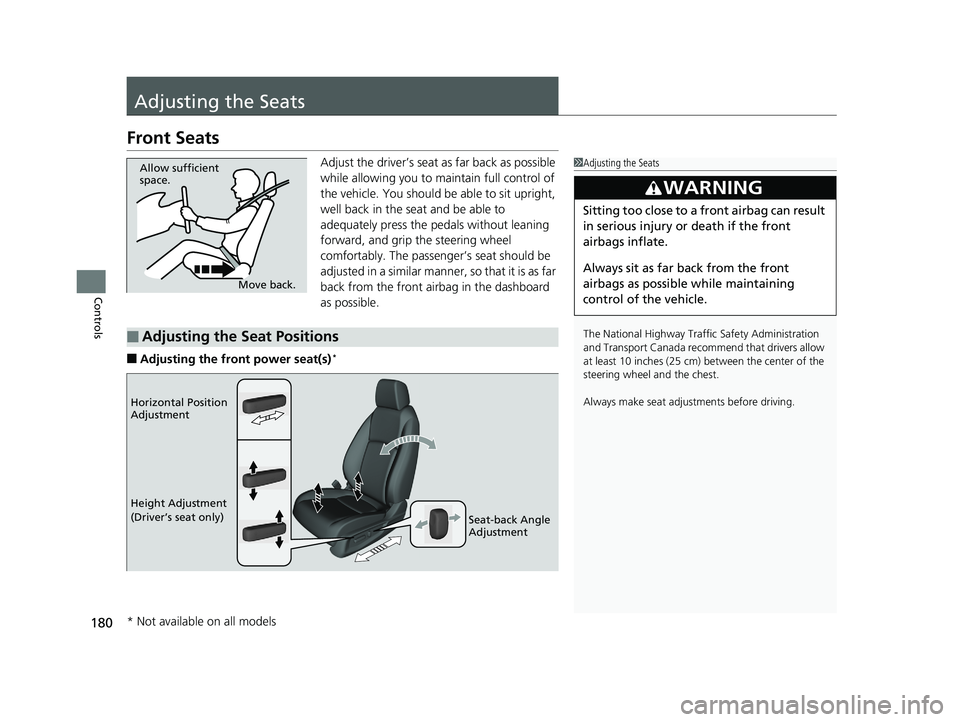
Avoid driving in deep water and on flooded roads. This can damage the engine or
driveline, or cause elec trical component failure.
If there is a strong impact with something under the vehicle, stop in a safe location.
Check the underside of the vehicle for damage or any fluid leaks.
*1: Models with the smart entry system have an ENGINE START/STOP button instead of an
ignition switch.
■In Rain
■Other Precautions
1 Precautions While Driving
NOTICE
Do not operate the shift lever while pressing the
accelerator pedal. You could damage the
transmission.
NOTICE
If you repeatedly turn the steering wheel at an
extremely low speed, or hold the steering wheel in
the full left or right position for a while, the electric
power steering (EPS) system heats up. The system
goes into a protective mode, and limits its
performance. The steering wheel becomes harder
and harder to operate. Once the system cools down,
the EPS system is restored.
Repeated operation under these conditions can
eventually damage the system.
If the ignition switch is turned to ACCESSORY
( q*1
while driving, the engine will shut down and all
steering and brake power a ssist functions will stop,
making it difficult to control the vehicle.
Do not put the shift lever in
( N, as you will lose
engine braking (and acce leration) performance.
During the first 600 miles (1,000 km) of operation,
avoid sudden acceleration or full throttle operation so
as not to damage the engine or powertrain.
Avoid hard braking for the first 200 miles (300 km).
You should also follow this when the brake pads are
replaced.
19 CIVIC 4D HCM_HMIN_J (KA KL KC)-31TBA6301.book 442 ページ 2018年10月26日 金曜日 午前7時42分
Page 459 of 679
457
uuWhen Driving uCruise Control*
Continued
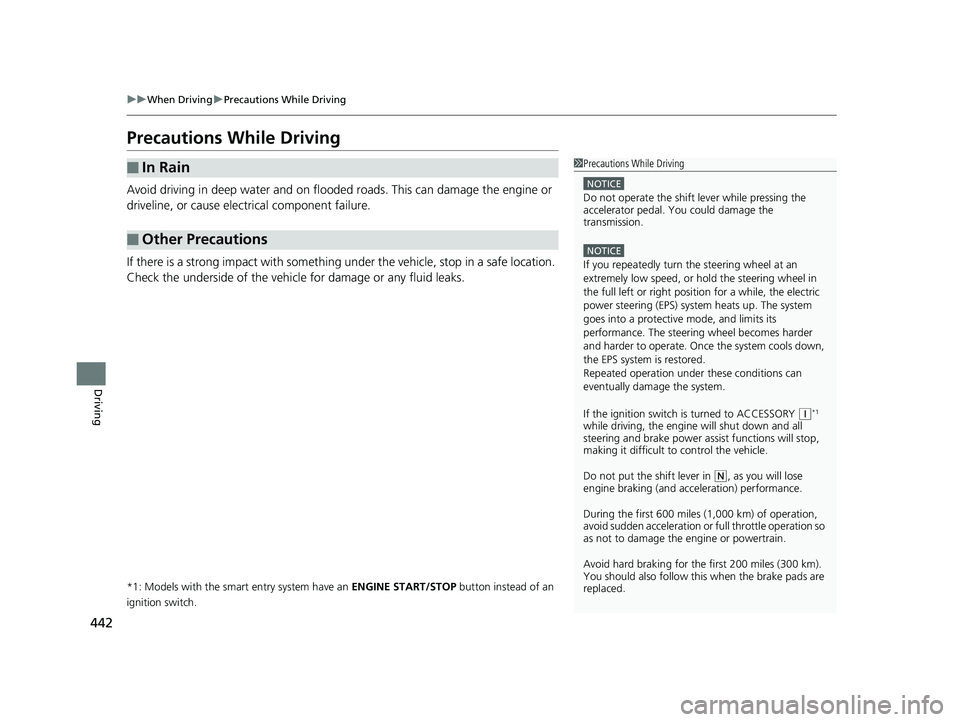
DrivingTake your foot off the pedal and press the –/SET button when you reach the desired
speed.
The moment you release the –/SET button, the set speed is fixed, and cruise control
begins. The CRUISE CONTROL indicator comes on.
When you use cruise control, Straight Drivin g Assist (a feature of the Electric Power
Steering system) is activated.
By enabling the steering system to automa tically compensate for natural steering
pull, Straight Driv ing Assist makes it easier for you to keep your vehicle in a straight
line.
■To Set the Vehicle Speed
–/SET Button
On when cruise
control begins Press and release
19 CIVIC 4D HCM_HMIN_J (KA KL KC)-31TBA6301.book 457 ページ 2018年10月26日 金曜日 午前7時42分
Page 487 of 679
Continued485
uuHonda Sensing ®*uAdaptive Cruise Control (ACC) with Low Speed Follow (LSF)*
Driving
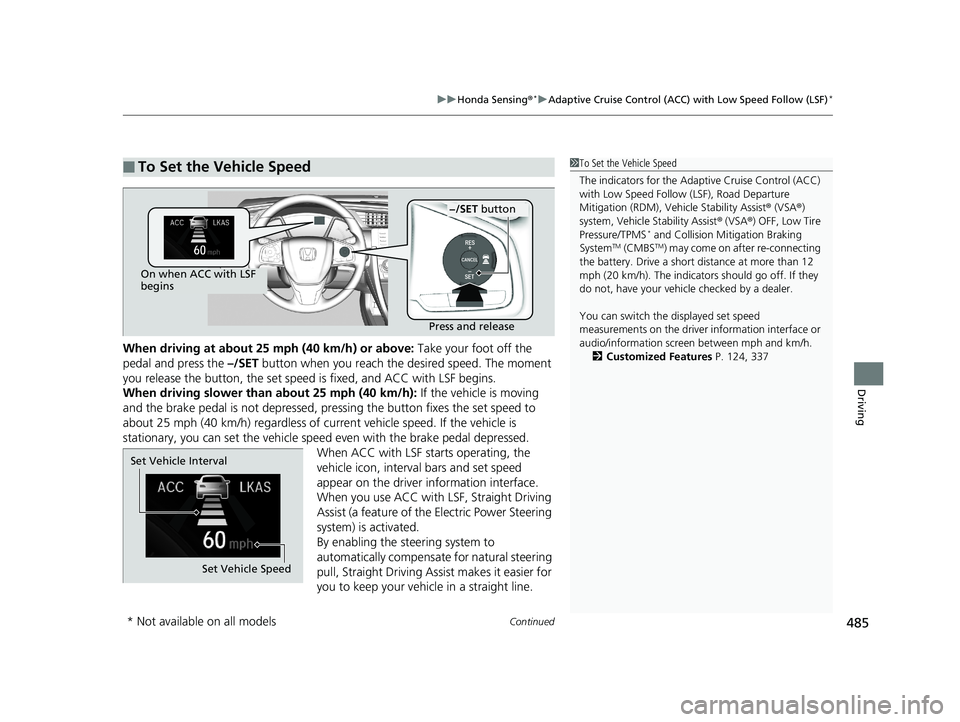
When driving at about 25 mph (40 km/h) or above: Take your foot off the
pedal and press the –/SET button when you reach the desired speed. The moment
you release the button, th e set speed is fixed, and ACC with LSF begins.
When driving slower than about 25 mph (40 km/h): If the vehicle is moving
and the brake pedal is not depressed, pr essing the button fixes the set speed to
about 25 mph (40 km/h) regardless of current vehicle speed. If the vehicle is
stationary, you can set the vehicle speed even with the brake pedal depressed.
When ACC with LSF starts operating, the
vehicle icon, interval bars and set speed
appear on the driver information interface.
When you use ACC with LSF, Straight Driving
Assist (a feature of the Electric Power Steering
system) is activated.
By enabling the steering system to
automatically compensate for natural steering
pull, Straight Driving Assist makes it easier for
you to keep your vehicle in a straight line.
■To Set the Vehicle Speed1 To Set the Vehicle Speed
The indicators for the Adaptive Cruise Control (ACC)
with Low Speed Follow (LSF), Road Departure
Mitigation (RDM), Vehi cle Stability Assist® (VSA ®)
system, Vehicle Stability Assist ® (VSA ®) OFF, Low Tire
Pressure/TPMS
* and Collision Mi tigation Braking
SystemTM (CMBSTM) may come on after re-connecting
the battery. Drive a short distance at more than 12
mph (20 km/h). The indicators should go off. If they
do not, have your vehicl e checked by a dealer.
You can switch the displayed set speed
measurements on the driver information interface or
audio/information screen between mph and km/h. 2 Customized Features P. 124, 337
On when ACC with LSF
begins
Press and release
−/SET button
Set Vehicle Speed
Set Vehicle Interval
* Not available on all models
19 CIVIC 4D HCM_HMIN_J (KA KL KC)-31TBA6301.book 485 ページ 2018年10月26日 金曜日 午前7時42分
Page 499 of 679
Continued497
uuHonda Sensing ®*uAdaptive Cruise Control (ACC) with Low Speed Follow (LSF)*
Driving
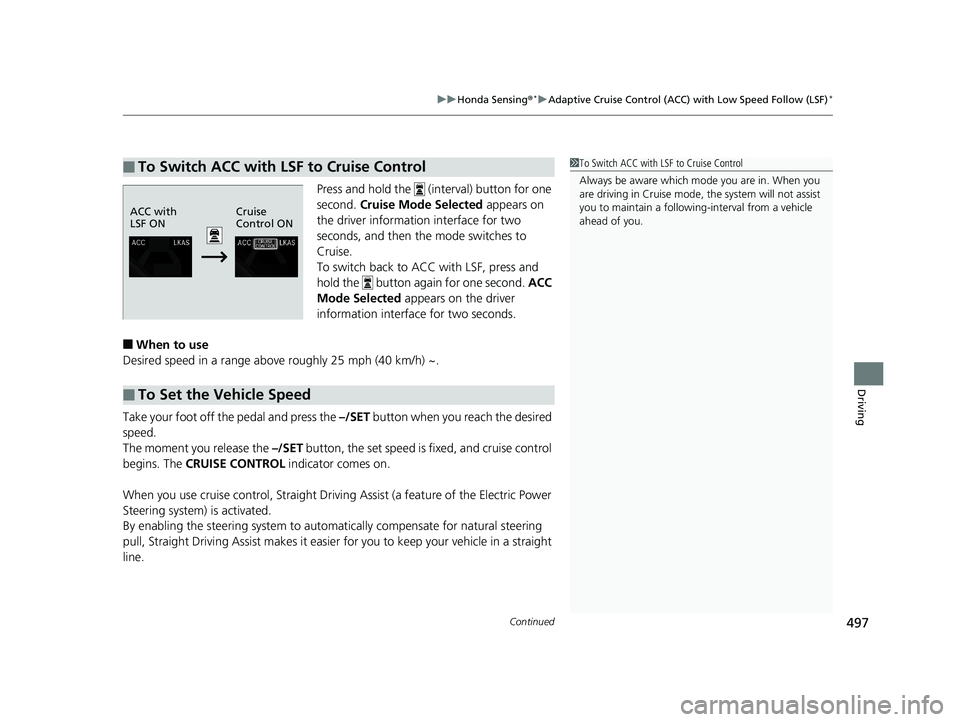
Press and hold the (interval) button for one
second. Cruise Mode Selected appears on
the driver informatio n interface for two
seconds, and then the mode switches to
Cruise.
To switch back to ACC with LSF, press and
hold the button again for one second. ACC
Mode Selected appears on the driver
information interfac e for two seconds.
■When to use
Desired speed in a range above roughly 25 mph (40 km/h) ~.
Take your foot off the pedal and press the –/SET button when you reach the desired
speed.
The moment you release the –/SET button, the set speed is fixed, and cruise control
begins. The CRUISE CONTROL indicator comes on.
When you use cruise control, Straight Drivin g Assist (a feature of the Electric Power
Steering system) is activated.
By enabling the steering system to automa tically compensate for natural steering
pull, Straight Driv ing Assist makes it easier for you to keep your vehicle in a straight
line.
■To Switch ACC with LSF to Cruise Control1 To Switch ACC with LSF to Cruise Control
Always be aware which mode you are in. When you
are driving in Cruise mode, the system will not assist
you to maintain a following-interval from a vehicle
ahead of you.
ACC with
LSF ON Cruise
Control ON
■To Set the Vehicle Speed
19 CIVIC 4D HCM_HMIN_J (KA KL KC)-31TBA6301.book 497 ページ 2018年10月26日 金曜日 午前7時42分
Page 503 of 679
Continued501
uuHonda Sensing ®*uAdaptive Cruise Control (ACC)*
Driving
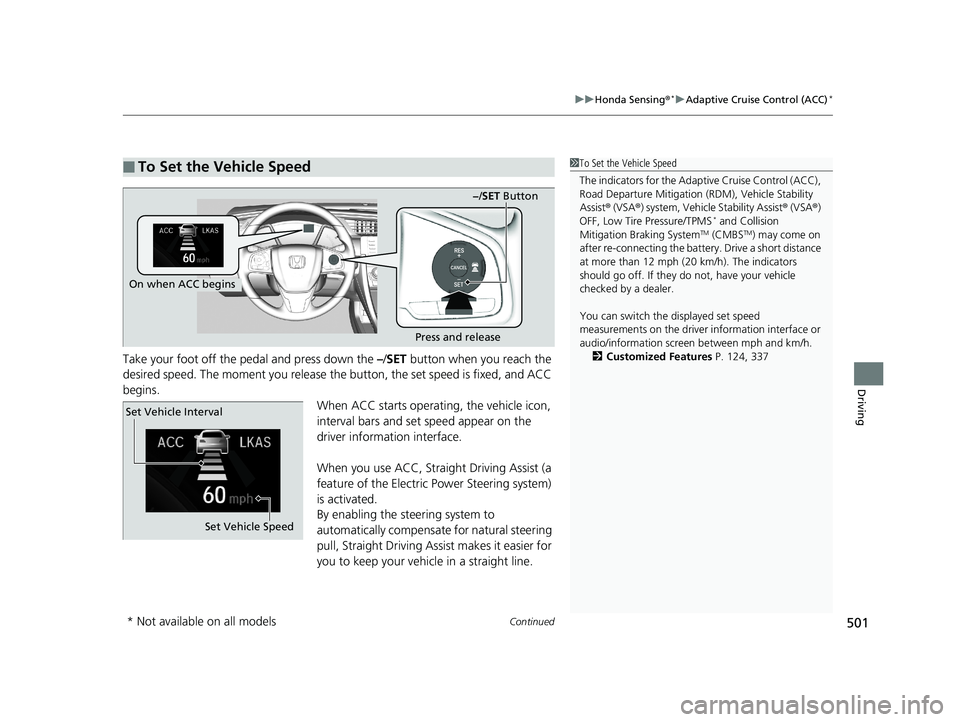
Take your foot off the pedal and press down the –/SET button when you reach the
desired speed. The moment you release the button, the set speed is fixed, and ACC
begins.
When ACC starts operating, the vehicle icon,
interval bars and set speed appear on the
driver information interface.
When you use ACC, Straight Driving Assist (a
feature of the Electric Power Steering system)
is activated.
By enabling the steering system to
automatically compensate for natural steering
pull, Straight Driving Assist makes it easier for
you to keep your vehicle in a straight line.
■To Set the Vehicle Speed1To Set the Vehicle Speed
The indicators for the Adaptive Cruise Control (ACC),
Road Departure Miti gation (RDM), Vehicle Stability
Assist ® (VSA ®) system, Vehicle Stability Assist ® (VSA ®)
OFF, Low Tire Pressure/TPMS
* and Collision
Mitigation Braking SystemTM (CMBSTM) may come on
after re-connecting th e battery. Drive a short distance
at more than 12 mph ( 20 km/h). The indicators
should go off. If they do not, have your vehicle
checked by a dealer.
You can switch the displayed set speed
measurements on the driver information interface or
audio/information screen between mph and km/h. 2 Customized Features P. 124, 337
On when ACC begins
Press and release
−/SET Button
Set Vehicle Speed
Set Vehicle Interval
* Not available on all models
19 CIVIC 4D HCM_HMIN_J (KA KL KC)-31TBA6301.book 501 ページ 2018年10月26日 金曜日 午前7時42分
Page 514 of 679
uuHonda Sensing ®*uAdaptive Cruise Control (ACC)*
512
Driving
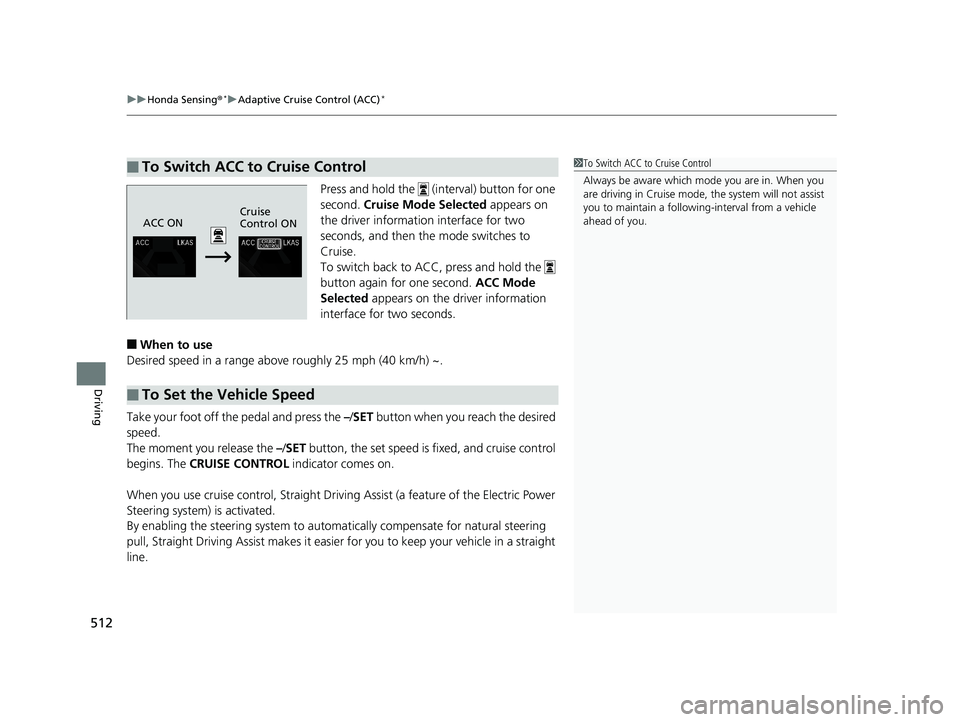
Press and hold the (interval) button for one
second. Cruise Mode Selected appears on
the driver information interface for two
seconds, and then the mode switches to
Cruise.
To switch back to ACC, press and hold the
button again for one second. ACC Mode
Selected appears on the driver information
interface for two seconds.
■When to use
Desired speed in a range above roughly 25 mph (40 km/h) ~.
Take your foot off the pedal and press the –/SET button when you reach the desired
speed.
The moment you release the –/ SET button, the set speed is fixed, and cruise control
begins. The CRUISE CONTROL indicator comes on.
When you use cruise control, Straight Driv ing Assist (a feature of the Electric Power
Steering system) is activated.
By enabling the steering system to automa tically compensate for natural steering
pull, Straight Driving Assist makes it easier for you to keep your vehicle in a straight
line.
■To Switch ACC to Cruise Control1 To Switch ACC to Cruise Control
Always be aware which mode you are in. When you
are driving in Cruise mode, the system will not assist
you to maintain a following-interval from a vehicle
ahead of you.
ACC ON Cruise
Control ON
■To Set the Vehicle Speed
19 CIVIC 4D HCM_HMIN_J (KA KL KC)-31TBA6301.book 512 ページ 2018年10月26日 金曜日 午前7時42分
Page 517 of 679
Continued515
uuHonda Sensing ®*uLane Keeping Assist System (LKAS)
Driving
Provides assistance to keep the vehicle in the center of the lane. When the vehicle
nears a white or yellow line, steering force of the electric power steering will become
stronger.
When the vehicle enters the warning area, the LKAS alerts you with slight steering
wheel vibration as well as a warning display.
■Lane Keep Support Function1 Lane Keeping Assist System (LKAS)
The LKAS may not function as designed while driving
in frequent stop and go traf fic, or on roads with
sharp curves.
When it fails to detect lanes, the system will
temporarily be canceled. When lane is detected,
system will recover automatically.
■Lane Departure Warning Function
Warning Area
Warning Area
19 CIVIC 4D HCM_HMIN_J (KA KL KC)-31TBA6301.book 515 ページ 2018年10月26日 金曜日 午前7時42分