2019 HONDA CIVIC SEDAN power steering
[x] Cancel search: power steeringPage 165 of 679
163
uuOperating the Switches Around the Steering Wheel uENGINE START/STOP Button
Controls
If you open the driver’s door when the power mode is in ACCESSORY, a warning
beep sounds.
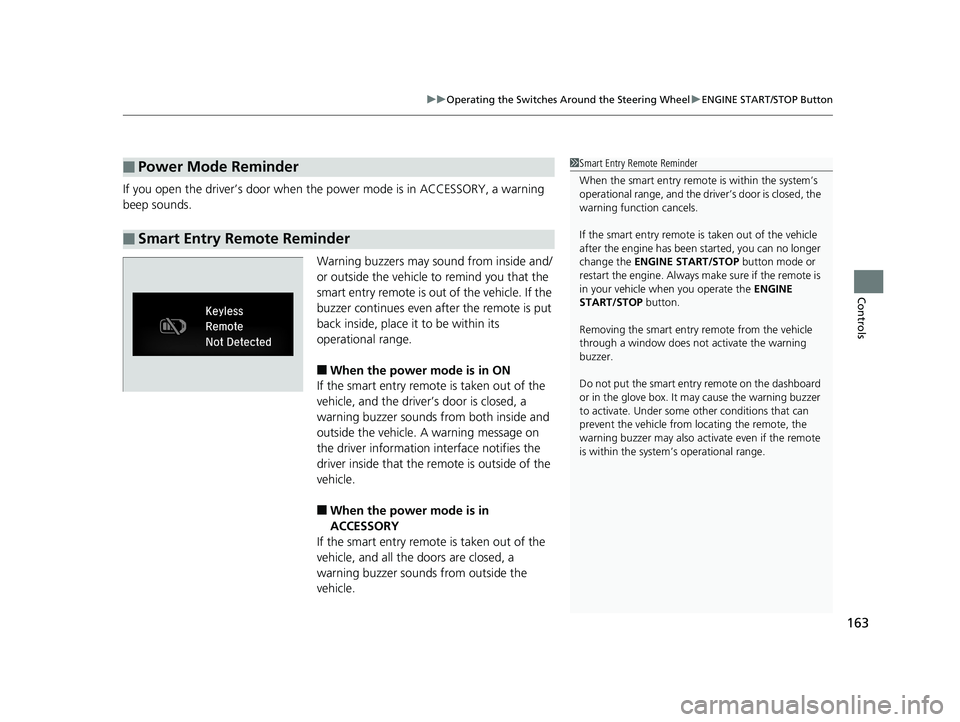
Warning buzzers may sound from inside and/
or outside the vehicle to remind you that the
smart entry remote is out of the vehicle. If the
buzzer continues even after the remote is put
back inside, place it to be within its
operational range.
■When the power mode is in ON
If the smart entry remote is taken out of the
vehicle, and the driver’s door is closed, a
warning buzzer sounds from both inside and
outside the vehicle. A warning message on
the driver information interface notifies the
driver inside that the remote is outside of the
vehicle.
■When the power mode is in
ACCESSORY
If the smart entry remote is taken out of the
vehicle, and all the doors are closed, a
warning buzzer sounds from outside the
vehicle.
■Power Mode Reminder
■Smart Entry Remote Reminder
1 Smart Entry Remote Reminder
When the smart entry remote is within the system’s
operational range, and the driv er’s door is closed, the
warning function cancels.
If the smart entry remote is taken out of the vehicle
after the engine has been started, you can no longer
change the ENGINE START/STOP button mode or
restart the engine. Always make sure if the remote is
in your vehicle when you operate the ENGINE
START/STOP button.
Removing the smart entry remote from the vehicle
through a window does not activate the warning
buzzer.
Do not put the smart entr y remote on the dashboard
or in the glove box. It may cause the warning buzzer
to activate. Under some other conditions that can
prevent the vehicle from locating the remote, the
warning buzzer may also activate even if the remote
is within the system’s operational range.
19 CIVIC 4D HCM_HMIN_J (KA KL KC)-31TBA6301.book 163 ページ 2018年10月26日 金曜日 午前7時42分
Page 166 of 679
164
uuOperating the Switches Around the Steering Wheel uIgnition Switch and Power Mode Comparison
Controls
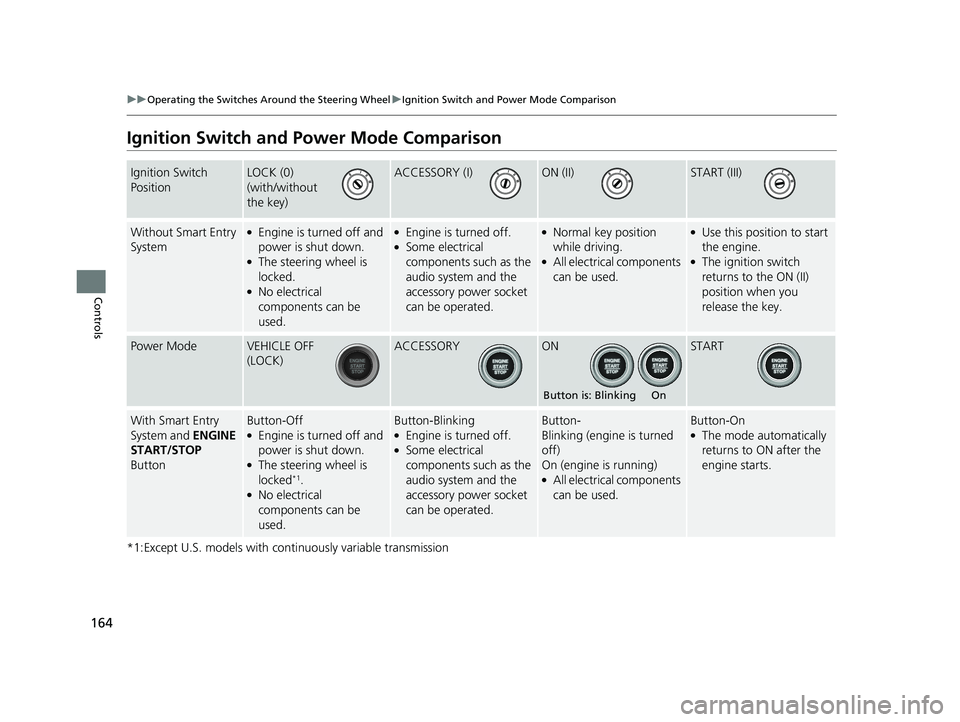
Ignition Switch and Power Mode Comparison
*1:Except U.S. models with continuously variable transmission
Ignition Switch
PositionLOCK (0)
(with/without
the key)ACCESSORY (I)ON (II)START (III)
Without Smart Entry
System●Engine is turned off and
power is shut down.
●The steering wheel is
locked.
●No electrical
components can be
used.
●Engine is turned off.●Some electrical
components such as the
audio system and the
accessory power socket
can be operated.
●Normal key position
while driving.
●All electrical components
can be used.
●Use this position to start
the engine.
●The ignition switch
returns to the ON (II)
position when you
release the key.
Power ModeVEHICLE OFF
(LOCK)ACCESSORYONSTART
With Smart Entry
System and ENGINE
START/STOP
ButtonButton-Off●Engine is turned off and
power is shut down.
●The steering wheel is
locked*1.●No electrical
components can be
used.
Button-Blinking●Engine is turned off.●Some electrical
components such as the
audio system and the
accessory power socket
can be operated.
Button-
Blinking (engine is turned
off)
On (engine is running)
●All electrical components
can be used.
Button-On●The mode automatically
returns to ON after the
engine starts.
Button is: Blinking On
19 CIVIC 4D HCM_HMIN_J (KA KL KC)-31TBA6301.book 164 ページ 2018年10月26日 金曜日 午前7時42分
Page 168 of 679
166
uuOperating the Switches Around the Steering Wheel uLight Switches
Controls
Light Switches
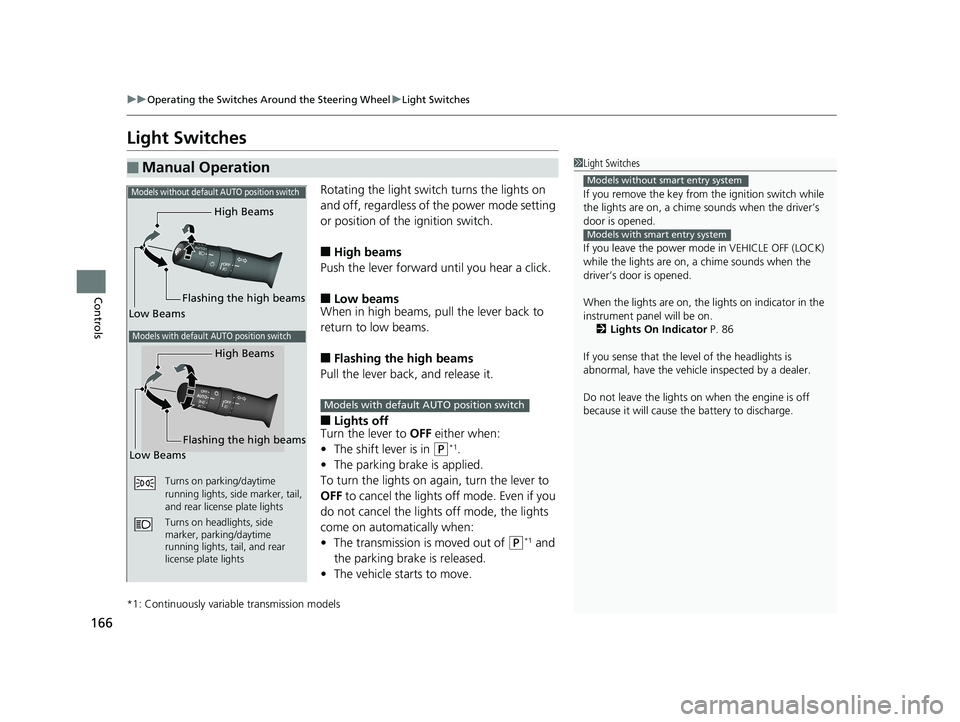
Rotating the light switch turns the lights on
and off, regardless of the power mode setting
or position of the ignition switch.
■High beams
Push the lever forward until you hear a click.
■Low beams
When in high beams, pull the lever back to
return to low beams.
■Flashing the high beams
Pull the lever back, and release it.
■Lights off
Turn the lever to OFF either when:
• The shift lever is in
(P*1.
• The parking brake is applied.
To turn the lights on ag ain, turn the lever to
OFF to cancel the lights off mode. Even if you
do not cancel the lights off mode, the lights
come on automatically when:
• The transmission is moved out of
(P*1 and
the parking brake is released.
• The vehicle starts to move.
*1: Continuously variable transmission models
■Manual Operation1Light Switches
If you remove the key from the ignition switch while
the lights are on, a chime sounds when the driver’s
door is opened.
If you leave the power mode in VEHICLE OFF (LOCK)
while the lights are on, a chime sounds when the
driver’s door is opened.
When the lights are on, the lights on indicator in the
instrument pane l will be on.
2 Lights On Indicator P. 86
If you sense that the le vel of the headlights is
abnormal, have the vehicl e inspected by a dealer.
Do not leave the lights on when the engine is off
because it will cause the battery to discharge.
Models without smart entry system
Models with smart entry system
High Beams
Flashing the high beams
Low Beams
Turns on parking/daytime
running lights, side marker, tail,
and rear license plate lights
Turns on headlights, side
marker, parking/daytime
running lights, tail, and rear
license plate lights
Models without default AUTO position switch
Models with default AUTO position switch
High Beams
Flashing the high beams
Low Beams
Models with default AUTO position switch
19 CIVIC 4D HCM_HMIN_J (KA KL KC)-31TBA6301.book 166 ページ 2018年10月26日 金曜日 午前7時42分
Page 170 of 679
uuOperating the Switches Around the Steering Wheel uLight Switches
168
Controls
The headlights automatically co me on when the wipers are used several times within
a number of certain intervals with the headlight switch in AUTO.
The headlights automatically go off a few minutes later if the wipers are stopped.
The headlights, all other exterior lights, an d the instrument panel lights turn off 15
seconds after you remove the key or set the power mode to VEHICLE OFF (LOCK),
take the remote with you, and close the driver’s door.
If you turn the igniti on switch to LOCK
(0*1 with the headlight switch on, but do
not open the door, the lights turn off after 10 minutes (3 minutes, if the switch is in
the AUTO
* position).
The lights turn on again when you unlock or open the driver’s door. If you unlock
the door, but do not open it within 15 seconds, the lights go off. If you open the
driver’s door, you will hear a lights on reminder chime.
*1: Models with the smart entry system have an ENGINE START/STOP button instead of an
ignition switch.
■Headlight Integration with Wipers*
■Automatic Lighting Off Feature
1 Automatic Operation (aut omatic lighting control)*
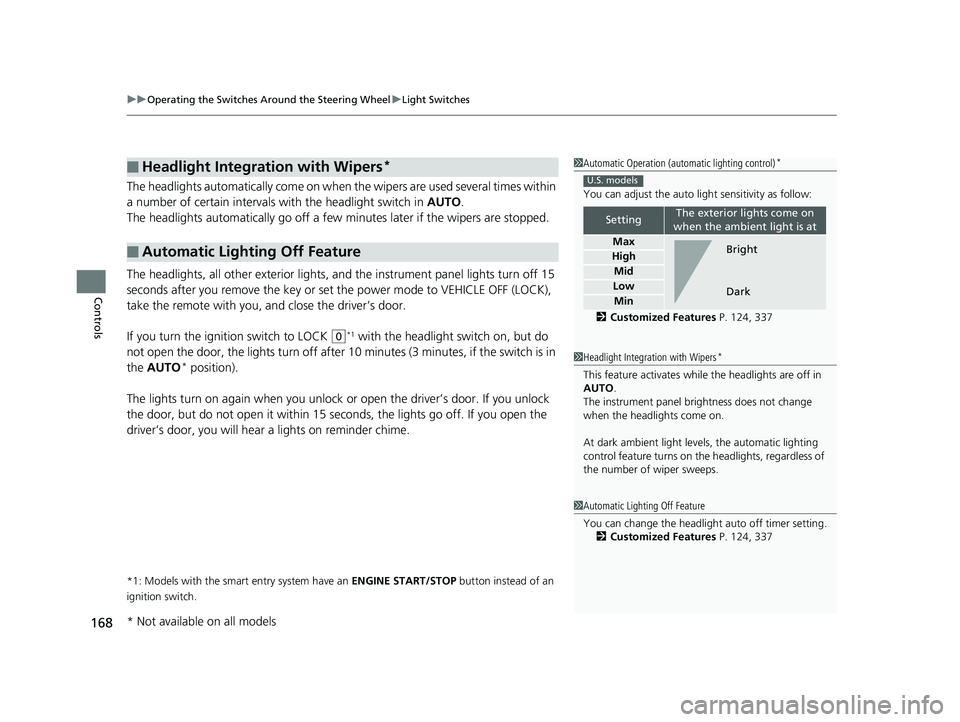
You can adjust the auto li ght sensitivity as follow:
2 Customized Features P. 124, 337
SettingThe exterior lights come on
when the ambient light is at
Max
High
Mid
Low
Min
U.S. models
Bright
Dark
1 Headlight Integration with Wipers*
This feature activates while the headlights are off in
AUTO .
The instrument panel brightness does not change
when the headlights come on.
At dark ambient light leve ls, the automatic lighting
control feature turns on the headlights, regardless of
the number of wiper sweeps.
1 Automatic Lighting Off Feature
You can change the headlight auto off timer setting.
2 Customized Features P. 124, 337
* Not available on all models
19 CIVIC 4D HCM_HMIN_J (KA KL KC)-31TBA6301.book 168 ページ 2018年10月26日 金曜日 午前7時42分
Page 171 of 679
169
uuOperating the Switches Around the Steering Wheel uFog Lights*
Controls
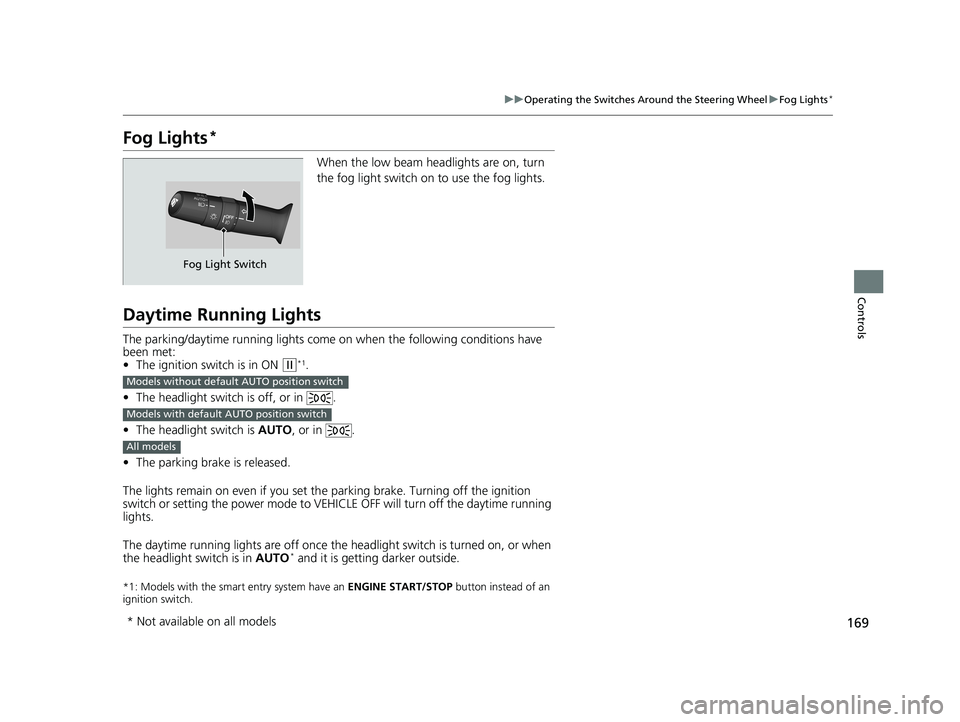
Fog Lights*
When the low beam headlights are on, turn
the fog light switch on to use the fog lights.
Daytime Running Lights
The parking/daytime running lights come on when the following conditions have
been met:
• The ignition switch is in ON
(w*1.
• The headlight switch is off, or in .
• The headlight switch is AUTO, or in .
• The parking brake is released.
The lights remain on even if you set th e parking brake. Turning off the ignition
switch or setting the power mode to VEHI CLE OFF will turn off the daytime running
lights.
The daytime running lights are off once the h eadlight switch is turned on, or when
the headlight switch is in AUTO
* and it is getting darker outside.
*1: Models with the smart entry system have an ENGINE START/STOP button instead of an
ignition switch.
Fog Light Switch
Models without default AUTO position switch
Models with default AUTO position switch
All models
* Not available on all models
19 CIVIC 4D HCM_HMIN_J (KA KL KC)-31TBA6301.book 169 ページ 2018年10月26日 金曜日 午前7時42分
Page 172 of 679
170
uuOperating the Switches Around the Steering Wheel uAuto High-Beam*
Controls
Auto High-Beam*
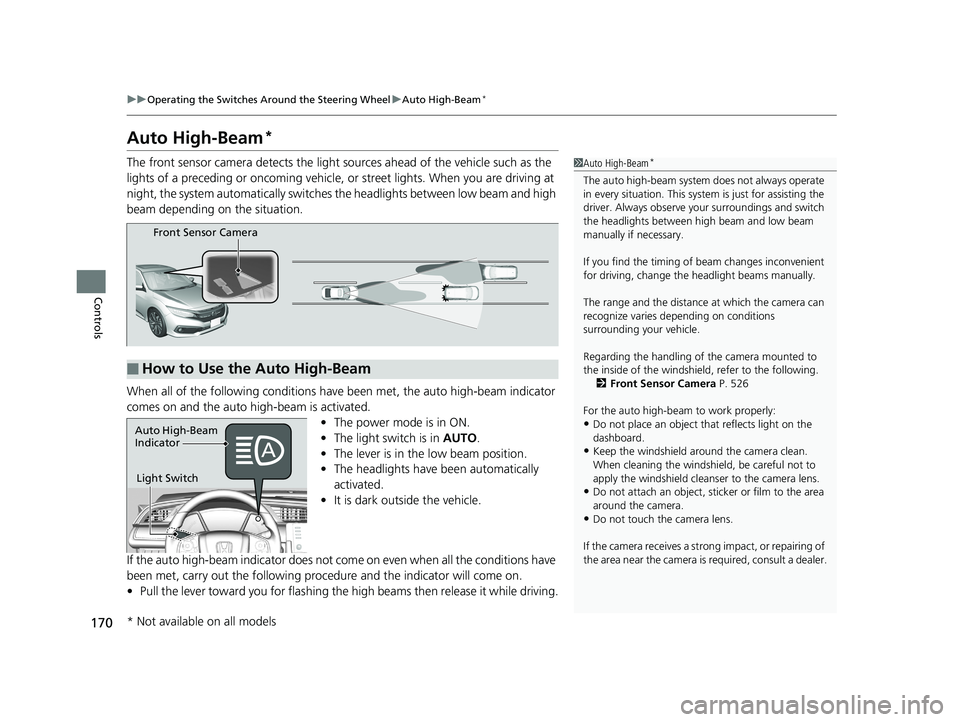
The front sensor camera detects the light sources ahead of the vehicle such as the
lights of a preceding or oncoming vehicle, or street lights. When you are driving at
night, the system automatica lly switches the headlights between low beam and high
beam depending on the situation.
When all of the following conditions have been met, the auto high-beam indicator
comes on and the auto high-beam is activated. •The power mode is in ON.
• The light switch is in AUTO.
• The lever is in the low beam position.
• The headlights have been automatically
activated.
• It is dark outside the vehicle.
If the auto high-beam indicator does not come on even when all the conditions have
been met, carry out the following procedure and the indicator will come on.
• Pull the lever toward you for flashing the high beams then release it while driving.1Auto High-Beam*
The auto high-beam system does not always operate
in every situation. This syst em is just for assisting the
driver. Always observe your surroundings and switch
the headlights between high beam and low beam
manually if necessary.
If you find the timing of beam changes inconvenient
for driving, change the headlight beams manually.
The range and the distance at which the camera can
recognize varies de pending on conditions
surrounding your vehicle.
Regarding the handling of the camera mounted to
the inside of the windshiel d, refer to the following.
2 Front Sensor Camera P. 526
For the auto high-beam to work properly:
•Do not place an object that reflects light on the
dashboard.
•Keep the windshield around the camera clean.
When cleaning the windshield, be careful not to
apply the windshield cleans er to the camera lens.
•Do not attach an object, sticker or film to the area
around the camera.
•Do not touch the camera lens.
If the camera receives a st rong impact, or repairing of
the area near the camera is required, consult a dealer.
■How to Use the Auto High-Beam
Front Sensor Camera
Light Switch
Auto High-Beam
Indicator
* Not available on all models
19 CIVIC 4D HCM_HMIN_J (KA KL KC)-31TBA6301.book 170 ページ 2018年10月26日 金曜日 午前7時42分
Page 174 of 679
uuOperating the Switches Around the Steering Wheel uAuto High-Beam*
172
Controls
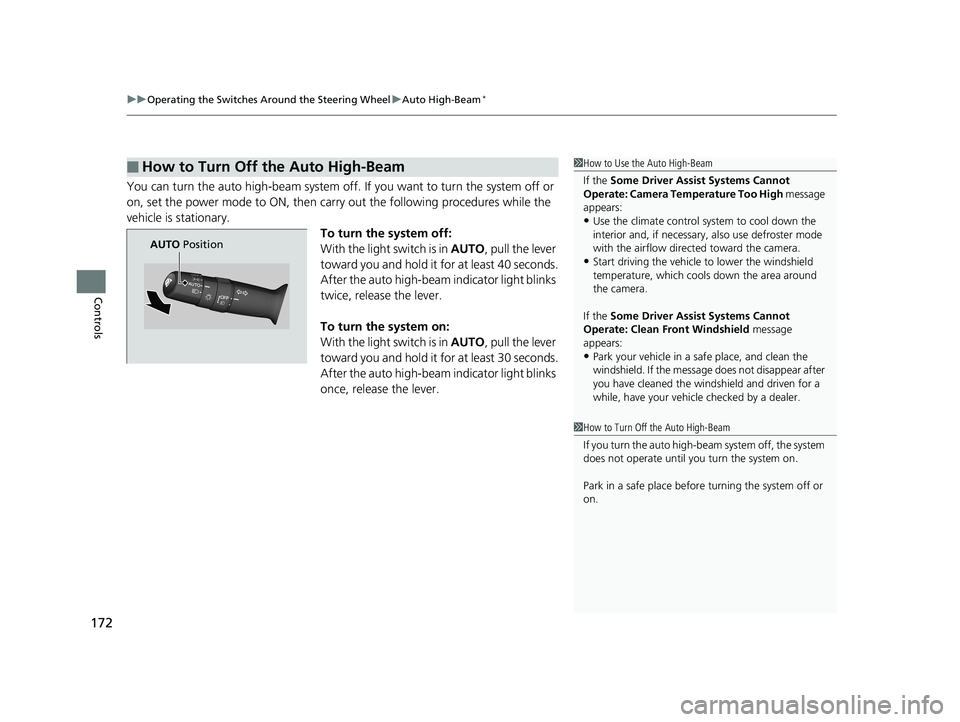
You can turn the auto high-beam system off. If you want to turn the system off or
on, set the power mode to ON, then carry out the following procedures while the
vehicle is stationary.
To turn the system off:
With the light switch is in AUTO, pull the lever
toward you and hold it for at least 40 seconds.
After the auto high-beam indicator light blinks
twice, release the lever.
To turn the system on:
With the light switch is in AUTO, pull the lever
toward you and hold it for at least 30 seconds.
After the auto high-beam indicator light blinks
once, release the lever.
■How to Turn Off the Auto High-Beam1 How to Use the Auto High-Beam
If the Some Driver Assist Systems Cannot
Operate: Camera Temperature Too High message
appears:
•Use the climate control system to cool down the
interior and, if necessary, also use defroster mode
with the airflow directed toward the camera.
•Start driving the vehicle to lower the windshield
temperature, which cool s down the area around
the camera.
If the Some Driver Assist Systems Cannot
Operate: Clean Front Windshield message
appears:
•Park your vehicle in a sa fe place, and clean the
windshield. If the message does not disappear after
you have cleaned the winds hield and driven for a
while, have your vehicle checked by a dealer.
1 How to Turn Off the Auto High-Beam
If you turn the auto high-beam system off, the system
does not operate until you turn the system on.
Park in a safe place before turning the system off or
on.
AUTO Position
19 CIVIC 4D HCM_HMIN_J (KA KL KC)-31TBA6301.book 172 ページ 2018年10月26日 金曜日 午前7時42分
Page 178 of 679

176
uuOperating the Switches Around the Steering Wheel uRear Defogger/Heated Door Mirror* Button
Controls
Rear Defogger/Heated Door Mirror* Button
Press the rear defogger and heated door mirror button to defog the rear window
and mirrors when the ignition switch is in ON
(w*1.
The rear defogger and heated door mirror
automatically switches off after 10-30
minutes depending on the outside
temperature.
However, if the outside temperature is 32°F
(0°C) or below, it does not automatically
switch off.
*1: Models with the smart entry system have an ENGINE START/STOP button instead of an
ignition switch.
1 Rear Defogger/Heated Door Mirror* Button
This system consumes a lot of power, so turn it off
when the window has been defogged.
Also, do not use the system for a long period when
the engine is idling. This may weaken the battery,
making it difficult to start the engine.
Models with color audio system
Models with Display Audio
* Not available on all models
19 CIVIC 4D HCM_HMIN_J (KA KL KC)-31TBA6301.book 176 ページ 2018年10月26日 金曜日 午前7時42分