Page 136 of 727
134
uuIndicators uDriver Information Interface Wa rning and Information Messages
Instrument Panel
MessageConditionExplanation
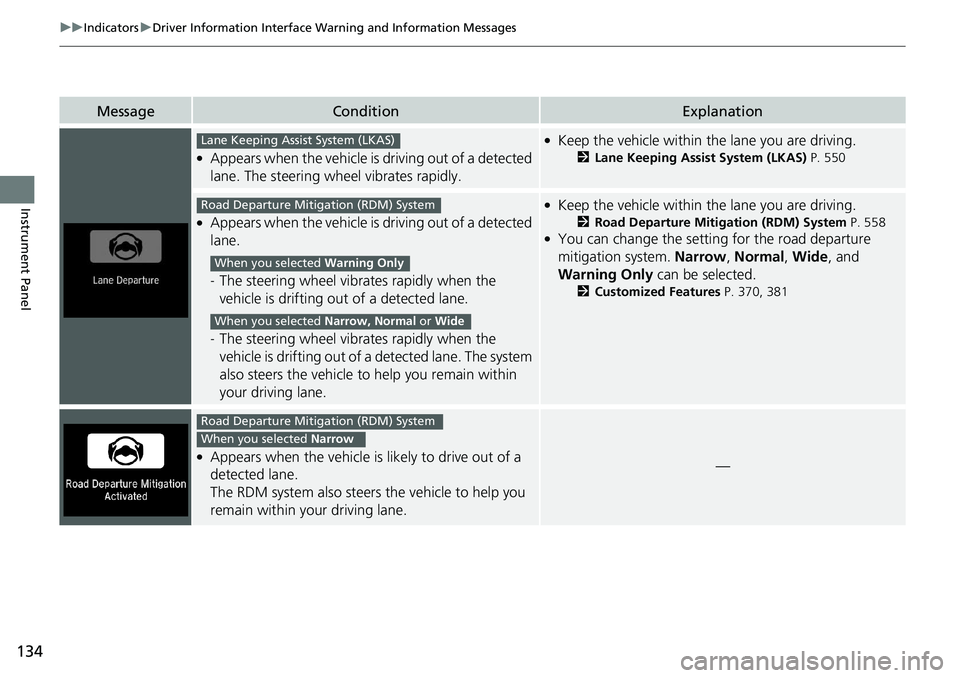
●Appears when the vehicle is driving out of a detected
lane. The steering wheel vibrates rapidly.
●Keep the vehicle within the lane you are driving.
2Lane Keeping Assist System (LKAS) P. 550
●Appears when the vehicle is driving out of a detected
lane.
- The steering wheel vibrates rapidly when the
vehicle is drifting out of a detected lane.
- The steering wheel vibrates rapidly when the
vehicle is drifting out of a detected lane. The system
also steers the vehicle to help you remain within
your driving lane.
●Keep the vehicle within the lane you are driving.
2Road Departure Mitigation (RDM) System P. 558●You can change the setting for the road departure
mitigation system. Narrow, Normal , Wide , and
Warning Only can be selected.
2Customized Features P. 370, 381
●Appears when the vehicle is likely to drive out of a
detected lane.
The RDM system also steers the vehicle to help you
remain within your driving lane.—
Lane Keeping Assist System (LKAS)
Road Departure Mitigation (RDM) System
When you selected Warning Only
When you selected Narrow, Normal or Wide
Road Departure Mitigation (RDM) System
When you selected Narrow
Page 140 of 727
138
uuGauges and Displays uDriver Information Interface
Instrument Panel
Driver Information Interface
The driver information interface shows the odometer, trip meter, outside
temperature indicator, and other gauges.
It also displays important messages such as warnings and other helpful information.
■Accessing contents in the main display
Press the (home) button, then roll the le ft selector wheel to scroll to the content
you want to see. Press the left select or wheel to see detailed information.
*1: Models with color audio
*2: Models with Display Audio
■Switching the Display1Switching the Display
To go back to the previous screen, press the
*1
(hang-up/back)/ *2 (back) button.
You can edit, add, or delete the meter contents using
the audio/information screen. 2 Customizing the Meter P. 285
Models with Display Audio
Page 149 of 727
Continued147
uuGauges and Displays uDriver Information Interface
Instrument Panel
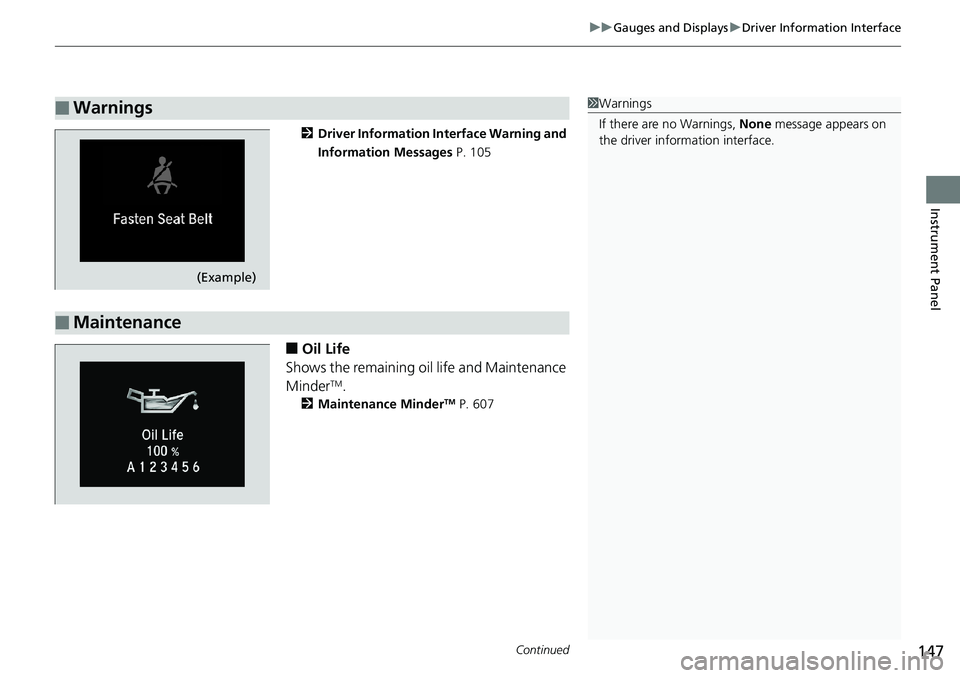
2 Driver Information Interface Warning and
Information Messages P. 105
■Oil Life
Shows the remaining oil life and Maintenance
Minder
TM.
2 Maintenance MinderTM P. 607
■Warnings1Warnings
If there are no Warnings, None message appears on
the driver information interface.
(Example)
■Maintenance
Page 160 of 727
158
uuGauges and Displays uHead-Up Display*
Instrument Panel
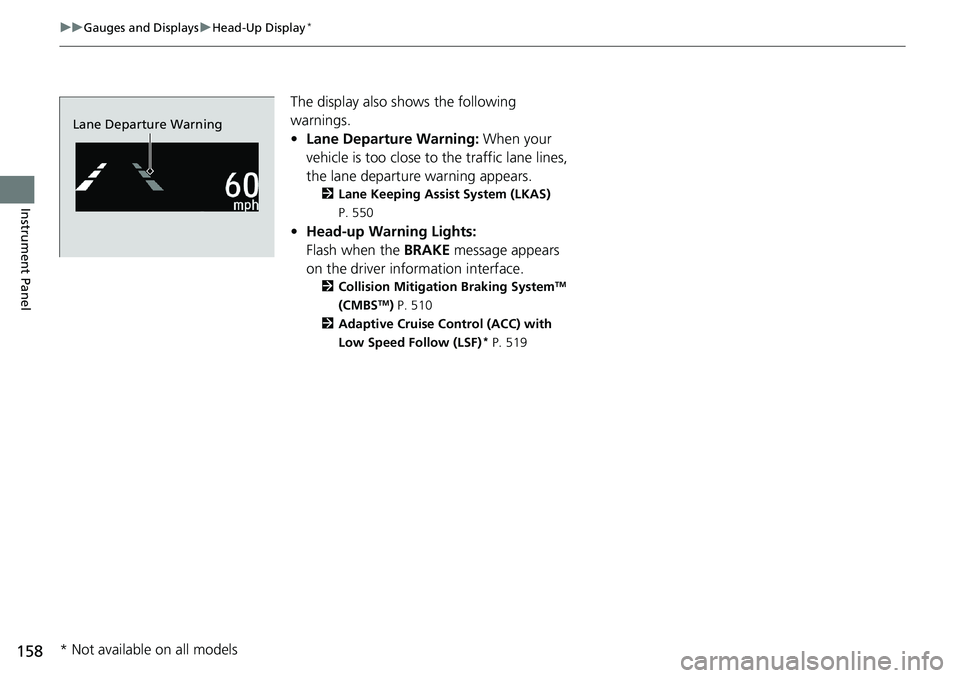
The display also s hows the following
warnings.
• Lane Departure Warning: When your
vehicle is too close to the traffic lane lines,
the lane departure warning appears.
2 Lane Keeping Assist System (LKAS)
P. 550
• Head-up Warning Lights:
Flash when the BRAKE message appears
on the driver information interface.
2 Collision Mitigation Braking SystemTM
(CMBSTM) P. 510
2 Adaptive Cruise Control (ACC) with
Low Speed Follow (LSF)
* P. 519
Lane Departure Warning
* Not available on all models
Page 174 of 727
uuLocking and Unlocking the Doors uLocking/Unlocking the Doors from the Outside
172
Controls
To temporarily deactivate the function:
1. Set the power mode to OFF.
2. Open the driver’s door.
3. Using the master door lock switch, operate
the lock as follows:
Lock Unlock Lock Unlock.
u The beeper sounds and the function is
deactivated.
To restore the function:
• Set the power mode to ON.
• Lock the vehicle without using the auto lock
function.
• Walk away at least more than about 5 feet
(1.5 m) away from the vehicle while
carrying the remote.
• Open any door.1Locking the vehicle (Walk away auto lock® )
The auto lock function does not operate when any of
the following conditions are met.
•The remote is inside the vehicle.
•A door or the hood is not closed.•The power mode is set to any mode other than
OFF.
•The remote is not located within a radius of about
5 feet (1.5 m) from the ve hicle when you get out of
the vehicle and close the doors.
Auto lock function operation stop beeper
After the auto lock function has been activated, the
auto lock operation stop beeper sounds for
approximately two seconds in the following cases.
•The remote is put inside the vehicle through a
window.
•You are located too close to the vehicle.
•The remote is put inside the trunk.
If the warning beeper sounds, check that you are
carrying the remote. Then, open/close a door and
confirm the auto lock ac tivation beeper sounds once.
In the case that the remote is out of operating range
when you close a door or the trunk, a beeper will
sound to indicate that the auto lock function has
been canceled.
Page 188 of 727
186
Controls
Opening and Closing the Windows
Opening/Closing the Power Windows
The power windows can be opened and closed when the power mode is in ON,
using the switches on the doors. The driver’s side switches can be used to open and
close all the windows.
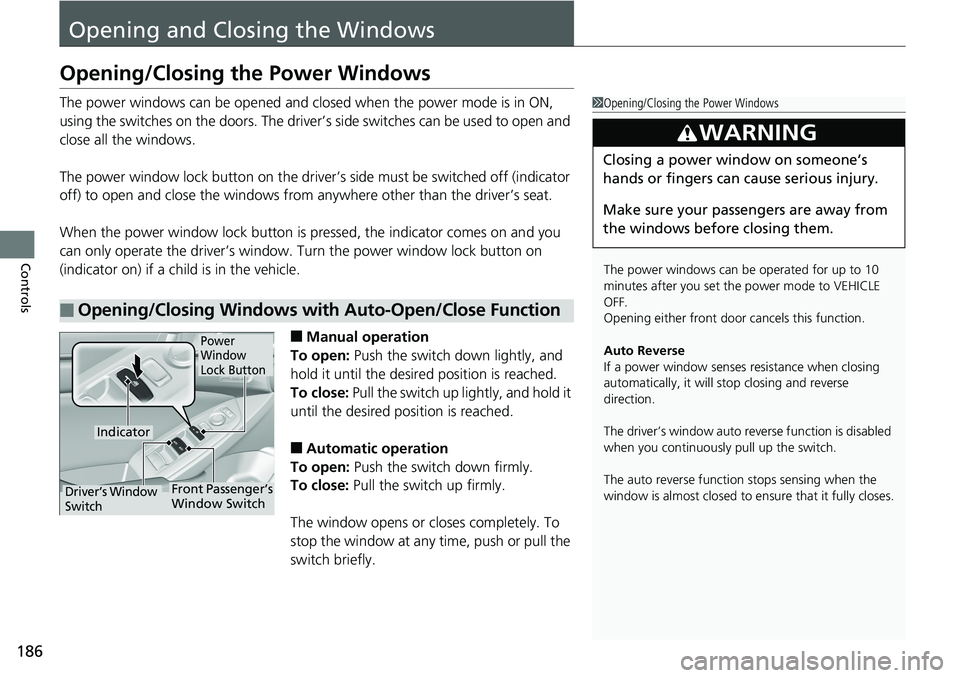
The power window lock button on the driver’s side must be switched off (indicator
off) to open and close th e windows from anywhere othe r than the driver’s seat.
When the power window lock button is pressed, the indicator comes on and you
can only operate the driver’s window. Turn the power window lock button on
(indicator on) if a child is in the vehicle.
■Manual operation
To open: Push the switch down lightly, and
hold it until the desired position is reached.
To close: Pull the switch up lightly, and hold it
until the desired position is reached.
■Automatic operation
To open: Push the switch down firmly.
To close: Pull the switch up firmly.
The window opens or closes completely. To
stop the window at any time, push or pull the
switch briefly.
■Opening/Closing Windows with Auto-Open/Close Function
1 Opening/Closing the Power Windows
The power windows can be operated for up to 10
minutes after you set the power mode to VEHICLE
OFF.
Opening either front door cancels this function.
Auto Reverse
If a power window senses resistance when closing
automatically, it will stop closing and reverse
direction.
The driver’s window auto re verse function is disabled
when you continuously pull up the switch.
The auto reverse function stops sensing when the
window is almost closed to en sure that it fully closes.
3WARNING
Closing a power window on someone’s
hands or fingers can cause serious injury.
Make sure your passengers are away from
the windows before closing them.
Power
Window
Lock Button
Indicator
Driver’s Window
SwitchFront Passenger’s
Window Switch
Page 191 of 727
189
Controls
Opening and Closing the Moonroof*
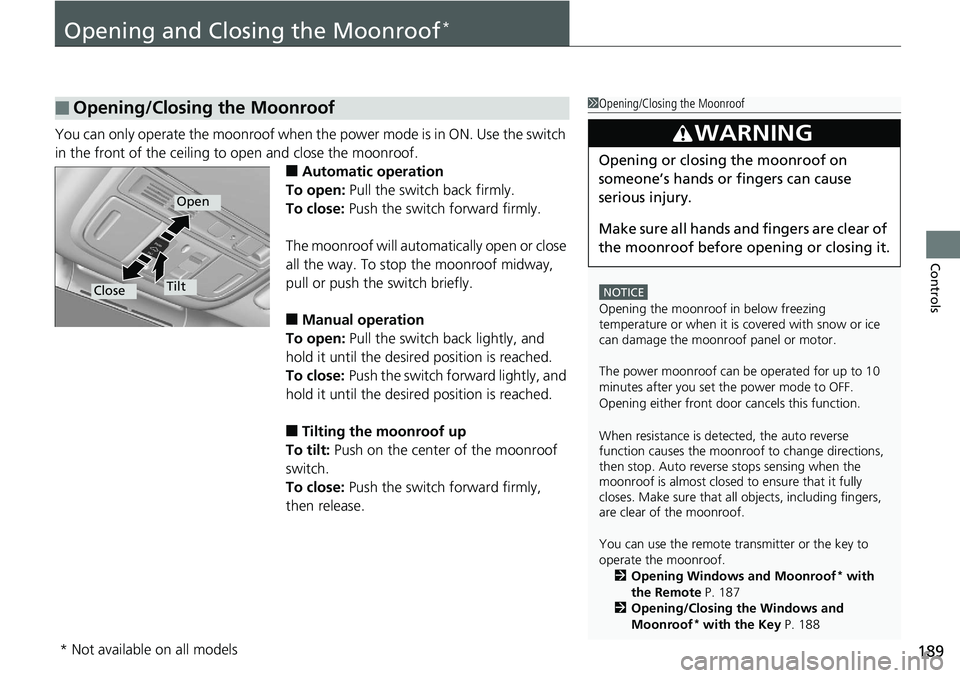
You can only operate the moonroof when the power mode is in ON. Use the switch
in the front of the ceiling to open and close the moonroof.
■Automatic operation
To open: Pull the switch back firmly.
To close: Push the switch forward firmly.
The moonroof will automatically open or close
all the way. To stop the moonroof midway,
pull or push the switch briefly.
■Manual operation
To open: Pull the switch back lightly, and
hold it until the desired position is reached.
To close: Push the switch fo rward lightly, and
hold it until the desired position is reached.
■Tilting the moonroof up
To tilt: Push on the center of the moonroof
switch.
To close: Push the switch forward firmly,
then release.
■Opening/Closing the Moonroof1 Opening/Closing the Moonroof
NOTICE
Opening the moonroof in below freezing
temperature or when it is covered with snow or ice
can damage the moonr oof panel or motor.
The power moonroof can be operated for up to 10
minutes after you set the power mode to OFF.
Opening either front door cancels this function.
When resistance is detected, the auto reverse
function causes the moonroof to change directions,
then stop. Auto reverse stops sensing when the
moonroof is almost closed to ensure that it fully
closes. Make sure that al l objects, including fingers,
are clear of the moonroof.
You can use the remote transmitter or the key to
operate the moonroof.
2 Opening Windows and Moonroof
* with
the Remote P. 187
2 Opening/Closing the Windows and
Moonroof
* with the Key P. 188
3WARNING
Opening or closing the moonroof on
someone’s hands or fingers can cause
serious injury.
Make sure all hands and fingers are clear of
the moonroof before opening or closing it.
Open
CloseTilt
* Not available on all models
Page 193 of 727
Continued191
uuOperating the Switches Around the Steering Wheel uENGINE START/STOP Button
Controls
If you leave the vehicle for 30 to 60 minutes with the transmission in (P*1 and the
power mode in ACCESSORY, the vehicle automa tically goes into the mode similar to
VEHICLE OFF (LOCK) to avoid draining the battery.
When in this mode:
The steering wheel does not lock.
You cannot lock or unlock doors with the re mote transmitter or the smart entry with
push button start system
*.
Press the ENGINE START/STOP button twice to switch the mode to VEHICLE OFF
(LOCK).
If you open the driver’s door when the power mode is set to ACCESSORY, a warning
buzzer sounds.
*1 : Automatic transmission/Continuously variable transmission models
■Automatic Power Off
■Power Mode Reminder
1 Changing the Power Mode
If the power mode does not change from VEHICLE
OFF to ACCESSORY, press the ENGINE START/STOP
button while moving the st eering wheel left and
right. The steering wheel will unlock, allowing the
mode to change.
Do not leave the power mode in ACCESSORY or ON
when you get out.
Manual transmission modelsContinuously variable transmission models
for Canadian models
Manual transmission models
Continuously variable transmission models
for Canadian models
* Not available on all models