2019 GMC SIERRA DENALI TPMS
[x] Cancel search: TPMSPage 28 of 472
GMC Sierra/Sierra Denali Owner Manual (GMNA-Localizing-U.S./Canada/
Mexico-1500-11698638) - 2019 - crc - 5/15/18
In Brief 27in the instrument cluster and the
appropriate DIC message
displays.
.
Press and release
g again to
turn on both systems.
StabiliTrak/ESC will automatically
turn on if the vehicle exceeds
56 km/h (35 mph). Traction control
will remain off.
See Traction Control/Electronic
Stability Control 0 243 .
Tire Pressure Monitor This vehicle may have a Tire
Pressure Monitor System (TPMS).
The low tire pressure warning light
alerts to a significant loss in
pressure of one of the vehicle's
tires. If the warning light comes on,
stop as soon as possible and inflate the tires to the recommended
pressure shown on the Tire and
Loading Information label. See
Vehicle Load Limits 0 209 . The
warning light will remain on until the
tire pressure is corrected.
The low tire pressure warning light
may come on in cool weather when
the vehicle is first started, and then
turn off as the vehicle is driven. This
may be an early indicator that the
tire pressures are getting low and
the tires need to be inflated to the
proper pressure.
The TPMS does not replace normal
monthly tire maintenance. Maintain
the correct tire pressures.
See Tire Pressure Monitor System
0 369 .
Tire Fill Alert (If Equipped)
This feature provides visual and
audible alerts outside the vehicle to
help when inflating an underinflated
tire to the recommended cold tire
pressure. See “ Tire Fill Alert (If
Equipped) ” under Tire Pressure
Monitor Operation 0 370 .Fuel (Gasoline - Except
L87 6.2L Engine) Regular Unleaded Fuel
Use only Regular 87 octane —
(R+M)/2 — or higher unleaded
gasoline in your vehicle. TOP TIER
Detergent Gasoline is
recommended. Do not use gasoline
with an octane rating lower as it will
result in reduced performance and
lower fuel economy.
See Recommended Fuel (Except
6.2L V8 Engine) 0 271 or
Recommended Fuel (6.2L
V8 Engine) 0 271 .
Page 157 of 472
GMC Sierra/Sierra Denali Owner Manual (GMNA-Localizing-U.S./Canada/
Mexico-1500-11698638) - 2019 - crc - 5/15/18
156 Instruments and Controls The engine coolant temperature
warning light comes on when the
engine has overheated.
If this happens, pull over and turn
off the engine as soon as possible.
See Engine Overheating 0 331 .
Driver Mode Control Light
This light comes on when Sport
Mode is selected.
This light comes on when Snow
Mode is selected. This light comes on when Terrain
Mode is selected.
This light comes on when Off-Road
Mode is selected.
Tire Pressure Light For vehicles with the Tire Pressure
Monitor System (TPMS), this light
comes on briefly when the engine is
started. It provides information
about tire pressures and the TPMS.
When the Light Is On Steady
This indicates that one or more of
the tires are significantly
underinflated.
A Driver Information Center (DIC)
tire pressure message may also
display. Stop as soon as possible,
and inflate the tires to the pressure
value shown on the Tire and
Loading Information label. See Tire
Pressure 0 367 .
When the Light Flashes First and
Then Is On Steady
If the light flashes for about a minute
and then stays on, there may be a
problem with the TPMS. If the
problem is not corrected, the light
will come on at every ignition cycle.
See Tire Pressure Monitor
Operation 0 370 .
Page 298 of 472
GMC Sierra/Sierra Denali Owner Manual (GMNA-Localizing-U.S./Canada/
Mexico-1500-11698638) - 2019 - crc - 5/16/18
Driving and Operating 297Create a Trailer Profile
1. Touch Create Profile on the
pop-up or touch + New Trailer
in the Trailering App.
2. Create a name for the trailer.
3. Select the hitch type.
A checklist profile will be
created based on the type
selected.
4. Select the trailer type.
A pop-up will indicate the setup is
complete. Touch DONE to complete
the process or touch ADVANCED
SETUP to set up the Tow/Haul
Mode reminder, Trailer Tire
Pressure Monitoring System,
if equipped, or maintenance
reminders.
Advanced Setup
Tow/Haul Mode Reminder
To turn the Tow/Haul Mode
Reminder setting on, touch Yes. To
turn it off, touch No. Trailer Tire Pressure Setup
If the Trailer Tire Pressure
Monitoring System (TTPMS) is
detected, touch Yes to set up the
sensors or touch No to skip this
step and go to the Maintenance
Reminders step.
If the vehicle is not equipped with
TTPMS, the app will advance
directly to the Maintenance
Reminders screen. Follow the
on-screen instructions.
A trailer must be electrically
connected to the vehicle before
starting the sensor-to-vehicle learn
process.
After selecting Start from the Learn
Sensors screen, use the Tool
Method or the Manual Method
(described below) to learn each tire
sensor, during which the current tire
number will be highlighted.
Each sensor has a minimum of
two minutes to learn, shown by a
timer. After a sensor is learned, a
checkmark appears next to the tire,
the vehicle horn will sound, the vehicle ’ s brake lamps will flash, and
all working trailer lamps will flash.
It then moves to the next sensor.
To cancel the process touch Stop.
The recommended tire pressure
must be entered for the trailer tires.
This allows the vehicle to alert when
the tire pressure is high or low.
TTPMS must learn the location of
the installed tire sensors to show
correct air pressure and
temperature for each tire. To set up,
use one of the following options or
see a tire or trailer dealer for
service. The learning process must
be repeated when the trailer tires
are rotated or replaced. See “ Editing
a Trailer Profile ” later in this section
for tire pressure sensor relearn
information.
Tool Method: A TTPMS activation
tool can be purchased separately to
learn the sensor locations.
Manual Method: Without the tool,
the air pressure can be increased or
decreased in each tire for
10 seconds. Do not exceed the
maximum inflation pressure found
Page 301 of 472
GMC Sierra/Sierra Denali Owner Manual (GMNA-Localizing-U.S./Canada/
Mexico-1500-11698638) - 2019 - crc - 5/16/18
300 Driving and Operating 5. The reverse lights turn on for
about two seconds.
6. Steps 2 – 5 repeat for
approximately one minute and
45 seconds, or until the test
deactivates.
Touch Stop to stop the test. The test
will automatically end after
one minute and 45 seconds.
The sequence also deactivates
when any of the following occur:
.
The ignition is turned off.
.
The transmission is shifted out
of P (Park).
.
The brake pedal is pressed.
.
The turn signal is activated.
.
The hazard warning lights are
activated. Trailer
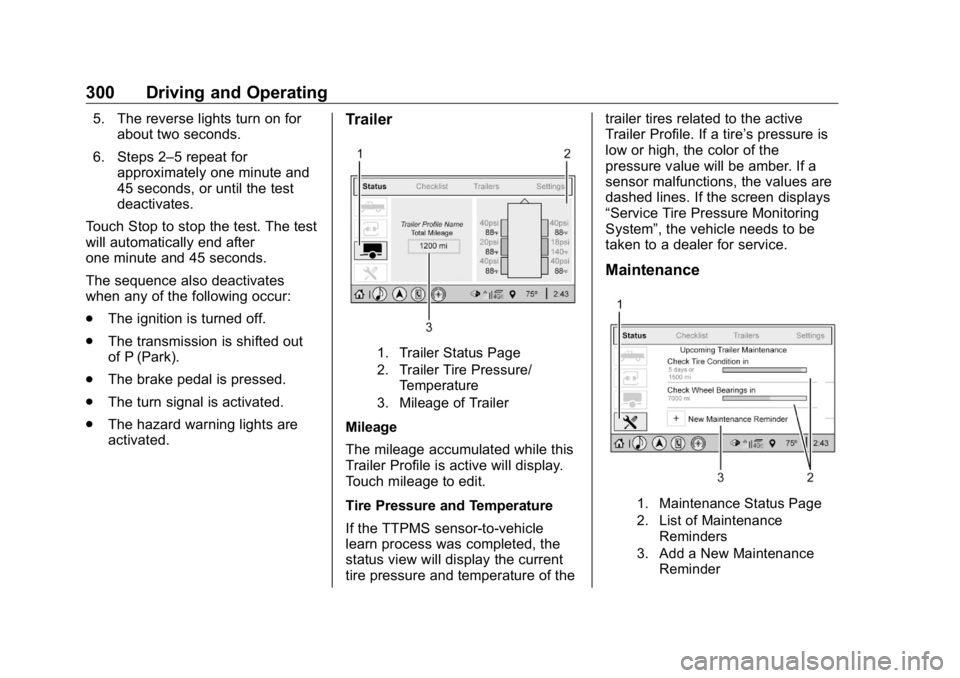
1. Trailer Status Page
2. Trailer Tire Pressure/
Temperature
3. Mileage of Trailer
Mileage
The mileage accumulated while this
Trailer Profile is active will display.
Touch mileage to edit.
Tire Pressure and Temperature
If the TTPMS sensor-to-vehicle
learn process was completed, the
status view will display the current
tire pressure and temperature of the trailer tires related to the active
Trailer Profile. If a tire ’ s pressure is
low or high, the color of the
pressure value will be amber. If a
sensor malfunctions, the values are
dashed lines. If the screen displays
“ Service Tire Pressure Monitoring
System ” , the vehicle needs to be
taken to a dealer for service.
Maintenance
1. Maintenance Status Page
2. List of Maintenance
Reminders
3. Add a New Maintenance
Reminder
Page 304 of 472
GMC Sierra/Sierra Denali Owner Manual (GMNA-Localizing-U.S./Canada/
Mexico-1500-11698638) - 2019 - crc - 5/16/18
Driving and Operating 303Trailer Name
Touch to edit the Trailer Profile ’ s
name. Use at least one character
and no spaces. Touch Save.
Hitch Type
Touch to edit the Trailer Profile ’ s
hitch type. The previously selected
hitch type will be highlighted.
Touch a different hitch type and then
touch Save to save it to the Trailer
Profile. If a different hitch type is
selected, any custom items added
to the previous checklist will be
carried over to the new selection.
If a different hitch type is saved, a
new trailer type will need to be
selected.
Trailer Type
Touch to edit the Trailer Profile ’ s
Trailer Type. The previously
selected trailer type will be
highlighted. Touch a different trailer
type and then touch Save to save it
to the Trailer Profile. Tire Pressure Setup
Touch to set up the Trailer Tire
Pressure Monitoring System
(TTPMS) for the Trailer Profile. See
“ Trailer Tire Pressure Setup ” under
“ Advanced Setup ” for details on the
setup. Also, touch Tire Pressure
Setup if the trailer tires were rotated
or if the tire pressure sensors in the
tires were replaced for this Trailer
Profile. The vehicle will need to
relearn the tire sensors and their
locations.
If TTPMS had been set up
previously, the Select Number of
Sensors screen will appear after
touching Tire Pressure Setup. If the
number of sensors has changed,
select the number and touch Next.
If a new number of sensors is
selected, the Relearn Sensors
pop-up will appear. Touch Cancel to
go back or touch Relearn to
overwrite the current sensors and
begin the relearning process. See
“ Trailer Tire Pressure Setup ”
previously in this section. If number of sensors has not
changed, touch Next and the Learn
sensors screen will appear.
On the Learn Sensors screen.
Touch Relearn to overwrite the
current sensors and begin the
relearning process. See “ Trailer Tire
Pressure Setup ” previously in this
section.
On the Learn Sensors screen, touch
Next to go to the Edit
Recommended Tire Pressure
screen.
On the Edit Recommended Tire
Pressure screen, touch a number on
the keypad to change the
Recommended Tire Pressure for the
trailer ’ s tires. This will change the
number at which the vehicle
displays alerts related to trailer tire
pressure. Touch Done to return to
the Trailer Profile view.
Maintenance Reminders
Touch to view a list of maintenance
reminders for the Trailer Profile.
Page 369 of 472
GMC Sierra/Sierra Denali Owner Manual (GMNA-Localizing-U.S./Canada/
Mexico-1500-11698638) - 2019 - crc - 5/15/18
368 Vehicle Care load the vehicle with more
weight than it was designed to
carry.
When to Check
Check the pressure of the tires
once a month or more.
Do not forget the spare tire,
if the vehicle has one. See
Full-Size Spare Tire 0 394 for
additional information.
How to Check
Use a good quality pocket-type
gauge to check tire pressure.
Proper tire inflation cannot be
determined by looking at the tire.
Check the tire inflation pressure
when the tires are cold, meaning
the vehicle has not been driven
for at least three hours or no
more than 1.6 km (1 mi).
Remove the valve cap from the
tire valve stem. Press the tire
gauge firmly onto the valve to
get a pressure measurement.
If the cold tire inflation pressure matches the recommended
pressure on the Tire and
Loading Information label, no
further adjustment is necessary.
If the inflation pressure is low,
add air until the recommended
pressure is reached. If the
inflation pressure is high, press
on the metal stem in the center
of the tire valve to release air.
Re-check the tire pressure with
the tire gauge.
Put the valve caps back on the
valve stems to keep out dirt and
moisture and prevent leaks. Use
only valve caps designed for the
vehicle by GM. TPMS sensors
could be damaged and would
not be covered by the vehicle
warranty. Tire Pressure for
High-Speed Operation
{ WarningDriving at high speeds, 160 km/h
(100 mph) or higher, puts
additional strain on tires.
Sustained high-speed driving
causes excessive heat buildup
and can cause sudden tire failure.
This could cause a crash, and
you or others could be killed.
Some high-speed rated tires
require inflation pressure
adjustment for high-speed
operation. When speed limits and
road conditions allow the vehicle
to be driven at high speeds, make
sure the tires are rated for
high-speed operation, are in
excellent condition, and are set to
the correct cold tire inflation
pressure for the vehicle load.
Page 370 of 472
GMC Sierra/Sierra Denali Owner Manual (GMNA-Localizing-U.S./Canada/
Mexico-1500-11698638) - 2019 - crc - 5/15/18
Vehicle Care 369
Tire Pressure Monitor
System The Tire Pressure Monitor System
(TPMS) uses radio and sensor
technology to check tire pressure
levels. The TPMS sensors monitor
the air pressure in your tires and
transmit tire pressure readings to a
receiver located in the vehicle.
Each tire, including the spare (if
provided), should be checked
monthly when cold and inflated to
the inflation pressure recommended
by the vehicle manufacturer on the
vehicle placard or tire inflation
pressure label. (If your vehicle has
tires of a different size than the size
indicated on the vehicle placard or
tire inflation pressure label, you
should determine the proper tire
inflation pressure for those tires.)
As an added safety feature, your
vehicle has been equipped with a
tire pressure monitoring system
(TPMS) that illuminates a low tire
pressure telltale when one or more
of your tires is significantly
under-inflated. Accordingly, when the low tire
pressure telltale illuminates, you
should stop and check your tires as
soon as possible, and inflate them
to the proper pressure. Driving on a
significantly under-inflated tire
causes the tire to overheat and can
lead to tire failure. Under-inflation
also reduces fuel efficiency and tire
tread life, and may affect the
vehicle's handling and stopping
ability.
Please note that the TPMS is not a
substitute for proper tire
maintenance, and it is the driver's
responsibility to maintain correct tire
pressure, even if under-inflation has
not reached the level to trigger
illumination of the TPMS low tire
pressure telltale.
Your vehicle has also been
equipped with a TPMS malfunction
indicator to indicate when the
system is not operating properly.
The TPMS malfunction indicator is
combined with the low tire pressure
telltale. When the system detects a
malfunction, the telltale will flash for
approximately one minute and then remain continuously illuminated.
This sequence will continue upon
subsequent vehicle start-ups as
long as the malfunction exists.
When the malfunction indicator is
illuminated, the system may not be
able to detect or signal low tire
pressure as intended. TPMS
malfunctions may occur for a variety
of reasons, including the installation
of replacement or alternate tires or
wheels on the vehicle that prevent
the TPMS from functioning properly.
Always check the TPMS malfunction
telltale after replacing one or more
tires or wheels on your vehicle to
ensure that the replacement or
alternate tires and wheels allow the
TPMS to continue to function
properly.
See Tire Pressure Monitor
Operation 0 370 .
See Radio Frequency Statement
0 443 .
Page 371 of 472
GMC Sierra/Sierra Denali Owner Manual (GMNA-Localizing-U.S./Canada/
Mexico-1500-11698638) - 2019 - crc - 5/15/18
370 Vehicle Care
Tire Pressure Monitor
Operation This vehicle may have a Tire
Pressure Monitor System (TPMS).
The TPMS is designed to warn the
driver when a low tire pressure
condition exists. TPMS sensors are
mounted onto each tire and wheel
assembly, excluding the spare tire
and wheel assembly. The TPMS
sensors monitor the air pressure in
the tires and transmit the tire
pressure readings to a receiver
located in the vehicle.
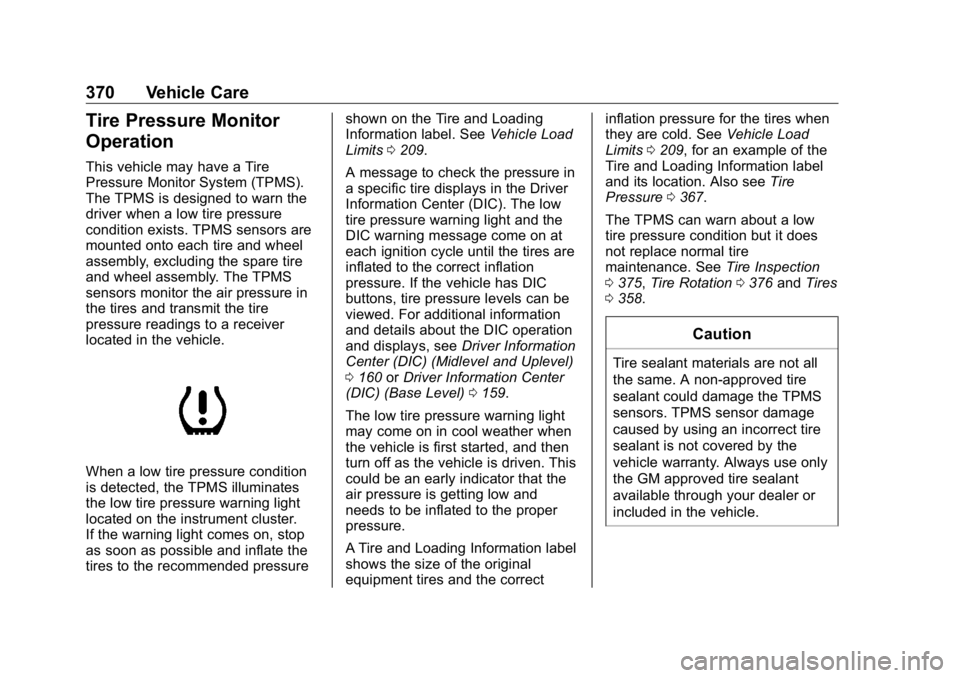
When a low tire pressure condition
is detected, the TPMS illuminates
the low tire pressure warning light
located on the instrument cluster.
If the warning light comes on, stop
as soon as possible and inflate the
tires to the recommended pressure shown on the Tire and Loading
Information label. See Vehicle Load
Limits 0 209 .
A message to check the pressure in
a specific tire displays in the Driver
Information Center (DIC). The low
tire pressure warning light and the
DIC warning message come on at
each ignition cycle until the tires are
inflated to the correct inflation
pressure. If the vehicle has DIC
buttons, tire pressure levels can be
viewed. For additional information
and details about the DIC operation
and displays, see Driver Information
Center (DIC) (Midlevel and Uplevel)
0 160 or Driver Information Center
(DIC) (Base Level) 0 159 .
The low tire pressure warning light
may come on in cool weather when
the vehicle is first started, and then
turn off as the vehicle is driven. This
could be an early indicator that the
air pressure is getting low and
needs to be inflated to the proper
pressure.
A Tire and Loading Information label
shows the size of the original
equipment tires and the correct inflation pressure for the tires when
they are cold. See Vehicle Load
Limits 0 209 , for an example of the
Tire and Loading Information label
and its location. Also see Tire
Pressure 0 367 .
The TPMS can warn about a low
tire pressure condition but it does
not replace normal tire
maintenance. See Tire Inspection
0 375 , Tire Rotation 0 376 and Tires
0 358 .
CautionTire sealant materials are not all
the same. A non-approved tire
sealant could damage the TPMS
sensors. TPMS sensor damage
caused by using an incorrect tire
sealant is not covered by the
vehicle warranty. Always use only
the GM approved tire sealant
available through your dealer or
included in the vehicle.