2019 GMC SIERRA DENALI trailer
[x] Cancel search: trailerPage 8 of 472

GMC Sierra/Sierra Denali Owner Manual (GMNA-Localizing-U.S./Canada/
Mexico-1500-11698638) - 2019 - crc - 5/15/18
In Brief 71. Tow/Haul Mode (On Some
Models). See Driver Mode
Control 0 246 .
Automatic Transfer Case
Control (If Equipped). See
Four-Wheel Drive 0 235 .
Driver Mode Control 0 246 (If
Equipped).
2. Air Vents 0 194 .
3. Head-Up Display (HUD) 0 163
(If Equipped).
4. Turn Signal Lever. See Turn
and Lane-Change Signals
0 181 .
Windshield Wiper/Washer
0 131 .
5. Instrument Cluster 0 138 .
6. Shift Lever. See Automatic
Transmission 0 229 .
Range Selection Mode. See
Manual Mode 0 232 .
7. Light Sensor. See Automatic
Headlamp System 0 179 .
8. Infotainment 0 187 . 9. Climate Control Systems 0 188
(If Equipped).
Dual Automatic Climate Control
System 0 190 (If Equipped).
10. Heated and Ventilated Front
Seats 0 75 (If Equipped).
11.
X Park Assist Switch (If
Equipped). See Assistance
Systems for Parking or Backing
0 254 .
g Traction Control/Electronic
Stability Control 0 243 .
| Hazard Warning Flashers
0 180 .
A Lane Keep Assist (LKA)
0 269 (If Equipped).
5 Hill Descent Control Switch
(If Equipped). See Hill Descent
Control (HDC) 0 245 .
j Power Assist Steps 0 52 (If
Equipped).
5 Power Release Tailgate
(If Equipped). See Tailgate
0 47 . DC/AC Switch. See Power
Outlets 0 132 .
h Auto Stop Disable Switch
(If Equipped). See Stop/Start
System 0 222 .
L Express Window Down
Button (If Equipped). See
Power Windows 0 63 .
Tow/Haul Mode (On Some
Models). See Driver Mode
Control 0 246 .
12. Power Outlet (Alternating
Current) (If Equipped). See
Power Outlets 0 132 .
13. Power Outlets 0 132 .
14. USB Port. See the infotainment
manual.
15. Wireless Charging 0 135 (If
Equipped).
16. Trailer Brake Control Panel (If
Equipped). See “ Integrated
Trailer Brake Control System ”
under Towing Equipment
0 285 .
Page 51 of 472
GMC Sierra/Sierra Denali Owner Manual (GMNA-Localizing-U.S./Canada/
Mexico-1500-11698638) - 2019 - crc - 5/15/18
50 Keys, Doors, and Windows
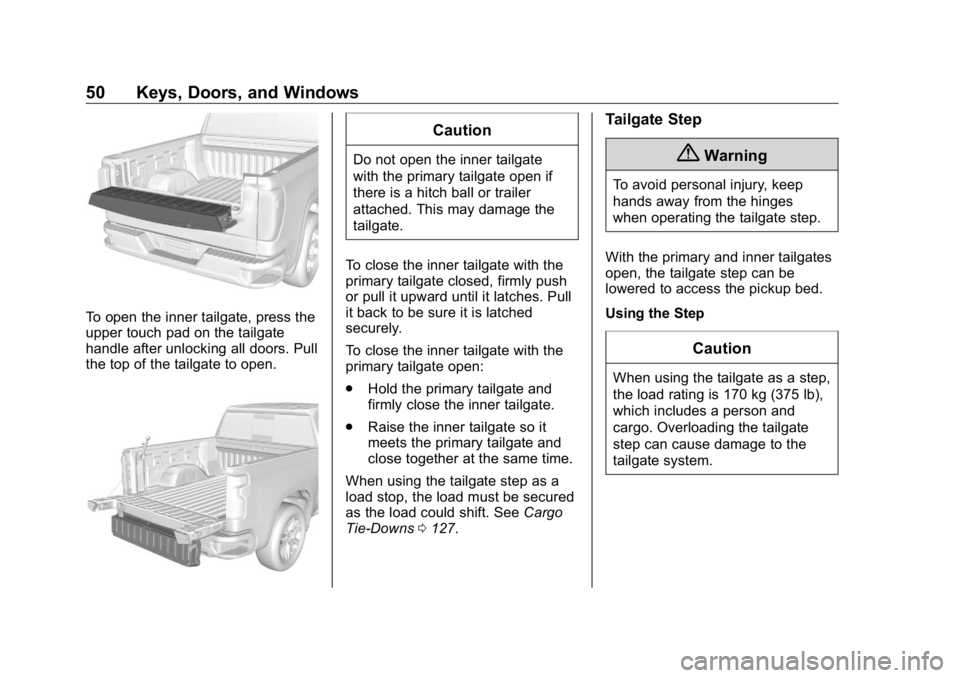
To open the inner tailgate, press the
upper touch pad on the tailgate
handle after unlocking all doors. Pull
the top of the tailgate to open. CautionDo not open the inner tailgate
with the primary tailgate open if
there is a hitch ball or trailer
attached. This may damage the
tailgate.
To close the inner tailgate with the
primary tailgate closed, firmly push
or pull it upward until it latches. Pull
it back to be sure it is latched
securely.
To close the inner tailgate with the
primary tailgate open:
.
Hold the primary tailgate and
firmly close the inner tailgate.
.
Raise the inner tailgate so it
meets the primary tailgate and
close together at the same time.
When using the tailgate step as a
load stop, the load must be secured
as the load could shift. See Cargo
Tie-Downs 0 127 . Tailgate Step
{ WarningTo avoid personal injury, keep
hands away from the hinges
when operating the tailgate step.
With the primary and inner tailgates
open, the tailgate step can be
lowered to access the pickup bed.
Using the Step
CautionWhen using the tailgate as a step,
the load rating is 170 kg (375 lb),
which includes a person and
cargo. Overloading the tailgate
step can cause damage to the
tailgate system.
Page 59 of 472
GMC Sierra/Sierra Denali Owner Manual (GMNA-Localizing-U.S./Canada/
Mexico-1500-11698638) - 2019 - crc - 5/15/18
58 Keys, Doors, and Windows See Remote Keyless Entry (RKE)
System Operation (Keyless Access)
0 33 or Remote Keyless Entry
(RKE) System Operation (Key
Access) 0 41 .
This feature can be turned on or off.
See Vehicle Personalization 0 167 .
Task Lighting
If equipped, task lighting projects
light from the outside mirrors to the
sides of the vehicle. See Task
Lighting 0 182 .
Advanced Trailering Vision
System Side Cameras
If equipped, the Advanced Trailering
Vision System side cameras are on
the bottom of the outside mirrors. To
locate for cleaning, see “ Surround
Vision (360 Degrees) ” under
Assistance Systems for Parking or
Backing 0 254 .
Lane Change Alert (LCA)
The vehicle may have LCA. See
Lane Change Alert (LCA) 0 267 . Side Blind Zone Alert
The vehicle may have Side Blind
Zone Alert. See Side Blind Zone
Alert (SBZA) 0 267 .
Heated Mirrors If equipped with heated mirrors:
1 REAR : Press to heat the
outside mirrors.
See “ Rear Window Defogger ” under
Dual Automatic Climate Control
System 0 190 .
Automatic Dimming
Mirror If equipped, the driver outside mirror
automatically adjusts for the glare of
the headlamps from behind. This
feature comes on when the vehicle
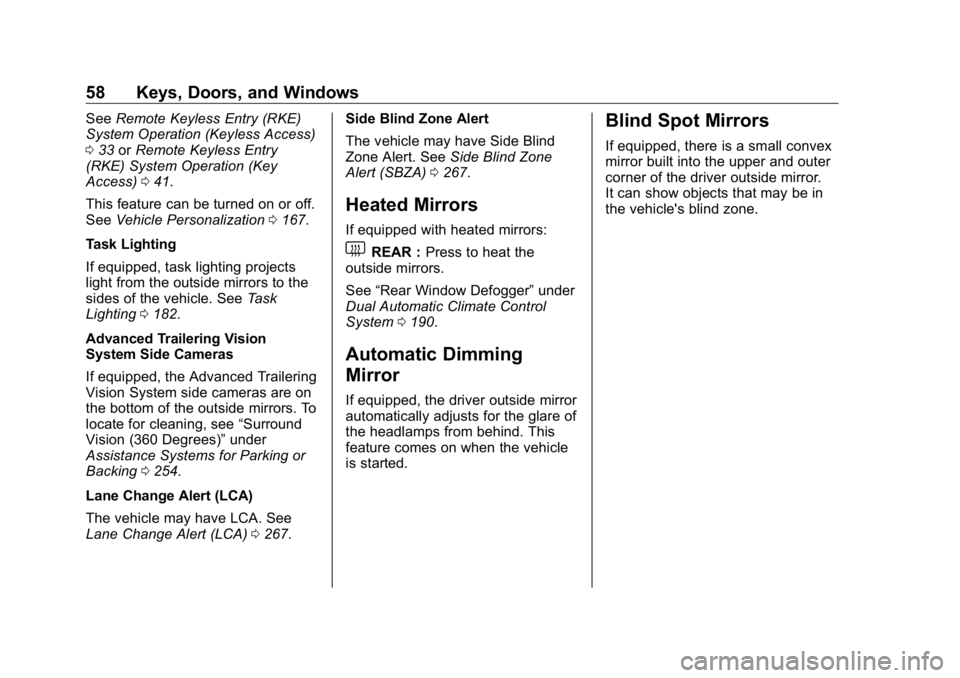
is started. Blind Spot Mirrors If equipped, there is a small convex
mirror built into the upper and outer
corner of the driver outside mirror.
It can show objects that may be in
the vehicle's blind zone.
Page 151 of 472
GMC Sierra/Sierra Denali Owner Manual (GMNA-Localizing-U.S./Canada/
Mexico-1500-11698638) - 2019 - crc - 5/15/18
150 Instruments and Controls If towing a trailer, reduce the
amount of cargo being hauled as
soon as possible.
If the light continues to flash, find a
safe place to park. Turn the vehicle
off and wait at least 10 seconds
before restarting the engine. If the
light is still flashing, follow the
previous guidelines and see your
dealer for service as soon as
possible.
If the light is on steady : A
malfunction has been detected.
Diagnosis and service may be
required.
Check the following:
.
If fuel has been added to the
vehicle using the capless funnel
adapter, make sure that it has
been removed. See “ Filling the
Tank with a Portable Gas Can ”
under Filling the Tank 0 273 .
The diagnostic system can
detect if the adapter has been
left installed in the vehicle,
allowing fuel to evaporate into the atmosphere. A few driving
trips with the adapter removed
may turn off the light.
.
Poor fuel quality can cause
inefficient engine operation and
poor driveability, which may go
away once the engine is warmed
up. If this occurs, change the
fuel brand. It may require at
least one full tank of the proper
fuel to turn the light off.
See Recommended Fuel
(Except 6.2L V8 Engine) 0 271
or Recommended Fuel (6.2L
V8 Engine) 0 271 .
If the light remains on, see your
dealer.
Emissions Inspection and
Maintenance Programs If the vehicle requires an Emissions
Inspection/Maintenance test, the
test equipment will likely connect to
the vehicle's Data Link
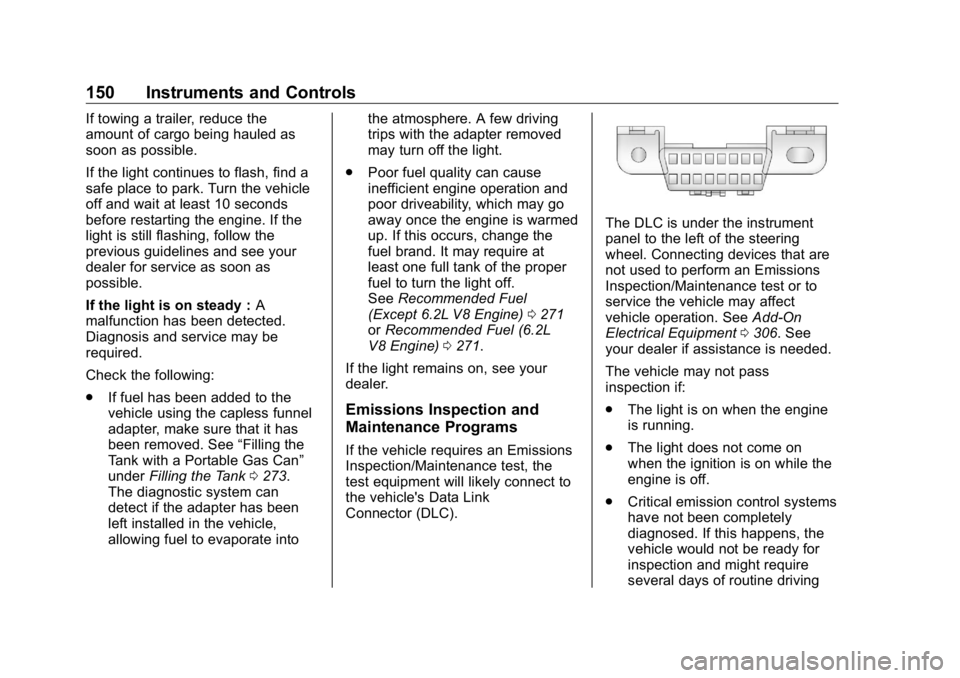
Connector (DLC). The DLC is under the instrument
panel to the left of the steering
wheel. Connecting devices that are
not used to perform an Emissions
Inspection/Maintenance test or to
service the vehicle may affect
vehicle operation. See Add-On
Electrical Equipment 0 306 . See
your dealer if assistance is needed.
The vehicle may not pass
inspection if:
.
The light is on when the engine
is running.
.
The light does not come on
when the ignition is on while the
engine is off.
.
Critical emission control systems
have not been completely
diagnosed. If this happens, the
vehicle would not be ready for
inspection and might require
several days of routine driving
Page 156 of 472
GMC Sierra/Sierra Denali Owner Manual (GMNA-Localizing-U.S./Canada/
Mexico-1500-11698638) - 2019 - crc - 5/15/18
Instruments and Controls 155If equipped, the Electronic Stability
Control (ESC) or TCS indicator/
warning light comes on briefly when
the engine is started.
If the light does not come on, have
the vehicle serviced by your dealer.
If the system is working normally,
the indicator light turns off.
If the light is on and not flashing, the
TCS, and potentially the ESC
system have been disabled.
If the indicator/warning light is on
and flashing, the TCS and/or the
ESC system is actively working.
See Traction Control/Electronic
Stability Control 0 243 .
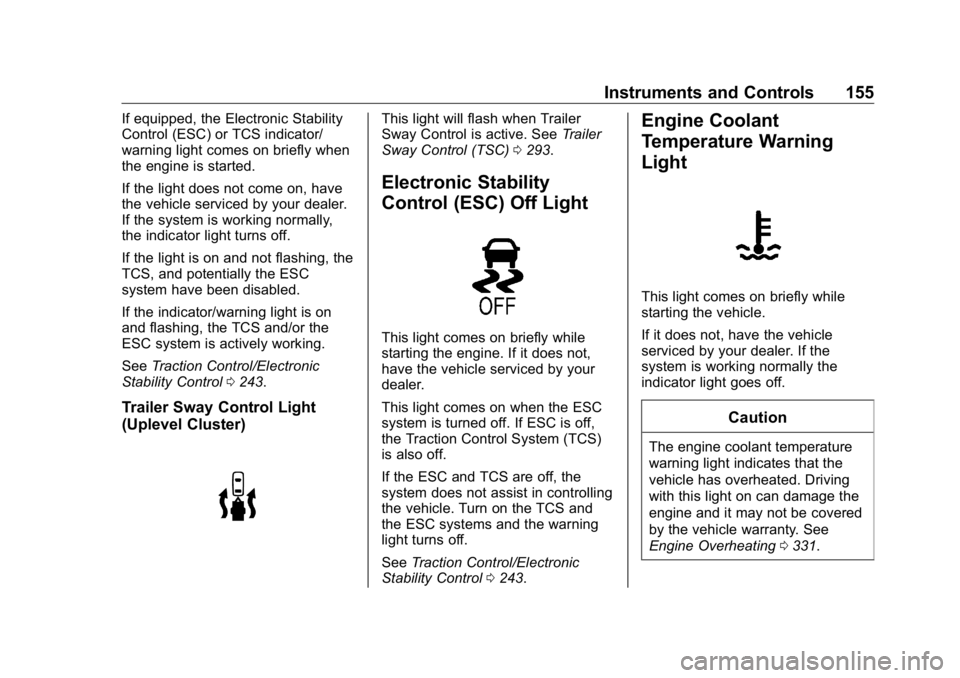
Trailer Sway Control Light
(Uplevel Cluster) This light will flash when Trailer
Sway Control is active. See Trailer
Sway Control (TSC) 0 293 .
Electronic Stability
Control (ESC) Off Light
This light comes on briefly while
starting the engine. If it does not,
have the vehicle serviced by your
dealer.
This light comes on when the ESC
system is turned off. If ESC is off,
the Traction Control System (TCS)
is also off.
If the ESC and TCS are off, the
system does not assist in controlling
the vehicle. Turn on the TCS and
the ESC systems and the warning
light turns off.
See Traction Control/Electronic
Stability Control 0 243 .Engine Coolant
Temperature Warning
Light
This light comes on briefly while
starting the vehicle.
If it does not, have the vehicle
serviced by your dealer. If the
system is working normally the
indicator light goes off.
Caution
The engine coolant temperature
warning light indicates that the
vehicle has overheated. Driving
with this light on can damage the
engine and it may not be covered
by the vehicle warranty. See
Engine Overheating 0 331 .
Page 163 of 472
GMC Sierra/Sierra Denali Owner Manual (GMNA-Localizing-U.S./Canada/
Mexico-1500-11698638) - 2019 - crc - 5/15/18
162 Instruments and Controls In addition to the engine oil life
system monitoring the oil life,
additional maintenance is
recommended. See Maintenance
Schedule 0 415 .
The Oil Life display must be reset
after each oil change. It will not
reset itself. Do not reset the Oil Life
display at any time other than when
the oil has just been changed.
It cannot be reset accurately until
the next oil change. To reset the
engine oil life system, press the
thumbwheel while the Oil Life
display is active. See Engine Oil
Life System 0 323 .
Tire Pressure : Shows the
approximate pressures of all four
tires. Tire pressure is displayed in
either kilopascal (kPa) or in pounds
per square inch (psi). If the pressure
is low, the value for that tire is
shown in amber.
See Tire Pressure Monitor System
0 369 and Tire Pressure Monitor
Operation 0 370 .
Air Filter Life : Shows an estimate
of the engine air filter ’ s remaining
useful life and the state of the system. Engine Air Filter Life 95%
means 95% of the current air filter
life remains. Messages will display
based on the engine air filter life and
the state of the system. When the
REPLACE AT NEXT OIL CHANGE
message displays, the engine air
filter should be replaced at the time
of the next oil change. When the
REPLACE NOW message displays,
the engine air filter should be
replaced as soon as possible.
The Air Filter Life display must be
reset after the engine air filter
replacement. To reset, see Engine
Air Filter Life System 0 325 .
Brake Pad Life : This displays an
estimate of the remaining life of the
front and rear brake pads.
Messages will display based on
brake pad wear and the state of the
system. Reset the Brake Pad Life
display after replacing the brake
pads. See Brake Pad Life System
0 335 . Fuel Economy : Displays average
fuel economy, the best fuel
economy over the selected
distance, and a bar graph showing
instantaneous fuel economy.
Press the thumbwheel to change
the selected distance. Press and
hold the thumbwheel while this
display is active to reset the best
fuel economy and average fuel
economy. This display can also be
reset by selecting reset in the menu.
Engine Hours (Hourmeter) :
Shows the total number of hours the
engine has run. This display also
shows the engine idle hours.
Transmission Fluid
Temperature : Shows the
temperature of the automatic
transmission fluid in either degrees
Celsius (°C) or degrees
Fahrenheit (°F).
Trailer Brake : On vehicles with the
Integrated Trailer Brake Control
(ITBC) system, the trailer brake
display appears in the DIC.
Page 164 of 472
GMC Sierra/Sierra Denali Owner Manual (GMNA-Localizing-U.S./Canada/
Mexico-1500-11698638) - 2019 - crc - 5/15/18
Instruments and Controls 163TRAILER GAIN shows the trailer
gain setting. This setting can be
adjusted from 0.0 to 10.0 with either
a trailer connected or disconnected.
OUTPUT shows the power output to
the trailer any time a trailer with
electric brakes is connected. Output
is displayed as a bar graph. Dotted
lines may appear in the OUTPUT
display if a trailer is not connected.
Off Road : Displays vehicle pitch
and roll information, road wheel
angle, and four-wheel drive (4WD)
status.
Follow Distance : If equipped, the
current follow time to the vehicle
ahead is displayed as a time value
on this page.
Driver Assistance : If equipped,
shows information for Lane Keep
Assist (LKA) and Forward Collision
Alert (FCA).
Info Page Options : Scroll to
choose which info pages appear on
the DIC. Press the thumbwheel to
select or deselect. Blank Page : Shows no
information.
Head-Up Display (HUD)
{ WarningIf the HUD image is too bright or
too high in your field of view, it
may take you more time to see
things you need to see when it is
dark outside. Be sure to keep the
HUD image dim and placed low in
your field of view.
If equipped with HUD, some
information about the operation of
the vehicle is projected onto the
windshield. The image is projected
through the HUD lens on top of the
instrument panel. The information
appears as an image focused out
toward the front of the vehicle. CautionIf you try to use the HUD image
as a parking aid, you may
misjudge the distance and
damage your vehicle. Do not use
the HUD image as a parking aid.
The HUD information can be
displayed in various languages. The
speedometer reading and other
numerical values can be displayed
in either English or metric units.
The language selection is changed
through the radio, and the units of
measurement is changed through
the instrument cluster. See
“ Settings ” in the infotainment
manual and “ Options ” under
Instrument Cluster 0 138 .
Page 166 of 472
GMC Sierra/Sierra Denali Owner Manual (GMNA-Localizing-U.S./Canada/
Mexico-1500-11698638) - 2019 - crc - 5/15/18
Instruments and Controls 165thumbwheel to confirm and save the
setting. This feature may only be
available in P (Park).
Speed Limit Style Adjustment
The speed limit style can be
changed to a speed limit bar or
speed limit sign from the Options
menu. Press the thumbwheel while
Speed Limit Style is highlighted to
change the speed sign style or to
turn it off.
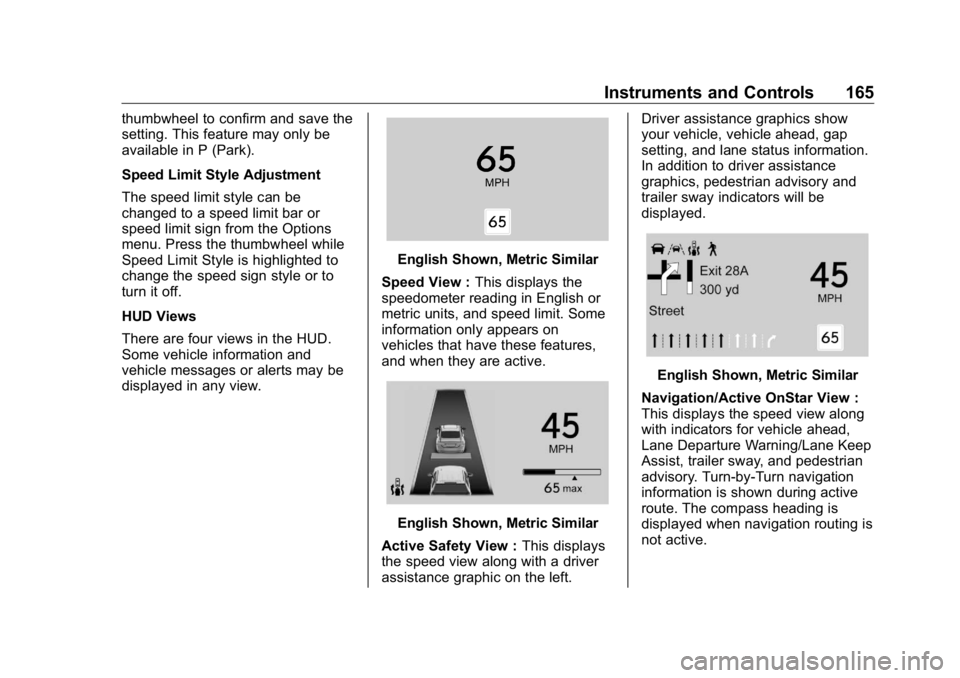
HUD Views
There are four views in the HUD.
Some vehicle information and
vehicle messages or alerts may be
displayed in any view. English Shown, Metric Similar
Speed View : This displays the
speedometer reading in English or
metric units, and speed limit. Some
information only appears on
vehicles that have these features,
and when they are active.
English Shown, Metric Similar
Active Safety View : This displays
the speed view along with a driver
assistance graphic on the left. Driver assistance graphics show
your vehicle, vehicle ahead, gap
setting, and lane status information.
In addition to driver assistance
graphics, pedestrian advisory and
trailer sway indicators will be
displayed.
English Shown, Metric Similar
Navigation/Active OnStar View :
This displays the speed view along
with indicators for vehicle ahead,
Lane Departure Warning/Lane Keep
Assist, trailer sway, and pedestrian
advisory. Turn-by-Turn navigation
information is shown during active
route. The compass heading is
displayed when navigation routing is
not active.