2019 GMC SIERRA DENALI tow
[x] Cancel search: towPage 127 of 472

GMC Sierra/Sierra Denali Owner Manual (GMNA-Localizing-U.S./Canada/
Mexico-1500-11698638) - 2019 - crc - 5/15/18
126 Storage
Underseat Storage
There may be storage under the
rear passenger seat. Lift up on the
seat bench to access. Push the seat
bench toward the floor to close. Rear Storage
There may be storage in the rear
seat. Pull the tab to access.
Push the storage door to close. The
storage door must be closed before
installing child restraints. Center Console Storage
Bench Seat
Pull the strap on the side of the
center seatback to access the
storage area and cupholders. Do
not use the center seatback as a
seating position when the seatback
is folded down.
To raise the seatback, push the
seatback rearward until it locks in
the upright position. Push and pull
on the seatback to make sure it is
locked.
Page 130 of 472
GMC Sierra/Sierra Denali Owner Manual (GMNA-Localizing-U.S./Canada/
Mexico-1500-11698638) - 2019 - crc - 5/15/18
Instruments and Controls 129
Instruments and
Controls Controls Steering Wheel Adjustment . . . 130
Steering Wheel Controls . . . . . . 131
Heated Steering Wheel . . . . . . . 131
Horn . . . . . . . . . . . . . . . . . . . . . . . . . . 131
Windshield Wiper/Washer . . . . 131
Compass . . . . . . . . . . . . . . . . . . . . . 132
Clock . . . . . . . . . . . . . . . . . . . . . . . . . 132
Power Outlets . . . . . . . . . . . . . . . . 132
Wireless Charging . . . . . . . . . . . . 135
Warning Lights, Gauges, and
Indicators Warning Lights, Gauges, and
Indicators . . . . . . . . . . . . . . . . . . . 137
Instrument Cluster . . . . . . . . . . . . 138
Speedometer . . . . . . . . . . . . . . . . . 142
Odometer . . . . . . . . . . . . . . . . . . . . . 142
Trip Odometer . . . . . . . . . . . . . . . . 142
Tachometer . . . . . . . . . . . . . . . . . . . 143
Fuel Gauge . . . . . . . . . . . . . . . . . . . 143
Engine Oil Pressure
Gauge . . . . . . . . . . . . . . . . . . . . . . 144
Engine Coolant Temperature
Gauge . . . . . . . . . . . . . . . . . . . . . . 145 Voltmeter Gauge . . . . . . . . . . . . . 146
Seat Belt Reminders . . . . . . . . . 146
Airbag Readiness Light . . . . . . . 147
Passenger Airbag Status
Indicator . . . . . . . . . . . . . . . . . . . . 148
Charging System Light . . . . . . . 148
Malfunction Indicator Lamp
(Check Engine Light) . . . . . . . . 149
Brake System Warning
Light . . . . . . . . . . . . . . . . . . . . . . . . 151
Electric Parking Brake
Light . . . . . . . . . . . . . . . . . . . . . . . . 152
Service Electric Parking Brake
Light . . . . . . . . . . . . . . . . . . . . . . . . 152
Antilock Brake System (ABS)
Warning Light . . . . . . . . . . . . . . . 152
Four-Wheel-Drive Light . . . . . . . 153
Tow/Haul Mode Light . . . . . . . . . 153
Hill Descent Control Light . . . . 153
Lane Keep Assist (LKA)
Light . . . . . . . . . . . . . . . . . . . . . . . . 153
Vehicle Ahead Indicator . . . . . . 154
Pedestrian Ahead Indicator . . . 154
Traction Off Light . . . . . . . . . . . . . 154
Traction Control System (TCS)/
Electronic Stability Control
Light . . . . . . . . . . . . . . . . . . . . . . . . 154
Electronic Stability Control
(ESC) Off Light . . . . . . . . . . . . . . 155 Engine Coolant Temperature
Warning Light . . . . . . . . . . . . . . . 155
Driver Mode Control Light . . . . 156
Tire Pressure Light . . . . . . . . . . . 156
Engine Oil Pressure Light
(Uplevel Cluster) . . . . . . . . . . . . 157
Low Fuel Warning Light . . . . . . 157
Security Light . . . . . . . . . . . . . . . . . 157
High-Beam On Light . . . . . . . . . . 157
Front Fog Lamp Light . . . . . . . . . 158
Lamps On Reminder . . . . . . . . . 158
Cruise Control Light . . . . . . . . . . 158
Door Ajar Light . . . . . . . . . . . . . . . 158
Information Displays Driver Information Center (DIC)
(Base Level) . . . . . . . . . . . . . . . . 159
Driver Information Center (DIC)
(Midlevel and Uplevel) . . . . . . 160
Head-Up Display (HUD) . . . . . . 163
Vehicle Messages Vehicle Messages . . . . . . . . . . . . 166
Engine Power Messages . . . . . 167
Vehicle Speed Messages . . . . . 167
Vehicle Personalization Vehicle Personalization . . . . . . . 167
Universal Remote System
Universal Remote System . . . . 172
Page 151 of 472
GMC Sierra/Sierra Denali Owner Manual (GMNA-Localizing-U.S./Canada/
Mexico-1500-11698638) - 2019 - crc - 5/15/18
150 Instruments and Controls If towing a trailer, reduce the
amount of cargo being hauled as
soon as possible.
If the light continues to flash, find a
safe place to park. Turn the vehicle
off and wait at least 10 seconds
before restarting the engine. If the
light is still flashing, follow the
previous guidelines and see your
dealer for service as soon as
possible.
If the light is on steady : A
malfunction has been detected.
Diagnosis and service may be
required.
Check the following:
.
If fuel has been added to the
vehicle using the capless funnel
adapter, make sure that it has
been removed. See “ Filling the
Tank with a Portable Gas Can ”
under Filling the Tank 0 273 .
The diagnostic system can
detect if the adapter has been
left installed in the vehicle,
allowing fuel to evaporate into the atmosphere. A few driving
trips with the adapter removed
may turn off the light.
.
Poor fuel quality can cause
inefficient engine operation and
poor driveability, which may go
away once the engine is warmed
up. If this occurs, change the
fuel brand. It may require at
least one full tank of the proper
fuel to turn the light off.
See Recommended Fuel
(Except 6.2L V8 Engine) 0 271
or Recommended Fuel (6.2L
V8 Engine) 0 271 .
If the light remains on, see your
dealer.
Emissions Inspection and
Maintenance Programs If the vehicle requires an Emissions
Inspection/Maintenance test, the
test equipment will likely connect to
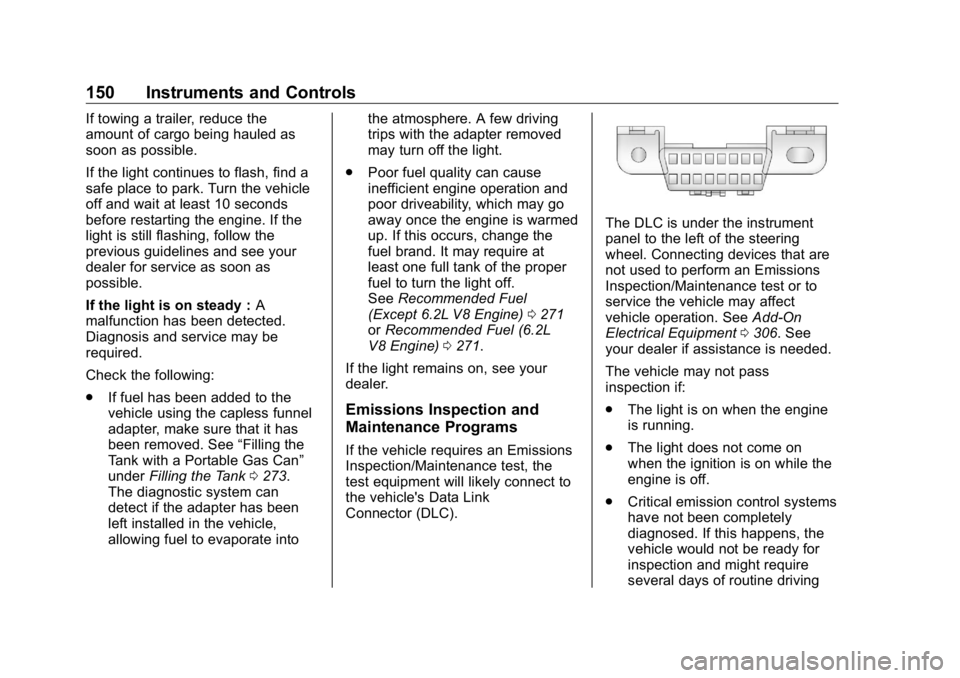
the vehicle's Data Link
Connector (DLC). The DLC is under the instrument
panel to the left of the steering
wheel. Connecting devices that are
not used to perform an Emissions
Inspection/Maintenance test or to
service the vehicle may affect
vehicle operation. See Add-On
Electrical Equipment 0 306 . See
your dealer if assistance is needed.
The vehicle may not pass
inspection if:
.
The light is on when the engine
is running.
.
The light does not come on
when the ignition is on while the
engine is off.
.
Critical emission control systems
have not been completely
diagnosed. If this happens, the
vehicle would not be ready for
inspection and might require
several days of routine driving
Page 152 of 472
GMC Sierra/Sierra Denali Owner Manual (GMNA-Localizing-U.S./Canada/
Mexico-1500-11698638) - 2019 - crc - 5/23/18
Instruments and Controls 151before the system is ready for
inspection. This can happen if
the 12-volt battery has recently
been replaced or run down, or if
the vehicle has been recently
serviced.
See your dealer if the vehicle will
not pass or cannot be made ready
for the test.
Brake System Warning
Light The vehicle brake system consists
of electronically controlled hydraulic
brake circuits. If a fault is detected,
valves are adjusted to allow the
brake pedal to push brake fluid
directly into the hydraulic brake
circuits. When a fault occurs, the
brake system warning light comes
on, and Driver Information Center
(DIC) messages may display.
Vehicle speed may also be limited
and the amount of brake pedal force
applied may need to increase. Have
the vehicle brake system serviced
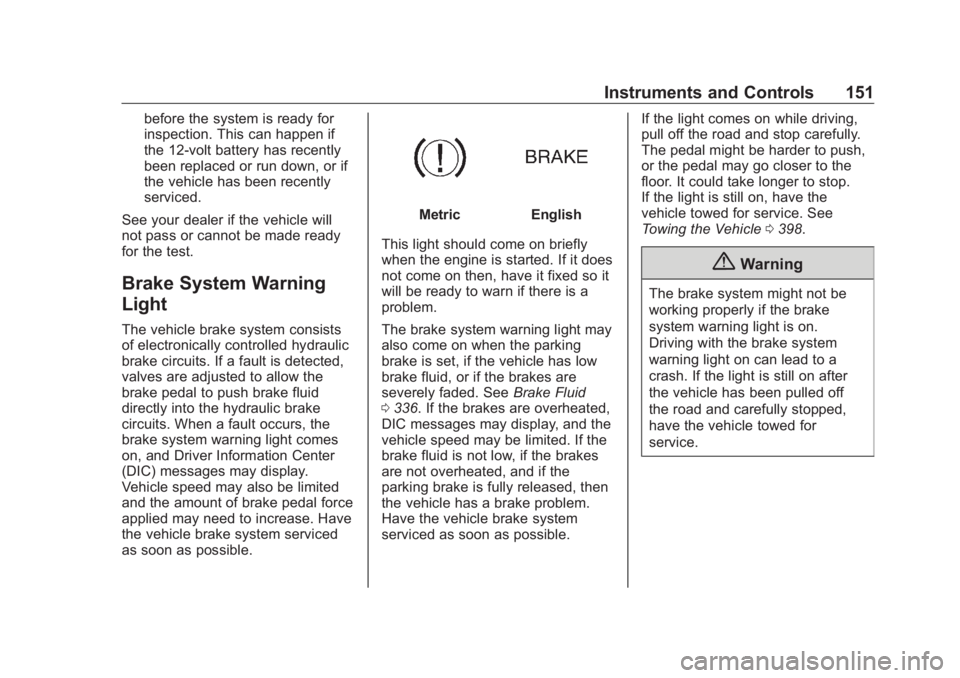
as soon as possible. Metric English
This light should come on briefly
when the engine is started. If it does
not come on then, have it fixed so it
will be ready to warn if there is a
problem.
The brake system warning light may
also come on when the parking
brake is set, if the vehicle has low
brake fluid, or if the brakes are
severely faded. See Brake Fluid
0 336 . If the brakes are overheated,
DIC messages may display, and the
vehicle speed may be limited. If the
brake fluid is not low, if the brakes
are not overheated, and if the
parking brake is fully released, then
the vehicle has a brake problem.
Have the vehicle brake system
serviced as soon as possible. If the light comes on while driving,
pull off the road and stop carefully.
The pedal might be harder to push,
or the pedal may go closer to the
floor. It could take longer to stop.
If the light is still on, have the
vehicle towed for service. See
Towing the Vehicle 0 398 .
{ WarningThe brake system might not be
working properly if the brake
system warning light is on.
Driving with the brake system
warning light on can lead to a
crash. If the light is still on after
the vehicle has been pulled off
the road and carefully stopped,
have the vehicle towed for
service.
Page 154 of 472
GMC Sierra/Sierra Denali Owner Manual (GMNA-Localizing-U.S./Canada/
Mexico-1500-11698638) - 2019 - crc - 5/15/18
Instruments and Controls 153If both the ABS and the brake
system warning light are on, the
vehicle's antilock brakes are not
functioning and there is a problem
with the regular brakes. See your
dealer for service.
See Brake System Warning Light
0 151 .
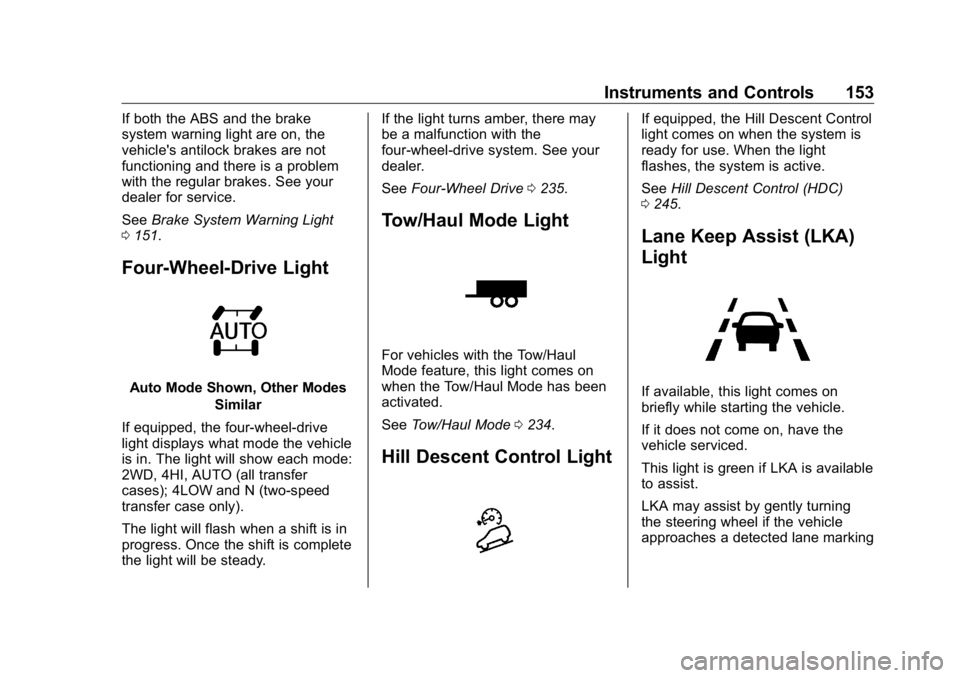
Four-Wheel-Drive Light
Auto Mode Shown, Other Modes
Similar
If equipped, the four-wheel-drive
light displays what mode the vehicle
is in. The light will show each mode:
2WD, 4HI, AUTO (all transfer
cases); 4LOW and N (two-speed
transfer case only).
The light will flash when a shift is in
progress. Once the shift is complete
the light will be steady. If the light turns amber, there may
be a malfunction with the
four-wheel-drive system. See your
dealer.
See Four-Wheel Drive 0 235 .
Tow/Haul Mode Light
For vehicles with the Tow/Haul
Mode feature, this light comes on
when the Tow/Haul Mode has been
activated.
See Tow/Haul Mode 0 234 .
Hill Descent Control Light If equipped, the Hill Descent Control
light comes on when the system is
ready for use. When the light
flashes, the system is active.
See Hill Descent Control (HDC)
0 245 .
Lane Keep Assist (LKA)
Light
If available, this light comes on
briefly while starting the vehicle.
If it does not come on, have the
vehicle serviced.
This light is green if LKA is available
to assist.
LKA may assist by gently turning
the steering wheel if the vehicle
approaches a detected lane marking
Page 164 of 472
GMC Sierra/Sierra Denali Owner Manual (GMNA-Localizing-U.S./Canada/
Mexico-1500-11698638) - 2019 - crc - 5/15/18
Instruments and Controls 163TRAILER GAIN shows the trailer
gain setting. This setting can be
adjusted from 0.0 to 10.0 with either
a trailer connected or disconnected.
OUTPUT shows the power output to
the trailer any time a trailer with
electric brakes is connected. Output
is displayed as a bar graph. Dotted
lines may appear in the OUTPUT
display if a trailer is not connected.
Off Road : Displays vehicle pitch
and roll information, road wheel
angle, and four-wheel drive (4WD)
status.
Follow Distance : If equipped, the
current follow time to the vehicle
ahead is displayed as a time value
on this page.
Driver Assistance : If equipped,
shows information for Lane Keep
Assist (LKA) and Forward Collision
Alert (FCA).
Info Page Options : Scroll to
choose which info pages appear on
the DIC. Press the thumbwheel to
select or deselect. Blank Page : Shows no
information.
Head-Up Display (HUD)
{ WarningIf the HUD image is too bright or
too high in your field of view, it
may take you more time to see
things you need to see when it is
dark outside. Be sure to keep the
HUD image dim and placed low in
your field of view.
If equipped with HUD, some
information about the operation of
the vehicle is projected onto the
windshield. The image is projected
through the HUD lens on top of the
instrument panel. The information
appears as an image focused out
toward the front of the vehicle. CautionIf you try to use the HUD image
as a parking aid, you may
misjudge the distance and
damage your vehicle. Do not use
the HUD image as a parking aid.
The HUD information can be
displayed in various languages. The
speedometer reading and other
numerical values can be displayed
in either English or metric units.
The language selection is changed
through the radio, and the units of
measurement is changed through
the instrument cluster. See
“ Settings ” in the infotainment
manual and “ Options ” under
Instrument Cluster 0 138 .
Page 170 of 472
GMC Sierra/Sierra Denali Owner Manual (GMNA-Localizing-U.S./Canada/
Mexico-1500-11698638) - 2019 - crc - 5/15/18
Instruments and Controls 169Park Assist
This allows the feature to be turned
on or off. See Assistance Systems
for Parking or Backing 0 254 .
Select Off, On, or On with Towbar.
Rear Camera Park Assist Symbols
This setting enables the Rear
Camera Park Assist Symbols. See
Assistance Systems for Parking or
Backing 0 254 .
Touch Off or On.
Rear Cross Traffic Alert
This allows the Rear Cross Traffic
Alert feature to be turned on or off.
See Assistance Systems for Parking
or Backing 0 254 .
Touch Off or On.
Comfort and Convenience
Touch and the following may
display:
.
Chime Volume
.
Reverse Tilt Mirror
.
Remote Mirror Folding Chime Volume
This determines the chime volume
level.
Touch the controls on the
infotainment display to adjust the
volume.
Reverse Tilt Mirror
This allows the feature to be turned
on or off. See Reverse Tilt Mirrors
0 59 .
Touch Off, On - Driver and
Passenger, On - Driver, or On -
Passenger.
Remote Mirror Folding
When on, the outside mirrors will
remotely fold or unfold when the
Remote Keyless Entry (RKE)
transmitter
Q or
K button is
pressed and held. See Folding
Mirrors 0 57 .
Touch Off or On. Lighting Touch and the following may
display:
.
Vehicle Locator Lights
.
Exit Lighting
Vehicle Locator Lights
This setting flashes the vehicle ’ s
headlamps when
K is pressed on
the Remote Keyless Entry (RKE)
transmitter.
Touch Off or On.
Exit Lighting
This setting specifies how long the
headlamps stay on after the vehicle
is turned off and exited.
Touch Off, 30 Seconds, 60 Seconds,
or 120 Seconds.
Power Door Locks
Touch and the following may
display:
.
Open Door Anti Lock Out
.
Auto Door Unlock
.
Delayed Door Lock
Page 179 of 472

GMC Sierra/Sierra Denali Owner Manual (GMNA-Localizing-U.S./Canada/
Mexico-1500-11698638) - 2019 - crc - 5/15/18
178 Lighting Keep this area of the windshield
clear of debris to allow for best
system performance.
The high-beam headlamps remain
on, under the automatic control,
until one of the following situations
occurs:
.
The system detects an
approaching vehicle's
headlamps.
.
The system detects a preceding
vehicle's taillamps.
.
The outside light is bright
enough that high-beam
headlamps are not required.
.
The vehicle's speed drops below
20 km/h (12 mph).
.
The IntelliBeam system is
disabled by the button on the
turn signal lever. If this happens,
press the button on the end of
the turn signal lever when the
exterior lamp control is in the
AUTO or
2 position. The
instrument cluster light will come
on to indicate the IntelliBeam is
reactivated. See Headlamp High/Low-Beam
Changer 0 178 and
Flash-to-Pass 0 179 .
The high beams may not turn off
automatically if the system cannot
detect another vehicle's lamps
because of any of the following:
.
The other vehicle's lamps are
missing, damaged, obstructed
from view, or otherwise
undetected.
.
The other vehicle's lamps are
covered with dirt, snow, and/or
road spray.
.
The other vehicle's lamps cannot
be detected due to dense
exhaust, smoke, fog, snow, road
spray, mist, or other airborne
obstructions.
.
The vehicle's windshield is dirty,
cracked, or obstructed by
something that blocks the view
of the light sensor. .
The vehicle is loaded such that
the front end points upward,
causing the light sensor to aim
high and not detect headlamps
and taillamps.
.
Driving on winding or hilly roads.
The automatic high-beam
headlamps may need to be disabled
if any of the above conditions exist.
Exterior Lamps Off
Reminder A reminder chime sounds when the
headlamps or parking lamps are
manually turned on, the ignition is
off, and a door is open. To disable
the chime, turn the lamps off.
Headlamp High/
Low-Beam Changer Push the turn signal lever toward
the instrument panel to change the
headlamps from low to high beam.
Pull or push the turn signal lever to
return to low-beam headlamps.