2019 GMC SIERRA DENALI remote start
[x] Cancel search: remote startPage 75 of 472
GMC Sierra/Sierra Denali Owner Manual (GMNA-Localizing-U.S./Canada/
Mexico-1500-11698638) - 2019 - crc - 5/15/18
74 Seats and Restraints Identifying Driver Number
To identify the driver number:
1. Start the vehicle with a different
key or RKE transmitter. The
DIC should display the driver
number; 1 or 2. Turn the
ignition off and remove the key
or RKE transmitter from the
vehicle.
2. Start the vehicle with the initial
key or RKE transmitter. The
DIC should display the other
driver number not shown in
Step 1.
Saving Memory Positions
Read these instructions completely
before saving memory positions.
To save preferred driving positions
1 and 2:
1. Turn the ignition on or to ACC/
ACCESSORY.
A DIC welcome message may
indicate driver number 1 or 2.
2. Adjust all available memory
features to the desired driving
position. 3. Press and release SET; a beep
will sound.
4. Immediately press and hold the
1 or 2 memory button matching
the above DIC welcome
message until two beeps
sound.
If too much time passes
between releasing SET and
pressing 1, the memory
position will not be saved and
two beeps will not sound.
Repeat Steps 3 and 4.
1 or 2 corresponds to the driver
number. See “ Identifying Driver
Number ” previously in this
section.
5. Repeat Steps 1 – 4 for a second
driver using 1 or 2.
To save the position for
B and
Seat Exit Memory, repeat Steps 1 – 4
using
B . This saves the position
for getting out of the vehicle.
Save preferred memory feature
positions to both 1 and 2 if you are
the only driver. Manually Recalling Memory
Positions
Press and hold 1, 2, or
B to recall
the previously saved memory
positions.
To stop Manual Memory Recall
movement, release 1, 2, or
B or
press any of the following controls:
.
Power seat
.
Memory SET
.
Power mirror, with the driver or
passenger outside mirror
selected
Seat Entry Memory
The vehicle identifies the number of
the current driver ’ s RKE transmitter
(1 – 8).
See Remote Keyless Entry (RKE)
System Operation (Keyless Access)
0 33 or Remote Keyless Entry
(RKE) System Operation (Key
Access) 0 41 . If the RKE transmitter
is 1 or 2, and Seat Entry Memory is
programmed on in vehicle
personalization, the positions saved
to the same memory button number
Page 77 of 472

GMC Sierra/Sierra Denali Owner Manual (GMNA-Localizing-U.S./Canada/
Mexico-1500-11698638) - 2019 - crc - 5/15/18
76 Seats and Restraints Warning (Continued)heat, such as a blanket, cushion,
cover, or similar item. This may
cause the seat heater to
overheat. An overheated seat
heater may cause a burn or may
damage the seat.
Heated and Ventilated Seat
Buttons Shown, Heated Seat
Buttons Similar
If equipped, the buttons are on the
center stack. To operate, the engine
must be running. Press
I or
+ to heat the driver or
passenger seatback only.
Press
J or
z to heat the driver or
passenger seat cushion and
seatback.
Press
C or
{ to ventilate the driver
or passenger seat.
The indicator light on the button
comes on when this feature is on.
Press the button once for the
highest setting. With each press of
the button, the seat will change to
the next lower setting, and then to
the off setting. The indicator lights
next to the buttons indicate three for
the highest setting and one for the
lowest. If the heated seats are on
high for an extended time, their level
may automatically be lowered.
Remote Start Heated and
Ventilated Seats
If equipped, the heated seats will
turn on automatically during a
remote start if it is cold outside and
the ventilated seats will turn on
automatically if it is hot outside. If equipped, the heated steering
wheel will turn on automatically
during a remote start if it is cold
outside. The heated and ventilated
seat indicators and heated steering
wheel indicator may not come on
during this operation.
The heated and ventilated seats
and heated steering wheel may
cancel when the vehicle is started.
These features can be manually
selected after the ignition is
turned on.
The temperature performance of an
unoccupied seat may be reduced.
This is normal.
The heated or ventilated seats will
not turn on during a remote start
unless they are enabled in vehicle
personalization.
See Remote Vehicle Start 0 43 and
Vehicle Personalization 0 167 .
Page 132 of 472
GMC Sierra/Sierra Denali Owner Manual (GMNA-Localizing-U.S./Canada/
Mexico-1500-11698638) - 2019 - crc - 5/15/18
Instruments and Controls 131
Steering Wheel Controls The infotainment system can be
operated by using the steering
wheel controls. See “ Steering Wheel
Controls ” in the infotainment
manual.
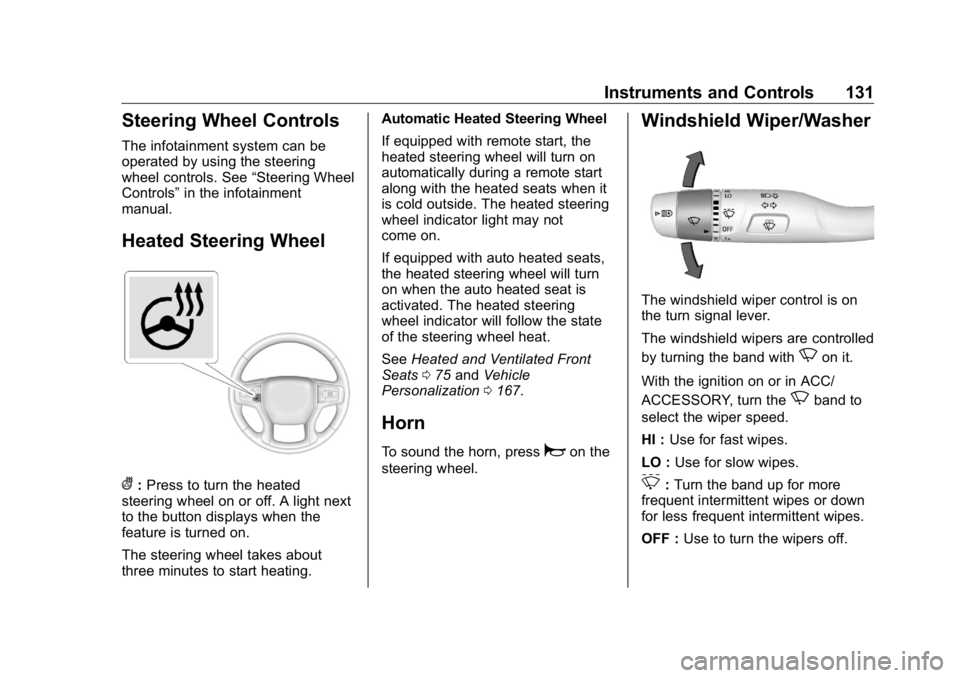
Heated Steering Wheel
( : Press to turn the heated
steering wheel on or off. A light next
to the button displays when the
feature is turned on.
The steering wheel takes about
three minutes to start heating. Automatic Heated Steering Wheel
If equipped with remote start, the
heated steering wheel will turn on
automatically during a remote start
along with the heated seats when it
is cold outside. The heated steering
wheel indicator light may not
come on.
If equipped with auto heated seats,
the heated steering wheel will turn
on when the auto heated seat is
activated. The heated steering
wheel indicator will follow the state
of the steering wheel heat.
See Heated and Ventilated Front
Seats 0 75 and Vehicle
Personalization 0 167 .
Horn To sound the horn, press
a on the
steering wheel. Windshield Wiper/Washer
The windshield wiper control is on
the turn signal lever.
The windshield wipers are controlled
by turning the band with
N on it.
With the ignition on or in ACC/
ACCESSORY, turn the
N band to
select the wiper speed.
HI : Use for fast wipes.
LO : Use for slow wipes.
3 : Turn the band up for more
frequent intermittent wipes or down
for less frequent intermittent wipes.
OFF : Use to turn the wipers off.
Page 171 of 472

GMC Sierra/Sierra Denali Owner Manual (GMNA-Localizing-U.S./Canada/
Mexico-1500-11698638) - 2019 - crc - 5/15/18
170 Instruments and Controls Open Door Anti Lock Out
This setting prevents the driver door
from locking when the door is open.
If this setting is on, the Delayed
Door Lock menu will not be
available. If this setting is turned off,
the Delayed Door Lock menu may
not be available until the next
ignition cycle.
Touch Off or On.
Auto Door Unlock
This setting allows selection of
which doors will automatically
unlock when the vehicle is shifted
into P (Park).
Touch Off, All Doors, or Driver Door.
Delayed Door Lock
When on, this feature will delay the
locking of the doors. To override the
delay, press the power door lock
switch on the door.
Touch Off or On. Remote Lock, Unlock, Start Touch and the following may
display:
.
Remote Unlock Light Feedback
.
Remote Lock Feedback
.
Remote Door Unlock
.
Remote Start Auto Cool Seats
.
Remote Start Auto Heat Seats
.
Remote Window Operation
.
Passive Door Unlock
.
Passive Door Lock
.
Remote Left in Vehicle Alert
Remote Unlock Light Feedback
When on, the exterior lamps will
flash when unlocking the vehicle
with the RKE transmitter.
Touch Off or Flash Lights.
Remote Lock Feedback
This allows selection of what type of
feedback is given when locking the
vehicle with the RKE transmitter.
Touch Off, Lights and Horn, Lights
Only, or Horn Only. Remote Door Unlock
This allows selection of which doors
will unlock when pressing
K on the
RKE transmitter.
Touch All Doors or Driver Door.
Remote Start Auto Cool Seats
If equipped and turned on, this
feature will turn on the ventilated
seats when using remote start on
warm days.
See Heated and Ventilated Front
Seats 0 75 and Remote Vehicle
Start 0 43 .
Touch Off or On.
Remote Start Auto Heat Seats
If equipped and turned on, this
feature will turn on the heated seats
when using remote start on
cold days.
See Heated and Ventilated Front
Seats 0 75 and Remote Vehicle
Start 0 43 .
Touch Off or On.
Page 194 of 472
GMC Sierra/Sierra Denali Owner Manual (GMNA-Localizing-U.S./Canada/
Mexico-1500-11698638) - 2019 - crc - 5/18/18
Climate Controls 193Avoid using recirculation for long
periods of time in cold or damp
conditions. Using recirculation in
cold or damp conditions can result
in window fogging.
A/C : Press to turn the air
conditioning on or off. An indicator
light comes on to show that the air
conditioning is enabled. If the fan is
turned off, the air conditioner will not
run. The A/C light will stay on even
if the outside temperatures are
below freezing.
Rear Window Defogger
1 REAR : If equipped, press to
turn the rear window defogger on or
off. An indicator light on the button
comes on to show that the rear
window defogger is on.
The rear window defogger only
works when the engine is running.
The defogger turns off if the ignition
is turned off or to ACC/
ACCESSORY. If equipped with heated outside
mirrors, press
1 REAR to turn
them on or off. See Heated Mirrors
0 58 .
CautionUsing a razor blade or sharp
object to clear the inside rear
window can damage the rear
window defogger. Repairs would
not be covered by the vehicle
warranty. Do not clear the inside
rear window with sharp objects.
Remote Start Climate Control
Operation : If equipped with remote
start, the climate control system
may run when the vehicle is started
remotely. If equipped with heated or
ventilated seats or a heated steering
wheel, these features may come on
during a remote start. See Remote
Vehicle Start 0 43 , Heated and
Ventilated Front Seats 0 75 , and
Heated Steering Wheel 0 131 . Sensors
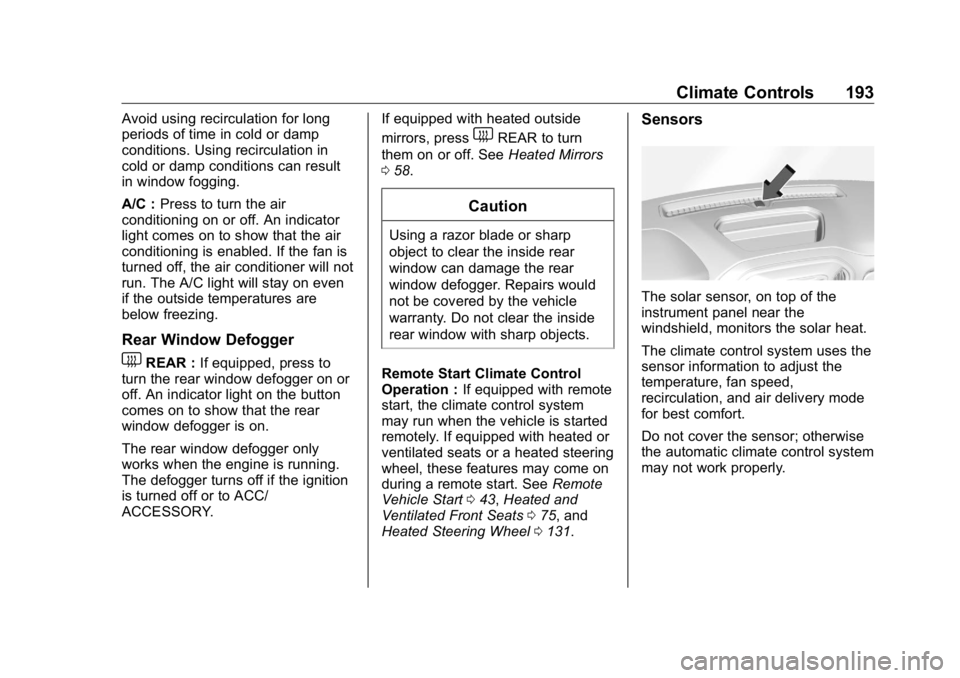
The solar sensor, on top of the
instrument panel near the
windshield, monitors the solar heat.
The climate control system uses the
sensor information to adjust the
temperature, fan speed,
recirculation, and air delivery mode
for best comfort.
Do not cover the sensor; otherwise
the automatic climate control system
may not work properly.
Page 220 of 472
GMC Sierra/Sierra Denali Owner Manual (GMNA-Localizing-U.S./Canada/
Mexico-1500-11698638) - 2019 - crc - 5/16/18
Driving and Operating 219while the vehicle is off. It also
unlocks the steering column,
if equipped with a locking steering
column. Use this position if the
vehicle must be pushed or towed.
See Retained Accessory Power
(RAP) 0 225 .
From ON/RUN, push the key all the
way in toward the steering column,
then turn the key to ACC/
ACCESSORY.
If the key is left in ACC/
ACCESSORY with the engine off,
the battery could drain and the
vehicle may not start.
A warning chime will sound when
the driver door is opened and the
key is in the ignition.
2 (ON/RUN) : This position can be
used to operate the electrical
accessories and to display some
instrument cluster warning and
indicator lights. This position can
also be used for service and
diagnostics, and to verify the proper
operation of the malfunction
indicator lamp as may be required
for emission inspection purposes. The switch stays in this position
when the engine is running. The
transmission is also unlocked in this
position on automatic transmission
vehicles.
If the key is left in ON/RUN with the
engine off, the battery could drain
and the vehicle may not start.
3 (START) : This is the position that
starts the engine. When the engine
starts, release the key. The ignition
returns to ON/RUN for driving.
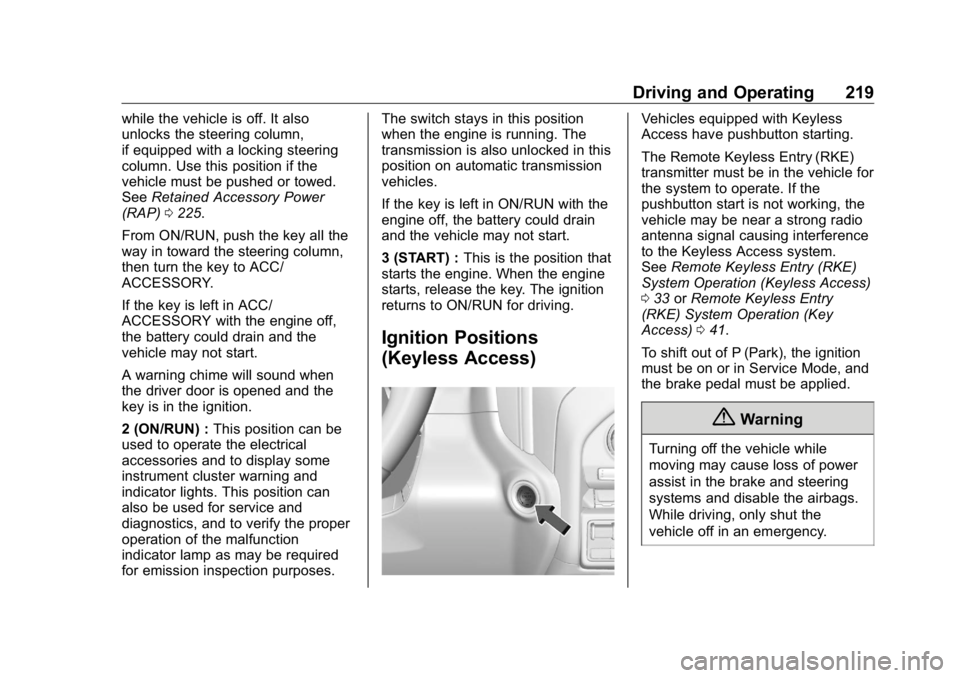
Ignition Positions
(Keyless Access) Vehicles equipped with Keyless
Access have pushbutton starting.
The Remote Keyless Entry (RKE)
transmitter must be in the vehicle for
the system to operate. If the
pushbutton start is not working, the
vehicle may be near a strong radio
antenna signal causing interference
to the Keyless Access system.
See Remote Keyless Entry (RKE)
System Operation (Keyless Access)
0 33 or Remote Keyless Entry
(RKE) System Operation (Key
Access) 0 41 .
To shift out of P (Park), the ignition
must be on or in Service Mode, and
the brake pedal must be applied.
{ Warning
Turning off the vehicle while
moving may cause loss of power
assist in the brake and steering
systems and disable the airbags.
While driving, only shut the
vehicle off in an emergency.
Page 314 of 472
GMC Sierra/Sierra Denali Owner Manual (GMNA-Localizing-U.S./Canada/
Mexico-1500-11698638) - 2019 - crc - 5/15/18
Vehicle Care 313
California Proposition
65 Warning
{ WarningMost motor vehicles, including
this one, as well as many of its
service parts and fluids, contain
and/or emit chemicals known to
the State of California to cause
cancer and birth defects or other
reproductive harm. Engine
exhaust, many parts and
systems, many fluids, and some
component wear by-products
contain and/or emit these
chemicals. For more information
go to www.P65Warnings.ca.gov/
passenger-vehicle.
See Battery - North America 0 337
and Jump Starting - North America
0 395 and the back cover. California Perchlorate
Materials Requirements Certain types of automotive
applications, such as airbag
initiators, seat belt pretensioners,
and lithium batteries contained in
Remote Keyless Entry transmitters,
may contain perchlorate materials.
Special handling may be necessary.
For additional information, see
www.dtsc.ca.gov/hazardouswaste/
perchlorate.
Accessories and
Modifications Adding non-dealer accessories or
making modifications to the vehicle
can affect vehicle performance and
safety, including such things as
airbags, braking, stability, ride and
handling, emissions systems,
aerodynamics, durability, and
electronic systems like antilock
brakes, traction control, and stability
control. These accessories or
modifications could even cause
malfunction or damage not covered
by the vehicle warranty. Damage to suspension components
caused by modifying vehicle height
outside of factory settings will not be
covered by the vehicle warranty.
Damage to vehicle components
resulting from modifications or the
installation or use of non-GM
certified parts, including control
module or software modifications, is
not covered under the terms of the
vehicle warranty and may affect
remaining warranty coverage for
affected parts.
GM Accessories are designed to
complement and function with other
systems on the vehicle. See your
dealer to accessorize the vehicle
using genuine GM Accessories
installed by a dealer technician.
Also, see Adding Equipment to the
Airbag-Equipped Vehicle 0 97 .
Page 315 of 472
GMC Sierra/Sierra Denali Owner Manual (GMNA-Localizing-U.S./Canada/
Mexico-1500-11698638) - 2019 - crc - 5/15/18
314 Vehicle Care
Vehicle Checks Doing Your Own
Service Work
{ WarningIt can be dangerous to work on
your vehicle if you do not have
the proper knowledge, service
manual, tools, or parts. Always
follow owner ’ s manual procedures
and consult the service manual
for your vehicle before doing any
service work.
If doing some of your own service
work, use the proper service
manual. It tells you much more
about how to service the vehicle
than this manual can. To order the
proper service manual, see
Publication Ordering Information
0 442 .
This vehicle has an airbag system.
Before attempting to do your own
service work, see Servicing the
Airbag-Equipped Vehicle 0 96 . If equipped with remote vehicle
start, open the hood before
performing any service work to
prevent remote starting the vehicle
accidentally. See Remote Vehicle
Start 0 43 .
Keep a record with all parts receipts
and list the mileage and the date of
any service work performed. See
Maintenance Records 0 428 .
CautionEven small amounts of
contamination can cause damage
to vehicle systems. Do not allow
contaminants to contact the fluids,
reservoir caps, or dipsticks.
Hood
{ Warning
Turn the vehicle off before
opening the hood. If the vehicle is
on, the engine will start when the
hood is opened. You or others
could be injured. { WarningComponents under the hood can
get hot from running the engine.
To help avoid the risk of burning
unprotected skin, never touch
these components until they have
cooled, and always use a glove or
towel to avoid direct skin contact.
Clear any snow from the hood
before opening.
To open the hood:
1. Pull the hood release lever with
the
i symbol. It is on the
lower left side of the instrument
panel.
2. Go to the front of the vehicle
and locate the secondary
release lever under the front
center of the hood. Push the
secondary hood release lever
to the right to release.