2019 GMC SIERRA DENALI display
[x] Cancel search: displayPage 29 of 472
GMC Sierra/Sierra Denali Owner Manual (GMNA-Localizing-U.S./Canada/
Mexico-1500-11698638) - 2019 - crc - 5/15/18
28 In Brief
Fuel (Gasoline - L87 6.2L
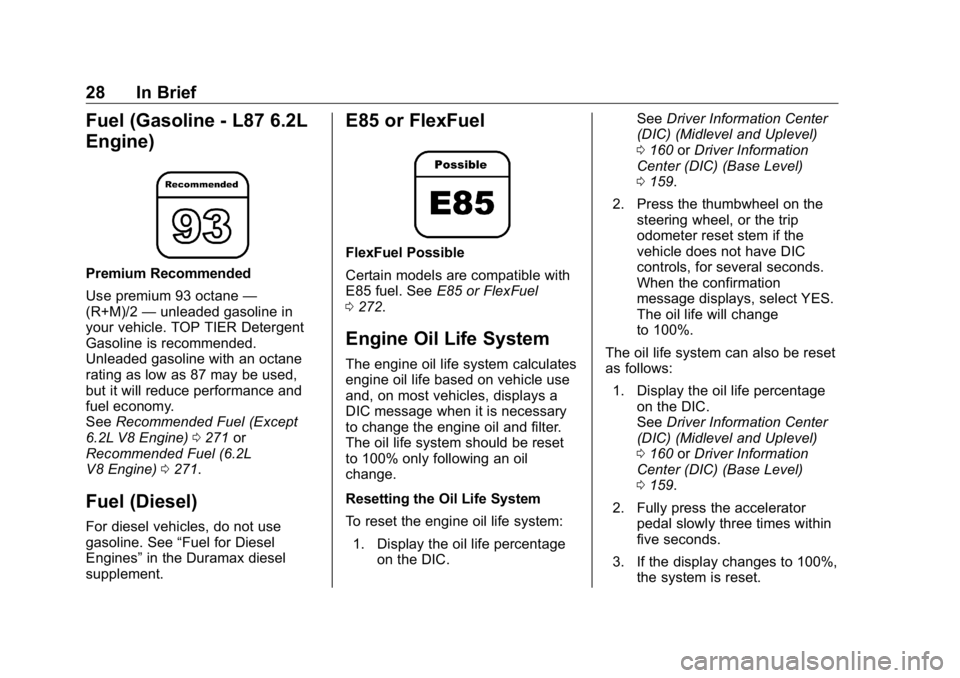
Engine) Premium Recommended
Use premium 93 octane —
(R+M)/2 — unleaded gasoline in
your vehicle. TOP TIER Detergent
Gasoline is recommended.
Unleaded gasoline with an octane
rating as low as 87 may be used,
but it will reduce performance and
fuel economy.
See Recommended Fuel (Except
6.2L V8 Engine) 0 271 or
Recommended Fuel (6.2L
V8 Engine) 0 271 .
Fuel (Diesel) For diesel vehicles, do not use
gasoline. See “ Fuel for Diesel
Engines ” in the Duramax diesel
supplement. E85 or FlexFuel FlexFuel Possible
Certain models are compatible with
E85 fuel. See E85 or FlexFuel
0 272 .
Engine Oil Life System The engine oil life system calculates
engine oil life based on vehicle use
and, on most vehicles, displays a
DIC message when it is necessary
to change the engine oil and filter.
The oil life system should be reset
to 100% only following an oil
change.
Resetting the Oil Life System
To reset the engine oil life system:
1. Display the oil life percentage
on the DIC. See Driver Information Center
(DIC) (Midlevel and Uplevel)
0 160 or Driver Information
Center (DIC) (Base Level)
0 159 .
2. Press the thumbwheel on the
steering wheel, or the trip
odometer reset stem if the
vehicle does not have DIC
controls, for several seconds.
When the confirmation
message displays, select YES.
The oil life will change
to 100%.
The oil life system can also be reset
as follows:
1. Display the oil life percentage
on the DIC.
See Driver Information Center
(DIC) (Midlevel and Uplevel)
0 160 or Driver Information
Center (DIC) (Base Level)
0 159 .
2. Fully press the accelerator
pedal slowly three times within
five seconds.
3. If the display changes to 100%,
the system is reset.
Page 37 of 472
GMC Sierra/Sierra Denali Owner Manual (GMNA-Localizing-U.S./Canada/
Mexico-1500-11698638) - 2019 - crc - 5/15/18
36 Keys, Doors, and Windows Disable/Enable Keyless Unlocking
of Exterior Door Handles and
Tailgate
If equipped, keyless unlocking of the
exterior door handles and tailgate
can be disabled and enabled.
Disabling Keyless Unlocking:
With the vehicle off, press and hold
Q and
K on the RKE transmitter at
the same time for approximately
three seconds. The turn signal
lamps will flash four times quickly to
indicate access is disabled. Using
any exterior handle to unlock the
doors or open the tailgate will cause
the turn signal lamps to flash four
times quickly, indicating access is
disabled. If disabled, disarm the
alarm system before starting the
vehicle.
Enabling Keyless Unlocking:
With the vehicle off, press and hold
Q and
K on the RKE transmitter at
the same time for approximately
three seconds. The turn signal
lamps will flash twice quickly to
indicate access is enabled. Passive Locking
This feature will lock the vehicle
several seconds after all doors are
closed, if the vehicle is off and at
least one RKE transmitter has been
removed from the interior, or none
remain in the interior.
If other electronic devices interfere
with the RKE transmitter signal, the
vehicle may not detect the RKE
transmitter inside the vehicle.
If passive locking is enabled, the
doors may lock with the RKE
transmitter inside the vehicle. Do
not leave the RKE transmitter in an
unattended vehicle.
To customize the doors to
automatically lock when exiting the
vehicle, see “ Remote Lock, Unlock,
Start ” under Vehicle Personalization
0 167 .
Temporary Disable of Passive
Locking
Temporarily disable passive locking
by pressing and holding
K on the
interior door switch with a door open
for at least four seconds, or until three chimes are heard. Passive
locking will then remain disabled
until
Q on the interior door is
pressed, or until the vehicle is
turned on.
Remote Left in Vehicle Alert
When the vehicle is turned off and
an RKE transmitter is left in the
vehicle, the horn will chirp three
times after all doors are closed. To
turn on or off see Vehicle
Personalization 0 167 .
Remote No Longer in Vehicle Alert
If the vehicle is on with a door open
and then all doors are closed, the
vehicle will check for RKE
transmitters inside. If an RKE
transmitter is not detected, the
Driver Information Center (DIC) will
display NO REMOTE DETECTED
and the horn will chirp three times.
This occurs only once each time the
vehicle is driven. To turn on or off
see Vehicle Personalization 0 167 .
Page 38 of 472
GMC Sierra/Sierra Denali Owner Manual (GMNA-Localizing-U.S./Canada/
Mexico-1500-11698638) - 2019 - crc - 5/15/18
Keys, Doors, and Windows 37Key Access
To access a vehicle with a dead
transmitter battery, see Door Locks
0 44 .
Programming Transmitters to
the Vehicle Only RKE transmitters programmed
to the vehicle will work. If a
transmitter is lost or stolen, a
replacement can be purchased and
programmed through your dealer.
The vehicle can be reprogrammed
so that lost or stolen transmitters no
longer work. Each vehicle can have
up to eight transmitters matched
to it.
Programming with Recognized
Transmitters
A new transmitter can be
programmed to the vehicle when
there are two recognized
transmitters. To program, the vehicle must be off
and all transmitters, both currently
recognized and new, must be
with you.
1. Remove the key from a
recognized transmitter.
2. Place the two recognized
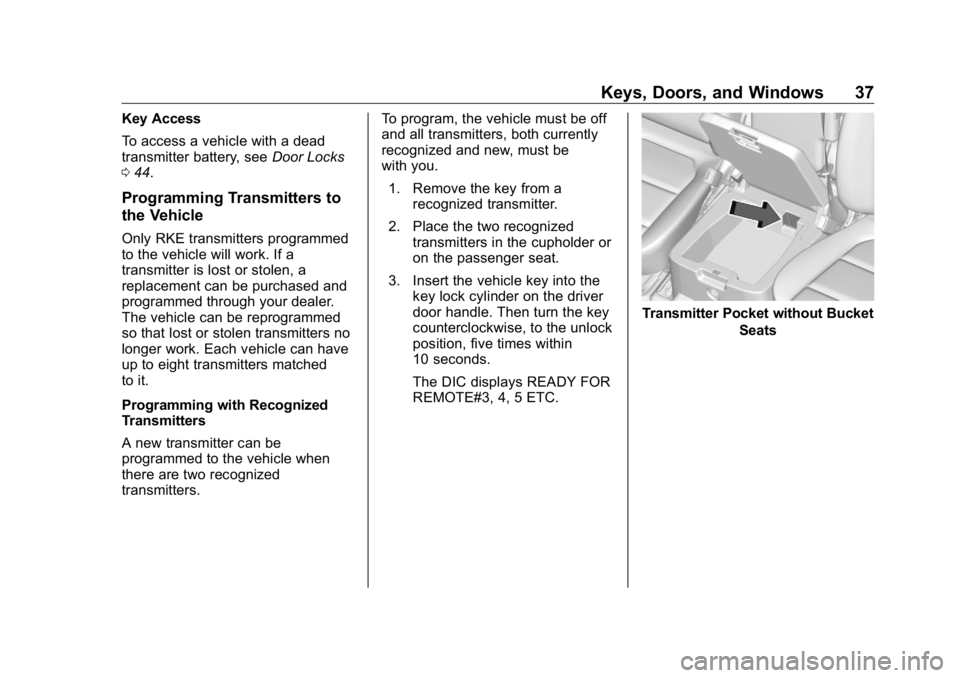
transmitters in the cupholder or
on the passenger seat.
3. Insert the vehicle key into the
key lock cylinder on the driver
door handle. Then turn the key
counterclockwise, to the unlock
position, five times within
10 seconds.
The DIC displays READY FOR
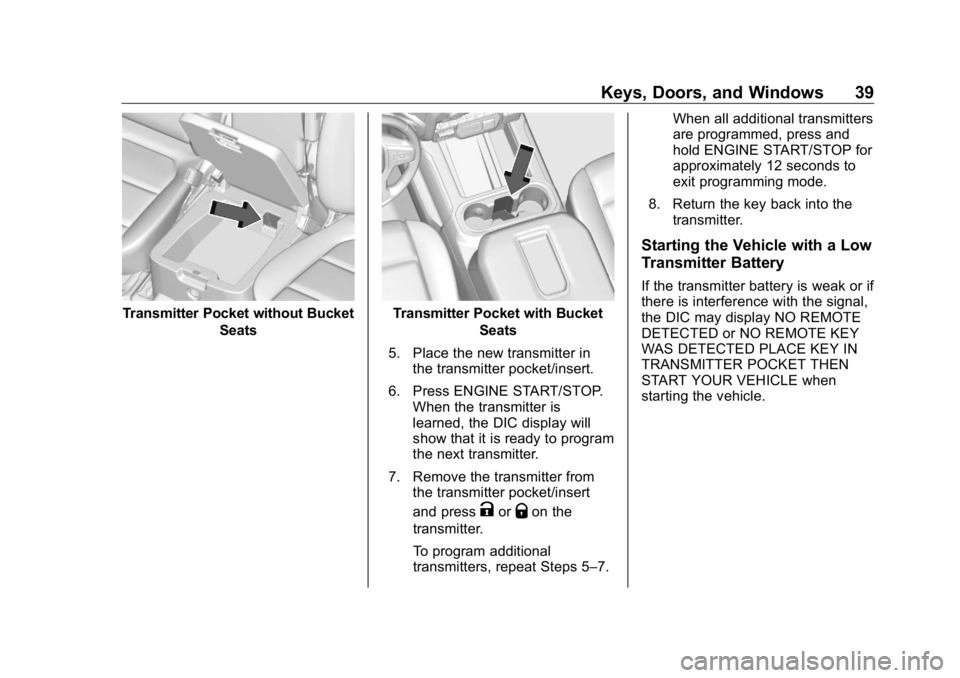
REMOTE#3, 4, 5 ETC. Transmitter Pocket without Bucket
Seats
Page 39 of 472
GMC Sierra/Sierra Denali Owner Manual (GMNA-Localizing-U.S./Canada/
Mexico-1500-11698638) - 2019 - crc - 5/15/18
38 Keys, Doors, and Windows
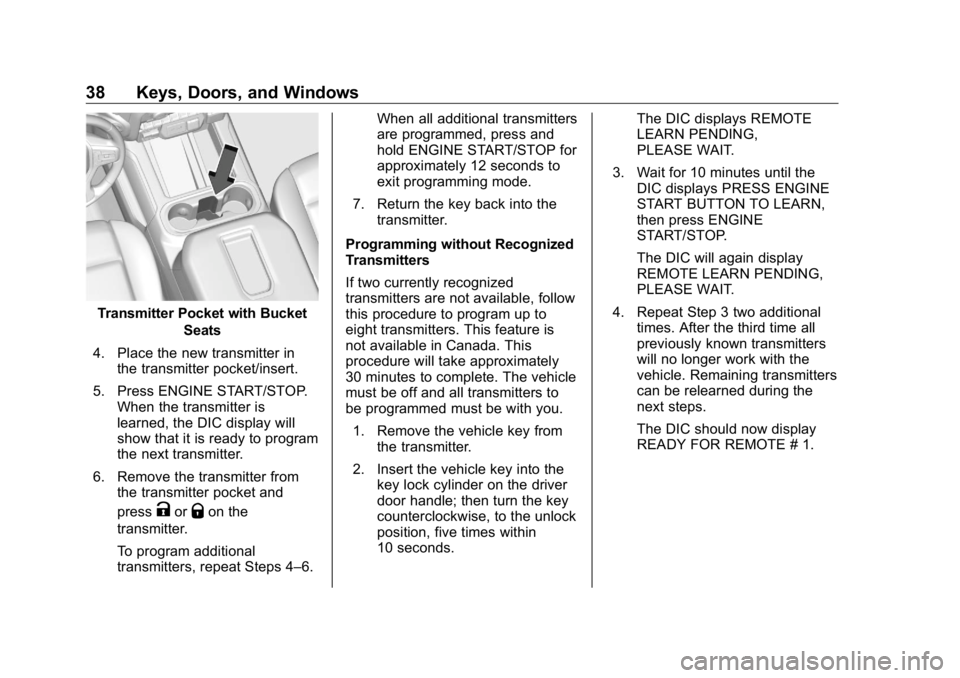
Transmitter Pocket with Bucket
Seats
4. Place the new transmitter in
the transmitter pocket/insert.
5. Press ENGINE START/STOP.
When the transmitter is
learned, the DIC display will
show that it is ready to program
the next transmitter.
6. Remove the transmitter from
the transmitter pocket and
press
K or
Q on the
transmitter.
To program additional
transmitters, repeat Steps 4 – 6. When all additional transmitters
are programmed, press and
hold ENGINE START/STOP for
approximately 12 seconds to
exit programming mode.
7. Return the key back into the
transmitter.
Programming without Recognized
Transmitters
If two currently recognized
transmitters are not available, follow
this procedure to program up to
eight transmitters. This feature is
not available in Canada. This
procedure will take approximately
30 minutes to complete. The vehicle
must be off and all transmitters to
be programmed must be with you.
1. Remove the vehicle key from
the transmitter.
2. Insert the vehicle key into the
key lock cylinder on the driver
door handle; then turn the key
counterclockwise, to the unlock
position, five times within
10 seconds. The DIC displays REMOTE
LEARN PENDING,
PLEASE WAIT.
3. Wait for 10 minutes until the
DIC displays PRESS ENGINE
START BUTTON TO LEARN,
then press ENGINE
START/STOP.
The DIC will again display
REMOTE LEARN PENDING,
PLEASE WAIT.
4. Repeat Step 3 two additional
times. After the third time all
previously known transmitters
will no longer work with the
vehicle. Remaining transmitters
can be relearned during the
next steps.
The DIC should now display
READY FOR REMOTE # 1.
Page 40 of 472
GMC Sierra/Sierra Denali Owner Manual (GMNA-Localizing-U.S./Canada/
Mexico-1500-11698638) - 2019 - crc - 5/15/18
Keys, Doors, and Windows 39
Transmitter Pocket without Bucket
Seats Transmitter Pocket with Bucket
Seats
5. Place the new transmitter in
the transmitter pocket/insert.
6. Press ENGINE START/STOP.
When the transmitter is
learned, the DIC display will
show that it is ready to program
the next transmitter.
7. Remove the transmitter from
the transmitter pocket/insert
and press
K or
Q on the
transmitter.
To program additional
transmitters, repeat Steps 5 – 7. When all additional transmitters
are programmed, press and
hold ENGINE START/STOP for
approximately 12 seconds to
exit programming mode.
8. Return the key back into the
transmitter.
Starting the Vehicle with a Low
Transmitter Battery If the transmitter battery is weak or if
there is interference with the signal,
the DIC may display NO REMOTE
DETECTED or NO REMOTE KEY
WAS DETECTED PLACE KEY IN
TRANSMITTER POCKET THEN
START YOUR VEHICLE when
starting the vehicle.
Page 41 of 472
GMC Sierra/Sierra Denali Owner Manual (GMNA-Localizing-U.S./Canada/
Mexico-1500-11698638) - 2019 - crc - 5/15/18
40 Keys, Doors, and Windows To start the vehicle:
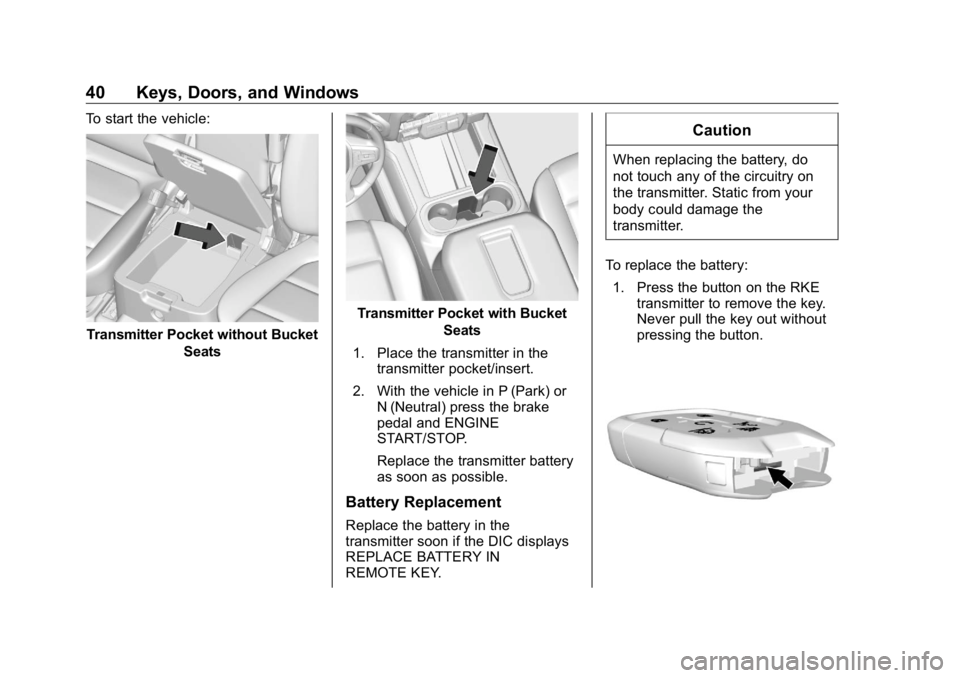
Transmitter Pocket without Bucket
Seats Transmitter Pocket with Bucket
Seats
1. Place the transmitter in the
transmitter pocket/insert.
2. With the vehicle in P (Park) or
N (Neutral) press the brake
pedal and ENGINE
START/STOP.
Replace the transmitter battery
as soon as possible.
Battery Replacement
Replace the battery in the
transmitter soon if the DIC displays
REPLACE BATTERY IN
REMOTE KEY. CautionWhen replacing the battery, do
not touch any of the circuitry on
the transmitter. Static from your
body could damage the
transmitter.
To replace the battery:
1. Press the button on the RKE
transmitter to remove the key.
Never pull the key out without
pressing the button.
Page 43 of 472
GMC Sierra/Sierra Denali Owner Manual (GMNA-Localizing-U.S./Canada/
Mexico-1500-11698638) - 2019 - crc - 5/15/18
42 Keys, Doors, and Windows If enabled, the turn signal lamps
flash twice to indicate unlocking has
occurred. If enabled, the exterior
lamps may turn on. See Vehicle
Personalization 0 167 .
Pressing
K on the RKE transmitter
disarms the alarm system. See
Vehicle Alarm System 0 54 .
If equipped with remote mirror
folding, pressing and holding
K for
one second will unfold the mirrors,
if enabled. See Vehicle
Personalization 0 167 .
Press and hold
K to remotely open
the windows, if enabled. See
Vehicle Personalization 0 167 .
x : Press twice quickly to release
the tailgate, if equipped.
7 : Press and release to initiate the
vehicle locator. The turn signal
lamps flash and the horn sounds
three times.
Press and hold
7 for more than
three seconds to activate the panic
alarm. The turn signal lamps flash
and the horn sounds repeatedly for 30 seconds. The alarm turns off
when the ignition is turned on or
7is pressed again. The ignition must
be off for the panic alarm to work.
Programming Transmitters to
the Vehicle Only RKE transmitters programmed
to this vehicle will work. If a
transmitter is lost or stolen, a
replacement can be purchased and
programmed through your dealer.
Each vehicle can have up to
eight transmitters programmed to it.
See your dealer for transmitter
programming.
Battery Replacement Replace the battery in the
transmitter soon if the REPLACE
BATTERY IN REMOTE KEY
displays in the Driver Information
Center (DIC). CautionWhen replacing the battery, do
not touch any of the circuitry on
the transmitter. Static from your
body could damage the
transmitter.
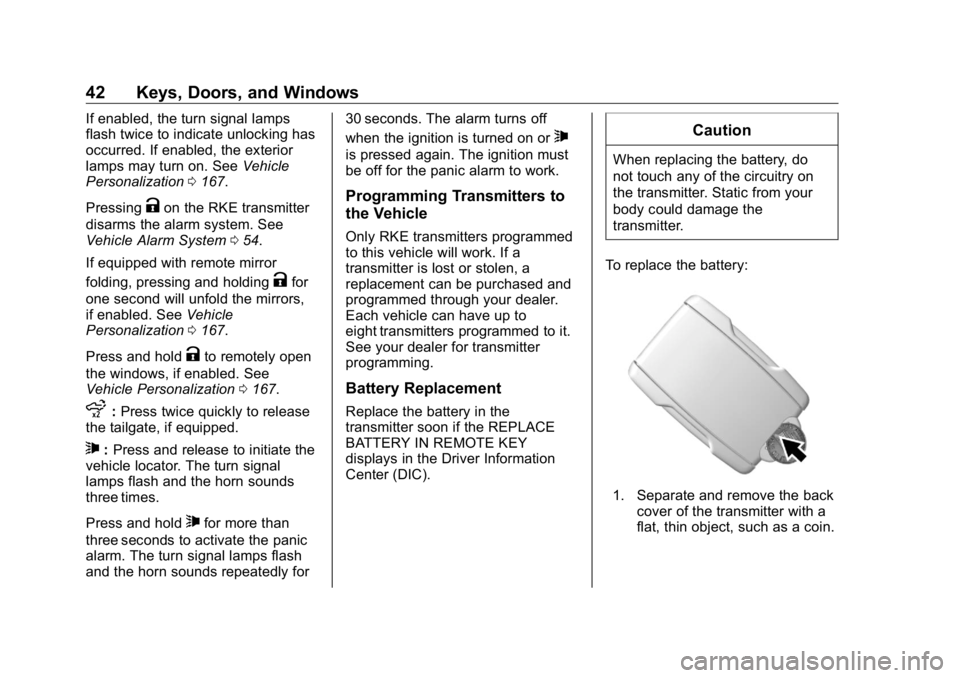
To replace the battery:
1. Separate and remove the back
cover of the transmitter with a
flat, thin object, such as a coin.
Page 54 of 472
GMC Sierra/Sierra Denali Owner Manual (GMNA-Localizing-U.S./Canada/
Mexico-1500-11698638) - 2019 - crc - 5/15/18
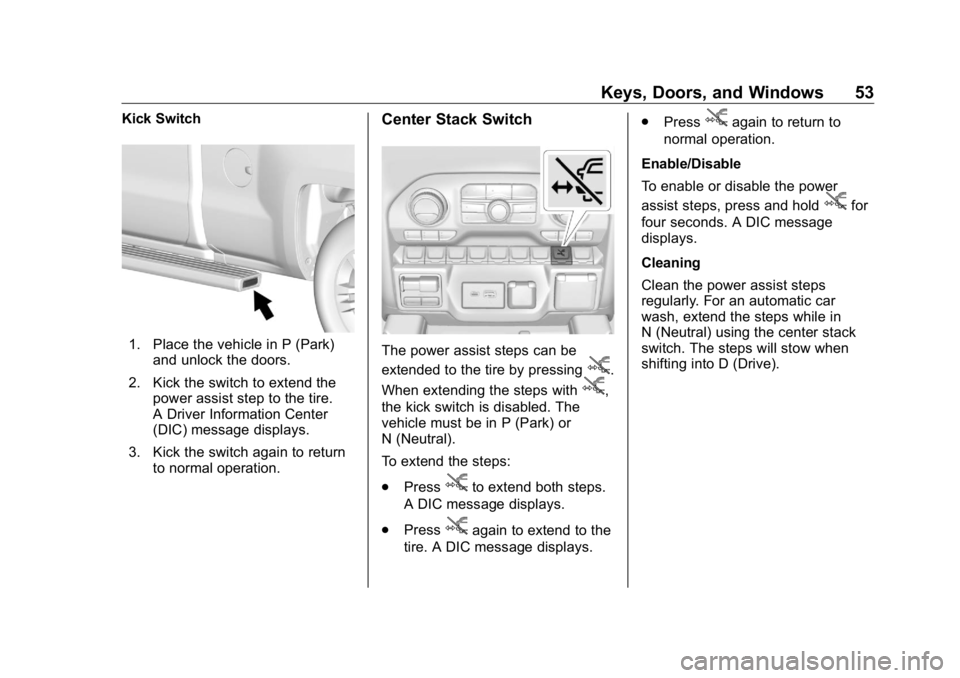
Keys, Doors, and Windows 53Kick Switch
1. Place the vehicle in P (Park)
and unlock the doors.
2. Kick the switch to extend the
power assist step to the tire.
A Driver Information Center
(DIC) message displays.
3. Kick the switch again to return
to normal operation. Center Stack Switch
The power assist steps can be
extended to the tire by pressing
j .
When extending the steps with
j ,
the kick switch is disabled. The
vehicle must be in P (Park) or
N (Neutral).
To extend the steps:
.
Press
j to extend both steps.
A DIC message displays.
.
Press
j again to extend to the
tire. A DIC message displays. .
Press
j again to return to
normal operation.
Enable/Disable
To enable or disable the power
assist steps, press and hold
j for
four seconds. A DIC message
displays.
Cleaning
Clean the power assist steps
regularly. For an automatic car
wash, extend the steps while in
N (Neutral) using the center stack
switch. The steps will stow when
shifting into D (Drive).