Page 67 of 515
ADJUSTING THE STEERING
WHEEL
WARNING: Do not adjust the
steering wheel when your vehicle is
moving.
Note: Make sure that you are sitting in the
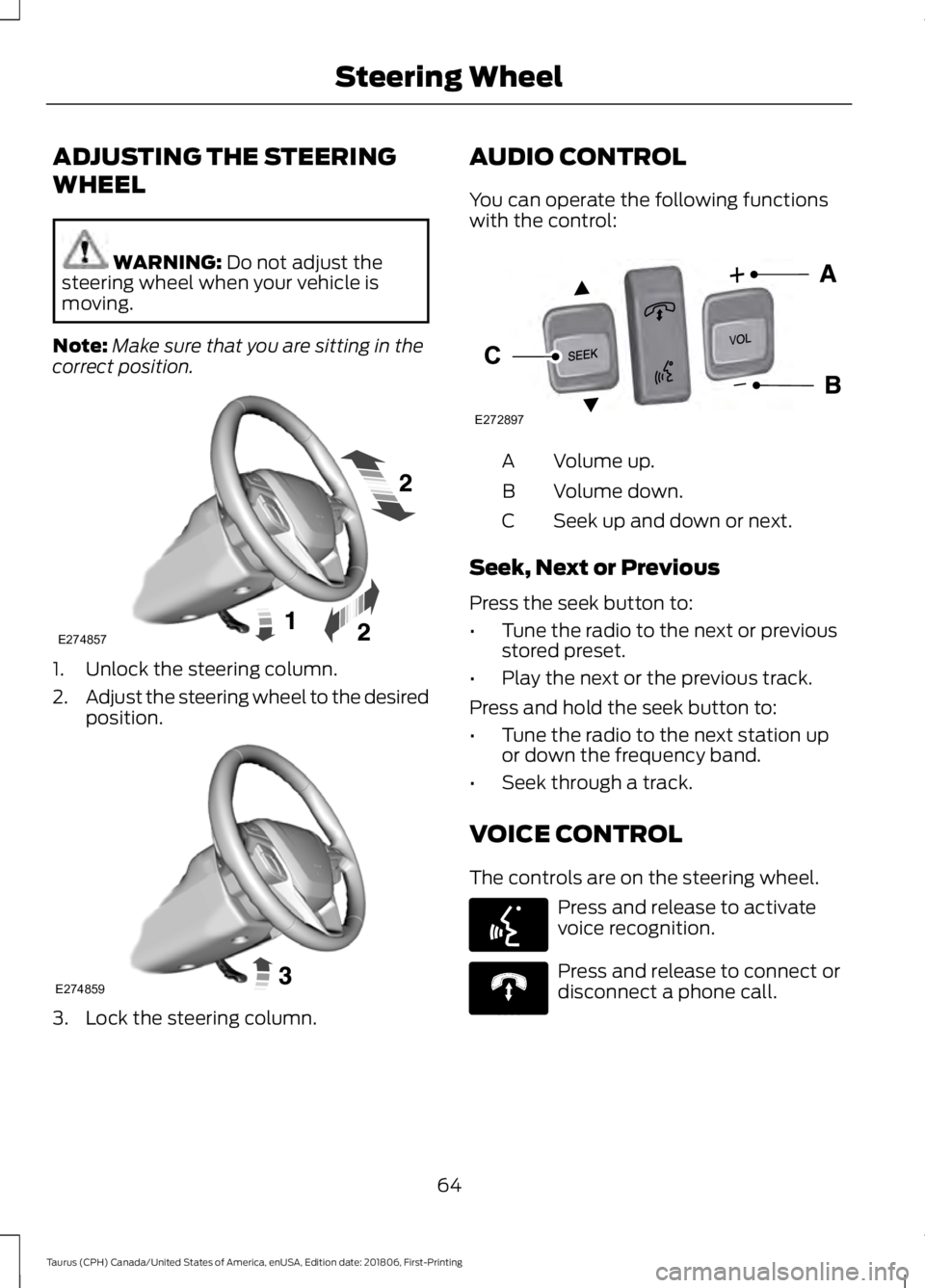
correct position. 1. Unlock the steering column.
2.
Adjust the steering wheel to the desired
position. 3. Lock the steering column. AUDIO CONTROL
You can operate the following functions
with the control:
Volume up.
A
Volume down.
B
Seek up and down or next.
C
Seek, Next or Previous
Press the seek button to:
• Tune the radio to the next or previous
stored preset.
• Play the next or the previous track.
Press and hold the seek button to:
• Tune the radio to the next station up
or down the frequency band.
• Seek through a track.
VOICE CONTROL
The controls are on the steering wheel. Press and release to activate
voice recognition.
Press and release to connect or
disconnect a phone call.
64
Taurus (CPH) Canada/United States of America, enUSA, Edition date: 201806, First-Printing Steering WheelE274857 E274859 E272897
V E142599 E270559
Page 68 of 515
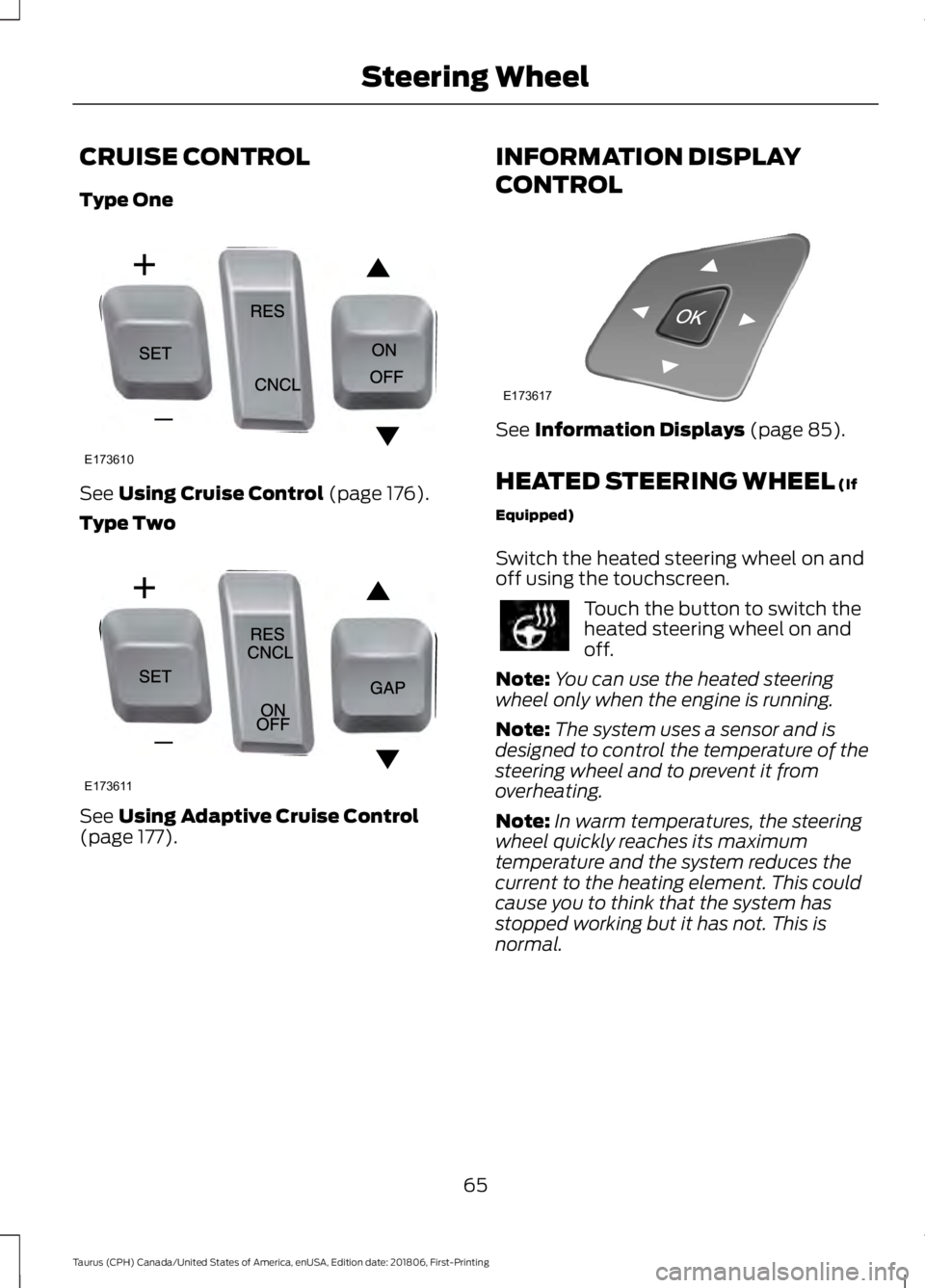
CRUISE CONTROL
Type One
See Using Cruise Control (page 176).
Type Two See
Using Adaptive Cruise Control
(page 177). INFORMATION DISPLAY
CONTROL See
Information Displays (page 85).
HEATED STEERING WHEEL
(If
Equipped)
Switch the heated steering wheel on and
off using the touchscreen. Touch the button to switch the
heated steering wheel on and
off.
Note: You can use the heated steering
wheel only when the engine is running.
Note: The system uses a sensor and is
designed to control the temperature of the
steering wheel and to prevent it from
overheating.
Note: In warm temperatures, the steering
wheel quickly reaches its maximum
temperature and the system reduces the
current to the heating element. This could
cause you to think that the system has
stopped working but it has not. This is
normal.
65
Taurus (CPH) Canada/United States of America, enUSA, Edition date: 201806, First-Printing Steering WheelE173610 E173611 E173617
Page 88 of 515

GENERAL INFORMATION
WARNING: Driving while
distracted can result in loss of vehicle
control, crash and injury. We strongly
recommend that you use extreme
caution when using any device that may
take your focus off the road. Your
primary responsibility is the safe
operation of your vehicle. We
recommend against the use of any
hand-held device while driving and
encourage the use of voice-operated
systems when possible. Make sure you
are aware of all applicable local laws
that may affect the use of electronic
devices while driving.
You can control various systems on your
vehicle using the information display
controls on the steering wheel.
Corresponding information appears in the
information display. Information Display Controls
(Type 1)
•
Press the up and down arrow buttons
to scroll through and highlight the
options within a menu.
• Press the right arrow button to enter a
submenu.
• Press the left arrow button to exit a
submenu.
• Press the
OK button to choose and
confirm settings or messages. This icon gives you the ability to
switch a feature on or off. A
check in the box indicates the
feature is enabled, and unchecked
indicates the feature is disabled.
85
Taurus (CPH) Canada/United States of America, enUSA, Edition date: 201806, First-Printing Information DisplaysE215242 E204495
Page 89 of 515

Trip 1 & 2
You can access the menu using the
information display control.
Note:
Some options may appear slightly
different or not at all if the items are
optional. Trip 1 & 2
Digital Speedometer Hold OK to Reset
Trip Odometer
Trip Timer
Average Fuel
• Digital Speedometer - Shows a digital
display of your vehicle speed.
• Trip Odometer — Registers the
distance of individual journeys. •
Trip Timer — The timer stops when you
turn your vehicle off and restarts when
you restart your vehicle.
• Average Fuel — Shows the average fuel
economy for a given trip.
Note: Press and hold OK on the current
screen to reset the respective trip, distance,
time and fuel information.
Fuel Economy Fuel Economy
Dist to empty
Inst Fuel Econ
Average Fuel
• Distance to Empty - Shows the
approximate distance your vehicle can
travel before running out of fuel.
• Instantaneous Fuel Economy - Shows
a visual graph of your instantaneous
fuel economy along with your Avg MPG
since the function was last reset.
• Average MPG — Shows the average
fuel economy since last reset. Note:
You can reset your average fuel
economy by pressing and holding the
OK
button on the left hand steering wheel
controls.
86
Taurus (CPH) Canada/United States of America, enUSA, Edition date: 201806, First-Printing Information Displays
Page 91 of 515
Settings
Display
Compass
Normal or Towing
DTE calcula-
tion
Easy Entry/Exit
Autolock
Locks
Convenience
AutounlockAll Doors or Driver First
Remote Unlock
Remaining Life XXX% - Hold OK to Reset
Oil Life
Reset
Auto or Last Settings
Climate Control
Remote
Start
Automatic or Off
Seats and Wheel or
Front Seats
5, 10 or 15 minutes
Duration
System
Remote Open
Windows
Remote Close
Courtesy Wipe
Wipers
Rain Sensing
1 Year, 2 Years, 3 Years or 4 Years
Tire Mobility
Kit
Hold OK to Create MyKey
Create
MyKey
MyKey
Always On or User Selectable
911 Assist
Traction
Ctrl
80 mph (130 km/h) or Off
Max Speed
88
Taurus (CPH) Canada/United States of America, enUSA, Edition date: 201806, First-Printing Information Displays
Page 94 of 515

Trip 1 & 2
Trip distance
Trip 1 & 2
Elapsed trip time
Average fuel economy
Hold OK to Reset
• Trip distance — shows the accumulated trip distance.
• Elapsed trip time— timer stops when the vehicle is turned off and restarts when the
vehicle is restarted.
• Average fuel economy — shows the average fuel economy for a given trip.
Note: You can reset your trip information by pressing and holding the OK button on the left
hand steering wheel controls.
Fuel Economy
Use the left or right arrow buttons to
choose the desired fuel economy display. Fuel Economy
30 Min Fuel History
Inst Fuel Economy
Fuel Economy
-
X
Instantaneous fuel usage
X
-
Fuel usage over a 30 minute
time span
Always Present
Average MPG
Always Present
XXX mi (km) to E
• Inst Fuel Economy - This display shows a visual graph of your instantaneous fuel
economy.
• 30 Min Fuel History - This display shows a bar chart of your fuel history.
Note: You can reset your average fuel economy by pressing and holding the OK button on
the left hand steering wheel controls.
Driver Assist
In this mode, you can configure different
driver setting choices. Note:
Some items are optional and may
not appear.
91
Taurus (CPH) Canada/United States of America, enUSA, Edition date: 201806, First-Printing Information Displays
Page 96 of 515
Settings
Auto or Last Settings
Climate Control
Remote
Start
Automatic or Off
Seats and Wheel or
Front Seats
5, 10 or 15 minutes
Duration
System
1 Year, 2 Years, 3 Years or 4 Years
Tire Mobility
Kit
Remote Open or Close
Windows
Courtesy Wipe
Wipers
Rain Sensing
MyKeys / Admin Keys
MyKey
Status
Hold OK to Create MyKey
Create
MyKey
MyKey
Always On or User Selectable
911 Assist
Traction
Control
80 mph (130 km/h) or Off
Max Speed
Choose desired speed or off
Speed
Minder
On or Off
Volume
Limiter
Always On or User Selectable
Do Not
Disturb
Hold OK to Clear All MyKeys
Clear
MyKeys
Miles & Gal., km/L or L/100km
Distance
Display
93
Taurus (CPH) Canada/United States of America, enUSA, Edition date: 201806, First-Printing Information Displays
Page 98 of 515

AdvanceTrac
™ Action
Message
The system detects a malfunction due to a blocked sensor.
Service AdvanceTrac
The driver has disabled or enabled the traction control.
AdvanceTrac Off On
Alarm Action
Message
Unauthorized entry triggered the alarm. See Anti-Theft
Alarm (page 63).
Vehicle Alarm To Stop
Alarm, Start Vehicle.
Automatic Engine Shutdown Action
Message
The engine is preparing to shutdown.
Engine Shuts Off In
{seconds to shut off:#0} Seconds
The engine has shutdown to help increase fuel economy.
Engine Shut Off For Fuel
Economy
The engine is preparing to shutdown. You can press OK onthe left steering wheel button to override the shutdown.
Engine Shuts Off in
{seconds to shut off:#0} Seconds Press Ok to Override
Automatic High Beam Control Action
Message
The front camera sensor has reduced visibility. Clean the windshield.
Front Camera Low Visib-
ility Clean Screen
The system requires service due to a malfunction. Contact anauthorized dealer.
Front Camera Malfunc-
tion Service Required
The front camera sensor has malfunctioned. Wait a shortperiod of time for the sensor to cool down.
Front Camera Tempor-
arily Not Available
95
Taurus (CPH) Canada/United States of America, enUSA, Edition date: 201806, First-Printing Information Displays