2019 FORD RANGER remote control
[x] Cancel search: remote controlPage 100 of 512

Driver Assist
Enter the submenu and select your setting
Lane Keeping
Sys
Enter the submenu and select your setting
Pre-Collision
Tire Monitor
Tire Monitor
Settings
In this mode, you can configure different
driver setting choices. Note:
Some items are optional and may
not appear. Settings
Enter the submenu and select your setting
Alarm
Vehicle
Auto Engine Off Enter the submenu and select your setting
Lighting
Enter the submenu and select your setting
Locks
Enter the submenu and select your setting
Neutral Tow
XXX% - Hold OK to Reset
Oil Life Reset
Enter the submenu and select your setting
Remote Start
Seatbelts
Enter the submenu and select your setting
Windows
Enter the submenu and select your setting
Wipers
Mykey Status
Mykey Status
MyKey
Hold
OK to Create MyKey
Create MyKey
Always On or User Selectable
911 Assist
Enter the submenu and select your setting
Do Not Disturb
Enter the submenu and select your setting
Traction Control
Enter the submenu and select your setting
Max Speed
Enter the submenu and select your setting
Speed Minder
Volume Limiter
97
Ranger (TFG) Canada/United States of America, enUSA, Edition date: 201809, Fourth-Printing Information Displays
Page 111 of 512

Remote Start
Action
Message
A reminder to push the start button to drive your vehicle after a remote start.
To Drive: Press Start
Button
Starting System Action
Message
A reminder to apply the brake when starting your vehicle .
To START Press Brake
The starter has exceeded its cranking time in attempting tostart your vehicle.
Cranking Time Exceeded
The starter is attempting to start your vehicle.
Engine Start Pending
Please Wait
The system has cancelled the pending start.
Pending Start Cancelled
Tire Pressure Monitoring System Action
Message
One or more tires on your vehicle has low tire pressure.
Tire Pressure Low
The tire pressure monitoring system is malfunctioning. If thewarning stays on or continues to come on, contact an
authorized dealer. See Tire Pressure Monitoring System (page 298).
Tire Pressure Monitor
Fault
A tire pressure sensor is malfunctioning or your spare tire is inuse. See
Tire Pressure Monitoring System (page 298). If
the warning stays on or continues to come on, contact an authorized dealer as soon as possible.
Tire Pressure Sensor
Fault
Traction Control Action
Message
The status of the traction control system after you switched it off.
Traction Control Off
The status of the traction control system after you switched it on.
Traction Control On
108
Ranger (TFG) Canada/United States of America, enUSA, Edition date: 201809, Fourth-Printing Information Displays
Page 120 of 512

You can locate the cabin air filter behind
the glove box.
Note:
Make sure you have a cabin air filter
installed at all times. This prevents foreign
objects from entering the system. Running
the system without a filter in place could
result in degradation or damage to the
system.
Replace the filter at regular intervals. See
Scheduled Maintenance (page 437).
For additional cabin air filter information,
or to replace the filter, see an authorized
dealer.
REMOTE START
(IF EQUIPPED)
The climate control system adjusts the
interior temperature during remote start.
You can switch this feature on or off and
adjust the settings using the information
display controls. See
Information
Displays (page 90).
You cannot adjust the climate control
setting during remote start operation.
Switch the ignition on to make
adjustments.
Based on your remote start settings, the
following vehicle-dependent features may
or may not remain on after remote starting
your vehicle:
• Climate controlled seats.
• Heated steering wheel.
• Heated mirrors.
• Heated rear window.
• Windshield wiper de-icer.
Note: For dual zone climate controlled
seats, the passenger seat setting defaults
to match the driver seat during remote start. Automatic Settings
If
Auto is on, the system sets the interior
temperature to 72°F (22°C) and heats or
cools the vehicle interior as required to
achieve comfort.
Note: In cold weather, the heated rear
window and heated mirrors turn on.
Last Settings
If
Last Settings is on, the system uses the
settings last selected before you turned
off the vehicle.
Heated and Cooled Features
In Auto mode, certain heated features may
switch on during cold weather, and cooled
features during hot weather.
117
Ranger (TFG) Canada/United States of America, enUSA, Edition date: 201809, Fourth-Printing Climate Control
Page 128 of 512

UNIVERSAL GARAGE DOOR
OPENER (IF EQUIPPED)
HomeLink Wireless Control
System WARNING:
Do not use the system
with any garage door opener that does
not have the safety stop and reverse
feature as required by U.S. Federal
Safety Standards (this includes any
garage door opener manufactured
before April 1, 1982). A garage door
opener which cannot detect an object,
signaling the door to stop and reverse,
does not meet current federal safety
standards. Using a garage door opener
without these features increases the risk
of serious injury or death.
Note: Make sure that the garage door and
security device are free from obstruction
when you are programming. Do not program
the system with the vehicle in the garage.
Note: Make sure you keep the original
remote control transmitter for use in other
vehicles as well as for future system
programming.
Note: We recommend that upon the sale
or lease termination of your vehicle, you
erase the programmed function buttons for
security reasons. See Erasing the Function
Button Codes
later in this section.
Note: You can program a maximum of
three devices. To change or replace any of
the three devices after it has been initially
programmed, you must first erase the
current settings. See Erasing the Function
Button Codes
. The universal garage door opener replaces
the common hand-held garage door
opener with a three-button transmitter
integrated into the driver
’s sun visor.
The system includes two primary features,
a garage door opener and a platform for
remote activation of devices within the
home. You can program garage doors as
well as entry gate operators, security
systems, entry door locks and home or
office lighting.
Additional system information can be
found online at www.homelink.com,
www.youtube.com/user/HomeLinkGentex
or by calling the toll-free help line at
1-800-355-3515.
In-Vehicle Programming
This process is to program your in-vehicle
HomeLink function button with your
hand-held transmitter.
Note: The programming steps below
assume you will be programming HomeLink
that was not previously programmed. If your
HomeLink was previously programmed, you
may need to erase your HomeLink buttons.
See Erasing the Function Button Codes.
Note: Put a new battery in the hand-held
transmitter. This allows for quicker training
and accurate transmission of the
radio-frequency signal.
125
Ranger (TFG) Canada/United States of America, enUSA, Edition date: 201809, Fourth-Printing Garage Door OpenerE188211
Page 192 of 512

Action
Cause
Do not use the system in these conditions
because it may not detect any vehicles
ahead.
Water, snow or ice on the surface of the
road may interfere with the radar signals.
Wait a short time or switch to normal cruise
control.
You are in a desert or remote area with no
other vehicles and no roadside objects.
Due to the nature of radar technology, it is possible to get a blockage warning with no
actual block. A false blocked condition either self clears, or clears after you restart your
vehicle.
Switching to Normal Cruise
Control WARNING: Normal cruise control
will not brake when your vehicle is
approaching slower vehicles. Always be
aware of which mode you have selected
and apply the brakes when necessary. The cruise control indicator light
replaces the adaptive cruise
control indicator light if you
select normal cruise control. The gap
setting does not display, and the system
does not respond to lead vehicles.
Automatic braking remains active to
maintain set speed.
You can change from adaptive cruise
control to normal cruise control through
the information display.
189
Ranger (TFG) Canada/United States of America, enUSA, Edition date: 201809, Fourth-Printing Cruise Control
(If Equipped)E71340
Page 256 of 512

Protected Component
Fuse Rating
Fuse or Relay
Number
Not used (spare).
5A 2
22
Inverter.
10A 1
23
Door lock switch.
Central locking system.
20A 1
24
Driver door power window.
30A 1
25
Not used (spare).
30A 1
26
Not used (spare).
30A 1
27
Branded audio amplifier.
20A 1
28
Not used (spare).
30A 1
29
Not used (spare).
30A 1
30
Not used (spare).
15A 1
31
Radio transceiver module.
10A 1
32 Door entry remote.
SYNC.
Audio unit.
20A 1
33
Run/start relay.
30A 1
34
Not used (spare).
5A 1
35
Auto-dimming interior mirror.
15A 1
36
Mirror adjustment control.
Not used (spare).
20A 1
37
Power windows.
30A 3
38
1 Micro 2 fuse.
2 Micro 3 fuse.
3 PTC fuse.
253
Ranger (TFG) Canada/United States of America, enUSA, Edition date: 201809, Fourth-Printing Fuses
Page 497 of 512
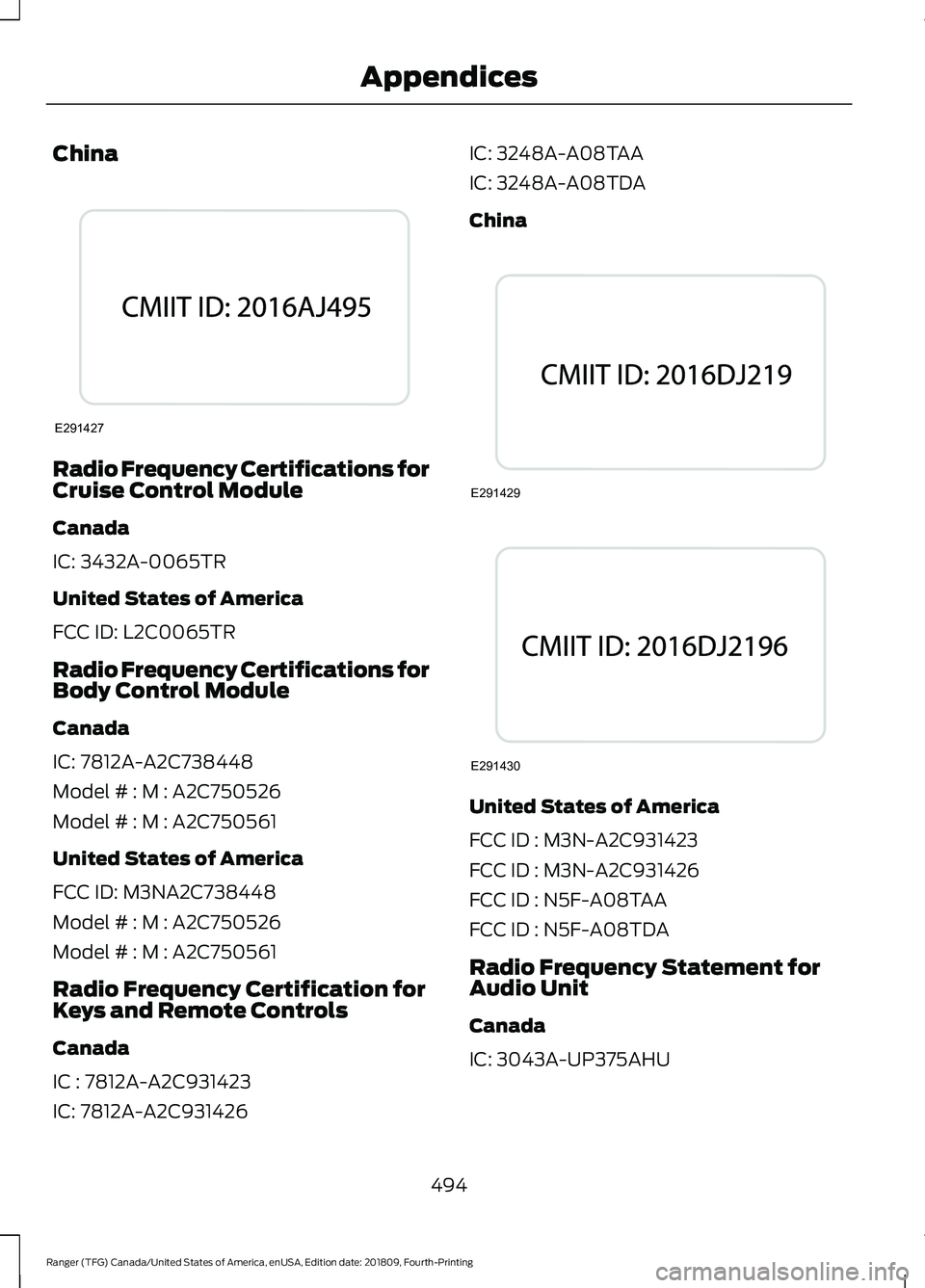
China
Radio Frequency Certifications for
Cruise Control Module
Canada
IC: 3432A-0065TR
United States of America
FCC ID: L2C0065TR
Radio Frequency Certifications for
Body Control Module
Canada
IC: 7812A-A2C738448
Model # : M : A2C750526
Model # : M : A2C750561
United States of America
FCC ID: M3NA2C738448
Model # : M : A2C750526
Model # : M : A2C750561
Radio Frequency Certification for
Keys and Remote Controls
Canada
IC : 7812A-A2C931423
IC: 7812A-A2C931426 IC: 3248A-A08TAA
IC: 3248A-A08TDA
China
United States of America
FCC ID : M3N-A2C931423
FCC ID : M3N-A2C931426
FCC ID : N5F-A08TAA
FCC ID : N5F-A08TDA
Radio Frequency Statement for
Audio Unit
Canada
IC: 3043A-UP375AHU
494
Ranger (TFG) Canada/United States of America, enUSA, Edition date: 201809, Fourth-Printing AppendicesE291427 E291429 E291430
Page 505 of 512

Heated Seats..................................................124
Heated Windshield.......................................116
Windshield Wiper De-Icer................................ 116
Heating See: Climate Control........................................... 111
Hill Start Assist.............................................166 Switching the System On and Off................167
Using Hill Start Assist........................................ 167
Hints on Controlling the Interior Climate...........................................................113
Defogging the Side Windows in Cold Weather.............................................................. 116
General Hints......................................................... 113
Quickly Cooling the Interior.............................. 115
Quickly Heating the Interior............................. 114
Recommended Settings for Cooling............115
Recommended Settings for Heating...........115
Hints on Driving With Anti-Lock Brakes............................................................165
Home Screen
................................................368
Hood Lock See: Opening and Closing the Hood..........256
Horn....................................................................68
I
Ignition Switch
...............................................133
Starting the Engine............................................ 134
Switching the Ignition Off................................ 134
Switching the Ignition On................................ 134
Switching the Ignition to Accessory Mode
................................................................... 134
In California (U.S. Only).............................235
Information Display Control
......................68
Information Displays....................................90
General Information........................................... 90
Information Messages
.................................98
4WD........................................................................\
. 110
Adaptive Cruise Control.................................... 98
Airbag....................................................................... 99
Alarm and Security............................................. 99
Auto-Start-Stop................................................. 100
Battery and Charging System......................... 101
Blind Spot Information and Cross Traffic Alert System..................................................... 101
Doors and Locks................................................. 102
Driver Alert............................................................ 102
Drivetrain............................................................... 103Engine.....................................................................
103
Fuel........................................................................\
.. 103
Keys and Intelligent Access............................ 104
Lane Keeping System....................................... 105
Maintenance........................................................ 105
MyKey..................................................................... 106
Park Aid.................................................................. 107
Power Steering.................................................... 107
Pre-Collision Assist............................................ 107
Remote Start....................................................... 108
Starting System ................................................. 108
Tire Pressure Monitoring System.................108
Traction Control.................................................. 108
Trail Control.......................................................... 109
Trailer...................................................................... 109
Installing Child Restraints...........................22 Child Restraints..................................................... 22
Combining Seatbelt and LATCH Lower Anchors for Attaching Child
Restraints........................................................... 26
Front Seat Tether Strap Attachment (SuperCab)........................................................ 27
Rear Seat Tether Strap Attachment (SuperCab)....................................................... 28
Use of Inboard Lower Anchors from the Outermost Seating Positions (Center
Seating Use) .................................................... 26
Using Lap and Shoulder Belts ........................ 22
Using Lower Anchors and Tethers for CHildren (LATCH)........................................... 24
Using Tether Straps............................................. 26
Instrument Cluster
........................................83
Instrument Lighting Dimmer......................72 Vehicles With Front Fog Lamps...................... 73
Vehicles Without Front Fog Lamps...............73
Instrument Panel
............................................18
Interior Lamps..................................................75
Courtesy Lamp...................................................... 75
Reading Lamps..................................................... 76
Rear Courtesy Lamp............................................ 76
Interior Mirror....................................................81 Automatic Dimming Mirror................................ 81
Manual Dimming Mirror...................................... 81
Introduction.........................................................7
502
Ranger (TFG) Canada/United States of America, enUSA, Edition date: 201809, Fourth-Printing Index